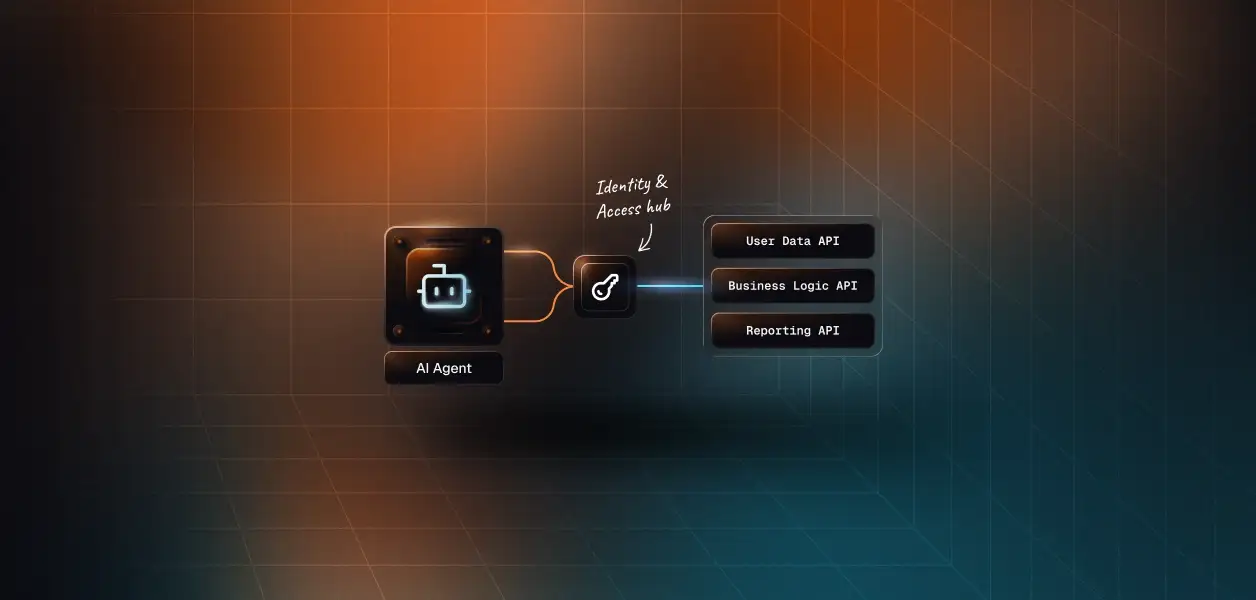


Your agent needs to work inside Front: read a thread, draft a reply, leave an internal comment, tag and route the conversation. Front now ships two ways in, an OAuth-authenticated MCP server in open beta and the Core API your integrations have used for years. They read the same data and they are not interchangeable. They expose different surfaces, they put a different identity on every action, and one of them has an authorization constraint that quietly decides your architecture. Here is how to pick.
Both paths sit on the same conversation store. What differs is the shape of the contract and who is standing behind each call.
Front's MCP server is a vendor-hosted endpoint at https://mcp.frontapp.com/mcp, running Streamable HTTP against MCP spec version 2025-11-25. It is in open beta, and Front states plainly that tool names and descriptions are still subject to change.
Auth is OAuth 2.1 with PKCE compatibility, using read, write, and send scopes. Front does not support Dynamic Client Registration (DCR), so the client must be confidential and must send a client ID and secret. Front lists Codex, and any client that depends on DCR, as unable to connect.
Every tool call attributes to a specific Front teammate, and the agent's effective permissions are exactly that teammate's permissions. Full details are in Front's MCP server documentation.
The Core API is a Bearer-token REST interface at https://api2.frontapp.com, covering accounts, analytics, channels, comments, contacts, conversations, drafts, events, inboxes, knowledge bases, links, message templates, rules, shifts, signatures, statuses, tags, teammates, teams, time off, and views.
Tokens come from one of two places: an API token generated in Front settings, or an OAuth app using the authorization_code grant. Scopes are composed from a feature (access resources, MCP server, application triggers), a namespace (global, shared, or private resources), and a permission set (read, write, delete, send). Reference material lives in Front's Core API documentation.
Scalekit ships them as two separate connectors. The Front MCP connector lists 25 tools under the frontmcp_ prefix, two more than Front's published table, including frontmcp_get_my_identity and frontmcp_move_conversation. The Front connector wraps the Core API as 55 prebuilt tools under the front_ prefix.
The gap is not a rounding error. It follows a clean line: the MCP server covers what a teammate does inside a conversation, and the Core API covers everything that configures, reports on, or feeds the workspace.
Where a cell names a front_ or frontmcp_ tool, Scalekit ships it prebuilt. The analytics, webhook, and event rows are Core API endpoints with no prebuilt tool, reachable through the proxy call shown later.
Anything that changes the shape of the workspace lives on the Core API. Inbox and channel administration, teammate groups, shifts, rules, views, and the analytics surface have no MCP equivalent, and that is a design decision rather than a backlog item.
The event story is the sharper limit. The MCP server exposes no subscription primitive, so a triage agent that must react within seconds of an inbound message needs Core API webhooks to know that something happened at all.
frontmcp_send_message accepts exactly one argument, a draftId. The MCP path cannot send in one shot: the agent creates a draft, then queues it. The Core API sends directly with front_send_message or front_reply_to_conversation.
For a human-in-the-loop assistant, the two-step flow is the correct default. For a deterministic pipeline sending hundreds of templated replies, it doubles the call count against a tiered rate limit.
Front's help center lists contact updates as supported today, while the developer portal's tool reference exposes contacts as read-only. Treat the tool reference as the contract, and refresh the tool list from the server rather than hardcoding a catalog you captured last month.
This is where the two paths stop being a capability comparison and start being an architecture decision.
A Front admin creates a developer app, enables the MCP Server feature, selects the resource permissions, and shares the client ID and secret. After that, each teammate runs their own consent flow, and the token is bound to that teammate.
The admin-selected permissions are a ceiling, not a grant. A teammate who cannot see a private inbox still cannot see it through the agent. What the user cannot do, the agent cannot do.
Front's OAuth documentation is explicit: end users authorizing OAuth apps must be admins, for both private and public apps, and the MCP server is the only exception. The Core API path therefore has no per-teammate consent flow to offer.
The resulting token is scoped by namespace instead of by person. Global and shared resources come along by default, and private resources require each teammate to enable API access in their own settings before the token can touch them.
Front's write endpoints accept an author_id so an agent can act on behalf of a named teammate. Omit it and the comment or message posts as the API token or OAuth client that made the request.
That is attribution by parameter, not by identity. The permission check runs against the token's namespaces and scopes rather than against the named teammate's role, so least privilege becomes something your application enforces instead of something Front enforces for you.
Front's AI agents feature, currently in closed beta, registers your agent as a named teammate with its own credentials. The agent exchanges a client ID and secret through the client_credentials grant for a bearer token with roughly a 15-minute TTL and no refresh token, then calls the same MCP server with it.
Every action is attributed to the agent's own identity, conversations can be routed to it by rules, and an inactivity timer unassigns it automatically. This is the honest answer to "MCP is interactive only": it is interactive only for human delegation.
Recommended reading: Access Control for Multi-Tenant AI Agents and API Access Patterns for AI Agents.
Front manages the MCP server, its schemas, and its hosting. Everything below is still yours on both paths.
The Core API limit is per company, not per token: 50 requests per minute on Starter, 100 on Professional, 200 on Enterprise, plus a burst allowance equal to half the plan limit; exhaust the burst and it takes ten minutes to return. Conversation search is capped at 40 percent of the company limit. Requests made by a partner integration through OAuth get their own 120 rpm pool per company.
The MCP server uses separate limits, tiered per teammate per minute: 120 for light reads, 30 for heavy reads such as search and timeline fetches, 20 for writes, and 20 for sends. Per-teammate and per-workspace hourly caps apply on top.
The design implication is direct. Ten agents on one company-scoped API token share a single bucket. Ten agents on ten teammate tokens do not.
Core API access tokens expire after 60 minutes. The refresh token is valid for six months, and Front returns the same refresh token on every exchange until the final 24 hours of its life, when a new one is issued. Miss that window and the whole authorization flow restarts.
That is a rotation rule you have to encode somewhere. Waiting for a 401 to trigger a refresh gives you retry storms across concurrent agent threads instead of a token. For a deeper look at this problem, see how to handle token refresh for AI agents.
Every MCP write tool that mutates visible state carries destructiveHint: true, which prompts compliant clients to ask for per-call confirmation. In an interactive assistant that is the behavior you want. In an unattended run it is a stall, so confirm how your client handles the hint before scheduling anything.
Most production Front agents end up using both. The split is predictable once you know which identity each action needs.
Front decides who an agent is. It does not store, rotate, or revoke anything on your behalf.
Take a B2B support agent serving 12 customer workspaces with 15 Front teammates each. On the MCP path that is 180 user-scoped grants to hold, refresh, and revoke on offboarding. On the Core API path it is 12 admin-authorized tokens, each on a 60-minute access token and a six-month refresh clock that only rotates in its last 24 hours.
The credential count changes. The infrastructure requirement does not. Both paths hand you a secret and a lifecycle, and neither hands you a vault. This is the same structural problem described in secure token management for AI agents at scale.
Scalekit's Front connector and Front MCP connector run the OAuth flow, encrypt the resulting credentials in a token vault, refresh them before expiry, and resolve the right one per identifier at call time. Tokens never enter the agent runtime or the model context.
Because both connectors share that layer, the MCP versus API decision becomes a tool-selection question rather than an auth-architecture question. The same identifier works across both.
Create the connection in the Scalekit dashboard first, then authorize one teammate before writing any agent code. The connection_name in code must match the connection name in the dashboard character for character, which is the most common integration failure.
One parameter above is worth internalising: scope defaults to my_conversations. Unassigned conversations, which is most of what a triage agent cares about, only appear when you set all_inboxes.
Before the code, the distinction that matters. The agent is not loading a Front tool catalog. list_scoped_tools runs underneath the LangChain adapter and returns the tools this teammate's connected account is authorized to call, each already bound to that account.
For more on how LangChain tool calling works and where it needs augmentation, see LangChain Tool Calling: How It Works, Where It Stops, and How Scalekit Completes It.
The same pattern in TypeScript against the Anthropic SDK, with the loop shown end to end.
The 55 prebuilt tools on the front connector do not cover every endpoint, and the events and analytics surfaces are the usual gaps. The proxy call uses the same connected account, so the credential still never lands in agent code.
A standard MCP connection exposes every tool it has. A Front drafting copilot that needs four of them gets all of them, and pays for the rest in context on every single run.
Virtual MCP servers let you declare exactly which connections and which tools an agent role sees. You create the server once and get a static mcp_server_url; before each run you mint a short-lived session token bound to one user.
The triage agent above cannot send a message, delete a draft, or move a conversation, because those tools are not on its server. Least privilege is enforced at the tool level rather than by prompt instruction.
The token cost is the second half. Roughly 40 tools at about 200 tokens each burns close to 8,000 tokens before the agent does any work; scoping to five or ten cuts that overhead by around 80 percent. Tool bloat is an accuracy problem and a cost problem, and surface reduction fixes both.
The multi-tenant property is the third. One server definition serves every user, and the per-run session token decides whose Front account the call lands in. There is no per-user server to deploy, host, or maintain.
Front's own audit trail will show you a teammate archiving a conversation. It will not tell you that an agent did it, on whose behalf, or which run it belonged to.
Every execute_tool call through Scalekit is recorded with the identifier, the connected account, and an execution ID, and the auth logs separate failures by source and export to your SIEM. "What did this agent do in Front for this customer last Tuesday" becomes one query instead of a correlation exercise. For a full treatment of why this matters, see Agent Tool Observability: Your Agent Is Running. Is It Actually Working?
The failure mode is quiet rather than loud. A revoked grant returns an empty result set, the agent treats empty context as valid state, and routing decisions run on no data with no exception anywhere in the chain.
Attribution at the tool-call layer is what turns that into a visible event. More on the pattern in agent tool observability and tool call failures in production.
If a teammate is present and the work happens inside a conversation, build on the MCP server. It is the only Front surface that gives you per-user consent without admin rights, per-teammate rate limits, and a timeline in one call.
If the agent runs on a schedule, reacts to events, or touches anything above the conversation layer, build on the Core API and accept the admin-authorized, company-scoped token that comes with it. If it needs both, use both, and put the credential layer underneath rather than beside them.
The tool surface will keep moving while the MCP server is in beta. The credential lifecycle will not, and that is the part worth building on infrastructure you do not have to revisit.
Start with the connector docs: Front MCP connector, Front connector, or browse all connectors. Pricing is on the pricing page.
If you would rather start from a working shape, the support triage agent, support ticket automation agent, and customer escalation patterns all map onto a Front inbox with minimal changes.
Building something on Front and want a second pair of eyes on the auth design? Join the Scalekit Slack community, or talk to us for help today.