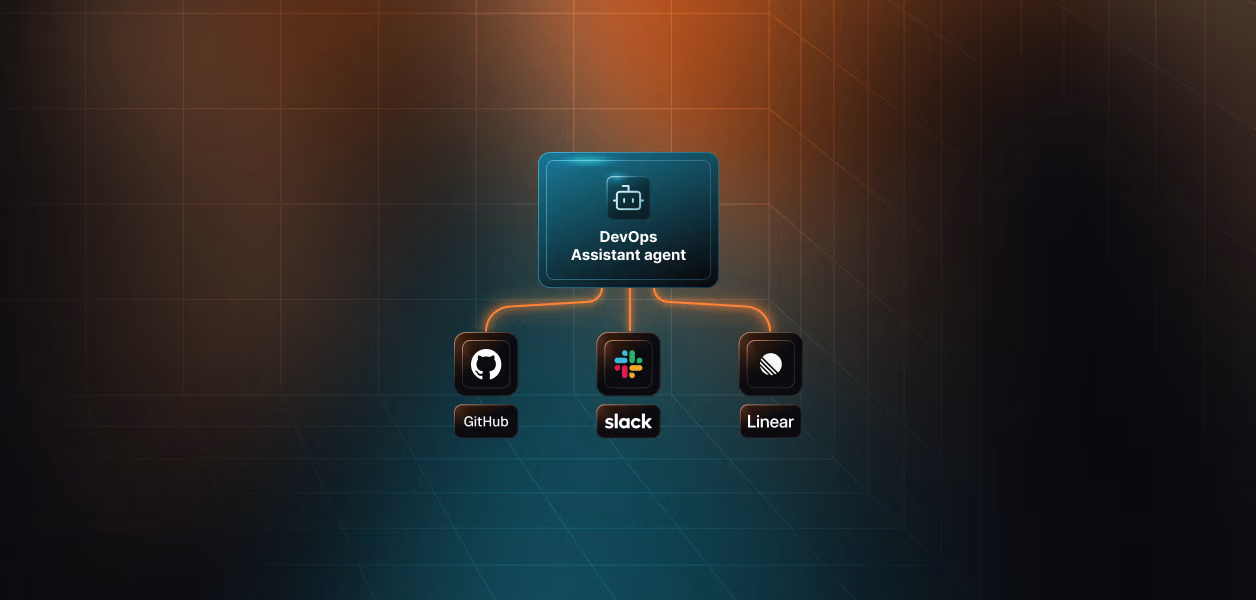


A fintech team wired an AI triage agent across four engineering Slack channels, one per team. Three months into production with a dozen customer orgs, the backend team started finding issues landing in the frontend repo. The agent was reading the right channel. It was creating issues in the wrong place entirely.
The root cause was a shared GitHub OAuth token with no tenant boundary. Every channel used the same identity to act, and the agent had no way to know which repo belonged to which team. Access control was an afterthought.
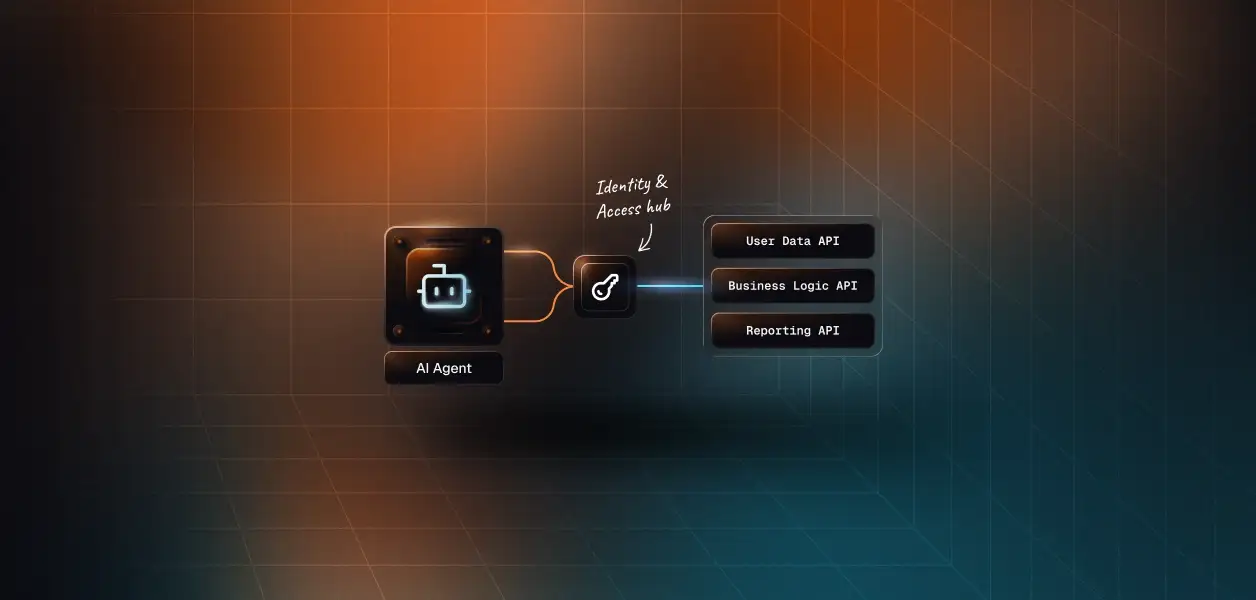
Agents don't log in. They run continuously across users, teams, and tenants, and when something goes wrong, "who authorized this and what were they allowed to touch?" rarely has a clean answer. This post walks through access control for multi-tenant AI agents from the start, role inheritance, tenant boundary enforcement, scope translation, and privilege escalation risks using a real Slack triage agent throughout.
Before getting into the fix, it helps to understand what makes multi-tenant agents fundamentally different from traditional SaaS.
AI agents are software systems that act autonomously on behalf of users, reading messages, creating tickets, and calling APIs without a human triggering each step. Multi-tenant means the same agent serves multiple organizations simultaneously, each with its own data, its own repos, and its own expectation that nothing crosses over.
What makes this different from traditional SaaS isn't the reading, it's the acting:
Common examples include triage agents routing bugs to GitHub, support agents triaging Zendesk tickets, and workflow agents triggering actions across tools, all running continuously across dozens of customer orgs on shared infrastructure.
Before getting into the fix, it helps to understand what makes multi-tenant agent identity different from a single OAuth token.
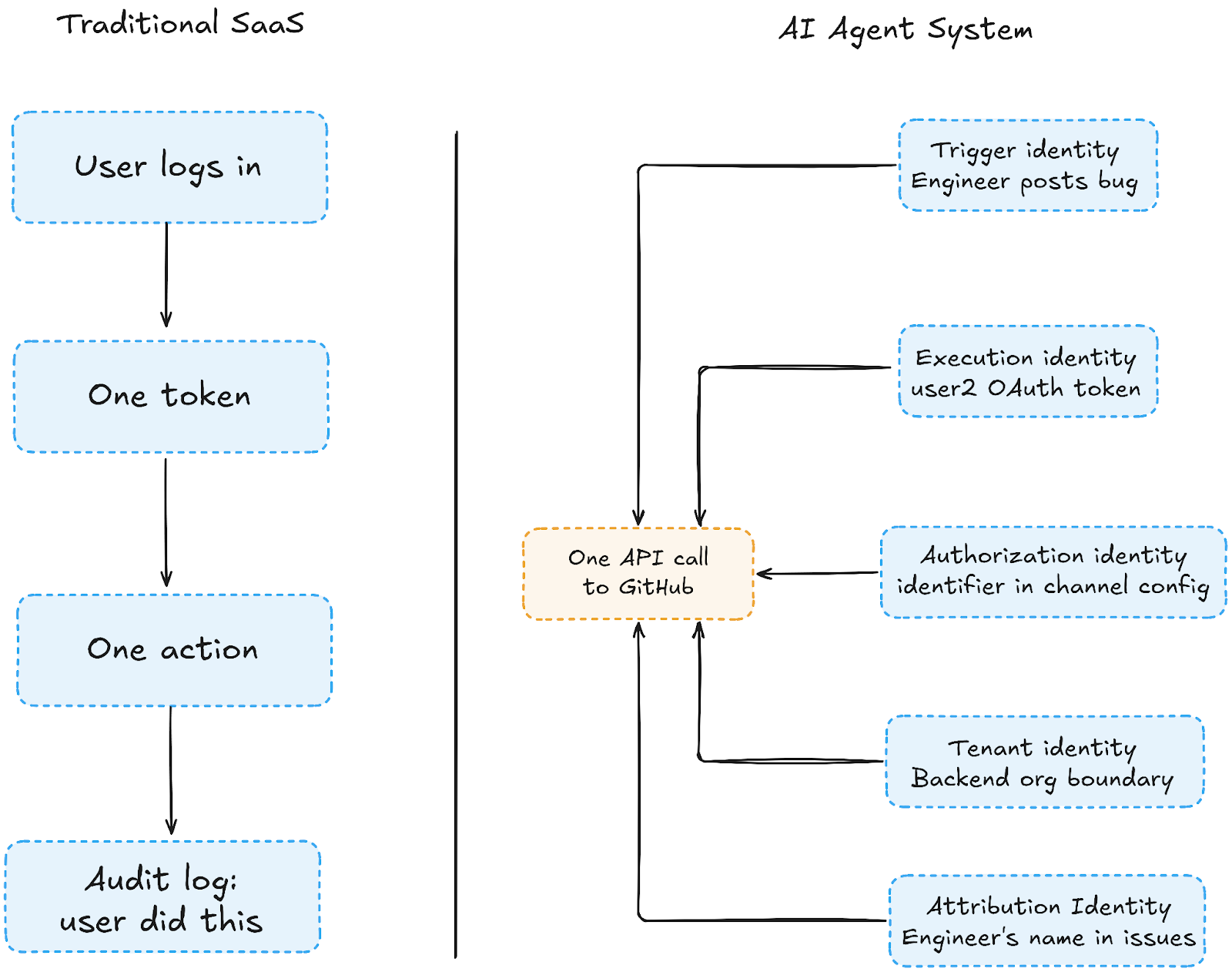
Traditional SaaS access control is built around a single identity: the person who logged in. One user, one session, one permission set. Every action traces back to them cleanly. That model breaks the moment an AI agent enters the picture because agents don't log in, and any action they take involves at least five separate actors simultaneously.
When an engineer posts a bug report in #bugs-backend, here's what's actually happening under the hood:
In a traditional app, all five refer to the same person: the logged-in user. In an agent system, there are five separate actors. The fifth attribution identity is the one that gets recorded in the downstream system for compliance. Pattern 3, later in this post, is a direct consequence of keeping it separate from execution identity.
The fintech team from earlier had conflated execution identity and tenant identity; one shared GitHub OAuth was acting for all teams, and that's exactly why issues landed in the wrong repo. When you don't explicitly model these five identities, access control bugs don't announce themselves. They surface three months later as silent misfires.
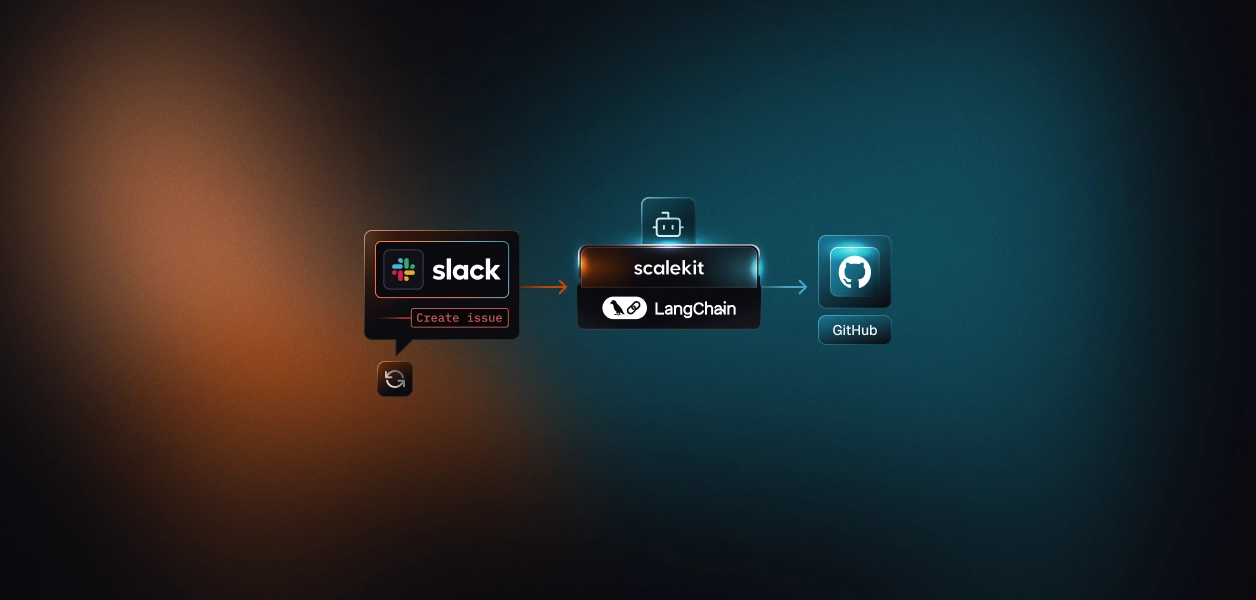
Before any of these patterns work, the connections between your agent and your services need to be in place. Here's how to wire them through Scalekit.
The access control patterns in this blog channel-owned auth, named connection binding, and tenant boundary enforcement all run on top of Scalekit's connector layer. Before any of it works, Slack and GitHub need to be connected as active integrations in your Scalekit dashboard. Here's what that looks like:
This is where tenant connections live:
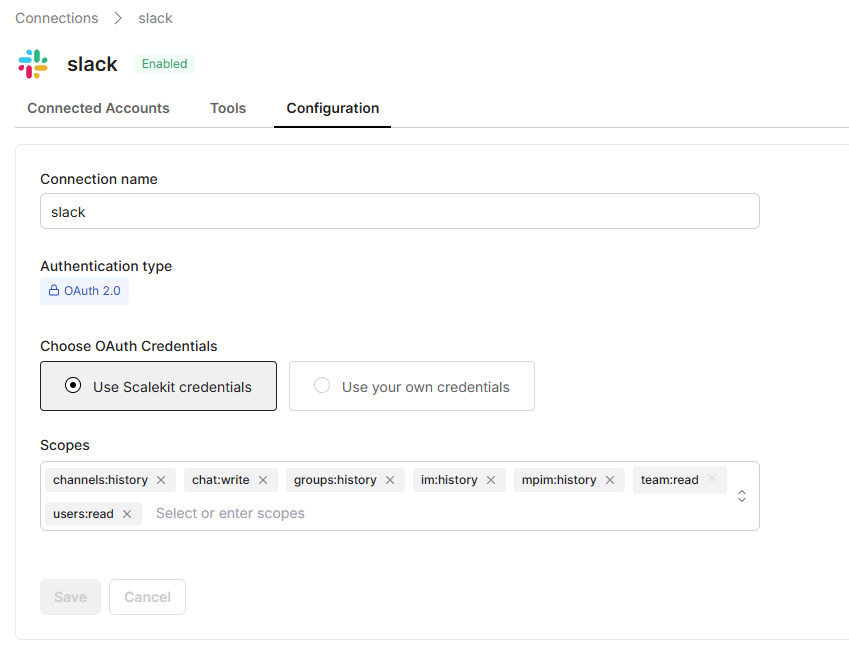
Scalekit dashboard → Connections → Create Connection. Each connection here maps to one tenant identity in your channel_config. The frontend team gets one, the backend team gets one fully isolated. No manual Slack app creation needed. Scalekit's managed credentials handle it.
This is where you test a live tool call before running the agent:
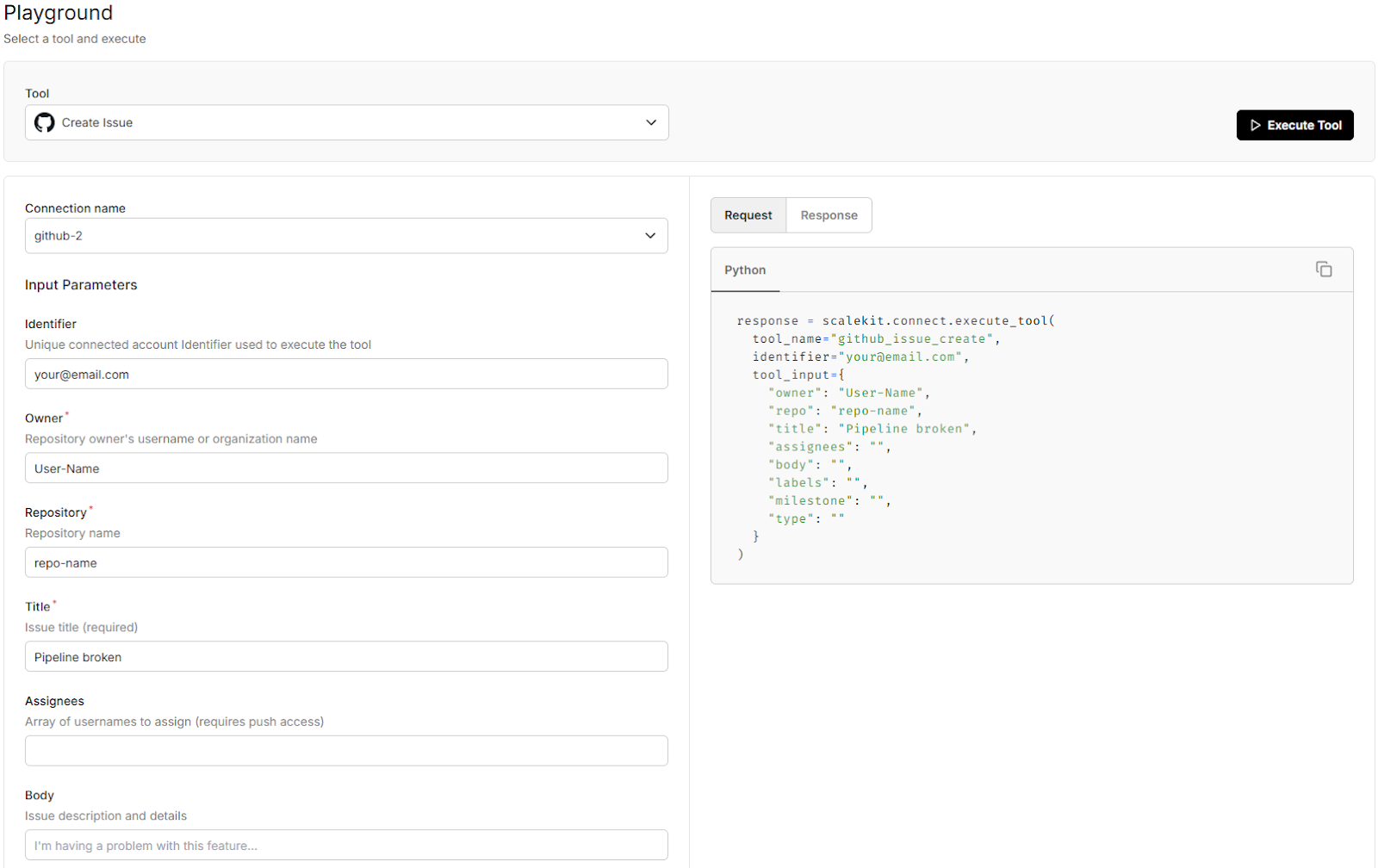
Scalekit playground fires a slack_fetch_conversation_history or github_issue_create call directly against your active connection before writing a single line of polling code. If it returns results here, your auth is wired correctly.
This is where you see auth activity across all tenants:
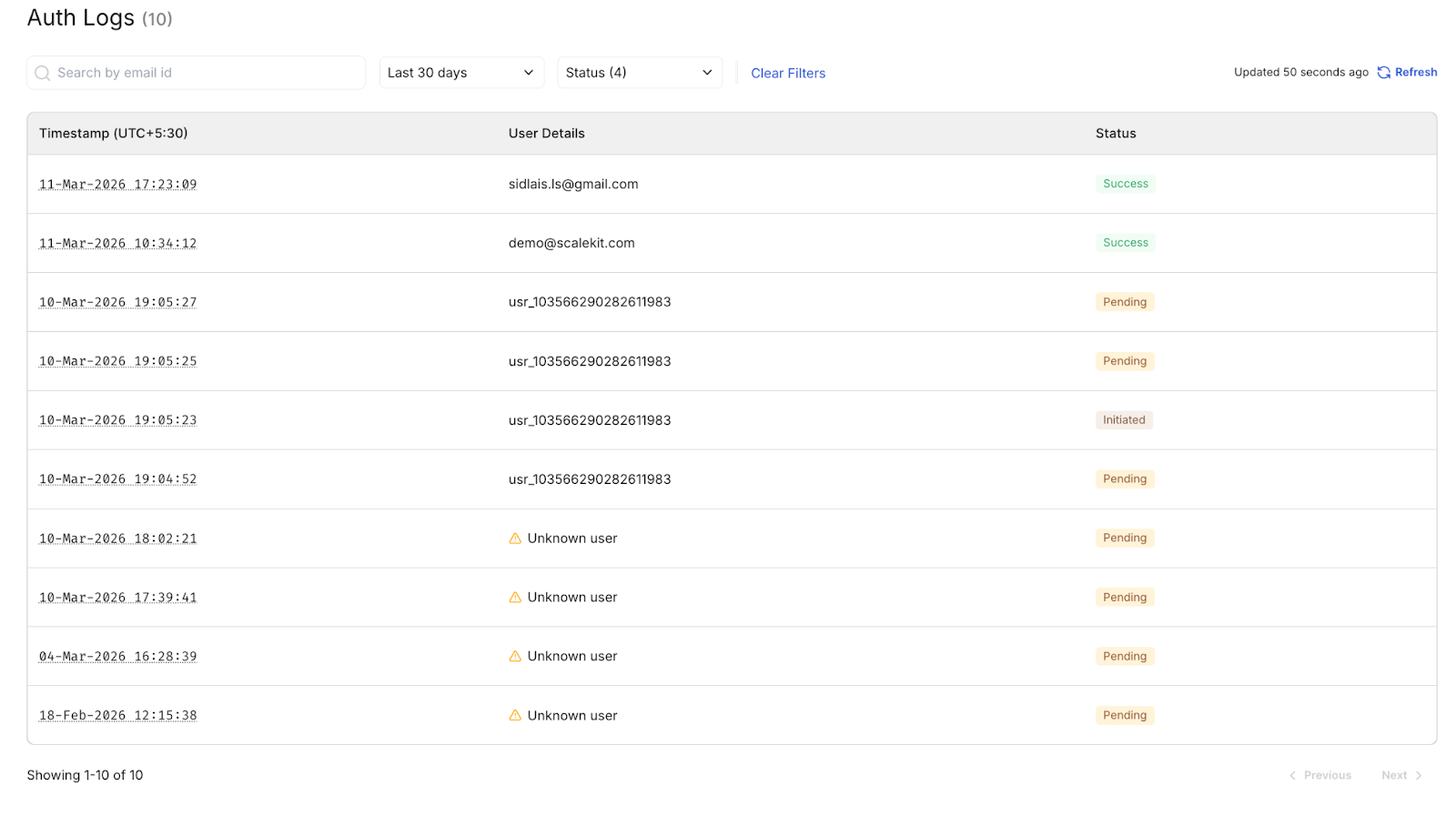
Every OAuth event token issued, refreshed, or revoked appears in Auth Logs per named connection. This is your audit trail for the entire multi-tenant identity layer, visible in real time.
Three things to confirm before running the agent:
For the complete setup walkthrough, registering providers, wiring OAuth endpoints, verifying connections, and running the full polling loop, see the companion post: Automating Slack workflows with LangGraph and Scalekit.
With connections active and identities mapped, the first implementation decision is how those identities should be owned, and that's where channel-owned authorization changes everything.
Per-user OAuth is the first instinct to ask every engineer to connect their GitHub account, store their token, and use it when they post a bug for a single-tenant app with five engineers. That works fine. For a B2B SaaS platform serving dozens of customer orgs, this means managing hundreds of individual tokens, reauthorizing every time someone joins or leaves a team, and having no clear boundary between which token belongs to which tenant. That's the exact hole the fintech team fell into: a shared GitHub OAuth token acting for all four teams, with no explicit mapping to a tenant boundary.
Channel-owned authorization fixes this by moving the OAuth grant from the user to the channel. Instead of user2@scalekit.com, the token owner is #bugs-backend. Any engineer posting in that channel inherits its permissions automatically, no individual OAuth flow, no token to expire per person, no permission to revoke per person. The channel config becomes the single source of truth:
Each channel entry maps exactly one Slack channel to one GitHub identity, one repo, and one named Scalekit connection that handles the OAuth lifecycle underneath. The identifier field is the email of the OAuth account associated with that connection in the Scalekit dashboard — it is passed to Scalekit as the lookup key to resolve the correct token automatically. Scalekit uses the identifier to find the right connection; you never need to pass a connection_id explicitly.
The operational impact at enterprise scale is immediate:
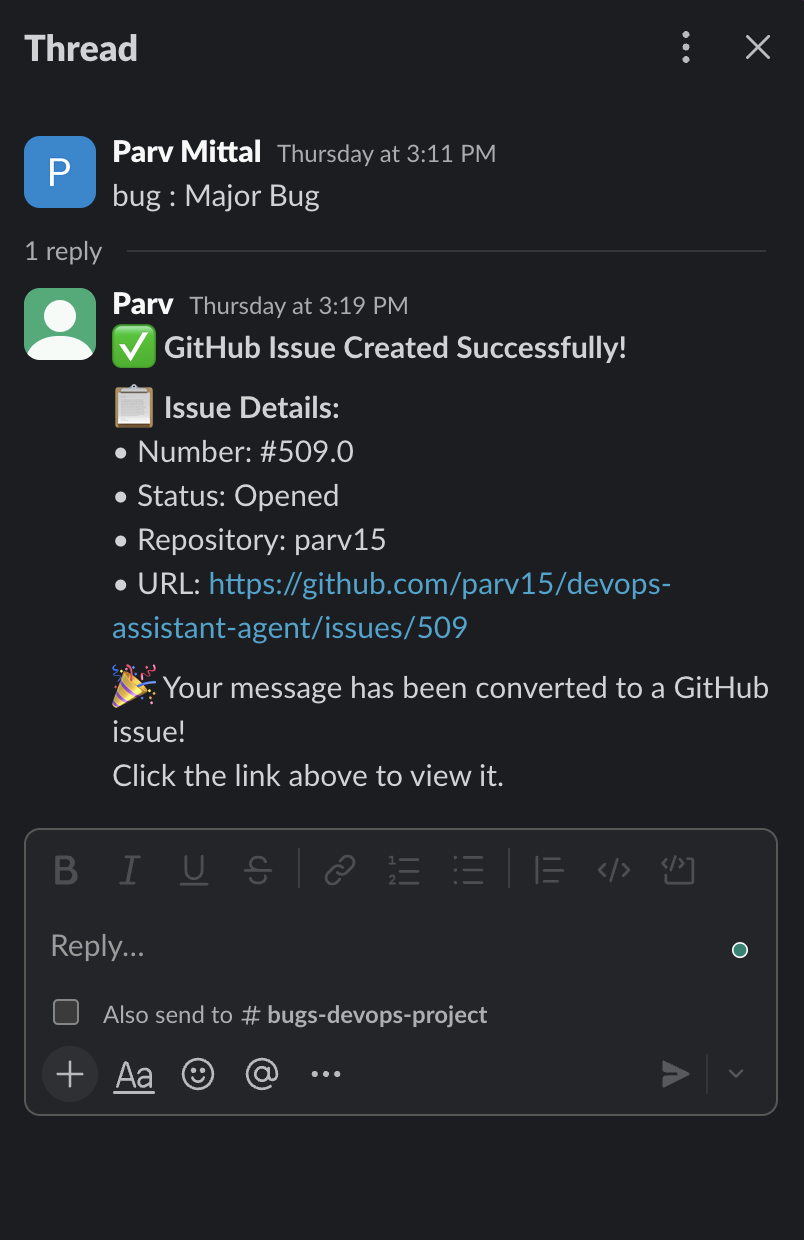
The agent replies in the thread, confirming that the user who posted gets visibility, and that the channel identity did the work.
Channel ownership handles the authorization layer, but roles still need to flow correctly from org structure down to repo access.
Traditional RBAC means a database row with user ID, role ID, and granted timestamp. Someone from IT provisions it, someone from IT revokes it. For a 200-person enterprise with 40 teams, that's a spreadsheet of permission records that's out of date the moment someone changes teams. In this model, the role assignment event isn't an IT ticket; it's joining a Slack channel. Membership is the permission granted. The fintech team's agent had no such concept at all; everyone shared one identity, so everyone had identical permissions regardless of which team they were on.
Channel membership is the role assignment in a channel-owned agent system. When an engineer joins #bugs-backend, they inherit the backend team's GitHub permissions: no IT ticket, no provisioning step, no OAuth flow. The diagram below shows how this flows from org down to repo access:
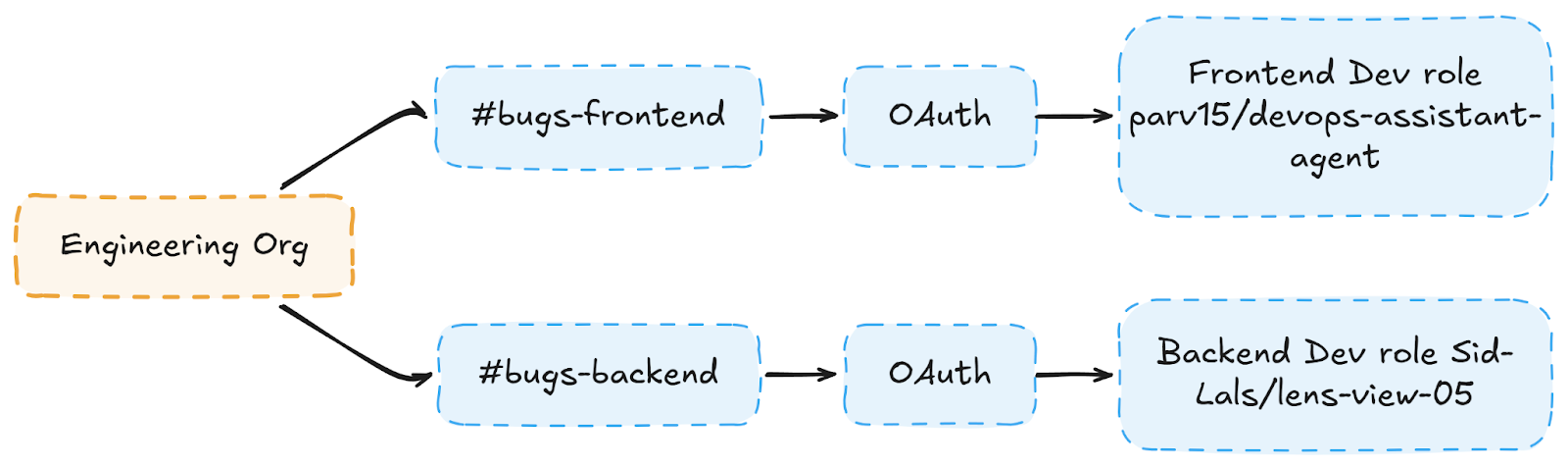
The inheritance chain is deliberately shallow org > channel > OAuth > repo. There are no intermediate role tables, no permission groups to sync, and no provisioning delay. When a new engineer joins the frontend team and posts their first bug report, Scalekit resolves the correct token from the named connection associated with the channel's identifier, and the issue lands in the right repo immediately. Three failure modes this eliminates at enterprise scale:
This also means a single revoked or expired connection is a denial-of-service for the entire team. Monitor connection health and maintain a re-authorization runbook to document the recovery path before it's needed.
Roles define what's allowed, and scope translation determines where an action actually lands.
Scope translation is the step most agent implementations skip, and it's where cross-tenant contamination quietly happens. Without it, the agent receives a Slack channel ID, looks up a connection, and calls GitHub. But "which connection?" and "which repo?" are left ambiguous. In the fintech team's case, the agent was inferring repo from user context, and when two engineers from different teams posted in the same window, the inference occasionally resolved to the wrong org. No error thrown. Issues just landed somewhere they shouldn't.
The pattern that prevents this is a three-step explicit translation on every single action: Slack scope in, GitHub scope out, nothing inferred:
The flow below shows the full translation chain end-to-end from the moment a user posts in Slack to the GitHub issue being created in the correct repo under the correct identity:
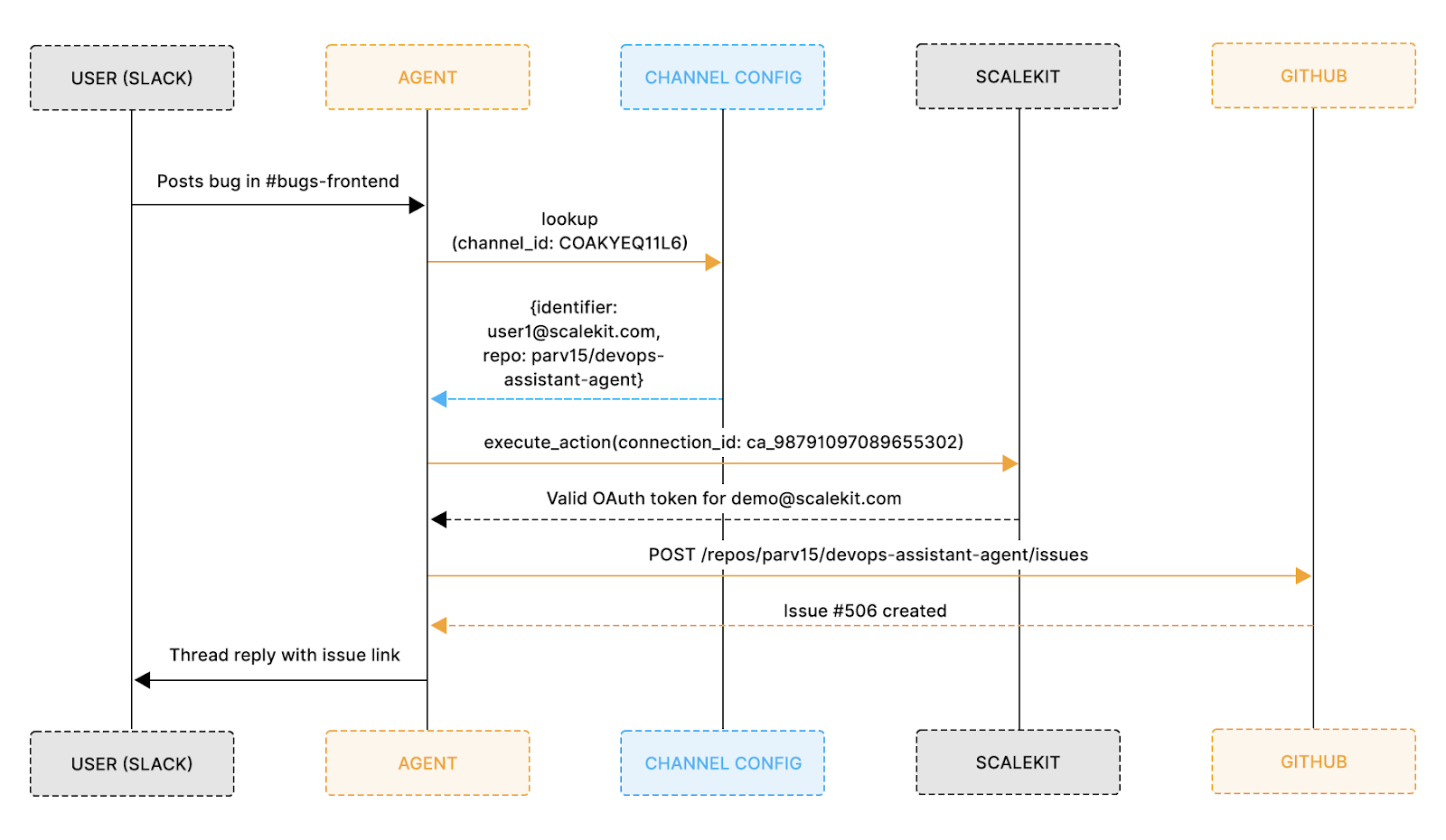
Every hop in that chain is an explicit channel ID that maps to a config entry; the config entry maps to a Scalekit connection; the connection resolves to an OAuth token scoped to a single repo. There is no branch where the agent guesses.
If channel_config returns nothing, the action stops explicitly, a warning is logged, and the function returns immediately. There is no implicit fallback to a default identity, and the stop is visible and verifiable in a code review, not dependent on an unhandled exception further down the call stack.
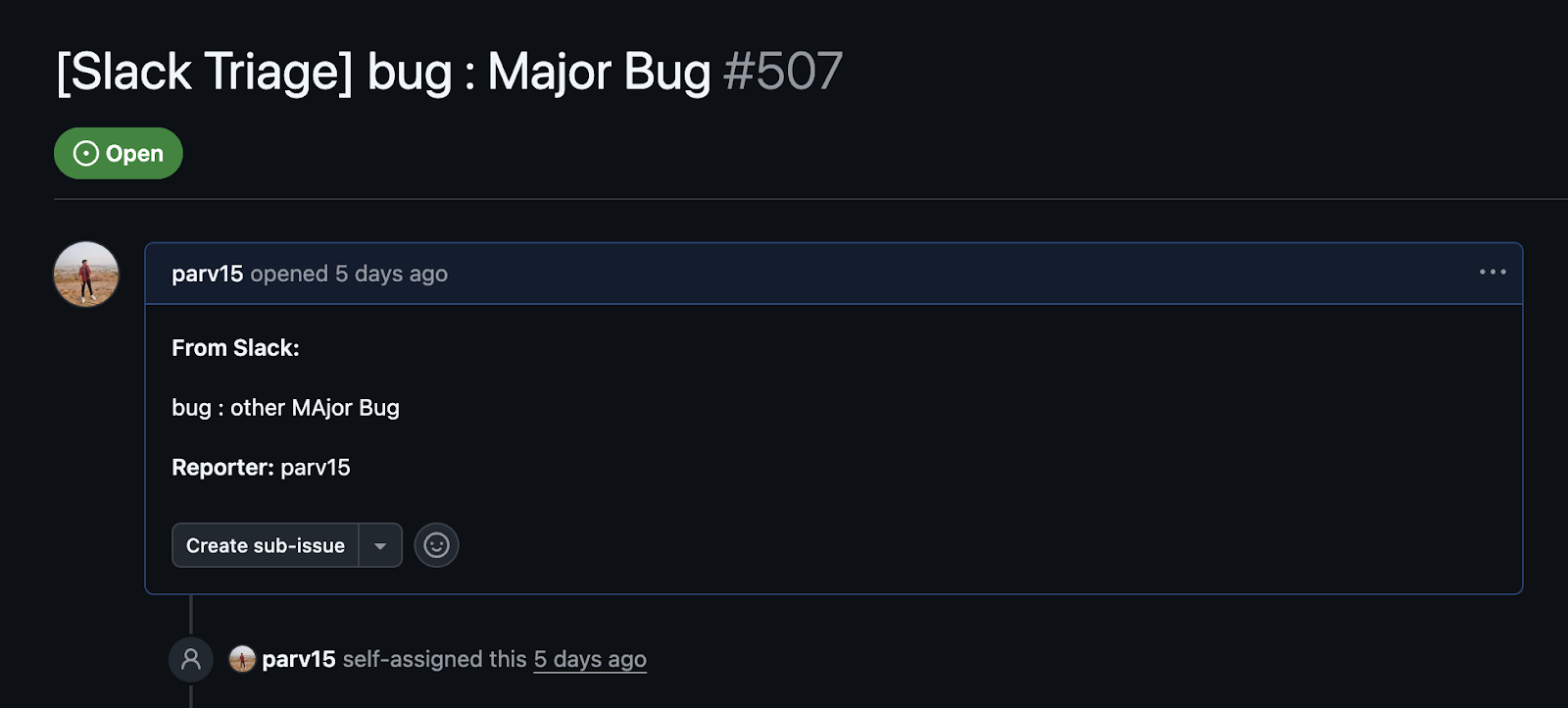
Issue landed in the right repo, the reporter field shows who triggered it, scope translation, and attribution are working together.
Explicit scope translation prevents cross-contamination, but tenant boundaries need active enforcement beyond config alone.
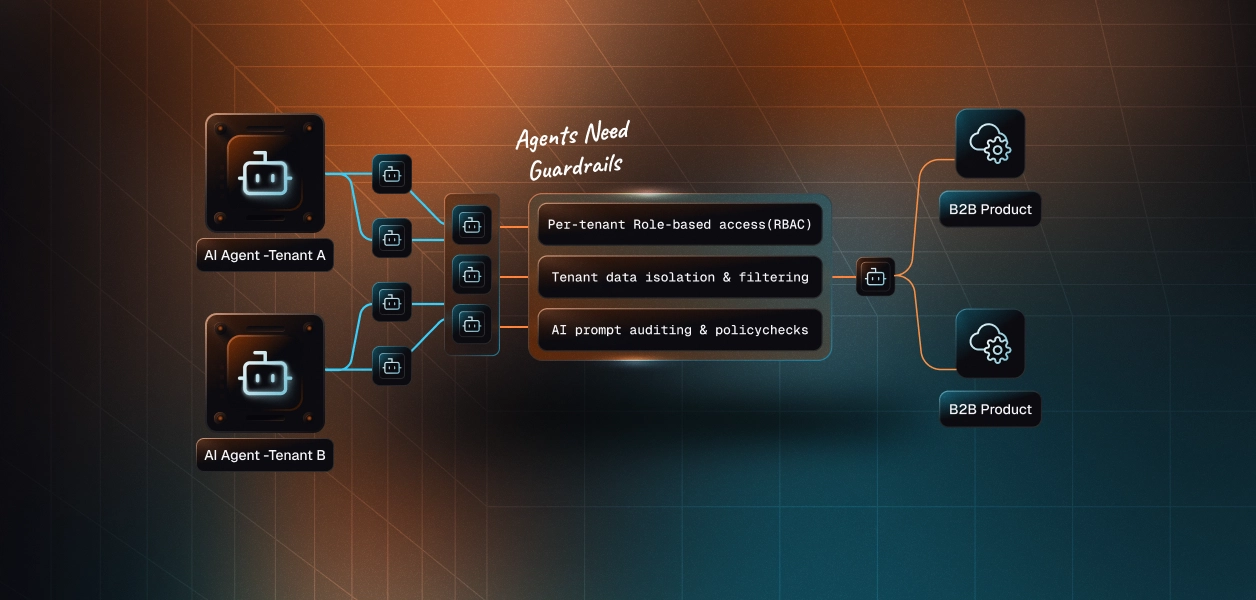
For a B2B SaaS platform, a cross-tenant data leak isn't a bug; it's a contract violation, a potential compliance incident, and the kind of thing that ends enterprise deals. With traditional SaaS, the boundary is enforced at the database query level: every read and write is scoped to a tenant ID. AI agents don't query the database; they call APIs using OAuth tokens, and those tokens don't inherently know which tenant boundary they belong to. That's exactly the gap. The fintech team's shared token had no tenant scope baked in; it could act on behalf of any team, and nothing in the system stopped it.
Three enforcement layers close this gap, and they work together rather than independently:
Configuration isolation is the first line. Each channel entry in channel_config.json maps to exactly one identifier and one repo. There is no code path from #bugs-frontend to user2@scalekit.com's connections because the config doesn't contain it. The boundary is structural, not conditional.
Named connection binding via Scalekit is the second line. Every API call passes the identifier the email of the OAuth account and Scalekit resolves the correct token from the named connection associated with that identifier. Scalekit handles the resolution automatically.
The isolation guarantee comes from each channel mapping to a distinct identifier and connection_name in channel_config — if a runtime bug swapped in the wrong identifier, Scalekit would resolve the wrong connection's token, which is exactly why the third enforcement layer matters: all identifier resolution must go through channel_config with no global lookup path in your code.
Code boundaries are the third line. The agent never does a global connection lookup; every resolution goes through channel_config, which is scoped to the channel that triggered the action. Together, the three layers cover this attack surface:
Boundaries define the perimeter RBAC maps organizational structure onto it at the enterprise scale.
Enterprise customers don't think in OAuth tokens; they think in orgs, teams, and roles. When a new customer onboards their engineering org onto your platform, they expect their existing team structure to translate directly into access control, rather than have their IT team manually provision 200 individual GitHub connections. The fintech team's original setup had the opposite: flat permissions, no org structure, and every engineer in the same identity bucket regardless of team.
Org-level RBAC fixes this with a single mapping rule: one email domain maps to one tenant, which in turn maps to one permission set. Every @theircompany.com address automatically inherits the permissions configured for that tenant, no per-user provisioning, no permission spreadsheet to maintain:
The tenant mapping itself is shallow by design:
user_email is resolved from the Slack user object via the Slack API using the channel's OAuth token, not extracted from message content. Never use user-supplied input as the basis for tenant detection doing so makes the tenant check trivially bypassable.
For a customer onboarding 200 engineers across 12 teams, this means configuring one tenant entry, not 200 individual permission records. Scalekit handles the OAuth connection management underneath that mapping, so the RBAC layer never touches token lifecycle, refresh logic, or expiry.
The org structure in Slack is the permission structure for the agent, with no separate system to keep in sync. That said, config-driven RBAC via a flat JSON file is appropriate for small-to-medium deployments. At true enterprise scale 50+ teams across multiple customer orgs a flat file becomes an operational liability with no validation tooling, no admin UI, and no history beyond git blame. Production systems at that scale typically move toward a database-backed config with an admin UI and schema validation. The pattern described here is the right starting point; plan for the migration before you need it.
With boundaries and roles in place, the remaining risk is the subtle escalation patterns that slip through a correct-looking config.
Most privilege escalation incidents in AI agent systems don't start with a malicious actor; they start with a subtle implementation assumption that goes unquestioned for months. The fintech team's shared OAuth token was exactly this: no single engineer made a bad decision, the system just never had an explicit rule preventing cross-team token use. By the time issues started landing in the wrong repo, the bug had been running quietly in production for weeks.
Three escalation patterns show up consistently in multi-tenant agent implementations:
This happens when the agent accepts resource parameters from user input instead of config. If repo_name ever comes from the message payload, an engineer can craft a message that redirects issue creation to any repo their token can reach, including repos belonging to other tenants.
This happens when a channel_config entry references the wrong connection name for a given identifier. A misconfigured entry could pair user2@scalekit.com's identifier with frontend-github's connection name, causing Scalekit to resolve the wrong tenant's token.
The most subtle risk is that it appears to be a caching detail rather than a security issue. A real bug in this implementation wrote new user registrations to disk, but never synced the in-memory copy. Newly registered users were invisible to the routing layer and slipped through permission checks:
This fix is correct for single-process deployments only. In horizontally-scaled setups, worker B's in-memory mappings are not refreshed when worker A calls connector.refresh_user_mappings().
In multi-worker deployments, per-process in-memory sync is insufficient user mappings should be stored in a shared external store (Redis or a database) that all workers read from directly, rather than each worker maintaining its own in-memory copy.
All three share the same root pattern: an implicit assumption about the state that the system never validates. The table below maps each to its production impact:
Knowing the risks is half the battle; the other half is standardizing the patterns that prevent them across every implementation.
Every section in this post traces back to the same four patterns. Each one maps directly to a failure mode that shows up in real production agent systems.
Per-user OAuth creates a permission record for every individual, a provisioning step for every new hire, a revocation step for every departure, and a token-management problem that scales linearly with headcount. Channel-owned auth inverts this: the channel holds the OAuth grant, and membership is the permission. At enterprise scale, the difference is significant. Onboarding a 50-person team means one config entry, not 50 OAuth flows.
Because the channel holds the OAuth grant, the channel's permission set is the ceiling for all its members. A compromised Slack account for any member in #bugs-backend can trigger any action user2@scalekit.com GitHub token can perform. Scope the channel's GitHub OAuth to the minimum necessary permissions, typically repo write access to a single repo, so the blast radius of a compromised Slack account is bounded.
Every parameter passed to a downstream API repo name, org owner, and connection name should come from config not be inferred from the triggering message or user context. Inference works until it doesn't, and when it fails in a multi-tenant system, it fails silently across tenant boundaries. Config is explicit, auditable, and has exactly one place to debug when something goes wrong.
The agent executes with the channel's OAuth token. The GitHub issue body records who actually posted the message. These two identities should never collapse into one:
If the Slack user profile cannot be resolved due to the user leaving the workspace, rate limiting, or a missing users:read scope record, the raw Slack user ID should be [unresolved: {slack_user_id}] in the issue body rather than omitting attribution entirely. This preserves the audit token even when profile resolution fails.
Keeping them separate gives you both security and accountability without trading one off against the other.
Role checks in code require a deploy to change. For an enterprise customer who needs to add a new team, revoke a contractor's access, or restructure their org, "we need to deploy a code change" is not an acceptable answer. Config-driven RBAC means access changes happen in the config file, which is reviewed, versioned, and applied without touching the codebase.
Config-driven RBAC is only safer than code-driven checks if the config is validated. Validate the config schema at agent startup: check that all required fields are present, that all connection_name values are syntactically valid, and, ideally, that each connection shows ACTIVE status in the Scalekit dashboard before the polling loop starts. A misconfigured entry should fail fast at startup, not silently at action time.
The fintech team eventually fixed their agent they restructured the channel config, gave each team its own Scalekit connection, and mapped every channel explicitly to a repo. The 17 misrouted issues stopped. But they spent two weeks untangling a problem that would have taken two hours to design correctly from the start.
Multi-tenant AI agents are becoming standard infrastructure for B2B SaaS platforms, triage agents, workflow agents, and notification agents, all of which act continuously across dozens of customer orgs. The access control patterns in this post channel-owned auth, explicit scope translation, org-level RBAC, and tenant boundary enforcement, aren't unique to a Slack triage agent. They're the same patterns you'd need for any agent acting on behalf of users across tenant boundaries.
Scalekit handles the OAuth connection lifecycle, token refresh, and token resolution via identifier and connection name underneath these patterns so the implementation stays focused on access control logic rather than token plumbing.
As long as each channel config entry uses a distinct identifier and connection name, the agent maintains isolation. The config itself is the boundary; it must be validated to ensure no two tenants share an identifier or connection name.
Revoke the channel's Scalekit connection once. Because auth is channel-owned, not per-user, there's no individual token to hunt down; one revocation covers everyone who inherited permissions through that channel.
No, only the identifier tied to the channel does. Engineers posting in #bugs-frontend automatically inherit user1@scalekit.com's GitHub permissions. Individual OAuth flows are only needed when a new channel identity is being configured.
Three things together channel config maps one channel to one repo explicitly, Scalekit validates the connection ID server-side, and all resource parameters come from config, not from the message payload. There's no inference path that could land an issue in the wrong place.
A single-platform service account creates a single identity that acts on behalf of all tenants. Channel-owned auth creates one identity per tenant channel, meaning a compromised or over-scoped identity affects exactly one team's resources.
Scalekit owns OAuth handshakes, token storage, token refresh, and connection name resolution using the identifier as the lookup key. Your code owns the access-control logic, which maps channels to identities, determines which repo receives the issue, and identifies which user triggered the action.
The agent logs four fields on every action channel name, repo, execution identity, and poster. The GitHub issue body also records the reporter's name separately from the executing identity, giving compliance teams a clean attribution trail.
channel_config has no entry for a channel?The action stops. There's no fallback to a default identity or a global connection if the channel isn't configured; the agent does nothing and logs the unrecognized channel. This is the correct behavior, not a failure mode.
Yes, two channels can point to the same github_repo_owner and github_repo_name in config. Each channel still has its own named Scalekit connection and identifier, so execution identities remain separate even if the destination repo is the same.
No, the same channel-owned auth pattern applies to any combination of trigger source and action target. Scalekit abstracts the OAuth lifecycle per provider, so swapping Slack for Teams or GitHub for Jira means updating the connection in the dashboard and the config entry; the access control logic stays identical.