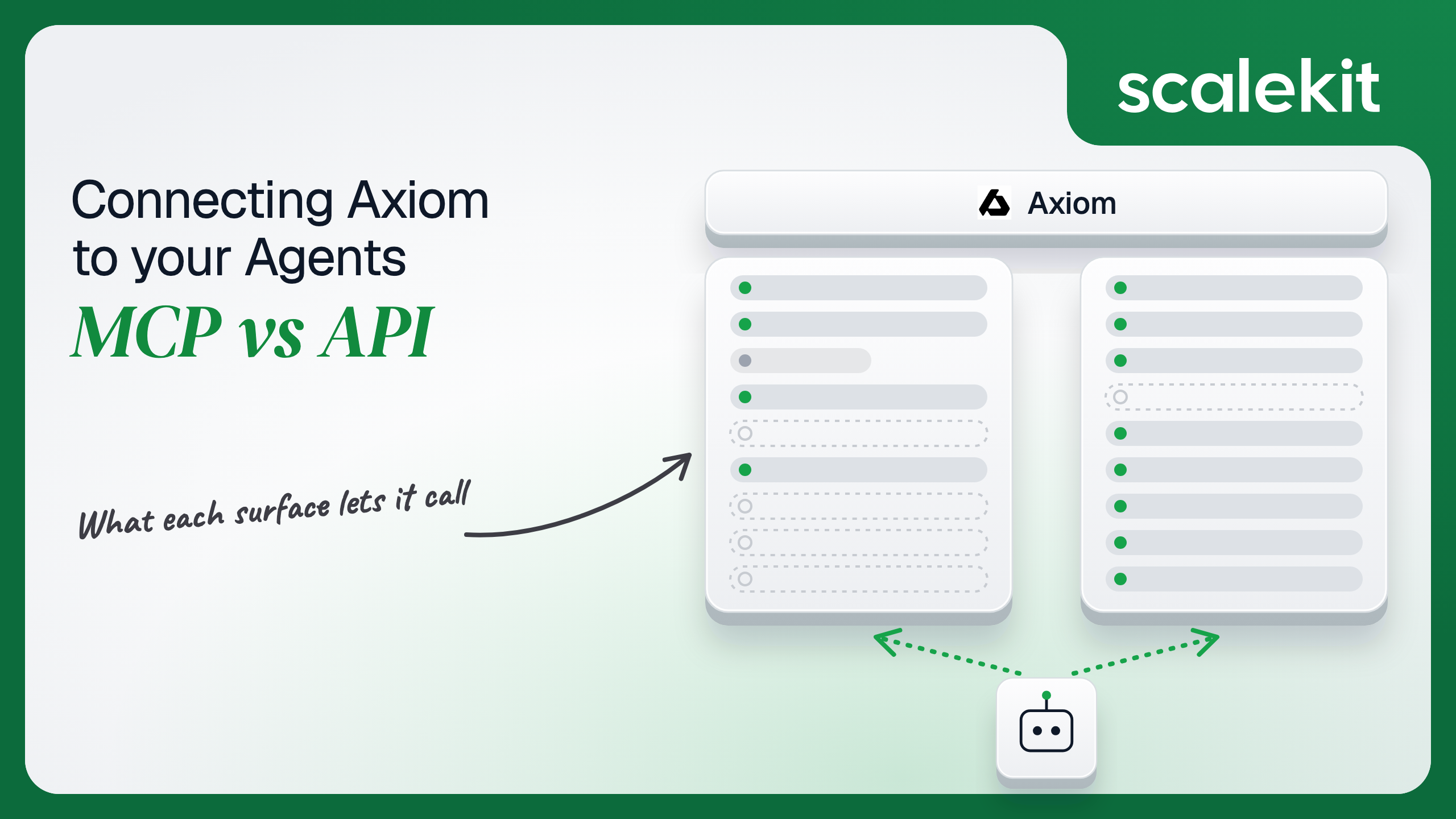


Axiom gives an incident agent two ways into the same logs, traces and metrics: a hosted MCP server that signs each engineer in, and a REST API that takes scoped tokens. The MCP server now writes as well as reads, query cost caps follow whichever identity the agent carries, and the hosted server routes results through the US. This guide compares what each path lets an agent do, the credential each one puts you on, and how to run an observability agent across many customer orgs in production.
Your agent investigates incidents. It needs to read logs, traces and metrics in Axiom, check which monitors are firing, and point the on-call engineer at the right dashboard. Axiom ships a hosted MCP server and a full REST API, so the Axiom MCP vs Axiom API question comes up on day one. Both work. They give your agent different tool surfaces, different identities, different cost controls and different data paths. For one developer in Claude Code, the difference is small. For a B2B agent acting for hundreds of users across customer orgs, it decides your auth architecture. Here's the decision framework.
Both paths reach the same observability data. They differ in who maintains the interface, how the agent authenticates, and where query results travel.
Axiom maintains a hosted, remote MCP server over Streamable HTTP, with an SSE endpoint kept for legacy clients. Remote MCP with OAuth is Axiom's recommended setup: the user signs in through the browser, and the session acts as that user. For clients that can't complete browser OAuth, Axiom documents header-based auth with a personal access token and an x-axiom-org-id header. A local server also exists for teams that want to run it with an API token, though Axiom's prebuilt prompts don't ship with the local setup.
One detail matters for B2B agents: Axiom states the hosted server is located in the US, so query results route through US infrastructure. Official docs: Axiom MCP Server.
The REST API is JSON over HTTPS and covers ingest, APL queries, MPL metrics queries, datasets and fields, dashboards, monitors, notifiers, annotations, saved queries, views, virtual fields, API tokens, RBAC, users and organizations.
Authentication uses two token families. Advanced API tokens carry an explicit permission set, such as query access on one dataset, and an optional expiry; basic API tokens only ingest. Personal access tokens (PATs) carry full control of the user's account and need the x-axiom-org-id header. Failed authentication returns 403. Ingest and region-pinned queries go to your edge deployment's domain; everything else goes to the global API domain. Official docs: Axiom API reference.
The capability gap is narrower than a "read-only MCP" framing suggests, because Axiom's MCP server now writes as well as reads. The gap that remains is specific.
Axiom's MCP tools reference lists 31 tools across query, datasets, metrics, dashboards, monitors and notifiers, a service map group that appears only when service map is enabled, and a feedback tool. Scalekit's Axiom MCP connector currently catalogs 26 of them: 15 read, 8 write and 3 destructive. The REST API covers the same resources plus the operational layer underneath them.
Ingest is the gap that matters most for agents. An agent that records its own decisions, writes investigation results back as events, or annotates a deploy on a chart needs the API, because MCP has no ingest or annotation tool. Governance is the second gap: tokens, roles, users and dataset lifecycle stay API-only, which is the right default for an agent.
The MCP server also carries things the API doesn't. Its prebuilt prompts cover anomaly detection, cross-dataset correlation and monitor health, and the service map tools walk dependency edges and latency regressions. On the API path, you write that investigation logic yourself.
Axiom's AI agents overview still describes the MCP server as curated, read-only operations with no risk of destructive actions. The current tools reference says otherwise: deleteDashboard, deleteMonitor and deleteNotifier are there, along with create and update tools for all three resources.
The consequence is concrete. An agent connected to the full server can silence an alert by deleting the monitor that fires it, or by calling updateMonitor with an empty notifierIds list. Treat tool scoping as a requirement, not an optimization.
The two paths put your agent behind different identities. That choice decides how consent works, how cost is capped, and what you rotate.
The remote server's OAuth flow creates a session for the user who signs in, and every tool call runs as that member with their Axiom role. Credentials never reach the agent, and the user can revoke the session from their Axiom profile.
The fallback is header auth with a PAT, which gives the agent full account control. Axiom's own token guidance says never to use PATs for agents. For a backend agent, that leaves one sound option: complete the browser consent once per user, then store and refresh the resulting token server-side. Something has to own that token.
Advanced API tokens are the agent-friendly option on the API path. Axiom's guidance for agents is explicit: a dedicated token per agent, query permission only on the datasets it needs, no delete or org-level rights, a short expiry, and regular rotation.
The catch is that permissions are fixed at creation. Changing scope means issuing a new token and redistributing it. In a multi-tenant product, every customer org issues its own token, so you collect, store and rotate N static secrets with no refresh flow behind them.
Axiom lets you cap query spend in dollars per hour and per day, and the identity decides where the cap lives. On the API path, the cap sits on the token, so each agent token gets its own worst-case budget. On remote MCP, OAuth sessions act as the user, so token caps don't apply. You set caps on roles instead, and those caps also cover the member's own console queries.
Either way, an exceeded cap returns 429 with a Retry-After header until the window resets: hourly caps at the top of the hour, daily caps at midnight UTC. Ingest and management calls keep working.
Both paths require per-user credential isolation in a multi-tenant B2B agent. MCP's OAuth flow gives you a session per user. The direct API gives you a token per user or per customer org. In neither case does the path itself solve storage, rotation, or revocation. Those are infrastructure problems regardless of which path you choose.
Each path moves different work onto your team. The question is what breaks, what needs your attention, and who fixes it.
Axiom runs the server, writes the tool descriptions and ships new tools on its own schedule. You own per-user token storage and refresh, tool scoping, and context cost. Axiom's own comparison notes that MCP loads tool definitions upfront, so every schema lands in context before the agent writes its first query.
Some tools also need sequencing the model has to get right. listDatasets returns a kind for each dataset, and that kind decides the language: APL tools for events and traces, MPL tools for otel-metrics-v1. The tool descriptions tell the model not to cross them, and a model that does wastes turns on queries that can't run.
You own everything the MCP server abstracts: LLM-ready tool schemas, response shaping, pagination, retries and rate limits. Axiom reports request limits in X-RateLimit-* headers, scoped to the user or the organization, and returns 429 when you exceed them. Query budget headers report remaining GB-milliseconds.
The APL response is a columnar table plus status metadata such as rows and blocks examined. Pass it raw and you spend context on columns the model doesn't need. Writing the schema and the projection layer is the hard part. Not the HTTP call.
Axiom's hosted MCP server runs in the US, and its docs state query results route through US infrastructure. The API's global query endpoint can read any edge deployment, but its results also route through US East 1. Only the edge query endpoints keep results inside the deployment where the data lives, such as EU Central 1.
If your B2B customers chose Axiom's EU edge for residency, an agent on hosted MCP moves every query result out of that region. Region-bound agents belong on the API's edge endpoints.
The split is clean for Axiom: investigation that a person drives fits MCP, and anything that writes, runs unattended or must stay in region fits the API.
The comparison above changes which token you hold. It doesn't change how many you hold, or what it takes to keep them safe.
Both MCP and the direct API give you a credential per user. Neither gives you a vault, rotation logic, or a revocation flow. A B2B incident agent serving 60 engineers across 12 customer orgs holds 60 Axiom OAuth sessions on the MCP path, or at least 12 advanced API tokens on the API path.
Each one needs encrypted storage, refresh or rotation before expiry, and revocation when an engineer leaves. Shared credentials are a single-user solution. They do not survive a second user. The token type differs between paths; the infrastructure required does not.
Scalekit's Axiom MCP connector runs each user's OAuth flow once, then stores and refreshes the tokens in a vault encrypted with a per-environment key. Your agent calls tools by user identifier, and credentials never touch the agent runtime. For the API gaps, a custom Scalekit connector stores each user's advanced API token and injects it through the API proxy. The MCP vs API decision doesn't change your auth infrastructure.
Recommended reading: What is a token vault? Secure credential management for AI agent workflows
The build below uses Python and LangChain. It follows the order that matters for a per-user agent: retrieve the tools this user's connected account can call, narrow them to what the agent role needs, then execute. It then fills the API gaps through the proxy and serves the same tools from a Virtual MCP server. Full tool reference: Axiom MCP connector docs.
Create an Axiom MCP connection in AgentKit > Connections. Scalekit's OAuth credentials are available for Axiom, so you don't register an OAuth app. The name you give the connection is the connection_name your code passes, and it must match the dashboard exactly. That mismatch is the most common integration error. The samples use axiommcp.
Each user authorizes Axiom one time through a Scalekit link. After that, Scalekit holds and refreshes their token. Use a stable internal ID as the identifier, not an email, because it appears in tool call logs.
The agent does not load a flat connector catalog here. list_scoped_tools returns the tools this user's connected account is authorized to call, with each tool's schema and its read_only_hint and destructive_hint annotations. Those annotations let you build the agent's surface from data instead of a hand-maintained list.
An investigation agent needs to query and inspect, never to delete a monitor. Pass only the read-only names to actions.langchain.get_tools, which returns native LangChain StructuredTool objects backed by execute_tool. The guard matters: an empty name filter would load every tool on the connection.
The system prompt encodes the one sequencing rule Axiom's tools depend on. Errors and unknown tool names go back to the model as tool results, so it can correct its APL and retry.
Scalekit's catalog ships the Axiom MCP connector, not a REST one, so the API path uses a custom connector. A BEARER auth pattern lets each user supply their own advanced API token, which Scalekit stores and attaches to proxied calls. Create it once per environment, then create a connection for it in the dashboard.
The user authorizes the API connection the same way. For a BEARER connector, Scalekit's hosted page collects the token instead of running OAuth, and the token goes into the vault, not your database.
actions.request sends the call with that user's token, and the path is relative to the connector's proxy_url. This global query endpoint routes results through US East 1. For EU residency, register a second connector whose proxy_url is your edge deployment's domain and call Axiom's edge query endpoint instead.
If your agent already speaks MCP, a Virtual MCP server replaces the steps above with a fixed URL. You create one server per agent role, and it exposes only the tools you list, across one or more connections. Every user shares the URL; a session token minted per run binds it to one user's connected accounts. The endpoint is static; the identity is not.
Before each run, confirm every connection on the server is active for this user, then mint a token. Session tokens last between 60 seconds and 24 hours, default to one hour, and can't be refreshed. That is the multi-tenant guarantee: one user's run can't act with another user's credentials.
LangChain reaches the server through langchain-mcp-adapters with the session token as a bearer header. The agent sees five Axiom tools, one Slack tool and Scalekit's connect_account helper, not 26 Axiom tools plus Slack's full catalog. The fix for tool bloat is not better prompting. It is surface reduction.
Axiom sees a member running queries. It doesn't see which of your users triggered the agent run, or what else that run touched. Scalekit records the agent side of that story.
Every tool call Scalekit executes on a user's connected account appears in AgentKit > Logs: tool name, connection, connected account, identifier, status, error code, duration and time, kept for 90 days. Logs never contain a tool's successful response, so APL results from your customers' Axiom orgs don't land in a second store. Leave Store connector error details off unless you're debugging, because error bodies can include app data.
Log streaming pushes a connected_account.tool_executed event per call to Datadog, CrowdStrike or Google SecOps, alongside connected account events such as connected_account.token_refresh_failed. Each tool event carries tool_name, tool_execution_id, duration, connected_account_identifier, connection_name, status and error code, plus agent_id and agent_run_id when known. A failed refresh on one user's Axiom connection becomes an alert before the agent fails mid-incident. Availability depends on plan; setup is in the log streaming docs.
An incident agent rarely stops at Axiom. Add PagerDuty tools to the server above, and one run reads the page, queries Axiom, and posts to Slack. With direct integrations, you correlate three vendors' logs by timestamp. With one Virtual MCP server and one session token per run, every call across all three connections lands in one log, keyed to the same user identifier. That answers the question an enterprise security review asks: which user's agent did what, in which tool, with whose credentials.
Recommended reading: Agent tool observability: is your agent actually working?
If your agent is an engineer-facing investigator in an IDE or chat assistant, start on Axiom's MCP server: OAuth per user, Axiom-maintained tools and prompts, and a surface that keeps growing. Scope it to read tools before anything else.
If your agent writes events, serves customers on a non-US edge, or runs headless on a budget, build those paths on the API with dedicated, cost-capped advanced tokens. Most production Axiom agents end up using both: MCP for investigation, the API for ingest and region-bound queries. The credential management problem is the same either way, and that's what needs production-grade infrastructure.
Yes. Axiom hosts a remote MCP server over Streamable HTTP and recommends OAuth, where the user signs in through the browser and the session acts as that user. Header auth with a personal access token exists for clients that cannot run OAuth, and a local server can run with an API token.
No. An older overview still calls it read-only, but the current tools reference includes create, update and delete tools for dashboards, monitors and notifiers. An agent connected to the full server could silence an alert by deleting or editing the monitor behind it, so scope the tools before the agent sees them.
The REST API ingests events, writes annotations, manages saved queries, views, virtual fields and dataset lifecycle, and administers API tokens, roles, users and orgs. An agent that records its own decisions or marks deploys on charts needs the API, because MCP has no ingest or annotation tool.
Axiom caps query spend in dollars per hour and per day. On the API the cap sits on each token, so every agent token gets its own budget. On remote MCP the OAuth session acts as the user, so caps sit on roles and also cover that member's console queries. An exceeded cap returns a 429 with a retry time.
Axiom states the hosted MCP server runs in the US, so query results route through US infrastructure, and the API's global query endpoint also routes through US East. Only the edge query endpoints keep results inside the deployment where the data lives, so region-bound agents belong on the API's edge endpoints.
Scalekit's Axiom MCP connector runs each user's OAuth flow once, stores and refreshes the tokens in a vault, and returns only the tools that user can call, which you narrow to read-only ones. A custom connector stores each user's advanced API token for the gaps, and a virtual MCP server serves a curated tool set per agent role.
Start from the Scalekit Axiom MCP connector and its connector docs. For a working starting point, adapt the incident response agent template or the DevOps assistant agent template to put Axiom alongside PagerDuty, Slack and Linear. Plans and the free tier are on the pricing page.
Building an Axiom agent and want help with tool scoping, tenant isolation or the API gaps? Talk to us for immediate help from an engineer.
These posts go deeper on the patterns used above.