

A production agent rarely needs everything a tool provider can do, yet a standard MCP server hands it the full catalog anyway. Take a summarizer agent wired to Gmail. A standard Gmail MCP server can expose roughly thirty tools, while the summarizer needs exactly one of them: fetch. Give it all thirty and you have handed it reach it never asked for, and widened the blast radius if anything goes wrong.
The instinct is to fix this with better prompting, but the real issue sits below the prompt. A language model selects tools from whatever is placed in its context, so the size and shape of that context decides how well it behaves. Three costs follow directly from an oversized tool surface:
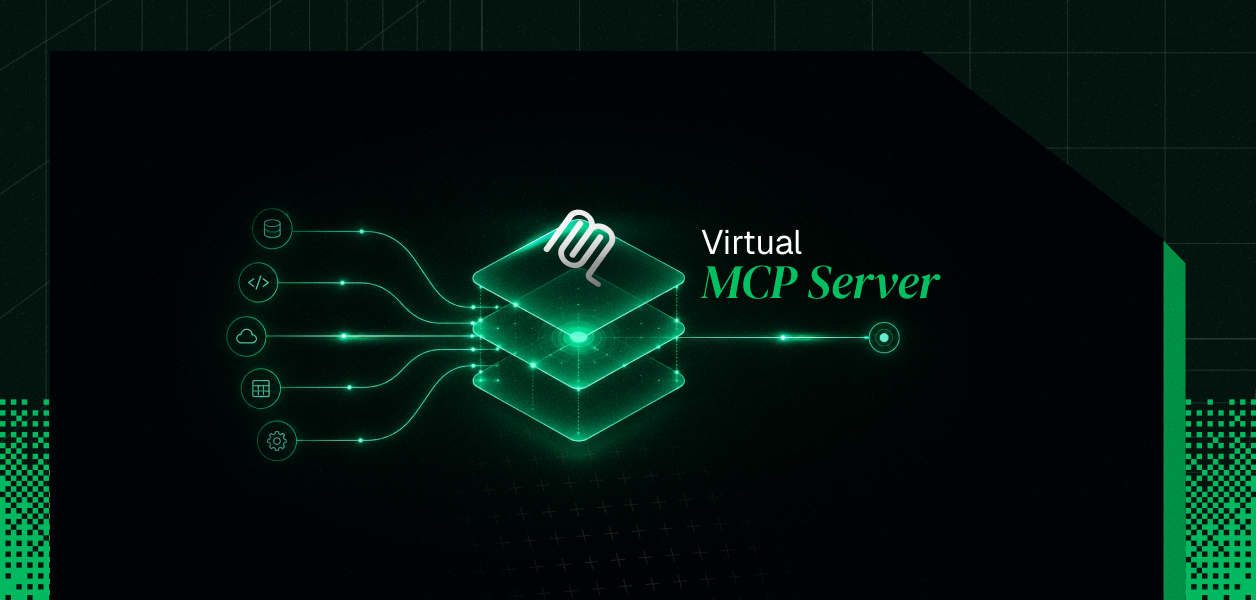
A virtual MCP server is the structural answer. It controls what the agent sees and whose credentials each call runs under, rather than leaving both to chance.
The phrase "virtual MCP server" is used a little loosely across the ecosystem, sometimes to mean an aggregation gateway that fronts several backend servers at once. This post focuses on the version most relevant to teams shipping multi-tenant agent products: the scoped, per-user model that Scalekit's AgentKit implements. It is the version that solves the overreach problem above.
In this model,
"A virtual MCP server is a single MCP endpoint that exposes a curated, scoped subset of a connector's tools, carries per-user identity so the agent acts as the user who authorized it, and runs as a managed surface with no server for you to host."
The emphasis is worth stating plainly, because it inverts the default. You are not exposing a tool provider and hoping the agent picks well. You are declaring, up front, exactly what this agent role may touch.
Almost everything about the model becomes clear once you separate two objects:
Setup is a one-time configuration. Runtime is a token mint. The endpoint stays static while the identity changes on every run, which is what lets one server definition serve every user in a tenant safely.
You configure the virtual MCP server once for a given agent role, and that configuration is deliberately narrow. You choose the connection(s), such as Gmail, Slack, or Salesforce, then declare the specific tools the agent may see rather than accepting the connector's full catalog. Scalekit issues the endpoint for you over the Streamable HTTP transport, at a stable address that you receive as value of the response parameter mcp_server_url.
Note: In order to follow the instructions in this blog for creating a virtual MCP server using Scalekit, you need to first refer to this Agentkit Quickstart to create a Scalekit account at app.scalekit.com, and obtain your SCALEKIT_CLIENT_ID, SCALEKIT_CLIENT_SECRET, SCALEKIT_ENV_URL.
You will need both, the config_id and mcp_server_url. To get connectors and available tools refer to the connector docs.
When the agent's client lists available tools, the virtual server returns only the permitted set that you allowed through McpConfigConnectionToolMapping. A tool-name filter passed to listScopedTools returns just the subset you authorized, so the agent never sees what you did not allow and the decision space stays small. Surface reduction is the lever that matters here; a stronger model on a bloated tool surface still does worse than a correctly scoped one. Refer to the Scalekit Docs for detailed step by step guides.
Identity is handled per run, not baked into the server, and this is what makes a single deployment safe for many users. Before each run, a short-lived session token is minted for the specific user, and Scalekit resolves that user's credential server-side at call time. The practical guarantee is strict:
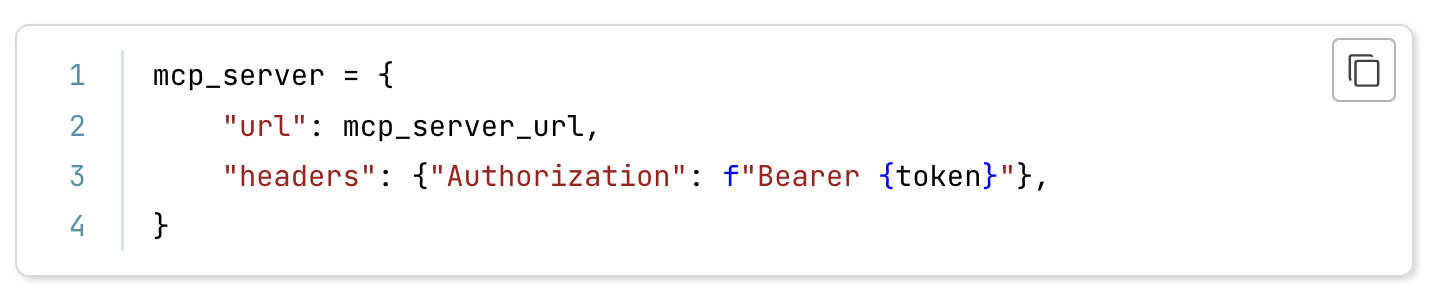
Pass mcp_server_url and the session token to your agent framework using bearer auth; how you register the MCP server depends on your framework.
Authorization is checked before the request ever reaches the provider, not inside a prompt. Pre-API-call scope checks block out-of-policy actions up front, credentials live in a per-tenant AES-256 vault resolved at request time, and tokens never enter the agent runtime, the model context, or your logs. Revocation behaves the way an auditor would want:
The two capabilities that define the model are surface control and identity isolation, and they reinforce each other. Surface control exposes only the tools a given role and user may call, which cuts both the security surface and the token cost of carrying tool definitions. Identity isolation ensures every call runs under the authorizing user's credentials rather than a shared service account, with per-tenant vault namespacing keeping one customer's tokens unreachable from another's.
Because the endpoint is generated and managed, there is no MCP server for you to deploy, patch, or scale; you configure a connection and declare tools, and the rest is handled. That same central endpoint doubles as a governance point, since every call flows through it. Each call is logged with the triggering user, the tool that ran, and the result, retained for ninety days, which is far easier to produce here than by stitching together logs from many independent servers. This built-in audit trail for agent auth is a critical differentiator for enterprise deployments.
A virtual MCP server should not lock you into one agent stack, and this one does not. Tool calls run through a single execute_tool method, and the same endpoint works across the common frameworks teams actually use:
The difference is easiest to see side by side. A standard server is a fine default for a single tool domain and a single trusted user; the scoped model is built for the multi-tenant case where reach and identity have to be controlled precisely.
If you run one tool domain for one trusted user, a standard server is simpler and entirely sufficient. The scoped virtual model earns its place once you serve many users or tenants and need tight per-user reach with credentials your code never touches.
It helps to place the endpoint inside MCP's own model. MCP uses a client-host-server architecture, where the host runs one client per server over a dedicated connection. A virtual MCP server plays two roles at once: it is a server to the agent's client, and a credential broker to the provider behind it. Being remote, it runs over the Streamable HTTP transport, which is what the Scalekit endpoint uses. For a deeper understanding of MCP's architecture, see what are MCP servers.
One protocol detail is worth tracking, because it affects how you scale. The current MCP specification, from November 2025, defines MCP as a stateful protocol, and stateful sessions are awkward to scale horizontally. A stateless rework is published as a release candidate dated 2026-07-28, and it is not the final specification as of mid-2026. If you are designing for scale today, design against the stateful model while planning for the stateless one; a managed endpoint absorbs much of that churn on your behalf.
The pattern earns its place at a fairly predictable point. Reach for it when your situation matches the cases below:
It is equally worth knowing when this is overhead you do not need. A single connector for one trusted user does not call for it, and neither does a setup with no multi-tenant concerns and no audit obligations. If the simplest possible wiring matters more than scoping and isolation right now, start simple and adopt the pattern when reach and identity actually become problems.
Getting to a working scoped endpoint is a short, documented path rather than a research project. The sequence below moves from the model to a running integration:
A virtual MCP server is best understood as a control point rather than a convenience. It controls what a given agent and user are allowed to touch, it runs every call under the right user's identity with credentials your code never sees, and it removes the work of hosting and scaling MCP servers yourself. The connection count savings are real, but they are a side effect, not the headline.
The decision comes down to a single question: do you need to expose a tight, per-user slice of a tool surface with isolated credentials? If yes, the scoped virtual model fits. Decide on scope, identity, and governance first, and the reduction in connections and maintenance follows from getting those right.