Start for free
PRODUCTS
Agentkit
MCP Gateway for agents
Connectors & Tools
1,000+ apps, plus your own
Auth & credentials
Per-user tokens, handled
Virtual MCP servers
Scope tools by agent role
Triggers
Run agents on events
Logs
Every call, attributed
Enterprise
BYOK, VPC, and compliance
Also from scalekit
MCP Auth
OAuth 2.1 for MCP servers
Auth for saas
SSO, SCIM & RBAC for B2B
Agent gateway
Control team agent access
connector catalog
customers
PRICING
resources
COMPARE
Pick the right agent integrations platform
VS COMPOSIO
Credentials, scoping and enterprise controls
VS NANGO
Managed connectors vs code you maintain
VS PIPEDREAM
Priced per tool call, not compute time
Guides & research
Interactive Guide
Build or buy agent integrations?
Score 8 questions, get a build-or-buy decision framework
new report
Agents on the clock
See what a month of tool calls reveals
DOCS
Talk to us
Start for free
Connectors & Tools
1,000+ connectors.
50,000
tools.
Every app your agents need, with
auth, retries and rate limits handled on every call
— and a way to add anything the catalog doesn't cover.
Browse the catalog
View docs
The apps your agents need, ready on day one.
Coverage across the systems
customer-facing agents actually touch.
Every connector ships with
a full set of ready-made tools,
not one generic API call.
CRM & sales
60+ connectors
Productivity
80+ connectors
Communication
40+ connectors
Code & DevOps
70+ connectors
Data & analytics
55+ connectors
Finance & billing
50+ connectors
Support
40+ connectors
Storage & files
35+ connectors
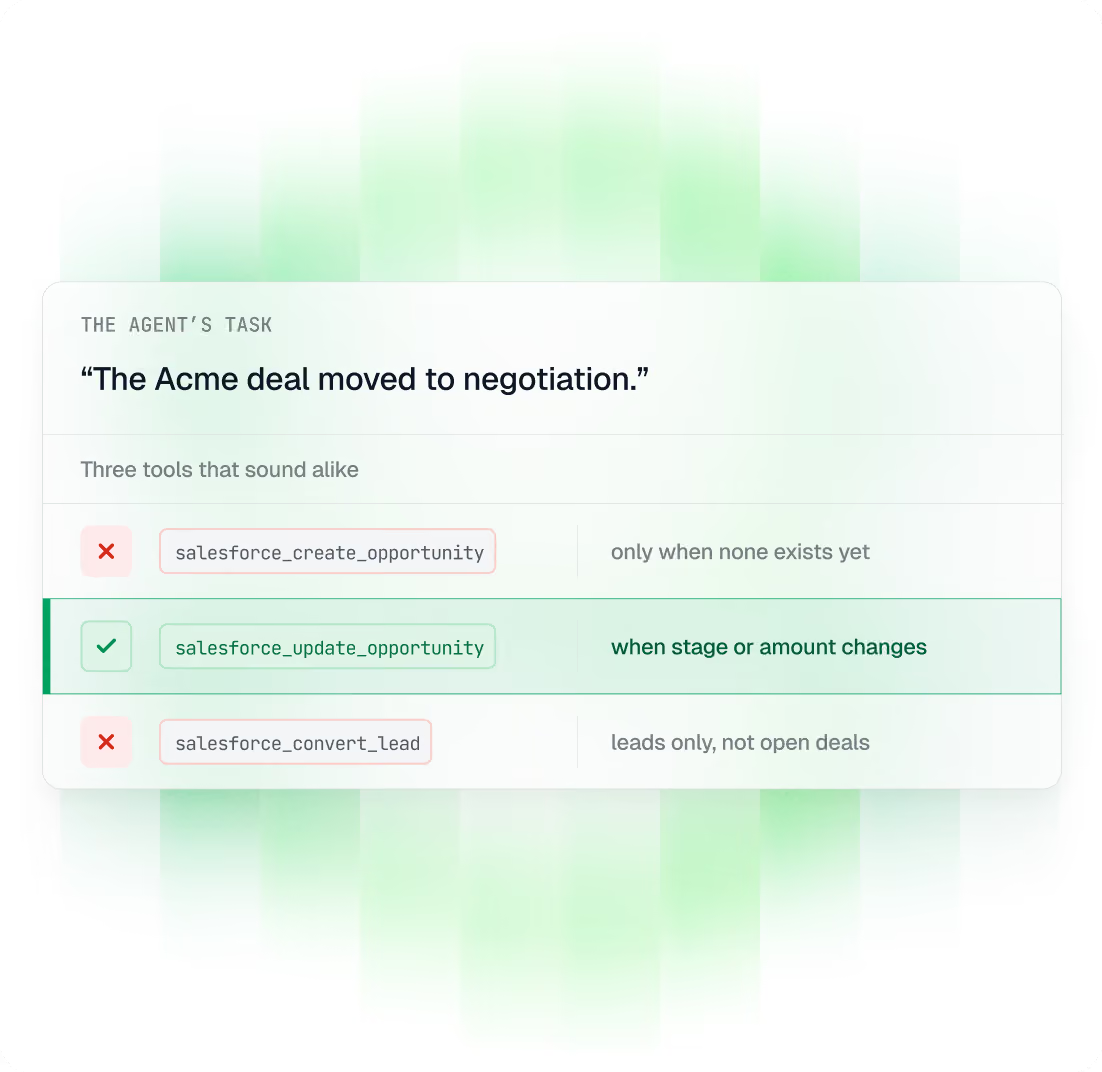
Fewer wrong tool calls.
Every tool says when to use it.
A model picks a tool from its name, description and arguments alone. Ours are written for that choice, not copied from API docs.
Clear about when to use it.
Each tool's description says which situations it's for.
States its own limits.
Each tool says when not to use it.
Only valid inputs.
Fields with fixed options list them, so the agent can't send a bad value.
One response shape.
Same format across 1,000+ connectors. Parse it once.
Not in the catalog?
Add it in an afternoon.
Three ways to add what's missing,
depending on what you need. Each one works
exactly like a built-in connector.
A custom tool
The app is in the catalog, but the action you need isn't. Describe the endpoint, and it uses the same user credentials as the rest of that connector.
30 min
Same vault
Custom tools can be added to a Virtual MCP server like any catalog tool.
A custom connector
A system we don't cover — your internal service, a partner API, a regional vendor. OAuth 2.0, API key, bearer token, RSA or basic auth, all supported.
Any auth model
Same scoping
Credentials sit in the same per-tenant encrypted vault as built-in connectors.
A remote MCP server
Already running your own MCP server? Register it as a connector and its tools join the same catalog, with the same per-user credential handling.
Bring your own
Same logs
Every call shows up with full attribution, whoever authored the tool.
Skip the integration work.
On every connector, for good.
One integration takes a week.
Keeping
twenty
working is the real job,
and that part is ours.
OAuth flows
Every consent screen, scope and
redirect, already built.
Token refresh
Refreshed before they expire, whatever
the vendor's rules.
Rate limits
Tracked per vendor, with backoff that
doesn't stampede.
Pagination
Cursors and page tokens followed to
the last record.
Error normalisation
Each vendor's 4xx turned into one
clear error.
Schema upkeep
When an upstream API changes,
we update the tool.
Connect your first tool.
It takes a few minutes.
Free to start, no credit card.
Browse the catalog, or add the one thing that isn't in it.
Start for free
Browse the catalog
We use cookies, so things load fast, we learn what to fix, and you can always reach us on chat
Okay, got it!