

Your agent needs to read Sentry. It has to pull the errors spiking after a deploy, read the stack trace, decide whether two crash groups share a root cause, and resolve the issue once the fix ships. Sentry ships a first-party hosted MCP server and a REST API that has been stable for years. Both work. They cover overlapping but not identical territory, they put you on different auth paths, and for background agents specifically, one of those paths is a hard blocker. Here is how to pick.
You already know the REST API. The MCP server is the newer object, and it is not a thin wrapper over every Sentry endpoint. Here is what each one actually is before we compare them.
The official Sentry MCP server is a first-party remote server hosted by Sentry at https://mcp.sentry.dev/mcp. Your client connects over Streamable HTTP with OAuth; there is nothing to install. Sentry describes the server as production-ready while noting the underlying MCP spec is still evolving.
It is deliberately scoped to developer and debugging workflows, not general-purpose Sentry administration. The tools are organized into selectable groups that you pick at authentication time, which keeps the context window focused on what the agent actually needs.
Every connection uses OAuth, and the server mirrors Sentry's permission model. A user whose access is limited to one project cannot reach the rest of the organization through the server. You can also scope the endpoint by path to one organization or one project, which hides unnecessary discovery tools.
The natural-language search tools translate plain English into Sentry query syntax. On the hosted server Sentry provides the model backing for that translation. Only the local stdio transport requires you to supply your own LLM provider key for those specific tools.
The Sentry REST API is served from https://sentry.io/api/0/ and authenticates with an Authorization: Bearer header. It is the complete platform surface: issues, events, projects, organizations, teams, members, releases, deploys, DSNs, alert rules, dashboards, and cron monitors.
Every capability the MCP server exposes is reachable here, plus a large surface the MCP server does not touch. There are no LLM-specific affordances; schema handling, pagination, error responses, and rate limits are yours to manage.
Authentication runs on Bearer tokens with several distinct types, documented in Sentry's API authentication guide. User auth tokens are tied to a person and act with that person's permissions. Organization auth tokens are org-scoped with a limited permission set, built for CI and the Sentry CLI. Internal integration tokens are org-scoped with editable scopes and no OAuth flow, which makes them the right fit for automation and server-to-server calls. For third-party apps acting on behalf of users, Sentry supports OAuth2 with the authorization code grant.
The comparison that matters is not feature parity in the abstract. It is which path gives your specific agent the right capabilities, the right auth model, and the lowest operational surface. We will take those in turn.
The MCP server covers the read-heavy debugging loop and the small set of writes that triage needs. The REST API owns everything operational and administrative. The table below uses the tools the Scalekit connector normalizes, mapped against the equivalent REST surface.
The server is built for the human-in-the-loop debugging session, so its ceiling is predictable. Anything that configures the org rather than investigates it lives on the REST API. Alert rule automation, dashboard provisioning, cron monitor management, and member administration are not missing tools that ship next month; they sit outside what the coding-agent server was designed to expose.
Seer is the one place the MCP path is strictly ahead. The analyze_issue_with_seer tool returns root-cause analysis with file locations, line numbers, and concrete fix recommendations in a single call, and results are cached. Reproducing that against the raw REST API is not a matter of calling one endpoint, which is why Seer is the strongest reason to reach for MCP on an investigation agent.
Capability coverage tells you what is possible. The auth model tells you what is deployable. This is where the two paths diverge most sharply for production agents.
The hosted server accepts OAuth only. Each user who connects goes through a browser consent flow, and the resulting token is scoped to that user's Sentry permissions. There is no API-key or static-credential option on the hosted endpoint. The only non-interactive alternative is the local stdio transport authenticated with a user auth token, and that is a self-hosted deployment, not the managed remote server.
If your agent runs on a schedule with no user present — a nightly error digest or an alert-routing job — the hosted MCP path requires a pre-established OAuth session per user. That is a hard constraint for background execution. The REST API closes the gap: an internal integration token or an organization auth token authenticates server-to-server with no interactive flow, which is the correct pattern for headless agents.
For a B2B agent serving 40 engineers across 8 customer organizations, the MCP path means 40 user-level OAuth tokens to store, refresh, and revoke. The REST API gives you a choice: a per-user token model, or a per-org internal integration token, which is 8 credentials instead of 40. In neither case does the path store, rotate, or revoke those credentials for you. That is infrastructure you build or buy. For the broader pattern, see API access patterns for AI agents.
Both paths hand you a maintenance surface. The difference is where the surface sits and who controls the versioning cadence.
Sentry hosts the server, maintains the tool schemas, and provides the model backing for natural-language search. You own per-user token storage, refresh, revocation, and tenant isolation. You also absorb schema drift: tool definitions change when Sentry updates the server, and there is no version pin. The natural-language layer adds a non-determinism cost as well, which the includeExplanation flag helps you audit when a query is interpreted or repaired.
You own endpoint selection, request construction, cursor-based pagination, retries, and the full token lifecycle. Rate limits are enforced per endpoint and per organization, so backoff and monitoring are yours to implement. The tradeoff is stability: the API is served from a versioned base path, and the contract does not shift underneath a deterministic pipeline because an unrelated MCP server update reshaped a tool schema.
The decision usually resolves cleanly once you know whether a human is in the loop and whether your capability sits inside the coding-agent tool scope.
Use Sentry MCP when:
Use the Sentry REST API when:
The auth divergence between the two paths is real, but it hides a problem that sits underneath both choices. Naming it directly is the point of this section.
Both paths produce a credential once the user or org authorizes. The MCP OAuth flow gives you a token per user. The REST API gives you a user token, an org token, or an internal integration token per tenant. Neither path gives you a vault, proactive rotation, or an event-triggered revocation flow.
In a multi-tenant B2B agent — which is the norm rather than the exception — every user or org carries its own Sentry credential. That is N credentials to store encrypted, refresh before expiry, and revoke on offboarding. Employee offboarding is the sharp edge: the identity provider account gets disabled, yet a Sentry token minted months ago and stored locally keeps working. The agent does not decide to keep using it; it just does. For more on this problem, see when an employee leaves, who revokes their AI agent's access.
The credential-management problem is structurally identical whether you chose MCP or the REST API. The token type differs; the infrastructure required does not. Scalekit's Sentry connector handles the OAuth 2.1 flow, per-user token storage, and automatic refresh, so the path decision does not change your credential layer. For the deeper background, see how to handle token refresh for AI agents.
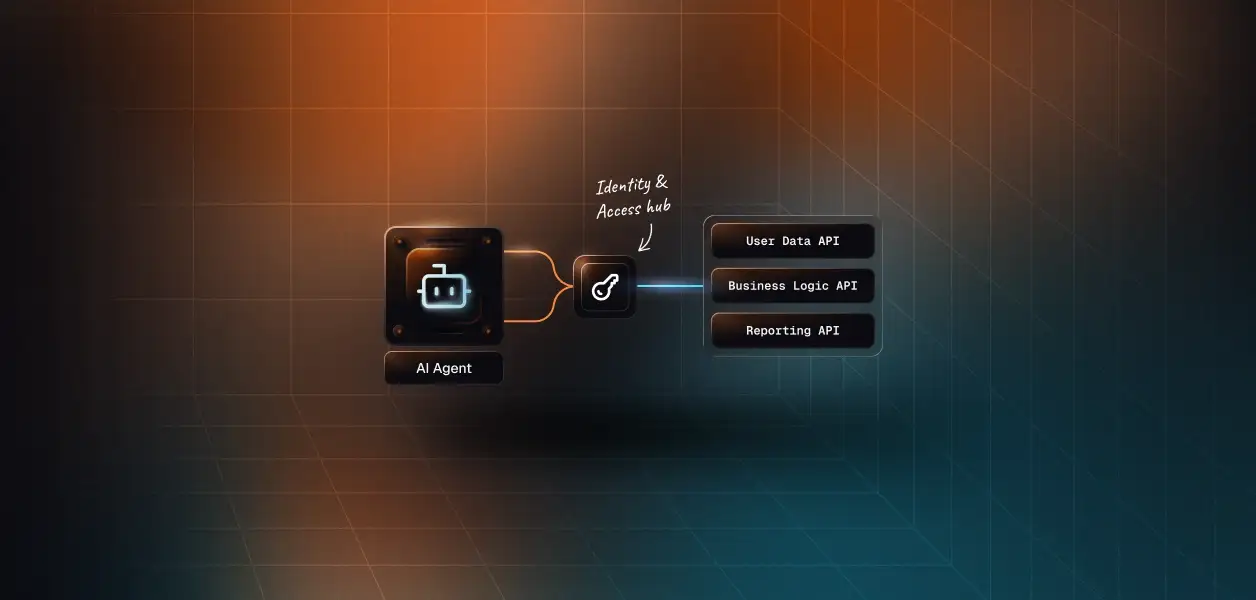
Scalekit ships Sentry as a vendor MCP connector named sentrymcp. It proxies the official Sentry server, authenticates with OAuth 2.1 and Dynamic Client Registration, and normalizes the surface to nine top-level tools plus a search-and-execute pattern that reaches the rest of the catalog. Your agent code never touches a Sentry token.
One connection serves all your users; a connected account is the per-user instance that stores a specific person's tokens and auth state. You pass an identifier that represents the current person in your own system, resolved from your authenticated session and never trusted from the client. Scalekit looks up that person's Sentry authorization and runs the call under their identity and permissions.
Before showing code, be clear about what discovery does here. The agent is not loading a flat connector catalog. It is loading the tools this user's connected account is authorized to call, which is the distinction between a per-user agent and a shared-credential one. list_scoped_tools returns that authorized surface for a single identifier, and the connection name in the filter must match the connection you created in the Scalekit dashboard, character for character.
Discovery and scoping are done; execution is the standard Claude tool-use loop. Claude decides which tool to call, your code runs it through execute_tool with the user identifier, and Scalekit makes the Sentry call as that user. The loop below is shown in full, including the error path that feeds failures back to the model instead of crashing the run.
For that prompt, Claude typically calls sentrymcp_find_organizations, then sentrymcp_search_issues filtered to unresolved and the last 24 hours, then sentrymcp_analyze_issue_with_seer on the top result. Triage writes go through sentrymcp_update_issue, and anything outside the nine top-level tools is reached through sentrymcp_search_sentry_tools followed by sentrymcp_execute_sentry_tool. The same connected-account pattern works with LangChain, Google ADK, and CrewAI; browse the full connector catalog to swap in more tools.
The connector removes the OAuth and token work, but two capabilities matter more once the agent reaches production and starts calling several tools for several tenants.
Every tool call the agent makes is recorded against the identity that authorized it. You get a queryable trail of which user triggered which Sentry action, with what input, and what came back. That is what turns a debugging assistant into something a security reviewer will sign off on, and it is the difference between "the agent resolved an issue" and "this engineer's connected account resolved this issue at this time." The reasoning is laid out in agent tool observability and audit trails for agent auth.
list_scoped_tools returns only the tools the current user is authorized to call, not a full catalog. That is an accuracy lever, not just a tidiness one: models select the wrong tool and hallucinate parameters when handed a large flat surface, and every tool in context spends tokens before the agent does any work. Scoping down to what one identity can actually reach reduces both failure modes. The fix is surface reduction, not better prompting.
Most real Sentry agents are not Sentry-only. An incident agent reads Sentry, checks PagerDuty, opens a GitHub PR, and posts to Slack. A Virtual MCP Server gives that agent one endpoint that exposes only the tools you explicitly allow, with per-user credential isolation handled by a short-lived session token minted before each run. One server definition serves every user; the endpoint is static while the identity is not, and there is no MCP server to deploy, host, or maintain. See when to reach for a Virtual MCP Server for the decision criteria.
If you are building in this space, the incident response agent template and the DevOps assistant agent template both wire Sentry-style monitoring into a multi-tool loop. For adjacent observability tools, the Datadog MCP vs API and PagerDuty MCP vs API breakdowns follow the same framework as this one.
If your Sentry agent is developer-facing and interactive — a triage assistant an engineer talks to while debugging — build on MCP. Sentry maintains the server, OAuth constrains the agent per user, and Seer gives you root-cause analysis no REST call replicates.
If your agent is headless, org-level, or reaches into alert rules, dashboards, cron monitors, or member management, build on the REST API with an internal integration token. The absence of a non-interactive credential on the hosted MCP server is not a workaround problem; it is an architectural mismatch for background work.
Most production deployments will use both: the interactive triage assistant on MCP, the scheduled and administrative jobs on REST. The credential-management problem is the same on either path, and that is the part that needs production-grade infrastructure regardless of which one you pick. For a detailed look at how secure token management works for AI agents at scale, the patterns apply directly here.
Browse the Scalekit Sentry connector and read the connector docs to wire it into your agent. Compare plans on the pricing page when you are ready to scale.
Building a Sentry agent and want a second pair of eyes on the auth model? Join the Scalekit community on Slack, or talk to us for immediate help.