

Your agent needs to work with Speko, the voice AI gateway that benchmarks speech and language models per language and routes each session to the provider that wins. Speko ships a hosted Speko MCP server and a REST API. They are not two doors into the same room. The MCP server manages agents, evals, calls, and phone numbers; the API runs the voice itself. They also authenticate differently, and that decides how you isolate credentials across tenants. Here is how to pick, and how to wire either path through Scalekit.
Both are official and maintained by Speko. They overlap less than their names suggest.
The Speko MCP server is hosted at mcp.speko.ai. It runs stateless JSON over HTTP on MCP 2026-07-28 and negotiates 2025-11-25 for handshake-era clients such as Cursor. There is no Mcp-Session-Id, no SSE, and no stdio transport. Clients authenticate with OAuth browser sign-in, where Better Auth owns consent, refresh tokens, and client registration, or with a Speko Platform API key sent as a bearer token. The tools cover organizations, agents, sessions, calls, phone numbers, knowledge bases, evals, deployment, migration helpers, and usage.
The REST API runs at api.speko.dev and exposes the voice gateway and agent control plane: sessions, phone sessions, phone numbers, calls, call control, callbacks, webhooks, transcribe, synthesize, complete, agents, knowledge bases, usage, and credits. Every endpoint takes a bearer API key (sk_live_...), and the contract ships as an OpenAPI 3.1 spec. Two runtime pieces sit beside it. The Router at router.speko.dev is a hosted STT, LLM, and TTS data plane with OpenAPI and AsyncAPI contracts. The Gateway is an open customer-side runtime for LiveKit and Pipecat.
Speko publishes several MCP hosts, each with a fixed surface. No query parameter, header, or account setting widens one.
Scalekit's connector lists 122 spekomcp_ tools, including deployment and gateway actions that directory hosts withhold. Treat every count here as a snapshot.
Four dimensions decide the choice: what the agent can do, how it authenticates, what you operate, and when each path wins.
The split is clean once you see it. MCP covers the build-and-operate loop; the API covers the live call.
The MCP server cannot carry media. Speko's own code_snippets.get tool states that generated apps cannot call MCP tools at runtime. The runtime is a server that mints a session with POST /v1/sessions and a browser that joins with @spekoai/client using the returned transportToken and transportUrl. Mid-call control is REST-only too: hold, mute, bridge, DTMF, and blind or warm transfers are commands on /v1/voice/calls legs. In the other direction, the eval loop, where agents.evals.runs.suggest_fix feeds agents.apply_prompt_fix and a re-test is enqueued automatically, has no counterpart in the published REST reference. This is a design boundary, not a backlog.
On MCP, OAuth access tokens are JWTs bound to the exact MCP resource URL, and the server verifies signature, issuer, audience, expiry, and scopes on every request. For OAuth callers it mints a separate 60-second JWT for the Platform API and never forwards your token downstream. The API accepts only Platform API keys. They are product-wide, workspace-scoped, and carry scopes such as speko:read, speko:write, speko:execute, and speko:billing. A key identifies the workspace, never the person. Some MCP actions refuse keys outright: billing checkout, the billing portal, and auto top-up changes require a human OAuth principal.
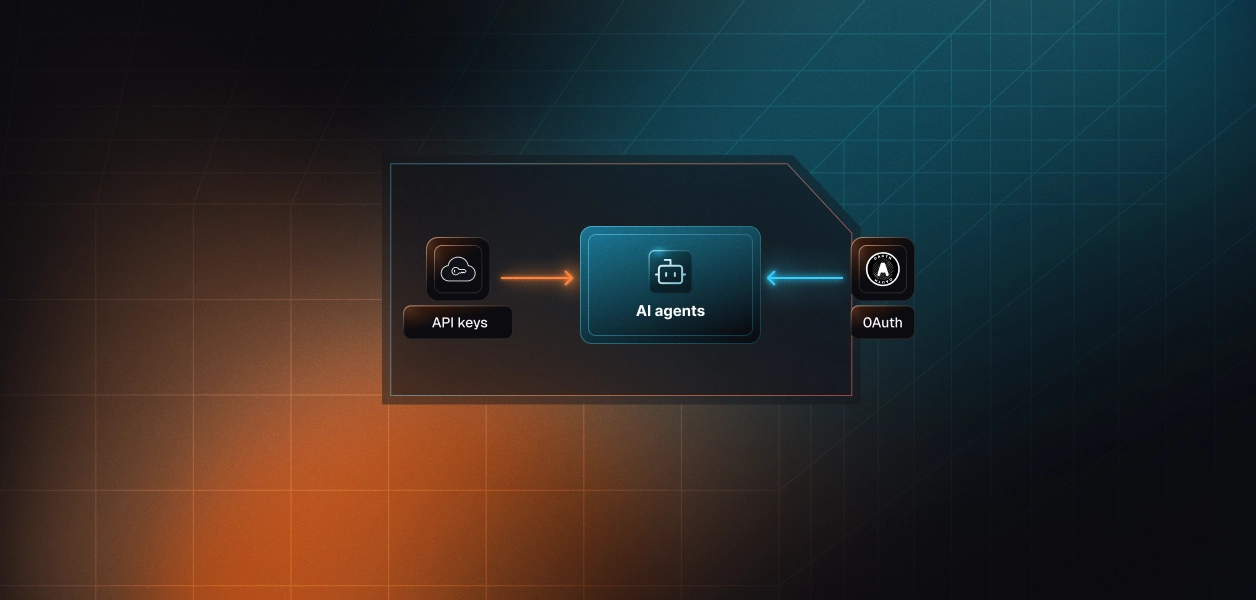
MCP over OAuth gives you one token per user, so every agent deploy and outbound call traces back to a person. The API gives you one key per Speko workspace, so every call looks like the workspace. Both paths require per-user credential isolation in a multi-tenant B2B agent. MCP's OAuth flow gives you a token per user. Direct API calls give you a credential per tenant. In neither case does the path itself solve storage, rotation, or revocation; those are infrastructure problems regardless of which path you choose.
Placing calls needs the speko:phone scope. Speko's description for sessions.phone.create says a 403 with PHONE_NUMBER_SCOPE_REQUIRED means the connection predates phone calling and needs a full reconnect, because a token refresh cannot add a scope. A 403 with PHONE_NUMBER_CONSENT_REQUIRED needs only the workspace consent screen. Before any outbound call, the workspace also files a two-field business declaration, readable through phone_numbers.kyb.get. Build the reconnect path into your agent before the first user hits it.
On the MCP path, Speko hosts the server and maintains the schemas. You still own token storage, refresh, revocation, and reconnects, plus two behaviors that surface inside agent loops. A 402 INSUFFICIENT_CREDITS means stop, not retry. Recordings finalize after the call ends, so the first calls.recording.get returns 404. Speko's MCP now tells agents to poll about every five seconds for roughly 24 checks, after one workspace sent 1,078 recording reads in 151 seconds. On the API path you own all of that, plus tool schemas for every endpoint you expose, webhook signature checks, retries, and the session runtime code.
The six releases from 0.2.26 to 0.2.31 of Speko's MCP server carry notes citing production incidents dated September 15 to 19, 2026. An earlier release, 0.2.24, exists because the bundled manifest pinned output schemas with additionalProperties: false. When Platform added per-stage STT and TTS vendor fields, sessions.transcript.get returned a schema error instead of a transcript until the manifest was regenerated. The API is versioned under /v1 and changes on your deploy schedule. MCP changes on Speko's. Enumerate tools at runtime and never hardcode a count.
Most production Speko agents use both: MCP for the operator loop, the API for the call itself.
Neither path gives you a vault, rotation logic, or a revocation flow.
Take a B2B voice product with 40 customer workspaces and three operators each. The MCP path means 120 OAuth grants to store, refresh, and revoke, each with its own scope set. The REST path means 40 Platform API keys whose secrets Speko shows exactly once at creation, and each identifies only a workspace. Offboarding exposes the gap: an operator leaves, your IdP disables them, and their Speko grant stays live until someone revokes it. The agent does not decide to keep using it. It just does.
Recommended reading: OAuth vs API Keys for AI Agents
The Scalekit Speko MCP connector runs the OAuth 2.1 flow with Dynamic Client Registration (DCR), stores each user's tokens, and refreshes them, so the agent never handles a Speko credential. For REST-only surfaces, a custom connector vaults per-tenant API keys behind the same connected-account model. Either way, the MCP vs API decision does not change your auth infrastructure.
This walkthrough uses the Python SDK (Python 3.10 or later) and the Claude SDK. The connector is spekomcp, and Scalekit namespaces Speko's dotted tool names, so agents.calls.list becomes spekomcp_agents_calls_list. The full tool list lives in the Speko MCP connector docs.
Create the connection in AgentKit > Connections first. The connection_name in code must match the connection name in the dashboard exactly; a mismatch is the most common integration error.
Each user signs in to Speko once through an authorization link. From then on, Scalekit stores and refreshes that user's token.
The agent does not load the Speko catalog. list_scoped_tools returns only the tools this user's connected account is authorized to call, and a tool_names filter narrows that further. This QA agent gets six read and suggest tools, and nothing that deploys, deletes, dials, or bills. What the user can't do, the agent can't do.
execute_tool runs each call with the user's vaulted token. The guard rejects any tool name outside the scoped list before the request reaches Scalekit. The pattern follows the Anthropic example in the AgentKit docs.
At Scalekit's rule of thumb of about 200 tokens per tool, the full connector is roughly 24,000 tokens of tool definitions before the agent does any work. Speko's tool descriptions run longer than average, so treat that as a floor. Six tools is about 1,200. Selection accuracy improves for the same reason: the model chooses from what is relevant to this user and this task. The fix is not better prompting. It is surface reduction.
A Virtual MCP server is one endpoint that declares which connections and tools an agent role can see. You define it once, and each run gets a short-lived session token bound to one user. There is no MCP server to deploy, host, or maintain. The Virtual MCP overview covers the model in depth.
This escalation agent reads a customer's complaint email in Gmail, then pulls the matching Speko call, transcript, and recording. That's two connections, six tools, and one static mcp_server_url. Configure the Gmail connector alongside Speko first.
Credentials expire and users revoke them, so verify every connection before minting. The default token lifetime is about one hour. There is no refresh endpoint, so you remint by calling create_session_token again. The Node.js SDK does not mint session tokens yet, so TypeScript and Mastra agents should fetch the token from a Python backend.
langchain-mcp-adapters connects over streamable HTTP with the session token as bearer auth. The agent sees six tools across two providers, all acting as this user. The LangChain example shows the same wiring for native tools.
The server definition carries no credentials. Each run's session token resolves to that user's connected accounts, so an agent acting for one tenant cannot reach another tenant's Speko workspace or inbox. Adding a connector is a mapping change, not a new OAuth integration. Setup once per agent role. Mint a token before each run. The endpoint is static; the identity is not.
Scalekit's catalog ships Speko as an MCP connector, and there is no prebuilt Speko REST connector today. Call control and org webhooks still fit the same credential model through a custom connector.
Create the connector with the management API, since the dashboard form covers MCP connectors. Use BEARER auth and set proxy_url to the Platform API origin, api.speko.dev over HTTPS. Each tenant's sk_live_ key becomes a connected account, vaulted and revocable like an OAuth token. Use your tenant ID as the identifier, because a Speko key belongs to a workspace, not a person. The custom connector guide covers the payload.
actions.request() routes the HTTP call through Scalekit, which injects the tenant's key server-side.
Tool Proxy calls are raw HTTP. You write the LLM tool schema for any endpoint you expose to a model, which is the operational cost of the API path.
When a voice agent misbehaves, the first question is which user's credential made which call. Scalekit answers it on both paths.
AgentKit > Connected Accounts shows each account's status, refresh history, and tool execution logs. Every execute_tool response carries an execution_id. Upstream failures raise typed exceptions such as ScalekitToolUnauthorizedException, with tool_error_code and tool_error_message attached. Subscribe to connected_account.status_updated and connected_account.token_refresh_failed to pause an agent before a revoked Speko grant fails mid-task. Scalekit's connector pages describe credentials as AES-256 encrypted, resolved at request time, and never placed in LLM context, with a 90-day audit trail.
Speko keeps its own view. agent_access.overview lists the OAuth grants and scopes each connected client holds, and gateway.activity.list attributes Gateway events to the requesting client. When an auditor asks who placed a call, match Scalekit's per-user execution record against Speko's session and attribution data.
Recommended reading: Audit Trails for Agent Auth in B2B SaaS
If your agent builds, tests, or operates Speko voice agents on behalf of a person, use the MCP server. It carries the eval loop, the profiler, and migration helpers, and OAuth ties every deploy to someone. If your code is the call itself, use the API, Router, and Gateway, because MCP cannot carry audio or command a live leg. Most teams will run both: an operator agent on MCP and a runtime on REST. The credential problem is identical either way. Per-user OAuth grants sit on one side and per-tenant API keys on the other, and all of them need storage, refresh, revocation, and an audit trail. That is the layer to get right first.
Building a Speko voice agent and want a second pair of eyes on the auth design? Talk to a Scalekit engineer for immediate help.