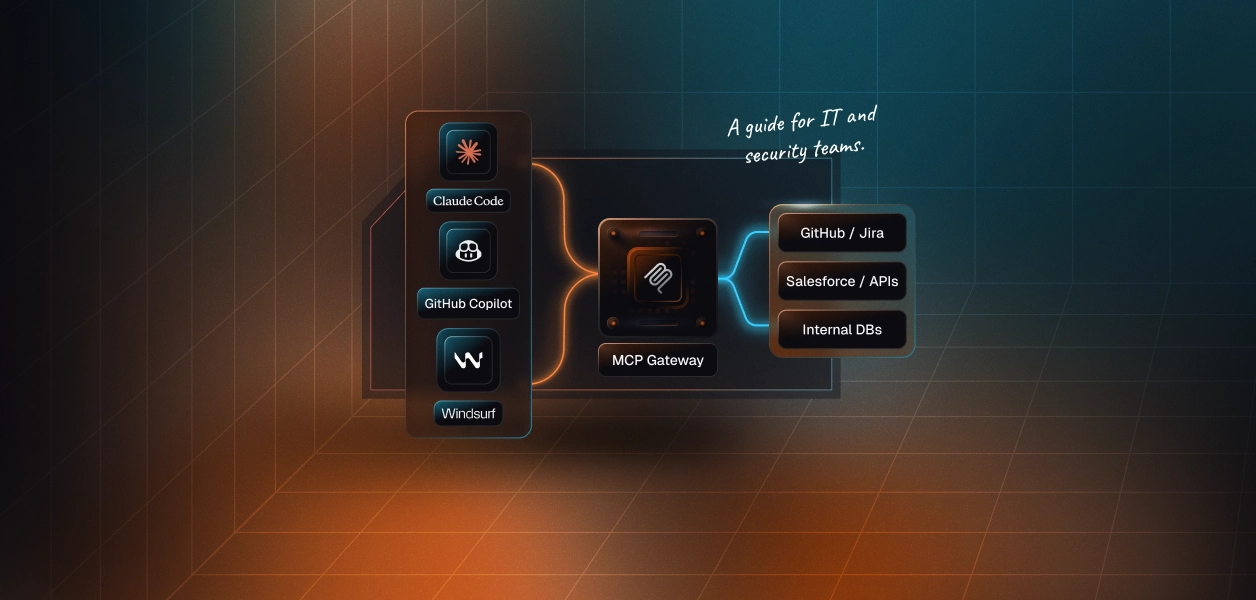


OAuth and SSO solved a specific problem: when a person logs into an app, the system knows who they are, and grants access based on that identity. It's worked well enough, for long enough, that most access-control thinking still assumes this shape — figure out who's logging in, assign them a role, done.
Agents break this quietly, in a way that doesn't show up until you go looking for it. The same agent identity might need to read a customer's account in one call and be firmly denied from issuing a refund in the next. A role-based system built for humans logging into a dashboard once a day wasn't built to answer "what can this specific action do," only "what can this person do in general" — and most products calling themselves an MCP gateway inherited that same shape. They added OAuth, added RBAC, synced groups from an identity provider, and called it governance. It is governance, in the sense SSO has always meant it: a role, checked once, applied broadly.
The actual failure mode this creates is specific: an agent connects using a single shared service account, and from that point on there's no way to know which agent touched what, on whose behalf — not just after someone leaves and forgets to revoke a token, but every day in between, while everyone's still employed and everything looks fine. An audit log that says "the agent did it" isn't an audit log. It's a shrug with a timestamp.
Strip away the category language and a gateway is doing four jobs. Two of them are table stakes. Two of them are where the real differences between products actually live.
Table stakes: the gateway knows who's on which team, usually by syncing groups from an identity provider you already run — Okta, Microsoft Entra, Google Workspace. New person joins sales, their agent inherits sales' access automatically. Every gateway worth evaluating does this part.
The real question is what happens after that sync: does access follow the role, or the specific action? "Marketing can use email" is a role-level grant. "Marketing can read and send email, but can't touch CRM deals" is an action-level grant — narrower, and the difference matters the first time an agent does something a person would never have been allowed to do by hand.
A backend tool might expose forty distinct actions. Handing all forty to every agent that connects isn't neutral — a model choosing from forty options makes worse choices than one choosing from three, and every unused action sitting in an agent's context is a way something can go wrong that didn't need to exist. A gateway worth its name terminates the tool list at the boundary: an agent sees exactly the handful of actions its role needs, nothing else, and that boundary is enforced before a call ever reaches the real system — not caught afterward in a log review.
Every gateway logs something. The question is whether what it logs is actually useful once something looks wrong. A log that shows "service-account-7 called the CRM" tells you nothing. A log that shows "the agent running as this specific person read this specific record and did this specific thing" is the difference between an audit trail and a formality.
Getting to that second version requires solving a problem that sounds harder than it is: how do you give every person their own identity inside the gateway without asking every person to hand you their password? The answer, in practice, looks like this — a person authorizes their own connected account once, through a one-time link. Their credentials go straight into an encrypted vault. The admin setting all this up never sees them. The agent making the call never sees the raw token either — it gets a scoped, short-lived credential minted for that specific run, and nothing more. That mechanism is what makes per-person attribution possible at all, rather than a line item on a features page.
These three terms get used almost interchangeably in most of what's written about this space, which is exactly why they're worth pulling apart once, clearly:
A gateway isn't a different technology from a proxy. It's what a proxy becomes once enough of them need a shared identity model, a shared policy layer, and one place to look when something goes wrong.
This is worth stating plainly, because it's the distinction most existing material on this topic glosses over: role-based access control answers "can this team touch this system." It does not answer "can this specific call do this specific thing." A support team's role might reasonably include "access customer accounts." Whether every agent acting under that role should also be able to issue a refund is a different question entirely — one RBAC, by itself, was never built to answer.
The action-level distinction isn't a nice-to-have refinement of RBAC. It's a different claim about what "governed" means. "Marketing can read and send email, but can't touch CRM deals" is a sentence RBAC alone can't produce, because it's not describing a role — it's describing a specific, bounded set of actions, independent of everything else that role might otherwise touch. This is why your existing IAM setup doesn't automatically cover AI agents the way it covers human logins.
MCP's growth has come with a real, documented threat surface, not a hypothetical one: tool poisoning (a malicious or compromised tool definition tricking an agent into unsafe behavior), impersonated or fake MCP servers, and attacks introduced through third-party connectors nobody vetted closely. A gateway sitting at the single point every call passes through is also, by construction, the natural place to catch these — validating tool definitions, monitoring for servers that don't match what they claim to be, and giving security teams one place to watch instead of dozens of unmonitored direct connections. For a deeper look at the specific risks involved, MCP security risks in the enterprise covers the threat surface in detail.
Naming the space at a glance, not fully evaluating it — each of these takes a different angle on the same underlying problem:
If you're actually evaluating vendors head-to-head rather than getting oriented, a deeper comparison — with tradeoffs spelled out, not just named — is its own piece, not a list here.
The honest trigger isn't "does your company use AI agents" — nearly everyone's crossed that line already, often without IT knowing it happened. The more useful question: does any agent's required access differ by the specific action it's taking, or by who it's acting on behalf of, at the moment it runs?
When employees leave or roles change, the question of who revokes their AI agent's access becomes operational — not theoretical. A gateway makes that answer deterministic rather than manual. And if you're using tools like GitHub Copilot with MCP enabled, your security team already has questions it can't answer yet without centralized governance in place.
SSO and RBAC establish who someone is and what their role can generally do — necessary, but not sufficient. They weren't built to answer whether a specific action, taken by an agent acting on that person's behalf, should be allowed. That's a narrower question than "what can this role do," and it's the one that actually determines whether an agent can be trusted with real access.
Related, not identical. An API gateway manages traffic to REST/HTTP APIs generally. An MCP gateway is purpose-built for the MCP protocol specifically — tool discovery, the specific authorization patterns agents need, and policy enforcement scoped to tool calls rather than generic API requests.
Not really. The entire case for a gateway is coordinating access across more than one person, or more than one agent, where "who did what" actually needs an answer. A single person running a single agent for themselves doesn't have that coordination problem yet.
If the org-wide version of this — one gateway every team's agents connect through, access synced from your existing identity provider — is what you're evaluating, that's what Agent Gateway is built for.






