

Every enterprise deal has a document that everyone agrees is the source of truth and nobody updates.
It gets created in week one, usually by the AE, usually the day after the first serious call. Stage, amount, close date, the champion's name, the open objections. Then the deal moves. Security review lands in a Slack thread with the champion's IT lead. Procurement pushes close date out three weeks and the AE updates Salesforce because the forecast depends on it. Legal redlines get resolved in a DM. Two weeks later the deal room doc still says Proposal, still says the old close date, and still lists an objection that was answered on a Tuesday afternoon in a channel nobody thought to summarize.
Nothing was lost. It is all sitting in Salesforce and Slack. It is just sitting in two places that do not talk to each other, in front of a document that does.
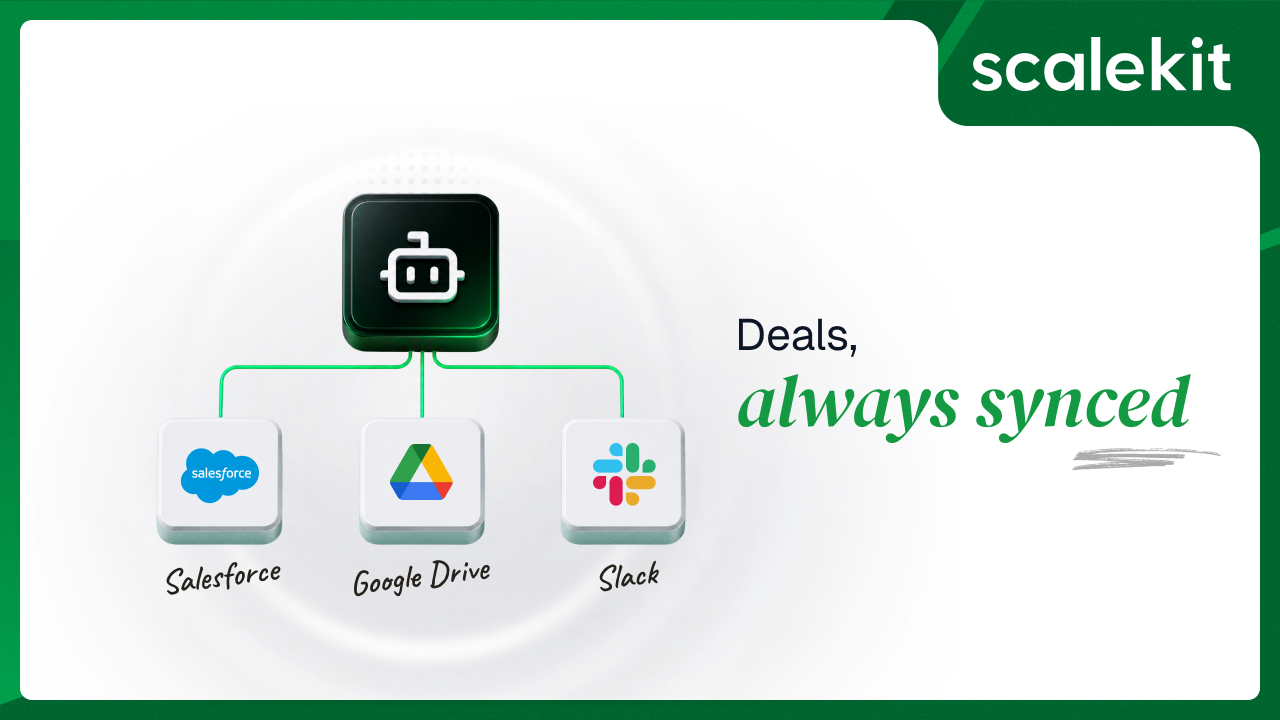
This guide builds the agent that closes that gap. It reads the opportunity, reads the discussion, and writes the summary. But the pipeline is not the hard part; the pipeline is roughly forty lines. The hard part is that two of these three services do not do what you assume they do, and one of them will not do it for a bot at all.
Most multi-connector tutorials show you the happy-path API call and skip what happens when you try to run it for a real user against a real workspace. These three constraints are not edge cases. Each one changes a design decision in the agent.
The agent needs to find deal discussion that could be in any channel: #deal-lightrun, #sales, #security-reviews, or a private channel the AE is in and you are not. That means search.messages.
Slack gates search.messages behind the search:read scope, and search:read is a user token scope. Bot tokens do not support it. This is not a permissions misconfiguration you can fix in the app dashboard; it is a token-type boundary. The conventional shortcut for agent integrations, provisioning one workspace bot with broad scopes and pointing every user at it, produces an agent that cannot execute step two.
The narrower path has its own tax. If you scope discovery to a single channel with conversations.history instead, channels:history covers public channels and groups:history is a separate scope for private ones. Request the wrong one and you get missing_scope at call time, not at authorization time, which during debugging looks identical to a channel simply having no matching messages.
There is a second reason to want the user's identity here rather than a bot's. Search results through a user token are bounded by what that user can actually see. An AE searching for their own account name gets their own channels. A workspace bot with broad history scopes gets whatever it was invited to across the org, which in a multi-AE deployment means one rep's agent can surface another rep's deal discussion. What the user cannot see, the agent cannot see. That property comes free with delegated identity and has to be rebuilt by hand without it.
Recommended Reading: why admin accounts are the wrong pattern for AI agents, and the breakdown of how the tool surfaces differ between Slack MCP and the Slack API.
This one is verified live against the connector, not inferred from documentation.
The googledrive connector's tool catalog has no tool that writes a Google Doc's body text. googledrive_create_file creates file metadata; populating body content requires a multipart media upload the tool does not expose. googledrive_export_file reads a Doc, but on a freshly created Doc it returns essentially nothing, because the Doc is empty. Structured edits to a Doc's body are a Google Docs API concern, documents.batchUpdate, which is a different API surface behind a separate googledocs connector.
So the agent syncs the summary as a Drive comment through googledrive_create_comment instead of rewriting the doc. This is a better outcome than the workaround it replaced. Comments render in the doc's sidebar where reviewers already look, they carry an author and timestamp, and each sync appends rather than overwrites. The deal room doc accumulates a dated log of how the deal moved instead of holding a single field that gets clobbered every run.
The tradeoff is real and worth stating: if your workflow specifically requires the summary inside the document body, this agent does not do that, and you will need the googledocs connector. Everything else here still applies.
Drive scopes deserve one note before you configure anything. The broad drive scope is a Google restricted scope, which means annual third-party security assessment before you can ship it to users outside your test group. drive.file is non-restricted but only grants access to files your app created or the user explicitly picked. For a deal room doc that already exists and was created by a human, that distinction determines whether DEAL_ROOM_DOC_ID resolves or 404s.
Salesforce is the most predictable of the three, which is why its failures are the ones that surprise people.
Token lifetime is not a Salesforce constant; it is a per-connected-app policy. An admin can set the refresh token to expire on a fixed schedule, on session timeout, or never, and can change that policy after your agent has been running happily for two months. Session settings at the org level can invalidate refresh tokens independently. The agent that worked yesterday returns INVALID_SESSION_ID today and nothing in your code changed.
Sandbox and production authenticate against different hosts, and the token response carries an instance_url that you are supposed to use for subsequent calls rather than assuming a fixed domain. Connected app permission changes can take several minutes to propagate, which produces a stretch of confusing failures right after a scope edit. And the profile-level "admin approved users are pre-authorized" setting will block the OAuth flow outright for users outside the assigned profile, with an error that reads like a credential problem rather than a policy one.
None of this is exotic. All of it is token lifecycle work you would be writing and maintaining per connector, three times over, before you write a line of sync logic. Salesforce also accepts several auth methods, and OAuth versus API keys for AI agents covers why the delegated path is the one that survives a security review.
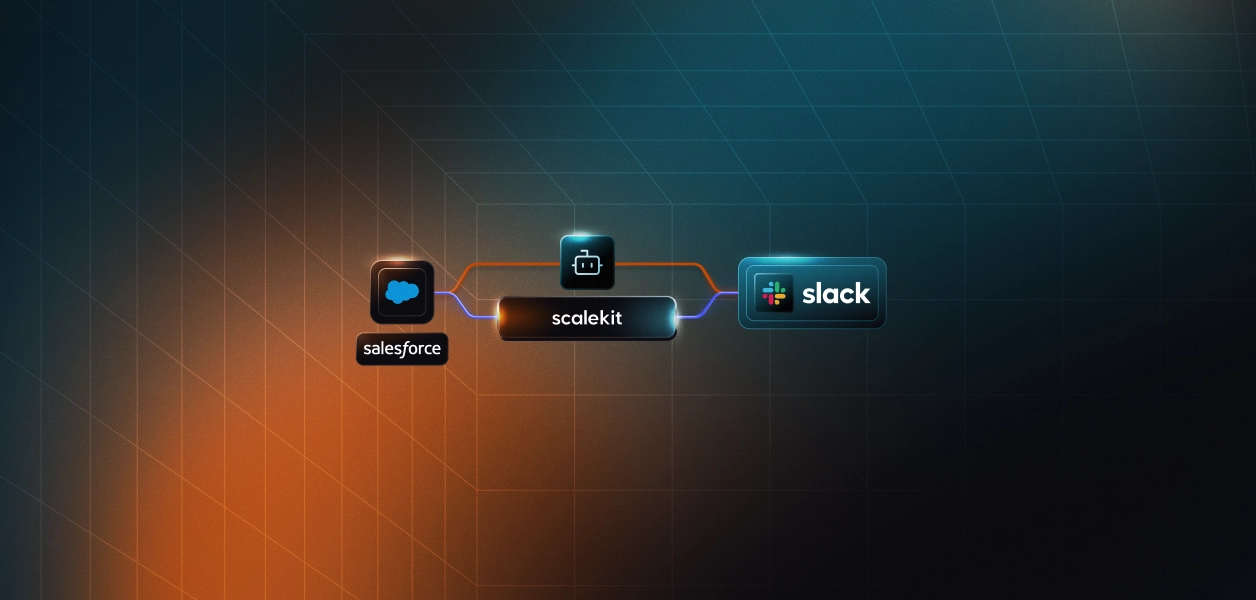
Scalekit sits between the agent and every service it calls. You configure each connection once in the dashboard, and from then on every API call goes through one interface. The only credential your application holds is the Scalekit client secret.
Three properties carry most of the weight in this agent:
The full code is on GitHub. Clone the repo, configure three connections, and have it running in under 20 minutes. If you have not set up a connection before, start with the AgentKit quickstart.
Set all three up before writing any code. Step 0 of the agent checks connector status immediately, and having all three active means the first run exercises the whole pipeline.
Create a free account and a workspace for this project. Copy SCALEKIT_ENV_URL, SCALEKIT_CLIENT_ID, and SCALEKIT_CLIENT_SECRET from the workspace dashboard into your .env file.
In the dashboard, go to AgentKit > Connections and add Salesforce. Complete the OAuth flow with read access to the Opportunity object. Grant write access too if you plan to extend the agent to push next steps back into the CRM; this build only reads.
Add a Slack MCP connection, not the plain REST Slack connector. This matters more than it sounds. The agent is built against SlackMCP's tool shapes: slackmcp_slack_search_public_and_private, slackmcp_slack_read_channel, slackmcp_slack_read_thread, and slackmcp_slack_send_message. The REST Slack connector exposes different tool names with a different parameter shape and will not drop in.
Authorize with search and read scopes. Because search is user-token bound, authorize as the AE whose deals this agent will sync.
Add Google Drive with access to the file or folder holding your deal room docs. Confirm the connected account can open the specific file you intend to use, since a DEAL_ROOM_DOC_ID pointing at a file that account cannot see fails at provisioning time rather than silently writing somewhere unexpected.
Scalekit auto-suffixes connection names per workspace. What appears in your dashboard is salesforce-1 or googledrive-9WdQ8yGN, not the generic provider label. get_or_create_connected_account needs the exact name, and calling it with the bare provider label returns a not-found error that reads like a connector-availability problem rather than a naming one.
Copy the exact names from the dashboard into .env:
The Scalekit plugin generates the auth scaffold, so the connector layer is written before you touch pipeline logic.
Then prompt Claude Code:
What comes back is a Connector base class carrying the auth check and the tool-execution wrapper that every service in this agent inherits.
The identifier argument is the whole per-user story in one parameter. It is the AE's identity, and it determines which connected account, and therefore which tokens and which permission boundary, backs every call downstream. Locally it comes from .env. In production you pass each AE's real user ID and surface the authorization link from your own application when their status is not ACTIVE.
Worth being precise about what this agent is. It is a deterministic pipeline, not an autonomous reasoning loop. There is no model choosing what to call next. The sequence is fixed: Salesforce, then Slack, then Drive, then exit. Three tools, named directly in code.
That is a deliberate design choice, and it is why you will not see list_scoped_tools here. When you do hand a tool surface to a model, retrieving the tools the current connected account is authorized to call is the mechanism that keeps the surface correct and small. A scoped tool surface is both an accuracy lever and a cost lever, since every tool sitting in context consumes tokens before the agent does any work. But a fixed three-step pipeline gets that property for free by simply not putting a catalog in front of a model. Use the right one for the shape of the work.
Recommended Reading: Single-tenant vs multi-tenant tool calling and agent auth.
The agent looks up one opportunity and pulls the fields that describe where the deal actually stands. salesforce_soql_execute returns a flat payload, so the records list comes straight off data.
Two targeting modes with different reliability. OPPORTUNITY_ID is an exact match and is what you want in production, especially under cron. OPPORTUNITY_NAME is a case-insensitive substring match that returns the most recently modified hit, which is convenient when you are testing and do not have the Id handy and dangerous when two opportunities share a prefix.
If the opportunity is not found, provisioning fails immediately with exit code 1. The agent does not create a Salesforce opportunity to sync into. A missing target is a CRM data problem, and papering over it would mean writing a deal room summary for a deal that does not exist in the forecast.
Two discovery paths, chosen by configuration. With SLACK_CHANNEL_ID set, the agent reads that one channel. Without it, the agent searches every channel the connected account can see, keyed on SLACK_SEARCH_KEYWORD and falling back to the opportunity name.
Note the return type. Both functions return a string, not a list of message objects.
That is the second constraint from earlier, and it shapes everything downstream. MCP-based connectors wrap their payload in {"content": [{"type": "text", "text": "..."}]}, and inside that envelope Slack's search and read tools return one Markdown-ish text block formatted for human display, not a structured per-message array. There is no messages[].user to read. Plain REST connectors like Salesforce and Google Drive return flat payloads with no envelope at all, which is why _unwrap_mcp_envelope only unwraps when the envelope shape is actually present. The shape difference is worth understanding before you pick a connector variant.
So excerpts get split out of the text:
The _NO_RESULTS_PATTERN check is the part that took a live run to find. A zero-match Slack search does not return an empty string; it returns a formatted block containing the literal sentence "No results found." Without that check, the agent treats Slack's own placeholder as a genuine deal-discussion excerpt, writes it into the deal room summary, and folds it into the change fingerprint. The guard only fires when no real message-block headers are present, so a legitimate message that happens to contain the phrase is never dropped.
A Slack failure degrades rather than aborting. If search or channel read raises, the cycle logs a warning, treats the result as zero excerpts, and continues with whatever Salesforce context it has.
This is the part of the agent worth stealing for other pipelines.
The naive scheduling approach is "run daily, post a summary." That produces a deal room doc with thirty identical comments on a deal that sat still for a month, which trains everyone to stop reading the comment sidebar. The alternative, running only when something changes, requires knowing whether something changed.
So the agent hashes the content that would matter to a reader and compares it against the last sync.
The normalization is doing real work. sort_keys=True removes dict-ordering noise, sorted(slack_excerpts) removes search-result-ordering noise, and round() on the amount removes float jitter. Without those three, run-to-run variation that no human would call a change produces a different hash and a spurious comment.
Every cycle still fetches fresh context from both services. The fingerprint only decides whether to write:
The consequence is that POLLING_MODE=true becomes genuinely useful rather than noisy. Leave it running at a 60-minute interval and it stays silent until the stage moves, the amount changes, the close date shifts, the next step is rewritten, or someone says something new in a relevant channel. Then it syncs. The last-synced fingerprint per opportunity lives in state/synced_cycles.json, written through a temp file and an atomic rename so a crash mid-write cannot corrupt it.
The summary is plain text, because Drive comments do not render Markdown. Headings are plain lines rather than # syntax, and excerpts are collapsed to single lines and truncated at 600 characters so the comment stays a scannable digest instead of a transcript dump.
ensure_deal_room_doc handles two cases with deliberately different behavior. A configured DEAL_ROOM_DOC_ID must resolve through googledrive_get_file_metadata or the run fails; the agent does not create a replacement when a configured ID is wrong, because a typo should not silently spawn a second deal room doc that half the team never sees. With only DEAL_ROOM_DOC_NAME set, the agent searches for a non-trashed file with that exact name and creates one if it does not exist.
Here is what lands in the sidebar:
A first run against a changed deal:
The next run, thirty minutes later, with nothing moved:
Both services were queried. Nothing was written. That is the intended behavior.
For continuous operation, set POLLING_MODE=true and POLL_INTERVAL_MINUTES. For business-hours coverage, cron is cleaner:
Exit codes are meaningful, which matters when this runs unattended:
Exit 2 is not a failure. It means the deal exists and genuinely has nothing worth writing down, and treating that as an error would produce alert fatigue on every quiet deal in the pipeline.
The agent draws a deliberate line. A missing Salesforce opportunity or an inaccessible Drive file is fatal, because continuing means writing a summary that is wrong or writing it somewhere wrong. A Slack fetch failure is degradable, because a summary with Salesforce context and no Slack excerpts is still worth posting.
Step 0 follows the same logic. An unauthorized connector logs a warning with an authorization link and the run proceeds, so a Drive authorization gap does not prevent the Salesforce and Slack steps from completing and reporting what they found.
Both query paths interpolate strings after stripping or escaping single quotes. For this agent that is acceptable, because OPPORTUNITY_ID and OPPORTUNITY_NAME come from .env, set by whoever deploys the agent.
That reasoning stops holding the moment those values come from somewhere else. If you wire opportunity selection to a web form, a Slack slash command, or model output, you have connected untrusted input to a query string. Validate the Id format before interpolating, and prefer OPPORTUNITY_ID with a strict pattern check over free-text name matching.
The fingerprint covers stage, amount, close date, next step, and Slack excerpts. It does not cover owner changes, new contacts, or custom fields. If a rep reassignment should trigger a sync in your process, add the field to compute_deal_fingerprint; every field you add makes the agent chattier, and every field you leave out makes it quieter. Pick against what your deal reviews actually look at.
SLACK_SEARCH_KEYWORD defaults to the opportunity name, and opportunity names in Salesforce are frequently not what humans type in Slack. "Lightrun - Team Expansion (40 seats)" will not match a channel where everyone says "Lightrun." Set the keyword explicitly to the account name, or set SLACK_CHANNEL_ID to read the deal channel directly and skip search entirely. The second option is more precise and also sidesteps the user-token requirement, at the cost of missing discussion that happens anywhere else.
Logs are structured with timestamps and levels, and secrets are redacted at the formatter before anything reaches stdout. That covers the agent's own run. For the question that comes up in a security review — what did this agent do on behalf of which user and when — tool call logs carry connector, tool, identity, and outcome per call. Worth wiring into your review process before the review asks.
Recommended Reading: Audit trails for agent auth in B2B SaaS.
The pattern extends without touching the auth layer. Mirror an existing class in connectors.py, call execute_tool with the tool name and inputs, and read result.data. MCP envelopes unwrap automatically; flat REST payloads pass through.
Adding a Notion connection to pull the mutual action plan, an Attio connection instead of Salesforce, or a Slack post back to the deal channel after each sync all follow the same three steps: configure a connection, add the identifier, call the tool. The deal intelligence agent is a good reference for what the Gong and Attio variant looks like. Scalekit maintains the connector. You maintain none of them.
The one thing to preserve when you extend it is the fingerprint gate. Any new source you add should feed into compute_deal_fingerprint, or the agent will start writing on every run again and the deal room doc goes back to being noise.
The full code is on GitHub. Clone the repo, configure your connections, and have it running in under 20 minutes. Browse the full catalog at Scalekit connectors, or start from another pattern in the agent template library.
If you get stuck building your own version, the Scalekit community Slack is the fastest place to get an answer.
Because Slack does not offer the alternative. search.messages requires the search:read scope, and Slack supports search:read on user tokens only. A bot token cannot hold it. If you need workspace-wide discovery, the call runs through a user's delegated connected account or it does not run. The single-channel path via slackmcp_slack_read_channel does work with narrower access, at the cost of missing anything said outside that channel.
No. This build reads the Opportunity object and writes only to Google Drive. The Salesforce connection can be authorized read-only. If you extend it to push next steps back into the CRM, request write scope at connection setup rather than later, since a scope change forces re-authorization for every connected account.
The googledrive connector has no tool that writes a Google Doc's body; that capability lives in the Google Docs API behind a separate googledocs connector. Comments turned out to be the better target anyway. They are visible in the sidebar where reviewers already look, they carry an author and timestamp, and they accumulate into a dated history of how the deal moved instead of overwriting one field every run.
It syncs. The fingerprint covers Salesforce fields and Slack excerpts together, so a stage change with no new discussion produces a different hash and triggers a write. The reverse also holds: a new relevant Slack message on an otherwise static deal syncs too.
The repo uses a single AE_EMAIL with per-connector *_USER identities to simulate one rep. In production, pass each AE's real user ID as the identifier on every Scalekit call and loop the pipeline across your reps. Each AE's tokens are managed independently, so there is no credential sharing and no re-authorization cascade when one account expires. Access control for multi-tenant AI agents covers the isolation model once you are running this across an org. The state file keys on opportunity Id, so multiple reps' deals coexist without collision.
Yes. Token expiry is checked on every execute_tool call and refreshed server-side when needed, which matters most for Salesforce, where refresh token lifetime is a connected-app policy an admin can change without telling you. There is no refresh logic in the agent. What you do need to handle is genuine revocation, which surfaces as a non-ACTIVE connector status at Step 0 with an authorization link, not as a mid-run exception.