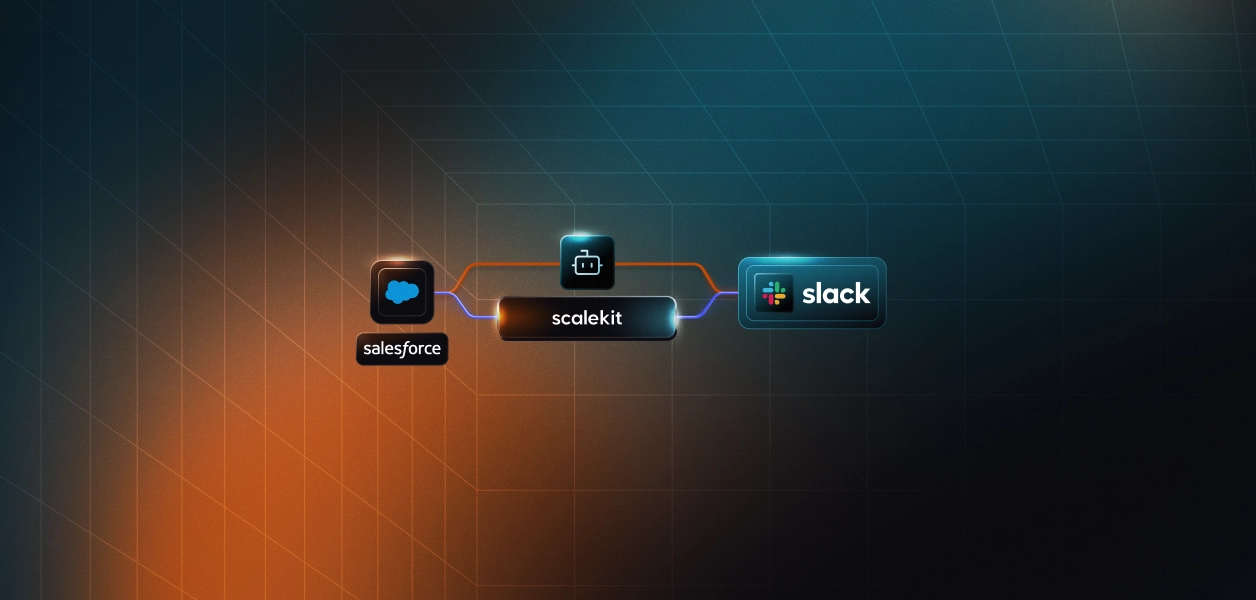
Sales teams don't lose deals because the data isn't there; they lose them because by the time someone connects the data, it's already too late to act. Gong has the full call recording for every conversation, and Attio has the complete deal history, including stage, value, and close date. However, performing a root cause analysis across both datasets requires correlating call transcripts with CRM records manually to identify where sentiment shifted, when engagement dropped, or which objection went unaddressed. That analysis takes 40 to 45 minutes of manual effort every morning, and because it's never prioritized consistently, the signals that could have saved the deal go unnoticed until they surface on the forecast call.
This tutorial walks you through building an agent that does it automatically: pulls yesterday's Gong calls, analyzes transcripts for risk signals, cross-references Attio for deal context, and posts a prioritized brief to Slack before your next standup.
A deal intelligence agent is an automated system that monitors your sales pipeline for risk signals, pulling data from call recordings, cross-referencing your CRM, and surfacing the deals most likely to slip before anyone has to ask. Instead of a sales leader manually reviewing Gong recordings and Attio records every morning, the agent does it automatically and delivers a prioritized brief to Slack before the first standup.
The reason every sales team needs one comes down to a single visibility problem: the signals that predict whether a deal will close or slip are already in your tools, they just never make it into one place in time to act on them. Gong has every call recorded and transcribed. Attio tracks every deal stage, close date, and activity log. But correlating those two sources to identify which deals are trending toward loss means 45 minutes of manual work every morning that consistently gets deprioritized, and by the time a slipping deal gets noticed, the window to save it has already closed.
The result is always the same: negative sentiment builds across three consecutive calls with no flag raised, a competitor gets mentioned twice in a week, and nobody notices, and a close date creeps up with zero CRM activity until it finally surfaces on the forecast call, at which point it's already too late to act. That's the gap this agent closes, and here's exactly how it works.
Although this is called an agent, it's worth being precise: it's not an autonomous reasoning loop that decides what to do next. It's a deterministic, sequential pipeline triggered by a scheduler that runs the same fixed steps every morning and exits cleanly:
Auth check: verifies all three connectors are active before touching any data. If a connector has been revoked or expired, it generates a magic link on the spot rather than failing silently mid-run.
Call fetch: pulls yesterday's calls from Gong using full ISO 8601 datetime parameters. If no calls exist for that window, the agent exits cleanly without proceeding.
Transcript analysis: fetches the full transcript for each call and extracts sentiment, engagement level, competitor mentions, and objections. If a transcript isn't ready yet, Gong takes 10–15 minutes to process after a call ends, and the call is skipped without blocking the rest of the queue.
CRM cross-reference: matches each call to an Attio deal using the prospect's email first, then the company name prefix as a fallback. If no deal is found, the call still appears in the report under the "unknown deal" metadata.
Risk scoring and Slack post: a weighted formula combines sentiment, days to close, engagement, and objections into a 0.0–1.0 score. Deals are ranked, and the top results are posted to Slack as a structured brief.
No persistent state between runs, no replanning, no surprises. When something goes wrong, you know exactly which step failed, and when it succeeds, you know exactly what data produced the output, which matters a lot for a tool that a sales team relies on every morning.
By the time a sales leader opens Slack in the morning, the review work is already done, no manual correlation, no calls skipped because someone was busy, no surprises surfacing for the first time on the forecast call.
Every morning's brief gives the team:
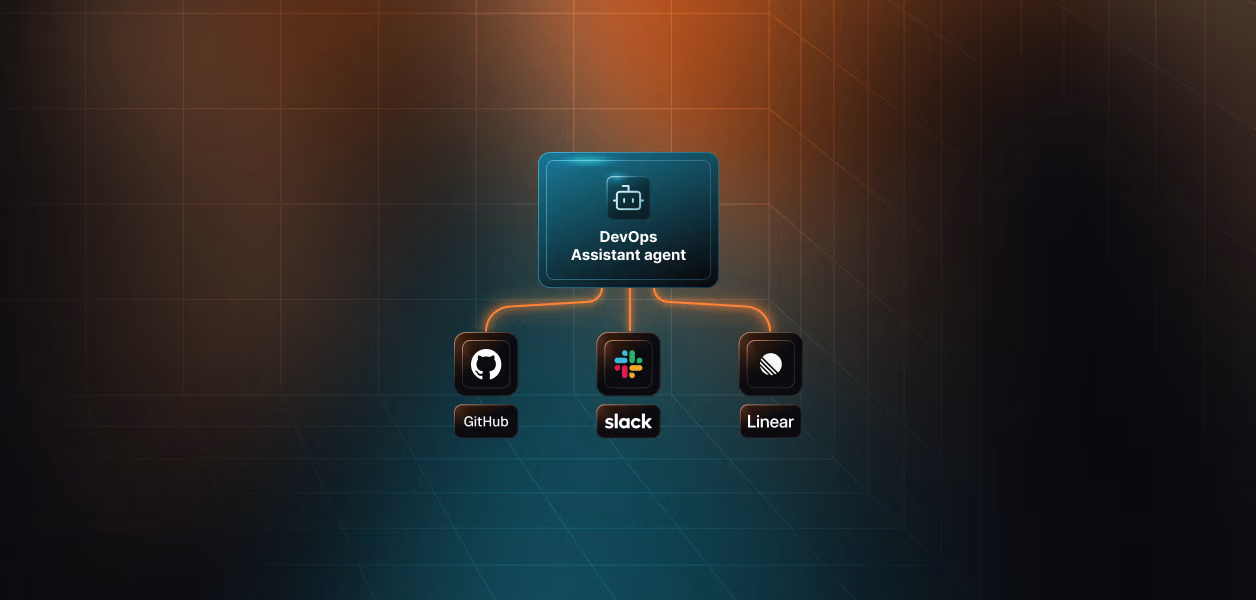
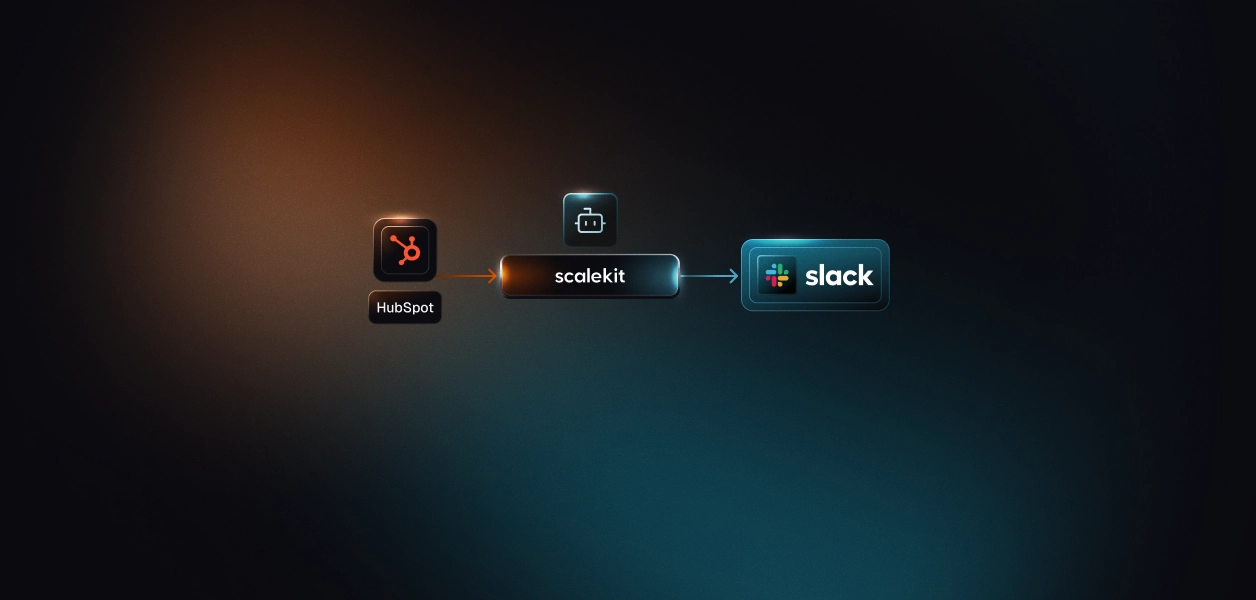
The most at-risk deals are at the top, and everything a sales leader needs to walk into a standup prepared is already waiting in Slack. Here's how the agent coordinates across all three systems to make that happen.

With that architecture clear, let's configure the connectors and get the pipeline running.
The output of each morning's run is delivered as a structured Slack message in the configured channel, which looks like this.
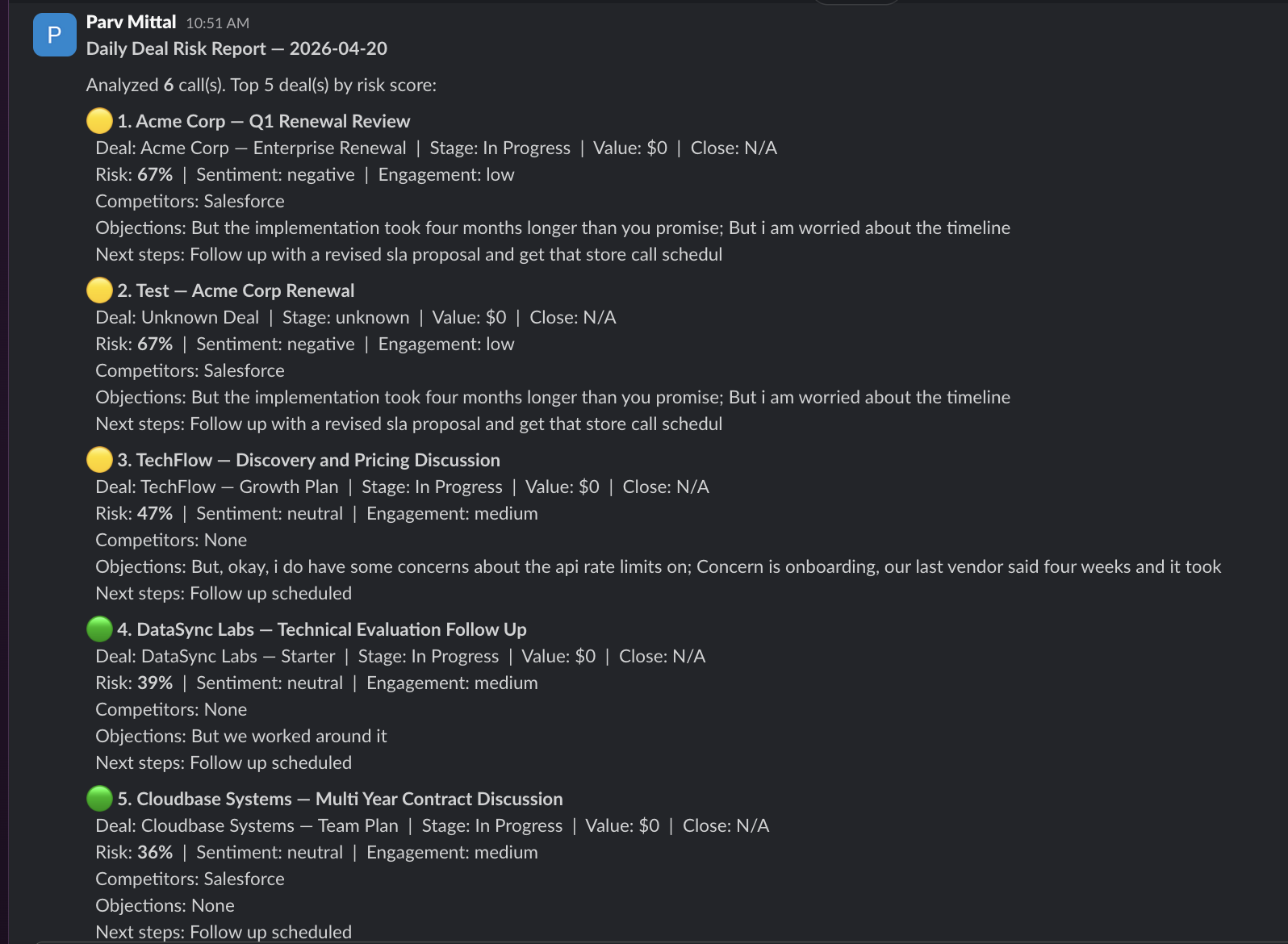
This message is designed so that a sales leader can immediately understand which deals need attention, without opening Gong or Attio. Each section is generated from real data in the pipeline:
The same information is available in the terminal output during each run, so you can verify what was analyzed before it reaches the channel. This output layer is what makes the agent immediately useful. It bridges the call recording system and the CRM into a single morning brief that fits how sales teams already operate.
Clone the repo and install dependencies. The entire agent lives in a single file called run_flow.py:
Then create a .env file in the project directory:
One thing to get right before moving on: GONG_CONNECTOR and SLACK_CONNECTOR must match the connector names in your Scalekit dashboard exactly, including any suffix added during setup. The connector name is passed as connection_name on every execute_tool() call; a mismatch either routes to the wrong connection or returns a not-found error.
That's everything you need: clone, configure the .env, and the pipeline is ready to run. The next step is connecting the three services through Scalekit so the agent can actually talk to them.
Before any pipeline logic runs, all three services need to be authenticated and ready. In a typical setup, that means three separate implementations, each with its own quirks:
Managing all three independently means writing token storage, refresh logic, and error handling per service before a single line of pipeline logic can be tested. This is where most multi-service automation projects stall.
Scalekit removes that entirely. You configure each connector once in the dashboard and interact with all three through a single interface:
With that in place, here's how to configure all three connectors in Scalekit.
Set up all three connectors before writing any code. The agent checks the connector status at startup, and having all three active means you can test the full pipeline from the very first execution without interruption.
Go to Scalekit, create a free account, and create a new environment for this project. Copy the SCALEKIT_ENV_URL, SCALEKIT_CLIENT_ID, and SCALEKIT_CLIENT_SECRET from the environment dashboard into your .env file.
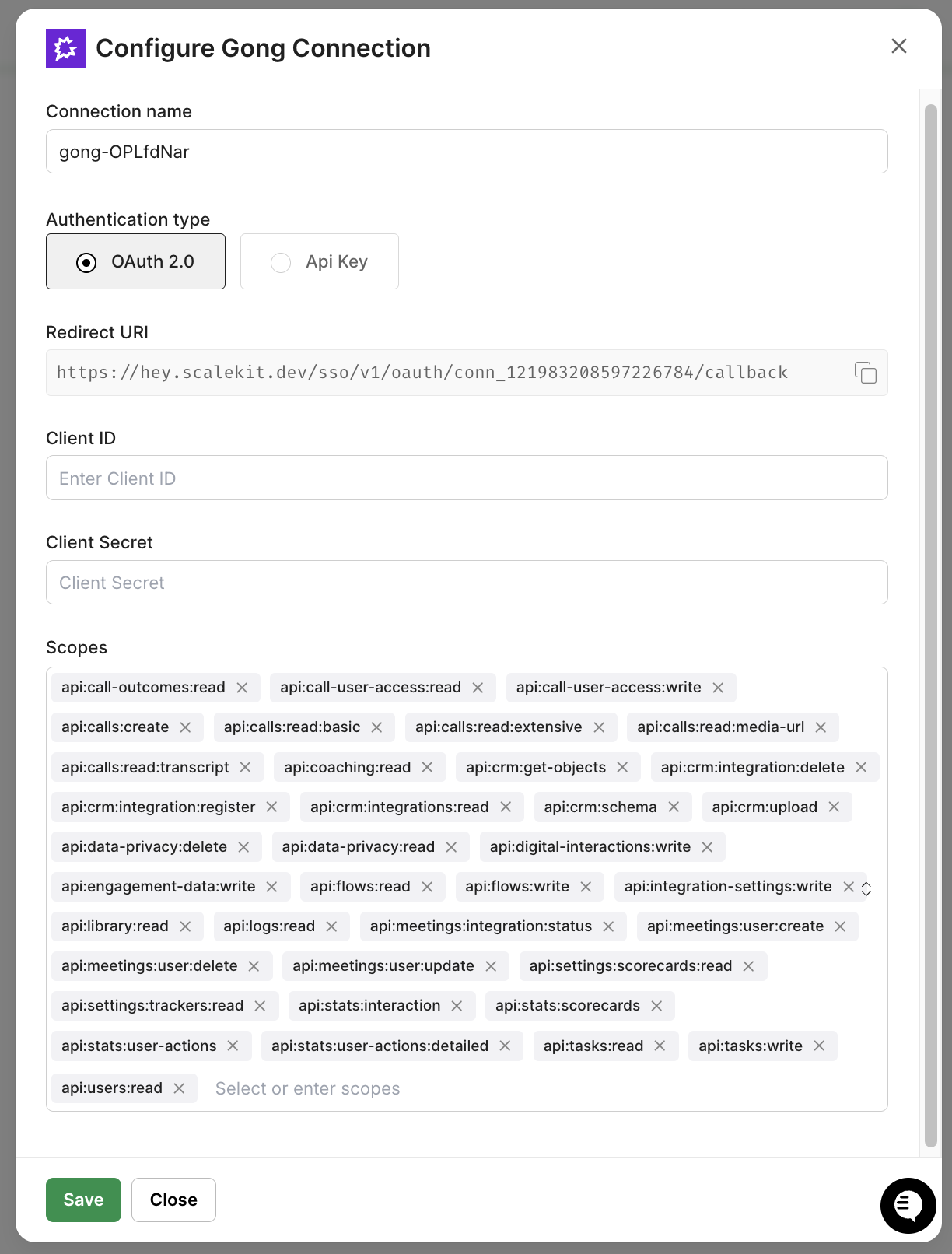
Navigate to Agent Kit → Connections and add a new connection for Gong. Before authorizing, make sure your Gong workspace admin account has the following scopes enabled: api:calls:read, api:calls:transcript:read, and api:users:read. These are required for the agent to pull calls, transcripts, and attendee data.
Authorize using your Gong workspace admin account since workspace-level OAuth scope is needed to pull calls across all users, not just your own. After setup, note the exact connection name; it may include a short suffix like gong-abc12345. Set this as GONG_CONNECTOR in your .env.
Add the Attio connection using your Attio workspace credentials. Attio's OAuth flow requires record:read scope on the deals and people objects. Make sure your workspace role has read access to both before authorizing.
The connection name defaults to attio unless you rename it; the agent uses the literal string "attio" in the code, so keep the default or update the code to match.

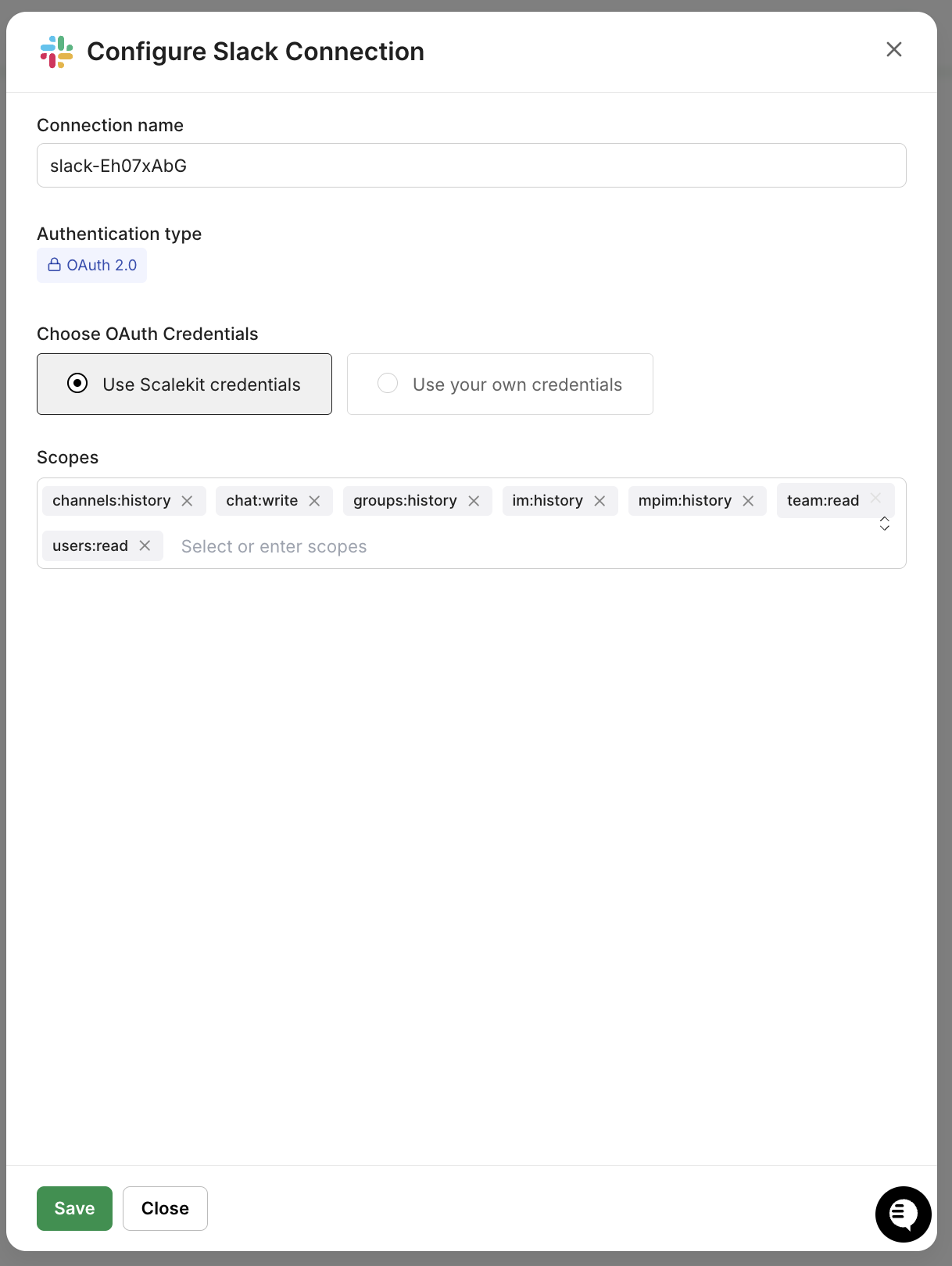
Add Slack and authorize the account that will post the daily report. The OAuth flow requires the following bot scopes: chat:write, chat:write.public, and channels:read. Configure these in your Slack App dashboard before running the OAuth flow; the post will silently fail or return unhelpful permission errors.
Make sure the authorized account is already a member of the channel where you want reports posted. After OAuth, get the channel ID by right-clicking the channel in Slack, copying the link, and using the last path segment. Set this as SLACK_DM_USER in your .env.
Now that the connectors are configured, you have two ways to get the pipeline code: clone the repo directly and use the code as-is, or use Claude Code to generate it from scratch with the Scalekit plugin handling the auth scaffolding automatically. Either way, the three foundational pieces below are what the entire pipeline depends on.
If you're using Claude Code, install the Scalekit plugin and run this prompt:
Then give Claude Code this prompt:
"Build a deal intelligence agent: fetch yesterday's Gong calls and transcripts, match each call to an Attio deal, score risk by sentiment + days to close + engagement + objections, and post a ranked report to a Slack channel using Scalekit Agent Auth."
Claude Code produces run_flow.py, which includes the full pipeline. The three foundational pieces it generates are the client setup, the tool() helper, and the auth startup check. Each one is worth understanding before you read the pipeline steps.
The client initialization connects to your Scalekit environment. The CONNECTOR_USERS map specifies the identity to act on behalf of when calling each service. Every execute_tool() call downstream uses this map to route the request to the correct connected account.
The tool() function is the single interface for every API call in the pipeline. It wraps execute_tool() with the connector name, user identity, and connection_name parameters so that every service interaction follows the same pattern and routes to the exact right Scalekit connection.
A Gong call looks like tool(GONG_CONNECTOR, "gong_calls_list", from_date_time=from_dt, to_date_time=to_dt). An Attio lookup looks like tool("attio", "attio_list_records", object="deals", limit=50). For Gong and Attio, the tool() wrapper is used throughout. The Slack post in Step 4 calls connect.execute_tool() directly so the response object (including the message timestamp) is available after posting.
The ensure_authorized() function runs once at startup for each connector and confirms it is in ACTIVE status. If a connector needs authorization, it generates a magic link on the spot so you can complete OAuth without going back to the dashboard.
On the first run, this function pauses for any connector that needs authorization. On every subsequent run, all three connectors print ACTIVE, and the pipeline proceeds immediately with no interaction required and auth handled. With that in place, here's what executes every morning.
Each step is scoped, and independent of a failure in the Attio lookup for one call doesn't prevent the rest from being analyzed, and the Slack post always runs last, regardless of what happened upstream.
The agent validates all three connectors before doing any real work. This prevents wasted API calls if a token has been revoked, a situation that can happen when a user changes their password or revokes access in the third-party service's settings.
get_or_create_connected_account() is idempotent. On the first call, it creates the account record in Scalekit. On every subsequent call, it returns the existing record with its current status. No API calls to Gong, Attio, or Slack are made at this step.
The agent queries Gong for all calls in the previous 24-hour window. One critical detail: gong_calls_list requires full ISO 8601 datetime strings — passing a date-only string like 2024-01-15 silently returns no results rather than an error, making it look like no calls exist for that day.
For each call in the list, the agent fetches the full transcript using the call ID:
If the transcript is shorter than 30 characters, the call is skipped. Gong takes 10–15 minutes to finish transcribing after a call ends, so this guard prevents the agent from analyzing an empty or partial transcript.
With the transcript text in hand, the agent extracts four structured signals: sentiment, engagement level, competitor mentions, and objections. With OPENROUTER_API_KEY set, an LLM performs the analysis at temperature 0 to ensure consistent, deterministic output across runs. Without it, the same transcript can yield different sentiment scores on different days:
If no key is configured or the LLM call fails, the agent falls back automatically to a rule-based analyzer that costs nothing and requires no configuration:
The rule-based analyzer uses signal word counting, regex pattern matching for objection phrases, and question-mark frequency as an engagement proxy:
Sentiment signals only tell part of the story — a 67% risk score on a $12,000 discovery call reads very differently from a 67% risk score on an $84,000 renewal closing in four days. The deal stage, close date, and value come from Attio and are what make the score actionable.
The agent pre-fetches all deals once and matches locally — more efficiently than a per-call API lookup and more reliably than Attio's text-search endpoint, which does fuzzy matching across all fields regardless of the query string:
Matching uses two strategies: email first, and company name prefix as a fallback. Gong doesn't always return external-party emails for telephony calls, so the fallback ensures the agent still finds the right deal when email data is unavailable. The call title format "Company Name -- Call Type" is the only naming convention required for this to work:
If no deal is found, a first call with a new prospect who has no Attio record yet still appears in the report under "Unknown Deal" metadata. The signal is worth surfacing even without CRM context.
The risk score translates the qualitative signals from the call analysis into a single 0.0–1.0 number, making it easy to sort and prioritize deals without reading through each call summary.
Sentiment carries 40% because a prospect who is actively frustrated or pushing back is the strongest available signal of intent engagement; objections amplify or dampen that reading, and days to close add urgency. After scoring, deals are sorted, and the top five are posted to Slack:
Note that connection_name=SLACK_CONNECTOR is passed explicitly on this call. Without it, Scalekit routes to any active Slack connection associated with the identifier, which may be a different workspace than intended if multiple Slack accounts are authorized.
With connectors active and the .env file configured, start the agent:
The agent prints a live status update at each stage. Here is what a typical five-call run looks like:
For continuous daily operation, schedule the agent using cron on macOS or Linux:
Or deploy it as a GitHub Actions scheduled workflow:
Store your .env values as GitHub Actions secrets. The OAuth tokens stay in Scalekit's encrypted token store — only the Scalekit credentials and user identifiers are passed into the runner environment.
The pipeline runs cleanly in development, but a few configuration details and edge cases are worth locking down before you hand it off to a cron job. Here's what to check.
Most first-run failures aren't logic errors; they're small setup mismatches that produce confusing output. Here's what to verify before scheduling the agent for daily use:
The data was never the problem; every call is in Gong, every deal is in Attio, and the signals that predict which ones will slip are sitting in both. What was missing was the daily, automated connection between those two sources that surfaces deals trending toward loss before the forecast call starts, and that's exactly what this agent delivers.
Every morning, it runs the same cycle: fetch calls, analyze transcripts, match to CRM, score risk, and post to Slack. A sales leader opens Slack and sees a prioritized brief with the most at-risk deals at the top, complete with deal stage and close date from Attio, specific objections and competitor mentions pulled from the Gong transcript, and next steps sourced from what was actually discussed on the call.
The same architecture extends naturally from here. Pipeline health scores can be written back to Attio for team-wide visibility, risk trends across consecutive calls can trigger escalation notifications, and deal owner routing can deliver personalized briefs to each rep instead of a shared channel. Once the Scalekit connectors are in place and the execute_tool() pattern is established, adding a new signal or action means updating the pipeline logic rather than rebuilding the auth layer underneath it.
Each service has its own auth flow, token format, and refresh schedule. Scalekit collapses all of it into a single execute_tool() call per service and automatically handles token refresh, expiry checking, and connection state. Auth goes from a multi-day implementation problem to a 20-minute configuration step in the dashboard.
Yes. It checks token expiry on every execute_tool() call and refreshes using the stored refresh token when needed. There is no refresh logic in the agent code, and no mid-run failures due to a token expiring during execution.
Yes. The tool() helper is service-agnostic. If your CRM is HubSpot or Salesforce, replace the Attio calls with the corresponding Scalekit connector tool names. If your team uses Microsoft Teams instead of Slack, replace slack_send_message with the Teams equivalent. The pipeline logic — risk scoring, transcript analysis, and sorting — does not change.
Yes. Each team gets its own .env file with different Scalekit identifiers, different connector names, and a different SLACK_DM_USER channel. Run a separate instance per team. Scalekit manages each set of connected accounts independently under the same environment.