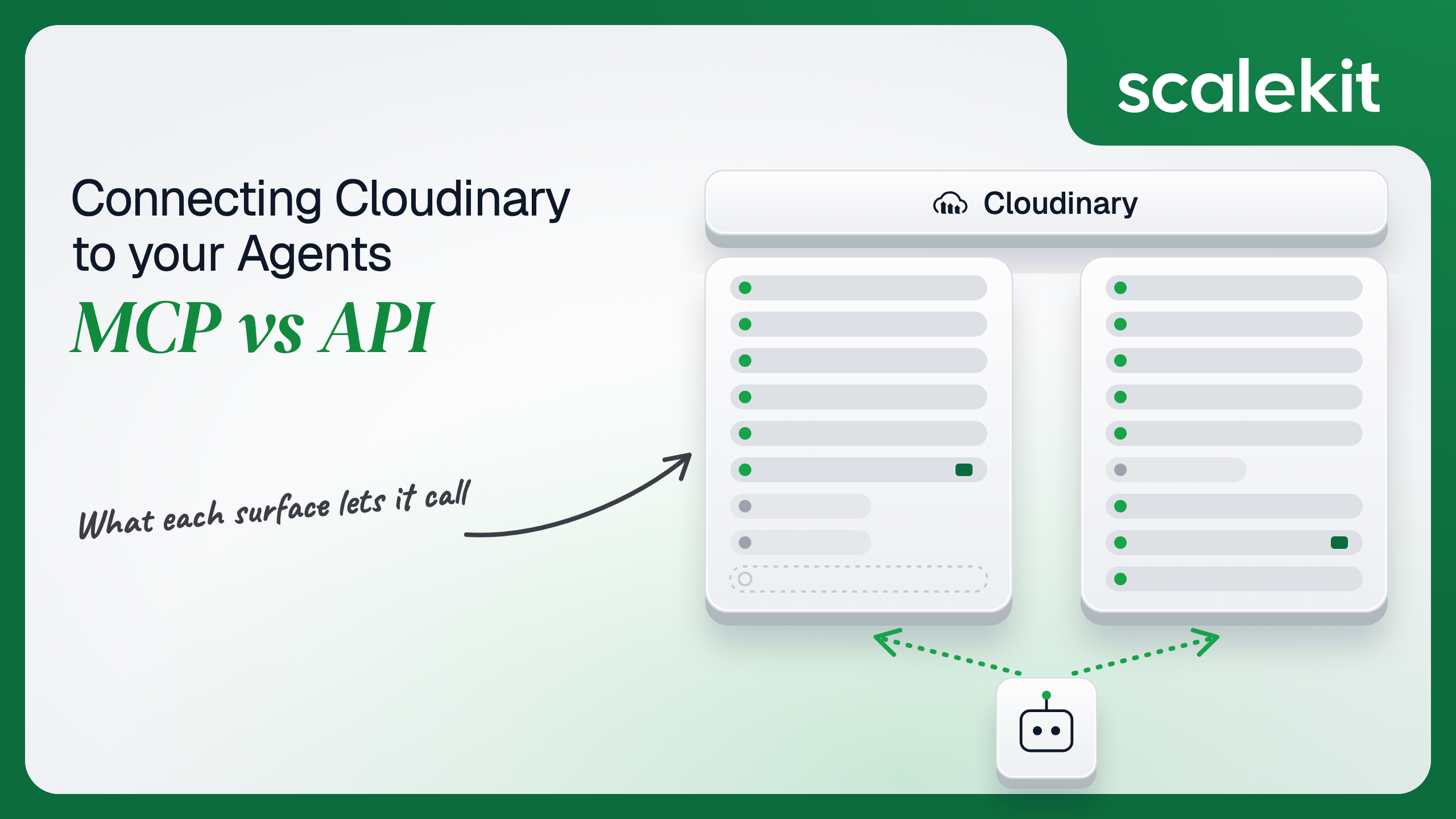


Cloudinary publishes five MCP servers, with asset management on one and presets, metadata rules and analysis on others, and keeps the Upload and Admin APIs its SDKs have used for years. The MCP servers default to OAuth and apply the user's roles and folder roles. The REST APIs take only a product environment's key and secret. This guide compares what each path lets a media agent do, how an hourly request budget shapes both, and how to run per-editor grants across many customers.
Your agent sits between your users and their media library. It needs to find every hero image uploaded last quarter that has no alt context, crop a batch of product shots to 4:5 for a new storefront layout, tag uploads by what is in them, or hand a browser a signed upload so a user's file never passes through your servers. Cloudinary ships hosted MCP servers that do exactly this for an assistant in Claude or Cursor, and a set of REST APIs that every Cloudinary SDK and upload widget has used for years. They reach the same product environment. They diverge on which credentials they take, whose permissions apply, and how much of Cloudinary's configuration surface an agent can touch. Here's how to pick.
Cloudinary publishes its Model Context Protocol (MCP) servers in cloudinary/mcp-servers and documents them in its LLM and MCP guide. There are five:
Remote servers serve Streamable HTTP on /mcp; /sse is deprecated for every server except Analysis. Each of the first four also ships as a local npm package that runs over stdio with CLOUDINARY_URL or CLOUDINARY_CLOUD_NAME, CLOUDINARY_API_KEY, and CLOUDINARY_API_SECRET in its environment, on Node.js 18 or later. Cloudinary's guide connects Claude Code with claude mcp add --transport sse <name> <url> followed by /mcp to authenticate, and lists Asset Management in Claude's connector directory. Cloudinary attaches no beta or GA label to the servers and notes that some features may require a paid plan.
The Asset Management server's own page lists 43 tools: uploads (upload-asset, sign-upload), discovery (list-images, list-videos, list-files, get-asset-details, search-assets, visual-search-assets, search-folders), editing (asset-rename, asset-update, manage-asset-tags, manage-asset-context, manage-asset-metadata), relations, folders, deletes, get-tx-reference and transform-asset, generate-image and generate-image-from-images, get-usage-details, and 13 collection and public-page tools. A cloudinary-tools header narrows a session to named tools, applied at session creation.
Cloudinary's REST surface is several APIs on the same base, https://api.cloudinary.com/v1_1/:cloud_name/:action. The Upload API uploads, renames, destroys, and regenerates assets (upload, explicit, rename, destroy, download_backup), edits tags, context, and metadata, and generates archives, text images, and sprites; Cloudinary calls it rate-unlimited. The Admin API covers resources and search, folders, tags, metadata fields and rules, upload presets and mappings, named transformations, streaming profiles, triggers, and usage.
Auth on both is the product environment's API key and API secret. The Admin API takes them as HTTP Basic Auth (Admin API overview). The Upload API takes Basic Auth or a signature: sort the parameters, append the API secret, hash with SHA-1 (the SDK default) or SHA-256, and the signature is valid for one hour from its timestamp. That signature is how a browser uploads directly without ever seeing the secret. Delivery is a separate surface again: transformation parameters in a res.cloudinary.com URL, no API call at all.
The asset server is not a thin wrapper. get-tx-reference returns Cloudinary's transformation rules so the model builds a valid string before transform-asset runs it, and sign-upload gives an agent a way to hand out upload credentials without the secret entering the conversation. The gap is everything Cloudinary split into the other servers. An agent connected to Asset Management alone cannot create an upload preset, define a metadata field, or register a webhook.
"Crop every product shot in catalog/spring to 4:5 and tag it" on the raw API means paging GET /resources/image/upload?prefix=catalog/spring with next_cursor, knowing that c_fill,ar_4:5,g_auto is the right chain, calling explicit per asset, then tags in batches, while watching X-FeatureRateLimit-Remaining on every Admin API call.
On MCP, the model calls get-tx-reference once per session, as the tool description requires, lists the folder with list-images, applies the chain with transform-asset, and tags the set with one manage-asset-tags call that skips assets the caller lacks permission to update instead of failing the batch. Writing the schema is the hard part. Not the API call.
The tradeoff is that Cloudinary owns the surface. The server is at v0.11.6, its tool list already differs from what Scalekit exposes, and the docs advise disabling tools you don't need to reduce context usage. An agent tuned against today's tool names can change behavior without a release on your side.
On the MCP path, OAuth is the default for the remote servers, and the flow "is initiated automatically when the client connects with no auth headers." The user signs in to Cloudinary, and the grant acts as that user. Cloudinary's permissions system applies roles to users and to API keys, including folder roles, so an editor limited to catalog/ gets an agent limited to catalog/. What the user can't do, the agent can't do.
The same remote servers accept static credentials instead: a cloudinary-url header carrying cloudinary://api_key:api_secret@cloud_name, or the three values as separate headers. That is the headless option, and it is the same secret the REST API uses, sent to Cloudinary's MCP host on every request. Analysis is the exception: it does not support API keys, so a headless agent cannot use it.
On the direct API path, every credential is a product environment API key and secret. Keys are principals in the permissions system: they can hold product environment roles and, through the Admin API, folder roles, on every plan. Custom roles and the Permissions API are Enterprise only. The product environment's root API key has full administrative permissions, and roles don't apply to it. That is the key most sample code copies.
Signed uploads soften this for browsers. Your server signs timestamp, folder, and other parameters; the client uploads with the signature and the API key, never the secret, and the signature expires in an hour. The secret still lives on your server.
In a multi-tenant B2B agent, MCP's OAuth flow gives you a token per user and the direct API gives you a key and secret per product environment per customer. In neither case does the path itself solve storage, rotation, or revocation; those are infrastructure problems regardless of which path you choose.
Cloudinary sharpens it. An API key belongs to a product environment, not a person, so five editors at one customer sharing a key act as one identity, and a root key acts as an administrator. A leaked secret signs uploads and deletes assets until someone rotates it.
Recommended reading: OAuth vs API keys for AI agents
On the MCP path, Cloudinary hosts the servers, owns the tool schemas, and enforces the user's roles. You own each user's OAuth session if your product is the MCP client, or a key and secret per customer if you send them as headers. You also own the request budget: the asset tools call the same APIs, the debug preset of cloudinary-embed-headers returns rate-limit data with each result, and a model that pages list-images 10 at a time on the Free plan can spend a meaningful share of 500 hourly Admin API requests on one question.
Some tools are asynchronous. generate-image returns a task that you poll with get-generation-task. Your loop needs to treat a pending task as normal, not as a failure.
On the API path, you own pagination, signatures, retries, and the keys. The Admin API counts each request as one, except versions=true, which costs one more request per version returned. A 420 means the hour is spent, and X-FeatureRateLimit-Reset tells you when it comes back. EU and AP endpoints (api-eu, api-ap) are Enterprise options chosen at account creation, so a multi-region customer base means routing per customer.
For events, Cloudinary webhook notifications post JSON with a notification_type such as upload, delete, rename, resource_tags_changed, or resource_metadata_changed. Set notification_url per call or register global triggers through the Admin API; by default a per-call URL suppresses the global trigger for that event unless the trigger is additive. Each POST carries X-Cld-Timestamp and X-Cld-Signature (HMAC-SHA1) and X-Cld-Signature_v2 (EdDSA). Cloudinary retries three times, at 3, 6, and 9 minutes, after a non-200 or a 20-second timeout. A webhook is how a headless agent learns an upload finished, on either path; the MCP server has no subscription.
Use Cloudinary MCP when:
Use the Cloudinary API when:
Both paths hand you a Cloudinary credential. Neither hands you a vault. A multi-tenant media agent serving 50 customer organizations with 6 editors each holds 300 OAuth grants on the MCP path. On the API path it holds at least 50 API key and secret pairs, more if customers split production and staging into separate product environments. Those secrets don't expire on their own, each one acts as no particular person, and each one has to be stored encrypted, kept out of logs and LLM context, and deleted when a customer churns.
The tempting shortcut is the root API key per customer, pasted into the agent's config as a CLOUDINARY_URL. Fewer secrets, larger blast radius per secret: roles don't apply to the root key, so every editor's request runs with administrator reach, including delete-asset on the whole library.
Scalekit's cloudinarymcp connector handles the Cloudinary OAuth flow, stores each user's tokens in the token vault, and refreshes them, so the MCP vs API decision doesn't change your auth infrastructure. Your agent passes an identifier; credentials never touch the agent runtime or the LLM context.
Recommended reading: why a token vault matters for AI agent workflows
Scalekit's cloudinarymcp connector proxies Cloudinary's Asset Management MCP server. It exposes 30 tools: 12 read-only, 11 write, and 7 destructive. They match the server's asset tools one for one; the 13 collection and public-page tools are not included. The core set:
The connector authenticates with OAuth 2.1. Scalekit provides OAuth credentials for the Cloudinary MCP server, so you do not register your own OAuth app, though you can bring one.
In the Scalekit dashboard, go to AgentKit > Connections and create a Cloudinary MCP connection. The name you give it is the connection_name your code passes, and the string must match the dashboard exactly. This is the most common integration error. Copy SCALEKIT_ENVIRONMENT_URL, SCALEKIT_CLIENT_ID, and SCALEKIT_CLIENT_SECRET from Developers > API Credentials into .env. Full tool schemas are on the connector docs page.
get_or_create_connected_account returns the user's connected account. If it is not ACTIVE, get_authorization_link returns the Cloudinary sign-in link the user opens once. Then cloudinarymcp_get_usage_details confirms the grant reaches the user's product environment and shows how much of the plan is already used.
This is not a catalog load. The agent asks for the tools this user's connected account is authorized to call, then narrows them to the seven a catalog-cleanup agent needs. cloudinarymcp_delete_asset, cloudinarymcp_delete_folder, and cloudinarymcp_move_folder never reach the model, so it cannot remove or reorganize a library while it fixes tags.
The loop runs until the model stops requesting tools. Every call executes with this editor's Cloudinary grant and sees only the folders their role can see.
For pipelines, skip the model. execute_tool runs one tool with a fixed input and returns data plus an execution_id you can log. This job lists the newest images in a folder and applies one fixed, pre-validated transformation to a named asset. The connected account belongs to the editor who scheduled the job, so every change is attributed to them.
The list_images response carries a next_cursor when more assets exist; pass it back to read the next page. Keep the transformation string in version control rather than letting a model write it for an unattended job.
Scalekit does not ship a prebuilt connector for the Cloudinary REST APIs. Its custom connectors support BASIC auth, which fits the Admin API's key and secret, but that pair belongs to a product environment, not to a user, and signing uploads still needs the secret in your code. A server-side job that pages a folder through the Admin API and signs a browser upload looks like this:
Create a dedicated API key per customer product environment with the narrowest role and folder roles that cover the job, never the root key, and rotate it on a schedule you own.
A media agent rarely stops at one system. It cleans up the library in Cloudinary, then tells the content team what changed. Load all 30 cloudinarymcp tools and the model holds cloudinarymcp_delete_asset, cloudinarymcp_delete_folder, and cloudinarymcp_delete_derived_assets while answering a tagging question. At roughly 200 tokens each, 30 tools is about 6,000 tokens before the agent does any work. The fix is not better prompting. It is surface reduction. A Scalekit virtual MCP server declares exactly which tools an agent role can see across connections, and session tokens keep each run bound to one user's connected accounts. Docs: set up a virtual MCP server.
One server definition serves every editor at every customer. Before each run, check that the user's accounts are active and mint a short-lived session token scoped to them. Any MCP client that speaks Streamable HTTP can connect; this example uses langchain-mcp-adapters (pip install langchain-mcp-adapters) and passes the token as a Bearer header.
The agent sees six tools instead of 30 plus everything Slack exposes. The endpoint is static; the identity is per-user. Cloudinary's cloudinary-tools header narrows tools too, but it is set per client session against Cloudinary directly; the virtual server applies one tool list per agent role across every user and every connection.
Every execute_tool call returns an execution_id, and every execution is attributed to a connected account, which maps to one of your users and one customer. When a customer asks which agent run re-cropped 400 product shots or tagged their legal-hold folder, the answer is a lookup, not an investigation. Cloudinary's delete, rename, and resource_tags_changed notifications give you the Cloudinary side of the same record.
The API path is weaker by construction. An API key belongs to a product environment, so every upload, tag change, and delete your pipeline makes is recorded against that key, not against a person. If one key drives every editor's requests, your side has to reconstruct which agent run, which prompt, and which user led there. Shared credentials are a single-user solution. They do not survive a second user.
Recommended reading: audit trails for agent auth
If your agent is an editor's or developer's assistant in Claude, Cursor, or ChatGPT, searching the library, fixing tags and context, building transformations, and generating variants with a human reading along, use Cloudinary's hosted Asset Management MCP server. If you are building that agent into your own product for many customers, Scalekit's cloudinarymcp connector gives each user a per-user OAuth grant without your code holding the token or registering an OAuth app. If your agent ingests uploads at volume, signs browser uploads, reacts to webhooks, or provisions presets, named transformations, and metadata fields per customer, build against the Cloudinary API. Either way, you hold a Cloudinary credential per user or per product environment that can delete a customer's media library, and that's what needs production-grade infrastructure.
Cloudinary publishes five: Asset Management, Environment Config, Structured Metadata, Analysis and MediaFlows. The first four are hosted remotely and also ship as local npm packages. The Asset Management server lists 43 tools for uploads, search, visual search, folders, tags, metadata, transformations, image generation, signed uploads and collections.
Remote servers start an OAuth flow when a client connects without auth headers, and the grant acts as the signed-in user with their roles and folder roles. They also accept the product environment's key and secret as headers, except the Analysis server, which supports OAuth only.
With the product environment's API key and secret only, as HTTP Basic auth on the Admin API and as Basic auth or a signature on the Upload API. There is no OAuth on the REST path. The root key has full administrative permissions and roles do not apply to it, so dedicated keys with narrow roles are safer.
The Admin API is limited per hour: 500 requests on the Free plan and from 2,000 on paid plans, reported in rate-limit headers, with HTTP 420 once the hour is spent. Cloudinary describes the Upload API as rate-unlimited. MCP asset tools call the same APIs, so a chatty model spends the same budget.
Create upload presets and named transformations, define structured metadata fields and rules, register webhook triggers and run AI analysis add-ons through uploads. On MCP those live on separate servers, and none of them receives event notifications, so ingest pipelines that react to uploads belong on the API.
Scalekit's Cloudinary MCP connector proxies the Asset Management server with 30 tools over OAuth 2.1, using Scalekit-provided credentials, and stores each user's tokens in a vault. It has 12 read, 11 write and 7 destructive tools, so you narrow them per agent role and serve them through a virtual MCP server.
Browse the Scalekit Cloudinary MCP connector and the Cloudinary MCP connector docs with the full tool list. See Scalekit pricing, or talk to us.