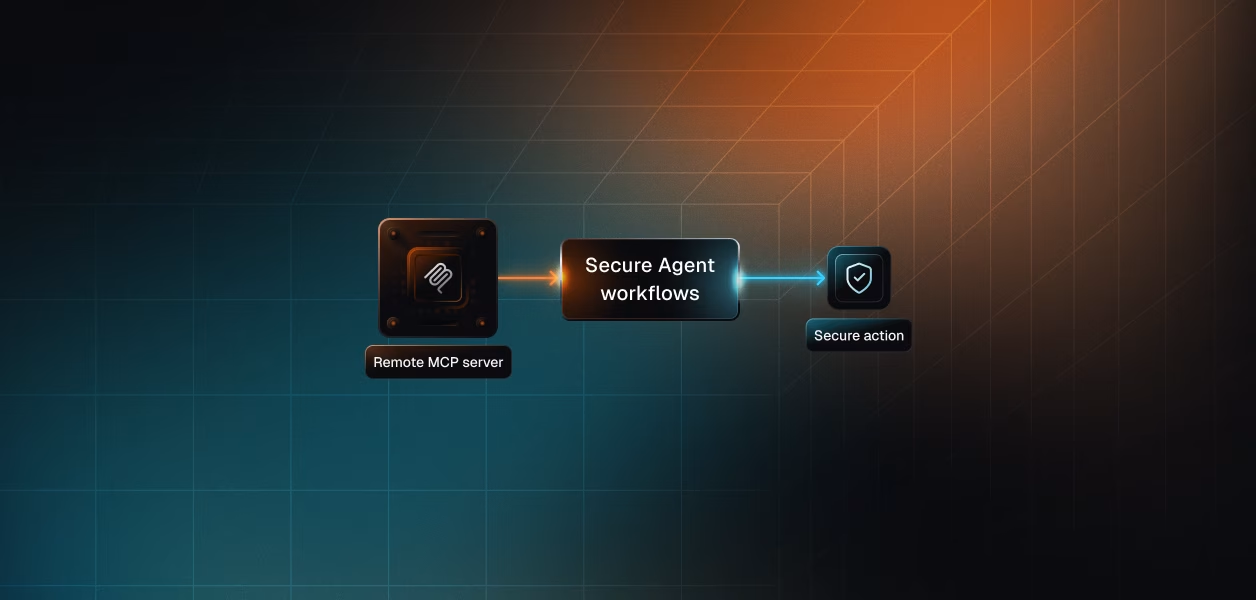


Your agent needs to work inside Contentful: find the entries missing an SEO description, draft one for each, leave them unpublished for review. Contentful ships a hosted MCP server and a Content Management API that has been production-grade for a decade. Both can do that job. They diverge on what happens when the agent runs with nobody watching, when a second editor starts using it, and when someone asks who published the wrong pricing page.
Contentful ships three distinct surfaces an agent can target: a hosted MCP server, a local MCP server you run yourself, and the underlying REST and GraphQL APIs. They are not tiers of the same thing. They differ in who the caller is.
Contentful hosts the Remote MCP server at mcp.contentful.com/mcp, with an EU endpoint at mcp.eu.contentful.com/mcp for data residency. Region is fixed by the endpoint you connect to; there is no in-session switch.
Authentication is OAuth 2.1, following the MCP authorization spec for HTTP transports. The client opens a browser consent flow, the user picks which space and environment pairs are in scope for that session, and the server issues an MCP-specific token for subsequent tool calls. Scalekit's catalog lists the auth model as OAuth 2.1 with Dynamic Client Registration (DCR).
One prerequisite is easy to miss: the server cannot be used in a space or environment until the Contentful MCP app is installed and configured there. Details are in the Contentful MCP server documentation.
The local server runs as a Node.js process via npx @contentful/mcp-server. It authenticates with a Content Management API personal access token (PAT) supplied through CONTENTFUL_MANAGEMENT_ACCESS_TOKEN, with no OAuth flow at all.
It exposes the same core toolset but skips the MCP app entirely. Every tool call runs as the PAT's owner with whatever permissions that PAT carries. The one guardrail is PROTECTED_ENVIRONMENTS, a comma-separated list of environment IDs blocked from write and delete calls. That guard is opt-in, case-sensitive, and enforced only inside the MCP process; direct CMA calls and the Contentful web app are unaffected.
The Content Management API sits at api.contentful.com and is the read-write surface underneath everything else. It is versioned through the application/vnd.contentful.management.v1+json content type and uses optimistic locking via the X-Contentful-Version header. See the Content Management API reference for the full resource list.
Three other APIs matter for agents. The Content Delivery API serves published content from a CDN with unlimited cache hits. The Content Preview API serves drafts. The GraphQL Content API handles nested queries in one round trip. Each takes its own space-scoped and environment-scoped access token.
The MCP surface is genuinely broad for a vendor server. Scalekit's connector lists 70 tools, and Contentful groups them into eleven categories. The gap is not in content operations; it is in everything that surrounds them.
The pattern in that table is consistent. The MCP server covers what an editor does inside a single entry or content type. It does not cover what a content operations platform does around those entries.
Three gaps decide real builds. There are no webhooks, so an agent that reacts when an entry changes cannot be built on MCP alone. There are no Releases or Scheduled Actions, so coordinated multi-entry launches stay on the CMA. And environment aliases are explicitly unsupported: point a client at an alias and tool calls fail with a Failed to fetch app installation: Forbidden error, so you must reference the underlying environment ID.
This is where MCP quietly does you a favour. The CMA does not merge changes; update an entry with a subset of properties and every property you left out is gone. You fetch, modify, and write back the whole body with the current version number.
The MCP update_entry tool merges the fields you supply with the existing ones and requires the entry's sys.version from a prior get_entry, rejecting the write if the entry moved underneath you. Contentful also shipped append_entry_field, which appends to an array field server-side and deduplicates, precisely because an agent working from a truncated read can silently drop items from a large reference array. That failure mode is handled in the tool layer rather than in your code.
Both paths eventually call the CMA. What differs is whose identity the call carries and how that identity was obtained.
The Remote MCP server enforces two independent checks. The first is the user's own Contentful permissions. The second is the per-environment allow-list managed by the Contentful MCP app, where an admin picks which tool categories are exposed and whether each is read-only or read-write.
Disabled tools are rejected even if a client calls them directly. This is a good model, and it is the reason Contentful recommends starting read-only and enabling writes deliberately. It is also configuration you own in Contentful, not in your agent.
The CMA accepts a bearer token from three sources, and picking one sets your operational posture.
A personal access token inherits the full access rights of the user's Contentful account across every organization and space that account can reach. The web app requires an expiry, capped at five years. Its scopes limit it to read or manage, not to a particular space.
An OAuth application issues tokens scoped to content_management_read or content_management_manage. Contentful's documented flow redirects to be.contentful.com/oauth/authorize with response_type=token and returns the token in the redirect URI's hash fragment.
An app access token comes from App Identity. You sign an RS256 JWT with an app private key and exchange it for a token valid ten minutes, scoped to the one space environment where the app is installed.
That OAuth application flow is the implicit grant. The token arrives in a URL fragment with no authorization code exchange and no documented refresh token.
RFC 9700, the Best Current Practice for OAuth 2.0 Security published in January 2025, advises against the implicit grant and notes that browser fragment handling has changed under it. OAuth 2.1 drops the mode entirely. The consequence for an agent builder is narrow but sharp: no refresh primitive, so re-consent is your only recovery path.
Note the inversion. Across most tools in this series, MCP is the newer surface with the weaker auth story. Contentful is the reverse.
The Remote MCP server has no non-interactive mode. A nightly job that backfills metadata across ten spaces cannot complete a browser consent flow on its own.
The obvious workaround creates a worse problem. Drop to a PAT or to the local MCP server and every write is attributed to one token owner. In a CMS that surfaces sys.updatedBy in the entry sidebar and keeps snapshots for rollback, that is not a cosmetic loss. Your version history now says one person edited four hundred entries overnight, and nobody can answer which editor's agent run caused it.
App Identity is the honest headless answer. Ten-minute tokens, scoped to one space environment, attributed to the app rather than a human. It is the right shape for background automation, and it is CMA-only.
Choosing a path shifts where the work sits; it does not remove it. This is what stays on your side of the line in each case.
Contentful owns hosting, scaling, and the tool schemas. You own the per-user OAuth credential, the MCP app configuration in every space and environment your agent touches, and the session scoping step, which must be repeated on every new connection.
You also own asset uploads, which are stranger than they look. create_upload_session returns an uploadHandle and an uploadUrl; you PUT the raw bytes to that URL, which is intentionally unauthenticated because the handle itself is the capability token. Sessions expire after one hour and are single-use. Treat that handle like a secret.
You own everything above plus the full stack: endpoint selection, the fetch-modify-write cycle that version locking demands, pagination, retries, and adapter code for each of the four APIs you touch. More surface area, more control, and no dependency on a per-environment app installation.
The CMA enforces a default of 7 requests per second. That number is low, and it is the number that matters, because the Remote MCP server routes to api.contentful.com underneath.
An agent auditing a thousand entries issues a search, then a get_entry per candidate, then an update_entry, then a publish. That is thousands of sequential CMA calls against a 7 per second budget. The CDA's 55 uncached requests per second with unlimited CDN hits exists for exactly this reason, and it is unreachable from MCP. If your agent is read-heavy over published content, the CDA is the right surface and MCP is not. For a deeper look at why MCP costs more than direct API calls, the tradeoffs extend beyond rate limits.
The Contentful MCP server repo has shipped more than seventy releases. Tool schemas change when Contentful updates the server, and you do not pin a version.
The CMA is the opposite bargain: an explicit content type version, an optimistic locking header, and a deprecation process. For a deterministic pipeline where an unexpected schema change is an incident rather than an inconvenience, that predictability is worth the extra adapter code.
Neither path wins outright, and most production Contentful agents will end up using both. Here is the split that holds up.
Scalekit's Contentful MCP connector sits in front of the vendor MCP server and turns it into a per-user, credential-vaulted tool surface. Your agent never sees a Contentful token, and the OAuth flow is one SDK call.
Before any code, the distinction worth naming: the agent is not loading a connector catalog. It is loading the tools this editor's connected account is authorized to call, which is what separates a per-user agent from a shared-credential one.
The connection_name string below must match the connection name configured in your Scalekit dashboard exactly. This is the single most common integration error.
execute_tool resolves the vaulted credential for this identifier at call time and makes the Contentful call as that editor. What the editor cannot do in Contentful, the agent cannot do either.
The Node SDK mirrors the Python surface. Note that listScopedTools hangs off scalekit.tools while executeTool hangs off scalekit.actions.
Runnable versions of both live in the Anthropic and LangChain code samples.
Seventy tools is a lot to hand a model that needs five. At roughly 200 tokens per tool definition, the full Contentful surface burns around 14,000 tokens of context before the agent does any work, and a model choosing between seventy near-adjacent content operations picks worse than one choosing between five.
Tool bloat is an accuracy problem and a cost problem at the same time. The fix is not better prompting. It is surface reduction. Virtual MCP Servers do that at the tool level while keeping per-user credential isolation intact.
Create the server once, not once per user. Contentful is the highest-stakes connector in most content stacks, because a careless write does not corrupt a spreadsheet; it publishes the wrong pricing to a live page. An explicit allow-list that omits every delete_*, publish_*, and create_environment tool is cheap insurance.
The endpoint is static; the identity is not. One server definition serves every editor, and each run gets a short-lived token bound to that editor's connected accounts.
Any MCP-capable framework consumes the URL with bearer auth. Adding Slack or Jira later means adding a mapping to the same server definition, not a second auth integration.
Setup details are in the Virtual MCP server guide, and the reasoning behind the model is covered in when to use a Virtual MCP server.
Contentful records the outcome of a write. It does not record which agent run produced it, under whose delegation, with what tool arguments, or what came back. For a CMS that is a specific problem, because the artifact is public.
Scalekit's agent tool observability records every downstream tool call with full attribution: who authorized, which agent ran it, which tool, what scope, and the response. They are queryable and exportable to Datadog, Splunk, or any SIEM, with retention that varies by plan.
The separation that matters operationally is failure attribution. A 401 from a revoked Contentful grant, a 429 from the 7 per second CMA limit, and a tool rejected by the MCP app's environment allow-list are three different incidents with three different owners. Logs that collapse them into "tool call failed" cost you a debugging session per occurrence.
Run the agent under a shared PAT and your audit answer is "the integration user did it." Run it under a per-editor connected account and the answer is "this editor's agent run updated these fourteen entries at this timestamp under this scope."
That is the difference between a security review you pass and one you postpone. The wider argument is in audit trails for agent auth and access control for multi-tenant AI agents.
Whichever path you pick, you end up holding one Contentful credential per editor. Forty editors across eight customer organizations is forty credential lifecycles, not one integration.
Storage, encrypted at rest and isolated per tenant. Detection when a grant is revoked, which on the implicit-grant path means a 401 with no refresh primitive to fall back on. Re-consent flows when that happens. Revocation when an editor leaves, remembering that an org admin deauthorizing a CMA token only removes it from that organization; the token stays active for every other org it is authorized for.
None of that is provided by the MCP server or by the CMA. The token type differs between the two paths; the infrastructure obligation is identical. Token refresh in particular is a proactive problem, not a reactive one, as covered in handling token refresh for AI agents.
Scalekit's Contentful connector handles the OAuth flow, per-editor token storage in an encrypted token vault, and lifecycle management for both paths. Credentials never touch the agent runtime or the model context.
If your agent needs a CMA capability the vendor MCP server does not expose, such as webhooks or Releases, you can register it through bring your own connector and keep the same identity model across both. Related content surfaces are already in the catalog: Webflow MCP, Sanity MCP, and WordPress MCP.
If an editor is present and the work is entry-level, build on the Remote MCP server. You get OAuth 2.1, per-environment tool gating an admin can manage, semantic search, and reference resolution without writing a schema. Point it at a sandbox environment and merge to master yourself.
If the agent runs on a schedule, reacts to webhooks, coordinates a Release, or reads published content at volume, use the APIs directly. App Identity, the CDA, and CMA bulk actions are not optional conveniences on that side; they are the only things that work.
Ask whether a human is present at execution time. If yes, MCP is the faster and better-governed path. If no, MCP has no answer and the CMA does.
Either way you are storing one Contentful credential per editor, watching it for silent revocation, and answering for what your agent published. That is the part that needs production-grade infrastructure, and it is the same on both paths.
Browse the Scalekit Contentful MCP connector or the full connector catalog. Working patterns to start from: the auto release notes agent and the competitive intelligence briefing agent.
Need a Contentful tool the connector does not expose yet, or a framework adapter that is not listed? Ask in the Scalekit Slack community, or talk to our engineers for immediate help.