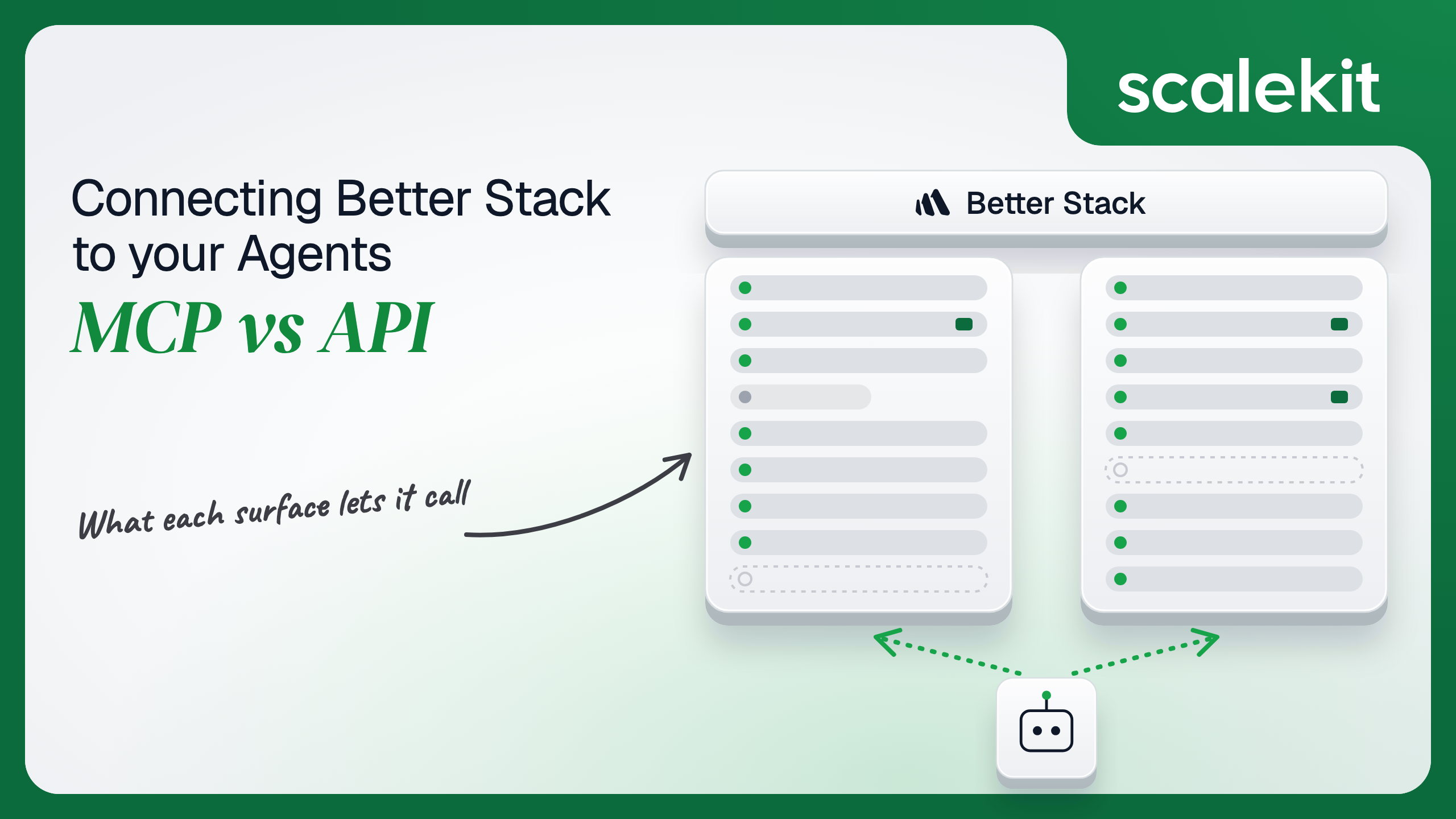


Better Stack ships a hosted MCP server with roughly 120 tools and a set of REST APIs split by product. The overlap on incident response is large enough to make the choice look cosmetic, but the two paths differ on what an agent can change, whose name lands on each acknowledgment, and how many credentials you hold per customer. This guide compares what each path lets an on-call agent do, how attribution works on each, and how to run either across many customer teams in production.
Your agent needs to read incidents, query logs, and post updates while someone is on call. Better Stack ships a hosted MCP server and a set of REST APIs, and the overlap looks large enough to make the choice cosmetic. It isn't. The two paths differ on what your agent can change, whose name lands on each action, and how many credentials you hold per customer. Here's how to pick, and how to wire either one into a multi-tenant agent without building the token layer yourself.
Both are first-party and maintained by Better Stack. They are not two views of the same surface.
Better Stack introduced its MCP server in September 2025 and documents it as a remote HTTP server it hosts. Clients that only speak stdio bridge to it through mcp-remote. Auth is OAuth with browser sign-in, which Better Stack recommends, or an API token sent in an Authorization: Bearer header.
The tools fall into five groups: documentation, incidents (on-call, escalation, monitors, heartbeats, status pages), telemetry (ClickHouse queries, dashboards, chart alerts, metric expressions), errors, and team management. Two request headers, X-MCP-Tools-Only and X-MCP-Tools-Except, let a client allowlist or blocklist tools. The full tool list lives in the official Better Stack MCP server docs.
The REST side is split by product. The Incidents API (formerly the Uptime API) covers monitors, heartbeats, on-call, incidents, status pages, team members, and usage. The Telemetry API covers sources, dashboards, explorations, alerts, and query connections, and the Errors API covers error tracking. All of them follow the JSON:API spec.
Every management request carries Authorization: Bearer $TOKEN. You pick a global token, valid across every team in the organization, or team-scoped tokens, which Better Stack issues separately for Uptime and Telemetry. Log ingestion is separate again: each source has its own ingesting host and source token. Start with the official Incidents API and Telemetry API docs.
Four dimensions change your architecture: capability, auth, what you own in production, and fit for the agent you're building.
On incident response, the two paths are close. On configuration, they are not.
Telemetry is where MCP is strongest, because it ships query guides written for the model.
The MCP surface is built for a responder in the middle of an incident: read the timeline, query the logs, comment, acknowledge. It is not built for the agent that keeps monitoring configuration in sync with your deploys. That agent needs to change a monitor's URL, pause it during a migration, or delete it when a service is retired, and none of that is exposed over MCP. On-call rotations and escalation policies follow the same pattern: readable over MCP, changeable only through the API.
Ingestion is the other hard line. create_source over MCP returns an ingestion token, but sending events into that source is an HTTP call to the source's ingesting host, outside MCP entirely.
On the MCP path, OAuth is the default. Each user signs in to Better Stack in the browser, and the agent inherits that user's team access. The API token option exists for clients that can't complete OAuth.
On the REST path, the docs describe no OAuth flow. A global token reaches every team in the organization: convenient, and as broad as a credential gets. Team-scoped tokens are narrower, but a customer with three teams who wants both incidents and telemetry hands you six tokens, one Uptime and one Telemetry token per team.
Both paths leave you holding one credential per user or per team, per customer. Storage, rotation, and revocation are yours either way.
This is the Better Stack-specific detail that settles the question for incident agents. Per the tool's own description, when acknowledge_incident runs over OAuth, Better Stack credits the acknowledgment to the signed-in user. With a team or organization API token, the actor is recorded as "API". create_incident behaves the same way: requester_email defaults to the OAuth user but becomes required with a token.
Read that second case carefully. On the token path, the human behind an action becomes a string argument, acknowledged_by or requester_email, that the model fills in. Your incident timeline is only as truthful as the LLM's arguments.
Recommended reading: OAuth vs API keys for AI agents
Better Stack owns the server, the tool schemas, and the query guides that teach the model its ClickHouse dialect. You own everything about identity: storing each user's tokens, refreshing them, revoking them at offboarding, and keeping one customer's grant out of another customer's runs.
You also own the tool surface. The server exposes every tool by default, roughly 120 definitions. At even 200 tokens per definition, that is about 24,000 tokens of context before the agent does any work, and some of those tools delete dashboards, charts, or team members. The allowlist header works for one static client config. It does nothing for per-user identity.
Everything. You write and maintain LLM-ready schemas for each endpoint, unwrap JSON:API envelopes, follow pagination links, and manage two or more token types per customer. Retries, backoff, and error mapping are yours too.
The payoff is control. Monitor and on-call changes become deterministic calls your pipeline can test, diff, and roll back, which is also why Better Stack supports Terraform for the same resources.
Two Better Stack tools need special handling in production. The first is create_cloud_connection, which returns a ClickHouse host, port, username, and password as tool output, valid for an hour by default. query and render_chart also accept optional username and password inputs. If those tools sit in the agent's surface, database credentials can pass through the context window and into your conversation logs.
Leave create_cloud_connection out of agent tool surfaces unless a human explicitly needs direct database access.
The second is classification. Scalekit's connector catalog lists betterstackmcp_incident, betterstackmcp_incident_timeline, betterstackmcp_monitor, and betterstackmcp_dashboard as write tools, although each one only reads. Filter on a read-only flag and your triage agent loses the tools it calls most.
Pin an explicit allowlist of tool names instead. The code later in this post does exactly that.
Use Better Stack MCP when:
Use the Better Stack API directly when:
Both paths hand you a credential per user or per team. Neither hands you a vault.
Picture a B2B incident agent serving 40 customer organizations, each with five responders who connect Better Stack. On the MCP path that is 200 OAuth grants, each with a refresh cycle you run and a revocation you must honor when someone leaves. On the API path it is a smaller pile of team and global tokens, but each one is broader, acts as no one in particular, and turns every acknowledgment into "API".
The token type differs. The infrastructure does not: encrypted storage isolated per tenant, proactive refresh, revocation at offboarding, and an audit trail that ties every call to a user.
Scalekit's Better Stack connector routes tool calls to Better Stack's own MCP server. Scalekit runs the OAuth 2.1 flow against Better Stack's authorization server, with Scalekit-managed client credentials available so you don't have to register an OAuth app, or you can bring your own. Each user signs in once. Scalekit stores and refreshes their tokens in a vault, and your agent never handles them. Every call executes as that user, so Better Stack's attribution stays intact.
The MCP vs API decision stops changing your auth infrastructure. Scalekit holds the credential either way.
Scalekit ships one Better Stack connector, betterstackmcp, with 107 tools in its catalog at the time of writing: 49 read, 49 write, and 9 destructive. You can use it two ways: call tools from your own agent loop with the SDK, or expose a curated subset through a Virtual MCP server. The examples use Python with the Claude SDK for the first and TypeScript with Mastra for the second.
Better Stack adds tools regularly. Newer ones, such as explorations and error-to-issue linking, aren't in the catalog yet, so check the connector page before you design around them.
Create a Better Stack MCP connection in the Scalekit dashboard under AgentKit > Connections. The name you give it is the connection_name your code passes, and it must match the dashboard exactly; a mismatched name is the most common integration error. Add SCALEKIT_ENVIRONMENT_URL, SCALEKIT_CLIENT_ID, and SCALEKIT_CLIENT_SECRET from Developers > API Credentials to your .env, plus ANTHROPIC_API_KEY for the Python example.
Each user authorizes Better Stack once. The agent checks the connected account before every run and sends an authorization link if it isn't ACTIVE.
This is where the tool surface gets decided. list_scoped_tools doesn't return the connector catalog. It returns the tools this user's connected account is authorized to call, narrowed here by an explicit allowlist. Nine triage tools instead of 107 keeps the model's choice small and keeps destructive tools such as betterstackmcp_remove_dashboard out of reach.
execute_tool runs each call as this user. Scalekit attaches the stored credential, calls Better Stack, and returns the response under data, along with an execution_id you can log next to the incident ID.
If the user asks the agent to acknowledge an incident, the call runs over that user's OAuth grant, so Better Stack credits the acknowledgment to the responder, not to "API". The Anthropic example in the Scalekit docs covers paging past 100 tools.
Direct tool calling suits an agent loop you own. When your runtime already speaks MCP, or one agent spans Better Stack and other tools, a Virtual MCP server is the cleaner boundary.
A Virtual MCP server is a URL that exposes only the tools you choose, from one or more connections. You create one per agent role, and every user shares it. Before each run, you mint a session token for one user, and the agent calls tools as that user.
For Better Stack, that solves three problems at once. The agent sees a handful of triage tools, not 107. One server can combine Better Stack with Slack, Linear, or PagerDuty, up to 25 connection mappings. And one definition serves every customer: the endpoint is static, the identity is per run.
Recommended reading: When to use a Virtual MCP server
This setup runs once, not per user. Connection names must match AgentKit > Connections exactly; slack here assumes a Slack connection with that name.
Before each run, confirm every connection on the server is ACTIVE for this user, then mint a token bound to this user and this server. Mastra loads the tools over MCP and prefixes them with the server key, so betterstackmcp_incidents reaches the model as scalekit_betterstackmcp_incidents. Run it with npx tsx agent.mts.
A session token lasts one hour by default and can be set anywhere from 60 seconds to 24 hours. It can't be refreshed, and it works only on the server it was minted for; any other server URL returns 401. Minting a new token doesn't revoke earlier ones, so concurrent runs for different users stay isolated. If a user hasn't connected Better Stack yet, the server's built-in connect_account tool returns an authorization link the agent can show them. The Mastra example in the Scalekit docs covers error handling around token minting.
Some work, like updating monitors or editing on-call schedules, exists only in the REST API. You don't need a second auth stack for it.
Scalekit's bring-your-own-connector support accepts BEARER auth, so each user or team stores its Better Stack API token as a connected account in the same vault. Calls go through Scalekit's API proxy with actions.request(), and you can wrap a specific endpoint as a tool, such as a PATCH on a monitor, with your own schema. Create one connector per Better Stack API base URL you call.
Keep the tradeoff in view: these calls run on a token, so Better Stack attributes them to "API", not to a person. Use them for configuration work, not incident actions.
Better Stack's audit logs record activity in the Better Stack account. They can't tell you which of your agent runs, acting for which of your users, made the change.
Every execute_tool call returns an execution_id. With log streaming, Scalekit also emits a connected_account.tool_executed event per call to Datadog, CrowdStrike, or Google SecOps. Each event carries tool_name, tool_execution_id, tool_execution_duration_ms, the user's connected_account_identifier, the connection_name, status and is_error with error details, plus agent_id and agent_run_id when known. Tool inputs and outputs are excluded, so ClickHouse query text and log contents stay out of your SIEM.
Connected account events stream alongside, including connected_account.token_refresh_failed and connected_account.status_updated. Log streaming depends on your plan.
Incident agents act at the worst possible time, usually overnight. When a customer asks why 14 incidents were acknowledged at 3 a.m., you need three answers: whose grant was used, which run made each call, and whether it succeeded. The tool call stream answers all three without logging a single token. Pair it with Better Stack's own audit logs and you have both sides of every action.
Recommended reading: Agent tool observability
Start from the incident response agent template or the DevOps assistant agent template and swap in the Better Stack connector. Incident agents usually pair Better Stack with paging and messaging: see the PagerDuty connector docs, the Datadog connector docs, and the Sentry MCP connector. For the same decision on neighboring tools, read PagerDuty MCP vs API and Datadog MCP vs API.
If your agent is an interactive triage copilot whose actions should carry a responder's name, build against Better Stack MCP over OAuth and allowlist the tools. If it provisions monitors, manages rotations, or writes events from a pipeline, call the REST API directly and accept that Better Stack will record those actions as "API". Most production incident agents end up doing both.
Either way, the hard part is not the protocol. It is holding a Better Stack credential for every responder at every customer, and proving afterward which one acted. That needs production-grade infrastructure under both paths.
Yes. Better Stack hosts a remote HTTP MCP server, introduced in September 2025, with tools for documentation, incidents, telemetry, errors and team management. It accepts OAuth with browser sign-in, which Better Stack recommends, or an API token sent as a Bearer header, and request headers can allowlist or blocklist tools.
The REST APIs update, pause and delete monitors, create and change on-call schedules and escalation policies, push log events into a source with its own token, and expose metadata, integrations, usage and the incident log drain. Over MCP, monitors are list, read and create only, and rotations and escalation policies are read only.
Over OAuth, an acknowledged incident is credited to the signed-in user. With a team or organization token, Better Stack records the actor as API, and the requester becomes an argument the model fills in. On the token path your incident timeline is only as truthful as those arguments.
The cloud connection tool returns ClickHouse host, username and password as tool output, so database credentials can land in the context window and in logs. Some read tools are also classified as write tools in Scalekit's catalog, so pin an explicit allowlist of tool names instead of filtering on a read-only flag.
Use the API for headless deploy pipelines that update, pause or delete monitors, for syncing on-call rotations from another system, for writing events into a source, and for high-volume deterministic reports. Use MCP for an interactive triage copilot whose acknowledgments and comments should carry the responder's name.
Scalekit's Better Stack connector routes tool calls to Better Stack's own MCP server and runs the OAuth flow for each user, storing and refreshing tokens in a vault. Every call executes as that user, so attribution stays intact, and a virtual MCP server exposes a handful of triage tools per agent role.
Building a Better Stack agent and want a second pair of eyes on the auth model? Talk to us for immediate help. Browse the Better Stack connector, read the connector docs, and check pricing when you're ready for production.