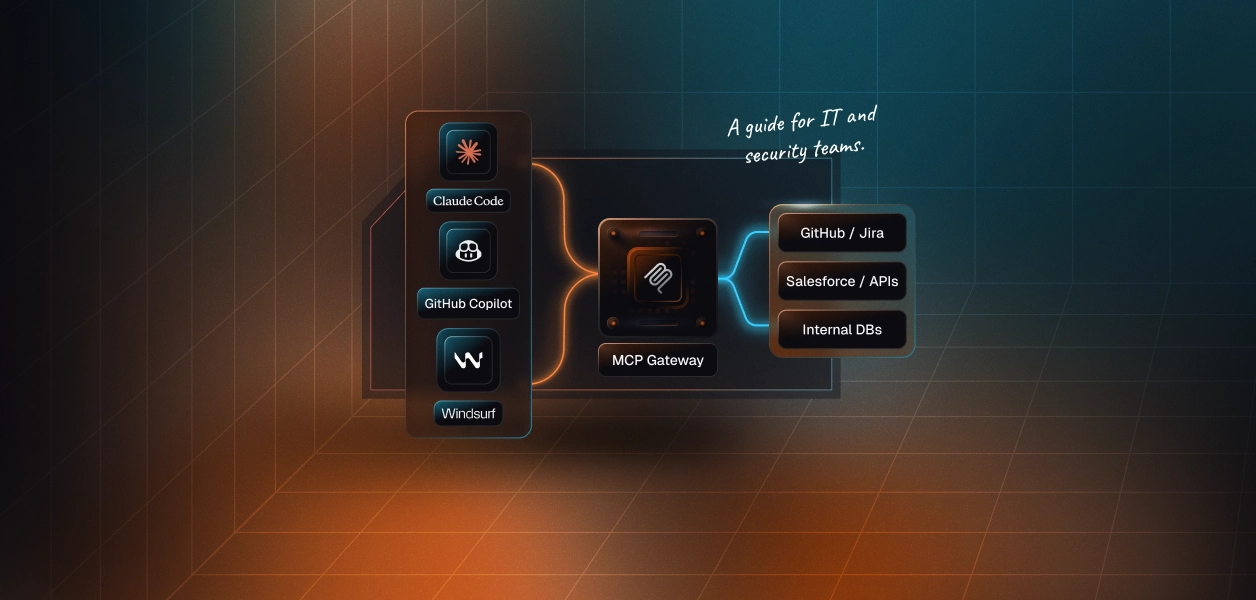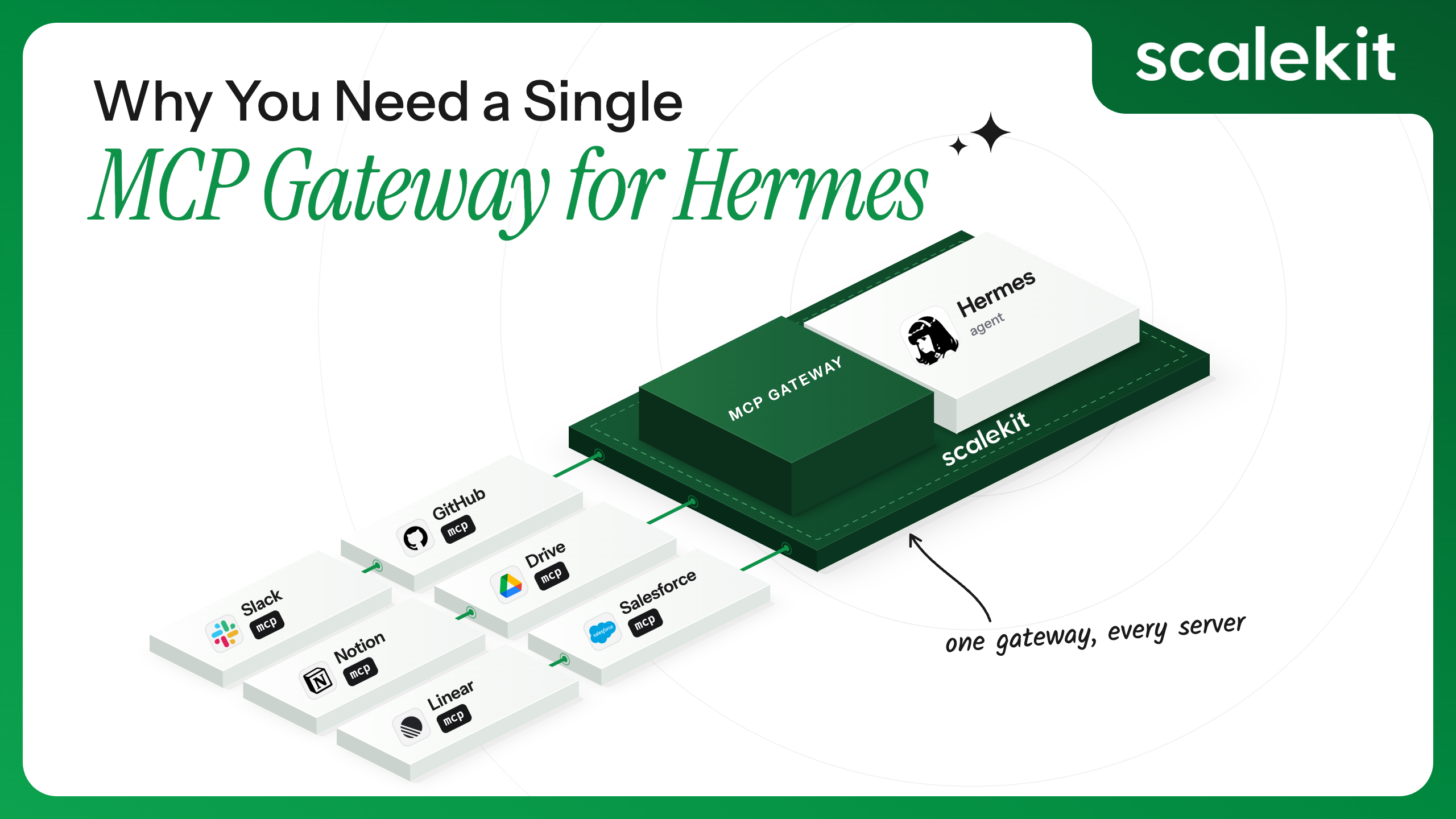


Hermes Agent is NousResearch's open-source coding agent, configured through ~/.hermes/config.yaml to reach external tools over MCP. Scalekit AgentKit sits between Hermes and those tools as an auth layer; each tool gets a Connection (an authorized credential Scalekit holds on Hermes's behalf), and Hermes talks to it through one Scalekit-issued URL and bearer token instead of managing that tool's own OAuth app, API key, or certificate directly. That's the one idea everything below builds on: fewer places for a credential to live.
In earlier posts in this series, we built that for GitHub (Connecting Hermes Agent to Your Tools and APIs), put more than one person behind it (Multi-User Access Control for AI Agents on Hermes), and added Grafana (Integrating Custom and Internal Tools with Hermes Agent): a tool that was never in any catalog to begin with. Each post solved its own problem well. What none of them addressed head-on, and what closes this series, is what happens once a team stops adding tools one at a time and just has, say, seven of them connected: what that actually costs to run, day to day, and why the fix isn't a better spreadsheet; it's collapsing every tool behind one gateway.
Nothing about it breaks on day one, which is exactly the problem. ~/.hermes/config.yaml grows one mcp_servers entry at a time, each added the way it made sense to add it at the time, and the file below shows what that actually accumulates into:
The github_gateway entry is the real one from the first post in this series. Slack and Datadog here are illustrative, standing in for any tool with its own OAuth app or its own API-key convention. The internal_admin_api is the same fictional internal tool this series has used before, and the github_gateway and grafana_mcp entries are the only two of these five actually tested live in this series, not side by side in one account.
Five entries, four different credential shapes: a Scalekit session token, an OAuth client pair Hermes manages itself, a hand-typed PAT, two raw API keys in custom headers, and another OAuth pair for a completely different provider. All of these live in the same file, but none of them behave the same way when something goes wrong. That's not a hypothetical; it's the literal shape of the naive path flagged as the risk of scaling past one tool, just written out in full instead of summarized in one bullet.
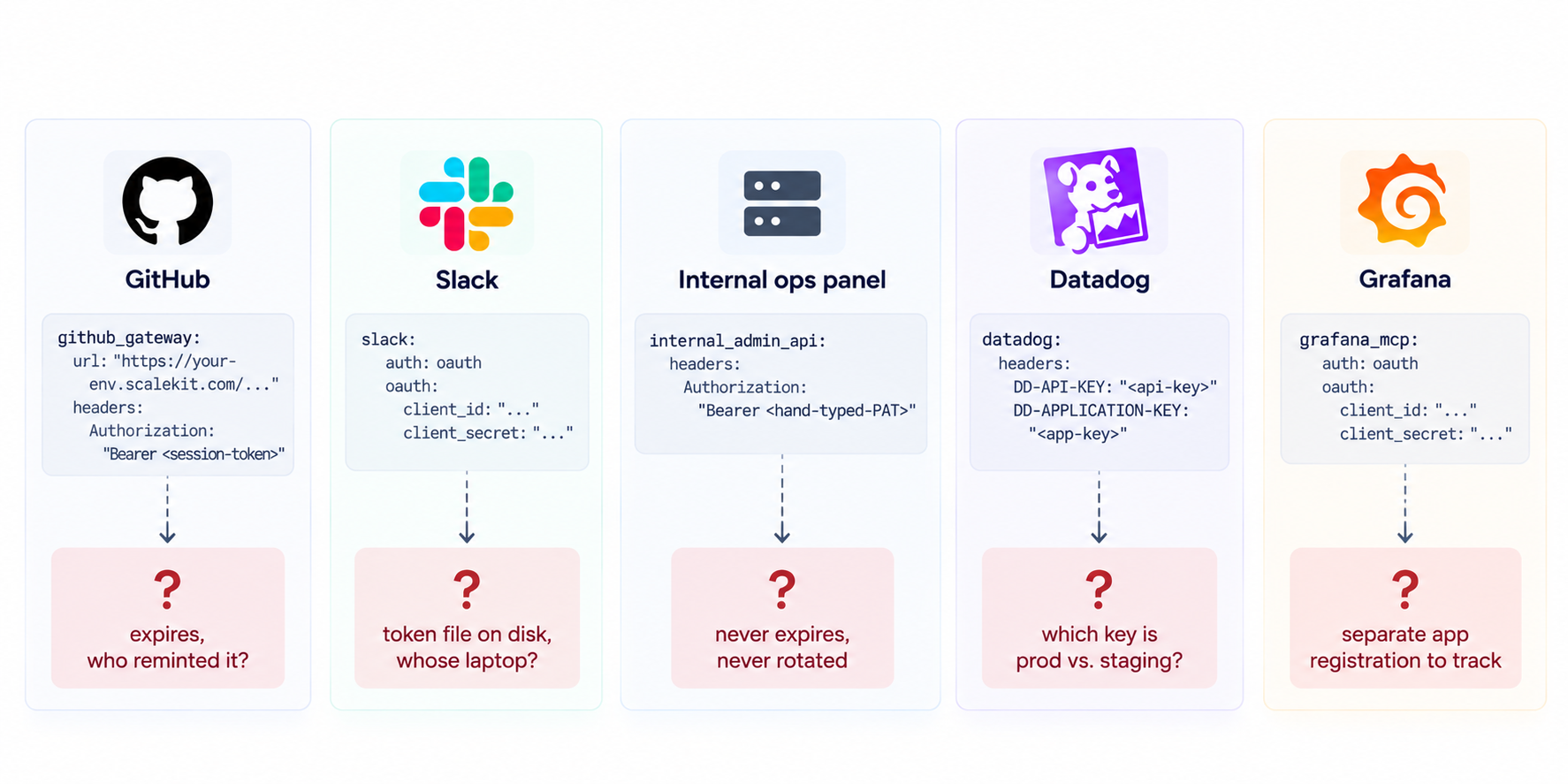
None of that shows up in hermes mcp test, which only answers "is this one server reachable right now," not "who set this up, when does it expire, and what happens to the four other tools if this person leaves."
Four failure modes show up reliably as the file grows, and none of them are rare:
All four have the same root cause: nothing about this setup treats "the tools Hermes can reach" as one thing to manage. It's five (or seven, or ten) independent things that happen to live in the same file. This is the same class of problem that credential ownership across agent tool-calling patterns describes at the architectural level — when credential ownership is diffuse, operational costs multiply.
Not the mechanism — the shape. Every call this series has already run — create_custom_provider() (registers a tool Scalekit doesn't already know about), get_or_create_connected_account() (authorizes one identifier against a Connection), create_config() (built-in tools already in Scalekit's catalog), execute_tool() (the one call Hermes makes regardless of which of the above set the tool up) — stays exactly the same. What changes is that every tool goes through the same three things instead of inventing its own:
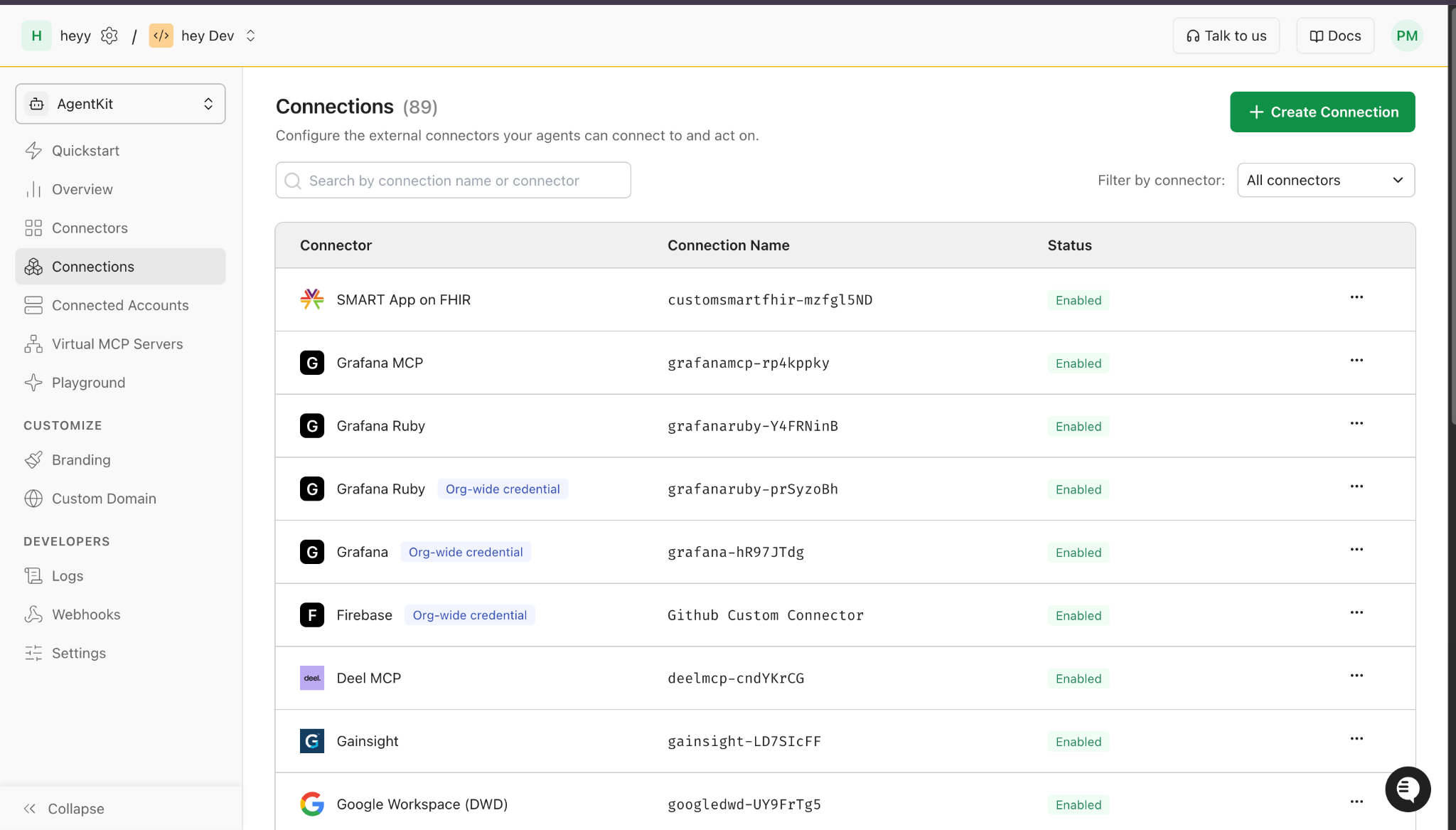
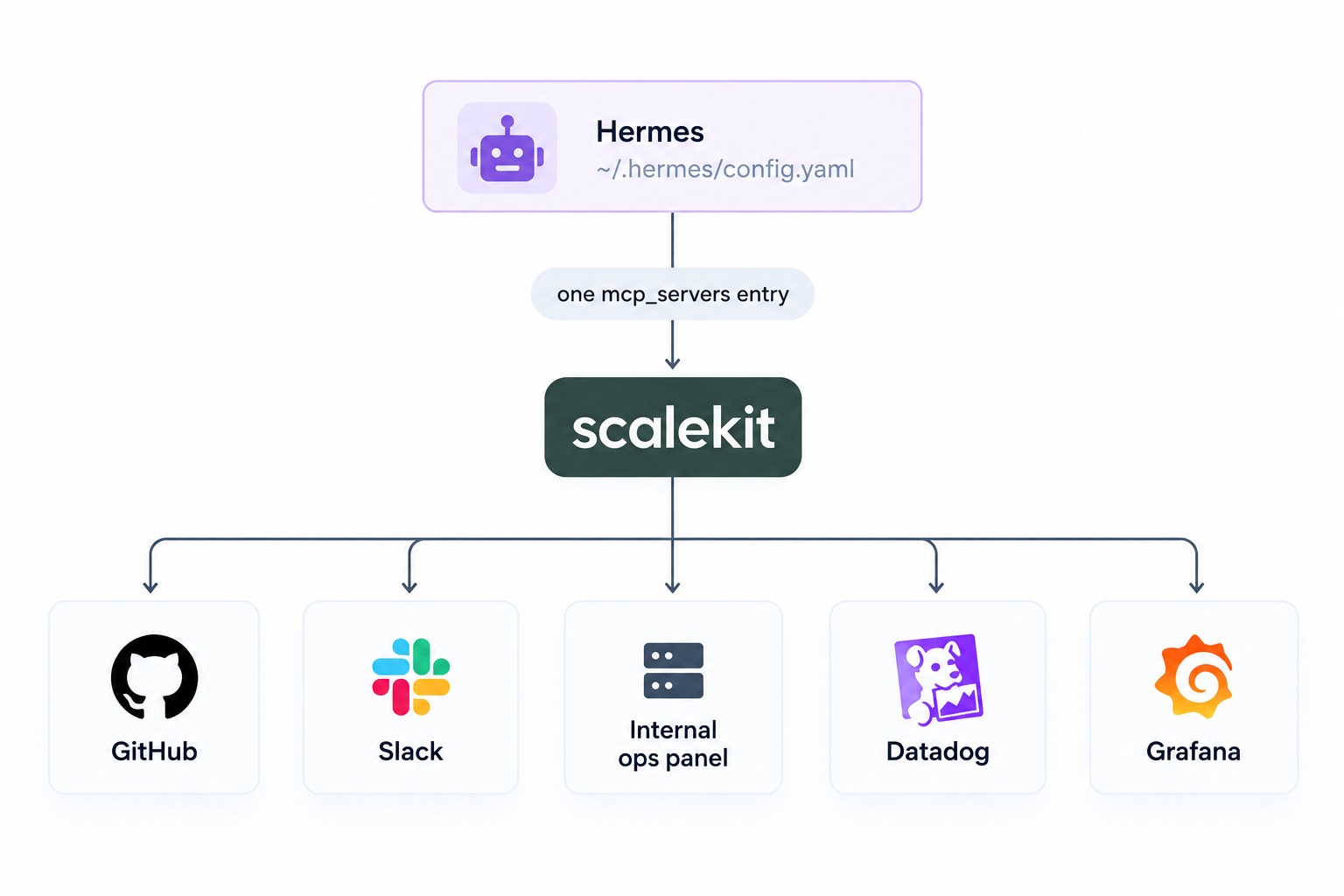
This isn't a new claim. It's the same one-block-in-config.yaml result already demonstrated for a single tool — "every tool added after that is a dashboard change and a rerun of one script, not a new secret hand-typed into Hermes's YAML" — just stated as the thing to actually do once there are several tools. The four failure modes from earlier stop applying too, not because they got solved individually, but because there's only ever one place any of them could have happened. For more on why an MCP gateway matters as a concept, the foundational overview is worth reading alongside this.
Take the five tools from the YAML earlier: GitHub, Slack, an internal ops panel, Datadog, and Grafana. Under the naive path, that's five different setup stories: an OAuth app registered somewhere for Slack, a PAT typed in by whoever owns the ops panel, two Datadog keys copied from a teammate's password manager, a separate OAuth registration for Grafana. Under a gateway, it's the same four-step flow run five times, not five different flows:
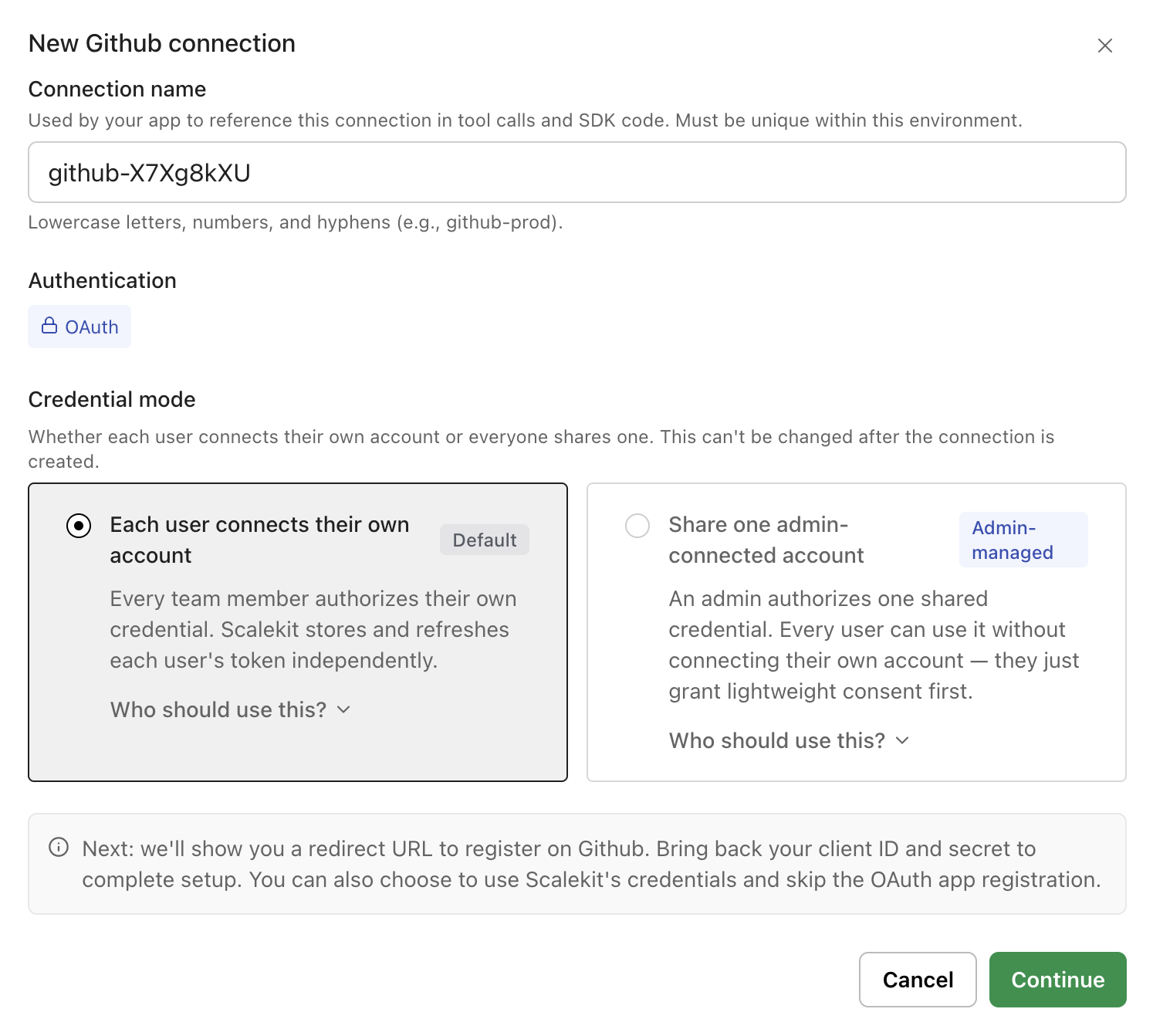
Five tools set up this way land in the same ~/.hermes/config.yaml shape as one tool: either one mcp_servers entry pointed at Scalekit, or none at all if Hermes is running through hermes-delegated-auth. The difference between managing one tool and managing ten stops being visible in that file, because it was never supposed to live there in the first place.
The four failure modes from earlier stop applying too: an expired credential shows up as one dashboard row, offboarding is one delete_connected_account() call, and scope is whatever tools.include says — not whatever the original token happened to be issued with. This maps directly to the access control challenge in multi-tenant AI agents, where per-user isolation and scoped revocation are the baseline requirements, not optional enhancements.
The hidden cost of maintaining this kind of fragmented credential setup is also worth quantifying: building OAuth internally for AI agents carries ongoing operational overhead that grows with every tool added — exactly the pattern this gateway approach sidesteps.
For teams already thinking about MCP security risks in the enterprise, the multi-credential problem this post describes is one of the primary attack surfaces worth closing early.
The pain this post opened with — an expired credential nobody can trace, an onboarding checklist that gets longer with every tool — doesn't come from any one tool being hard to connect. It comes from treating each tool as its own separate integration instead of one thing to manage. That's the actual argument for a gateway: not that it's more secure than hand-rolled auth per tool, though it is, but that it turns "how many tools are connected" into a number that stops mattering to how much work the setup takes.
This closes the series. The first post built the gateway for one tool. The second put more than one person behind it. The third proved it works for a tool nobody had added support for yet. This post is what all three add up to once a team stops running them one tool at a time: run the same pattern for every tool that needs one, and the five-tool problem this post opened with never gets the chance to show up.
For teams evaluating how agent tool observability fits into this picture — knowing not just that a tool is reachable but that it's actually working — a centralized gateway is the prerequisite that makes that visibility possible.
No. Nothing about the gateway pattern requires an all-or-nothing switch. Each tool moves over independently — the same create_custom_provider() plus Connection flow run once per tool — and a hand-typed credential can keep working in config.yaml right up until it's replaced.
Doesn't matter for this pattern. A built-in connector (create_config()) and a custom one (create_custom_provider()) both end up as a Connection with the same downstream shape: connected account, authorization, execute_tool(). Hermes never sees the difference.
Scalekit going down affects every connected tool at once, the same way any shared infrastructure does. What it doesn't do is make any single tool's credential story worse than the hand-rolled alternative; a leaked Scalekit session token is scoped to the tools and identifier it was minted for, not every credential in config.yaml at once.
Past one or two, based on this series' own experience building and re-testing each post: a second tool means a second credential shape to track, a third means the first real "which one expired" question, and by five, every operational cost this post names is already real, not hypothetical.