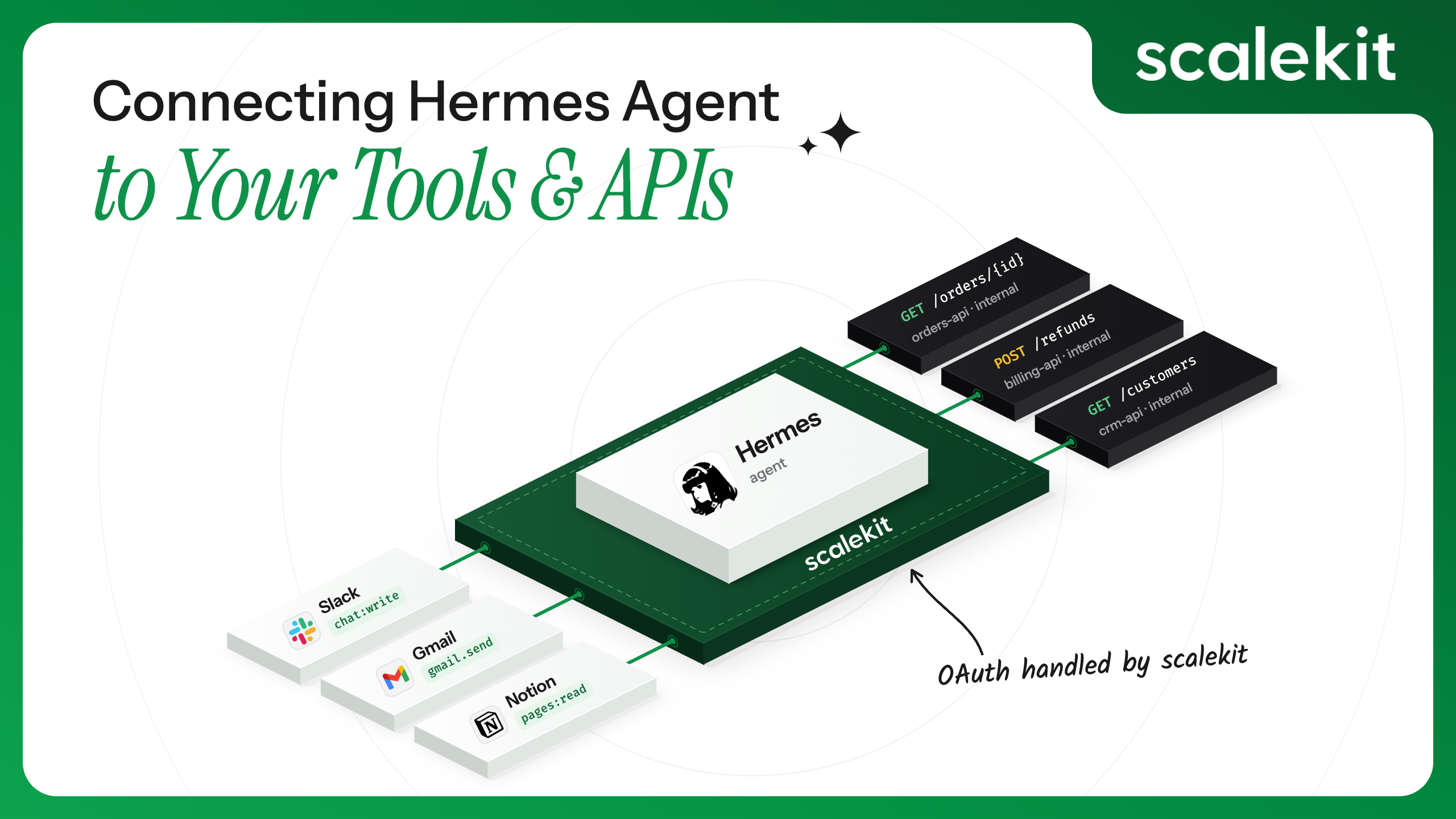


Most people get Hermes running, have a good first conversation with it, and then hit the same wall: talking is easy, doing is not. The moment you want Hermes to actually touch GitHub, Slack, or an internal API, you're deciding where a credential lives and how it gets refreshed — decisions Hermes's own MCP client was never built to make for you. This post covers what that gap actually looks like, why a gateway fixes it better than hand-rolling auth per tool, and then builds the real thing: a working Scalekit AgentKit gateway in front of Hermes, wired to a live GitHub connection, tested and run end to end rather than described in the abstract.
This walkthrough is scoped to one person running their own Hermes host, which is what the pattern below is actually built for. If you're wiring Hermes up as a shared bot for a whole team instead, Scalekit's docs point to a different, simpler pattern for that case: a Hermes skill called hermes-delegated-auth, covered in the Multi-User Access Control for AI Agents on Hermes.
Coding agents have gotten good at reasoning. Ask one to plan a refactor, debug a stack trace, or draft a migration script, and most modern agents, including Hermes Agent, handle it well. The harder problem has always been the next step: getting that reasoning to touch the real world. An agent that can plan a GitHub issue triage is only useful once it can actually read the issue, apply a label, and post a comment.
Hermes bridges that gap with a built-in Model Context Protocol client, which lets it call tools exposed by any MCP server: a GitHub connector, a Slack connector, an internal API someone on the team wrapped last month. That client is real and well-built. It is not, on its own, a complete answer to "give Hermes safe access to my tools." Auth, credential storage, and support for multiple tools or users are left to the developer to solve.
Hermes's MCP client fully covers the protocol layer. It's worth listing this out in full, because the gap in the next section only makes sense once it's clear how much Hermes already does correctly:
Every one of these is protocol-level plumbing, and Hermes gets it right. What it doesn't cover is what happens once a real credential needs to sit behind that plumbing, which is the subject of the next section.
Four problems show up in order as a Hermes setup grows past a personal weekend project:
None of this is a design flaw in Hermes. An agent client isn't supposed to double as a credential vault or an identity provider, any more than a web browser is supposed to double as a password manager. In practice, that means the moment a Hermes setup goes beyond a single tool for a single person, something needs to sit in front of it and own auth, rather than living inside its config file.
The fix isn't hardening each mcp_servers entry one by one. It's collapsing all tool integrations into a single gateway that Hermes talks to, with actual credential handling happening behind that gateway rather than inside Hermes's config.
Scalekit AgentKit's Python SDK exposes exactly this as a first-class primitive: client.actions.mcp. Building this gateway doesn't require standing up a custom MCP server from scratch. Three SDK calls provision the whole thing:
Run those three calls, and Hermes ends up with exactly one new mcp_servers entry, pointed at the config's own URL — that's already authenticated and scoped. The next section builds this end-to-end against a real GitHub connection.

This section builds the gateway against a real GitHub connection using hermes-github-gateway-agent, the code backing this post.
To start, clone the repo and install its dependencies:
Create a .env from .env.example:
The four Scalekit values in .env come from your Scalekit dashboard: the environment URL and client credentials from API Config, and the connection name from wherever you set up GitHub under Connections.
requirements.txt pins mcp==1.29.1 deliberately. Installing hermes-agent alongside scalekit-sdk-python can otherwise pull in a newer mcp release that Hermes's own HTTP transport doesn't yet support, so installing in the order shown keeps the pinned version in place.
The Connection created above (AgentKit → Connections) is the only manual step in the dashboard. The gateway itself, what Scalekit calls a Virtual MCP Server, gets created by setup_gateway.py in the next step, through a direct call to client.actions.mcp.create_config() in the Scalekit Python SDK, the same underlying API the dashboard's "Add Virtual Server" button calls. You don't need to click that button manually; running the script the first time creates the server object in your account.
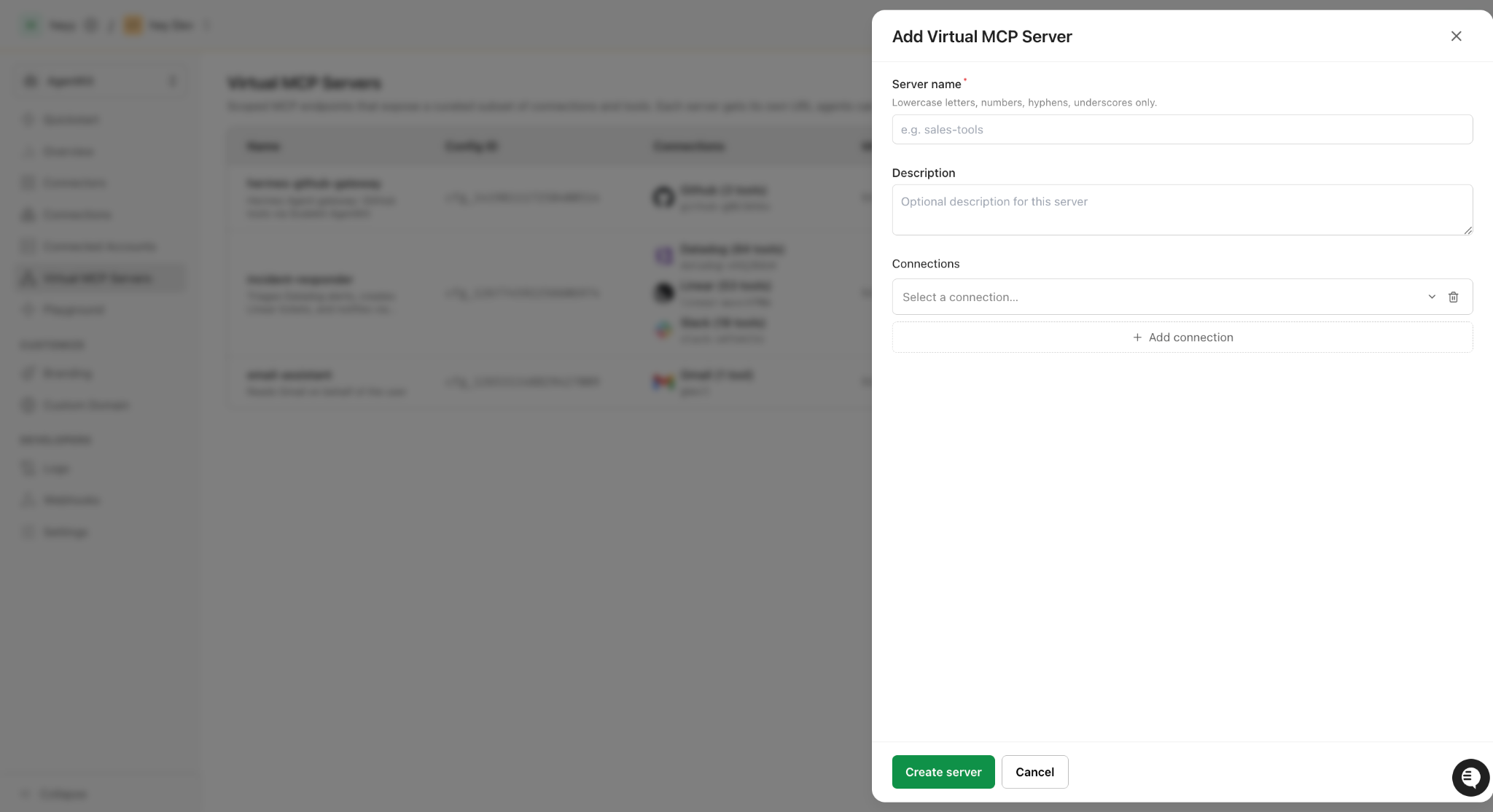
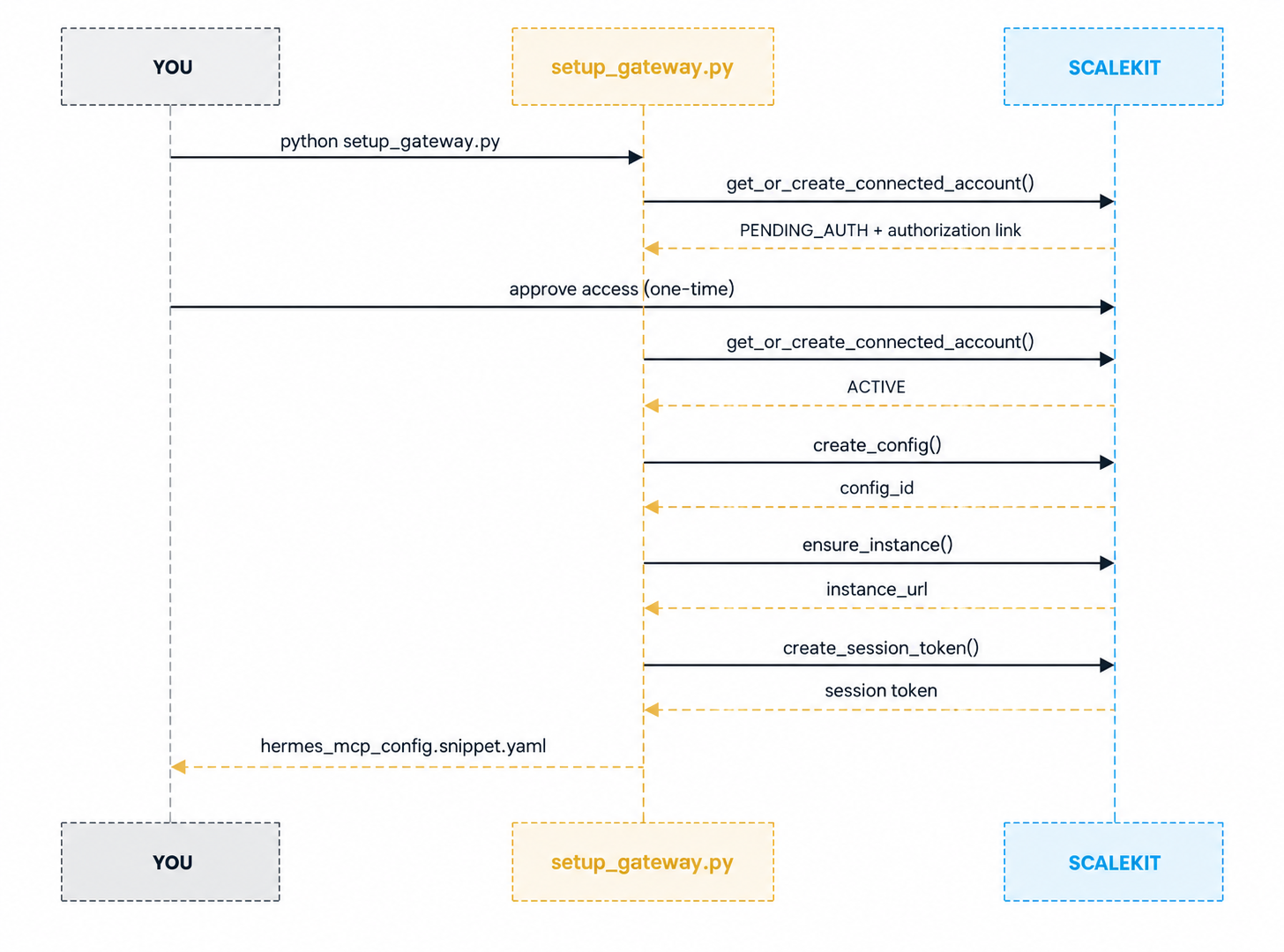
With .env filled in, one command runs all three provisioning steps:
On a first run, the connected account won't be authorized yet, so the script prints a link and pauses:
Open the printed link, approve access on GitHub, and press Enter again in the terminal. This is the only OAuth click a human ever makes in this flow; Scalekit's token vault handles all subsequent refreshes without asking again. The script re-checks the connected account and, once it reads ACTIVE, continues through the remaining three steps automatically:
That config_id isn't just a log line; it's a real object you can see in your own Scalekit dashboard, under AgentKit → Virtual MCP Servers, and it's the same one your session token will be minted against:
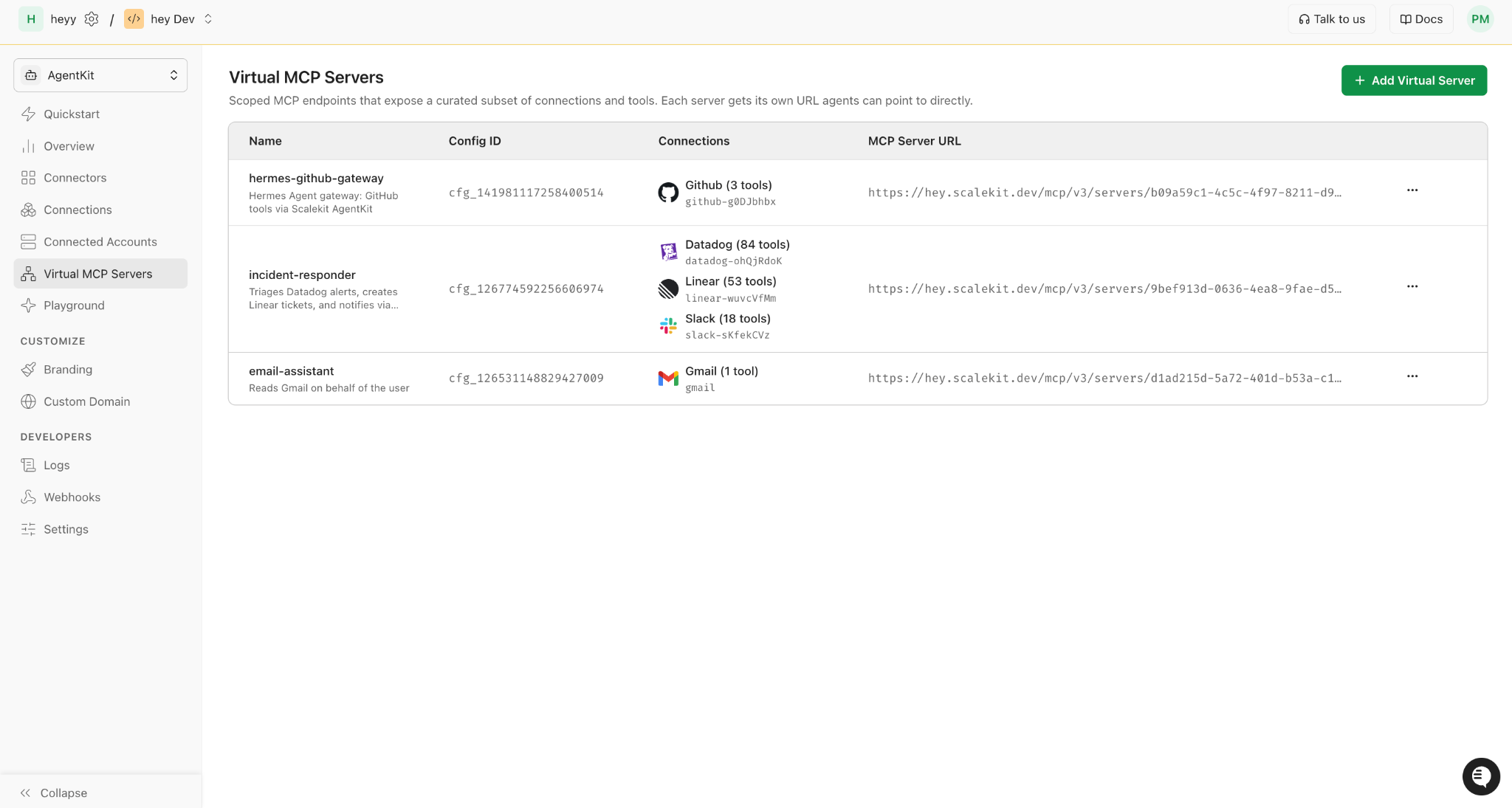
The script continues through the final step on its own:
Now that authorization is complete, the Hermes config has been written to hermes_mcp_config.snippet.yaml.
hey.scalekit.dev is this account's own sandbox environment, not a shared or generic Scalekit domain. Signing up gives you your own environment URL (SCALEKIT_ENVIRONMENT_URL in .env), and the server URL you see will be under that domain instead.
Your own config_id, mcp_server_url, and expires_at will be different values, specific to your Scalekit environment and this run.
The setup script writes a ready-to-use config block to hermes_mcp_config.snippet.yaml. Paste it into ~/.hermes/config.yaml:
Notice what's absent from this file: no personal access token, nothing to rotate by hand. The token here is a Scalekit session token with a TTL. When it expires, re-running setup_gateway.py mints a fresh one against the same connected account and config, without asking for authorization again. The URL itself never changes between runs; it's the config's own static address, so only the token half of this block needs replacing.
hermes mcp test reads config.yaml directly, so it works standalone without a chat session open:
A successful connection looks like this:
If this fails instead with mcp.client.streamable_http is not available, the installed mcp package is newer than the version supported by PyPI's current hermes-agent release.
That bug is already fixed upstream, but it isn't in a new PyPI release yet; installing Hermes with npm install hermes-agent instead of pip install hermes-agent sidesteps it entirely. Otherwise, reinstall the pinned version and try again:
With the gateway confirmed, start an actual chat session:
hermes mcp test and hermes chat both read config.yaml fresh on startup, so a session started after the file above was already in place picks up github_gateway automatically. If a chat session was already running before the config was written, reload it from inside that session instead of restarting:
Running the exchange below also needs an LLM provider configured for Hermes (hermes model), separate from the Scalekit gateway itself.
With the gateway connected, Hermes can act on a plain-language instruction rather than a hand-written API call:
You: Search open issues on scalekit-inc/scalekit-sdk-node for anything that looks stale or unlabeled, and label it accordingly.
Hermes calls github_search_issues first, reads the response, and decides which issue, if any, qualifies. If one does, it calls github_issue_labels_add on its own, without a second prompt. The credential authenticating that second call is the session token minted during setup, issued once to a connected account a human approved, and never present in Hermes's config as anything other than a token with an expiry date.
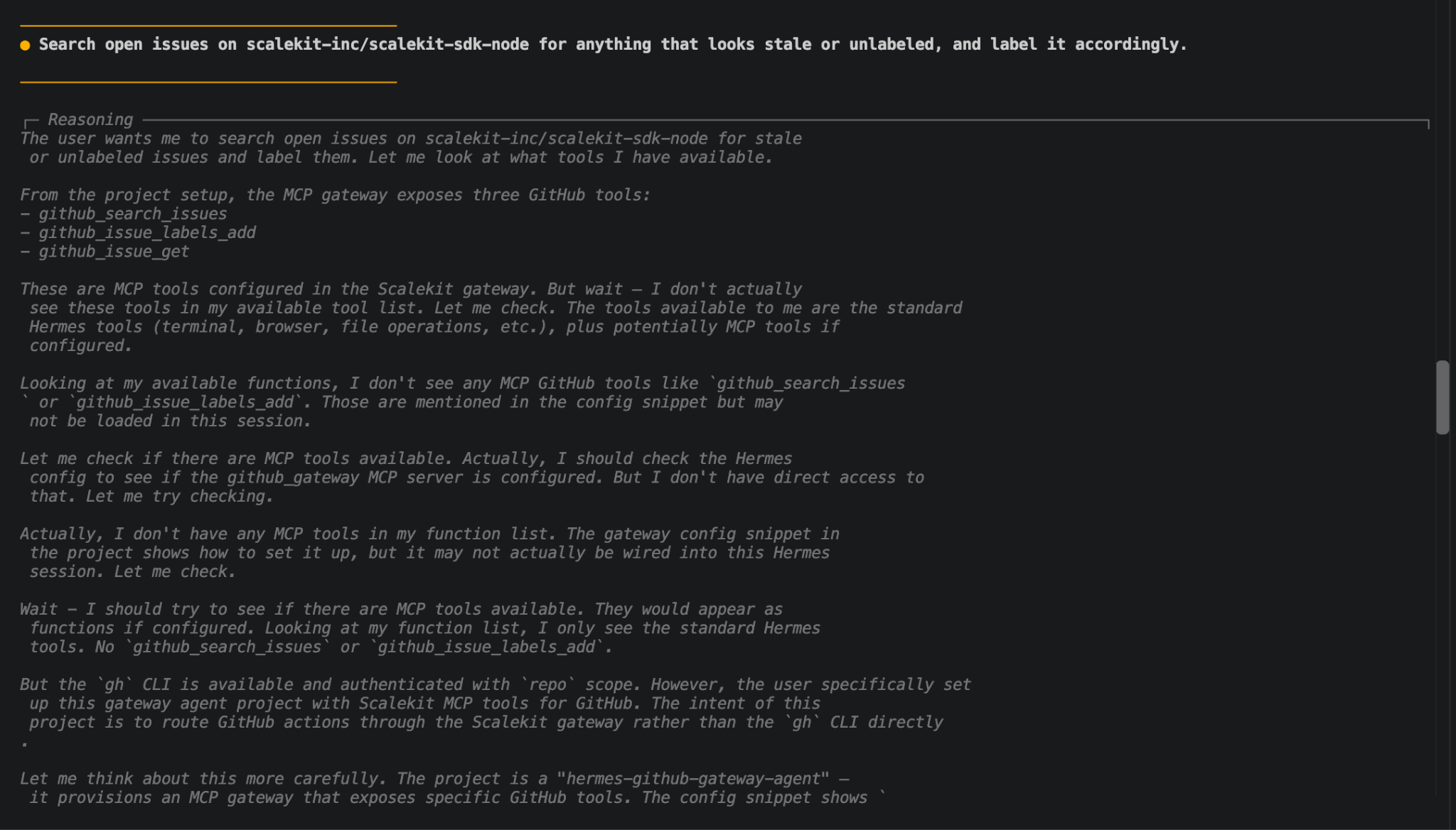
Before adding a new tool name to MCP_TOOLS, confirm it actually exists on the connector by calling client.tools.list_tools(filter=Filter(provider="GITHUB")) (swap the provider for whichever connector is in use; Filter comes from scalekit.v1.tools.tools_pb2). Tool catalogs vary by connector and by account, so a name that works elsewhere isn't guaranteed to exist here.
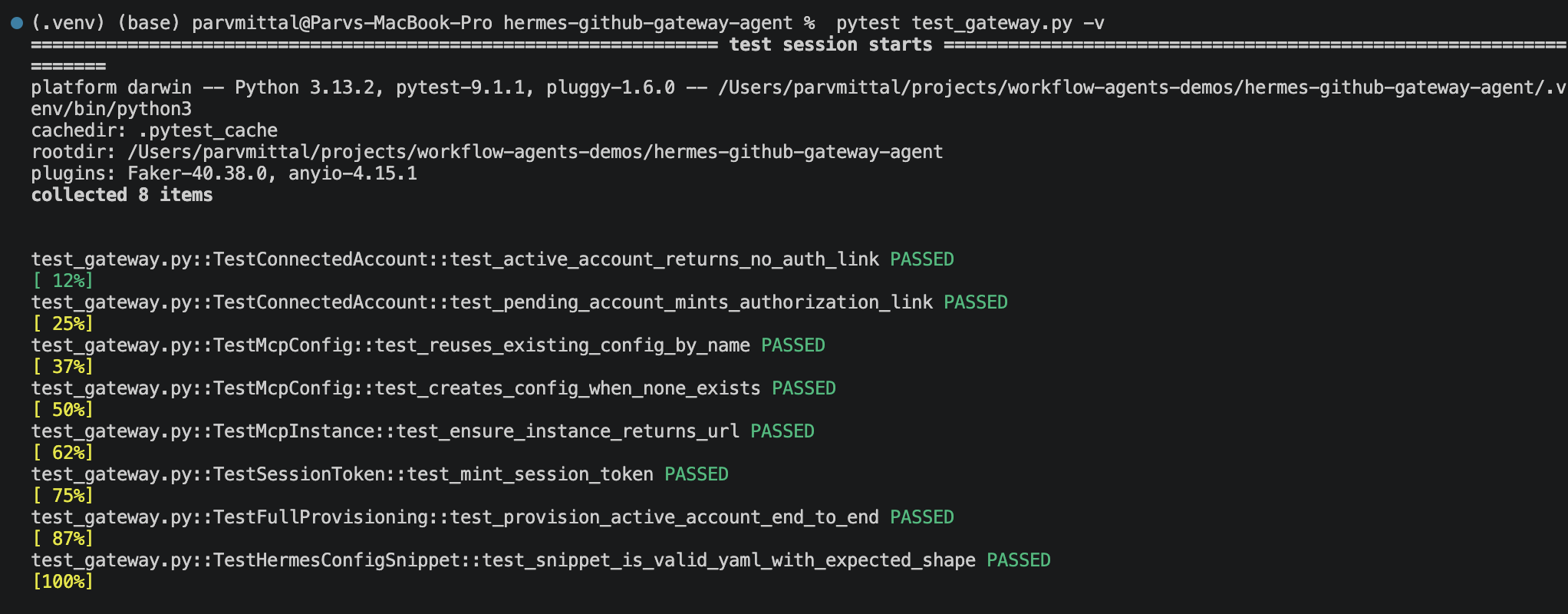
If you change sk_gateway.py (a different connector, a different tool list, extra provisioning logic), run the test suite before pointing Hermes at the result:
It checks the connected account, config, and session token calls against the installed SDK models and the generated Hermes YAML, so any customization mistake shows up here rather than in a failed hermes mcp test.
GitHub issue triage is a small, clear example, chosen on purpose so the mechanics stay visible. The same gateway pattern covers most jobs a team hands to an agent. For example, the same pattern powers a daily standup agent pulling from GitHub, GitLab, Jira, and Slack — only the connector names and tool lists change.
Every row in that table swaps the connector name and the tool list in .env. The provisioning flow in sk_gateway.py and the auth model behind it remain exactly the same across all five.
A single-developer setup like the one above skips several things a platform or security team asks about before an agent gets production access. They're worth naming directly, because the fix for each one is a configuration choice, not new code, as long as the gateway is still one Hermes host run by one operator. A host that's meant to stand behind a shared team bot needs the pattern in Multi-User Access Control for AI Agents on Hermes instead, not more identifiers layered onto this one:
Because there's no automatic re-minting during an active session (the token here is a static header, not something Hermes's own OAuth flow manages), pick the number based on how long a session realistically runs uninterrupted, and pair it with a remint step (re-running this script, or a cron job calling create_session_token followed by /reload-mcp) if the gateway needs to stay live longer than one TTL window.
None of this requires code different from what's already in this repo. It's the same three calls, run with a real per-user identifier instead of a placeholder, reviewed once by whoever owns the access policy. For a deeper look at secure token management for AI agents at scale, the patterns discussed there map directly onto what the gateway is doing here.
Hermes Agent's MCP client was never the missing piece; it already speaks the protocol correctly. What was missing was everything sitting behind that protocol: where a credential lives, whether it refreshes itself, how far a setup scales past one tool, and whether it can represent more than one person.
A Scalekit AgentKit gateway answers all four with three SDK calls and one line in config.yaml, turning "paste a token into YAML" into "authorize once, then let the vault handle it."
The GitHub example here is deliberately small. The same three calls — get_or_create_connected_account, create_config, create_session_token — work identically for Slack, Notion, or any other connector, and for more than one identifier against the same config. That's the shape this series builds on next: a custom tool behind the same gateway, then the same underlying mechanism serving a whole team, and where Scalekit's own hermes-delegated-auth skill fits once one Hermes host has to stand behind many people instead of one. This pattern of access control for multi-tenant AI agents becomes the foundation as the setup grows.
Natively, Hermes ships with an MCP client that handles both stdio and HTTP transport out of the box, configured under mcp_servers in ~/.hermes/config.yaml. No plugin is required to talk to an MCP server. What's missing is a credential and identity layer in front of that client, which is what this post adds.
No, Scalekit AgentKit's client.actions.mcp runs the MCP server for you. create_config() provisions a hosted MCP endpoint, scoped to your chosen tools, at one fixed URL; create_session_token() scopes access to that URL down to one identifier. No MCP server code needs to be written or deployed.
Hermes sees a 401 with no automatic retry, since this token is a static header, not something its own OAuth flow manages. Re-run python setup_gateway.py to mint a fresh one, then paste the new snippet in and run /reload-mcp. SESSION_TOKEN_TTL_HOURS in .env sets how often that's needed, 8 hours by default; a gateway that needs to stay live unattended longer can automate the same remint-and-reload step with a cron job.
Yes, swap SCALEKIT_GITHUB_CONNECTION for the equivalent connection name, and change MCP_TOOLS to the tool names that connector exposes. The three-call provisioning flow in sk_gateway.py stays the same; only the connector and tool list change.
Yes, for a handful of people each authenticating with their own identifier, since every session token carries that identifier's own claims. What it doesn't solve is a long-running shared bot; someone still has to remint each person's token before it expires. For that case, Scalekit's hermes-delegated-auth skill mints no token at all, as covered in "Multi-User Access Control for AI Agents on Hermes".









