

Your agent needs to read and write documentation in Mintlify. Mintlify ships a hosted admin MCP server and a REST API, and for once the MCP surface is the larger one for the job most agents are actually doing. The two paths do not overlap the way they do for Slack or GitHub; they split cleanly along a content plane and a control plane. Here is how to pick, and what breaks in production either way.
Both paths authenticate against the same Mintlify organization, but they hand your agent very different primitives. One gives you a Git working session. The other gives you deployment and analytics control.
The admin MCP is a hosted Mintlify service at a single endpoint, https://mcp.mintlify.com. Every client connects to the same URL and authenticates against a Mintlify account through an interactive OAuth login.
It gives AI tools write access to your documentation content and dashboard. Content edits buffer on a session branch and ship through a pull request or a direct commit when the agent calls save. Deployment management changes, handled through code mode, apply immediately to the live deployment with no branch and no pull request.
Official docs: Mintlify admin MCP server
The REST API covers deployments, agent jobs, the assistant, and analytics export. Base URL is https://api.mintlify.com, with endpoints such as POST /v1/project/update/{projectId} to trigger an update and POST /v2/agent/{projectId}/job to queue a background editing job.
Auth is bearer token with three distinct key types, each scoped to a different endpoint group. Admin keys optionally carry read or write scopes, IP allowlists, and expirations of 7, 30, 60, or 90 days or none at all. The platform REST API requires a Pro or Enterprise plan.
Official docs: Mintlify REST API introduction
Mintlify documents three separate MCP servers, and only one of them is relevant to an agent that changes docs. The admin MCP is for your team and carries write access. The Search MCP sits at /mcp on your own site domain and serves your end users read-only access to published pages. The Index MCP at index.mintlify.com searches across all Mintlify-hosted sites.
If a comparison you are reading talks about "the Mintlify MCP server" and only mentions search, it is describing the wrong server for this decision.
The capability split is not a subset relationship. Each path owns territory the other cannot reach at all.
The REST API has no endpoint that writes a specific file at a specific path. If your agent needs to replace a deprecated field name across forty pages and produce a reviewable diff, the API cannot express that request. You can only hand a prompt to an agent job and wait for a pull request to appear.
Conversely, the admin MCP has no assistant or end-user search surface. An agent that answers customer questions from your published docs is a REST API workload, not an MCP workload.
For most tools in this series, the vendor MCP server is a curated subset of a much larger REST surface. Mintlify is the opposite. The 19 admin MCP tools exposed through Scalekit's connector as of September 2026 cover content and navigation operations that have no REST equivalent at all.
The practical consequence: teams that default to "use the API for production, MCP for prototypes" build the wrong thing here. On Mintlify, the deterministic, reviewable, production-grade write path is the MCP path. This is one reason understanding the difference between MCP and APIs matters before you commit to an architecture.
The two paths do not just differ in credential format. They differ in whose identity the change is attributed to, and that determines what your audit trail is worth.
The admin MCP requires an interactive OAuth login against a Mintlify account. The resulting session inherits that user's dashboard permissions, so admin-only actions such as update_config on protected settings require an admin role on the project.
There is no API key alternative. That is a hard constraint for background agents: something has to complete a browser consent flow once, and the resulting grant has to be stored somewhere your agent can reach it.
Admin API keys belong to the organization. Assistant keys belong to a deployment. Neither carries the identity of the person whose intent triggered the call.
That is fine for a CI job that redeploys after a merge. It is not fine for a multi-user agent where you need to know which support engineer asked the bot to rewrite the billing page, because the Mintlify side of the audit trail will show the same key for all of them.
Docs changes are code changes. They land in Git, they go through review, and six months later someone runs git blame on a line that broke a customer integration.
On the MCP path, the pull request carries the authorizing user's grant and Git history stays meaningful. On the REST agent job path, every change traces to one org-level key. You can reconstruct intent only if you logged it yourself, on your side, before the call went out. This is the same attribution problem covered in depth in audit trails for agent auth in B2B SaaS.
Neither path is managed infrastructure for your agent. The question is which failure modes land on your on-call rotation.
Mintlify owns the server, the tool schemas, and the branch machinery. You own the OAuth grant per user, token storage, refresh, and revocation.
You also own session hygiene. Sessions hold an in-memory branch on the Mintlify side, and abandoning one without calling save or discard_session leaves an admin-mcp/* branch in your repository. An agent that crashes mid-run does not clean up after itself.
You own everything: schema handling, polling loops, error semantics, and key lifecycle. Agent jobs are asynchronous, so you poll GET /v2/agent/{projectId}/job/{id} until status leaves active, then read prLink to find out whether anything actually changed.
Key rotation is manual by design. Scopes, IP allowlists, and expirations are all set at creation time and cannot be changed afterward; to adjust any of them you create a new key and update every integration that used the old one.
Agent jobs are capped at 100 uses per Mintlify project per hour. That is generous for a docs workflow and restrictive for a bulk migration driven one page at a time.
Blast radius differs sharply too. MCP content edits are reversible because they live on a branch. Code mode writes are not: workflow, settings, member, billing, and integration changes apply immediately to the live deployment.
Pick based on what the agent produces, not on which path feels more modern.
Scalekit ships Mintlify MCP as a vendor MCP connector with 19 tools and OAuth 2.1 with Dynamic Client Registration. Your agent never handles the Mintlify grant directly; it calls a tool name with a user identifier, and Scalekit resolves the credential at request time.
Install the SDK and generate an authorization link. The connector slug is mintlifymcp, and every tool name is prefixed with it.
result.execution_id is the handle you correlate against Scalekit's tool call logs later.
Scalekit returns native LangChain StructuredTool objects, so there is no schema reshaping. Pass page_size=100 so a 19-tool connector is not truncated by the default page. For more on how LangChain tool calling fits into production agent architectures, see LangChain tool calling: how it works, where it stops, and how Scalekit completes it.
The agent will call mintlifymcp_checkout first, because every content tool requires an active session branch. Skipping that step is the most common failure on this connector.
Scalekit's catalog ships the MCP connector for Mintlify, so the REST path runs through a custom connector pointed at https://api.mintlify.com with static bearer auth. From there, actions.request proxies the call and injects the credential.
Note the identifier here: for an org-level admin key, the right unit of isolation is the tenant workspace, not an individual user. That distinction is the whole reason the two paths need different credential models.
Handing an agent all 19 Mintlify tools means handing it delete_node, update_config, and execute_code. A release-notes agent needs about five of them. Virtual MCP servers let you publish a scoped endpoint with only the tools you allow.
Session tokens default to about one hour. create_session_token is the remint call; there is no refresh endpoint and a token cannot be extended in place, so long-running hosts need a mint schedule.
Both paths hand you a credential and walk away. Neither gives you a vault, a rotation policy, or a revocation flow that fires when someone leaves the company.
This looks like a single-tenant problem until it is not. A devtool company running a docs agent for its own site has one grant. A platform that builds docs agents for its customers has one Mintlify grant per customer organization, each with its own deployment scope and its own repository write access.
At that point you are storing, refreshing, and revoking N OAuth grants that each carry the ability to open pull requests against a customer's repository. That is not a credential you want in an environment variable. The same pattern is explored in detail in who holds the token: credential ownership across agent tool-calling patterns.
This is where the MCP path's attribution advantage either survives or dies. If your agent resolves a shared credential, the Git history says a bot did it and nothing on your side says who asked.
Scalekit records every tool call with the user whose credential ran it, the tool name, and whether it succeeded or failed and why, exportable to Datadog, Splunk, or any SIEM. Combined with the pull request the MCP path already produces, you get a chain from the prompt to the diff to the reviewer. That is the artifact your security team asks for, and neither Mintlify path builds it for you. More on that pattern in agent tool observability.
A real docs agent is rarely Mintlify-only. It reads a Linear issue, checks a GitHub pull request, writes the Mintlify page, and posts to Slack. That is four OAuth grants per user, four token lifecycles, four revocation paths.
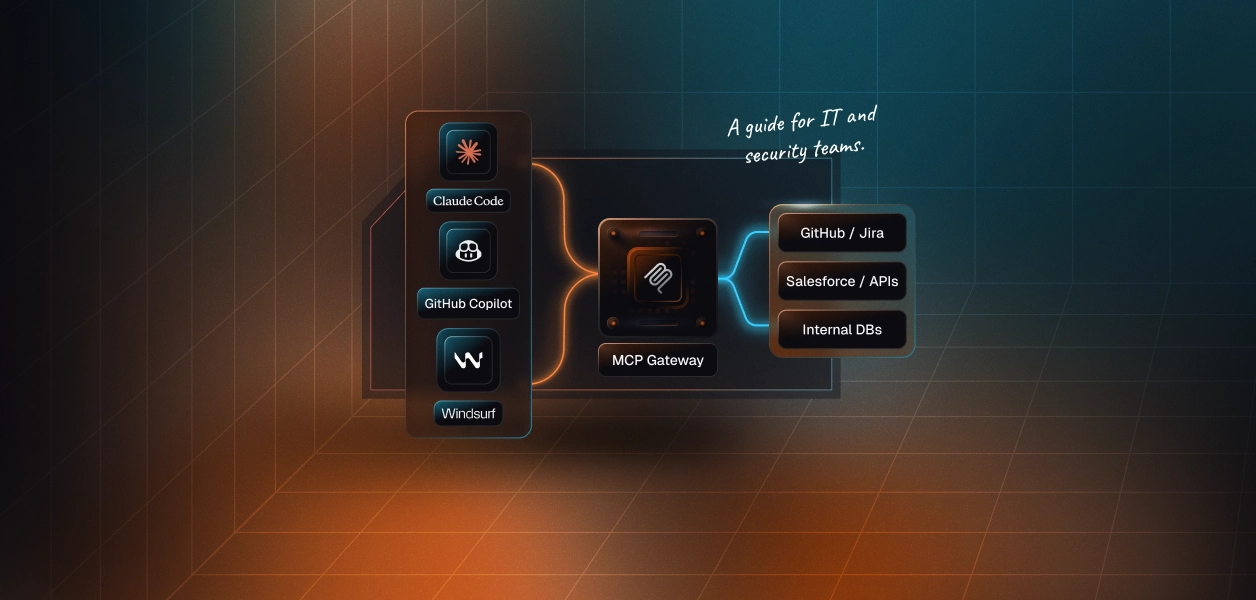
A virtual MCP server exposes a scoped subset across all four connectors behind one URL and one short-lived, user-bound session token. The agent sees one endpoint; you keep per-connector isolation underneath. The Scalekit connector catalog covers the rest of that stack. For a concrete example of how this plays out across multiple tools, see agent tool calling auth production problems, patterns, anti-patterns.
If your agent changes documentation content, build against the admin MCP. It is the only path with page-level and navigation-level writes, and branch semantics give you a reviewable artifact instead of a completed job you have to trust.
If your agent triggers deployments, runs scheduled automations, serves an assistant, or exports analytics, build against the REST API. Those endpoints have no MCP equivalent outside code mode, and code mode applies immediately to production with no review gate.
Most teams building seriously will run both, which is the real answer: one path for the content plane, one for the control plane, and one credential layer underneath both. That layer is the part that has to be production-grade, because it is the part that holds write access to your repositories.
Start with the Mintlify MCP connector and the AgentKit Python SDK. The auto release notes agent template is the closest working reference, and pricing covers what running this at tenant scale costs.
Building a docs agent that edits Mintlify on behalf of your users is a small enough niche that the failure modes are not well documented yet. Session branches leak, checkout gets skipped, and org-level keys quietly flatten your audit trail.
Join the Scalekit Slack community to compare notes with other agent builders, or use the Talk to us page if you want an engineer on a call this week.
No. The admin MCP requires an interactive OAuth login. There is no API key alternative, which means headless background agents must capture and store a per-user OAuth grant before they can use the MCP path.
No. None of the REST API's endpoints write to a specific file at a specific path. Deterministic page edits are only possible through the admin MCP using tools like edit_page and write_page.
Agent jobs are capped at 100 uses per Mintlify project per hour. This is generous for typical docs workflows but can become a bottleneck for bulk migrations processed one page at a time.
Only the admin MCP server at https://mcp.mintlify.com provides write access. The Search MCP and Index MCP are read-only surfaces intended for end-user doc search, not for agents that need to edit content.
Scalekit manages the OAuth grant, per-user token storage, and tool call logging. Your agent calls a tool name with a user identifier, and Scalekit resolves and injects the correct credential at request time, so your agent code never touches the raw grant.
Abandoned sessions leave an admin-mcp/* branch in your repository. The agent does not automatically clean up after itself. You must call discard_session to remove the branch, or use save to ship it as a pull request before the session ends.
Use the REST API with static bearer tokens (analogous to client credentials) when your agent is a headless CI job with no user context, such as triggering deployments or exporting analytics. Use the MCP path with OAuth delegation when the agent acts on behalf of a named user who needs attribution in Git history and audit logs.