

Your agent needs to work with Buildkite. It triggers builds when a pull request lands, reads the failing rspec log, retries the flaky job, and unblocks the deploy gate once a human approves. Buildkite ships an official MCP server and a mature API surface that spans REST, GraphQL, and portals. Both paths work, and for one specific class of agent, one of them is a hard blocker.
These are two different objects with different shapes. The API is the full platform surface you have probably already used. The MCP server is a narrower, opinionated projection of part of it, built specifically for AI tooling.
Buildkite maintains an open-source MCP server written in Go and runs a hosted version of it. Three remote endpoints exist: https://mcp.buildkite.com/mcp for interactive OAuth, https://mcp.buildkite.com/mcp/readonly for read-only OAuth, and https://mcp.buildkite.com/direct for headless agents that pass a Buildkite API access token through in an Authorization: Bearer header.
You can also run the server yourself via Docker or a binary. The tools are grouped into toolsets: user, clusters, cluster_secrets, agents, pipelines, builds, logs, artifacts, annotations, and tests.
Buildkite's API is not one thing. REST at https://api.buildkite.com/v2 covers builds, jobs, pipelines, schedules, artifacts, annotations, clusters, and Test Engine. GraphQL exposes mutations and queries that REST does not, including buildRetryFailedJobs, agentStop, agentPause, pipelineArchive, and the auditEvent query. Portals provide restricted GraphQL endpoints for machine-to-machine use.
Auth supports API access tokens prefixed bkua_ with granular scopes such as read_builds, write_builds, read_build_logs, and read_job_env. Buildkite also offers OAuth Device Authorization and, in public preview, OAuth Token Exchange.
Four dimensions decide this for a production agent: what it can do, what auth path it forces, how much request headroom it gets, and what you end up operating. Buildkite differs from most tools in this series because the MCP server has a real capability advantage in one direction and a hard ceiling in the other.
The table below reads the API column as the whole Buildkite API surface, REST and GraphQL together, because a production agent will reach for both.
Most MCP servers are thin wrappers. Buildkite's is not, and get_build_failure_summary is the reason. One call returns build state, terminal problem jobs, downstream failures, promised failures from still-running jobs, and size-bounded diagnostic content pulled from logs, annotations, and failed Test Engine executions.
The bounds are tunable and sensible: log_tail defaults to 50 lines and caps at 200, max_annotations defaults to 20, max_failed_tests defaults to 100. On the API you would write five to ten sequential calls and your own truncation logic to get the same context, and you would get the token budgeting wrong on the first attempt.
The MCP server is built on and interacts with the Buildkite REST API. That single architectural fact sets the ceiling. GraphQL-only operations are not exposed, and no toolset will ever surface them, because the server has no GraphQL path underneath it.
For a CI agent, three of those gaps bite. Agent lifecycle control is inspection-only through MCP, so an agent that drains a misbehaving queue needs agentPause or agentStop in GraphQL. Bulk retry of failed jobs requires buildRetryFailedJobs. And any compliance workflow that reads who triggered what needs the auditEvent query.
wait_for_build polls for up to 45 seconds per call and returns finished=false with the current state if the build has not settled. Its own guidance says to stop after roughly ten consecutive calls and report the build as still running.
That means a build running longer than about seven and a half minutes cannot be waited out inside the tool's recommended envelope. For anything longer, your agent needs webhook-driven or scheduled re-entry rather than a polling loop. Buildkite's promise job failure signal helps here: a job can stay running while the build has already entered failing, which is a cue for the agent to start investigating early.
The OAuth remote MCP server issues a short-lived access token for the user's Buildkite account with read and write scopes that Buildkite pre-sets. You do not choose them. Your only scoping levers are the read-only endpoint and toolset routing, either by appending /x/{toolset} to the URL for a single toolset, or by sending a comma-separated X-Buildkite-Toolsets header for several.
The direct API path is different. You mint a bkua_ token and select exactly the scopes you want, down to read_build_logs without read_job_env. That granularity is the real argument for the API in regulated environments. OAuth Token Exchange, currently in public preview, exchanges a signed JWT assertion (RFC 7523) at POST /oauth/token for a short-lived bktx_ token under RFC 8693, which is the closest Buildkite gets to headless per-user delegation today.
The /direct endpoint looks like it solves the headless problem, and for a single-tenant internal agent it does. It accepts a bkua_ token, forwards it to the REST API, and the token's scopes decide which tool calls succeed.
For a multi-tenant B2B agent it moves the problem rather than solving it. Every user now needs their own long-lived Buildkite API access token, created by hand in personal settings, stored by you, and revoked by you. You have traded an interactive OAuth flow for N static secrets, which is the credential pattern most security reviews are specifically looking for. As explored in credential ownership patterns for agent tool calling, who holds the token is never a trivial question in production systems.
Rate limits are usually a footnote. On Buildkite they are an architectural input, because the remote MCP server is metered separately from the rest of the platform.
For a twenty-developer CI agent, remote MCP gives you twenty independent 50 per minute buckets and leaves the organization's 200 per minute REST budget untouched for your existing automation. That is a material difference, and it is the strongest non-obvious reason to prefer the MCP path for interactive team agents.
With remote MCP, Buildkite owns the tool schemas, the endpoint normalization, the log pagination and caching, and the server upgrades. You own token storage, refresh scheduling, revocation handling, and tenant isolation. You also inherit schema drift: when Buildkite ships a new toolset, your agent's tool surface changes without a deploy on your side.
With the direct API you own all of it, plus retry policy, error taxonomy, and the choice of which of the six Buildkite API surfaces each operation belongs to. One operational detail catches teams out: if your organization enforces an API IP allowlist, remote MCP requests originate from Buildkite's own infrastructure, so those egress addresses must be allowlisted.
The scenarios below assume a production agent, not a prototype. Reach for MCP when:
The API earns its place when the work is administrative or volume-heavy. Go direct when:
Pick either path and you still face the same question on day two: where do N users' Buildkite credentials live, who refreshes them, and what happens when someone leaves.
The remote MCP server's numbers are unusually tight. Access tokens are valid for 12 hours and refresh tokens for seven days. A background agent that runs nightly and does not exercise its refresh inside that seven-day window will find the user's connection dead, and the only recovery is sending that human back through an interactive browser flow.
That is not a bug. It is a deliberate choice that suits a developer sitting at a prompt. It is a poor fit for an unattended agent, and it means token refresh scheduling for AI agents is a real engineering task rather than a library default.
Choose bkua_ tokens and the expiry problem disappears, replaced by a worse one. Long-lived tokens in a database are exactly what a SOC 2 auditor asks about, and Buildkite's own guidance treats a leaked API access token as the primary risk of the local MCP server.
The infrastructure requirement is identical either way. You need per-tenant isolation, encryption at rest, refresh scheduling, and revocation that fails closed rather than falling back to a shared credential. The token type differs; the vault does not. For a deeper look at what this vault actually requires, see token vault design for AI agent workflows.
Scalekit's Buildkite MCP connector runs the per-user OAuth flow against the vendor MCP server, stores each developer's credential in a per-tenant encrypted vault, refreshes it ahead of expiry, and resolves it server-side at call time so it never enters your agent runtime or the model context. The MCP versus API decision stops changing your auth infrastructure.
The connector is registered as buildkitemcp and exposes 51 tools. Scalekit classifies it as an OAuth 2.1 vendor MCP connector with dynamic client registration. Note that Buildkite does not currently have a separate REST-only connector in the catalog; for direct API calls you would use proxy API calls or custom tools on the same connection.
Install the SDK, set your credentials, and generate the authorization link. The connection_name string must match the connection name configured in your Scalekit dashboard exactly; a mismatch here is the most common first-run failure.
Before the agent loop runs, retrieve the tool surface for the current connected account. This is not a flat catalog of everything Buildkite can do; it is the set of tools this specific developer's connected account authorizes, which is what makes the same script safe to run for a second user.
The loop below is the standard Anthropic tool-use pattern. Claude decides which Buildkite tool to call, your code executes it through Scalekit with the developer's identifier attached, and the result goes back into the conversation until Claude produces a final answer.
A realistic run calls buildkitemcp_get_build_failure_summary first, then buildkitemcp_retry_job for the jobs it classified as infrastructure failures, then buildkitemcp_create_annotation with a style of warning. Every one of those calls executes as the authenticated developer, so Buildkite's own audit log attributes the retry to them rather than to a shared CI bot.
Handing a triage agent all 51 tools is both a cost and a safety problem. The Node SDK accepts a toolNames filter so a read-only diagnosis agent never receives create_build or update_pipeline in the first place. This connects directly to the broader patterns discussed in LangChain tool calling and where it stops.
Use the exact tool names from the connector documentation. The connector's 51-tool surface covers the builds, logs, pipelines, artifacts, annotations, clusters, agents, and Test Engine toolsets; cluster secret tools are not part of it, so verify the current list on the connector page before you hard-code names.
The Python and TypeScript examples above put Scalekit between your agent and Buildkite. A virtual MCP server inverts that: you define a scoped endpoint once per agent role, and your agent connects to it as a normal MCP client.
Scalekit's own estimate puts a tool definition at roughly 200 tokens. At 51 tools, the Buildkite connector costs about 10,000 tokens of context before your agent reads a single log line. Across thousands of CI triage runs a day, that is a real bill for tools the agent will never call. This is part of why MCP can be up to 32× more expensive than CLI — the context overhead is real and measurable.
A virtual MCP server scoped to the six tools a failure-triage agent actually uses cuts that overhead by roughly 85 percent. It also removes cancel_build, update_pipeline, and pause_cluster_queue_dispatch from the model's reachable action space entirely, which is a stronger guarantee than a prompt instruction telling it not to.
One virtual MCP server definition serves every user. Before each run you mint a short-lived session token bound to one developer's connected accounts with create_session_token, whose default expiry is about one hour and is adjustable through the expiry parameter. There is no refresh endpoint; reminting is the same call.
This is the piece that makes multi-tool CI agents tractable. One endpoint can expose Buildkite failure triage alongside GitHub pull request context and Slack notification, all resolved against the same developer's identity, without your agent holding three sets of credentials. For more on this architecture, see how tool calling auth changes when you move from single-tenant to multi-tenant.
Buildkite's own audit log tells you a build was triggered by a user. It does not tell you which agent run decided to trigger it, what the model saw beforehand, or which tool call failed and why.
Scalekit logs every tool call with full attribution: who authorized the connection, which agent executed it, what was requested, and what came back, with 90 days of history that exports to your SIEM. When a Buildkite build gets cancelled at 3am, that log is the difference between a root cause and a guess.
This matters more for CI than for most connectors, because Buildkite tool calls have blast radius. Cancelling a release build, pausing a cluster queue, or unblocking a deploy gate are all one tool call away, and agent tool observability is what makes those actions reviewable after the fact rather than merely logged.
The decision is cleaner on Buildkite than on most tools, because the boundary is architectural rather than a matter of maturity.
If your agent reads, diagnoses, and reacts to builds, build against MCP. The failure summary tool, server-side log search, and the separate per-user rate limit pool are advantages you would have to reimplement on the API, and the toolset routing gives you least privilege without extra code.
If your agent administers Buildkite rather than using it, controlling agents, archiving pipelines, bulk-retrying jobs, or reading audit events, build against the API, because the MCP server sits on REST and those operations live in GraphQL. Most real CI agents eventually need both. When that happens, the question stops being which path and becomes whose credentials each call runs under, and that is infrastructure either way.
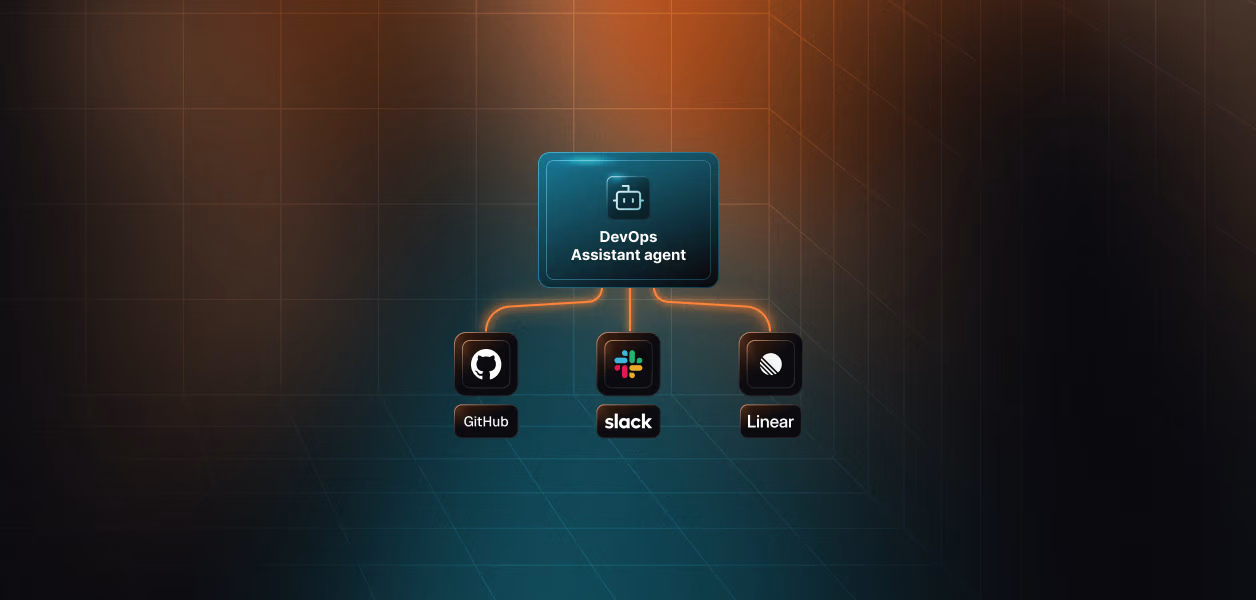
Browse the Scalekit Buildkite MCP connector and its connector documentation. If you want a working shape to start from, the DevOps assistant agent and incident response agent templates use the same per-user auth pattern.
Building something on Buildkite and want a second opinion on the architecture? Join the Scalekit Slack community, or talk to us if you need help now. Every feature is on the free tier.