TL;DR
- A Gmail connection exposes roughly 19 tools. An invoice agent needs three of them (gmail_fetch_mails, gmail_get_message_by_id, gmail_modify_message_labels). A Scalekit Virtual MCP server scopes the surface to exactly those, so the model never sees gmail_send_mail, gmail_trash_message, or the other 16.
- Attachment bytes are context poison. A 1 MB PDF base64-encoded is roughly 1.5 million tokens before the agent reasons at all. The fix is to fetch, decode, and stage the file host-side; the model reads a staged path, never the bytes.
- MCP auth is per user, not per service account. Each run mints a short-lived session token bound to one identifier; Scalekit resolves that user's vaulted Gmail credential server-side. One server definition serves one user or forty thousand, unchanged.
- Structured output is the validation boundary, not a guarantee. output_format re-prompts on schema mismatch and can still return None or error_max_structured_output_retries; the code checks for both before anything is filed.
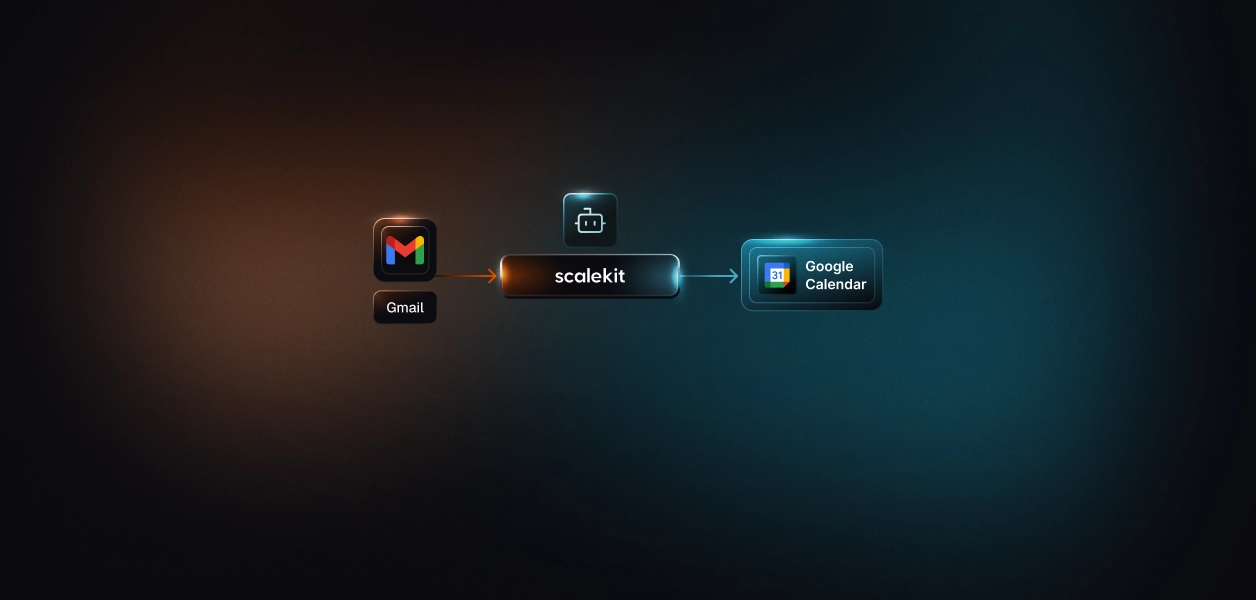
- Scalekit's Gmail connector handles the per-user OAuth flow, token vault, and refresh whether the agent runs interactively or on a nightly timer, so the same auth layer covers one inbox or every customer's inbox. Full code: github.com/your-org/gmail-invoice-agent, running in under 30 minutes.
Your AP team forwards vendor invoices to a shared inbox, or worse, they sit unread across every sales rep's Gmail until month-end. You want an agent that reads new invoice emails overnight, pulls the vendor, amount, and due date off the PDF, and files a bill into your accounting system, per user, with nobody clicking anything at 2am.
The obvious build (call gmail_fetch_mails, inline the attachment, ask the model to parse it) works in a demo and collapses in production: the first 2 MB scanned invoice blows the context window, and the first user who is asleep when the job runs has no browser open to complete an OAuth consent. The hard part here is not extraction. It is doing extraction per user, unattended, without the file or the credential ever entering the model.
Why the naive Gmail-agent build breaks
Three failures show up the moment this leaves a single-developer laptop, and none of them are fixed by a better prompt.
What breaks in production
Inline the attachment (gmail_get_attachment_by_id result goes into the model)
Base64 inflates bytes by ~33%; a 2 MB PDF is ~770K tokens of input before any reasoning, and repeated reads compound until the run rate-limits
The bytes decoded and staged host-side; the model reads a file reference
Hand the model the whole Gmail connection
~19 tools in context (~200 tokens each) degrade tool selection and expose send, trash, and filter tools an invoice agent must never call
A scoped surface of exactly the read and label tools the task needs
One shared bot token or service account
Interactive-only Gmail OAuth has no service-account path; a shared token also means one identity across every tenant, and channel or record attribution breaks
A per-user credential resolved at runtime, isolated per session
The rest of this build closes all three. The tools are the Claude Agent SDK (claude-agent-sdk) for the agent loop and structured extraction, and a Scalekit Virtual MCP server for the scoped, per-user Gmail surface.
The pipeline: a deterministic AP loop
This is a deterministic pipeline, not an open-ended reasoning loop. Every stage is a pure function of the stage before it, so a run is safe to re-execute and easy to audit.
Virtual MCP config (create_config) exposing 3 Gmail tools
The model cannot call a tool that is not on the server
Session token minted per run for one identifier
The agent acts as that user, with that user's Gmail permissions
gmail_fetch_mails then gmail_get_message_by_id
Locates the invoice PDF's attachmentId, metadata only, no bytes
In-process stage_invoice_pdf tool
Bytes fetched, decoded, and written to a sandbox host-side; only a path returns to the model
Built-in Read on the staged file plus output_format
A schema-validated invoice record, not free text
PreToolUse hook allowing only the AP-Filed label add
The one mutation the agent can perform is the one you approved
file_to_ap tool plus PostToolUse hook
The record reaches your accounting system; every tool call is logged with attribution
Read the Virtual MCP setup reference at docs.scalekit.com/agentkit/mcp/overview. The sections below walk the pipeline in execution order.
Scope the tools before you write the agent
Scoping happens at the server, before a single line of agent code. A Virtual MCP server is a config you create once per agent role; it declares which connection and which tools are exposed, and returns one static mcp_server_url you reuse for every user and every run.
The invoice agent role needs exactly three Gmail tools. Note what is absent: no send, no trash, no filter, no draft.
Tool on the scoped surface
Search the inbox with Gmail query syntax; return matching message IDs and metadata
Read one message's MIME parts to find the PDF part's attachmentId and filename
gmail_modify_message_labels
Add the AP-Filed label once an invoice is filed, so the next run skips it
# vmcp_setup.py
# Run ONCE per agent role, not once per user. Persist the returned
# config_id and mcp_server_url; every user session reuses them.
import os
from scalekit import ScalekitClient
from scalekit.actions.models.mcp_config import McpConfigConnectionToolMapping
scalekit = ScalekitClient(
env_url=os.environ["SCALEKIT_ENV_URL"],
client_id=os.environ["SCALEKIT_CLIENT_ID"],
client_secret=os.environ["SCALEKIT_CLIENT_SECRET"],
)
# connection_name must match the Gmail connection you created in
# Scalekit dashboard > AgentKit > Connections. This is the single most
# common integration error: the string here must equal the dashboard name.
vmcp = scalekit.actions.mcp.create_config(
name="invoice-ap-agent",
connection_tool_mappings=[
McpConfigConnectionToolMapping(
connection_name="gmail",
tools=[
"gmail_fetch_mails",
"gmail_get_message_by_id",
"gmail_modify_message_labels",
], # omit `tools` to expose all ~19; we do not
),
],
)
config_id = vmcp.config.id
mcp_server_url = vmcp.config.mcp_server_url # static, shared across all users
print("config_id:", config_id)
print("mcp_server_url:", mcp_server_url)
Three tools instead of nineteen cuts roughly 80% of the connector's tool-description overhead from every context window, and it shrinks the model's decision space to the tools that are actually relevant. The agent sees only what this role authorizes. It cannot pick a tool that does not exist on the server.
Bind identity per run: session tokens
The server definition is fixed. The identity changes every run. Before each execution you confirm the user's Gmail connection is still active, then mint a short-lived token scoped to that one user. The token is what makes the run act as the user rather than a shared account, and it is why offboarding works: revoke the connected account and the pre-run check fails, so no token is ever minted.
# session.py
from datetime import timedelta
def prepare_session(scalekit, config_id, identifier, run_ttl=timedelta(minutes=30)):
"""Return (mcp_server_url, token) for one user, or raise if not authorized.
`identifier` is your app's stable ID for the user (email, user ID, UUID).
Use the SAME value on every call for that user.
"""
# 1. Confirm every required connection is ACTIVE for this user.
# OAuth grants expire or get revoked (offboarding, SCIM deprovision).
accounts = scalekit.actions.mcp.list_mcp_connected_accounts(
config_id=config_id,
identifier=identifier,
include_auth_link=True, # returns a re-auth URL for inactive connections
)
for account in accounts.connected_accounts:
if account.connected_account_status != "ACTIVE":
# Surface this link to the user; do NOT proceed. A revoked
# Gmail grant means this run must stop for this user.
raise PermissionError(
f"{account.connection_name} needs re-auth: "
f"{account.authentication_link}"
)
# 2. Mint a fresh token, scoped to this user, longer than the run.
# Never reuse a token from a previous run.
token_resp = scalekit.actions.mcp.create_session_token(
mcp_config_id=config_id,
identifier=identifier,
expiry=run_ttl,
)
return mcp_server_url, token_resp.token
The user's actual Gmail OAuth token never appears in this code, in your logs, or in the model's context. Scalekit resolves it server-side from the vault when a tool call arrives carrying the session token. Because the token carries the user's own grant, the agent inherits the user's Gmail permissions exactly: what the user cannot read, the agent cannot read. This is the same vaulted-credential approach described in secure token management for AI agents at scale.
Keep the file out of the model: host-side staging
Here is the decision that separates a demo from a production agent. gmail_get_attachment_by_id returns the attachment as a base64 payload. If the model calls it, that payload lands in context: a 1 MB PDF becomes roughly 1.5 million tokens, and because the whole transcript is resent on every turn, a batch of invoices compounds into a rate-limit wall. So the attachment tool is deliberately absent from the scoped surface. Instead, one in-process tool fetches and decodes the bytes host-side and hands the model a reference.
An in-process SDK tool runs in your Python process, so it reaches the same vaulted Gmail credential (same identifier) through execute_tool, decodes the bytes, writes the file to a per-run sandbox, and returns only a path plus metadata.
# tools.py
import base64
import contextvars
import hashlib
import json
import os
from pathlib import Path
from claude_agent_sdk import tool, create_sdk_mcp_server
from scalekit import ScalekitClient
scalekit = ScalekitClient(
env_url=os.environ["SCALEKIT_ENV_URL"],
client_id=os.environ["SCALEKIT_CLIENT_ID"],
client_secret=os.environ["SCALEKIT_CLIENT_SECRET"],
)
# Identity and sandbox are bound per run via context vars, so the in-process
# tools resolve the right user without the model ever passing credentials.
current_identifier: contextvars.ContextVar[str] = contextvars.ContextVar("identifier")
current_sandbox: contextvars.ContextVar[Path] = contextvars.ContextVar("sandbox")
@tool(
"stage_invoice_pdf",
"Fetch a Gmail attachment by message_id and attachment_id, decode it, and "
"write it to the run sandbox. Returns only a file reference. The raw bytes "
"never enter the conversation.",
{"message_id": str, "attachment_id": str, "file_name": str},
)
async def stage_invoice_pdf(args):
identifier = current_identifier.get()
sandbox = current_sandbox.get()
# Host-side fetch: the base64 payload stays in this process, never in context.
result = scalekit.actions.execute_tool(
tool_name="gmail_get_attachment_by_id",
connection_name="gmail",
identifier=identifier,
tool_input={
"message_id": args["message_id"],
"attachment_id": args["attachment_id"],
},
)
# Gmail returns the bytes base64url-encoded. Unwrap defensively; confirm the
# exact field against the tool's response in AgentKit > Catalog for your env.
payload = result.data or {}
b64 = payload.get("data") or payload.get("attachmentData") or ""
raw = base64.urlsafe_b64decode(b64 + "=" * (-len(b64) % 4))
safe_name = os.path.basename(args.get("file_name") or f"{args['attachment_id']}.pdf")
path = sandbox / safe_name
path.write_bytes(raw)
ref = {
"path": str(path),
"filename": safe_name,
"bytes": len(raw),
"sha256": hashlib.sha256(raw).hexdigest(),
}
# Return the reference only. This is what the model sees; it then Reads the path.
return {"content": [{"type": "text", "text": json.dumps(ref)}]}
@tool(
"file_to_ap",
"File one validated invoice record into the AP queue. Call once per invoice "
"after extraction. Returns the AP reference id.",
{"invoice_json": str},
)
async def file_to_ap(args):
record = json.loads(args["invoice_json"])
# POST to your AP endpoint here. To file into a real accounting system,
# swap this body for the Scalekit QuickBooks or Xero connector via
# execute_tool(..., identifier=current_identifier.get()); same vaulted-credential path.
ap_ref = post_to_ap_queue(record) # your integration
return {"content": [{"type": "text", "text": json.dumps({"ap_ref": ap_ref})}]}
# One in-process MCP server carrying both host-side tools.
staging_server = create_sdk_mcp_server(
name="staging",
version="1.0.0",
tools=[stage_invoice_pdf, file_to_ap],
)
Two properties make this correct. The decode runs after the model asks for the file, not as tokens the model generates, and it runs in your process, so the bytes go to disk instead of detouring through the context window. File size stops being the enemy.
Extract with structured output
Now the model reads the staged PDF with the built-in Read tool, which ingests .pdf and image files natively as multimodal input, and returns a validated record. The schema is the contract; the SDK re-prompts when the model's output does not match it.
# schema.py
INVOICE_SCHEMA = {
"type": "object",
"additionalProperties": False, # required by structured outputs
"properties": {
"vendor_name": {"type": "string"},
"invoice_number": {"type": "string"},
"invoice_date": {"type": "string", "format": "date"},
"due_date": {"type": ["string", "null"], "format": "date"},
"currency": {"type": "string", "description": "ISO 4217, e.g. USD"},
"subtotal": {"type": ["number", "null"]},
"tax": {"type": ["number", "null"]},
"total": {"type": "number"},
"line_items": {
"type": "array",
"items": {
"type": "object",
"additionalProperties": False,
"properties": {
"description": {"type": "string"},
"quantity": {"type": ["number", "null"]},
"unit_price": {"type": ["number", "null"]},
"amount": {"type": "number"},
},
"required": ["description", "amount"],
},
},
"source_message_id": {"type": "string"},
"source_filename": {"type": "string"},
"confidence": {"type": "number", "description": "0..1 self-reported"},
},
"required": [
"vendor_name", "invoice_number", "invoice_date",
"currency", "total", "line_items", "source_message_id",
],
}
# The run returns a batch: each filed invoice plus anything skipped.
INVOICE_BATCH_SCHEMA = {
"type": "object",
"additionalProperties": False,
"properties": {
"processed": {"type": "integer"},
"filed": {"type": "integer"},
"invoices": {"type": "array", "items": INVOICE_SCHEMA},
"skipped": {
"type": "array",
"items": {
"type": "object",
"additionalProperties": False,
"properties": {
"message_id": {"type": "string"},
"reason": {"type": "string"},
},
"required": ["message_id", "reason"],
},
},
},
"required": ["processed", "filed", "invoices", "skipped"],
}
Structured output validates, it does not guarantee. Two failure modes are worth handling explicitly: the model occasionally wraps its answer in {"output": {...}}, leaving structured_output as None, and if it cannot satisfy the schema within the retry limit the result subtype is error_max_structured_output_retries. The run code below checks for both before treating anything as filed.
Authorize the write and file it
Scoping removed the dangerous tools from existence. The one mutation that remains, adding a label, still needs an argument-level gate: the agent may add the AP-Filed label and nothing else. A PreToolUse hook enforces that, and deny wins over any allow rule, so this holds even in an unattended run. A PostToolUse hook writes the audit line that ties every action back to the user who authorized it. This is the same audit trail pattern recommended for production agent auth in B2B SaaS.
# hooks.py
import json
import logging
from datetime import datetime, timezone
from claude_agent_sdk import HookMatcher
AP_FILED_LABEL_ID = "Label_AP_Filed" # the label ID in the target mailbox
audit = logging.getLogger("ap_agent.audit")
async def gate_label_write(input_data, tool_use_id, context):
"""Allow only the AP-Filed label add; deny every other label mutation."""
tool_input = input_data.get("tool_input", {}) or {}
add = tool_input.get("add_label_ids") or []
remove = tool_input.get("remove_label_ids") or []
if add == [AP_FILED_LABEL_ID] and not remove:
return {} # empty output allows the call unchanged
return {
"hookSpecificOutput": {
"hookEventName": "PreToolUse",
"permissionDecision": "deny",
"permissionDecisionReason": "AP agent may only add the AP-Filed label.",
}
}
async def audit_tool_call(input_data, tool_use_id, context):
"""Log every tool call with attribution: which user, which tool, which message."""
from tools import current_identifier
tool_input = input_data.get("tool_input", {}) or {}
audit.info(json.dumps({
"ts": datetime.now(timezone.utc).isoformat(),
"identifier": current_identifier.get(),
"tool": input_data.get("tool_name"),
"tool_use_id": tool_use_id,
"message_id": tool_input.get("message_id"),
}))
return {}
HOOKS = {
"PreToolUse": [
HookMatcher(
matcher="mcp__gmail_ap__gmail_modify_message_labels",
hooks=[gate_label_write],
),
],
"PostToolUse": [
HookMatcher(hooks=[audit_tool_call]), # no matcher: fires on every tool
],
}
Assemble the agent and run it
The Claude Agent SDK takes both servers in one mcp_servers map: the remote Virtual MCP over HTTP (bearer session token) and the in-process staging server. allowed_tools names the exact tools with the mcp__<server>__<tool> convention, permission_mode="dontAsk" denies anything unlisted without prompting (correct for unattended runs), and strict_mcp_config=True ignores any ambient MCP config so only these two servers load.
# run.py
import asyncio
import json
from pathlib import Path
from tempfile import mkdtemp
from claude_agent_sdk import query, ClaudeAgentOptions, ResultMessage
from schema import INVOICE_BATCH_SCHEMA
from session import prepare_session
from tools import scalekit, staging_server, current_identifier, current_sandbox
from hooks import HOOKS
CONFIG_ID = "cfg_..." # from vmcp_setup.py
SYSTEM_PROMPT = """You are an accounts-payable agent for ONE user.
For each new vendor invoice email:
1. Find candidate emails with gmail_fetch_mails using a precise query.
2. Read each with gmail_get_message_by_id to find the PDF part's attachmentId and filename.
3. Call stage_invoice_pdf(message_id, attachment_id, file_name) to stage the PDF.
4. Read the staged path with the Read tool. For PDFs over 10 pages, pass a page range.
5. Extract the invoice fields. If a required field is illegible, add the message to `skipped`.
6. Call file_to_ap once per valid invoice.
7. Add the AP-Filed label with gmail_modify_message_labels so it is not reprocessed.
Never send, reply, trash, or delete. Return the batch summary."""
RUN_PROMPT = (
'Process new vendor invoices. Use this gmail_fetch_mails query: '
'"has:attachment filename:pdf newer_than:2d -label:AP-Filed". Max 25 messages.'
)
async def run_for_user(identifier: str):
mcp_url, token = prepare_session(scalekit, CONFIG_ID, identifier)
sandbox = Path(mkdtemp(prefix=f"ap_{identifier}_"))
current_identifier.set(identifier) # bind identity for the in-process tools
current_sandbox.set(sandbox)
options = ClaudeAgentOptions(
model="claude-sonnet-4-6", # cost-efficient for high-volume extraction
mcp_servers={
"gmail_ap": { # remote Scalekit Virtual MCP
"type": "http",
"url": mcp_url,
"headers": {"Authorization": f"Bearer {token}"},
},
"staging": staging_server, # in-process SDK MCP server
},
allowed_tools=[
"mcp__gmail_ap__gmail_fetch_mails",
"mcp__gmail_ap__gmail_get_message_by_id",
"mcp__gmail_ap__gmail_modify_message_labels",
"mcp__staging__stage_invoice_pdf",
"mcp__staging__file_to_ap",
"Read",
],
permission_mode="dontAsk", # deny anything not pre-approved, no prompts
strict_mcp_config=True, # load only the two servers above
setting_sources=[], # SDK-only app: ignore filesystem settings
system_prompt=SYSTEM_PROMPT,
hooks=HOOKS,
output_format={"type": "json_schema", "schema": INVOICE_BATCH_SCHEMA},
cwd=str(sandbox), # Read can access files in the sandbox
max_turns=60,
max_budget_usd=2.00, # hard stop per run
env={"API_TIMEOUT_MS": "120000"},
)
batch = None
try:
async for message in query(prompt=RUN_PROMPT, options=options):
if isinstance(message, ResultMessage):
if message.structured_output:
batch = message.structured_output
elif message.subtype != "success":
# e.g. error_max_structured_output_retries, error_max_turns
raise RuntimeError(f"Run ended: {message.subtype}")
except Exception as exc:
# query() raises after yielding an error result; surface it, do not file partial data.
raise RuntimeError(f"AP run failed for {identifier}: {exc}") from exc
if batch is None:
# Structured output came back empty (e.g. the {"output": {...}} wrapper case).
raise RuntimeError(f"No validated batch for {identifier}; nothing filed.")
print(json.dumps(batch, indent=2))
return batch
if __name__ == "__main__":
asyncio.run(run_for_user("user_123"))
That is the full single-user pipeline: scope, bind identity, triage, stage, extract, authorize, file, audit, with the file bytes and the OAuth token both kept out of the model.
Run it nightly, safely
Scheduling this across every customer's inbox adds three concerns, and each has a concrete control.
Isolate each extraction so PDF tokens do not compound. Reading many PDFs in one growing loop accumulates multimodal document blocks that get resent every turn and can rate-limit the run. Move extraction into a subagent with its own context and its own model, so the main loop only ever holds file references and structured records.
from claude_agent_sdk import AgentDefinition
EXTRACTOR = AgentDefinition(
description="Reads one staged invoice PDF and returns its fields as JSON.",
prompt=(
"Read the single PDF path given to you and return the invoice fields as JSON. "
"Read the file once. For PDFs over 10 pages, pass a page range."
),
tools=["Read"], # nothing else; it cannot touch Gmail or the AP queue
model="claude-opus-4-8", # flagship reasoning for hard or scanned documents
)
# Pass agents={"invoice-extractor": EXTRACTOR} in ClaudeAgentOptions; the main
# agent delegates each PDF to it, keeping the orchestrator's context lean.
Set per-user and per-tenant limits before real traffic. MCP tool calls consume the same Gmail API quota as direct calls (roughly 6,000 units per minute per user and a moving average near 250 units per second), and agentic loops issue several calls per invoice. Apply Scalekit's per-user and per-tenant rate limits on the Virtual MCP server, and keep the max_budget_usd and max_turns stops above.
Clear the production auth gate. Gmail's restricted scopes require your own Google OAuth client configured as an External app (an Internal app blocks users outside your Workspace), Google's app verification, and, for storing restricted-scope data, a CASA security assessment before production. The default Scalekit connection uses Scalekit's credentials for testing; switch to your own before you go live. For a deeper look at agent tool calling auth production patterns and anti-patterns, the linked guide covers the common gotchas across frameworks.
FAQ
Can this run with no user present?
Yes. Scalekit holds and refreshes the user's Gmail OAuth token in the vault, so a scheduled run mints a session token for that identifier and acts as the user without an interactive consent. The prerequisite is that the user authorized the connection once; after that, background and scheduled runs work.
How does it stay isolated across thousands of inboxes?
One Virtual MCP server definition serves all users. Each run mints a token scoped to a single identifier, and Scalekit resolves that user's credential server-side. No credential is shared between users, and no run can reach another user's mailbox because the token binds the session to one connected account. This is the same isolation model described in access control for multi-tenant AI agents.
What about scanned or image-only invoices?
The Read tool handles them as vision input, but fax-quality scans are unreliable. For those, add a deterministic OCR pre-step (PyMuPDF or an OCR pass) inside stage_invoice_pdf and stage the extracted text alongside the PDF, so the extractor has both.
What happens when a user is offboarded?
Revoke their Gmail connected account. The next run's list_mcp_connected_accounts check returns a non-ACTIVE status, prepare_session raises, and no token is minted, so the agent stops for that user with a clear re-auth link rather than silently reusing a stale grant.
Can it send a confirmation reply?
Keep sends off the scoped surface. If you want a confirmation, expose gmail_create_draft instead of a send tool and gate it with the same PreToolUse pattern, so a human approves before anything leaves the mailbox.
How do I control cost at volume?
Run extraction on claude-sonnet-4-6 and reserve claude-opus-4-8 for the subagent that handles hard documents; cap each run with max_budget_usd and max_turns; and scope the tool surface, since fewer tool descriptions mean fewer input tokens on every turn.
Next steps to start building your invoice extraction agent
- Create the Gmail connection in Scalekit dashboard > AgentKit > Connections; for production use your own Google OAuth External client.
- Run vmcp_setup.py once to create the Virtual MCP server; save config_id and mcp_server_url.
- Have each user authorize Gmail once, then mint a session token per run with create_session_token.
- Point the Claude Agent SDK at the Virtual MCP URL plus your in-process staging server, and run run.py.
Browse the Scalekit Gmail connector: docs.scalekit.com/agentkit/connectors/gmail. If you are building similar pipelines on other frameworks, see how production-ready CrewAI agents handle role-based identity and tool calling for a comparable multi-tenant pattern.