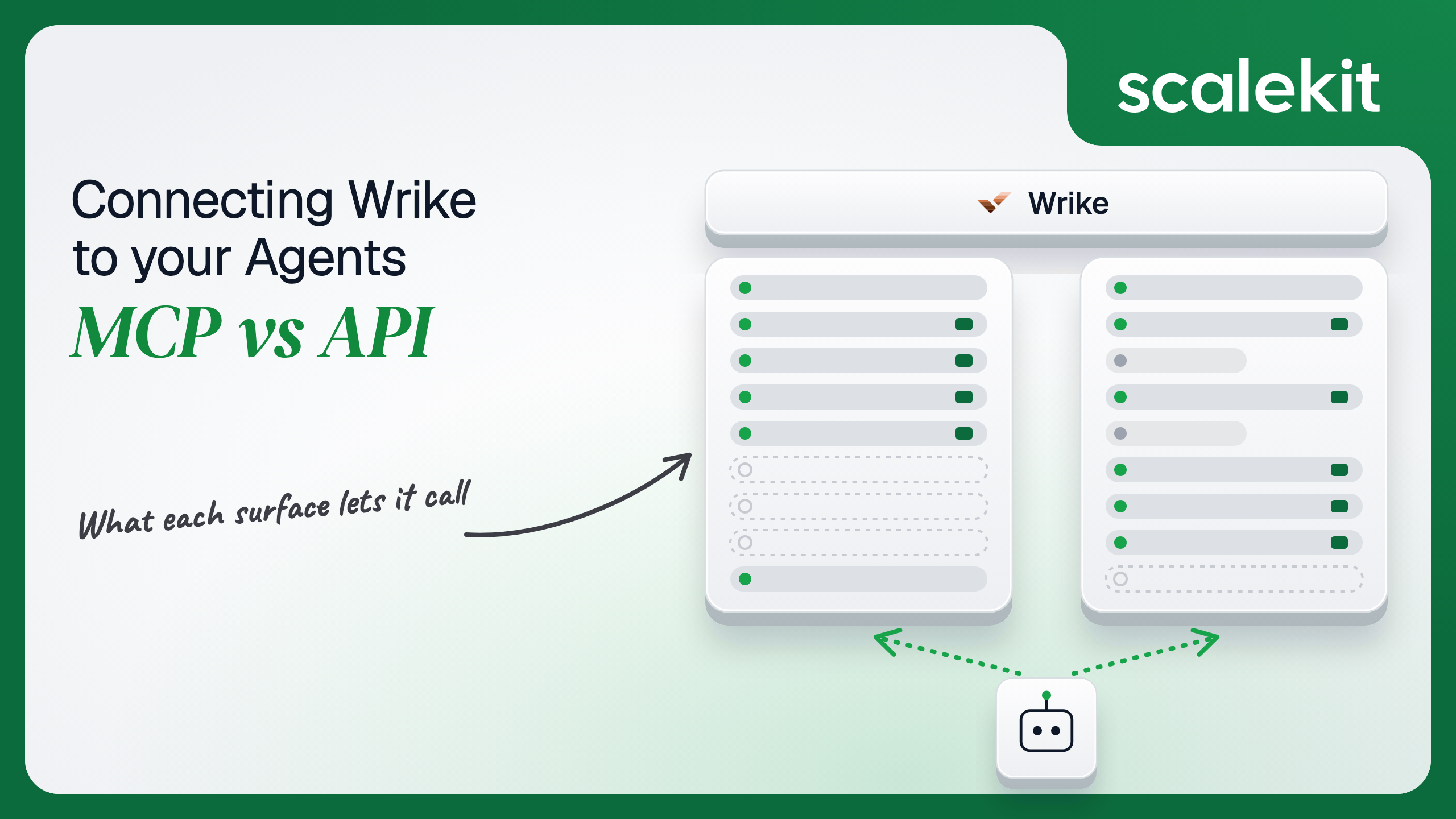


Wrike now hosts an official MCP server, out of beta and on every plan, and the built-in Wrike connectors in Claude and ChatGPT already point at it. Wrike also has a mature REST API that has been on v4 for years. They overlap heavily on search and task creation and diverge on everything an unattended agent needs: time tracking, dependencies, events, and control over which data center you call. This guide compares what each path lets an agent do, the OAuth grant each one puts you on, and how to run either across many customer accounts in production.
Your agent needs to work inside your customers' Wrike accounts: find every overdue task in a launch project, turn a meeting transcript into assigned tasks, log the hours an engineer spent on a ticket, or post a status update when a project slips. Wrike now hosts an official MCP server, and the built-in Wrike connectors in Claude and ChatGPT already point at it. Wrike also has a mature REST API that has been on v4 for years. They overlap heavily on search and task creation, and they diverge on everything an unattended agent needs: time tracking, dependencies, events, and control over which data center you call. Here's how to pick.
Wrike runs a remote Model Context Protocol (MCP) server at https://mcp.wrike.com/v2, served over Streamable HTTP only. Wrike launched its MCP server in 2025 and has since moved the v2 server out of beta and made it available to all users; the older v1 endpoints at /app/mcp/stream and /app/mcp/sse remain for existing clients. Wrike's MCP server overview recommends OAuth 2.0 for interactive use, with a Permanent Access Token as the option for testing and non-interactive environments. The server stores no data or cache of its own, and every call runs with the authenticated user's Wrike permissions.
The v2 tool list has 29 tools. Read tools include search_items, get_item_details, get_items_children, search_spaces, get_my_inbox, get_item_comments, search_users, search_workflows, search_item_customfields, search_approvals, search_requestforms, and search_blueprints. Write tools include create_task_item, create_project_folder_item, create_item_from_blueprint, submit_requestform, update_items, create_item_comment, and the attachment pair prepare_attachment_upload and add_attachments_to_item. A Wrike Labs tool, recommend_resources, proposes assignees based on skills and availability.
The Wrike API v4 is a REST API that returns JSON with a kind field and a data array. It covers tasks, folders, projects, spaces, comments, attachments, timelogs and timelog categories, dependencies, approvals, workflows and custom statuses, custom fields, contacts, blueprints, request forms, and webhooks. Every call goes to https://{host}/api/v4, where host comes from the OAuth token response.
Auth is OAuth 2.0 Authorization Code against https://login.wrike.com/oauth2/authorize/v4, with scopes Default, wsReadOnly, wsReadWrite, and a family of account-management scopes: amReadOnlyUser, amReadWriteUser, amReadOnlyGroup, amReadWriteGroup, amReadOnlyInvitation, amReadWriteInvitation, amReadOnlyWorkflow, and amReadWriteWorkflow. The alternative is a Permanent Access Token generated in the App Console, which never expires and grants access to everything its author can see.
The MCP server is built for a person directing work in conversation: find it, summarize it, create it, update it. The API is built for systems: it records time, wires dependencies, and pushes events. Neither path is a superset, because get_my_inbox and submit_requestform have no equivalent in the public API surface an agent typically calls.
Wrike's data model is a graph of opaque IDs. A task lives in one or more folders, belongs to a space, carries a custom status ID from a workflow, and has assignees identified by contact IDs like KUAFY3BJ. Asking "move every task assigned to Dana in the Q4 launch project to In Review" on the raw API is five or six calls: resolve Dana to a contact ID, find the project folder, find the workflow, map "In Review" to a customStatusId, list tasks, then update each one.
The MCP server collapses that. search_users and search_workflows resolve names to IDs, search_items finds the tasks, and update_items edits up to 20 of them in one call. Wrike also says v2 cut token use on navigation by about 25%. Writing the schema is the hard part. Not the API call.
The tradeoff is that the tool set is fixed by Wrike. Clients cache the tool list, so new tools may not appear until the connector is refreshed, and ChatGPT Business and Enterprise disable new tools by default until an admin enables them.
Wrike's MCP server does not support Dynamic Client Registration. To connect a custom client, a Wrike user with API permissions (the Account Owner always has them) creates an app under Apps & Integrations > API, adds the client's callback URL to its Redirect URLs, and hands out the client ID and secret. Claude Code, for example, connects with claude mcp add --transport http --client-id ... --client-secret --callback-port 8080 wrike https://mcp.wrike.com/v2, and stores the secret in the system keychain. Each user then signs in through Wrike's own OAuth screen, which follows the account's SSO configuration, so SAML logins route through the customer's identity provider.
The token that comes back carries the user's own Wrike permissions. An agent cannot see a folder the user cannot see. What the user can't do, the agent can't do. The Permanent Access Token option on the MCP path, wired through the third-party mcp-remote package, discards that per-session consent and puts a non-expiring credential in a local config file.
The direct path gives you control the MCP path hides. You choose scopes: wsReadOnly lets an agent read tasks, folders, and comments without being able to change anything, and wsReadWrite is required for anything that creates or edits work. The am* scopes manage users, groups, invitations, and workflows, and a project-management agent should not request them. A token needs at least one scope each method requires, and Wrike recommends requesting only what the app needs.
Three details break naive implementations:
Permanent Access Tokens exist on this path too. Wrike's FAQ states they bypass OAuth, grant full access to the user's account, never expire, and are not intended for multi-user applications. They are invalidated by a password reset, user deactivation, or an admin logging in as the token's author, which means a scheduled agent can stop working because someone changed a password.
In a multi-tenant B2B agent, MCP gives you a credential per user and the direct API gives you a credential per user. In neither case does the path itself solve storage, rotation, or revocation; those are infrastructure problems regardless of which path you choose.
Wrike adds one sharp edge. Webhooks belong to the user who created them, and if that user is removed from the Wrike account, all of their webhooks are permanently deleted. An agent that registered webhooks under one admin's token loses its event stream when that admin leaves the customer's company.
Recommended reading: OAuth vs API keys for AI agents
Wrike hosts and patches the server, owns the tool schemas, and maintains the mapping from tool calls to API calls. You own the OAuth app registration, the client secret distributed to every MCP client, and the redirect URLs registered for each one. If your product is the MCP client, you also own every user's refresh token, and you inherit the rotation rule: each refresh invalidates the last one, so concurrent refreshes must be serialized.
You also own what the server doesn't do. An agent that must react when a task changes status has no subscription mechanism on MCP, so it polls search_items and spends the same rate budget as an API caller.
You own schemas, pagination, retries, regional routing, and the token lifecycle. Wrike estimates its rate limit per second, which works out to roughly 400 requests per minute, and it can return 429 below that limit when internal overload protection trips. Retry with exponential backoff. GET /tasks returns 1,000 results per call by default, so an agent scanning a large account must paginate.
Webhooks replace polling, with rules. You create them with POST /webhooks (account), POST /spaces/{spaceId}/webhooks, or POST /folders/{folderId}/webhooks, optionally recursive. With a secret, Wrike sends a verification request carrying X-Hook-Secret, and your endpoint must return an HMAC-SHA256 of that value; every later event carries X-Hook-Signature. Payloads carry IDs and event metadata, not full tasks, unless you request extra fields through parameterisedEvents. Delivery is not exactly-once, so dedupe on the Idempotency-Key header. Any 4xx other than 408 or 429 suspends the webhook immediately, three failed retries suspend it too, and mass actions such as imports trigger no events at all.
The API has been on v4 for years, and changes ship through Wrike's changelog. The MCP server changes more often: v2 replaced SSE with Streamable HTTP, added unified search and bulk edits, and introduced Wrike Labs tools such as recommend_resources that only exist on the v2 URL. On the API path, a change is something you adopt when you choose. On the MCP path, the tool list your agent sees can change between runs.
Both paths hand you a Wrike OAuth grant per user. Neither hands you a vault. A multi-tenant agent with 80 customer accounts and 6 users each is 480 Wrike refresh tokens. Each is bound to one user, one scope set, and one data center host. Each rotates on every refresh, so a refresh that succeeds at Wrike but fails to persist on your side strands the user until they consent again. Each must be stored encrypted, kept out of logs and LLM context, and deleted when a user disconnects or a customer churns.
The token type is identical between paths, because the MCP server runs on the same Wrike OAuth grant you would use directly. The tempting shortcut is one Permanent Access Token per customer, generated by an admin. That collapses 480 grants into 80 secrets that never expire, see everything their author can see, and die without warning on that author's next password reset. Fewer secrets, larger blast radius per secret, and a hidden dependency on one person's account.
Scalekit's wrike connector handles the Wrike OAuth flow, stores each user's tokens in the token vault, and refreshes them, so the MCP vs API decision doesn't change your auth infrastructure. Your agent passes an identifier; the token never enters the agent runtime or the LLM context.
Recommended reading: how to handle token refresh for AI agents
Scalekit's wrike connector is an API-path connector with 61 tools: 44 read and 17 write, with no destructive tools. It covers tasks, folders, spaces, comments, approvals, attachments, dependencies, timelogs, workflows, custom fields, contacts, blueprints, and request forms. It authenticates with Wrike OAuth 2.0: each user signs in to Wrike once, and Scalekit stores and refreshes their tokens as that user's connected account.
The connector uses your own Wrike OAuth app. In the Scalekit dashboard, go to AgentKit > Connections, create a Wrike connection, and copy its redirect URI. In Wrike, open Apps & Integrations > API, create an app, add that redirect URI to its Redirect URLs, and copy the Client ID and Client Secret into the Scalekit connection. Creating the app requires Wrike API permissions, which the Account Owner always has.
The connection name you choose is the connection_name your code passes, and the string must match the dashboard exactly. This is the most common integration error. Copy SCALEKIT_ENVIRONMENT_URL, SCALEKIT_CLIENT_ID, and SCALEKIT_CLIENT_SECRET from Developers > API Credentials into .env.
get_or_create_connected_account returns the user's connected account. If it is not ACTIVE, get_authorization_link returns a Wrike OAuth consent link. The user approves once; Scalekit exchanges the code and stores the tokens.
This is not a catalog load. The agent asks for the tools this user's connected account is authorized to call, then narrows them to the five a project status agent needs. Loading all 61 Wrike tool definitions would put space administration, approvals, and timelog edits in front of a model whose job is to read a project and comment on it. wrike_task_update and wrike_space_update never reach the model, so it cannot reassign work or change a space's members while writing a status report.
The loop runs until the model stops requesting tools. Every tool call executes with this user's Wrike credential, against this user's data center, and sees only the folders this user can see.
For pipelines, skip the model. execute_tool runs one tool with a fixed input and returns data plus an execution_id you can log. This nightly job pulls every task completed in the last 24 hours across the account. Filters that take lists are passed as JSON strings.
Intake is a write pipeline. This creates a planned task in a customer's onboarding project, assigns it, and then logs the first hour against it. The folder and assignee IDs come from your app's config for this customer, resolved once with wrike_folders_list and wrike_contacts_list.
To make one task wait on another, wrike_dependency_create takes a task_id, a relation_type such as FinishToStart, and exactly one of predecessor_id or successor_id. The Wrike MCP server has no equivalent.
The wrike connector has 61 tools. At roughly 200 tokens each, that is about 12,000 tokens of tool definitions before the agent does any work, and a model choosing among wrike_tasks_list, wrike_folder_tasks_list, wrike_space_tasks_list, and wrike_tasks_get picks wrong more often than one choosing among two. Overreach is the second risk: a status-report agent that also holds wrike_space_update can change who has access to a customer's space. A Scalekit virtual MCP server declares exactly which tools an agent role can see, and session tokens keep each run bound to one user's connected accounts. Docs: set up a virtual MCP server.
One server definition serves every user. Before each run, check that the user's accounts are active and mint a short-lived session token scoped to them. Any MCP client that speaks Streamable HTTP can connect; this example uses langchain-mcp-adapters (pip install langchain-mcp-adapters) and passes the token as a Bearer header.
The agent sees four tools instead of 61. The endpoint is static; the identity is per-user. Unlike Wrike's own MCP server, this endpoint needs no OAuth app shared with every client, and it can include tools Wrike MCP doesn't have, such as wrike_timelog_create, for the agent roles that need them.
Every execute_tool call returns an execution_id, and every execution is attributed to a connected account, which maps to one of your users and one customer. When a customer asks which agent run moved 14 tasks to Completed or logged 6 hours to the wrong project, the answer is a lookup, not an investigation. Wrike's own activity stream shows the change under the user whose token made it, and your execution log shows which agent run and which prompt led there.
A shared credential breaks that. If every user's agent runs on one admin's Permanent Access Token, Wrike attributes every change to that admin, every agent sees every folder the admin can see, and your side can only prove that the shared token did it. Shared credentials are a single-user solution. They do not survive a second user.
Recommended reading: audit trails for agent auth
If your agent is a project manager's assistant inside Claude, ChatGPT, or Cursor, summarizing projects, creating tasks from notes, and bulk-updating status with a human watching, Wrike's official MCP server is a good fit: it is hosted, generally available, and its search and bulk-edit tools do real work. If your agent runs unattended, tracks time, manages dependencies, reacts to webhooks, or serves many customer accounts across US and EU data centers, build against the Wrike API, where you control scopes, regions, and rate budgets. Either way, you hold one rotating Wrike refresh token per user, per customer, and that's what needs production-grade infrastructure.
Yes. Wrike hosts it at https://mcp.wrike.com/v2 over Streamable HTTP, out of beta and available on every plan from Free to Pinnacle. The v2 tool list has 29 tools for search, task and project creation, bulk updates of up to 20 items, comments, approvals, request forms, blueprints, and attachments, plus a Wrike Labs tool that recommends assignees. It stores no data of its own and runs with the authenticated user's permissions.
It has no delete tools, no time tracking, no task dependencies, no space creation or reconfiguration, and no webhooks. An agent that must react when a task changes status has no subscription on MCP, so it polls search and spends the same rate budget as an API caller. All of those capabilities exist on the API v4.
Wrike's MCP server does not support Dynamic Client Registration. A Wrike user with API permissions creates an app under Apps & Integrations > API, adds the client's callback URL, and hands out the client ID and secret that every MCP client then uses. Each user signs in through Wrike's own OAuth screen, which follows the account's SSO configuration. Access tokens last one hour, refresh tokens rotate on every use, and the token response names the US or EU data center to call.
A token generated in the App Console that bypasses OAuth, never expires, and grants access to everything its author can see. Wrike says it is not intended for multi-user applications. It is invalidated by a password reset, user deactivation, or an admin logging in as its author, so a scheduled agent built on one can stop working because someone changed a password.
When it runs headless from a TaskStatusChanged webhook, logs time against tasks every evening, creates standard task sets with fixed dates and custom fields for every new customer, or serves many accounts across US and EU data centers with per-scope least privilege such as wsReadOnly and a budget of roughly 400 requests per minute.
The wrike connector exposes 61 tools over the Wrike API and authenticates with your own Wrike OAuth app. Each user signs in once, Scalekit stores and refreshes the rotating tokens in the token vault, a virtual MCP server narrows the tools per agent role and can include timelog and dependency tools Wrike's MCP server lacks, and every execution returns an execution_id attributed to that user.
Browse the Scalekit Wrike connector and the Wrike connector docs with the full tool list. See Scalekit pricing, or talk to us.