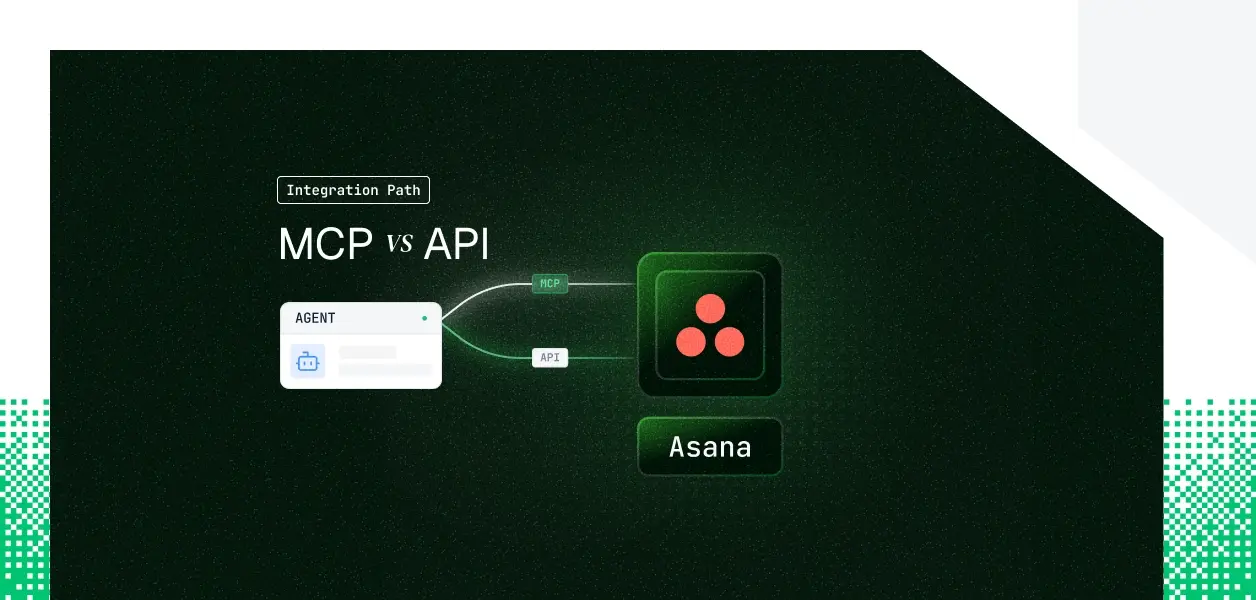


Your agent needs to read and write Asana. Asana now ships two distinct paths: the V2 MCP server, which reached general availability on February 4, 2026, and the REST API your integrations have called for years. They cover overlapping but not identical territory. They put you on different auth paths. They make different operational demands in production. Here is the decision framework.
Asana's V2 MCP Server is hosted and maintained by Asana, reachable over Streamable HTTP at https://mcp.asana.com/v2/mcp. It reached general availability on February 4, 2026, replacing the V1 beta server (https://mcp.asana.com/sse), which used Server-Sent Events and was shut down on May 11, 2026. If you are reading code or guides that still point at the /sse endpoint, they are referencing a server that no longer exists.
Authorization is OAuth only. You pre-register an MCP app in the Asana developer console to obtain a client ID and secret; Dynamic Client Registration is not supported. Tools are exposed for LLM consumption, and the authoritative, current tool list is whatever tools/list returns from the server.
The Asana REST API is a versioned REST interface at https://app.asana.com/api/1.0, exposing the full Work Graph: tasks, projects, sections, portfolios, goals, custom fields, time tracking, webhooks, audit log events, SCIM, and organization exports.
Authentication runs on four methods: PATs (long-lived, attributed to the generating user), Service Accounts (Enterprise tier, created only by super admins, with full access to all org data), OAuth for multi-user apps, and OpenID Connect for sign-in. There are no LLM-specific affordances; pagination, error handling, and rate limits are yours to manage.
Resource:
The MCP server covers the interactive surface well: search, task and project read and write, comments, status updates, and preview tools that render a confirmation UI before committing a change. The REST API owns everything operational and administrative.
The MCP server is built for a user sitting in front of an AI client. Anything event-driven or administrative lives only in the REST API. If your agent has to react when a task changes, it needs webhooks, and the MCP server has no event subscription surface.
If it has to read audit log events for compliance, run SCIM provisioning, batch hundreds of mutations into one request, or export an organization's graph, those are REST-only. These are architectural features of the platform API, not MCP tools that ship next month.
Asana does not publish a frozen tool count for the MCP server. The documentation directs you to the tools/list command for the canonical set and notes explicitly that tools may be added, updated, or deprecated. For a deterministic pipeline, that fluidity is something to plan around, not assume away.
MCP: OAuth, per user, one-hour tokens
REST API: four methods, two of them non-interactive
OAuth covers multi-user apps, and OIDC covers sign-in.
One constraint catches teams off guard. Tokens issued for an MCP app work only against the MCP server, and standard API tokens work only against the REST API. This is deliberate, following MCP security guidance to contain blast radius, but it means a hybrid agent that uses MCP for interactive work and REST for webhooks needs two registered apps and two credential lifecycles per user, not one.
MCP access is user-based: every action appears as the user who authorized it, bounded by that user's existing Asana permissions. The MCP token grants nothing beyond what the user already has.
That is the correct security posture, and it is also the reason a multi-user B2B agent ends up with one credential per user on the MCP path. The REST API's PAT and OAuth paths land in the same place; only the Service Account path centralizes into a single org-level credential, at the cost of acting as an admin rather than as the user.
On the MCP path
On the REST API path
There are also concurrency caps of 50 in-flight reads and 15 in-flight writes, plus a cost limiter for graph-heavy requests. An agent prepping context before every task action hits these faster than a traditional integration.
MCP tool schemas change when Asana updates the hosted server, and you consume that managed contract without controlling the cadence. The REST API is versioned and changes follow a deprecation process. For a deterministic pipeline where an unexpected schema change is an incident, the versioned API is the more predictable dependency.
Use Asana MCP when
Use the Asana REST API when
Whether you chose MCP or REST, every user in a multi-tenant agent has their own Asana credential. Fifty customers means fifty credential lifecycles. The MCP OAuth flow gives you a one-hour access token plus a refresh token per user. The REST OAuth flow gives you an access token per user. In both cases the credential has to live somewhere encrypted, isolated per tenant, and revocable, and your agent has to detect a revoked or expired token and re-prompt rather than fail silently.
Scalekit's Asana connector handles the OAuth flow, per-user token storage, and the one-hour refresh cycle on the MCP and REST paths alike. The path you pick changes the token type; it does not change what you need at the credential layer. That is the same regardless of which path you build against.
Scalekit ships an Asana connector that wraps the REST surface as discrete, LLM-ready tools your agent calls through a single execute_tool method: task CRUD (asana_task_create, asana_task_update), search (asana_task_search, asana_projects_search), comments (asana_story_create), status updates (asana_status_update_create), plus the surface the MCP server omits, including webhooks (asana_webhook_create), time tracking, resource allocations, goals, and custom fields.
There is also an MCP-flavored variant of the connector if you want the MCP transport with Scalekit handling auth. Credentials are held in Scalekit's token vault and never touch your agent runtime or the model context.
Set up the connection once in the Scalekit dashboard under Agent Auth, then resolve and execute per user. The connectionName you pass in code must match the connection name configured in the dashboard exactly; a mismatch here is the most common integration error.
If you need an endpoint the prebuilt tools do not cover, the same connection proxies raw REST calls through actions.request({ connectionName, identifier, path, method }), so you keep one auth layer across both styles.
If you want an MCP-compatible framework to connect without writing a tool-calling loop, Scalekit's Virtual MCP gives every agent role a scoped, per-user MCP endpoint. You declare one config that lists which connections and which tools are exposed, then Scalekit mints a per-user URL from it.
The agent sees only the three tools you whitelisted, not the full connector surface, and each user gets their own pre-authenticated URL of the form https://yourcompany.scalekit.com/mcp/v3/servers/<server-id>.
One config definition serves every user; the identity is resolved per run from that user's connected account. There is no MCP server for you to deploy, host, or maintain.
Every authorization and tool call flows through Scalekit's auth logs, so you can answer the questions a security reviewer asks about a multi-tenant agent: which user authorized this Asana action, which credential executed it, and when access was granted or revoked. For an agent acting across dozens of customers, that per-user audit trail is the difference between a clean SOC 2 conversation and a three-week log investigation.
Most production Asana agents will end up using both: MCP for the interactive assistant, REST for the background pipeline. The credential management problem is identical either way, and that is the part that needs production-grade infrastructure.
Next Steps:




.webp)




