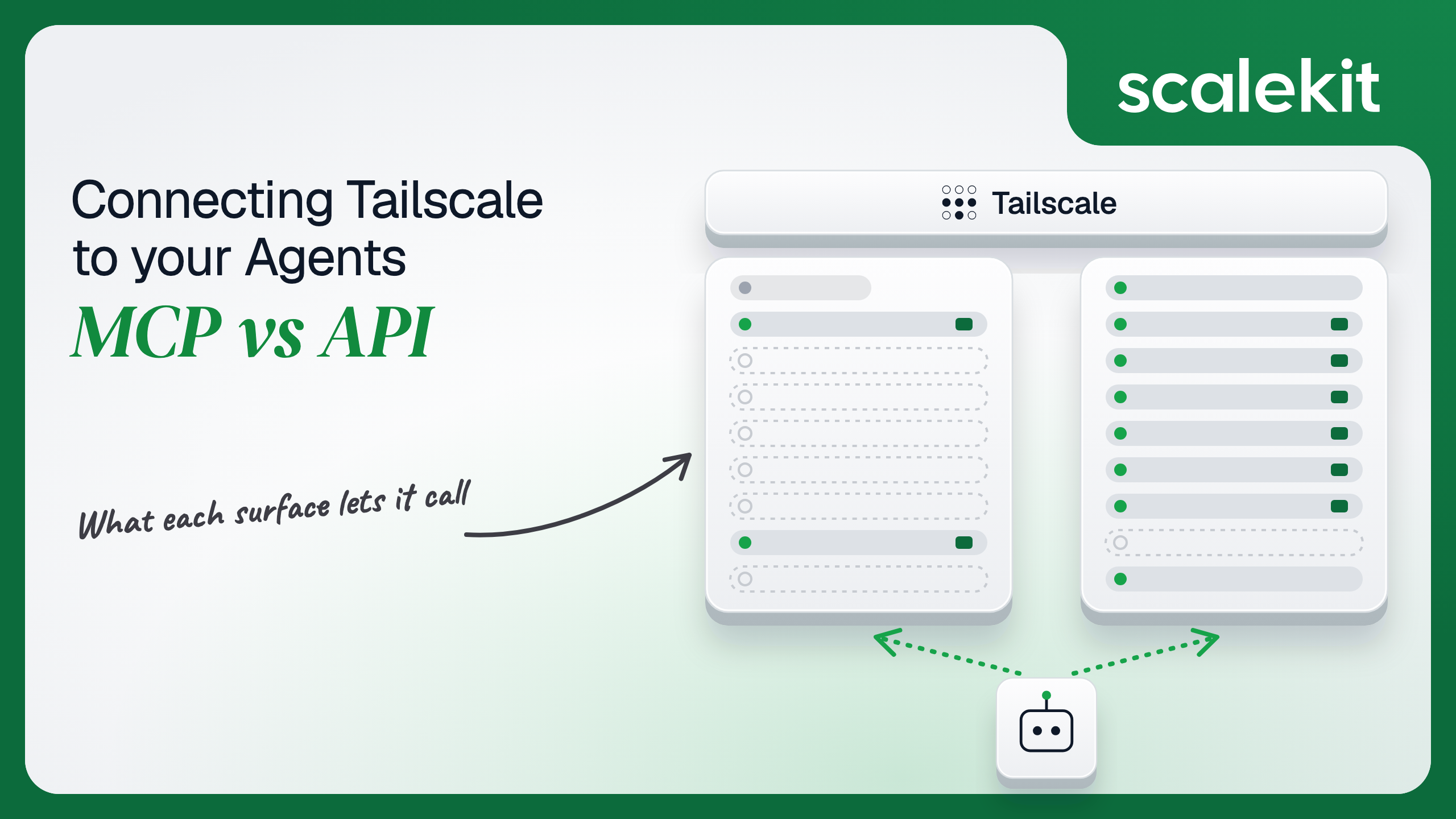


Tailscale does not ship a general-purpose MCP server for its admin API. Its official MCP surface lives inside Aperture, its AI gateway, with three tools for provisioning a node and running commands over Tailscale SSH, while community servers wrap parts of the CLI and REST API with a single API key. The admin API is where the policy file, device approval, and audit logs live. This guide compares what each path lets an agent do, the credential each one puts you on, and how to run an access-review agent across many customer tailnets in production.
Your agent needs to work inside your customers' tailnets: answer whether a contractor can reach the production database, approve a new laptop that is waiting for device approval, retag a fleet of CI runners, or explain who loosened an ACL last Tuesday. You go looking for a Tailscale Model Context Protocol (MCP) server and find two different things. Tailscale's own MCP endpoints sit inside Aperture, built to provision nodes and run SSH commands for coding agents. A handful of community MCP servers wrap the Tailscale CLI and parts of the REST API. Neither is the admin API, and the admin API is where the policy file, device approval, and audit logs live. Here's how to pick.
Tailscale has no hosted MCP server for managing a tailnet the way GitHub or Notion do. Its official MCP surface is part of Aperture, an AI gateway that proxies LLM providers and MCP servers inside your tailnet. Aperture reached GA on August 26, 2026, and that release added "two new MCP endpoints, Tailscale and Tailscale SSH." Each organization runs its own gateway, reachable at its MagicDNS name, and clients connect to the /v1/mcp path on it. Access uses Tailscale identity and Aperture grants, deny by default (MCP server proxying).
The built-in connectors expose three tools. Tailnet_provision_node starts a browser authorization and returns a single-use auth key once the user approves; Tailscale states that "Built-in Tailnet connectors are currently in alpha." TailnetSSH_list_machines lists machines with Tailscale SSH enabled, and TailnetSSH_run_command runs one shell command on one machine as the Aperture node.
Outside Aperture, the most visible option is HexSleeves/tailscale-mcp, an MIT-licensed community server published to npm as @hexsleeves/tailscale-mcp-server. It runs locally, mixes Tailscale CLI calls with REST API calls, and reads TAILSCALE_API_KEY and TAILSCALE_TAILNET from the environment. Its tools are list_devices, device_action, manage_routes, get_network_status, connect_network, disconnect_network, ping_peer, get_version, and get_tailnet_info. Tailscale does not maintain it.
The Tailscale API is a REST API at https://api.tailscale.com/api/v2. It covers devices (authorization, tags, routes, key expiry, posture attributes), auth keys and API keys, the policy file with validate and preview endpoints, DNS nameservers, preferences, search paths and split DNS, users and invites, tailnet settings, contacts, configuration audit logs and network flow logs, log streaming, and webhooks. Most paths take a tailnet ID, and - means "the tailnet that owns this token."
There are two ways in. An API access token is created by an Owner, Admin, IT admin, or Network admin on the admin console Keys page, has "full permission to the Tailscale API," and expires after 1 to 90 days. Trust credentials delegate narrower access: an OAuth client exchanges its secret at https://api.tailscale.com/api/v2/oauth/token for a scoped token that "expires after one hour," and a federated identity exchanges an OIDC JWT from a third-party issuer for the same kind of token, with no long-lived secret.
The two MCP options are built for different jobs than the admin API. Aperture's connectors let a coding agent get a machine onto the network and then operate on it. The community server lets one developer drive their own tailscale CLI from a chat window. The control plane decisions a security or IT agent makes, who can reach what, which device is trusted, which tag a server carries, are API-only.
Provisioning a node through the raw API is a sequence of decisions an agent can get wrong: pick tags the policy file's tagOwners allows, decide reusable or single-use, ephemeral or not, preauthorized or not, pick an expiry, create the key, then hand the secret to the right process and nowhere else. Tailnet_provision_node collapses that into one tool with a human in the loop. The user approves in a browser, the agent receives a single-use key, and Aperture stores no credential for the connector. That is a good shape for an agent setting up a fresh VM.
TailnetSSH_run_command is the other standout, and it has no API equivalent. Once a machine is on the tailnet, the agent can run a diagnostic command on it over Tailscale SSH, with host keys verified on every call and an audit log line written per call. Writing the schema is the hard part. Not the API call.
The tradeoffs are real. Each run_command call opens a new SSH session, so shell state never persists; output is cut at about 1 MiB; and the connector connects as the Aperture node, so your SSH policy, not the calling user, decides what it can reach. Tailscale's own guidance is to "grant this connector narrowly." And the approval window is tight: the user has 15 minutes to approve a node, and the agent has 10 minutes after that to collect the key.
On the Aperture MCP path, the client never holds a Tailscale API credential. It reaches the gateway over the tailnet, and Aperture identifies the caller by Tailscale identity and checks connectors grants such as "Tailnet/tools/provision_node". Setting up the Tailnet connector requires an admin to create a Tailscale OAuth app with the auth_keys:create:once scope, using an API access token with admin scope. That is an Authorization Code flow, and today it is documented only for device provisioning: the issued token is itself a single-use auth key that expires after one hour. It is not a general delegated grant to manage devices or ACLs.
On the community MCP path, the server reads one TAILSCALE_API_KEY from a local environment. That key is a full-permission API access token sitting in a config file on a developer's laptop.
On the direct API path, you choose between the two credential types. An API access token is tied to the person who created it, carries full API permission, and expires within 90 days. An OAuth client is owned by the tailnet, not a person, and can be scoped down: policy_file:read, devices:core:read, dns:read, logs:configuration:read. The scopes are the most useful least-privilege control Tailscale offers, but every action an OAuth client takes is attributed to the client, not to a human. For a federated identity, the trust lives in your OIDC issuer instead of a stored secret.
The role requirement is the sharp edge. Only Owners, Admins, IT admins, and Network admins can create API access tokens or OAuth clients. Every person who connects Tailscale to your agent is therefore an administrator of their tailnet, and the credential they hand over can rewrite the policy file. What the user can't do, the agent can't do; on Tailscale, the users who can connect at all can do almost everything.
Tailnet selection is the second auth detail. A credential is created inside one tailnet, and every tailnet-scoped tool takes a tailnet parameter that defaults to -, the token's own tailnet. A consultant who administers three customer tailnets holds three tokens. Pass the wrong one and the agent approves a device in the wrong customer's network.
In a multi-tenant B2B agent, MCP gives you a credential per user and the direct API gives you a credential per user. In neither case does the path itself solve storage, rotation, or revocation; those are infrastructure problems regardless of which path you choose.
Tailscale adds a wrinkle in each direction. On the API side, access tokens expire on a fixed schedule with no refresh token, so expiry is a guaranteed event you must handle, not an edge case. On the Aperture side, the gateway runs inside one tailnet and connects as one node, so it is a good fit for your own organization and an awkward fit for an agent that serves many customers' tailnets from your infrastructure.
Recommended reading: OAuth vs API keys for AI agents
On the Aperture MCP path, you own an Aperture deployment: the gateway, its grants in the policy file, the OAuth app behind the Tailnet connector, and an SSH policy tight enough that TailnetSSH_run_command cannot reach machines it should not. Tailscale owns the tool schemas, and its docs warn that tool sets "can change with Aperture releases." The Tailnet connector is alpha, so expect behavior changes without a release on your side. There is no subscription mechanism on the MCP path; an agent that needs to react to a new device waiting for approval has nothing to listen to.
On the community MCP path, you own all of it plus a dependency on a third party's release cadence, a local process per user, and a full-permission key on disk.
On the API path, you own schemas, retries, and the credential lifecycle. Several writes are full replacements, and they are where agents cause outages. Updating the policy file replaces the entire file, so sections you leave out are removed. Setting device tags or subnet routes replaces the complete list; an empty array strips every tag or disables every route. Setting split DNS replaces the whole map. The safe pattern is read, edit, validate, then write: tailscale_get_policy_file, edit the object, tailscale_validate_policy_file, then tailscale_update_policy_file, which fails if the policy is malformed or its own tests fail.
Tailscale's public API documentation does not publish per-endpoint rate limit numbers that we could find, so treat 429 as a normal response and back off. Lists like tailscale_list_devices return the whole tailnet in one response; pass fields=default unless you need routes and posture data, because large tailnets produce large payloads that land in model context.
Webhooks replace polling and are available on all plans. Tailscale sends an HTTPS POST whose body is always an array of events, each with timestamp, version, type, tailnet, message, and usually a data object with an actor. Each request carries a Tailscale-Webhook-Signature header with two fields, t (the timestamp in epoch seconds) and v1 (the signature), where the signature is an HMAC-SHA256 over the timestamp, a ., and the raw body, keyed by the endpoint's secret. Any 3xx, 4xx, or 5xx response, or no response, triggers retries hourly for up to 24 hours. The endpoint must use HTTPS on port 80 or 443.
Use Tailscale MCP (Aperture) when:
Use the Tailscale API when:
Both paths come down to a Tailscale credential per user. Neither hands you a vault. A multi-tenant agent with 60 customer tailnets and 2 admins each is 120 Tailscale API access tokens. Each one carries full API permission inside its tailnet, belongs to an administrator, and expires on a fixed date between 1 and 90 days out with no refresh token. At the 90-day maximum, that is roughly 490 re-authorizations a year, each one an agent that silently stops working if nobody notices. Every token must be stored encrypted, kept out of logs and LLM context, replaced when it expires or when the admin revokes it on the Keys page, and deleted when a customer churns.
The tempting shortcut is one OAuth client per customer tailnet. Scopes make it narrower, which is real progress, but the client secret is long-lived until revoked, every action is attributed to the client instead of a person, and you still store and protect one secret per tenant. Fewer people in the loop, same vault problem.
Scalekit's tailscale connector stores each user's Tailscale access token in the token vault and sends it with every call, so the MCP vs API decision doesn't change your auth infrastructure. Your agent passes an identifier; the token never enters the agent runtime or the LLM context.
Recommended reading: why a token vault matters for AI agent workflows
Scalekit's tailscale connector is an API-path connector built by Scalekit with 41 tools: 22 read, 16 write, and 3 destructive. It covers devices, device routes and tags, auth keys and API keys, the policy file with validation, preview, and tests, DNS and split DNS, users and invites, tailnet settings, contacts, configuration audit logs, and network flow logs. It authenticates with a Bearer token: each user enters their own Tailscale API access token once, and Scalekit stores it as that user's connected account credential. Full tool list and schemas: Tailscale connector docs.
In the Scalekit dashboard, go to AgentKit > Connections and create a Tailscale connection. The name you give it is the connection_name your code passes, and the string must match the dashboard exactly. This is the most common integration error. Copy SCALEKIT_ENVIRONMENT_URL, SCALEKIT_CLIENT_ID, and SCALEKIT_CLIENT_SECRET from Developers > API Credentials into .env.
Each user creates an API access token on the Keys page of their Tailscale admin console. They need an Owner, Admin, IT admin, or Network admin role, and they choose an expiry between 1 and 90 days. When it expires, the user reconnects with a new token.
get_or_create_connected_account returns the user's connected account. If it is not ACTIVE, get_authorization_link returns a link to a Scalekit-hosted page where the user pastes their Tailscale access token. The agent never sees the token.
This is not a catalog load. The agent asks for the tools this user's connected account is authorized to call, then narrows them to the six an access-review agent needs. Loading all 41 would put tailscale_update_policy_file, tailscale_delete_device, and tailscale_delete_key in front of a model whose job is to answer questions about who can reach what. None of the six below changes the tailnet; tailscale_preview_policy_rule_matches evaluates a policy without saving it.
The loop runs until the model stops requesting tools. Every call executes with this user's Tailscale token, so the agent sees only the tailnet that token belongs to.
For pipelines, skip the model. execute_tool runs one tool with a fixed input and returns data plus an execution_id you can log. This handler runs when Tailscale posts a nodeNeedsApproval event to your webhook endpoint. It verifies the Tailscale-Webhook-Signature header, lists devices that are still unauthorized, and approves only the ones that carry an allowed tag and belong to a user in the customer's domain. Everything else waits for a human.
Policy changes fit the same pattern and deserve it more. A pipeline that adds a rule reads the current file, edits it, and refuses to write anything that does not validate, because tailscale_update_policy_file replaces the whole policy.
The tags input on tailscale_create_auth_key follows the same rule as device tags: each tag must start with tag: and be owned in the policy file, and tags are required when the token came from an OAuth client. Neither the policy pipeline nor the webhook-driven approval has an equivalent on Aperture's MCP tools.
The tailscale connector has 41 tools. At roughly 200 tokens each, that is about 8,200 tokens of tool definitions before the agent does any work, and a model choosing among tailscale_set_split_dns, tailscale_update_split_dns, and tailscale_set_dns_nameservers picks the wrong replace-or-merge semantics more often than a model that only sees the one it needs. Overreach is the bigger risk: an access-review agent that also holds tailscale_update_policy_file is one bad inference away from rewriting a customer's ACLs. The fix is not better prompting. It is surface reduction. A Scalekit virtual MCP server declares exactly which tools an agent role can see, and session tokens keep each run bound to one user's connected accounts. Docs: set up a virtual MCP server.
One server definition serves every user. Before each run, check that the user's accounts are active and mint a short-lived session token scoped to them. Any MCP client that speaks Streamable HTTP can connect; this example uses langchain-mcp-adapters (pip install langchain-mcp-adapters) and passes the token as a Bearer header.
The agent sees five tools instead of 41. The endpoint is static; the identity is per-user. Unlike Aperture's endpoint, which lives inside one tailnet and acts as one node, this endpoint serves every customer's tailnet with that customer's own credential, and it can include tools Tailscale's MCP connectors don't have, such as tailscale_authorize_device, for the one agent role that should hold it.
Every execute_tool call returns an execution_id, and every execution is attributed to a connected account, which maps to one of your users and one customer tailnet. When a customer asks which agent run approved a device at 02:14 or changed the policy file on a Friday night, the answer is a lookup, not an investigation. Tailscale's configuration audit log, readable with tailscale_get_configuration_audit_logs, records the change under the identity whose token made it, and webhook events such as policyUpdate carry an actor. Your execution log shows which agent run and which prompt led there.
A shared credential breaks that. If every user's agent runs on one OAuth client or one admin's access token, Tailscale attributes every approval, retag, and policy edit to that single identity, and your side can only prove that the shared credential did it. When that admin leaves and their token is revoked, every agent stops at once. Shared credentials are a single-user solution. They do not survive a second user.
Recommended reading: audit trails for agent auth
If your agent works inside your own organization's tailnet, joins new machines with a human approving each one, and runs commands over Tailscale SSH, Aperture's MCP endpoints are a good fit, with the caveat that the Tailnet connector is alpha and the tool set is three tools wide. If your agent reviews access rules, approves devices from webhooks, manages tags, routes, DNS, and users, or serves many customers' tailnets, build against the Tailscale API, where every control plane operation exists and you decide which ones an agent may call. Either way, you hold one admin-level Tailscale credential per user that expires within 90 days and can rewrite a tailnet's policy, and that's what needs production-grade infrastructure.
Not for its admin API. Tailscale's official MCP surface is part of Aperture, its AI gateway, which reached GA on August 26, 2026: a /v1/mcp endpoint on your own gateway with two built-in connectors, Tailnet and Tailscale SSH, exposing Tailnet_provision_node, TailnetSSH_list_machines, and TailnetSSH_run_command. The Tailnet connector is documented as alpha. Community servers such as HexSleeves' tailscale-mcp cover some device and route actions but are not maintained by Tailscale.
None of the three Aperture tools reads or edits the policy file, approves a device, changes tags or subnet routes, manages DNS, invites users, or reads audit logs. There are no event triggers, each SSH call opens a fresh session with no persisted shell state, output is cut at about 1 MiB, and the connector connects as the Aperture node, so your SSH policy decides what it can reach.
An API access token has full permission to the Tailscale API and expires after 1 to 90 days with no refresh token, so expiry is a guaranteed event rather than an edge case. An OAuth client exchanges its secret for a scoped token that expires after one hour, and a federated identity exchanges an OIDC JWT for the same kind of token with no stored secret. Only Owners, Admins, IT admins, and Network admins can create any of them.
Several API writes are full replacements. Updating the policy file replaces the entire file, so sections left out are removed; setting device tags or subnet routes replaces the complete list, and an empty array strips every tag or disables every route; setting split DNS replaces the whole map. The safe pattern is read, edit, validate with tailscale_validate_policy_file, then write.
When it answers whether a user can reach a host with tailscale_preview_policy_rule_matches, approves devices from a nodeNeedsApproval webhook, validates and tests a policy change from a pull request before saving it, manages DNS, users, and invites, or reads configuration audit logs across many customer tailnets with per-customer credentials kept apart.
The tailscale connector exposes 41 tools over the Tailscale API and stores each user's API access token in the token vault, sending it with every call. When a token expires the user reconnects with a new one and Scalekit surfaces the inactive account. A virtual MCP server narrows the tools per agent role, so an access-review agent never holds tailscale_update_policy_file, and every execution returns an execution_id attributed to that user and tailnet.
Browse the Scalekit Tailscale connector and the Tailscale connector docs with the full tool list. See Scalekit pricing, or talk to us.