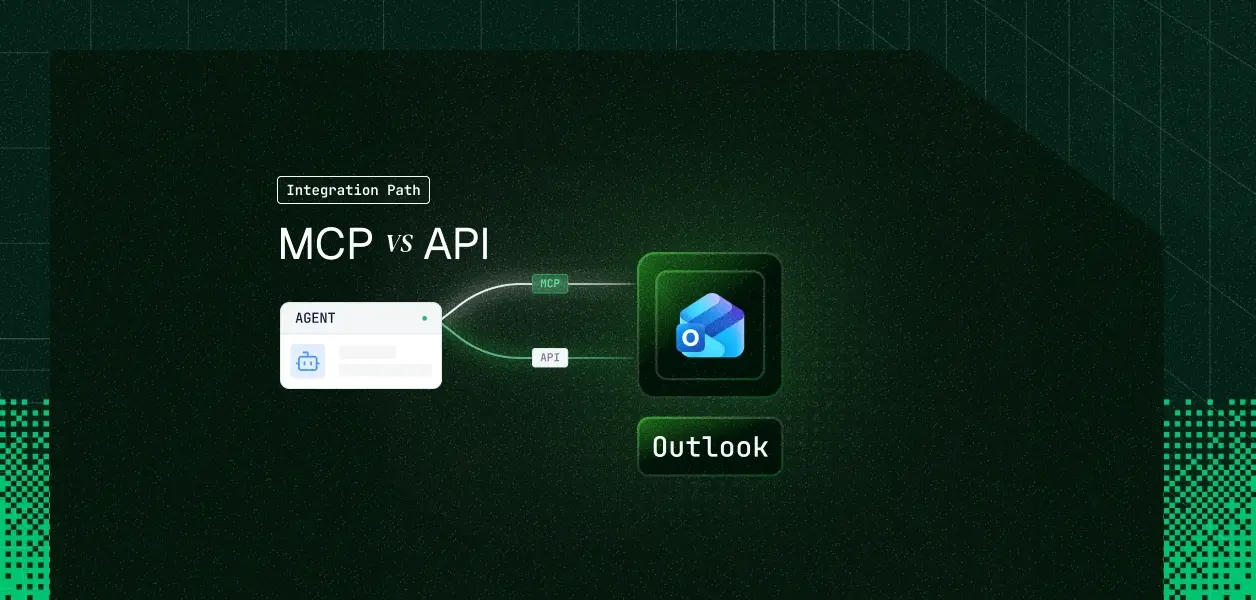


Your agent needs to read, search, and send mail, and manage a calendar in Outlook. Microsoft now ships two paths into that data: a preview MCP surface built for Microsoft 365 Copilot, and the Graph API your integration has probably called for years. They are not close substitutes. One is gated behind a Copilot license and an admin-registered enterprise app; the other is open to any developer with an Azure app registration, personal Outlook.com accounts included. Here is what each path actually gives your agent, and where the gap will bite in production.
Both paths reach the same Outlook data. Work IQ MCP requires a Copilot license and an admin-registered app. The Graph API is open to any Azure app registration, personal accounts included.
Microsoft did not ship a single product called Outlook MCP. What exists is a pair of Microsoft-managed MCP servers scoped to mail and calendar, wrapped inside a much larger platform built for Copilot-licensed enterprises. The Graph API, by contrast, is the same general-purpose REST surface Outlook integrations have used since 2015. Establishing what each one actually is matters here more than usual, since the MCP surface is easy to mistake for a general-purpose Outlook MCP server when it is not.
Outlook MCP ships under Microsoft's Agent 365 platform as part of Work IQ, the context layer behind Microsoft 365 Copilot. It is explicitly labeled a preview feature as of mid-2026, and Microsoft warns that tool names and parameters can change without notice while it stays in that state.
Two servers matter here: Work IQ Mail (mcp_MailTools) and Work IQ Calendar (mcp_CalendarTools). Both are built directly on the Microsoft Graph Mail and Calendar APIs, not a separate backend, which is part of why their behavior tracks the Graph API's own limits so closely.
Using either one requires a Microsoft 365 Copilot license. Coding-agent access from Claude Code, GitHub Copilot CLI, or VS Code requires an IT admin to register an enterprise application in Microsoft Entra ID and consent to the relevant mail or calendar permission first. Auth then runs per user through that registered app, via a browser redirect. Admins can allow or block each server tenant-wide from the Microsoft 365 admin center at any time, and tool call traces are inspectable in Microsoft Defender Advanced Hunting.
There is no personal Microsoft account support. This is an organizational-tenant, Copilot-licensed feature only, with no path for Outlook.com or Hotmail users.
Official docs: Work IQ MCP overview
The Graph Mail and Calendar APIs are the REST surface behind Outlook, Exchange Online, and Exchange on-premises hybrid deployments. They are mature, explicitly versioned across v1.0 and beta, and documented independently of any AI use case.
Auth supports Authorization Code Flow for delegated, per-user, browser-consented access, Client Credentials Flow (RFC 6749) for app-only access with no user in the loop, and device code flow. Delegated permissions such as Mail.Read, Mail.ReadWrite, and Mail.Send are explicitly available for personal Microsoft accounts, not just work or school tenants.
The API covers mail, calendar, contacts, Microsoft To Do, mail folders, inbox rules, mailbox settings, attachments, and change notifications through the subscriptions resource. None of that is fully mirrored in the MCP tool set, which is the subject of the next section.
Official docs: Outlook mail API overview and Outlook calendar API overview
Before comparing the two paths conceptually, it helps to see the literal inventory. Work IQ Mail ships 10 tools. Work IQ Calendar ships 11. Everything else below lives only on the Graph API.
The ten tools are createMessage, deleteMessage, getMessage, listSent, reply, replyAll, searchMessages, sendDraft, sendMail, and updateMessage.
The notable gap is that there is no generic "list inbox messages" tool. listSent only covers the Sent Items folder, so finding anything else has to go through searchMessages, which runs on the Microsoft Graph Search API with KQL-style queries. There is also no folder listing and no attachment retrieval, and every tool operates on the signed-in user's own mailbox only. None of the Mail tools accept a target user parameter.
Source: Work IQ Mail reference
The eleven tools are acceptEvent, cancelEvent, createEvent, declineEvent, deleteEvent, findMeetingTimes, getEvent, getSchedule, listCalendarView, listEvents, and updateEvent.
Calendar tools are less restrictive than Mail tools. Most accept an optional userId or userPrincipalName to act on another user's calendar, closer to a delegate or resource-booking pattern than anything Work IQ Mail offers. There is still no forwardEvent tool and no explicit multi-calendar listing.
Source: Work IQ Calendar reference
Mail folders, inbox rules, mailbox settings and automatic replies, attachment download, contacts, Microsoft To Do task lists and tasks, shared and delegate mailbox access through /users/{id}/..., change notifications through subscriptions, and delta queries for incremental sync all live on the Graph API only. None of them appear as Work IQ Mail or Work IQ Calendar tools today, and nothing in Microsoft's own roadmap language suggests that gap is a temporary omission rather than a deliberate scope decision.
With the literal tool inventory established, the comparison below follows four dimensions: capability, auth, operational ownership, and when each one wins.
Where the gap bites: anything beyond compose, reply, search, and calendar scheduling for the signed-in user lives exclusively on the Graph API. That is not a temporary limitation waiting on a roadmap item. Work IQ Mail and Work IQ Calendar were scoped deliberately to the conversational and scheduling surface Copilot needs, the same pattern Microsoft used across the rest of the Work IQ catalog for SharePoint, OneDrive, Teams, and Word.
Both paths run on Microsoft Entra ID OAuth. Neither offers an API key option, which is a real difference from how this decision plays out for Slack or Salesforce. Understanding OAuth vs API keys for AI agents is essential before committing to either path.
MCP runs on per-user OAuth, gated by an admin. Work IQ MCP servers authenticate through an Entra enterprise app that an IT admin registers and consents to once per organization. Every individual user then goes through a browser-based OAuth flow before their agent can call mcp_MailTools or mcp_CalendarTools. Admins can block a server tenant-wide from the Microsoft 365 admin center at any time, and that takes effect for every user and every agent immediately.
The API adds Client Credentials Flow for headless agents. The Graph API supports the same Authorization Code flow for delegated, per-user access, plus Client Credentials Flow (RFC 6749) for service-to-service, admin-consented, app-only access with no user in the loop. This is the real headless path, and it has no MCP equivalent today. Nothing in the Work IQ MCP documentation describes a service-account or unattended-agent identity for either server.
Personal accounts are Graph-only. Delegated permissions like Mail.Read, Mail.ReadWrite, and Mail.Send are explicitly available for consent on personal Microsoft accounts, according to Microsoft's own permissions reference. Work IQ MCP is not; it is scoped to Copilot-licensed organizational tenants only. If your agent needs to serve consumer Outlook.com users, the API is the only path that exists.
Rate limits are shared, not separate. Outlook Graph service limits sit around 10,000 requests per 10 minutes and 4 concurrent requests per app per mailbox, inside a global ceiling of 130,000 requests per 10 seconds per app across all tenants. Because Work IQ Mail and Work IQ Calendar call the same Graph Mail and Calendar APIs internally, MCP tool calls consume the same quota. Choosing MCP does not buy a separate rate budget.
MCP is explicitly unstable while in preview. Microsoft states plainly that Work IQ MCP tool names and parameters can change without notice, and advises against hardcoded dependencies. The Graph API is explicitly versioned instead; you pin v1.0 and migrate on your own schedule. For a production pipeline, that is a meaningful difference in what breaks unannounced. This instability is one reason MCP can be more expensive than CLI in certain production contexts.
Governance versus adapter code. The Microsoft 365 admin center gives Work IQ MCP centralized allow and block control with no adapter code required. The Graph API gives you nothing for free here; you own endpoint versioning, throttling and retry logic per resource, and token lifecycle handling yourself.
Use Outlook MCP (Work IQ) when:
Use the Outlook API (Graph) when:
Both paths ultimately hand your agent an Entra ID OAuth token scoped to one user. Neither one gives you a vault, proactive refresh, or a revocation workflow; that infrastructure is identical regardless of which path you pick.
In a multi-tenant B2B agent serving Outlook across dozens of organizations, that means one OAuth token per user to store encrypted, refresh before expiry, and revoke the moment someone leaves. The registered Entra app itself, whether it backs Work IQ MCP or a direct Graph API integration, is a single shared client; the tokens issued through it are what need per-user isolation. Admin-side revocation, disabling a user in Entra, does not retroactively invalidate a token your infrastructure cached past its lifetime. You still have to check.
Handling token refresh for AI agents at scale requires dedicated infrastructure — a secure vault, proactive rotation, and per-user isolation. Scalekit's Outlook connector resolves the per-user token on every tool call against its own encrypted vault, so the credential layer is identical whether your agent calls Outlook through Scalekit's Graph-backed tools directly or through a Scalekit Virtual MCP server built on top of them.
Scalekit's Outlook connector is built on the Graph API path described above, using your own Azure app registration, not a proxy of Microsoft's Work IQ MCP servers. That distinction matters in practice: personal Microsoft accounts work, headless service patterns are possible through the same connection, and the tool surface is not limited to the 21 tools Work IQ ships today. Scalekit can also re-expose that same tool set as a scoped MCP endpoint through Virtual MCP Servers when your architecture wants one.
Set the connection up once. In the Scalekit dashboard, go to AgentKit, then Connections, then Create Connection, search for Outlook, and copy the generated redirect URI. In the Azure portal, register an app under Microsoft Entra ID, App registrations. Under Supported account types, choose accounts in any organizational directory and personal Microsoft accounts, so consumer Outlook.com users are not locked out, and paste the Scalekit redirect URI as a Web redirect.
Copy the Application (client) ID and generate a client secret under Certificates and secrets. Back in Scalekit, paste the client ID and secret into the Outlook connection, then select the Graph scopes your agent needs, for example Mail.Read, Mail.ReadWrite, Mail.Send, Calendars.ReadWrite, Contacts.ReadWrite, and offline_access. See the Microsoft Graph permissions reference for the full list.
Install the SDK and authorize a user:
Scalekit ships a native LangChain adapter, so there is no manual tool-wrapping step. identifier should be the same stable value, an email or user ID, that the user authorized the connection with.
For frameworks without a native Scalekit adapter, pull scoped tool schemas directly and pass them to the model's own tool-calling API.
Google ADK is MCP-native, so the fastest path is Scalekit's hosted MCP endpoint for the connector rather than a framework-specific adapter.
Mastra's MCPClient connects to any Streamable HTTP MCP endpoint, so the pattern reuses the same Scalekit MCP URL, scoped with a per-user bearer token.
Wrap execute_tool in a BaseTool subclass so a CrewAI agent can call it like any other tool.
For multi-tool, multi-tenant agents, define the Virtual MCP server once per agent role and mint a short-lived session token per run, instead of managing a static MCP connection per user. This pattern is explained in depth in our guide on how tool calling auth changes when you move from single-tenant to multi-tenant.
One Virtual MCP server definition serves every tenant. Each agent run mints a short-lived session token bound to that user's own vaulted Outlook connection, so no user can reach another user's mailbox through a shared endpoint.
The server definition is static and shared across every tenant; only the session token changes per user and per run, which is what keeps a multi-tenant Outlook agent from needing one MCP connection string per customer.
The comparison above is about Microsoft's two paths into Outlook. This section is about what changes once Scalekit sits underneath either of them.
Every execute_tool call against the Outlook connector is logged with the user who authorized it, the tool that ran, and the result, queryable for 90 days. That is the audit trail a security review asks for when an agent can send mail or move a calendar event on someone's behalf, and it exists whether your agent calls Outlook directly through execute_tool or indirectly through a Virtual MCP server. Per-tool audit trails for agent auth are increasingly non-negotiable in enterprise deployments.
Standard MCP servers expose every tool they have. A Virtual MCP server scoped to outlook_list_messages, outlook_search_messages, and outlook_reply_to_message means a triage agent physically cannot call outlook_delete_message, regardless of what the model decides to attempt mid-conversation. One server definition serves every tenant; a short-lived session token, minted per run, is what carries per-user identity, so you are not standing up one MCP connection per customer to get isolation.
The Azure app registration and Graph scopes are specific to Outlook, but the token vault, per-user resolution, and audit logging are not. Adding Slack, Gmail, or Salesforce alongside Outlook reuses the same execute_tool and Virtual MCP pattern rather than a new OAuth implementation per connector.
If your organization already has Microsoft 365 Copilot licensing, your agent is interactive, and the job is limited to composing mail, replying, searching, and managing calendar events for a signed-in user, Work IQ MCP is the lower-effort path today, with centralized governance built in. If your agent runs headless, needs contacts, folders, rules, attachments, or To Do, or has to serve a single personal Outlook.com user, build against the Graph API directly; there is no MCP alternative for any of that yet.
Most production Outlook agents will eventually need both the interactive surface and the operational one. The credential problem, per-user tokens with no built-in vault or revocation flow, is identical either way, and that is what needs production-grade infrastructure regardless of which Microsoft path you choose.
Browse the Scalekit Outlook connector: scalekit.com/connectors/outlook
Outlook connector docs and full tool list: docs.scalekit.com/agentkit/connectors/outlook
Building an Outlook agent and want to talk through the architecture? Join the Scalekit community on Slack or talk to us directly.









