

Your prospecting agent needs to talk to LeadIQ. It needs to find people matching an ICP, unlock verified work emails and direct dials, and drop the results into a list a rep will actually work. LeadIQ ships two ways to do that: a hosted MCP server at mcp.leadiq.com and a GraphQL API at api.leadiq.com that has been in production for years. The two surfaces are not a superset and a subset of each other; each exposes something the other does not, and they put you on completely different credential models. Here is how to pick.
These are two distinct products built on the same underlying B2B database. The MCP server is new; the API predates it by years and carries a wider historical surface. Establishing what each one actually is matters before comparing them.
LeadIQ launched its prospecting MCP server in early 2026 as a hosted, LeadIQ-maintained endpoint at https://mcp.leadiq.com/mcp. Transport is MCP Streamable HTTP with SSE-framed responses. The server is stateless: it issues no Mcp-Session-Id, and GET or DELETE against /mcp returns 405. The deprecated HTTP plus SSE transport is not offered.
Authentication is OAuth 2.0 authorization code through LeadIQ's Auth0 tenant. Clients register dynamically, so no client ID or secret needs to be provisioned by hand; the user signs in with their LeadIQ credentials and approves the api:company and offline_access scopes. LeadIQ documents fifteen tools split eleven free and four paid. Setup instructions and the tool catalogue live on the LeadIQ MCP integration page and in the LeadIQ MCP connector guide.
The LeadIQ Public API is GraphQL, not REST. Every request is a POST to https://api.leadiq.com/graphql with Content-Type: application/json. The schema exposes nine queries and three mutations: searchPeople, searchCompany, flatAdvancedSearch, groupedAdvancedSearch, account, lists, list, prospect, workatoToken, plus createList, addProspectToList, and submitPersonFeedback.
List management has a second, separate surface. The Prospector REST API at https://prospector.leadiq.com handles list creation, prospect insertion, and CSV export, and it authenticates with the decoded API key in X-API-Key rather than the Base64 form the GraphQL endpoint expects. Two base URLs, two header conventions, one key. Full schema at the LeadIQ Public API Reference, with auth and samples in the LeadIQ Public API Guide.
Four dimensions decide this for an agent builder: what the surface can do, what auth model it forces, what the spend model looks like at runtime, and what you are left maintaining. LeadIQ is unusual in that the capability comparison does not resolve cleanly in favour of the API.
The MCP server wins on write-path completeness and on trigger data. Prospect list creation, standalone prospect creation, idempotent list attachment, and email re-verification are all first-class tools.
Job-change discovery is the sharper advantage. It is available to any MCP account, whereas the GraphQL jobChangeFilter and the personJobChange field are flagged limited access and silently ignored unless LeadIQ has enabled the feature for your organization. For a champion-tracking agent, that difference is the whole product.
The API wins on precision. GraphQL selection sets mean you ask for exactly the fields you want, and LeadIQ bills only for the data points you actually select.
groupedAdvancedSearch returns the contacts inside each company, which is what account-based multi-threading needs; the MCP find-companies tool returns companies plus a count and leaves you to enrich separately. submitPersonFeedback has no MCP equivalent either, so an agent that detects a bounce cannot close the data-quality loop over MCP.
Neither path publishes webhooks, change data capture, or any subscription mechanism. The GraphQL schema is queries and mutations; the MCP server is request and response. If your agent needs to react to a job change, a new hire, or a verification status flip, it polls. Design for that from day one rather than discovering it after you have promised a customer real-time signals.
MCP is OAuth only, per user, every time. Each rep completes a browser consent flow against LeadIQ's Auth0 tenant, and the resulting token acts as that rep. There is no static credential option, which means a background agent running on a schedule needs a pre-established, refreshable grant per user before it can do anything.
The API is API key only. There is no OAuth flow on the GraphQL surface. That makes headless execution trivial and makes per-user identity impossible without provisioning a separate key per user. And a LeadIQ API key carries full account access, so the convenient path of one shared key for the whole product is also the path where every user's agent can read and write every list in the workspace. Understanding the tradeoffs here is important — see our deeper look at OAuth vs API Keys for AI Agents for the full picture.
LeadIQ meters in Universal Credits, and the pricing is asymmetric. A profile costs 0.1 UC, a work email 1 UC, company firmographics 3 UC, and a phone number 10 UC. An agent that unlocks phones across a 200-row prospecting run spends roughly 2,000 UC in one loop iteration.
Both paths ship a pre-flight check. Wire it into the loop rather than leaving spend to the model's judgement.
The MCP server exposes a check-credits tool returning live per-field prices, and instructs agents to disclose cost before company unlocks or any operation above 1,000 UC. On the API path, the account query returns the same balance and cost table, and Scalekit's LeadIQ connector adds a preview tool that reports whether an email or phone exists for a person without spending anything.
On the MCP path, LeadIQ owns hosting, tool schemas, and the consent flow. You own per-user token storage, refresh against offline_access, revocation when a rep leaves, and the credit-consent policy your agent applies before paid tools fire.
On the API path, you own the GraphQL client, two base URLs with two header conventions, pagination, retry on 429, and the distinction that trips up most first implementations: GraphQL errors arrive in the errors array with an HTTP 200. A naive response.raise_for_status() treats a failed enrichment as a success. You also own the 402 case, which means insufficient credits rather than a transient failure and should not be retried. These are exactly the kinds of tool calling auth production problems and anti-patterns worth anticipating before you ship.
LeadIQ's own documentation currently describes the same MCP server three different ways. The help-center article lists tools named tool_SearchPeople, tool_FlatSearch, tool_Account, and tool_Usage. LeadIQ's certified connector listing documents a completely different naming convention with enrich-people, find-people, and check-credits, counted at fifteen. Scalekit's LeadIQ MCP connector page lists sixteen, the extra one being job-change discovery.
Three published snapshots, three surfaces, no version header anywhere in the protocol. The GraphQL API is not date-versioned either, but GraphQL's contract is structurally kinder: additive schema changes cannot break an existing selection set, and retired fields are marked in the schema itself rather than disappearing. Company.score and ProfileFilterType.HasWorkPhone both still resolve and both carry a "not supported anymore" note. Your client keeps working while you migrate.
Use LeadIQ MCP when:
Use the LeadIQ API directly when:
Both paths hand you a credential per user and neither hands you a place to keep it. That is the part that has to be solved before either path is production-safe.
This is the sharper edge on the API path. A LeadIQ API key is not scoped to a user, a list, or a spend cap. Whichever key your agent holds, it can read every prospect list in the workspace and burn the entire credit balance. A shared key looks fine in a demo and produces a usage report where every enrichment is attributed to the same service identity, which makes per-rep credit chargeback impossible and makes offboarding a manual key-rotation exercise across the whole team.
The OAuth path fixes attribution and creates a different problem. Forty reps means forty tokens to encrypt at rest, isolate per tenant, refresh before expiry, and invalidate on the next tool call when someone disconnects or leaves. Multiply that across every customer org in a multi-tenant product. The token type differs between the two paths. The infrastructure required does not. This is the core challenge explored in secure token management for AI agents at scale.
Scalekit's LeadIQ connectors handle the OAuth flow, API key vaulting, token refresh, and per-user resolution for both paths, so the MCP versus API decision does not change what you build for auth.
Scalekit ships LeadIQ as two separate connectors because the two surfaces really are two products. Both are reachable through the same SDK, the same execute_tool call, and the same connected-account model.
The LeadIQ connector wraps the GraphQL and Prospector APIs. It uses API key auth, needs no redirect URI, and exposes thirteen tools prefixed leadiq_. The LeadIQ MCP connector wraps the hosted MCP server, uses OAuth 2.1 with dynamic client registration, and exposes sixteen tools prefixed leadiqmcp_. Picking a path is picking a connection_name.
One note before any code: the connection_name string in your code must match the connection name configured in the Scalekit dashboard under AgentKit, Connections. Mismatched connection names are the single most common integration error.
On the API path there is no authorization link and no redirect. You store the rep's LeadIQ key once, typically from an integrations settings page in your product, and Scalekit injects it into every downstream request from then on.
Before the agent loop runs, the agent needs a tool surface. This is where the connected-account model does real work: list_scoped_tools does not return the LeadIQ catalogue, it returns the tools this specific user's connected account is authorized to call. Filtering further to the four tools a prospecting agent needs keeps the decision space small, which is the lever on tool-calling accuracy.
Scalekit returns schemas with input_schema, which is the exact shape Anthropic's tool use API expects, so nothing needs reshaping. execute_tool resolves the user's vaulted LeadIQ key server-side; the credential never enters the model context.
The MCP path adds a consent step and changes nothing else about the calling convention. Same client, same executeTool, different connectionName and a leadiqmcp_ tool prefix.
The comparison above is a build decision. The reason it stops mattering once Scalekit is in the stack is that both paths converge on the same three primitives: a per-user credential, an audited call, and a scoped tool surface. This convergence is central to how tool calling auth changes when you move from single-tenant to multi-tenant.
Every LeadIQ tool call is logged against the user whose connected account authorized it, not against a service identity. For a data product billed in credits, that is not just a compliance artifact. It is how you answer "which rep spent 4,000 UC last Tuesday" and how you attribute a bad enrichment back to the run that produced it. Scalekit retains 90 days of that history and streams it to your SIEM or warehouse. More detail on the Scalekit LeadIQ connector page.
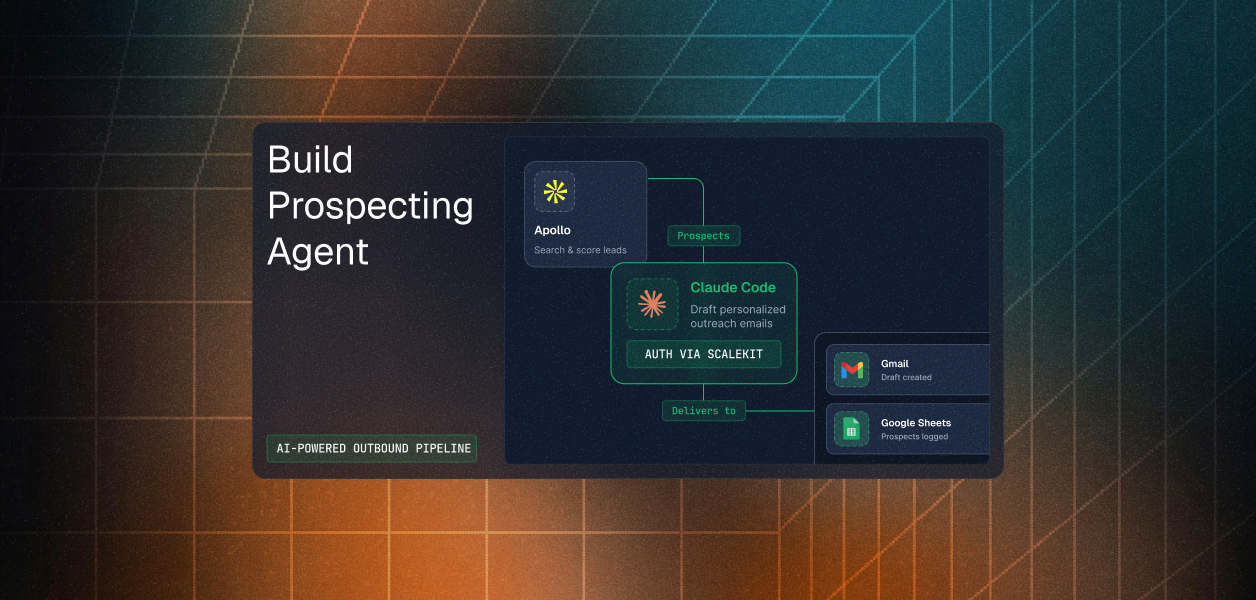
A real prospecting agent does not stop at LeadIQ. It finds the person, enriches them, and then drafts outreach in Gmail or files them in a CRM. Handing that agent the full LeadIQ MCP server plus a full Gmail server means sixteen plus thirty tools in context, most of which it will never call, and an unbounded blast radius if it misfires on a paid unlock.
Agent tool observability is what lets you detect when a multi-tool agent misfires — but the first line of defence is scoping the tool surface before the run. Virtual MCP servers fix that by declaring the exact tool set once per agent role. You get a static mcp_server_url, and per-user isolation comes from a short-lived session token minted before each run.
Setup happens once per agent role. Runtime is a connection check and a token mint, which is what keeps one server definition safe across every tenant.
The endpoint is static. The identity is not. Notice the check on connected_account_status before the mint: LeadIQ OAuth grants can be revoked by the rep at any time, and detecting that before the run beats discovering it halfway through a 200-record enrichment.
Two LeadIQ sources currently disagree on plan requirements for MCP. The LeadIQ MCP integration page states that an active paid subscription is needed, while LeadIQ's certified connector documentation states that any plan including the free tier works, with credits required only for the four paid tools. Prospect list tools on the API path are also plan-gated and return a 401 from the Prospector service on Freemium accounts. Verify against your own tier before you promise a customer either path.
If your agent is interactive, needs job-change triggers, and writes prospects back into LeadIQ, build against the MCP server. OAuth gives you correct per-rep attribution for free, and the write path is complete there in a way it is not on the API.
If your agent runs on a schedule, needs grouped account results with contacts attached, or has to report bad data back, build against the GraphQL API and accept the two-base-URL split for Prospector work.
Most production LeadIQ agents will use both. The interactive assistant runs on MCP; the nightly enrichment pipeline runs on GraphQL. The credential layer does not change between them, and that is the piece that has to be production-grade before either agent touches a customer's credit balance. For a broader look at credential ownership across agent tool-calling patterns, that post covers the full spectrum of identity models in production agentic systems.
Browse the Scalekit LeadIQ connector: scalekit.com/connectors/leadiq
Building a prospecting agent and want a second opinion on the auth model? Join the Scalekit Slack community, or talk to an engineer if you need help now.