

Your agent needs to put data on a map. A field-ops assistant plots open work orders. A site-selection agent joins candidate parcels against flood zones. A sales agent turns closed-won deals into a territory map. Felt ships two ways in: a hosted Model Context Protocol (MCP) server and a REST API. Felt MCP vs Felt API looks like a transport choice. It isn't. Each path commits you to a different credential type, a different capability surface, and a different set of production failure modes, and the wrong choice surfaces when your second customer connects. Here's the decision framework.
Two objects, two different owners of the auth model. Here is each one before the comparison starts.
Felt launched its hosted MCP server on April 28, 2026, with about 30 tools. Felt builds and runs it, so there is nothing to install. Agents connect over Streamable HTTP with OAuth, and Felt's docs are explicit that there are no API keys: the user logs in through a browser and picks the workspace the agent works in. The authorization server supports Dynamic Client Registration (DCR), so MCP clients register themselves. MCP is available on Felt's Business and Enterprise plans; on other plans, only who_am_i, help_center, and developer_docs respond. Felt's tool reference now lists 49 tools across maps, layers, data sources, styling, and annotations.
The REST API is versioned as v2 and publishes a machine-readable OpenAPI spec for the production version. It covers maps, layer uploads and exports, layer components for dashboards, elements (the API's name for annotations), comments, embed tokens, data sources, projects, and users. Every call authenticates with a personal access token (PAT), prefixed felt_pat_ and sent as a Bearer token. The REST API documents no OAuth flow. Webhooks exist, configured per map in workspace settings. The REST API and webhooks sit on the same Business and Enterprise plans as MCP, so plan tier doesn't decide this. Python teams can use Felt's official felt-python client.
Both surfaces cover the core map-building loop. The differences sit at the edges, and for agents, the edges decide the architecture.
For creating maps, loading data, styling, and annotating, either path works.
The rows below have no equivalent in Felt's MCP tool reference. Felt's docs also state that MCP can't read or create dashboard components, extensions, custom HTML popups, or print layouts.
The MCP tools are written for a model, not a programmer. get_sql_guidance loads the correct SQL dialect before the agent writes a query against Snowflake, BigQuery, Databricks, Postgres, or Redshift. inspect_layer returns column schemas with sample values, plus the display and storage names that different tools expect. Tool descriptions carry operating rules too, such as passing location columns through untouched instead of inventing coordinates. Reproducing that on the REST API means writing and maintaining it yourself. Writing the schema is the hard part. Not the API call.
This dimension decides most Felt architectures, because the two paths don't share a credential type.
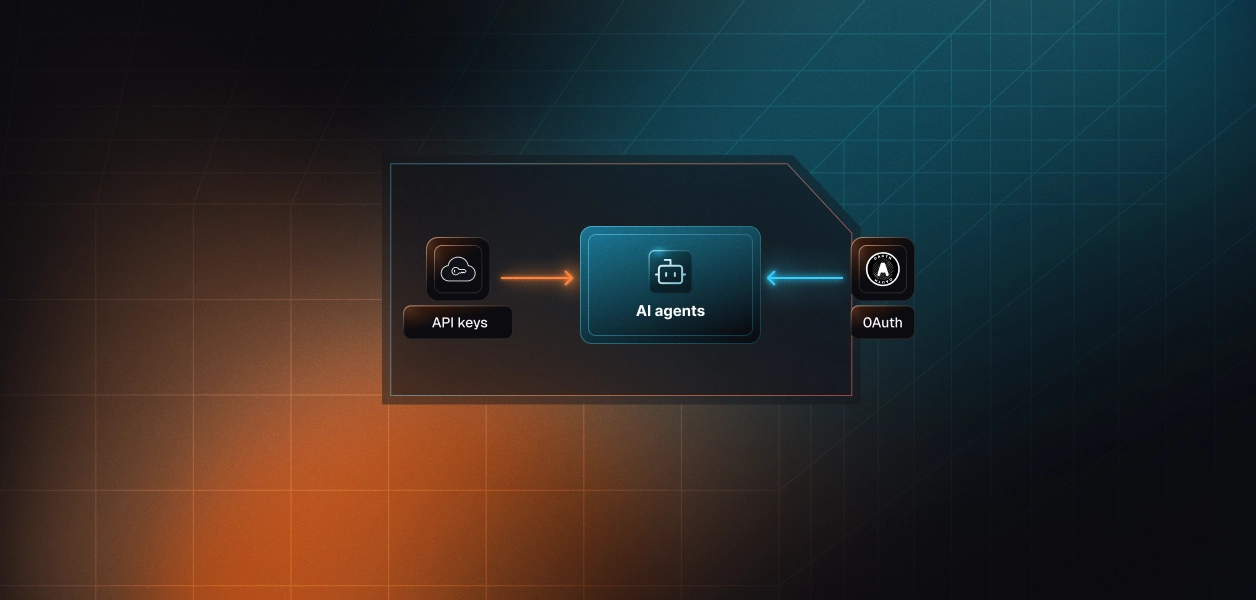
MCP auth is OAuth with no API-key fallback. Each user completes a browser login once, and the connection is bound to the workspace chosen at login. Tokens act with that user's Felt permissions, so the agent sees only what the user sees and edits only what the user can edit. What the user can't do, the agent can't do. The browser is a one-time dependency, not a per-run one. Once a token vault holds and refreshes the user's tokens, scheduled and background runs execute without the user present.
A PAT is created by the user in workspace settings and shown once; Felt stores only a hash. It is scoped to that single workspace, a request against another workspace returns 401, and it carries the creating account's permissions. It never expires. Rotation is manual: create a new token, switch the integration, revoke the old one. For internal automation in one workspace, that is simple. For a multi-tenant product, it means every customer user generates a token and pastes it into your app, and you hold a non-expiring credential that can do everything their account can. That is the largest blast radius on either path.
In a multi-tenant B2B agent, MCP's OAuth flow gives you a token per user, and the REST API gives you a PAT per user per workspace. In neither case does the path itself solve storage, refresh, rotation, or revocation. Those are infrastructure problems regardless of which path you choose.
Recommended reading: OAuth vs API keys for AI agents
Neither path is zero-maintenance. They fail in different places.
Felt maintains the server, the tool schemas, the SQL dialect guidance, and the styling engine. You own per-user token storage, refresh, and revocation, plus three Felt-specific behaviors. Layer creation is asynchronous: an agent that reports success before poll_layer_processing_status returns completed may be reporting an empty map. generate_fsl, help_center, and developer_docs consume Felt AI credits and stop when the workspace runs out, while the other tools keep working. And Felt flags delete_map, delete_layer, delete_annotation, and edit_features as irreversible, which matters more for an autonomous agent than for a chat user who can confirm.
You own everything above plus the request layer, and three Felt behaviors need explicit handling. The rate limit is 300 requests per minute per IP address, keyed to the IP rather than the token, so an agent fleet behind one NAT gateway shares a single budget across every customer. Permission failures return 401, the same status as a revoked or wrong-workspace token. A handler that treats every 401 as "re-authorize" sends users through a reconnect when the real problem is a missing map role, so read the error detail first. List endpoints are unpaginated and return full collections, so large maps mean large payloads.
MCP tool surfaces move fast. Felt's launch post described about 30 tools, Felt's tool reference lists 49 today, and Scalekit's Felt connector catalogs 44 of them. Felt documents no version contract for MCP tools, so pin your agent to tool names you have verified in the connector's tool list and re-check when Felt ships new ones. The REST API is versioned and backed by an OpenAPI spec, which makes it the more predictable dependency for a deterministic pipeline. Webhooks are its weak spot: one event type, coalesced deliveries, at-least-once retries, and creation only through the workspace settings UI.
Both lists are specific to Felt, because generic MCP advice doesn't survive Felt's auth model.
Choosing a path changes the token type. It doesn't change the infrastructure underneath.
Every user of a multi-tenant Felt agent holds their own credential, bound to one workspace. On the MCP path, that is an OAuth grant whose access tokens need refreshing, and the refresh has to happen without two concurrent agent runs racing each other. On the REST path, it is a PAT that never expires, which sounds easier until you notice nothing forces rotation: a leaked PAT stays valid until a person revokes it in Felt. Fifty customers with three users each is 150 credentials to encrypt at rest, isolate per tenant, keep out of logs and LLM context, and revoke on offboarding.
Scalekit's Felt connector handles the OAuth flow, token storage, and refresh for the MCP path, and a custom connector stores PATs in the same vault for the REST path. Credentials never touch the agent runtime, and the MCP vs API decision doesn't change your auth infrastructure.
Recommended reading: why a token vault matters for AI agent workflows
Here is the MCP path end to end in Python with LangChain, following Scalekit's LangChain example: authorize a user once, retrieve the Felt tools that user's connected account can call, then run the loop. Python is the right default here, because minting virtual MCP session tokens, covered in the next section, requires the Python SDK today.
Create a Felt MCP connection in the Scalekit dashboard under AgentKit > Connections. The connection_name in your code must match that connection's name exactly; these examples use feltmcp. A mismatch here is the most common integration error. Copy SCALEKIT_ENVIRONMENT_URL, SCALEKIT_CLIENT_ID, and SCALEKIT_CLIENT_SECRET from Developers > API Credentials into .env, and add OPENAI_API_KEY for the model.
The user signs in to Felt once through a Scalekit authorization link. After that, Scalekit holds and refreshes their tokens, and your code refers to the user only by identifier. See authorize a user for the production redirect flow.
The agent doesn't load Felt's full catalog. Scalekit exposes Felt's tools with a feltmcp_ prefix, and actions.langchain.get_tools wraps list_scoped_tools to return LangChain StructuredTool objects bound to this user's connected account. The tool_names filter narrows that to five read-only tools, so delete tools never reach the model's context.
Every tool call below executes through Scalekit as user_123, with that user's Felt permissions. The loop is complete.
Pipelines that don't need a model call execute_tool directly. This one refreshes a warehouse-backed layer for a single user. Processing is asynchronous, so follow it with feltmcp_poll_layer_processing_status before reporting success.
Scalekit doesn't ship a Felt REST API connector. If the agent needs comments, exports, dashboard components, or embed tokens, register Felt's API as a custom connector with BEARER auth. Each user's PAT becomes their connected account, and calls go through the Scalekit proxy with actions.request(). The PAT moves out of your database and agent runtime into the vault. Rotation stays a manual step for the user, because PATs are created in Felt's workspace settings.
A Scalekit virtual MCP server is one endpoint that declares which connections and tools an agent can see. One server definition serves every user, and a short-lived session token decides whose credentials each run uses. The endpoint is static; the identity is per-user.
At Scalekit's rule of thumb of about 200 tokens per tool, Felt's 44 cataloged tools cost roughly 8,800 tokens before the agent does any work. The weight is uneven: feltmcp_prepare_file_upload alone carries about 600 words of description and parameter docs. A territory-digest agent needs five Felt read tools and one Slack write. Scoping 44 tools down to six cuts that context and removes delete tools from the decision space entirely. Surface reduction is the lever. Model upgrades help. They are not the lever.
This runs once, not once per user; see set up a virtual MCP server for the full lifecycle. It exposes the five read-only Felt tools plus slack_send_message from the Slack connector, and any connector in the AgentKit catalog can join the same server. Both connection names must match the dashboard.
Before each run, confirm the user's Felt and Slack accounts are both active, then mint a token scoped to that user and this server. Tokens default to about an hour, and there is no refresh endpoint, so you mint a new one per run. Authorization links returned by this check are valid for one minute.
The agent sees six tools, whichever user it runs for. Credentials resolve per token, so user_123 and user_456 share one server definition and never share a credential. This block reuses actions and mint_session_token from above.
When an agent edits a customer's map, someone eventually asks who authorized it. The answer has to come from logs, not memory.
Every execute_tool call returns an execution_id, and the LangChain adapter appends it to each tool result, so your agent trace carries a reference for every Felt action. Each call resolves a specific connected account, which ties the action to the user who authorized Felt instead of a shared service identity. Scalekit's Felt connector page describes per-call logs attributed to that user with 90 days of history, and the dashboard's Connected Accounts view lists every user's connection. For LangChain agents, the LangSmith tracing cookbook wires those tool calls into your traces.
The tempting shortcut on the REST path is one PAT owned by an automation user. Felt then sees that one user behind every action for every tenant, the audit trail collapses to a service account, and the agent can reach anything that user can. Shared credentials are a single-user solution. They do not survive a second user.
Recommended reading: audit trails for agent auth
If your Felt agent is interactive or user-delegated, and its job is authoring maps and spatial analysis from a prompt, build on MCP. Felt maintains the tools, the SQL guidance, and the styling, and OAuth keeps every action inside the user's own permissions. If your agent is a deterministic pipeline, or it needs comments, webhooks, dashboard components, exports, or embed tokens, build on the REST API and treat every PAT as the long-lived, user-equivalent secret it is. Many production Felt agents will run both. Either way, the credential problem is the same, and that is what needs production-grade infrastructure.
Browse the Scalekit Felt MCP connector and the Felt connector docs for all 44 tools, or start from a per-user template such as the CRM AI agent. Plan the rollout against Scalekit pricing. Building a Felt agent and want help with the auth design or a virtual MCP setup? Talk to us for immediate help.
No. Felt's hosted MCP server is OAuth-only. There is no API key fallback. Each user must complete a browser-based OAuth login once, and the MCP connection is bound to the workspace chosen at that login.
Felt PATs are scoped to the workspace of the user who created them. A token issued in Workspace A returns 401 if used against Workspace B. However, within that workspace, the PAT carries the full permissions of the creating account and never expires.
Comments, webhooks, dashboard (layer) components, layer data exports, data source connection management, and embed tokens for private maps are all REST-only. Felt's MCP docs explicitly state MCP cannot read or create dashboard components, extensions, custom HTML popups, or print layouts.
The Felt REST API throttles at 300 requests per minute per IP address. Because the limit is IP-keyed rather than token-keyed, all tenants behind a shared egress IP or NAT gateway share a single request budget.
Scalekit's Felt MCP connector vaults each user's OAuth tokens and handles refresh automatically. The agent runtime never holds credentials directly, and refresh races between concurrent runs are avoided by the vault's centralized management.
Use Felt MCP when building interactive or user-delegated agents that author maps, write spatial SQL, or orchestrate across tools, and where each user's Felt permissions should bound the agent. Use the REST API for deterministic pipelines, schedule-driven data pushes, or when you need comments, webhooks, dashboard components, exports, or embed tokens.
Use the tool_names filter in Scalekit's actions.langchain.get_tools (or the virtual MCP server's connection_tool_mappings) to allowlist only the tools your agent role needs. This removes destructive tools like feltmcp_delete_map from the model's decision space entirely.
Yes. A virtual MCP server is defined once per agent role. Per-user identity is resolved at runtime via a short-lived session token minted with actions.mcp.create_session_token and scoped to that user's connected accounts. Multiple users share one server definition without sharing credentials.