.png)


The moment a sales call ends, the data you need is already sitting in a Granola transcript. The problem is that HubSpot, Gmail, and Slack don't know that. Getting structured deal updates, follow-up drafts, and team summaries out of a raw transcript automatically, across every call, means connecting 4 systems with each having their own auth model, token lifecycle, and failure modes. That's the engineering problem this guide solves: building AI agents without any auth headache.
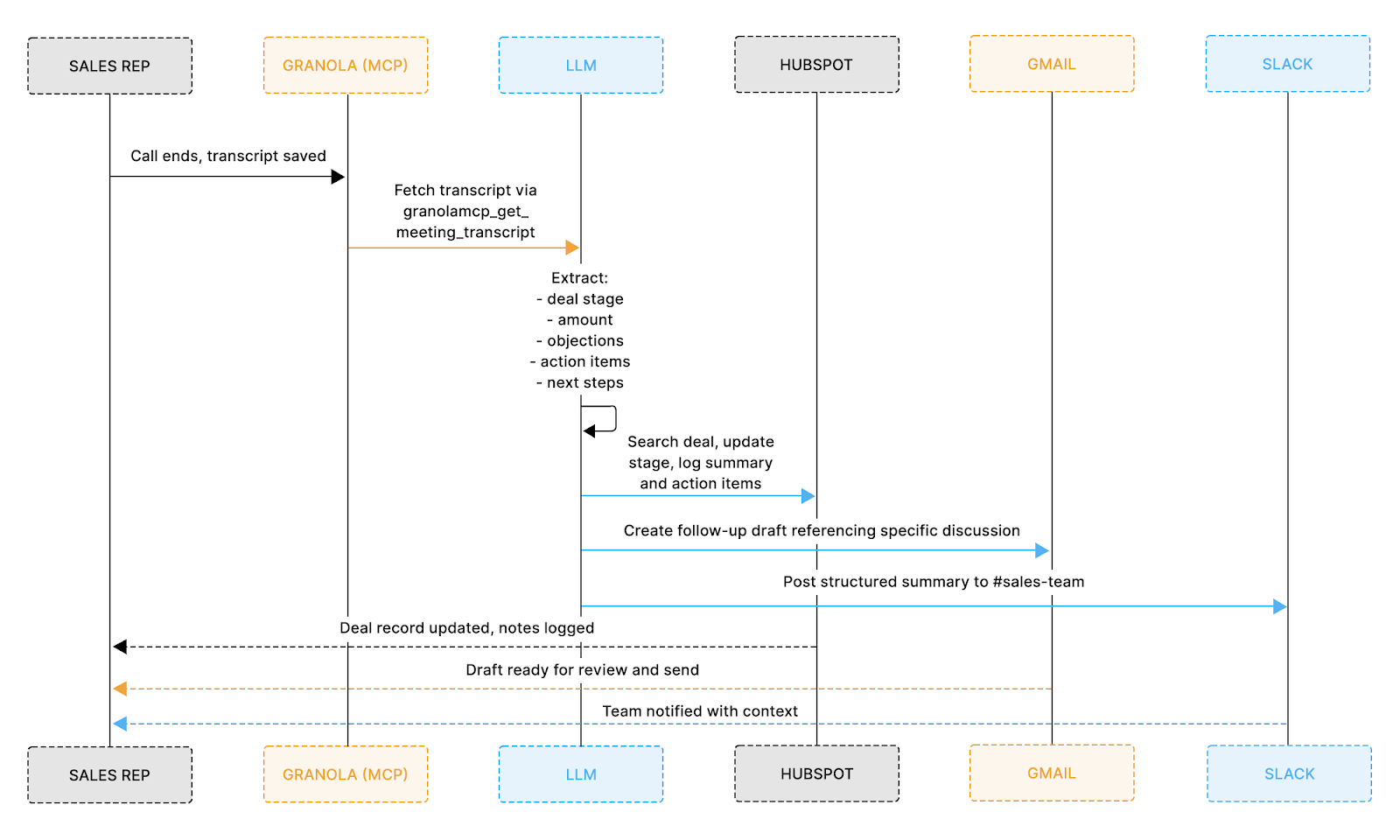
Once a call ends, the agent runs a five-step pipeline that takes the raw Granola transcript and pushes structured updates across HubSpot, Gmail, and Slack, all without the representative touching anything.
Here's exactly how the data moves:
The diagram below shows how that data flows across each system end-to-end:
Most representatives spend 15–20 minutes after every call doing the same thing: skimming the transcript, copying notes into HubSpot, drafting a follow-up, and pasting a summary into Slack. This agent eliminates all of that.
By the time you close your laptop, here's what's already done:
The whole thing runs in under 30 seconds. LLM extraction takes 8–12 seconds, depending on transcript length, and each tool call to Granola, HubSpot, Gmail, and Slack completes in 2–3 seconds.
Before starting, confirm the following are in place:
Before writing any integration logic, this workflow introduces four separate authentication systems, each with distinct behaviors, constraints, and failure modes that must be handled correctly for the agent to run reliably.
Key challenges across these systems include:
Managing all of this independently means writing token storage, refresh cycles, retries, and error handling for each system separately, which means building authentication capabilities would feast upon developer hours as it is one of the most time-consuming and failure-prone parts of AI agent development. That's exactly where Scalekit comes in.
Scalekit provides a unified authentication layer designed specifically for agent-based workflows and multi-system integrations.
What Scalekit saves you from: dynamic client registration negotiation for Granola MCP, token refresh scheduling for HubSpot's 30-minute expiry, per-user token isolation across all four systems, revocation detection when a user disconnects an app, and scope configuration that has to stay in sync as your agent gains new capabilities. Your integration code calls execute_tool(). Everything between that call and a valid API response is invisible.
Basically, instead of managing each integration separately:
This allows your agent developers to focus entirely on designing workflow execution rather than credential management, which becomes especially important when multiple services must be accessed reliably within a single run.
Here's how to get all four connectors configured in Scalekit before writing a single line of integration code.
Go to scalekit.com and create a free account. Once inside, create a new workspace for this project. Your workspace gives you a SCALEKIT_ENV_URL, SCALEKIT_CLIENT_ID, and SCALEKIT_CLIENT_SECRET, which should be added to your .env file.
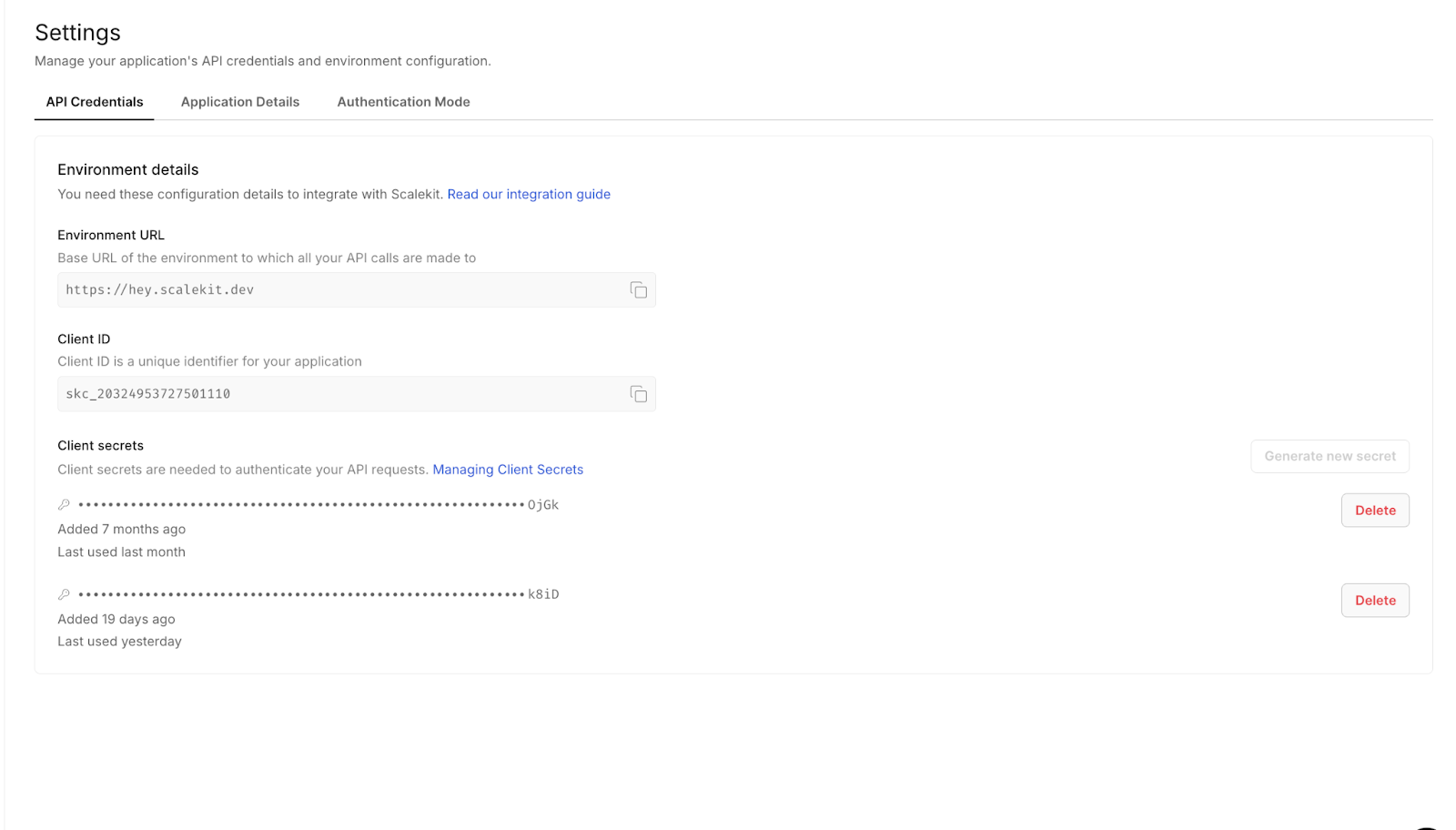
In the Scalekit dashboard, go to Connectors, search for Granola, and add it. The setup flow automatically handles Granola's MCP-based OAuth configuration.
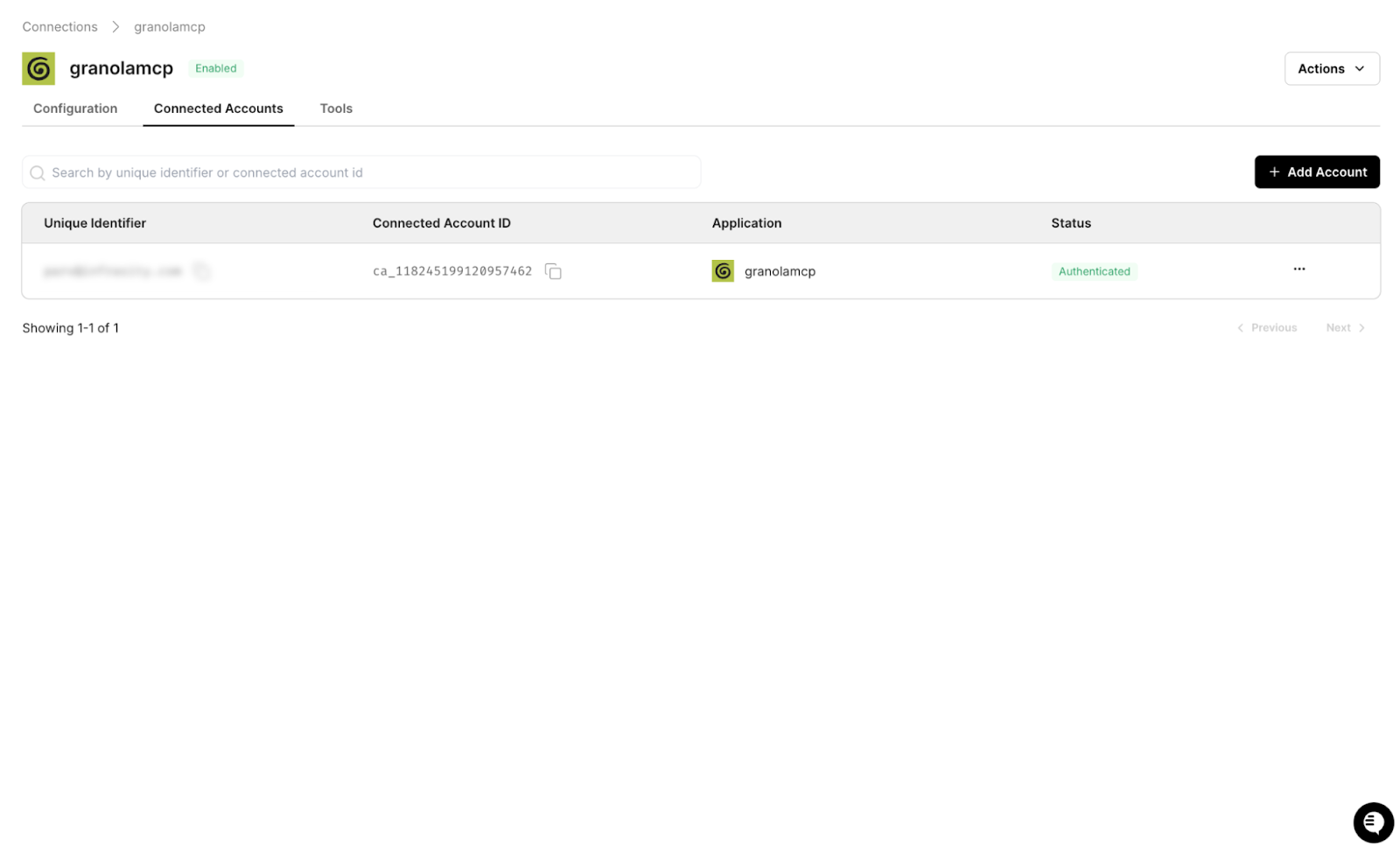
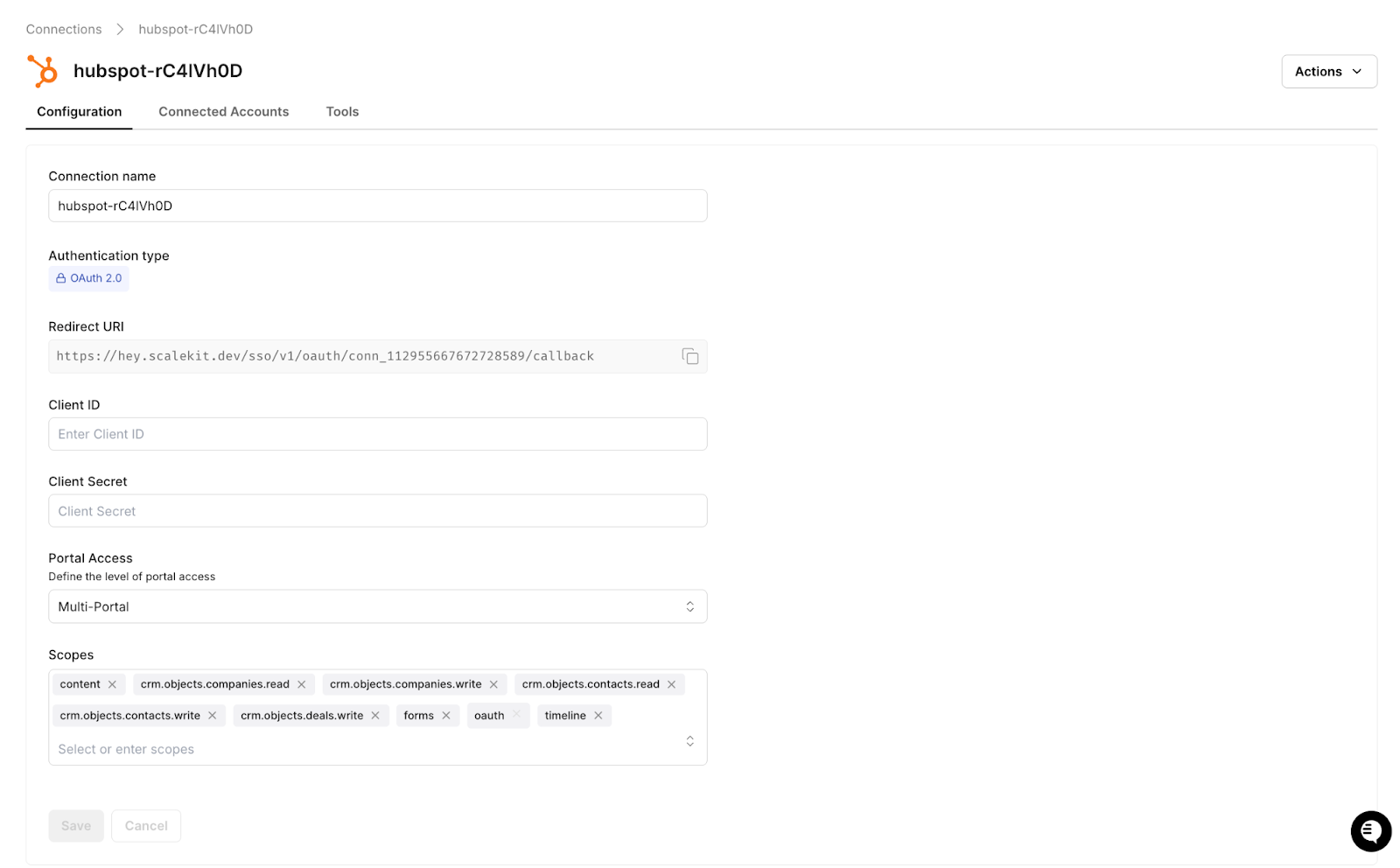
Add HubSpot and select the required scopes: crm.objects.deals.read and crm.objects.deals.write. Scalekit manages token refresh for HubSpot's short-lived access tokens.
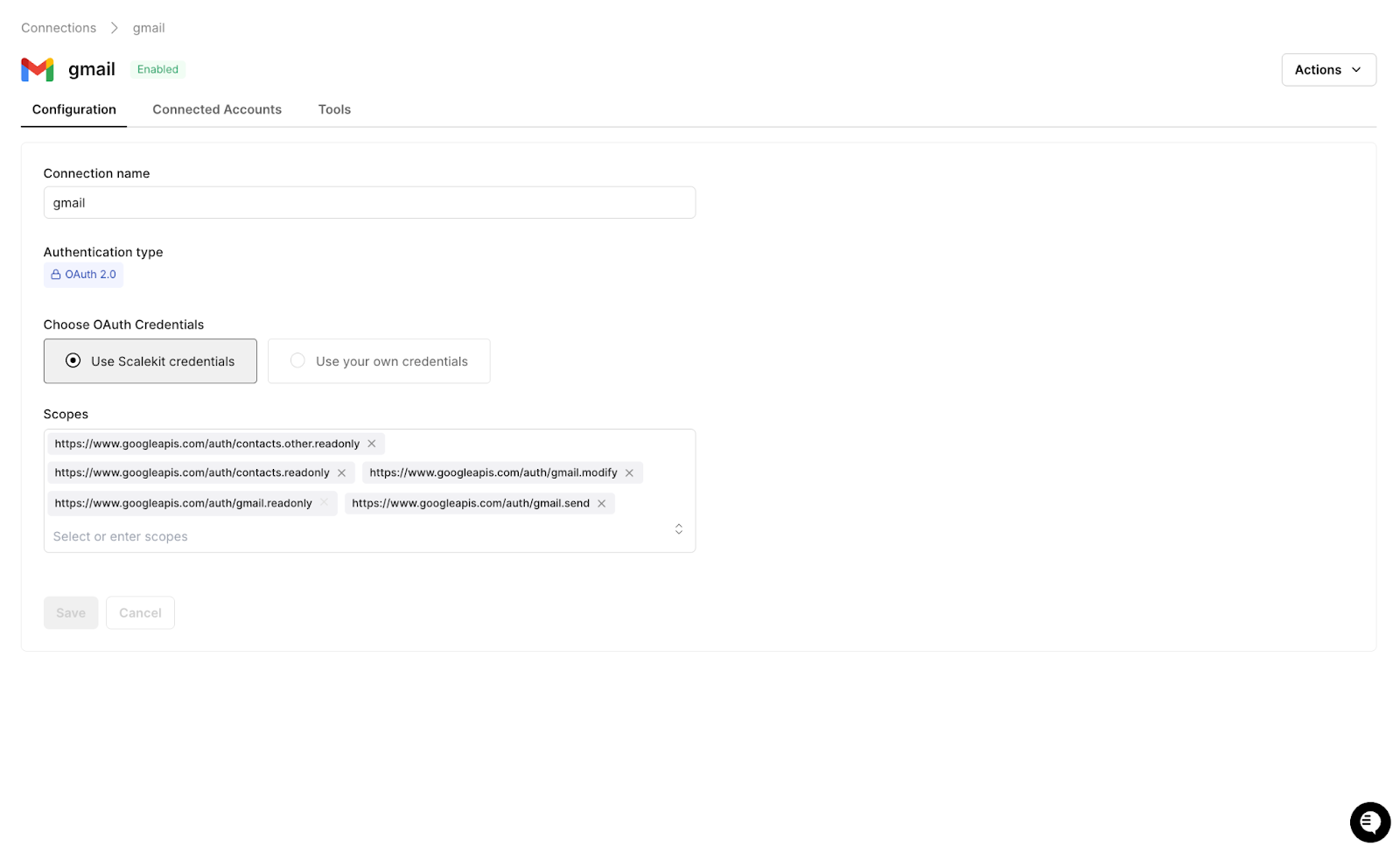
Add Gmail and select the gmail.compose scope, which allows draft creation without full inbox access. Scalekit handles the sensitive scope flow.
Add Slack with the chat:write scope for posting messages to your target channel. Scalekit manages workspace-level OAuth configuration.
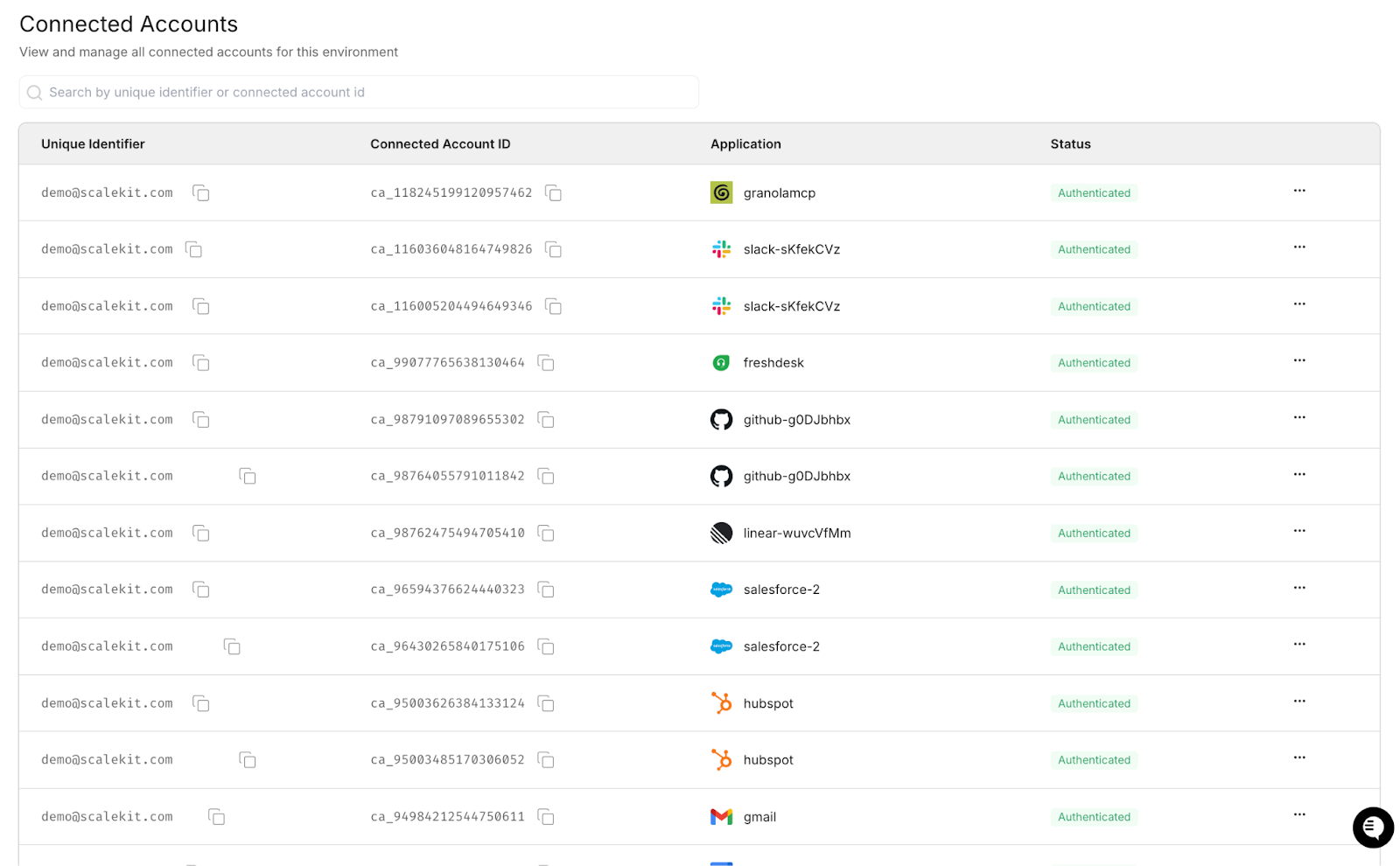
Once all connectors are active, every integration in this workflow maps directly to an execute_tool() call, and authentication is fully handled, allowing the remaining implementation to focus purely on data flow and logic.
With the Scalekit plugin installed in Claude Code, the authentication layer across all four connectors can be configured in just two commands, eliminating the need to manually handle OAuth flows, token refresh logic, or scope management.
Run these two commands in your Claude Code terminal to install the Scalekit authentication plugin. This is what gives Claude Code the ability to manage connections to Granola, HubSpot, Gmail, and Slack:
Claude Code terminal showing both plugin install commands completing successfully with confirmation messages:

From there, give Claude Code this prompt to generate the Scalekit client and a reusable auth check function:
Claude Code generates the following:
Call ensure_authorized() once per connector at startup. On the first run for a new user, Scalekit prints a magic link. The user completes OAuth once, tokens are stored, and every subsequent run proceeds directly to ACTIVE. There is no token management code to write, no refresh logic to debug, and no scope configuration to maintain across connectors.
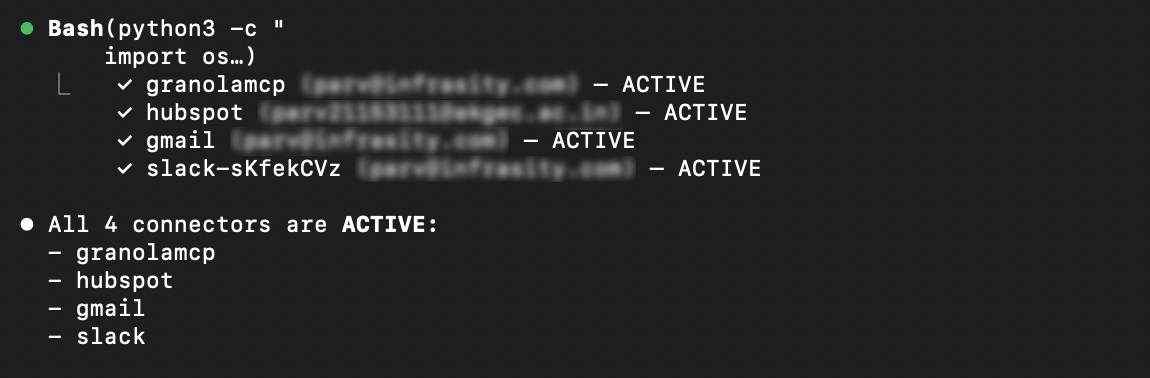
Granola exposes meeting data through an MCP server, and Scalekit exposes that server through the same execute_tool() interface used by all other connectors in this workflow, so there is no MCP client to configure and no token fetching to implement. Interactions with Granola are handled in the same way as any other integration, using simple named tool calls.
The response includes the full transcript text alongside citation links back to specific timestamps in the Granola meeting. Passing these citations to the LLM allows the HubSpot note to include deep links that the representative or their manager can click through directly to the moment where a key objection was raised or a commitment was made. The structured extraction that follows produces everything the downstream steps need:
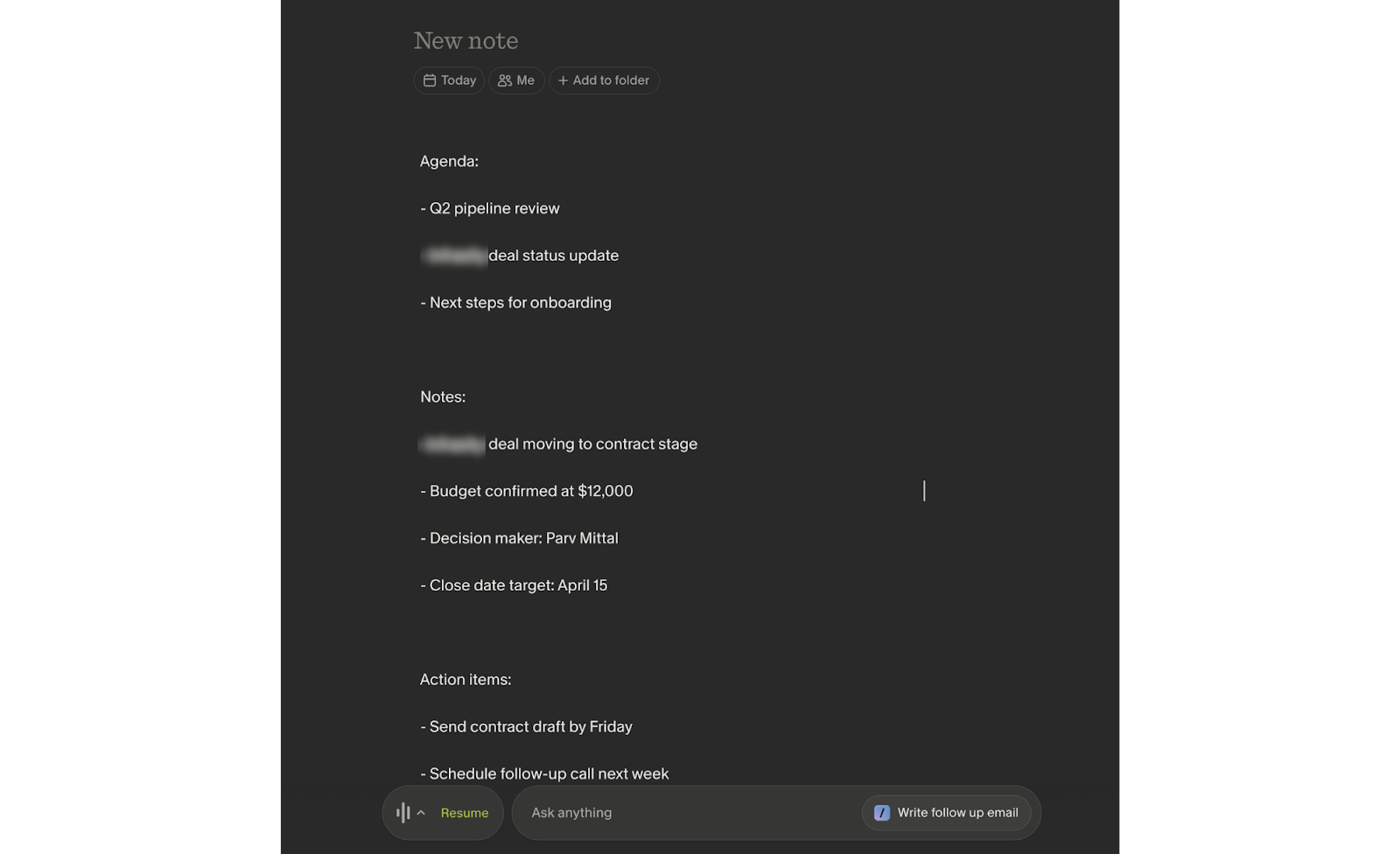
Granola app showing a real meeting transcript, meeting title, timestamps, and transcript text visible to show what the agent is reading from:
HubSpot's 30-minute token expiry is a known silent failure point for production agents. Tokens acquired at the start of a session expire mid-afternoon without any obvious error, and deal updates fail quietly. execute_tool() handles token refresh invisibly so the agent never needs to track token age or implement retry logic around credential failures.
Three tool calls cover the complete update workflow: search for the existing deal, create it if none is found, and write the meeting output to the deal record:
If your HubSpot instance uses custom properties such as competitor mentions, budget confirmed, or technical requirements flagged, they can be added directly to the properties dict using the same structure. No additional configuration is required.
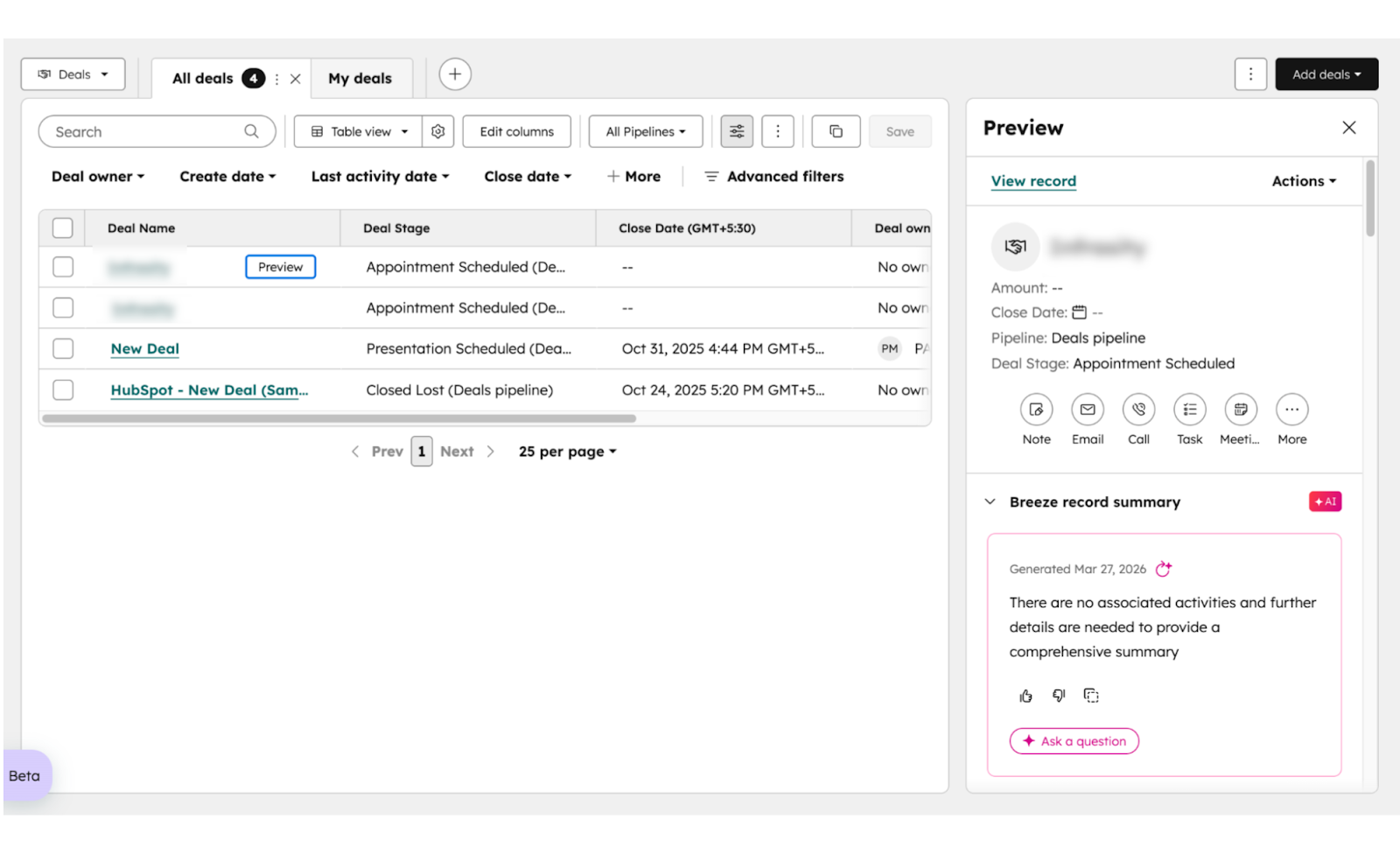
HubSpot deal record showing the updated deal stage, call summary written in the description field, and action items listed below. This is the proof that the agent worked.
Scalekit does not yet expose a gmail_create_draft tool, so this step retrieves a fresh OAuth token directly from get_connected_account() and calls the Gmail API using that token. Scalekit still manages the credential — calling get_connected_account() immediately before the API call guarantees a valid, refreshed token every time, regardless of how long the agent has been running.
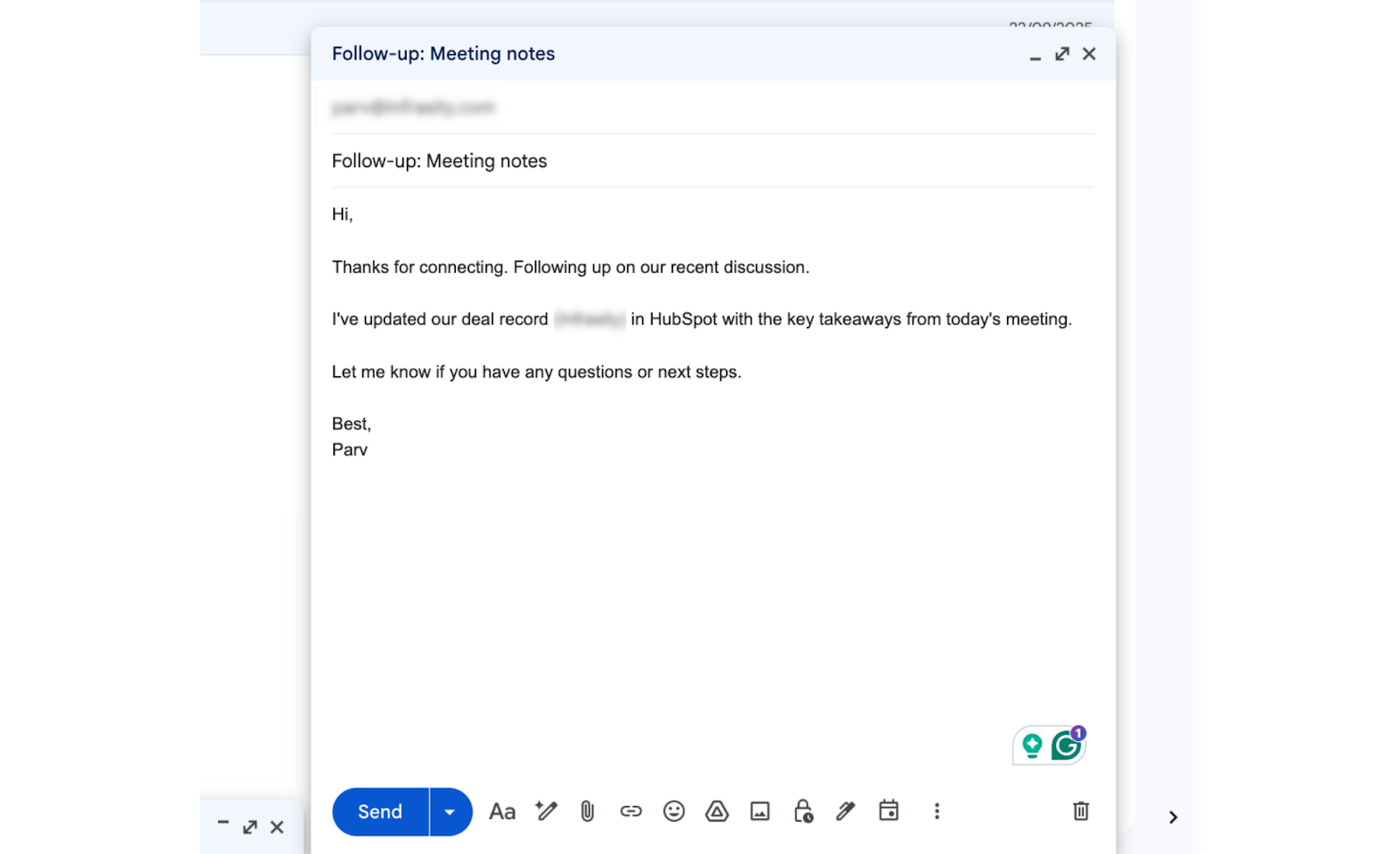
The LLM-generated email body is constructed from the actual meeting content. It references the specific objection the prospect raised, confirms the agreed next step, and reads like something the sales representative wrote rather than a template pulled from a sequence. Critically, it lands in Gmail Drafts, not the Sent folder, and the sales representative opens it, makes any edits they want, and sends it when ready. The agent handles the work; the sales representative maintains ownership of the relationship.
Gmail Drafts shows the generated email, including the subject line and the first 3 to 4 lines of the body, visible. Recipient email blurred if needed. This shows the email reads naturally, not like a template.
Here's what the agent actually generates: a Gmail draft written from the real conversation, referencing the prospect's specific objection and agreed next step, ready for the rep to review and send.
Claude Code terminal run showing all four steps: Granola fetch, HubSpot update, Gmail draft, and Slack post, all completed successfully, with the total time displayed at the bottom.
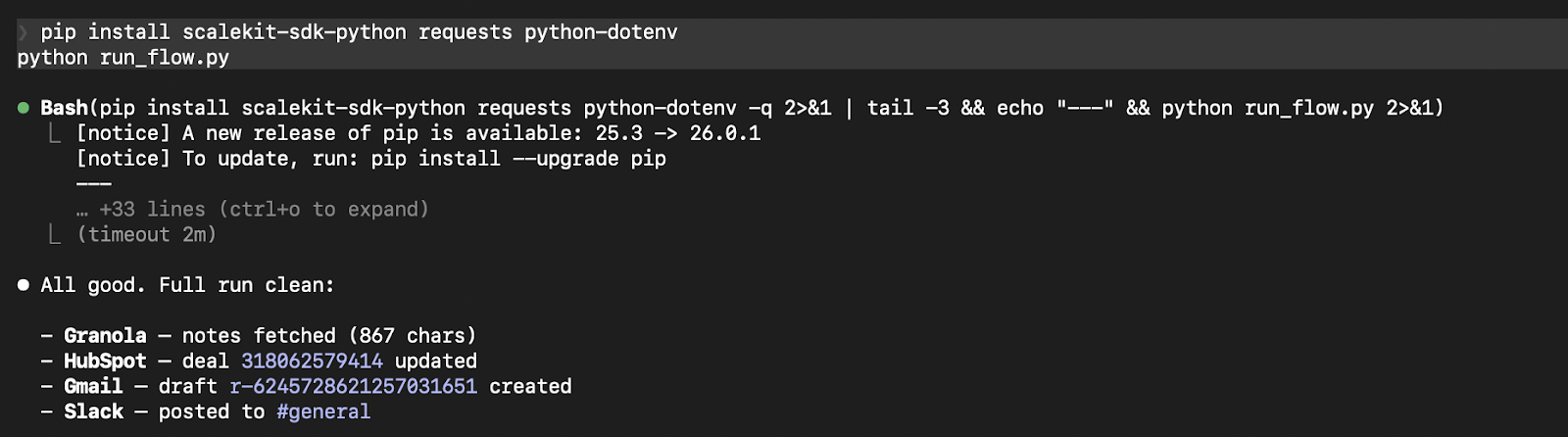
LLM extraction accounts for 8 to 12 seconds, depending on transcript length. Each execute_tool() call runs in 2 to 3 seconds. The full workflow completes consistently under 30 seconds for a standard 45 to 60-minute call before most sales representatives have even opened their CRM tab.
A few things to account for before running this in a live sales environment:
Four systems. Four OAuth models. One agent. The Granola transcript doesn't change after the call ends — what changes is how quickly the rest of your stack reflects it. This agentic pipeline makes that propagation automatic, consistent, and invisible to the rep.
The auth layer here is worth noting separately: Granola MCP's dynamic client registration, HubSpot's 30-minute token expiry, Gmail's sensitive scope path, Slack's bot-vs-user token distinction — none of that is in the integration code. Scalekit maintains it all. You maintain none of it.
Once implemented, it becomes a reusable foundation for automating similar processes across the organization. The same extraction-and-dispatch pattern applies anywhere conversation data needs to become structured system updates: customer success handoffs, onboarding calls, renewal reviews, support escalations. Scalekit already has 2500+ execution tools across 150+ connectors, and more are on its way. Explore more production-ready agent workflow patterns to see what's possible.
Authentication is managed by Scalekit. Scalekit refreshes tokens before expiry and moves a connected account to REVOKED status when a user disconnects or a password-triggered revocation occurs (this is routine in enterprise Workspace deployments for Gmail). Check account.status before critical operations: a REVOKED status means to prompt the user to re-authorize rather than returning an opaque API error. Also, automated auth prevents mid-execution failures, especially for services like HubSpot, where tokens expire frequently.
The LLM extracts structured information, such as deal stage, action items, and next steps, from the transcript context. This mapping can be refined by adjusting the extraction prompt to match your team's pipeline definitions and terminology.
Each meeting should be tracked after processing, typically using a database or cache, so the agent can skip previously handled transcripts when using polling or retry mechanisms.
Yes. Each user connects their own accounts through Scalekit, and the agent runs within that user context, ensuring proper data isolation without shared credentials or cross-account conflicts.