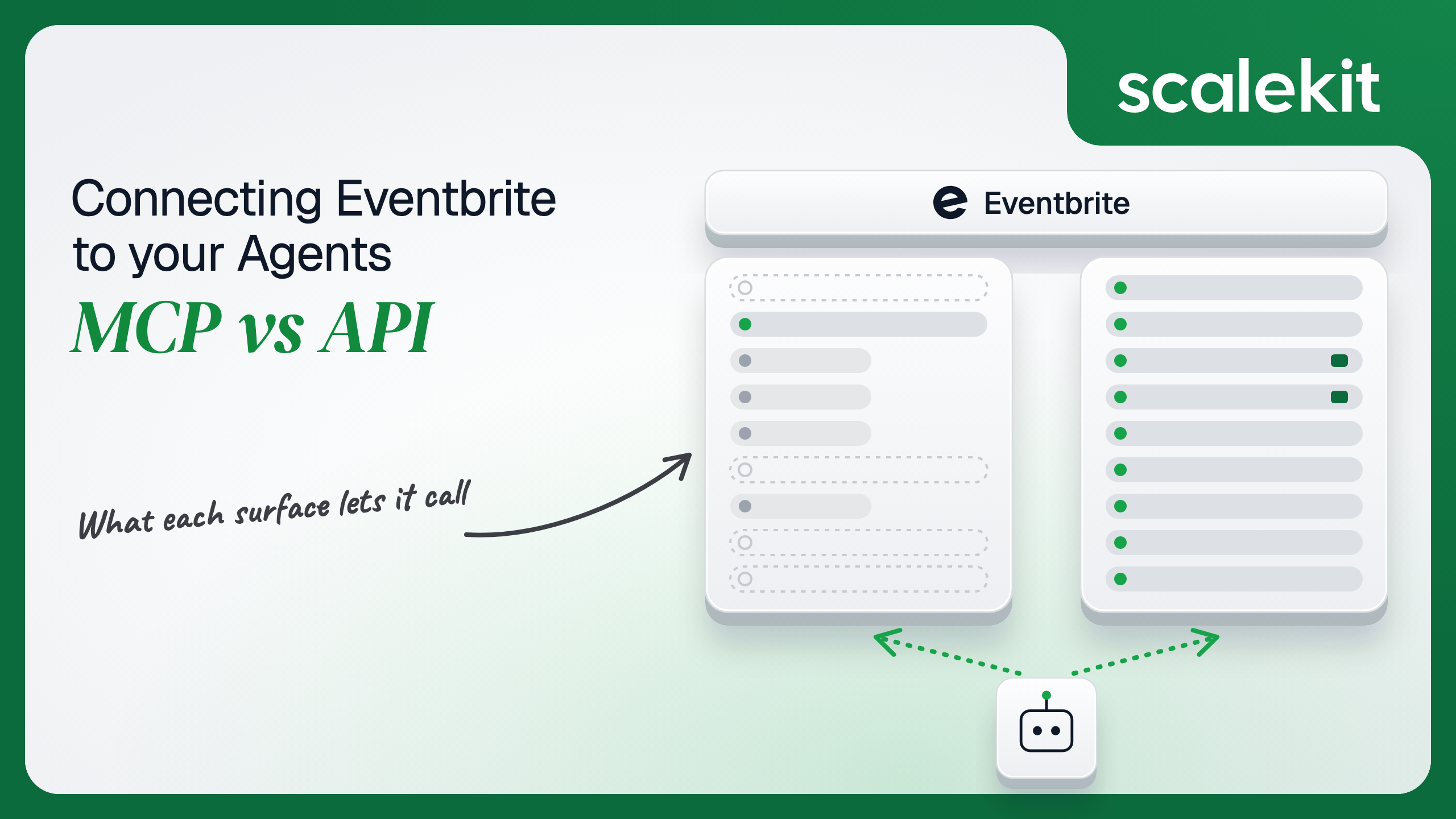


Eventbrite does not ship an MCP server of its own, so every Eventbrite MCP server is a community project that runs on one person's private token. The Eventbrite API v3 is the only first-party surface, with organizer OAuth that has no scopes, no documented expiry and no refresh token. This guide compares what each option lets an event operations agent do, why unscoped tokens make the tool list your main control, and how to run per-organizer grants with webhooks in production.
Your agent works for event organizers. It needs to tell a marketing lead how ticket sales for next month's conference compare with last year's, create a 20% early-bird code for a partner newsletter, publish a draft event once the venue confirms, or pull every attendee who changed their registration since yesterday into your CRM. You go looking for an Eventbrite MCP server and find a dozen of them on registries, none published by Eventbrite. Eventbrite ships the API v3, an OAuth app model, and webhooks. It does not ship an MCP server. That changes the shape of the decision: the MCP options are full-featured but unofficial and single-user, and the first-party option is a REST API you wire yourself. Here's how to pick.
There is no official Eventbrite MCP server. Eventbrite's developer platform documents the REST API, OAuth, and webhooks, and nothing about MCP. A July 2026 review of ChatGPT and Eventbrite integrations found "no official Eventbrite app in ChatGPT" and "no Eventbrite-run MCP server either," and we found nothing newer that changes that.
What exists is community work, and it varies widely:
All three authenticate the same way: a private token copied from Account Settings > Developer Links > API Keys in Eventbrite and set as an environment variable. None runs an OAuth flow, and none is hosted. Hosted "Eventbrite MCP" endpoints from integration vendors exist too; they are those vendors' servers over Eventbrite's API, not Eventbrite's.
The Eventbrite API v3 is REST at https://www.eventbriteapi.com/v3. It covers events and event series, event descriptions (structured content), display and ticket buyer settings, ticket classes, ticket groups, inventory and capacity tiers, discounts and access codes, checkout questions, attendees, orders and refunds, organizations and their members and roles, venues, seat maps, media, categories and formats, reports, and webhooks. Lists paginate with a continuation token and has_more_items, and related objects come back inline through the expand parameter.
Organizations are the unit of ownership. Events, attendees, orders, discounts, venues, and webhooks all hang off /organizations/{organization_id}/, and you find a user's organizations with GET /users/me/organizations/.
Auth takes two forms:
The community column is better than its reputation for reads. The largest server wraps most of the API's resource groups, and for an organizer poking at their own events from Cursor, that is enough. The gaps are structural, not cosmetic. No community server runs OAuth, none receives webhooks, and none is maintained by the company that owns the API contract.
Eventbrite's own column has a gap too, and it surprises people building discovery agents. "Find me jazz events in Austin this weekend" has had no first-party answer since 2019. Eventbrite's shutdown notice points to listing by event ID, venue, or organization, and to its distribution partner program for public events across many creators. An Eventbrite agent works for organizers. It does not browse the marketplace.
"How are early-bird sales tracking for the Berlin summit, and which ticket tier is closest to selling out" on the raw API means calling GET /users/me/organizations/ to find the organization ID, which Scalekit's docs warn "is not the organizer ID shown in organizer profile URLs," listing that organization's events and matching the name, reading ticket classes, pulling a sales report with the right date_facet and group_by, and paging through continuation tokens on each list. Every response lands in the model's context.
A community MCP server collapses that into tools the model can pick by name, and setup is a JSON entry plus a token. For a solo organizer, that is a working assistant in ten minutes. Writing the schema is the hard part. Not the API call.
The tradeoff is ownership. A community server's tool names, input shapes, and coverage change when its maintainer pushes, and the maintainer answers to nobody you have a contract with. One README in this set contradicts itself on its own tool count. An agent tuned against those tools inherits that churn.
On the MCP path, auth is whatever the server reads from its environment, which in every community server we reviewed is a private token. That token is the user's own OAuth token. It has no scopes, and Eventbrite documents no expiry for it. It reaches every organization the user belongs to, including refunds, event deletion, and attendee personal data. It sits in plaintext in claude_desktop_config.json or ~/.claude/settings.json on someone's laptop. When that person leaves, the token keeps working until someone remembers it exists.
On the direct API path, you choose between the private token and an OAuth app. The private token is right for an internal script that reads your own organization and wrong for anything else. An OAuth app gives you a token per organizer through the Authorization Code flow: the organizer approves your app on Eventbrite, and your backend exchanges the code with your client secret. Eventbrite's OAuth has no scopes to request, so consent is all or nothing. Eventbrite documents neither an access token lifetime nor a refresh token, which Nango's integration notes record as well, so plan for a long-lived bearer credential that must be revoked deliberately rather than one that ages out.
No scopes means the only least-privilege control you have is Eventbrite's own role model inside each organization, plus whatever your agent refuses to call. What the user can't do, the agent can't do. Everything the user can do, the agent can.
In a multi-tenant B2B agent, MCP gives you a credential per user and the direct API gives you a credential per user. In neither case does the path itself solve storage, rotation, or revocation; those are infrastructure problems regardless of which path you choose.
Eventbrite sharpens this because organizations nest people with very different reach. An owner's token can refund any order and export every attendee's name and email across the organization. A marketing coordinator's token reaches what their role allows. Wire the owner's private token into an assistant that the whole team uses, and every coordinator's question runs with refund rights and full attendee data. Agency setups make it worse: one Eventbrite user can belong to several client organizations, and a token minted for one client's work reaches the others too.
Recommended reading: OAuth vs API keys for AI agents
On the MCP path, you own everything, because there is no vendor between you and the API. The community server is code you run: you pin its version, read its diff before upgrading, and handle its failures. It handles rate limits only if its author wrote that, and the limit is per token, so one organizer's chat session that pages through 40,000 attendees can exhaust the hour for every other integration using the same token. Nothing in the MCP path learns that an order was placed; tools only run when someone asks.
On the API path, you own pagination, retries, and the token lifecycle. Eventbrite's API docs set a default of 2,000 calls per hour per token and return 429 with HIT_RATE_LIMIT past it. Eventbrite's API Terms of Use state 1,000 calls per hour on each OAuth token and add that certain actions get lower limits without listing them. Budget for the lower number. The same terms carry data rules an agent touches directly: content for past events needs the user's explicit permission to store, and stored content must be deleted when a user revokes consent.
Webhooks are how a headless agent learns that something happened. You register one per organization with POST /v3/organizations/{organization_id}/webhooks/, an endpoint_url, a comma-separated actions list such as order.placed,attendee.updated,attendee.checked_in, and an optional event_id to narrow it. The older POST /webhooks/ endpoint stopped working on June 1, 2020. Three properties of Eventbrite webhooks shape the handler:
Use a community Eventbrite MCP server when:
Use the Eventbrite API when:
Both paths hand you an Eventbrite credential per user. Neither hands you a vault. An events platform serving 120 customer organizations with 6 organizers each holds 720 Eventbrite tokens if it does isolation properly. None of them carries a scope. Eventbrite documents no expiry for any of them, so a token issued to a contractor in January still works in November unless someone revoked it. Each must be stored encrypted, kept out of logs and LLM context, mapped to exactly one organizer at one customer, and deleted when that organizer leaves or revokes consent, which Eventbrite's terms also require for the data you stored with it.
The MCP path doesn't reduce the count. It moves the 720 tokens into config files on 720 laptops, where nobody can list or revoke them centrally. The tempting shortcut on the API path is one owner's private token per customer. Fewer secrets, larger blast radius: that token can refund any order and read every attendee's email in the organization, and every coordinator's request runs with the owner's reach.
Scalekit's eventbrite connector runs the OAuth flow per organizer, stores each token in the token vault, and resolves it at request time, so the MCP vs API decision doesn't change your auth infrastructure. Your agent passes an identifier; credentials never touch the agent runtime or the LLM context.
Recommended reading: why a token vault matters for AI agent workflows
Scalekit's eventbrite connector is an API-path connector built by Scalekit with 85 tools: 52 read-only, 27 write, and 6 destructive, including eventbrite_event_delete and eventbrite_discount_delete. It covers events and series schedules, structured content, display and ticket buyer settings, ticket classes, ticket groups, inventory and capacity tiers, discounts, checkout questions, attendees, organizations and their members, venues, seat maps, media, categories and formats, and sales and attendee reports. The core set for an event operations assistant:
The connector authenticates with OAuth 2.0 through your own Eventbrite app; there is no Scalekit-managed Eventbrite app.
In the Scalekit dashboard, go to AgentKit > Connections, create an Eventbrite connection, and copy its redirect URI. In Eventbrite, open Account Settings > Developer Links > API Keys, create an API key for your app, and add that redirect URI. Enter the app's client ID and client secret on the Scalekit connection. The name you give the connection is the connection_name your code passes, and the string must match the dashboard exactly. This is the most common integration error. Copy SCALEKIT_ENVIRONMENT_URL, SCALEKIT_CLIENT_ID, and SCALEKIT_CLIENT_SECRET from Developers > API Credentials into .env. See the connector docs.
get_or_create_connected_account returns the organizer's connected account. If it is not ACTIVE, get_authorization_link returns the Eventbrite consent link the organizer opens once. Then eventbrite_current_user_get confirms which Eventbrite account the grant belongs to, so an organizer who approved with a personal login instead of the work one is caught before the agent touches an event.
This is not a catalog load. The agent asks for the tools this organizer's connected account is authorized to call, then narrows them to the seven a read-only sales assistant needs. Because Eventbrite tokens carry no scopes, this list is the only place the agent's reach gets smaller than the organizer's. eventbrite_event_delete, eventbrite_event_cancel, and eventbrite_discount_create never reach the model, so it cannot cancel a sold-out event or mint a 100% discount while answering a question about revenue.
The loop runs until the model stops requesting tools. Every call executes with this organizer's Eventbrite grant and sees only the organizations they belong to. The system prompt carries the details that trip models up on this API: organization IDs versus organizer IDs, continuation paging, and the per-token rate limit.
For pipelines, skip the model. execute_tool runs one tool with a fixed input and returns data plus an execution_id you can log. This handler runs when an Eventbrite webhook delivers attendee.updated or attendee.checked_in. Because Eventbrite documents no signature, it treats the delivery as a hint: it checks that api_url points at Eventbrite's API, parses the event and attendee IDs out of it, and reads the attendee with the organizer's own grant. A forged delivery can at most make you read a record that organizer can already see. The organizer is looked up from config.user_id, so the read runs as the person who owns the webhook, not as an admin.
Deliveries can stop for hours and backlogs may never arrive, so pair the handler with a reconciliation job. eventbrite_event_attendees_list takes changed_since as an ISO 8601 UTC time and pages with continuation, which turns "what did we miss" into one loop per event.
The 26-hour window overlaps the previous run by two hours, so an attendee changed during a slow job is not lost. Run it per active event, not per organization, and the hourly token budget stays predictable.
Webhook registration is a one-time setup step per organization, and it belongs in your own code. Here it is against the API directly, with a private token for your own organization. For customer organizations, send the same request with each organizer's OAuth token instead; Scalekit custom connectors cover authenticated REST calls the prebuilt tools don't.
Leave out event_id to cover every event in the organization. Store the webhook ID per customer so offboarding can call DELETE /v3/webhooks/{id}/.
An event operations agent rarely stops at Eventbrite. It checks sales, then tells the team in Slack. Load all 85 eventbrite tools and the model holds eventbrite_event_delete, eventbrite_discount_create, and eventbrite_ticket_class_update while answering "how many tickets did we sell yesterday." At roughly 200 tokens each, 85 tools is about 17,000 tokens before the agent does any work, and with no OAuth scopes on Eventbrite's side, the tool list is the only thing standing between a misread prompt and a cancelled event. The fix is not better prompting. It is surface reduction. A Scalekit virtual MCP server declares exactly which tools an agent role can see across connections, and session tokens keep each run bound to one user's connected accounts. Docs: set up a virtual MCP server.
One server definition serves every organizer at every customer. Before each run, check that the user's accounts are active and mint a short-lived session token scoped to them. Any MCP client that speaks Streamable HTTP can connect; this example uses langchain-mcp-adapters (pip install langchain-mcp-adapters) and passes the token as a Bearer header.
The agent sees five tools instead of 85 plus everything Slack exposes. The endpoint is static; the identity is per-user. This is also the MCP server Eventbrite never shipped: a hosted endpoint your Claude, Cursor, or custom client can connect to, where each run acts as one organizer through their own OAuth grant instead of a private token pasted into a config file.
Every execute_tool call returns an execution_id, and every execution is attributed to a connected account, which maps to one organizer at one customer. When a customer asks which agent run published the draft event at 02:00 or who created the discount code that showed up on a coupon site, the answer is a lookup, not an investigation.
The private-token path is weaker by construction. A community MCP server reads one token, so every action it takes looks, to Eventbrite, like the token's owner did it by hand. If three coordinators share an assistant wired to the owner's token, Eventbrite's records say the owner did everything, and nothing anywhere says which coordinator asked. Webhook deliveries add one more gap: they carry config.user_id for the webhook's owner, not for whoever changed the attendee, so your own logs are where per-request attribution lives. Shared credentials are a single-user solution. They do not survive a second user.
Recommended reading: audit trails for agent auth
If your agent is one organizer's assistant for their own events, a community MCP server with their private token works, as long as someone pins and reads the code it runs and accepts that the token never expires on its own. If you are building that assistant into a product for many organizers or agencies, build on the Eventbrite API with OAuth, because no MCP server, official or community, gives you per-organizer consent. If your agent reacts to orders and check-ins, issues refunds, or schedules recurring events, the API is the only first-party surface, and the webhook handler needs reconciliation behind it. Either way, you hold an unscoped Eventbrite credential per organizer that can refund orders and read attendee data, and that's what needs production-grade infrastructure.
No. Eventbrite has not shipped or announced an MCP server, hosted or local. Every Eventbrite MCP server is a community project, the broadest listing 73 tools, and each runs locally with one Eventbrite private token read from an environment variable, so every request carries one person's identity.
No. Eventbrite shut down its public event search endpoint on December 12, 2019. An agent can list events only through an organization, a venue or an event ID it already knows, so Eventbrite agents work for organizers rather than browsing the marketplace.
Organizers approve your app through the authorization code flow and your backend exchanges the code with your client secret. Eventbrite documents no scopes, no access token expiry and no refresh token, so a token can do everything its user can do in every organization they belong to until it is revoked.
Limits apply per token. Eventbrite's API docs state 2,000 calls per hour by default, while its API Terms of Use state 1,000 per hour per OAuth token and lower limits for certain actions. Budget for the lower number, and remember a chat that pages through thousands of attendees spends the same token's hour.
You register a webhook per organization for actions such as order placed and attendee updated. Each delivery carries an API URL pointing at the changed object rather than the data, Eventbrite documents no signature, and developers have reported deliveries stopping for hours, so pair the handler with a reconciliation job on recent changes.
Scalekit's Eventbrite connector runs the OAuth flow per organizer through your own Eventbrite app and stores each token in a vault, so credentials never touch the agent runtime. It exposes 85 tools, 52 read, 27 write and 6 destructive, and because Eventbrite tokens carry no scopes, narrowing tools per role is your main control.
Browse the Scalekit Eventbrite connector and the Eventbrite connector docs with the full tool list. See Scalekit pricing, or talk to us.