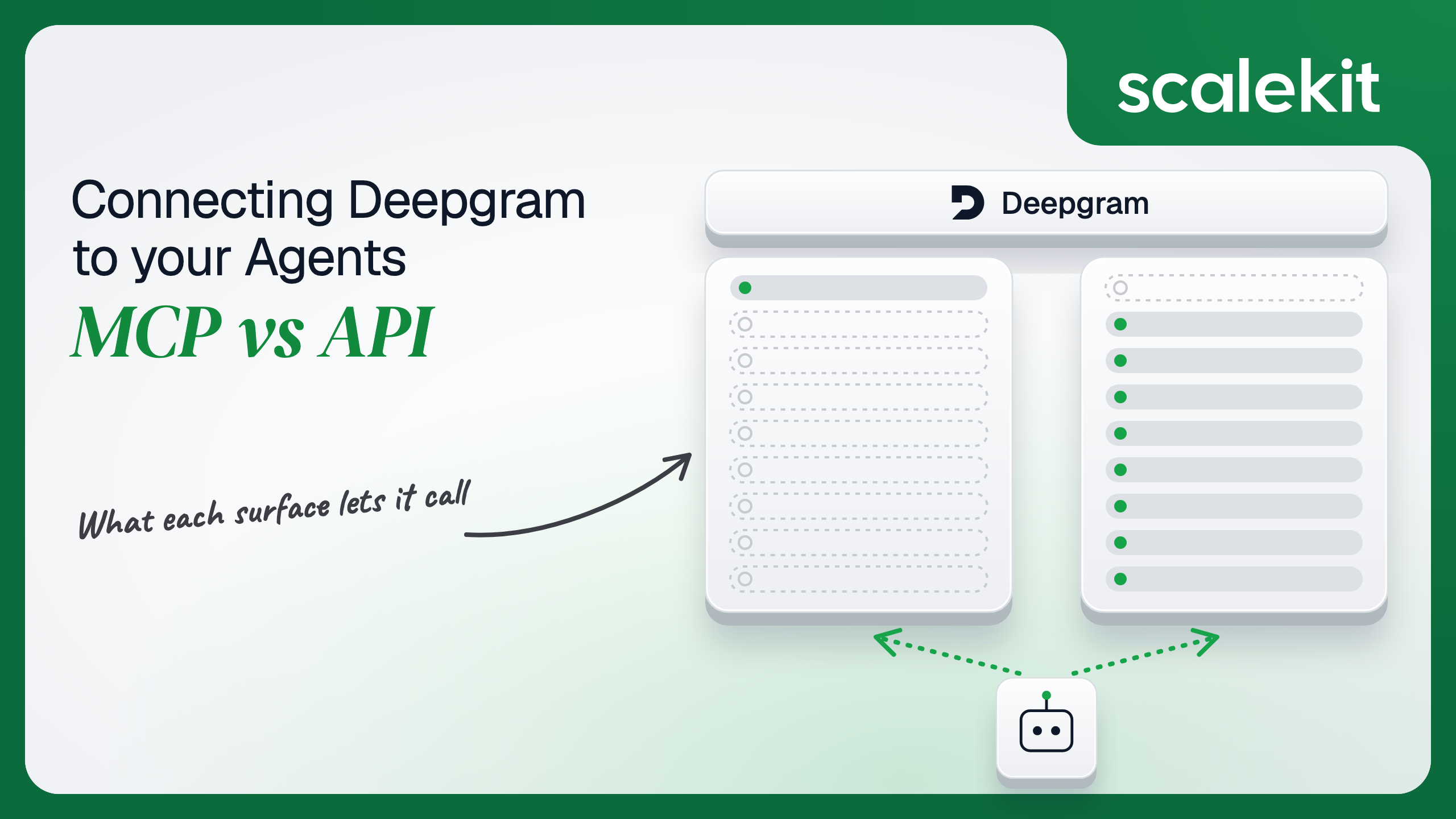


Deepgram MCP is two different things: a hosted documentation server with one knowledge-search tool, and a local server inside the Deepgram CLI that proxies developer API tools with a developer's own key. Transcription, text-to-speech, text intelligence, the Voice Agent API and key management all live on the REST and WebSocket API. This guide compares what each path lets an agent do, the project-scoped keys and short-lived grants the API puts you on, and how to run a voice agent for many customers in production.
Your agent needs speech: transcribe a call, read a reply aloud, or run a full voice conversation. You search for a Deepgram MCP server and find one, hosted, with OAuth. Then you connect it and discover it searches documentation. The speech capability is somewhere else, behind a different credential model with different failure modes in production. Here's how to pick the path that matches what your agent actually does.
Deepgram's agentic developer tools page lists two Model Context Protocol (MCP) servers.
The docs MCP server is hosted for Deepgram by Kapa at https://api.dx.deepgram.com/kapa/mcp (alternate https://deepgram.mcp.kapa.ai) over HTTP. It lets AI tools query the full Deepgram documentation. Kapa-hosted public servers follow a fixed tool pattern, so Deepgram's search tool is search_deepgram_knowledge_sources. On Kapa's public servers, users sign in with Google or GitHub through OAuth on first connect, and Kapa uses the resulting opaque user ID for rate limiting (Kapa hosted MCP docs). Deepgram's docs carry no beta or GA label for it.
The CLI MCP server ships inside dg, the Deepgram CLI launched in April 2026. Running dg mcp starts a local server over stdio (or HTTP/SSE with dg mcp --transport sse --port 8000) that "proxies the tools exposed by the Deepgram developer API." Deepgram does not publish the tool list; the remote service owns it. It authenticates with credentials saved by dg login, or DEEPGRAM_API_KEY in CI (CLI MCP server docs).
The Deepgram API is REST plus WebSockets on api.deepgram.com: /v1/listen for pre-recorded and streaming speech-to-text, /v1/speak for text-to-speech over REST or WebSocket, /v1/read for text intelligence, and the Voice Agent API at wss://agent.deepgram.com/v1/agent/converse. The Management API covers projects, members, API keys, usage, and balances.
Auth is an API key in Authorization: Token <key>. For clients that should never hold the key, POST /v1/auth/grant mints a short-lived JWT. Docs: Authentication and Token-based authentication.
The hosted MCP server helps an agent know Deepgram. The API lets an agent use Deepgram. The local dg mcp server sits between them: it reaches the developer API, but it runs on a developer's machine, authenticates with that developer's key, and exposes a tool list Deepgram can change without notice. That makes it a coding-assistant tool, not a production integration surface.
The docs server needs no schema work. One tool, one required query string, and the model gets grounded answers about parameters like diarize, smart_format, or Voice Agent Settings messages. For an agent that writes Deepgram integration code, that removes a whole class of hallucinated parameters.
On the API side you write everything an LLM needs. /v1/listen alone takes dozens of query parameters across models, languages, and features, and the Voice Agent API defines 12 client-to-server and 21 server-to-client message types. Writing the schema is the hard part. Not the API call.
The hosted docs server's OAuth flow proves who is asking so Kapa can meter usage: 600 searches per user per day and 60 per team per minute on public OAuth servers. Google sign-in requests only the openid scope; GitHub requests no scopes. The token is not tied to a Deepgram project, cannot read usage, and cannot transcribe a second of audio.
That is the right design for a public knowledge server, and it means the MCP path never puts a Deepgram API key on your infrastructure. It also means the MCP path cannot be your production speech path.
Every API key belongs to a Deepgram project and carries a role. member has project:read, project:write, usage:read, and usage:write; admin adds member management and billing:read; owner adds project settings, deletion, and billing writes (roles and scopes). Keys can expire on a date, after a duration, or never, and can carry tags that are stamped on every request and cannot be changed later. Your first key must be created in the Deepgram Console.
Temporary credentials come from POST /v1/auth/grant, called with a key that has at least Member permissions. The JWT defaults to a 30 second TTL with a 3,600 second ceiling, carries usage:write, and works on /listen, /speak, /read, and the /agent WebSocket. Management APIs reject it. A WebSocket opened with a valid token stays open past its expiry, which is exactly what a browser-side voice agent needs.
There is no OAuth for the Deepgram API. A user cannot click "Connect Deepgram" and delegate their own access. Your agent holds a key, either yours or your customer's.
In a multi-tenant B2B agent, MCP's OAuth flow gives you a token per user. Direct API calls give you a credential per customer. In neither case does the path itself solve storage, rotation, or revocation; those are infrastructure problems regardless of which path you choose.
Deepgram adds a specific wrinkle. Concurrency limits apply per project, and Deepgram's docs say extra projects do not add concurrency, with secondary self-serve projects limited to one concurrent stream. If every customer runs on your one project key, they share 150 streaming Nova-3 connections on Pay as You Go and 50 concurrent pre-recorded requests. If each customer brings their own Deepgram key, their limits and their bill stay theirs, and you now store one key per customer.
Recommended reading: OAuth vs API keys for AI agents
Deepgram and Kapa own the docs server, the index, and the tool schema. You own the OAuth connection per user, the token store, refresh, and handling of the "Rate limit exceeded. Please try again later." response when an agent burns through 600 daily searches. The per-user daily cap does not reset with a new session.
You own everything: schemas, streaming connection management, retries, and the key lifecycle. Exceeding project concurrency returns 429 with TOO_MANY_REQUESTS, and Deepgram's guidance is exponential backoff, request queuing, and client-side throttling (concurrency limits). Pay as You Go and Growth plans cannot raise the limit.
The other errors are specific enough to route on. 401 INVALID_AUTH means a bad key. 402 ASR_PAYMENT_REQUIRED means the project is out of credits; for a customer-supplied key, that is a customer notification, not a retry. 403 INSUFFICIENT_PERMISSIONS means the project lacks the requested model. 422 ASR_UNPROCESSABLE_ENTITY usually means a slow or interrupted upload. TTS rejects bodies over 2 MB with 413 (errors).
Limits differ by feature and region. Whisper Cloud allows 3 concurrent pre-recorded requests on self-serve plans and is unavailable outside North America; entity detection allows 5. An agent that mixes features needs a concurrency budget per feature, not one global semaphore (rate limits).
The API is versioned in the path (/v1/), and models change underneath it: Nova-3, Flux, and Aura-2 each arrived with their own limits. On the MCP side, the docs server exposes a single search tool with one query input, but the local dg mcp tool list is owned by Deepgram's remote service and can change between sessions. Pin your production integration to the API, not to the CLI's proxied tool set.
Both paths hand you a credential. Neither hands you a vault. In a multi-tenant voice product, 50 customers who bring their own Deepgram keys means 50 long-lived secrets, each one able to spend that customer's credits and, at admin or owner, manage their keys and members. Each must be stored encrypted, bound to one tenant, rotated before its expiration date, and revoked when the customer churns.
The MCP path changes the token type, not the problem: an OAuth token per user, refreshed and revoked per user. The tempting shortcut on the API side, one owner key on your own project for every customer, removes the storage problem and replaces it with shared concurrency, shared credit exhaustion, and a single key whose leak exposes the whole account.
Scalekit's deepgrammcp connector handles the OAuth flow, token storage, and refresh for the MCP path, and a Scalekit custom connector stores each customer's Deepgram API key in the token vault for the API path, so the MCP vs API decision doesn't change your auth infrastructure. Your agent passes an identifier; credentials never touch the agent runtime or the LLM context.
Recommended reading: why a token vault matters for AI agent workflows
Scalekit's deepgrammcp connector is an MCP-path connector with one read-only tool, deepgrammcp_search_deepgram_knowledge_sources, which takes a single query string written as a complete sentence. It authenticates with OAuth, and Scalekit-managed OAuth credentials are available, so you do not need to register your own OAuth app.
Create a Deepgram MCP connection in AgentKit > Connections in the Scalekit dashboard. The name you give it is the connection_name your code passes, and the string must match the dashboard exactly. This is the most common integration error. Copy SCALEKIT_ENVIRONMENT_URL, SCALEKIT_CLIENT_ID, and SCALEKIT_CLIENT_SECRET from Developers > API Credentials into .env.
get_or_create_connected_account returns the user's connected account. If it is not ACTIVE, get_authorization_link returns the OAuth link the user opens once. Scalekit stores and refreshes the token; the agent never sees it.
The agent does not load a connector catalog. It asks for the tools this user's connected account is authorized to call, filtered by name, so the surface stays exactly what the agent role needs even as connectors add tools.
The loop runs until the model stops requesting tools. Every search executes under this user's connected account.
For pipelines, skip the model. execute_tool runs one tool with a fixed input and returns data plus an execution_id you can log.
Scalekit does not ship a prebuilt connector for the Deepgram REST and WebSocket API. To call it with per-customer keys, create a custom connector with API_KEY auth, proxy_url set to https://api.deepgram.com, and an auth_field_mutations rule that adds the Token prefix Deepgram expects. Each customer enters their key once, and it is stored as that customer's connected account credential. Then make proxied calls with actions.request():
Give customers a key with the narrowest role that works. A transcription pipeline needs member, not owner.
A developer-support agent rarely needs one connector. It searches Deepgram's docs, then posts an answer where the developer asked. A Scalekit virtual MCP server declares exactly which tools an agent role can see across connections, and session tokens keep each run bound to one user's connected accounts. Docs: set up a virtual MCP server.
One server definition serves every user. Before each run, check that the user's accounts are active and mint a short-lived session token scoped to them. Any MCP client that speaks streamable HTTP can connect; this example uses langchain-mcp-adapters (pip install langchain-mcp-adapters) and passes the token as a Bearer header.
The agent sees two tools, not every tool Slack exposes. The endpoint is static; the identity is per-user.
Every execute_tool and proxied call returns an execution record attributed to a connected account, which maps to one of your users or customers. When a customer asks which agent run spent their credits, the answer is a lookup, not an investigation.
Deepgram's own attribution follows the key. Temporary tokens from /v1/auth/grant share the accessor of the key that minted them, so their usage is tracked under that key, and key tags are stamped on every request. One shared key across customers collapses all of that into a single line item. Shared credentials are a single-user solution. They do not survive a second user.
Recommended reading: audit trails for agent auth
If your agent helps developers build on Deepgram, answering questions about models, parameters, and Voice Agent messages from inside an editor or a support channel, use Deepgram MCP. One tool, no schema work, and no Deepgram key on your servers. If your agent touches audio, which is most Deepgram agents, use the API: it is the only path to transcription, TTS, text intelligence, the Voice Agent API, and usage data.
Either way, the credential problem is the same, and that's what needs production-grade infrastructure. Deepgram's per-project concurrency makes the choice of whose key runs each request a capacity decision as much as a security one. Make it per customer from day one.
Two, for different jobs. The docs MCP server is hosted for Deepgram by Kapa, exposes one knowledge-search tool, and touches no Deepgram project. The CLI MCP server ships inside the Deepgram CLI launched in April 2026, runs locally, and proxies the tools of the developer API using the credentials saved by the CLI login. Neither transcribes audio in production.
With project-scoped API keys sent as a token header, each carrying a role: member, admin or owner. Keys can expire on a date or after a duration, and can carry tags stamped on every request. For clients that should never hold the key, a grant endpoint mints a short-lived JWT, 30 seconds by default and one hour at most, that works on the listen, speak, read and agent endpoints but not the management API.
Because its identity exists for rate limiting. Users sign in with Google or GitHub, Kapa uses the resulting opaque ID to meter 600 searches per user per day and 60 per team per minute, and the token is not tied to a Deepgram project. It cannot read usage or transcribe a second of audio, which is the right design for a public knowledge server and the reason it cannot be a production speech path.
Limits apply per project, not per key, and extra projects do not add concurrency. If every customer runs on one project key they share, for example, 150 streaming connections on the Pay as You Go plan, and one customer's backfill returns 429 to every other customer. Keys brought by each customer keep their limits and their bill separate, at the cost of storing one key per customer.
When it processes audio: transcribing support calls after they end, captioning meetings live, reading responses aloud, running a voice agent whose function calls hand work to your backend, or producing nightly batch transcriptions and usage reports. Also when a browser or mobile client must stream audio directly using a short-lived grant instead of the key.
The Deepgram MCP connector handles the OAuth flow and token storage for the hosted docs server with a single read-only search tool and managed OAuth credentials. For the API, a Scalekit custom connector stores each customer's Deepgram key in the token vault and makes proxied calls with the token prefix Deepgram expects. A virtual MCP server combines the tools an agent role needs, and every execution is attributed to one user or customer.
Browse the Scalekit Deepgram MCP connector and the Deepgram MCP connector docs. See Scalekit pricing, or talk to us.