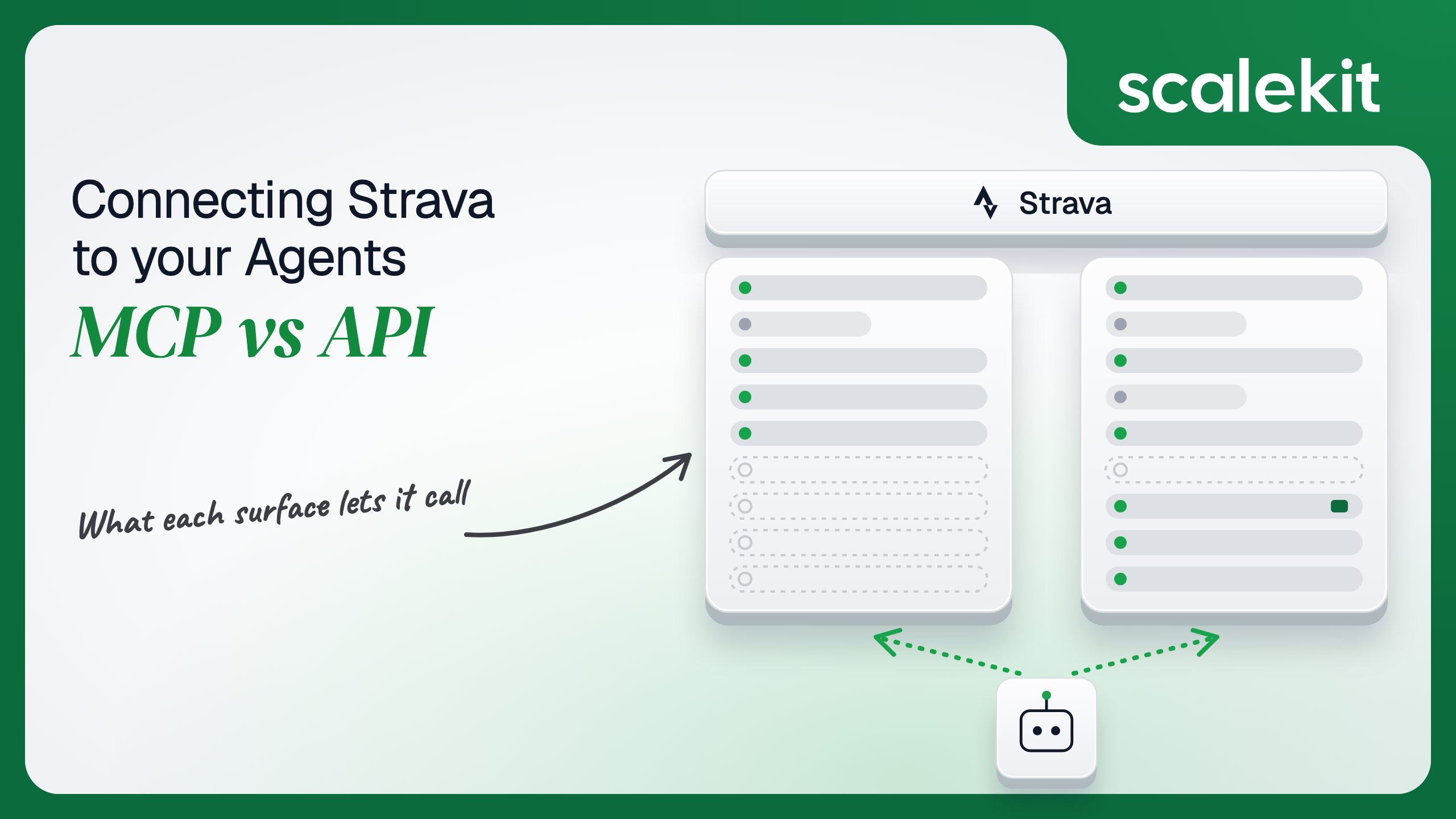


Strava gives an agent two surfaces: an official, read-only MCP server for subscribers, and the Strava API v3 with per-athlete OAuth and webhooks. On Strava the engineering comparison comes second, because the API Policy that took effect on June 1, 2026 decides which path a model may sit on at all. This guide covers what each path can do, what the policy allows, the rotating credential every athlete grant carries, and how to run the parts a multi-athlete product can build today.
Your product is a coaching platform. Forty coaches each work with about 25 athletes, and every athlete records on Strava. The pitch for the agent is obvious: read each athlete's last week of activities, compare heart rate zones against the plan, flag the athlete whose easy runs have crept into zone 4, and draft the coach's Monday notes. You go looking for a Strava MCP server and find one, official and hosted, announced with Claude in June. You also find the Strava API, which you have probably used before. Then you read the June 2026 API Policy and discover that the question is not only which path is better engineered. It is which path you are allowed to put a model on. Here's how to pick.
The Strava MCP connector is a remote MCP server operated by Strava at https://mcp.strava.com/mcp. Strava's help article lists Claude support since June 2026 (claude.ai, the desktop app, and Claude Code with claude mcp add --transport http strava-mcp https://mcp.strava.com/mcp) and Google Gemini since October 2026, available only in the US at launch. Athletes authorize it with OAuth by signing in to Strava, and revoke it under Settings > My Apps on Strava.com.
It is read-only: per Strava, the assistant "cannot upload, edit, or delete activities." Strava describes the data rather than publishing tool names: activity history, fitness trends, cross-sport insights, gear, best efforts, activity weather, and streaks, with launch coverage from Marathon Handbook adding per-second heart rate and pace, GPS routes, and cycling power. Requests are rate limited per minute and per day; Strava has not published the numbers. It is included with the Strava subscription, the Strava + Runna bundle, and the Family, Student, and discount plans, and with nothing else.
Community MCP servers also exist. The most-starred, r-huijts/strava-mcp (MIT), says it "exposes 25 tools for Strava API v3" across profile, activities, stats, segments, routes, and clubs, runs locally, and stores OAuth tokens in ~/.config/strava-mcp/config.json from a Strava app the user registers. Since June 1, 2026, Strava's policy treats running a server like this for anyone as a prohibited "MCP Server" under section 5.16(b), and Standard Tier API access now requires a Strava subscription.
The Strava API v3 is REST at https://www.strava.com/api/v3. It covers the authenticated athlete, their stats and zones, activities with laps, zones, comments, kudos, and streams (time, distance, latlng, altitude, heart rate, cadence, watts, temperature), segments and segment efforts, routes with GPX and TCX export, clubs, gear, and file uploads. Strava's June 2026 developer update moves the base URL to the api-v3.strava.com host and requires tokens in request headers by June 1, 2027.
Auth is OAuth 2.0 only: send the athlete to https://www.strava.com/oauth/authorize with response_type=code and a comma-delimited scope, then exchange the code at POST https://www.strava.com/oauth/token. There are no API keys and no service accounts. Every call is made as one athlete.
Most articles in this series compare two engineering surfaces. Strava's terms decide this one first, so they come before the comparison. Three dates matter.
On November 15, 2024, Strava updated its API agreement to limit display of a user's data to that user and stated that its "previous terms already disallowed the use of Strava user data in model training and development." That version restricted training. It did not address inference.
On June 1, 2026, a new API Agreement and API Policy took effect. The policy is the document an agent builder has to read in full. Its relevant sections, quoted directly:
On September 1, 2026, the Club Activities, Club Members, and Club Administrators endpoints were deprecated, and Explore Segments became limited to approved Extended Access apps.
Read fairly, Strava's position is coherent. It says developer applications rose 448% in 2026, cites AI scraping and "zero-code AI tools" that hammer the API, and offers its own MCP as the AI path for athletes analyzing their own data. Read precisely, the consequence for this article is blunt. An agent that pulls an athlete's activities from the API into a model's context is the activity section 5.3 names. A server that exposes Strava tools to an agent is the mechanism section 5.16(b) names. The policy contains no "unless agreed in writing" carve-out for either, so a production agent product needs a conversation with Strava at developers@strava.com before it needs an architecture.
This is not legal advice, and terms change. It is the published text as of November 2026.
The MCP column is stronger than a "read-only" label suggests. For a subscriber asking Claude why their threshold pace stalled this spring, it reaches streams, zones, and best efforts with no developer app, no review, and no rate limit math. Strava also says answers come from live data rather than an export.
The API column is wider, and it is the only one with writes, uploads, and webhooks. It is also the column where the tool exists but the use is restricted: subscriber-only endpoints, Extended Access endpoints, and endpoints Strava has removed. The Scalekit tool list reflects that, with strava_explore_segments documented as limited to "apps with Extended Access Tier permission."
"How did my long runs this block compare with last year's, and was I drifting above zone 2?" on the raw API means GET /athlete for the athlete ID, paging GET /athlete/activities with after and before epoch timestamps, filtering by sport_type, fetching zones per activity, pulling heart rate streams at one sample per second for each run, and summarizing arrays that run to thousands of points each. Every byte lands in the model's context.
The Strava MCP collapses that into a conversation. The athlete adds a connector, signs in, and asks. Strava owns the schemas, the paging, and the rate limiting. For a single athlete, it is the shortest path from question to answer, and it is the path Strava's terms explicitly bless.
What it does not do is serve anyone but the person who connected it. There is no per-tenant configuration, no way for your backend to call it on an athlete's behalf, and no write access. It is a consumer feature with an MCP transport, not an integration surface.
On the MCP path, auth is Strava's own OAuth consent, run by the AI client. The athlete signs in to Strava from Claude or Gemini, approves access, and the client holds the token. You never see it, and section 3.5 means you are not supposed to be in that loop for anyone but yourself.
On the direct API path, you register an app at strava.com/settings/api and run the Authorization Code flow per athlete. Strava's scopes are granular, which is unusual among fitness APIs:
Athletes can uncheck scopes on the consent screen, so check the scope value Strava returns rather than assuming what you asked for. An athlete who granted activity:read without activity:read_all silently loses Only You activities, and Strava's webhook docs note those apps get a delete event when an activity turns private.
The token lifecycle is where Strava gets strict. Access tokens "expire six hours after they are created." Refreshing with grant_type=refresh_token may return a new refresh token, and "once a new refresh token is returned, the older refresh token is invalidated immediately." Two workers refreshing the same athlete at the same moment is not a cosmetic race: the loser holds a dead refresh token, and the athlete has to reauthorize. Revocation moved too. POST https://www.strava.com/oauth/revoke, authenticated with HTTP Basic using your client ID and secret, is available since June 1, 2026 and becomes the only deauthorization endpoint on June 1, 2027, when oauth/deauthorize retires.
Granular scopes make least privilege expressible, which most connectors in this series cannot claim. What the user can't do, the agent can't do; on Strava you can also make sure the integration asks for less than the user could grant.
In a multi-tenant B2B agent, MCP gives you a credential per user and the direct API gives you a credential per user. In neither case does the path itself solve storage, rotation, or revocation; those are infrastructure problems regardless of which path you choose.
Strava adds two constraints of its own. Section 5.16(c) forbids re-using "API Tokens or authentication credentials across multiple servers, services, applications, or end users," so the shortcut of one coach's token reading a squad's data is a terms violation as well as a scoping failure. And Strava's athlete model has no organization: there is no team token, no admin grant, no workspace. A coaching platform with 1,000 athletes holds 1,000 independent grants, each with its own scopes, its own six-hour clock, and its own rotating refresh token.
Recommended reading: How to handle token refresh for AI agents
On the MCP path, you own nothing and control nothing. Strava runs the server, sets unpublished per-minute and per-day limits, and decides which data types ship next. That is the right trade for an athlete. For a product, it is not a dependency you can build on, because the policy says you cannot.
On the API path, you own capacity first. New apps start at an athlete capacity of 1, which Strava's rate limit docs call Single Player Mode. A self-service upgrade raises capacity to 10 athletes and limits to 400 requests per 15 minutes and 4,000 per day overall, with 200 and 2,000 for reads. Beyond 10 athletes, Strava reviews the app, and "until approved, you cannot authenticate additional athletes." Standard Tier covers up to 9,999 athletes after review; Extended Access is "generally inclusive of Developer Applications serving 10,000 users or more and approved by Strava." Since June 30, 2026, Standard Tier developers need a Strava subscription; Extended Access developers do not.
The defaults are 200 requests per 15 minutes and 2,000 per day overall, 100 and 1,000 for reads, and they are per application, not per athlete. The 15-minute window resets at 0, 15, 30, and 45 minutes past the hour, and the daily window at midnight UTC. Strava returns 429 Too Many Requests past either, and reports usage in X-RateLimit-Usage and X-ReadRateLimit-Usage as two comma-separated numbers. Polling 1,000 athletes for new activities is not possible at these numbers, which is why Strava's own guidance for apps that ask for more is to use webhooks and throttle backfill.
Webhooks are how a headless integration learns anything. Each app gets one push subscription covering every athlete who authorized it. Four properties shape the handler:
Section 6.2's seven-day cache limit belongs in this list too. A coaching history that persists Strava activities indefinitely is a storage design the policy rules out.
Use the Strava MCP when:
Use the Strava API when:
Both paths hand you a Strava credential per athlete. Neither hands you a vault. A coaching platform with 40 coaches and 1,000 athletes holds 1,000 grants. At a six-hour access token lifetime, keeping them warm means about 4,000 refreshes a day, and every refresh can rotate the refresh token and kill the old one on the spot. Any two processes that refresh the same athlete without coordination produce a dead grant and a support ticket that says "Strava disconnected again." Each grant must be stored encrypted, kept out of logs and LLM context, mapped to exactly one athlete, checked for the scopes actually granted, and revoked through oauth/revoke when the athlete leaves, with their cached data deleted.
The MCP path doesn't reduce the count; it moves the tokens into each athlete's AI client, where your product cannot see them, which is exactly what Strava intends. The tempting shortcut on the API path, one coach's token reused for the whole squad, is both a cross-tenant scoping failure and a section 5.16(c) violation.
Scalekit's strava connector runs the OAuth flow per athlete, stores each token in the token vault, and refreshes it centrally, so the rotation race lives in one place instead of every worker. Your code passes an identifier; credentials never touch the agent runtime or the LLM context. That holds for a non-AI sync pipeline today and for an AI agent if Strava agrees to one.
Recommended reading: Why a token vault matters for AI agent workflows
Scalekit's strava connector is an API-path connector built by Scalekit with 28 tools: 24 read-only, 4 write, and none destructive. The write tools are strava_create_activity, strava_update_activity, strava_update_athlete (weight only), and strava_star_segment. It covers the athlete profile, stats, and zones; activities, laps, zones, comments, kudos, and streams; segments, starred segments, segment efforts, and their streams; routes and route streams; clubs; gear; and upload status. The core set for a coaching integration:
The connector authenticates with OAuth 2.0 through your own Strava app; there is no Scalekit-managed Strava app. The full schemas are on the connector docs page.
One rule governs the rest of this section. The Scalekit mechanics are the same whether a model is involved or not, but Strava's terms are not. The deterministic execute_tool and REST examples below are the shape of a compliant non-AI integration. The agent loop and the virtual MCP server put Strava Data in a model's context and expose Strava tools through an MCP endpoint, which sections 5.3 and 5.16(b) prohibit; build them only once Strava has agreed to that use with you.
In the Scalekit dashboard, go to AgentKit > Connections, create a Strava connection, and copy its redirect URI. On Strava, open strava.com/settings/api, register your application, and set its Authorization Callback Domain to the host of that redirect URI. Enter the app's Client ID and Client Secret on the Scalekit connection, and request only the scopes your feature needs. The name you give the connection is the connection_name your code passes, and the string must match the dashboard exactly. This is the most common integration error. Copy SCALEKIT_ENVIRONMENT_URL, SCALEKIT_CLIENT_ID, and SCALEKIT_CLIENT_SECRET from Developers > API Credentials into .env.
Remember Strava's capacity rules while testing: until you self-upgrade, your app can authorize only you, and past 10 athletes it needs Strava's review.
get_or_create_connected_account returns the athlete's connected account. If it is not ACTIVE, get_authorization_link returns the Strava consent link the athlete opens once. Then strava_get_athlete confirms which Strava athlete the grant belongs to, which catches an athlete who approved from a partner's logged-in browser before your sync writes their activities to the wrong profile.
Store the returned Strava athlete id against your identifier. Webhook deliveries identify athletes by owner_id, and this mapping is how a delivery finds the right connected account.
This is not a catalog load. The agent asks for the tools this athlete's connected account is authorized to call, then narrows them to the four a plan-alignment assistant needs. strava_update_athlete, strava_star_segment, and every stream tool stay out of the model's reach, so it cannot change an athlete's weight while renaming a run, and it never pulls a second-by-second heart rate array into context it does not need. The narrowing also keeps the data the model sees to the minimum, which matters on a platform with Strava's terms.
This loop requires Strava's agreement to AI use; under the published policy, the strava_list_activities results it hands to the model are "ingestion into a context window." With that agreement in place, the loop runs until the model stops requesting tools, every call executes with this athlete's grant, and the system prompt carries the details that trip models up on this API: epoch-second time filters, the gear_id prefixes, and the app-wide rate limit.
For pipelines, skip the model. execute_tool runs one tool with a fixed input and returns data plus an execution_id you can log. This is the part of a Strava integration that works under the published terms: no model, no context window, data shown back to the athlete who owns it, and a cache that expires.
The handler below covers Strava's webhook end to end. It answers the subscription handshake, ignores deliveries for any subscription but yours, treats a deauthorization as a purge, deletes cached activities when Strava says they were deleted or went private, and otherwise reads the activity with the owner's own grant. Because Strava signs nothing, the payload only ever supplies IDs; a forged delivery can at most make you read an activity that athlete already authorized you to see.
Strava's retries and its habit of emitting several events for one save mean the same activity can arrive more than once, so the cache write is keyed on activity_id and repeats are harmless. Pair the handler with an expiry sweep, so nothing outlives the seven-day limit even when an athlete never edits the activity again.
Run the sweep hourly. In production the cache is Redis or a database table with a TTL rather than a dictionary, but the rule is the same.
The webhook subscription is one per app, created once, and it belongs in your own deployment code rather than a tool. So does revocation when an athlete deletes their account in your product. Both authenticate with your app's client credentials, not an athlete token. Scalekit custom connectors cover authenticated per-athlete REST calls the prebuilt tools don't, such as POST /uploads.
The callback must already be serving handle_strava_verification when you run the POST, because Strava validates it during creation. Store the subscription ID as STRAVA_SUBSCRIPTION_ID for the event handler.
A coaching agent rarely stops at Strava. It reads training, then messages the coach in Slack. Load all 28 strava tools and the model holds strava_update_athlete and strava_create_activity while answering "did Ana run on Thursday." At roughly 200 tokens each, 28 tools is about 5,600 tokens before the agent does any work, and stream tools can return tens of thousands of samples per call on top of that. The fix is not better prompting. It is surface reduction. A Scalekit virtual MCP server declares exactly which tools an agent role can see across connections, and session tokens keep each run bound to one user's connected accounts. Docs: set up a virtual MCP server.
On Strava, one caveat comes first. A virtual MCP server that includes Strava tools is an MCP endpoint exposing the Strava API, which is the mechanism section 5.16(b) names. The configuration below is what a team with Strava's agreement would deploy; without one, keep Strava in the deterministic pipeline above and give the virtual MCP server only your other connections.
One server definition serves every athlete. Before each run, check that the user's accounts are active and mint a short-lived session token scoped to them. Any MCP client that speaks Streamable HTTP can connect; this example uses langchain-mcp-adapters (pip install langchain-mcp-adapters) and passes the token as a Bearer header.
The agent sees four tools instead of 28 plus everything Slack exposes. The endpoint is static; the identity is per-user. This differs from the Strava MCP in exactly the way the policy cares about: Strava's server acts for the subscriber who connected their own AI client, while this one acts for whichever athlete your backend mints a token for. That is a product capability, and on Strava it is one that needs Strava's sign-off.
Every execute_tool call returns an execution_id, and every execution is attributed to a connected account, which maps to one athlete. When an athlete asks why their Tuesday run was renamed "Threshold 3x10" or why a gym session appeared on their feed, the answer is a lookup, not an investigation.
On Strava, attribution carries extra weight because the terms are specific. If Strava asks how your app used an athlete's data, a log keyed by athlete that shows which tools ran, when, and from which pipeline is the evidence that the sync path stayed deterministic, that reads used the owner's own grant, and that deauthorized athletes stopped receiving calls the moment their event arrived. A shared credential makes that impossible to show: every request looks like the token's owner made it. Shared credentials are a single-user solution. They do not survive a second user.
Strava's own records will not fill the gap. Webhook deliveries name the activity's owner_id, not the process that changed it, and edits your app makes through activity:write look to Strava like the athlete's own. Per-request attribution lives in your logs or nowhere.
Recommended reading: Audit trails for agent auth
If the person asking is an athlete analyzing their own training, the Strava MCP is the right answer and the one Strava's terms authorize: hosted, read-only, and included with the subscription. If you are building a product that serves many athletes, the Strava API is the only surface that supports it, and as of the June 1, 2026 policy it supports the non-AI half: per-athlete OAuth with narrow scopes, webhook sync, writes, and data shown back to its owner with a seven-day cache. Putting a model on that data, or exposing Strava tools through any MCP server, is what sections 5.3 and 5.16 prohibit, so that part of the roadmap starts with Strava rather than with code. Either way, you hold a rotating, six-hour Strava credential per athlete, and that's what needs production-grade infrastructure.
Yes. Strava hosts a read-only MCP server that launched with Claude in June 2026 and with Google Gemini in the US in October 2026. Athletes sign in with OAuth, and the server can read activity history, streams, zones, gear and best efforts but cannot upload, edit or delete activities. It is included only with a Strava subscription.
No. Strava's API Policy authorizes the MCP server only for a subscriber's personal use of their own data and says it may not enable commercial or third-party access. Your backend cannot call it on an athlete's behalf, so it serves individual athletes in their own AI client, not a product.
Section 5.3 bars using the API or Strava data in connection with developing, training, evaluating or operating any AI application, and names ingestion into a context window and retrieval-augmented generation. Section 5.16 bars operating an MCP server or agent interface that exposes the API. The only carve-out is the Strava MCP.
The non-AI half: per-athlete OAuth with narrow scopes, webhook-driven activity sync, data displayed back to the athlete who owns it, deauthorization handling, writes such as renaming activities or setting gear, and a cache that expires within seven days. Putting Strava data in front of a model needs an agreement with Strava first.
Access tokens expire six hours after they are created. A refresh may return a new refresh token, and the old one is invalidated immediately, so two workers refreshing the same athlete at once can leave one holding a dead token. Revocation moves to a dedicated revoke endpoint, which becomes the only option on June 1, 2027.
Scalekit's Strava connector runs the OAuth flow through your own Strava app, stores each athlete's token in a vault and refreshes it centrally, so the rotation race lives in one place. It exposes 28 tools, 24 read and 4 write, which you can call deterministically from a sync pipeline without a model in the loop.
Browse the Scalekit Strava connector and the Strava connector docs with the full tool list. See Scalekit pricing, or talk to us.