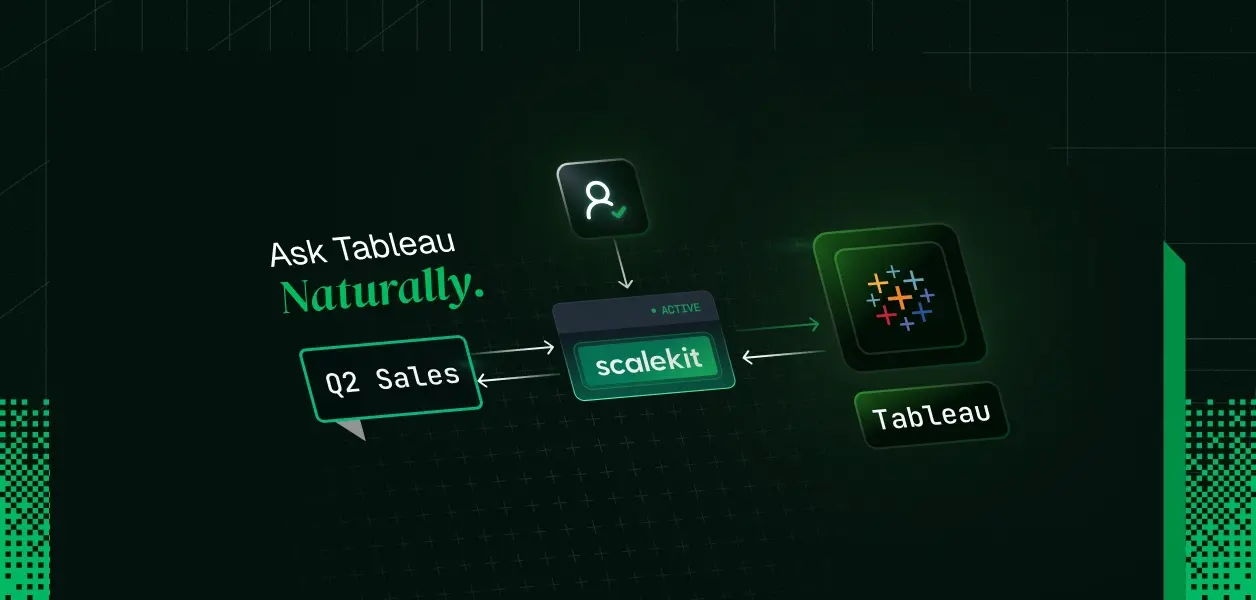
TL;DR
- A LangChain agent can answer plain-English business questions against Tableau by picking the right published data source and running structured queries through the connector's tableau_query_view tool, which uses Tableau's VizQL Data Service (VDS). No SQL is generated, so there is no SQL injection surface; the agent composes field and filter objects that Tableau's own engine executes.
- The part that kills these agents in production is not query generation, it is identity. Tableau PATs cannot hold concurrent sessions: a second sign-in with the same PAT terminates the first and returns 401002. One shared PAT behind a multi-user agent guarantees session collisions.
- The fix is one connected account per user in Scalekit's vault. Scalekit stores each user's PAT, exchanges it for a fresh session token before every tool call, and refreshes within 5 minutes of expiry. Your agent code never touches a credential.
- Because every query runs on the asking user's own session, Tableau enforces workbook permissions and row-level security at the data layer. Access control is a property of identity, not of your system prompt.
- Stack: Python, LangChain create_agent, Scalekit AgentKit Tableau connector. Full working code below.
The demo that dies at the second user
The prototype was clean. One PAT in .env, a sign-in call, a VDS query, and the agent answered "what were Q2 sales in the West region" correctly in front of the whole data team. It shipped to twelve analysts on Monday.
By Tuesday the logs were full of 401002: Unauthorized Access. Two analysts asked questions within the same minute. The second sign-in with the shared PAT terminated the first analyst's session mid-query, exactly as Tableau documents: users can't request concurrent sessions with a PAT, and signing in again with the same PAT terminates the previous session. The same collision shows up in tableau/server-client-python issue #717, where parallel Airflow jobs kept invalidating each other's tokens, and Tableau's own tableau-mcp docs warn against using a PAT when simultaneous clients are expected.
There was a second, quieter problem. Every analyst was querying as the PAT's owner, a site admin. Row-level security on the sales data source was silently bypassed for all twelve of them. Nobody noticed until the EMEA analyst quoted an APAC number she should never have seen.
Neither failure is a LangChain bug. Both are identity architecture.
The query plane is solved. The identity plane is not.
Tableau already gives agents a proper analytical interface. The VizQL Data Service accepts JSON queries against published data sources: fields with optional aggregation functions, filters, sorting, row limits. It returns JSON rows computed by the same engine that powers dashboards, with the data source's calculations and business logic intact. Tableau's own langchain-tableau package (simple_datasource_qa) proved the pattern: natural language in, VDS query out, and no generated SQL anywhere, so injection is off the table.
Be clear-eyed about what that package gets right: it picked the correct query substrate, and it scoped the LLM's job to composing structured queries rather than writing SQL. What it does not give you is an identity plane. Auth wiring is yours, one connection at a time. Credentials live in your process. There is no per-user credential isolation, no vault, no session lifecycle management, and nothing that answers "which human is this query for."
For a single-user notebook, that gap is invisible. For an agent serving a team, the gap is the product. This is the same challenge covered in LangChain Tool Calling: How It Works, Where It Stops, and How Scalekit Completes It.
The auth failure modes you will actually hit
Every one of these is documented Tableau behavior, not speculation:
Second sign-in with the same PAT
Every concurrent user; failures look random
Session token times out mid-conversation
Agent gets a 401 on tool call N of a multi-step plan, no recovery
PAT unused for 15 consecutive days
Weekend-quiet agents die on Monday
All users share one PAT owner's privileges
Row-level security and workbook permissions silently bypassed
PAT secrets in .env, CI vars, agent memory
One leaked secret grants the owner's full site access
Handling these by hand means: a PAT-to-session exchange service, per-user credential storage with encryption, pre-call token refresh, retry logic that distinguishes an expired session from a terminated one, and revocation paths. That is an auth product, and you were trying to ship a data agent. For a deeper look at these patterns, see Agent Tool Calling Auth Production Problems, Patterns, Anti-patterns.
Two planes, one agent
The architecture that survives production splits the agent into two planes:
- Probabilistic query plane (LangChain). The LLM's only job: pick the right published data source and compose a VDS query (fields, filters, aggregation) from the user's question. It never sees a credential.
- Deterministic auth plane (Scalekit). Each user's Tableau PAT is stored once as a connected account. On every tool call, Scalekit exchanges the stored PAT for a fresh session token, refreshing automatically within 5 minutes of expiry, and injects it into the Tableau request. One PAT per user means one session per user; the concurrency collision cannot occur by construction.
The seam between the planes is a single string: identifier, the ID of the human the agent is acting for. Everything below is the implementation of that seam.
Build the agent
1. Prerequisites and connector setup
pip install scalekit langchain "langchain[anthropic]" python-dotenv
# .env (values from app.scalekit.com > Developers > API Credentials)
SCALEKIT_ENV_URL=
SCALEKIT_CLIENT_ID=
SCALEKIT_CLIENT_SECRET=
ANTHROPIC_API_KEY=
In the Scalekit dashboard, go to Agent Auth, create a Tableau connection, and note the connection name (here, tableau). Each analyst creates their own PAT in Tableau (My Account Settings > Personal Access Tokens); the secret is shown once.
2. One connected account per user
This is the step that ends the shared-PAT era. Each user's PAT goes into the vault against their own identifier:
import os
from scalekit.client import ScalekitClient
from dotenv import load_dotenv
load_dotenv()
scalekit_client = ScalekitClient(
env_url=os.getenv("SCALEKIT_ENV_URL"),
client_id=os.getenv("SCALEKIT_CLIENT_ID"),
client_secret=os.getenv("SCALEKIT_CLIENT_SECRET"),
)
# Store THIS user's PAT once. Scalekit signs in with it and keeps the
# session alive; your code never calls Tableau's sign-in endpoint.
scalekit_client.actions.upsert_connected_account(
connection_name="tableau",
identifier="analyst_042", # your app's user ID
credentials={
"domain": "prod-in-a.online.tableau.com", # hostname, no https://
"pat_name": "scalekit-agent", # PAT name from Tableau
"pat_secret": os.getenv("TABLEAU_PAT_SECRET_ANALYST_042"),
"site_content_url": "mycompany-1234567", # omit for Default site
},
)
The site ID (site LUID) is resolved automatically after sign-in; you never pass site_id to tool calls.
3. Per-user tools: the factory pattern
A global toolset with a hard-coded identifier is the shared-PAT anti-pattern rebuilt at the framework layer. Instead, build tools per request, closed over the requesting user's identity:
# tableau_tools.py
import json
import os
from langchain.tools import tool
from scalekit.client import ScalekitClient
from dotenv import load_dotenv
load_dotenv()
scalekit_client = ScalekitClient(
env_url=os.getenv("SCALEKIT_ENV_URL"),
client_id=os.getenv("SCALEKIT_CLIENT_ID"),
client_secret=os.getenv("SCALEKIT_CLIENT_SECRET"),
)
actions = scalekit_client.actions
CONNECTION_NAME = "tableau"
def _unwrap(result):
"""SDK responses expose payloads on .data; fall back to the raw
object so both response shapes are handled uniformly."""
return getattr(result, "data", result)
def build_tableau_tools(user_id: str):
"""Return LangChain tools scoped to ONE user's Tableau identity.
Every closure below carries `user_id` as the Scalekit identifier,
so every Tableau call runs on that user's own vaulted PAT session.
Tool errors are returned as strings (not raised) so the agent can
read the failure and self-correct, e.g. fix a bad fieldCaption.
"""
@tool
def list_datasources(name_filter: str = "") -> str:
"""List published Tableau data sources visible to the current
user. Optionally filter by exact name, e.g. 'Superstore Sales'.
Returns id (LUID), name, and project for each data source.
Use this FIRST to find the datasource_luid to query."""
tool_input = {}
if name_filter:
# Tableau REST filter syntax: field:operator:value
tool_input["filter"] = f"name:eq:{name_filter}"
result = actions.execute_tool(
tool_name="tableau_datasources_list",
connection_name=CONNECTION_NAME,
identifier=user_id, # the user's own session, always
tool_input=tool_input,
)
data = _unwrap(result)
# Trim the payload: the agent only needs identity fields,
# not the full REST envelope (keeps tokens down, planning sharp).
sources = data.get("datasources", {}).get("datasource", [])
slim = [
{
"id": ds.get("id"),
"name": ds.get("name"),
"project": ds.get("project", {}).get("name"),
}
for ds in sources
]
return json.dumps(slim)
@tool
def query_datasource(
datasource_luid: str,
fields: str,
filters: str = "",
max_rows: int = 100,
) -> str:
"""Run a structured query against a published Tableau data source
via the VizQL Data Service. Returns JSON rows.
Args:
datasource_luid: LUID from list_datasources.
fields: JSON array of field objects. Dimensions:
{"fieldCaption": "Region"}. Measures MUST carry an
aggregation: {"fieldCaption": "Sales", "function": "SUM"}.
Date parts: {"fieldCaption": "Order Date", "function": "YEAR"}.
filters: optional JSON array, e.g.
[{"field": {"fieldCaption": "Region"},
"filterType": "SET",
"values": ["West"], "exclude": false}]
Dates use RFC 3339 strings (dates only, no datetimes).
max_rows: row cap; keep small, the LLM reads the output.
"""
tool_input = {
"datasource_luid": datasource_luid,
"fields": fields, # connector expects JSON strings
"max_rows": max_rows,
}
if filters:
tool_input["filters"] = filters
try:
result = actions.execute_tool(
tool_name="tableau_query_view",
connection_name=CONNECTION_NAME,
identifier=user_id,
tool_input=tool_input,
)
return json.dumps(_unwrap(result))
except Exception as exc:
# Surface the error to the agent: a wrong fieldCaption or
# filterType comes back as a readable message it can repair.
return f"Query failed: {exc}"
return [list_datasources, query_datasource]
Two deliberate choices worth defending. First, the read-only allowlist: the connector also exposes tableau_workbook_delete, tableau_datasource_delete, and site user management. None of those belong in a probabilistic planner's hands; the factory simply never constructs them. Second, trimmed tool outputs: raw REST envelopes burn context and degrade the plan.
4. The agent: encode VDS grammar, curate the schema
tableau_query_view needs exact fieldCaption values, and the connector's tool list does not include field-level metadata discovery. Guessing captions is the top failure mode of NL-to-Tableau agents. The production answer is curation: a registry of the data sources you actually want queryable, with their field captions, injected into the system prompt. This is a semantic-layer decision, not a workaround; it also caps the agent's blast radius to data sources you chose.
# agent.py
from langchain.agents import create_agent
from tableau_tools import build_tableau_tools
# Curated registry: the ONLY data sources this agent may reason about.
# Captions must match the published data source exactly.
DATASOURCE_REGISTRY = """
Known data sources (verify LUID with list_datasources by name):
1. "Superstore Sales" (project: Analytics)
Dimensions: Region, State, Category, Sub-Category, Segment, Ship Mode, Order Date
Measures: Sales, Profit, Quantity, Discount
"""
SYSTEM_PROMPT = f"""You are a data analyst agent that answers business
questions using Tableau published data sources.
Rules:
1. Resolve the data source first: call list_datasources with the exact
name from the registry to get its LUID. Never guess LUIDs.
2. Compose VizQL Data Service queries:
- Dimensions: {{"fieldCaption": "
"}}
- Measures: always include an aggregation, e.g.
{{"fieldCaption": "Sales", "function": "SUM"}}
- Dates: use functions like YEAR or QUARTER for grouping; filter
values are RFC 3339 date strings.
3. Only use field captions listed in the registry. If the question
needs a field that is not listed, say so instead of guessing.
4. Keep max_rows small; aggregate rather than dump raw rows.
5. Answer with the numbers, then one sentence on how they were computed.
{DATASOURCE_REGISTRY}
"""
def answer(user_id: str, question: str) -> str:
# Tools are built per request: each invocation is pinned to the
# asking user's Tableau identity. No shared sessions, ever.
agent = create_agent(
model="anthropic:claude-sonnet-4-6",
tools=build_tableau_tools(user_id),
system_prompt=SYSTEM_PROMPT,
)
result = agent.invoke(
{"messages": [{"role": "user", "content": question}]}
)
return result["messages"][-1].content
if __name__ == "__main__":
print(answer(
user_id="analyst_042",
question="Which region had the highest total sales in 2025, "
"and what was Technology's share of it?",
))5. What actually happens on a question
For the question above, the agent's trace looks like this: list_datasources(name_filter="Superstore Sales") returns the LUID; then query_datasource fires with something like:
{
"fields": [
{"fieldCaption": "Region"},
{"fieldCaption": "Sales", "function": "SUM"}
],
"filters": [
{"field": {"fieldCaption": "Order Date"}, "filterType": "SET", "values": ["2024"]}
]
}
followed by a second, category-filtered query for the share calculation. Before each of those calls, Scalekit exchanged analyst_042's vaulted PAT for a live session token and injected it. If the session was near expiry, it was refreshed first. If a second analyst asked a question at the same instant, their query ran on their own PAT's session. The Tuesday failure is structurally impossible. This token lifecycle management is explored further in How to Handle Token Refresh for AI Agents.
Authorization the agent cannot talk its way around
Here is the payoff of putting identity in the auth plane. A Tableau session authenticated with a PAT carries exactly the PAT owner's access and privileges. Because each query runs on the asking user's own session:
- Workbook and data source permissions are enforced by Tableau. A data source the user cannot see does not appear in list_datasources and cannot be queried by LUID.
- Row-level security on the data source applies to every VDS result. The EMEA analyst gets EMEA rows, from the same agent, same prompt, same code.
- Revocation is a Tableau operation. An analyst leaves; revoke their PAT and their agent access dies with it. No agent-side credential rotation, no redeploy.
Contrast this with the prompt-based alternative ("you may only discuss the user's region"), which is a suggestion to a language model, not a control. The comparison in table form:
Per-user vaulted PAT (this build)
Everything is "the service"
Everything is "the service"
For more on access control in multi-tenant agent environments, see Access Control for Multi-Tenant AI Agents.
Tradeoffs, stated plainly
- Curated registry vs free discovery. The schema registry must be maintained when captions change; a stale caption produces a failed query the agent will surface. The alternative, free-form metadata discovery, widens the blast radius and the context bill. For a business-question agent, curation is the right default; revisit if your data source count makes it untenable.
- VDS scope. tableau_query_view targets published data sources on Tableau Cloud or Server 2023.1+, per the connector docs. Workbook-embedded data sources are not queryable this way; publish them first. VDS handles dates, not datetimes.
- PAT hygiene remains a user-side fact. PATs expire after 15 consecutive days of disuse. Scalekit keeps the session fresh, but a dormant user's expired PAT needs re-issuing; build a re-connect path in your app for that case.
- Read-only by construction is a choice with a cost. If you later want the agent to, say, trigger extract refreshes, expand the factory deliberately and put approval gates in front of anything mutating.
Next steps to start building your Tableau data agent
- Create the Tableau connection in the Scalekit dashboard and vault your own PAT as the first connected account: https://docs.scalekit.com/agentkit/connectors/tableau
- Clone the pattern above: factory, registry, two tools. Against a test site with Superstore, this runs in under 30 minutes.
- Add a second connected account with a lower-privilege Tableau user and watch the same question return permission-scoped results. That single test is the whole argument of this post.
For a broader look at how credential ownership works across different agent tool-calling patterns, see Who Holds the Token? Credential Ownership Across Agent Tool-Calling Patterns.
FAQ
Does the agent generate SQL?
No. It composes VDS field and filter objects; Tableau's engine executes them. There is no SQL string to inject into.
Can two users share one PAT if their questions never overlap?
Timing-based safety is not safety. Tableau terminates the prior session on any re-sign-in with the same PAT; "never overlap" fails the first time it isn't true. One PAT per user.
Where does the PAT secret live?
In Scalekit's vault, written once via upsert_connected_account. Your agent process holds only Scalekit API credentials; the X-Tableau-Auth session header is injected by Scalekit at call time.
What happens when a session expires mid-conversation?
Scalekit exchanges the stored PAT for a fresh session token before tool calls and renews within 5 minutes of expiry, so the agent does not see mid-plan 401s from ordinary expiry.
Does this respect Tableau row-level security?
Yes, structurally. Each query runs on the asking user's own PAT session, which carries that user's privileges; RLS and workbook permissions are enforced by Tableau on every VDS result.
Which Tableau versions support this?
Per the connector documentation, tableau_query_view is available on Tableau Cloud and Tableau Server 2023.1+.
Can I export the chart image too, not just the numbers?
Yes, via the Scalekit proxy (actions.request) against the view image endpoint; binary downloads go through the proxy with the session header injected automatically. Keep that as a separate, explicitly invoked tool rather than folding it into the query tool.