Three teams in the same company each wired an agent to Slack. Platform used the community server from npm. Data used a fork someone pushed to an internal GitHub org eight months ago. Support used a package called slack-mcp-server-v2 that a contractor found and that nobody has looked at since. Each works. Each holds a workspace token. When security asks "which agents can post to #general and through what code," the honest answer is a Slack search and a prayer.
This is the state most organizations are in a year into MCP adoption. The fix is not a document listing approved servers. It is a registry whose entries are the only thing an agent runtime will resolve, and a review loop that keeps those entries honest after they are approved.
The official MCP Registry launched in preview in September 2025. It stores server.json metadata, not server code: where a package lives (npm, PyPI, NuGet, Docker, or a remote URL), how to run it, what transports it supports. Publishing requires proving you own the namespace: io.github.<user>/* through GitHub OAuth or Actions OIDC, com.<yourcompany>/* through DNS or HTTP verification.
That namespace verification is the single most useful thing the official registry gives an enterprise. com.acme/jira can only be published by someone who controls acme.com. The look-alike problem (slack-mcp-server versus slack-mcp-server-v2) is a naming problem, and verified namespaces are the first real answer to it.
The registry's documentation is equally clear about its limits. It does not support private servers. It is not meant to be queried by host applications at runtime. Its codebase is not built for self-hosting, and the maintainers say they cannot support that use case. Moderation is deliberately light: illegal content, malware, spam, and non-functioning servers are removed; everything else is left to downstream curation.
The design intent is spelled out in the project's own architecture: subregistries are first-class. A subregistry mirrors the official dataset, adds its own metadata, enforces its own policy, and stays API-compatible. An enterprise registry is one of these. You are not forking the official registry; you are building the layer it was designed to sit under.
Start from the server.json shape so your entries stay compatible with upstream tooling, then add the fields the official registry deliberately leaves out. The schema reserves _meta for publisher-namespaced extensions, so governance data goes there under your own domain key rather than in top-level fields that upstream tools would reject.
Three of those governance fields do all the work.
approvedDigest pins the entry to a container digest, not a tag. :latest is how a rug pull arrives through a registry that looks perfectly governed. A version string in server.json is a promise from the publisher; a digest is a fact.
toolPins is the hash of each tool's name, description and inputSchema as they were at review time. The registry entry carries what was approved; the runtime compares against it on every tools/list. A server that changes a description without a new review fails the comparison and gets quarantined, whatever its version string says.
credentialMode records how the server authenticates to the upstream system. This field decides who is allowed to use the entry. A server running on a shared bot token is safe for one audience and dangerous for another, and the registry has to say which.
Namespaces in a private registry are organizational policy encoded as strings. Three conventions keep them useful.
Internal servers use your verified domain namespace, com.acme/*, and nothing else. A server under io.github.<someone>/* is by definition not yours, even if the someone is an employee. This single rule would have caught the Data team's fork in the opening scenario.
Mirrored public servers keep their upstream name and get a governance block. You do not rename io.github.modelcontextprotocol/filesystem to com.acme/filesystem; renaming breaks the chain back to the verified publisher. You mirror it, pin it, and annotate it.
One name per upstream system, enforced at review. If com.acme/slack exists, a second entry for Slack does not get approved without a written reason. Duplicate entries are where credential sprawl starts: two servers, two bot tokens, two sets of scopes, and nobody owns the difference.
For remote servers, Server Cards (SEP-2127, merged as Final in October 2026) give you a standard place for the server to self-describe its transports and protocol versions before a client connects. A registry entry for a remote server should point to its card, and review should verify the card matches what the server actually serves.
Review is the part that distinguishes a registry from a wiki page. It runs at three moments: on submission, on change, and on a schedule.
On submission, the reviewer answers five questions and records the answers in the entry:
On change, any difference in digest, Server Card, or tool pin reopens review automatically. This is the control that defeats rug pulls, and it is only possible because the registry recorded what was approved rather than just that something was.
On a schedule, reviewDue forces a re-read even when nothing has changed, because "nothing has changed" is exactly what a server that swapped its implementation behind an unchanged description looks like.
The tradeoff is throughput. A review that reads every tool description takes longer than one that checks a version number. Teams that skip step 3 to move faster are running an allowlist of names, which is the thing the opening scenario already had.
A registry with no enforcement is documentation. Enforcement means that an agent runtime, when it resolves an MCP server, consults the registry and refuses anything not on it, in the audience it is running for, with the pins the entry carries.
There are two places to put that check, and they have different failure modes.
Client-side allowlist. Each agent host (Claude Desktop, Cursor, your internal harness) is configured from the registry and will only start listed servers. Simple to begin with. The failure mode is drift: every host is a copy of the policy, and the host on a laptop that was configured in March does not know what was revoked in September. This is how an offboarded engineer's agent keeps a working server for weeks.
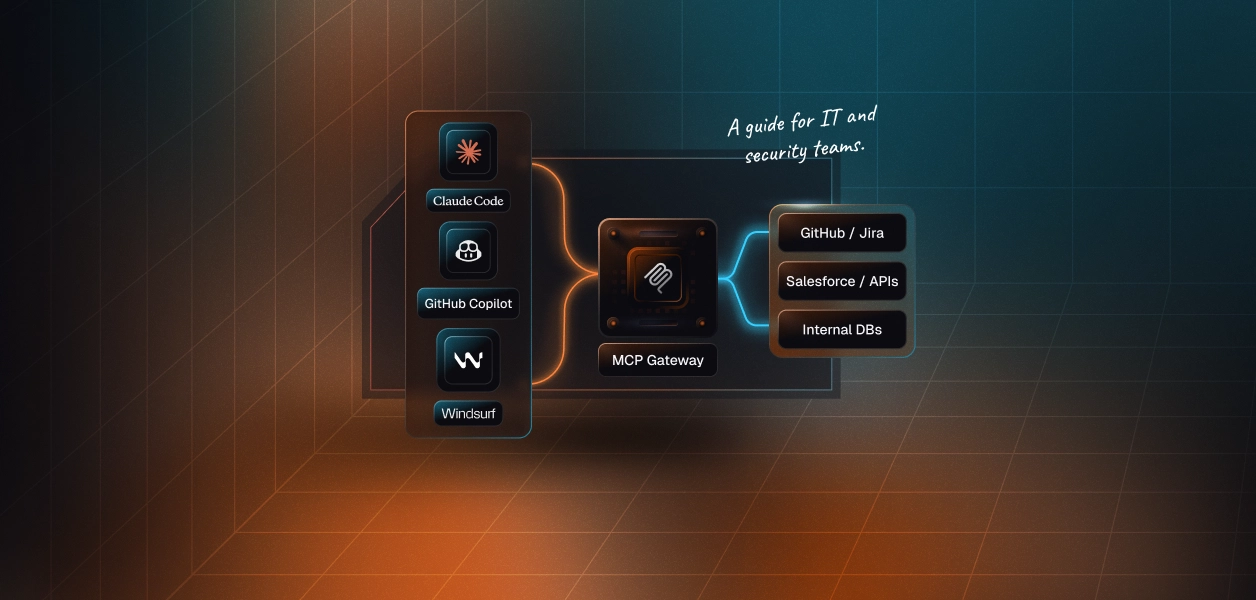
Gateway enforcement. Agents connect to one endpoint; the gateway resolves registry entries, pins definitions, injects credentials, and logs every call. One copy of the policy, enforced at the boundary. The failure mode is that the gateway is now a dependency for every agent and a single place to get wrong. The tradeoff is explicit: you are trading a distributed consistency problem for a centralized availability one. For a platform where multiple teams run agents, that is usually the right trade; the alternative is N copies of the allowlist and N ways for them to disagree.
Recommended Reading: When an Employee Leaves, Who Revokes Their AI Agent's Access? on why a client-side allowlist on a laptop outlives the person who configured it.
Whichever you pick, the minimal runtime check is the same:
Any PermissionError here is a quarantine event, not a retry. The session does not start until a human looks.
Everything above works cleanly for servers that run as the organization: a filesystem server, an internal metrics server, a build tool. It gets hard the moment the server talks to a SaaS product on behalf of a person.
Take com.acme/jira. One approved entry, one pinned image, one reviewed set of three tools. Now 400 engineers run agents against it. If the server authenticates with a shared service account, every one of those 400 agents has the same Jira permissions, which is to say the service account's permissions, which were provisioned as admin for convenience. The registry approved a server. It did not, and cannot, approve what each user is allowed to do through it. The Support team's agent can now transition engineering issues because the bot token can.
A per-user credential model inverts this. The server definition stays single and approved; the credential is resolved per user at runtime, from an OAuth grant that user individually gave. What the user cannot do in Jira, the agent cannot do in Jira. The registry still lists one entry; the runtime binds it to one person.
This is the shape that makes a Virtual MCP server a natural registry entry. The server is defined once per agent role, with exactly the tools that role needs from each connection, and its URL is static. Before each run, a session token is minted for the specific user, scoped to that user's connected accounts. The entry in your registry is the role's server; the identity is supplied per session. The example below uses the GitHub connection that new environments include; the shape is identical for Jira or any other connector.
The registry entry for this is com.acme/eng-issue-agent, pointing at mcp_server_url, with credentialMode set to per-user-oauth. Review reads the two tool definitions and pins them. Enforcement checks that the agent resolving it is in eng-agents. What the registry does not have to carry is any user's credential, any scope decision per team, or a second entry when Support wants a different slice of GitHub; that is a second Virtual MCP server with a different tool mapping, and a second registry entry under the same namespace.
The tradeoff is that this covers connector-backed SaaS tools. Your internal filesystem server, your build server, your metrics server still go through the registry on their own terms, with the pinning and enforcement above. A private registry is not replaced by a per-user tool layer; it is the catalog that both kinds of entry live in.
If you have nothing today: pick the domain namespace, verify it against the official registry, and create entries for the three servers you already know are in use. Pin digests. Hash tool definitions. Write down the audience. That alone turns the opening scenario into a known inventory with a review date.
If you have an allowlist of names: add toolPins and approvedDigest to every entry and make the runtime compare them. The difference between an allowlist and a registry is whether a changed description can get through.
If you have a registry but the SaaS entries run on service accounts: that is the entry to fix next, because it is the one where "approved" and "safe for this user" have quietly become different claims.
Discovery was always the easy half.
Recommended Reading: Build Production-Ready Agent Workflows with Remote MCP Servers on moving from script sprawl to a governed set of remote servers.
How Virtual MCP servers are defined and how session tokens are scoped per user is covered at docs.scalekit.com/agentkit/mcp/overview.
No. It stores public server metadata, verifies namespace ownership, and is not meant to be queried by hosts at runtime or self-hosted. Private catalogs are built as subregistries that mirror its data and add their own policy.
The publisher and owning team, a pinned container digest rather than a tag, a hash of every tool name, description and input schema as reviewed, the credential mode the server uses, the audiences allowed to use it, and a review date.
By recording what was approved, not just that something was. Any change in digest, server card or tool hash reopens review automatically, and a scheduled re-read catches servers that changed behavior behind an unchanged description.
A client-side allowlist is simple but drifts, since every host holds a copy of the policy. Gateway enforcement keeps one copy at the boundary, pins definitions, injects credentials and logs calls, at the cost of being a dependency for every agent.
If the server authenticates with a shared service account, every agent inherits that account's permissions. The registry approved the code, not what each person may do through it. Per-user credentials resolved at runtime fix that.
Each agent role gets a server defined once with a fixed tool list and a static URL, which becomes the registry entry. Identity arrives per run as a short-lived session token scoped to one user, so the registry never carries credentials.