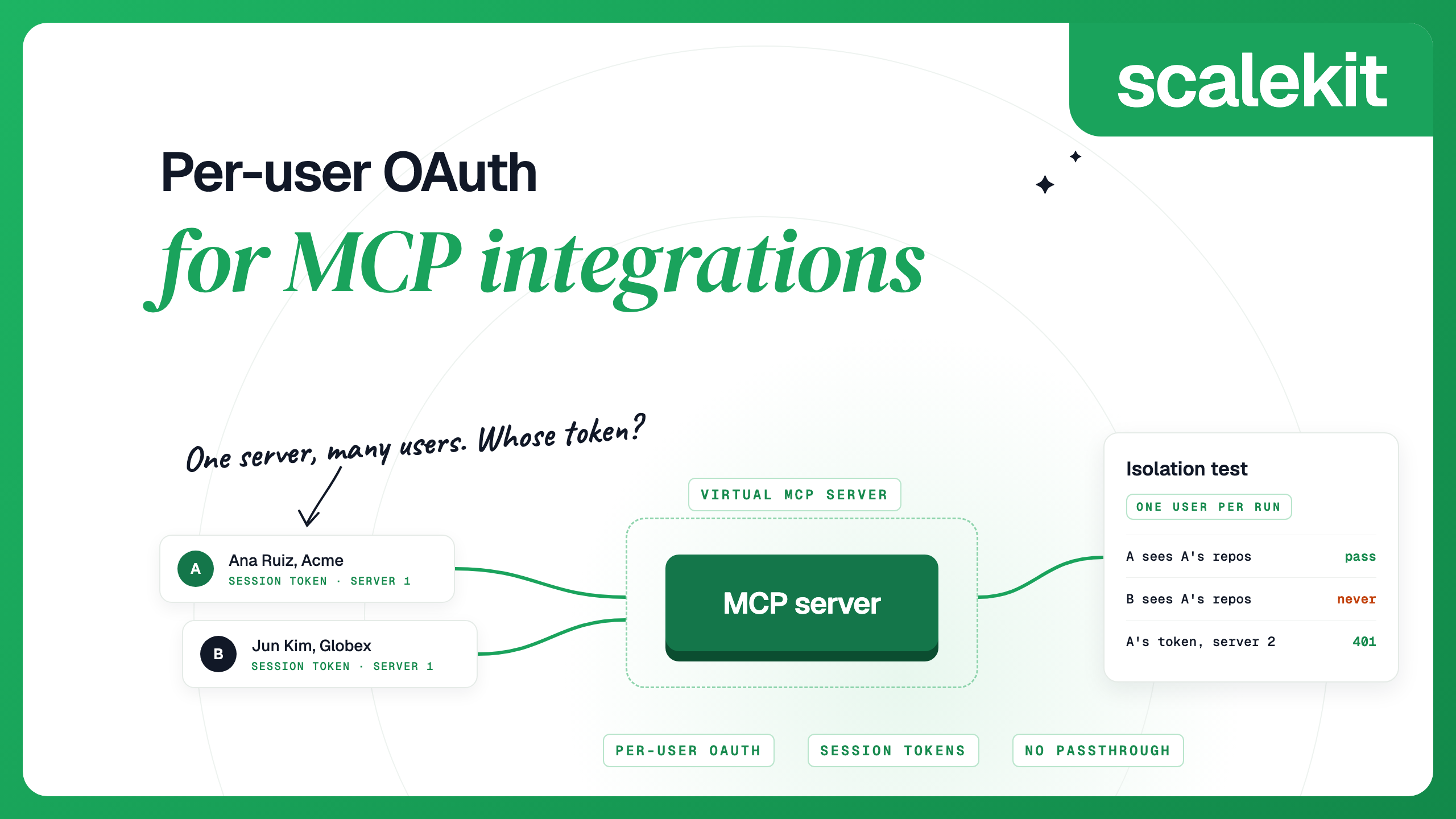
Per-user OAuth means each end user authorizes your agent once, and every tool call runs with that user's token, not a shared service account. It matters for MCP integrations because one MCP server often serves many users. Without per-user tokens, an agent working for one customer can read another customer's inbox.
TL;DR
An MCP setup has two separate OAuth relationships: your MCP client to the MCP server, and the MCP server to the app (Gmail, GitHub, Slack). Most per-user bugs come from mixing them up.
Platforms tell the server which user a call is for in one of three ways: a user ID in the URL, a short-lived token on a fixed URL, or a gateway in front of the servers. They have different failure modes.
Before shipping, run a test that checks user B's session cannot return user A's data. The script below does that.
Our take
Treat per-user isolation as something you test. Each of the designs below can be run safely; they differ in how much has to stay secret, and for how long. Prefer the design where a leaked credential names one user and expires soon, and keep a test in CI that tries to read one user's data with another user's session.
The shared-token problem
The first version of most agent integrations uses one credential. Someone on the team connects their own Gmail or creates a GitHub token, pastes it into an environment variable, and the agent works. That is fine while the product has one user.
Once a second customer signs up, the problem shows. Every tool call now runs as the person who pasted the token. The agent can read that person's mail, open their repositories and post as them in Slack, no matter who asked. Audit logs show one actor for every action, so you cannot tell which customer triggered what.
A shared service account is not much better. It usually has broader access than any single user, and the app's own permission model (who can see which channel, which repo, which folder) stops applying. Your code then has to rebuild those checks itself, and any check it misses lets one customer's request reach another customer's data.
Per-user OAuth removes the shared credential. Each user signs in to the app once and grants your agent access. From then on, a call made for that user carries that user's token, and the app enforces its own permissions on every request. We cover the wider pattern in delegated access for AI agents.
The per-user flow: authorize, store, resolve, refresh, revoke
Whether you build it or buy it, a per-user design has the same five steps.
Authorize. The user follows an authorization link, signs in to the app and approves the scopes your agent asks for. You tie the result to your own user ID, not an email address, because emails change and get reassigned.
Store. The app returns an access token and usually a refresh token. Both are stored encrypted, keyed by your user ID and the app. Nothing else in your system, and nothing in the model's context, ever holds them.
Resolve. When the agent calls a tool, the server looks up the token for the user that run belongs to, and only that user. The agent passes who the user is; it never passes the token.
Refresh. Access tokens expire, often within an hour. The server uses the refresh token to get a new one before calling the app. When refresh fails (the user changed their password, an admin revoked access, the refresh token aged out), the account is marked as needing re-authorization and the user gets a new link.
Revoke. A user who disconnects, or an admin who removes them, needs their stored tokens deleted at once. The next call for that user should fail closed with a clear error, while every other user keeps working.
The part that is easy to skip is the second half of step 4, detecting that a refresh has failed. Without a check or a webhook for it, you find out when a tool call errors in front of the user. How to handle token refresh for AI agents goes deeper on this step.
Where MCP complicates it
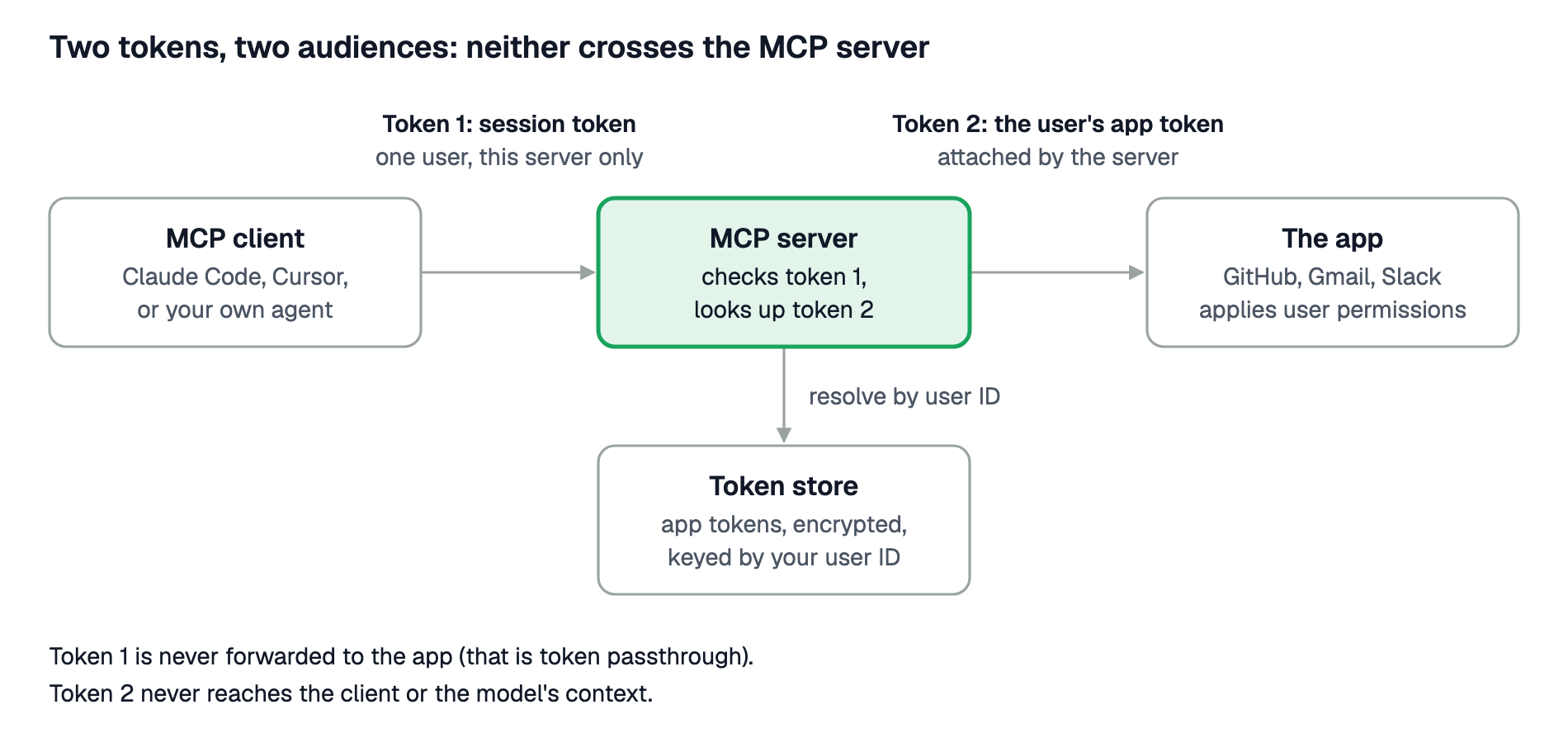
MCP adds a second hop, and with it a second OAuth relationship. Most per-user bugs in MCP setups come from treating the two as one.
Client to MCP server. The MCP client (Claude Code, Cursor, your own agent) has to prove to the MCP server who it is and which user it is acting for. The MCP authorization spec treats the MCP server as an OAuth resource server: the client presents an access token issued for that server. Implementing OAuth for MCP servers walks through that side.
MCP server to the app. The MCP server then calls Gmail, GitHub or Slack. For that call it needs the end user's token for the app, the one from the authorize step above.
The two tokens are for different audiences and must never be swapped. The token the client sends to the MCP server says "this run is for user 123 on this server". The app token says "user 123 allowed this agent into their GitHub". If the server forwards the first token to the app, or hands the second one to the client, a token ends up somewhere it was never meant to be used.
The spec is explicit about one version of this mistake. An MCP server must not accept tokens that were not issued for it, and must not pass a client's token through to an upstream API. That pattern is called token passthrough.
Three URL and token designs
A multi-user MCP server needs to know, on every request, which user the call is for. Platforms handle this in one of three ways. The choice determines who is able to act as a given user, and for how long a credential stays valid.
Design
Where the user is named
Who can act as any user
Watch out for
User ID in the URL
A query parameter such as ?user_id=user_123, plus a project API key header (Composio's single-toolkit MCP servers use this form. Composio now points most users to sessions, where each session is created for one user_id and gets its own URL, still authenticated with the project API key.)
Anyone holding the project API key, by changing the user ID. Valid until the key is rotated.
The URL or key ending up in a client config, a log or a user's machine
Short-lived token on a fixed URL
A bearer token minted per run for one user and one server (Scalekit uses this model)
Only your back end, which holds the credentials that mint tokens. Valid for minutes to hours, set per run.
A leaked token works until it expires; clients that cannot update headers need a new token at least daily
Gateway in front of the servers
The user's own login to the gateway (SSO or OAuth 2.1), mapped to app tokens inside it
The gateway, which becomes the most sensitive part of the system. Valid per your session policy.
An extra hop on every call, and one more system to run, patch and audit
The first design is the simplest to start with and is reasonable for a trusted back end that builds the URL itself and never exposes the key. The trade-off is that anyone with the key can claim to be any user, so isolation depends on the key never leaking. The second design moves that trust into a credential that names one user and expires on its own, which suits customer-facing agents, scheduled jobs and any client you do not fully control. The third puts policy in one place, which companies running internal agents often want, but every call now depends on a component you have to run.
Per-user isolation usually breaks in one of three ways. None of them shows up in a demo with a single user.
Failure
What happens
How to prevent it
Token passthrough
The MCP server takes the token the client sent and forwards it to the app, or accepts a token issued for some other service. Audience checks are skipped, so a token meant for one place opens another.
Validate that every incoming token was issued for this server. Keep app tokens server-side and attach them yourself. The MCP security best practices forbid passthrough outright.
Confused deputy
The MCP server holds broad access and acts on a request without checking which user it is for. A crafted request, or a prompt that names another user, gets the server to act on someone else's account. The MCP spec uses the term for a narrower attack on OAuth proxy servers that reuse consent; the root cause is the same.
Resolve the user from the credential, never from a tool argument or the prompt. Scope each run to the tools that role needs (least privilege for agent tool calls).
Cross-tenant reads
A cache, a connection pool or a lookup keyed by the wrong field returns user A's data to user B. Often the bug is an email used as the key, a stale cache entry, or a default account picked when none is found.
Key everything by a stable internal user ID. Fail closed when no account is found, rather than falling back to any account. Test it (next section).
In all three, the server takes the user's identity from something the caller can influence instead of from a credential your back end issued.
An isolation test
The test below uses two test users with two different GitHub accounts and checks four things against one shared MCP server.
User A's run returns user A's repositories.
User B's run, on the same server URL, never returns a repository that only user A can see.
User A's token is refused on a different server (expect HTTP 401).
A user with no connected account gets an error, not someone else's data.
Set up: create two GitHub accounts, give account A one private repository named isolation-canary-a, and connect each account to your test environment as test_user_a and test_user_b. To connect an account, call actions.mcp.list_mcp_connected_accounts(config_id=CONFIG_ID, identifier="test_user_a", include_auth_link=True) and open the returned link while signed in as GitHub account A. Auth links are valid for one minute, so open each one as soon as you generate it. The script uses the SDK calls from the session token docs.
import asyncio, os, httpx2
from datetime import timedelta
from mcp import Client
from mcp.client.streamable_http import streamable_http_client
from scalekit import ScalekitClient
actions = ScalekitClient(
env_url=os.environ["SCALEKIT_ENVIRONMENT_URL"],
client_id=os.environ["SCALEKIT_CLIENT_ID"],
client_secret=os.environ["SCALEKIT_CLIENT_SECRET"],
).actions
CONFIG_ID = os.environ["CONFIG_ID"] # the shared Virtual MCP server
SERVER_URL = os.environ["MCP_SERVER_URL"]
OTHER_SERVER_URL = os.environ["OTHER_SERVER_URL"] # a second Virtual MCP server
CANARY = "isolation-canary-a"
def token_for(user):
return actions.mcp.create_session_token(
mcp_config_id=CONFIG_ID, identifier=user, expiry=timedelta(minutes=5)
).token
async def call(url, token, tool, args):
headers = {"Authorization": f"Bearer {token}"}
async with httpx2.AsyncClient(headers=headers, timeout=30) as http:
async with Client(streamable_http_client(url, http_client=http)) as mcp:
return await mcp.call_tool(tool, args)
async def http_status(url, token):
# The MCP client hides the HTTP status, so check 3 sends a raw initialize request.
body = {"jsonrpc": "2.0", "id": 1, "method": "initialize",
"params": {"protocolVersion": "2025-06-18", "capabilities": {},
"clientInfo": {"name": "isolation-test", "version": "1"}}}
headers = {"Authorization": f"Bearer {token}",
"Accept": "application/json, text/event-stream"}
async with httpx2.AsyncClient(timeout=30) as http:
r = await http.post(url, json=body, headers=headers)
return r.status_code
async def main():
a, b = token_for("test_user_a"), token_for("test_user_b")
# 1. A sees its own canary repo
res_a = await call(SERVER_URL, a, "github_user_repos_list", {"per_page": 100})
assert CANARY in str(res_a), "1 failed: A cannot see its own canary repo"
# 2. B's call succeeds on the same URL and does not include A's repo
res_b = await call(SERVER_URL, b, "github_user_repos_list", {"per_page": 100})
assert not res_b.isError, f"2 inconclusive: B's call failed: {res_b}"
assert CANARY not in str(res_b), "2 failed: B saw A's private repo"
# 3. A's token is refused on a different server
status = await http_status(OTHER_SERVER_URL, a)
assert status == 401, f"3 failed: expected 401, got {status}"
# 4. A user with no connected account gets an error, not someone else's data
c = token_for("test_user_no_account")
try:
result = await call(SERVER_URL, c, "github_user_repos_list", {})
except Exception:
result = None # refused at protocol level: also a pass
assert result is None or result.isError, "4 failed: no account, but the call succeeded"
assert CANARY not in str(result), "4 failed: fell back to another user's data"
print("isolation test passed: 4 of 4 checks")
asyncio.run(main())
Run it in CI against a test environment whenever the integration code changes. Checks 2, 3 and 4 are the ones that catch real leaks.
Code: per-user MCP with Scalekit AgentKit
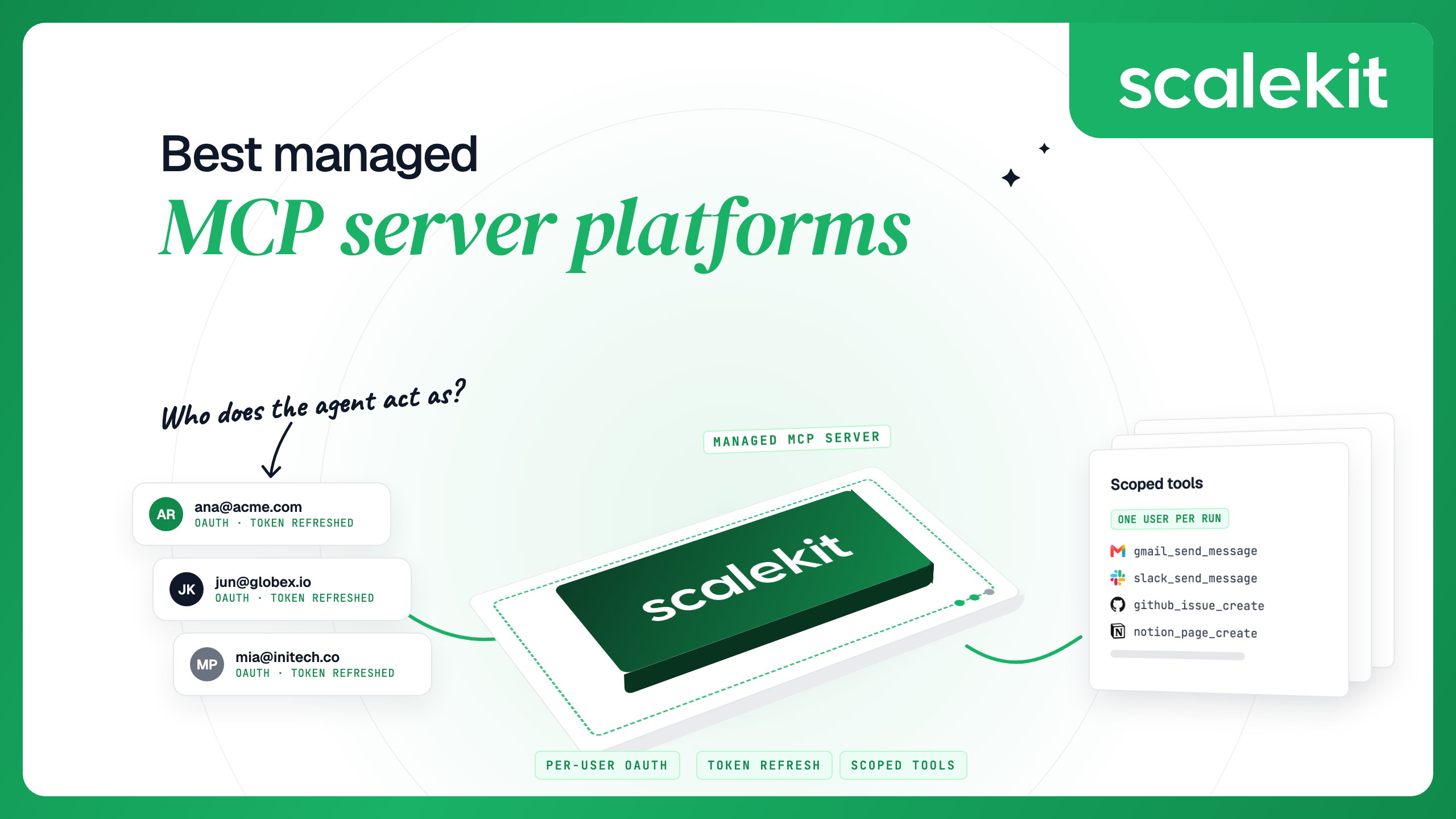
Scalekit uses the second design. You create one Virtual MCP server per agent role, and every user shares its URL. Before each run, your back end mints a session token for one user. The agent connects with that token and can call only the tools you chose, as that user. Scalekit looks up the user's connected account, calls the app with that account's credentials and returns the result. The agent never receives the user's OAuth token. The snippets below use the same actions client as the test script.
Once per agent role: create the server. This example uses the GitHub connector.
from scalekit.actions.models.mcp_config import McpConfigConnectionToolMapping
response = actions.mcp.create_config(
name="repo-assistant",
connection_tool_mappings=[
McpConfigConnectionToolMapping(
connection_name="github-connect", # your GitHub connection's name
tools=["github_user_repos_list", "github_issues_list"],
),
],
)
config_id = response.config.id
mcp_server_url = response.config.mcp_server_url
Before each run: check the user's accounts, then mint a token.
from datetime import timedelta
accounts = actions.mcp.list_mcp_connected_accounts(
config_id=config_id, identifier="user_123", include_auth_link=True
)
for a in accounts.connected_accounts:
if a.connected_account_status != "ACTIVE":
print(f"Send {a.authentication_link} to the user for {a.connection_name}")
session = actions.mcp.create_session_token(
mcp_config_id=config_id, identifier="user_123", expiry=timedelta(minutes=30)
)
During the run: connect any MCP client with the server URL and Authorization: Bearer <session.token>.
It is bound to one user and one server. Used on any other server URL, it returns 401.
It lasts one hour by default; you can set 60 seconds to 24 hours.
It is short-lived by design and is not refreshed. Mint a new one per run, per chat session, or on a schedule for long-running hosts. Minting a new token does not revoke older ones.
Add access_level="READ_ONLY" and the run sees only the server's read-only tools.
Scalekit refreshes the app tokens automatically. When an account's status changes, for example from ACTIVE to EXPIRED, Scalekit sends a connected_account.status_updated webhook, so you can send a new link before the user hits an error. To revoke one user, delete their connected account:
# use your GitHub connection's name
actions.delete_connected_account(connection_name="github-connect", identifier="user_123")
Their next tool call fails until they authorize again. Other users are not affected.
To try this on your own setup, start with the AgentKit quickstart, then run the isolation test above against your test environment.
FAQs
What is per-user OAuth for AI agents?
Each end user authorizes the agent once, and every tool call runs with that user's own token. The app then applies the user's own permissions, and audit logs show the real person behind each action.
How do I handle multiple users with one MCP server?
Give every request a credential that names one user, and have the server resolve that user's app token from it. With Scalekit, all users share one server URL and each run carries a short-lived session token for one user.
Can an MCP server use my user's OAuth token?
Yes, on the server side. The server stores the user's app token and attaches it when it calls the app. The token should never be sent to the MCP client or placed in the model's context.
What is token passthrough and why is it risky?
It is when an MCP server forwards the token it received from the client to an upstream API, or accepts a token issued for another service. It skips audience checks, so one token can open systems it was never meant for. The MCP spec forbids it.
How do I revoke one user's access?
Delete that user's stored tokens for the app. With Scalekit, delete the connected account; their next tool call fails until they authorize again, and other users keep working.