

Your agent needs to manage Prisma Postgres, and you have noticed Prisma ships both a Model Context Protocol (MCP) server and a REST API. They look interchangeable from a distance: both create databases, both manage backups, both hand back connection strings. They are not interchangeable. The capability coverage differs in both directions, the auth models put you on different paths, and one of them carries a credential that never expires. Here is how to pick the one your agent should build against.
Before comparing paths, it helps to be precise about what "Prisma MCP" and "Prisma API" actually refer to, because Prisma ships three distinct surfaces and only two of them are relevant to a production agent.
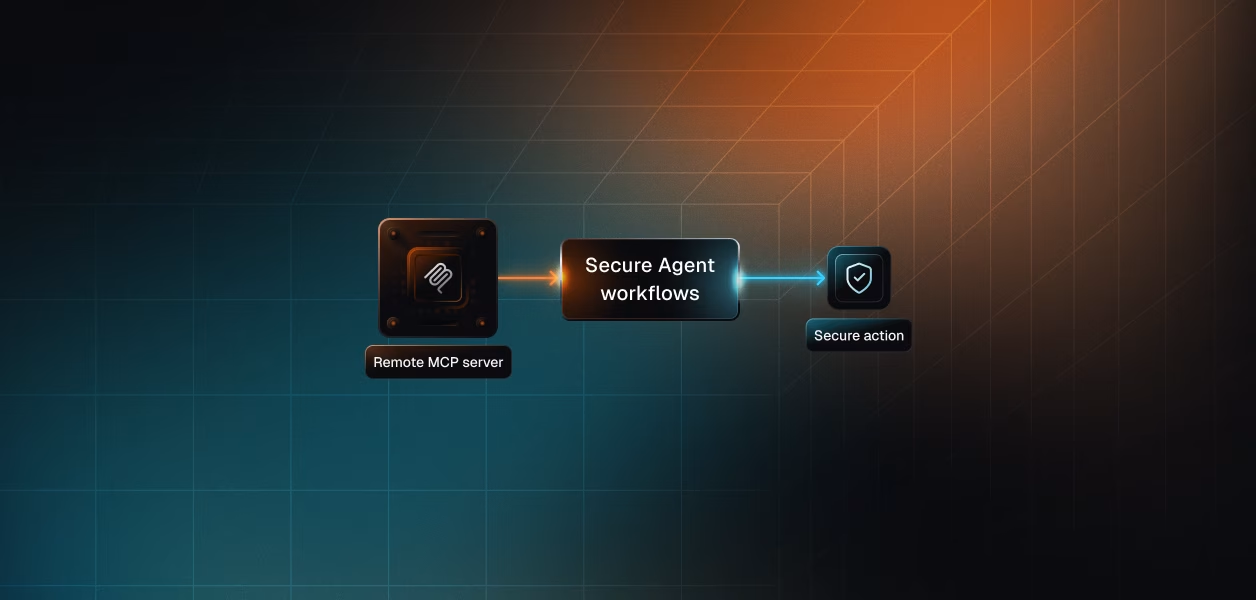
The remote Prisma MCP server is a hosted endpoint at https://mcp.prisma.io/mcp, introduced with Prisma ORM v6.10.0 in June 2025 and built for AI tools and platforms that manage Prisma Postgres on behalf of their users. It speaks standard HTTP transport and authenticates against Prisma Console on the first connection. Scalekit classifies that flow as OAuth 2.1 with DCR. This is the server Scalekit's Prisma connector wraps, and its 19 tools cover workspace details, database lifecycle, connection strings, backups and recovery, schema introspection, SQL execution, object-store buckets, and documentation search.
The local server shipped earlier, in Prisma CLI v6.6.0 in April 2025, and it runs on a developer machine over npx prisma mcp. It is the coding-agent path: it exposes Prisma CLI operations such as migrate-status, migrate-dev, Create-Prisma-Postgres-Database, and Prisma-Studio so an editor agent can run migrations and scaffold schemas in the repository where they live. It is stdio, per-developer, and has no centralized credential model, which rules it out for multi-tenant deployments but makes it ideal inside Cursor, VS Code, or Claude Code.
The Prisma REST API, also called the Management API, is the control plane for Prisma Postgres. It lives at https://api.prisma.io/v1, is described by a public OpenAPI 3.1 specification, and ships an official TypeScript SDK, @prisma/management-api-sdk. It models the full account hierarchy as first-class resources: workspaces, projects, databases, connections, backups, usage, buckets, integrations, regions, and service tokens. It also supports partner integrations, where you provision a database in your own workspace and later transfer ownership to a user.
The honest comparison here is not "the API is a superset of the MCP server." It is not. The two surfaces overlap on Prisma Postgres management, and then each one adds something the other does not have. Name the overlap first, then name both gaps precisely.
Both paths cover the core Prisma Postgres management loop that most database agents need. Listing databases, creating and deleting a database, managing connection strings, listing backups and restoring to a new database, and managing object-store buckets and their access keys are all available on both. If your agent only does managed-database housekeeping, either path is technically sufficient, and the decision falls to auth rather than capability.
The MCP server bundles two capabilities the control-plane API does not expose as endpoints. prismamcp_execute_sql_query runs a SQL query against a database and returns JSON, and prismamcp_execute_prisma_postgres_schema_update applies a DDL change, both without your agent holding a connection string or a Postgres driver. prismamcp_search_prisma_documentation answers natural-language questions about Prisma ORM, Prisma Postgres, Accelerate, and migrations, grounded in the official docs with citations. For an interactive agent, running a query and explaining a migration in one tool surface is a real convenience.
The REST API exposes the parts of the account model the MCP server leaves out. Projects and workspaces are managed resources you can create and organize, per-database usage is a metering endpoint rather than a workspace-level summary, and available regions and integrations are queryable rather than hard-coded. Most consequentially for B2B products, the API supports the claim flow: provision a database under your service token, then transfer it into the user's own Prisma workspace through an OAuth handoff. None of that exists on the MCP server.
One precise limitation worth flagging: the MCP prismamcp_create_prisma_postgres_backup tool does not create on-demand backups. Backups on that path are created automatically by the system, so an agent that needs to force a snapshot before a risky migration cannot rely on the MCP tool to do it.
Capability decides less here than authentication does. This is the axis where the two paths genuinely diverge, and it is the axis that determines whether your agent can run without a human in the loop.
The remote MCP server authenticates against Prisma Console on first use, and that is the entire list of options. Scalekit classifies the flow as OAuth 2.1 with DCR, which means the client registers dynamically rather than requiring you to create an OAuth application by hand. The upside is a clean, consent-driven connection per user. The constraint is that there is no non-interactive path: every connection begins with a browser, and there is no service credential a background job can present. For an agent that acts inside a user's own Prisma workspace during a session, this is exactly right. For a scheduled job with no user present, it is a wall.
The REST API supports two methods, and the second one is what the MCP server lacks. OAuth 2.0 with PKCE covers user-delegated access, using the workspace:admin and offline_access scopes, with access tokens that live one hour and refresh tokens that live 90 days under single-use rotation with replay detection. Service tokens cover everything else: a bearer token you create once in Prisma Console and present from a script, a CI pipeline, or a backend. Service tokens are the headless path. They are also the sharp edge, because Prisma's own documentation is explicit that service tokens never expire; a leaked token stays valid until you manually revoke it.
Both paths require per-user credential isolation in a multi-tenant B2B agent, and the path itself does not provide it. If your product manages databases inside each customer's own Prisma workspace, you want OAuth per user, which both the MCP server and the REST API support. If your product provisions databases for users, owning the infrastructure yourself, you want the service token plus the claim flow, which only the REST API supports. In neither case does Prisma store, rotate, or revoke those credentials for you. What the user cannot do, the agent cannot do, but only if you scope and hold the credential correctly in the first place.
Both paths hand off some operational burden and keep some. The useful question is what breaks, what needs your attention, and who owns the fix.
Prisma hosts the remote server, maintains the tool schemas, and normalizes the endpoints, so you do not run a container or patch a server. What you still own is the credential lifecycle: token storage per user, proactive refresh, tenant isolation, and revocation when a user leaves. You also inherit schema drift. When Prisma updates the server, the tool set can change; the server itself invites you to prompt "List the Prisma tools" to see the current surface, which is a polite way of saying the surface is not version-pinned.
You own more of the stack and get more stability in return. Request construction, pagination, retries, and error handling are yours, and so is the full token lifecycle, including the never-expiring service token that has to live in a secrets manager and be rotated on your schedule. In exchange, the contract is versioned under /v1 and described by an OpenAPI 3.1 spec, so a deterministic pipeline calling the same three endpoints every night is not going to shift under you because an MCP tool was renamed upstream.
Prisma builds a guardrail into the CLI, which matters on the local MCP path. When the Prisma CLI detects that an AI agent such as Cursor or Claude Code is invoking a destructive command like prisma migrate reset --force, it blocks execution and refuses to proceed until the agent surfaces the risk and the user consents through the PRISMA_USER_CONSENT_FOR_DANGEROUS_AI_ACTION variable. This protects the editor workflow. It does not extend to the remote server's prismamcp_delete_prisma_postgres_database, which is an ordinary tool call; guarding that destructive surface is on you.
The decision is not about which is better. It is about which matches the agent you are shipping.
The auth divergence is real, and it obscures a problem sitting underneath both choices. Whichever path you pick, you end up holding a credential you now have to manage.
Both paths produce a credential per identity. The MCP OAuth flow gives you a token per user. The REST API gives you a token per user on the OAuth path, or a workspace-admin service token per app on the headless path. What neither gives you is the infrastructure around that credential. Storage outside the agent runtime, encrypted at rest and isolated per tenant. Proactive refresh, because Prisma's OAuth access tokens expire in one hour and its refresh tokens rotate single-use. Revocation, because a service token never expires on its own and a churned customer's credential has to be found and killed by something. In a multi-tenant product, that is N credentials, each with its own lifecycle, and the path you chose only changed the token type.
This is the layer Scalekit's Prisma connector operates at. It wraps the remote Prisma MCP server with per-user connected accounts and a token vault, so credentials never touch your agent runtime and the OAuth 2.1 with DCR flow, token storage, and refresh are handled for you. The MCP-versus-API decision stops changing your auth infrastructure, because the connected-account model holds the credential either way.
The pattern below connects a user to Prisma, retrieves only the tools that user is authorized to call, and runs a full Claude tool-use loop against them. It uses the Scalekit Node SDK with the Anthropic SDK; the same flow is available in Python.
Install the two SDKs to start.
The connection is per user, and the connection name must match the connection you configured in the Scalekit dashboard exactly; for the Prisma connector that name is prismamcp. Check whether the user already has an active connected account, and only send them through authorization if they do not.
The agent does not load a flat catalog of every Prisma tool. listScopedTools returns the tools the current user's connected account is authorized to call, and no more. Scalekit returns them with an input_schema in Anthropic's native format, so no conversion is needed before passing them to Claude.
With the scoped tools in hand, run the loop. Construct the message, call messages.create with the tools, check the stop reason, execute each requested tool through executeTool, append the results, and continue until Claude finishes.
The remote Prisma server exposes 19 tools, and most agents need a handful. Handing all 19 to an agent that only reads data is two problems at once. It is an overreach problem, because a reporting agent now has prismamcp_delete_prisma_postgres_database and prismamcp_delete_object_store_bucket in reach. It is a cost problem, because 19 tools at roughly 200 tokens each is close to 3,800 tokens of schema in every context window before the agent reads a single row.
A Virtual MCP server fixes both. You define one scoped endpoint per agent role, declaring exactly which tools it exposes — for example prismamcp_list_prisma_postgres_databases, prismamcp_introspect_database_schema, and prismamcp_execute_sql_query for a read-only analytics agent, and nothing destructive. The endpoint is static and created once. Per-user isolation is handled at runtime by a short-lived session token minted before each run and scoped to that user's connected accounts, so one server definition serves every user without sharing credentials. The agent sees only the tools you explicitly allow, not everything the connector exposes, and there is no MCP server for you to deploy, host, or maintain.
Compatible MCP hosts connect to the generated endpoint directly with the URL and session token as bearer auth.
Because every authorization and every executeTool call is tied to a specific user identifier and a specific connected account, you get a downstream record of which user's Prisma credential executed which tool, rather than a shared service account that flattens every action into one identity. That is the audit trail security teams ask for when they move an agent from beta to production, and it is the difference between answering "under whose credentials did the agent drop that database" and guessing. If you are assembling a database-touching agent, the DevOps assistant agent and the incident response agent template are useful starting points.
If your agent is interactive, user-facing, and acts inside each user's own Prisma workspace during a session, the remote MCP server is the right path: it is OAuth-native, it bundles SQL and docs Q&A, and Prisma maintains the server. If your agent is headless, provisions databases for users, or needs the account hierarchy and the claim flow, the REST API is the only path that reaches those capabilities, and its versioned contract is the safer foundation for a deterministic pipeline. The single question that usually settles it: does the agent need to act without a browser in the loop? If yes, the REST API. If no, the MCP server is on the table. Either way, the credential you end up holding is the same problem, and that is the part that needs production-grade token management infrastructure rather than a token in a database row.
Start from the Scalekit Prisma connector docs, or browse the connector on the Scalekit Prisma connector page.
Building a Prisma agent and want a second pair of eyes on the auth model? Join the Scalekit Slack community, or explore why MCP is sometimes more expensive than CLI alternatives before you finalize your architecture.