

Plaid ships two very different surfaces for an AI agent: a hosted Dashboard MCP server that answers questions about your own Plaid integration, and the REST API that reaches your end users' bank data. Unlike most tools in this series, they barely overlap, and a Plaid agent usually holds three kinds of credential at once. This guide compares what each path lets an agent do, how the team secret and the per-Item access tokens fit together, and how to keep both out of model context across many tenants in production.
Your agent needs to work with Plaid: summarize an applicant's income deposits and recurring obligations for an underwriter, catch a large debit the moment it posts, nudge a user whose bank login broke, or explain to your support team why connections to one bank failed all morning. Plaid ships a hosted Model Context Protocol (MCP) server and a REST API. Unlike most tools in this series, the two barely overlap. The MCP server answers questions about your Plaid integration. The API answers questions about your end users' money. The auth model underneath each one is also different, and a Plaid agent usually holds three kinds of credential at once. Here's how to pick, and what each choice puts on your plate.
The Dashboard MCP server is a remote server hosted by Plaid at https://api.dashboard.plaid.com/mcp/, using the Streamable HTTP transport. Plaid announced it on May 1, 2025 as a way to bring developer tooling into Claude for usage monitoring, Link conversion analysis, and support troubleshooting, and stated that "Claude does not have access to consumer financial data." The docs page still describes it as under active development, warns that breaking changes may occur, and says Plaid provides limited support. There is no GA date.
Auth is OAuth 2.0 Client Credentials: you POST your client_id, your Production secret, and scope: mcp:dashboard to https://production.plaid.com/oauth/token, and get back an access token that lasts 15 minutes plus a refresh token. Your team must be approved for Production with at least one Plaid product. Clients that accept remote MCP URLs, such as Claude.ai and ChatGPT, can connect, and so can the OpenAI Responses API (mcp tool type, token in authorization) and Anthropic's MCP connector in the Messages API (token in authorization_token).
The five tools are plaid_debug_item, which diagnoses one Item from its metadata; plaid_get_link_analytics, for Link funnel, conversion, and error metrics; plaid_get_usages, for product usage and API request volumes; plaid_list_teams, for the teams the token can reach; and plaid_get_tools_introduction. Plaid also ships a separate local MCP server in its AI coding toolkit that runs as a subprocess of Claude, Cursor, Codex, VS Code, or Zed and provides mock data, docs search, Sandbox tokens, and webhook simulation. It is a development aid, not a production surface, so this article compares the Dashboard server.
The Plaid API is a POST-only JSON API with two environments: Sandbox at https://sandbox.plaid.com and Production at https://production.plaid.com. Almost every endpoint takes a client_id and secret, sent in the body or in the PLAID-CLIENT-ID and PLAID-SECRET headers. The client ID is the same in every environment; the secret is not. Items cannot move between environments, and Sandbox supports only test Items.
Data endpoints also take an access_token for one Item, which is one end user's login at one financial institution. Your app gets it through Plaid Link: create a link_token, open Link in your app, receive a public_token on success, and exchange it with /item/public_token/exchange for the access_token and item_id. Products include Transactions, Auth (account and routing numbers), Balance, Identity, Investments, Liabilities, and Statements.
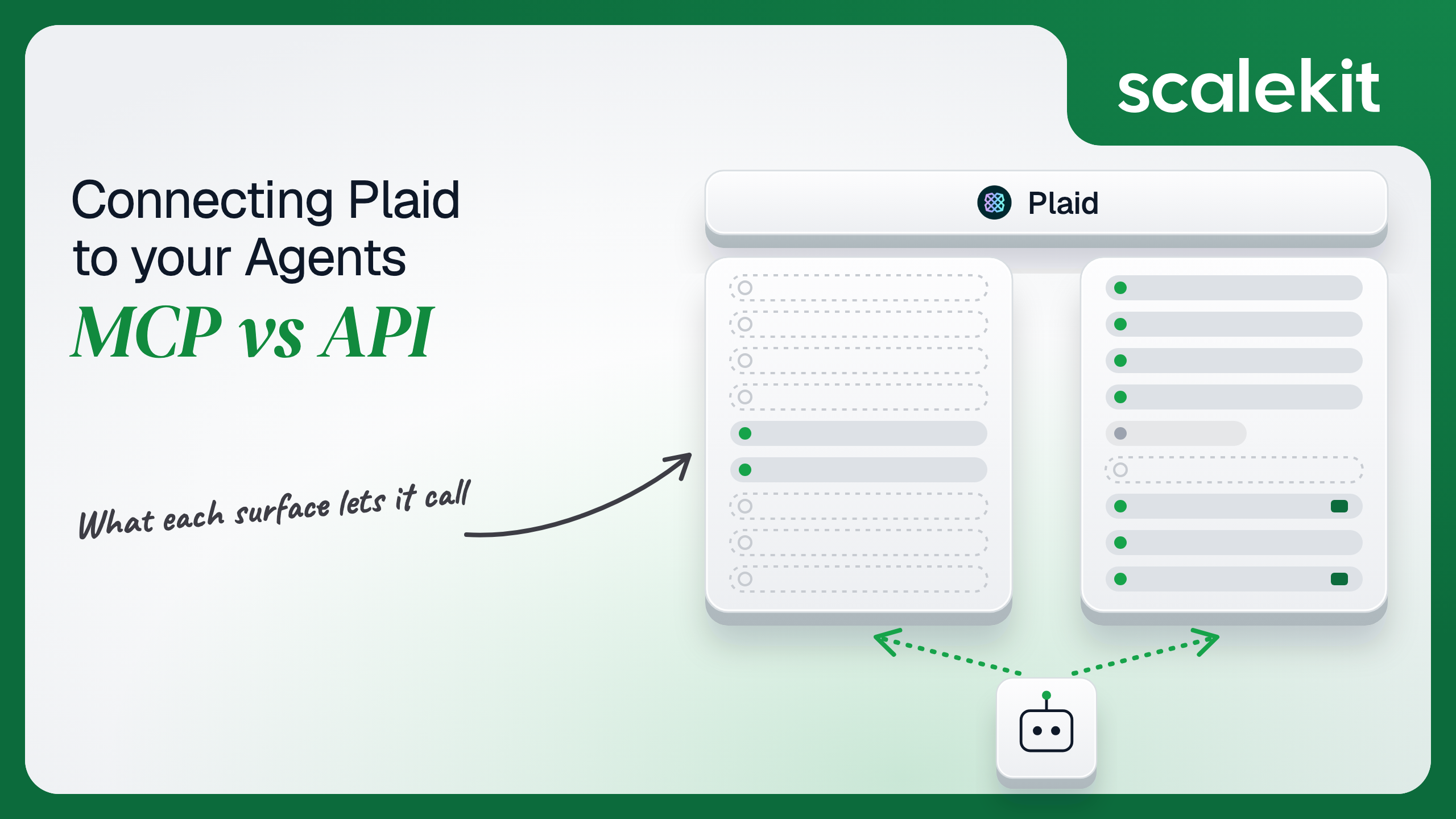
Read the table by column, not by row. The MCP column is a developer console. The API column is the product. An agent that touches an end user's bank data has exactly one path, and it is the API.
Answering "why did Link conversion at one large bank drop 20 points since Tuesday" on the raw API is not a pagination exercise. It is mostly impossible. The connector's plaid_link_token_get returns the events of one Link session, and only for Hosted Link, Multi-Item Link, or accounts where Plaid has enabled full session data. Aggregating funnels across thousands of sessions means logging Link events yourself from day one and building the analytics.
The Dashboard MCP server has that data already. plaid_get_link_analytics returns opens, institution selections, and handoffs for a date range, and plaid_debug_item explains an Item's state in terms a support engineer can act on. For a developer working an incident in Claude, that is a five-minute conversation instead of a dashboard crawl. Writing the schema is the hard part. Not the API call.
The tradeoff is ownership. Plaid controls the tool names and outputs, says breaking changes may occur, and documents several arguments, such as team_id, only by example. An agent tuned against today's responses can change behavior without a release on your side.
On the MCP path, auth is machine to machine. There is no browser consent and no per-person identity: the token represents your Plaid team, and plaid_list_teams returns whichever teams that token can reach. Access tokens last 15 minutes, so a long agent session refreshes several times by POSTing grant_type=refresh_token to the same /oauth/token endpoint. The page does not say whether refresh tokens expire. Sandbox secrets are not accepted, which means the only way to try the server is with Production credentials.
On the direct API path, there are two layers. The first is the team credential: client_id plus a secret per environment, issued in the Plaid Dashboard under Developers > Keys. It is not scoped. Any holder can call any endpoint your team is enabled for. The second is the Item credential: an access_token per bank login, which Plaid documents as non-expiring by default, to be "stored in a persistent, secure manner." It is revoked only by /item/remove, rotated by /item/access_token/invalidate, or broken by the institution. Link tokens last 4 hours for a new Item and 30 minutes in update mode.
Expiry still happens, just not on your schedule. Institutions in Europe and a small number in the US set consent_expiration_time, and Plaid fires PENDING_EXPIRATION (EU and UK) or PENDING_DISCONNECT (US and Canada) seven days ahead. A bank password change puts the Item in ITEM_LOGIN_REQUIRED until the user completes Link update mode. None of this is token refresh. Every recovery requires the end user.
The Plaid-specific catch is that authorization lives in your database, not in a token. A Plaid access_token is a bearer credential for one person's bank login, and nothing in it says which of your users or tenants it belongs to. What the user can't do, the agent can't do, but only if your code enforces which access_token a given agent run may use. On the MCP path that question never comes up, because no end-user data is reachable.
In a multi-tenant B2B agent, MCP gives you a credential per tenant and the direct API gives you a credential per tenant. In neither case does the path itself solve storage, rotation, or revocation; those are infrastructure problems regardless of which path you choose.
Plaid adds a second axis. Suppose you run an underwriting platform used by 40 lenders, each with its own Plaid team. That is 40 sets of client_id and Production secret. Underneath them sit the Items: 40 lenders with 3,000 linked applicants each is 120,000 access_tokens, each bound to exactly one applicant at exactly one lender. An agent run for lender A must only ever see lender A's keys and the Items of the applicant it is working on. Mixing up a secret leaks a tenant. Mixing up an access_token leaks a person's bank history.
Recommended reading: access control for multi-tenant AI agents
On the MCP path, Plaid hosts the server, owns the schemas, and handles analytics aggregation. You own the token loop: mint, refresh every 15 minutes, re-mint when refresh fails, and keep the Production secret that does the minting out of every chat client config. You also own the gaps. The server has no write tools, no Sandbox, no triggers, and nothing about end-user data.
On the API path, you own schemas, pagination, retries, webhooks, and the Item store. Plaid's rate limits apply per Item and per client, and return RATE_LIMIT_EXCEEDED with HTTP 429. In Production, /transactions/sync allows 50 calls per minute per Item and 2,500 per minute per client, with only 500 per minute for empty-cursor requests. /accounts/balance/get allows 5 per minute and 30 per hour per Item. /institutions/get allows 50 per minute per client. The per-client limits are shared by every agent and backend job on that Plaid team, so a model that loops on plaid_institutions_get can starve your onboarding flow.
Some calls also cost money. plaid_accounts_balance_get is billed per call and can take 30 seconds or more; plaid_transactions_refresh and plaid_investments_refresh are separately billed add-ons. A model with real-time balance in its tool set will call it when cached balances would have done. That is a bill, not just latency.
Webhooks close the polling gap. Plaid signs each one with a JWT in the Plaid-Verification header. You must check alg is ES256, fetch the public key from /webhook_verification_key/get by the header's kid, verify the signature, reject anything whose iat is older than 5 minutes, and compare the SHA-256 of the raw body against the request_body_sha256 claim, per Plaid's verification guide. Your endpoint has 10 seconds to answer. Failed deliveries retry for up to 24 hours, starting at 30 seconds and quadrupling each time, and 4xx responses other than 408, 425, and 429 are treated as permanent failures. SYNC_UPDATES_AVAILABLE tells you an Item has new transactions; you fetch them with /transactions/sync from your stored cursor, and if pagination fails with TRANSACTIONS_SYNC_MUTATION_DURING_PAGINATION you restart the whole loop from the first page's cursor.
Use Plaid Dashboard MCP when:
Use the Plaid API when:
Both paths hand you a Plaid credential per tenant. Neither hands you a vault. The underwriting platform above holds 40 Production secrets on either path: on the API path they authenticate every call, and on the MCP path they mint a 15-minute mcp:dashboard token every quarter hour. Every secret must be stored encrypted, kept out of logs, MCP client configs, and LLM context, rotated in the Plaid Dashboard when someone leaves, and removed when a lender churns.
The MCP path does not reduce that count. It adds a token loop on top of it, and the narrow scope of the MCP token does nothing for the secret that minted it. The tempting shortcut is to paste a Production secret into a desktop MCP client so the support team can use Dashboard MCP. That puts an unscoped key, one that reaches every Item's bank data through the API, onto every laptop with the config file.
Scalekit's plaid connector stores each customer's Plaid client ID and secret in the token vault and sends them with every call, and the plaidmcp connector exchanges them for mcp:dashboard tokens and refreshes those when they expire, so the MCP vs API decision doesn't change your auth infrastructure. The team credential never touches the agent runtime or the LLM context. Item access_tokens are a tool input on every Plaid tool, so they stay in your own encrypted store, and the code below keeps them out of the model's view.
Recommended reading: why a token vault matters for AI agent workflows
Scalekit's plaid connector is an API-path connector built by Scalekit with 27 tools: 17 read, 7 write, and 3 destructive. It covers accounts and balances, Auth, Identity and identity match, transactions (sync, date range, recurring, refresh), investments, liabilities, statements, institutions, Link tokens, public token exchange, Items, webhooks, token rotation, and Plaid users. It authenticates with an API key: each customer enters their Plaid client ID and Production secret once, and Scalekit sends them with every call against production.plaid.com. The plaidsandbox connector has the same 27 tools prefixed plaidsandbox_ plus 5 Sandbox-only tools, for 32 in total, and uses the Sandbox secret against sandbox.plaid.com.
In the Scalekit dashboard, go to AgentKit > Connections, create a Plaid connection, and for development a Plaid Sandbox connection. The name you give each connection is the connection_name your code passes, and the string must match the dashboard exactly. This is the most common integration error. Copy SCALEKIT_ENVIRONMENT_URL, SCALEKIT_CLIENT_ID, and SCALEKIT_CLIENT_SECRET from Developers > API Credentials into .env.
Each customer's Plaid team must be approved for Production. Their keys are in the Plaid Dashboard under Developers > Keys: the client ID, which is the same in every environment, and the Production secret. The examples below use one more piece of your own infrastructure: a plaid_items table where your app stores each Item's access_token, item_id, and sync cursor after Link succeeds. In production, encrypt the access_token column with your KMS; the examples read it from SQLite to stay short.
get_or_create_connected_account returns the connected account for an identifier. If it is not ACTIVE, get_authorization_link returns a link to a Scalekit-hosted page where the customer's Plaid admin enters their Client ID and Production Secret. Here the identifier is your customer's ID, because the keys belong to their whole Plaid team. The agent never sees them.
This is not a catalog load. The agent asks for the tools this connected account is authorized to call, then narrows them to the six a read-only underwriting assistant needs. Loading all 27 would put plaid_item_remove, plaid_item_access_token_invalidate, and the billed plaid_accounts_balance_get in front of a model whose job is to summarize cash flow.
Every Plaid data tool requires access_token. If the model supplies it, the model can pick any token it has seen, and the token lands in the conversation. So the loop rewrites each tool schema before the model sees it: access_token is removed and replaced with an item field whose only allowed values are aliases for the current applicant's Items. Your code resolves the alias to the real token at execution time. The model can name one of this applicant's bank logins; it can't name anyone else's.
The tool results themselves carry no access_token: Item, account, transaction, and liability responses identify data by item_id and account_id. Leave plaid_auth_get and plaid_identity_get out of any tool set whose output goes to a model unless the task needs full account numbers or personal data.
For pipelines, skip the model. execute_tool runs one tool with a fixed input and returns data plus an execution_id you can log. This handler runs when your webhook endpoint receives a Plaid webhook for one customer. It verifies the Plaid-Verification JWT, then handles two events: SYNC_UPDATES_AVAILABLE, where it pages through plaid_transactions_sync from the stored cursor and flags debits of $500 or more, and an ITEM ERROR with ITEM_LOGIN_REQUIRED, where it creates an update-mode Link token so your app can ask the user to reconnect.
/webhook_verification_key/get is not a connector tool, so the handler calls it through the Scalekit API proxy with actions.request; Scalekit adds the customer's Plaid keys.
Respond to Plaid with a 2xx before the sync runs, and run the handler from a queue: Plaid gives your endpoint 10 seconds, and a long transaction history takes more than that. Deduplicate on item_id plus webhook_code while a sync for the same Item is in flight. Two other tools belong only in pipelines like this one, behind a human or policy check: plaid_item_remove takes an access_token and permanently disconnects the Item when a user leaves, and plaid_item_access_token_invalidate returns new_access_token and kills the old one immediately, so write the new value before anything else runs. The Plaid Dashboard MCP server has no equivalent for any of these steps.
The plaid connector has 27 tools. At roughly 200 tokens each, that is about 5,400 tokens of tool definitions before the agent does any work. The bigger issue with Plaid is not token count. It is overreach and cost: a support agent that holds plaid_item_remove can disconnect a customer's bank on a bad inference, and one that holds plaid_accounts_balance_get will spend money on every "what's my balance" question. The fix is not better prompting. It is surface reduction. A Scalekit virtual MCP server declares exactly which tools an agent role can see, and session tokens keep each run bound to one customer's connected accounts. Docs: set up a virtual MCP server.
This role handles one job: when an applicant's bank connection breaks, check the Item, check the institution's health, create an update-mode Link token, and tell the loan officer in Slack.
One server definition serves every customer. Before each run, check that the customer's accounts are active and mint a short-lived session token scoped to them. Any MCP client that speaks Streamable HTTP can connect; this example uses langchain-mcp-adapters (pip install langchain-mcp-adapters) and passes the token as a Bearer header.
The agent sees four tools instead of 27, and the session token carries this customer's Plaid keys, not anyone else's. The endpoint is static; the identity is per customer. The access_token input is still part of each Plaid tool's schema over MCP, so pass the loaded mcp_tools through the same model_schema rewrite and alias lookup from the agent loop before binding them to a model; the virtual server scopes the tenant, and your alias map scopes the end user. Unlike Plaid's own MCP server, this endpoint can carry end-user tools for the one role that needs them and leave them out of every other role. Dashboard MCP tools are not yet listed on Scalekit's plaidmcp connector, which shows them as coming soon; until then, Scalekit holds the mcp:dashboard token for that connection and calls go through actions.request, as the connector docs describe.
Every execute_tool call returns an execution_id, and every execution is attributed to a connected account, which maps to one of your customers. Plaid's write tools return a request_id, and every Plaid response names the item_id. Log all three together with your own end_user_id, and the question "which agent run created an update-mode Link token for applicant 48213, and for which bank" is a lookup, not an investigation.
Attribution matters more on Plaid than on most APIs, because Plaid can't do it for you. Every API call for a customer runs under the same client_id; Plaid sees the team, not which of your users or agent runs asked. The Dashboard MCP server has the same property: it acts as the team. Your execution log is the only place that records which run touched which person's bank data. A shared credential across customers breaks even that: one set of Plaid keys serving several lenders means every action is attributed to the same team, and a leaked secret reaches every Item behind it. Shared credentials work for a single user. They do not survive a second user.
Recommended reading: audit trails for agent auth
If your agent helps your own engineers and support staff understand your Plaid integration, debugging Items, reading Link conversion, and watching API usage with a person in the loop, Plaid's Dashboard MCP server is a good fit: it is hosted, it already holds analytics the API never exposes, and no end-user data can leak through it. Expect changes while Plaid develops it. If your agent reads balances, transactions, identity, or liabilities, reacts to webhooks, or manages the Item lifecycle, build against the Plaid API, because no other path reaches that data. Either way, you hold a Plaid secret per tenant that the MCP token does nothing to narrow, plus a growing set of non-expiring Item access_tokens that your code must bind to exactly one end user, and that's what needs production-grade infrastructure.
Plaid's official server is the Dashboard MCP server at https://api.dashboard.plaid.com/mcp/. It has five tools, plaid_debug_item, plaid_get_link_analytics, plaid_get_usages, plaid_list_teams, and plaid_get_tools_introduction, for your own team's Item diagnostics, Link conversion analytics, and API usage. It runs on Production data only, is described by Plaid as under active development, and does not return any end user's bank data.
No. Consumer financial data is only reachable through the Plaid API, where every data call carries a per-Item access_token obtained by exchanging a Plaid Link public_token. The MCP server is a developer console; an agent that touches balances, transactions, identity, or liabilities has exactly one path, and it is the API.
Through an OAuth 2.0 Client Credentials grant: you POST your client_id, your Production secret, and scope mcp:dashboard to https://production.plaid.com/oauth/token and receive an access token that expires after 15 minutes plus a refresh token. The MCP token is narrowly scoped, but it is minted with the same Production secret that, together with an access_token, reads any linked bank account.
By default a Plaid Item access_token never expires. It is revoked only by /item/remove, rotated by /item/access_token/invalidate, or broken by the institution. Some institutions set consent_expiration_time and Plaid fires PENDING_EXPIRATION or PENDING_DISCONNECT seven days ahead, and a bank password change puts the Item in ITEM_LOGIN_REQUIRED until the user completes Link update mode. Every recovery requires the end user.
Rewrite each tool schema before the model sees it: remove the access_token input and replace it with an item alias whose only allowed values are the current applicant's linked bank logins. Your code resolves the alias to the real token at execution time, so the model can name one of this applicant's Items but can never name anyone else's, and no token lands in the conversation.
The plaid connector exposes 27 tools over the Plaid API and keeps each customer's client ID and Production secret in the token vault, the plaidsandbox connector adds 5 Sandbox-only tools for testing, and the plaidmcp connector handles Dashboard MCP token minting and refresh. A virtual MCP server narrows the tools per agent role, session tokens bind each run to one customer, and every execution returns an execution_id.
Browse the Scalekit Plaid connector and the Plaid connector docs with the full tool list. For testing, use the Plaid Sandbox connector; for Plaid's own server, see the Plaid Dashboard MCP connector docs. See Scalekit pricing, or talk to us.