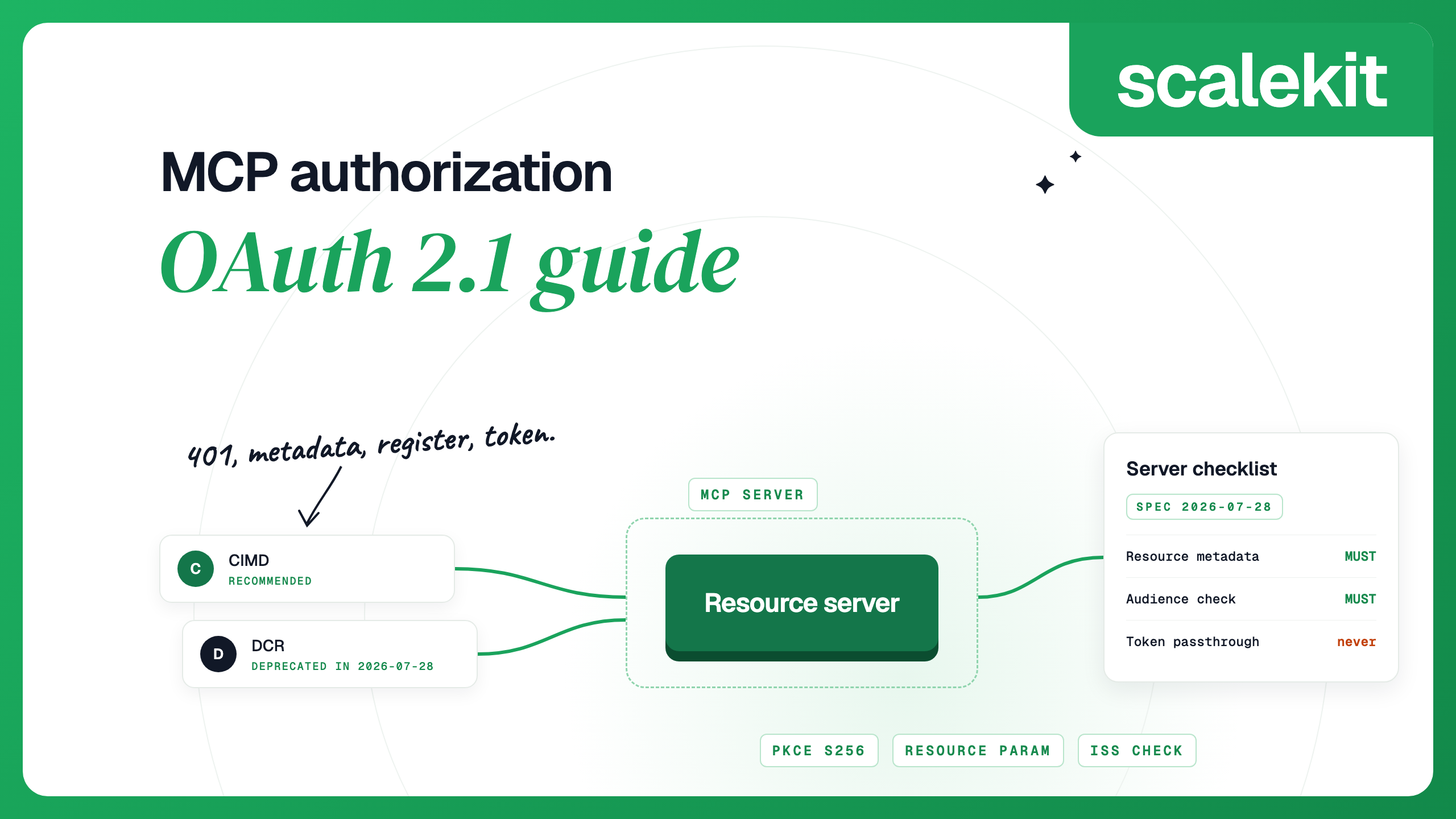


To add OAuth 2.1 to a remote MCP server, you make the server an OAuth resource server and let a separate authorization server issue its tokens. The server answers unauthenticated requests with a 401 that points to its protected resource metadata, accepts only tokens issued for its own URL, and checks scopes per tool. Clients do the rest: they discover the authorization server, register, run the authorization code flow with PKCE, and send the token on every request. Everything below follows the current MCP authorization spec, version 2026-07-28.
Since June 2025, when MCP servers became OAuth resource servers, the server-side rules have held steady: publish protected resource metadata, check the audience on every token, and check scopes per tool. What moved in November 2025 and July 2026 was client registration and discovery. DCR went from recommended (SHOULD) to optional (MAY) to deprecated, and CIMD arrived. That is a good reason to keep the authorization server outside the MCP server, as a service you can update without redeploying your tools.
If you built MCP auth against the 2025-06-18 or 2025-11-25 versions, these are the changes that need work. Most are listed in the changelog; the step-up scope rules and the new refresh token section are on the authorization page itself.
Our walkthrough of the July 2026 spec update covers the rest of the release, including the stateless protocol and Tasks.
Here is what happens the first time a client connects to a protected MCP server at https://mcp.example.com/mcp.
1. The server rejects the unauthenticated call. It returns 401 with a WWW-Authenticate header that points to its protected resource metadata, and it SHOULD name the scopes the client needs:
Since the 2025-11-25 version, the header is one of two options: a server can instead rely on clients finding the metadata at a well-known path. Clients MUST use the header URL when it is there; otherwise they try /.well-known/oauth-protected-resource/mcp first, then /.well-known/oauth-protected-resource at the root (discovery). Either path works for the server. Point the resource_metadata header at whichever one you serve.
2. The client reads the protected resource metadata. The document (RFC 9728) MUST list at least one authorization server:
3. The client discovers the authorization server. For an issuer with a path, such as https://auth.example.com/tenant1, clients try three URLs in order:
The issuer in the document MUST equal the issuer used to build the URL, or the client MUST NOT use it. If the metadata does not list code_challenge_methods_supported, the client MUST stop, because it cannot confirm PKCE support.
4. The client registers, in this order of preference: a client ID it already has for this authorization server, a CIMD URL if the server advertises client_id_metadata_document_supported, DCR if it advertises a registration_endpoint, and finally asking the user for client details.
5. The client sends the user to the authorization endpoint with PKCE (S256) and the resource parameter set to the server's canonical URI. Values are shown unencoded for readability:
The resource parameter (RFC 8707) MUST be in both the authorization request and the token request, whether or not the authorization server advertises support for it. It is what lets the authorization server issue a token for this MCP server and no other.
6. The client checks the response and redeems the code. If the response carries iss, it MUST match the issuer recorded in step 3, compared as an exact string. If the authorization server advertises authorization_response_iss_parameter_supported and the response has no iss, the client MUST reject it. Then the client exchanges the code at the token endpoint with the PKCE verifier and the same resource.
7. The client calls the server with the token in the Authorization: Bearer header on every request, never in the query string. The server validates it on every request and answers 401 if it is invalid or expired.
These are the server-side rules that matter most. Two of them are easy to miss because a demo works without them: checking the token audience, and never passing a client's token upstream.
For a worked Node.js example, with token validation and per-route scopes, see securing an MCP server with OAuth 2.1.
MCP clients and servers usually have no prior relationship, which is why registration gets so much attention in the spec. There are three ways for a client to get a client ID.
A CIMD document needs only a few fields. Its client_id MUST match the URL it is served from exactly, and it MUST include client_name and redirect_uris:
An authorization server that supports CIMD advertises client_id_metadata_document_supported: true, fetches the document when it sees a URL as a client ID, validates it, caches it according to HTTP cache headers, and shows the redirect URI's hostname on the consent screen. Fetching a URL chosen by the client is a server-side request forgery risk, so the current version of the IETF draft says not to follow redirects or fetch private addresses.
DCR also has an operational cost. Claude registers a new client on every fresh DCR connection, which can leave very large numbers of client records on your authorization server. For high-traffic servers, Anthropic recommends CIMD or Anthropic-held credentials instead. DCR is not going away immediately: under the feature lifecycle policy adopted in the same release, a deprecated feature stays in the spec for at least twelve months before it can be removed.
For the trade-offs by deployment type, see CIMD vs DCR. For a step-by-step CIMD walkthrough with an internal MCP server, see how MCP clients register using CIMD.
A client's first request should use the smallest scope set: the scope from the 401 challenge if there is one, otherwise the server's scopes_supported, which should be a minimal baseline. When a tool needs more, the server answers with 403 and the full set of scopes that call needs:
A client acting for a user SHOULD then send the user through authorization again, asking for the union of the scopes it already has and the new ones, with a limit on retries. Clients do not all behave the same here. When you pin scopes in Claude Code's configuration, it requests those pinned scopes on a 403 rather than the scope the server named, so test step-up with each client you support.
The 2026-07-28 release adds a section on refresh tokens. Clients MUST keep them confidential and MUST NOT assume one will be issued. They SHOULD list refresh_token in their grant types, and MAY request offline_access if the authorization server advertises it; MCP servers SHOULD NOT advertise it themselves. Separately, the spec's security considerations require authorization servers to rotate refresh tokens for public clients.
That covers the token between client and MCP server. If your MCP server also calls third-party APIs for the user, as most MCP integrations do, it holds a second set of tokens with their own refresh rules; token refresh for third-party MCP servers covers that side.
The MCP security best practices describe these in detail, with mitigations for each.
Client support varies. Each row reflects the vendor's own documentation. Details checked October 2026.
Scalekit acts as the authorization server for your MCP server, so your code only does the resource-server part. The MCP auth quickstart walks through it:
There are full examples for Express and FastAPI, and a separate guide for FastMCP. If you already run Scalekit MCP auth, the 2026-07-28 migration guide covers the move to a resource-bound issuer; during the transition, trust both the old and the new issuer in your token validation.
Treat the server as an OAuth resource server. Publish protected resource metadata that names your authorization server, return 401 with a WWW-Authenticate header to unauthenticated requests, and validate every token's issuer, audience and expiry. Use a separate authorization server, such as Scalekit, to handle client registration, sign-in and token issuance.
Yes. The 2026-07-28 MCP spec deprecates Dynamic Client Registration in favor of Client ID Metadata Documents (CIMD). Authorization servers may still support DCR for clients that need it, and clients fall back to it when CIMD is not advertised.
A Client ID Metadata Document is a way for a client to register without a registration endpoint. The client ID is an HTTPS URL, and the authorization server fetches the JSON document at that URL to learn the client's name and redirect URIs.
The resource parameter (RFC 8707) tells the authorization server which MCP server the token is for. The server then issues a token with that audience, and the MCP server can reject tokens meant for anything else.
HTTP 403 with a WWW-Authenticate header that has error="insufficient_scope", every scope the call needs, and the resource metadata URL. The client can then ask the user to authorize the extra scopes.