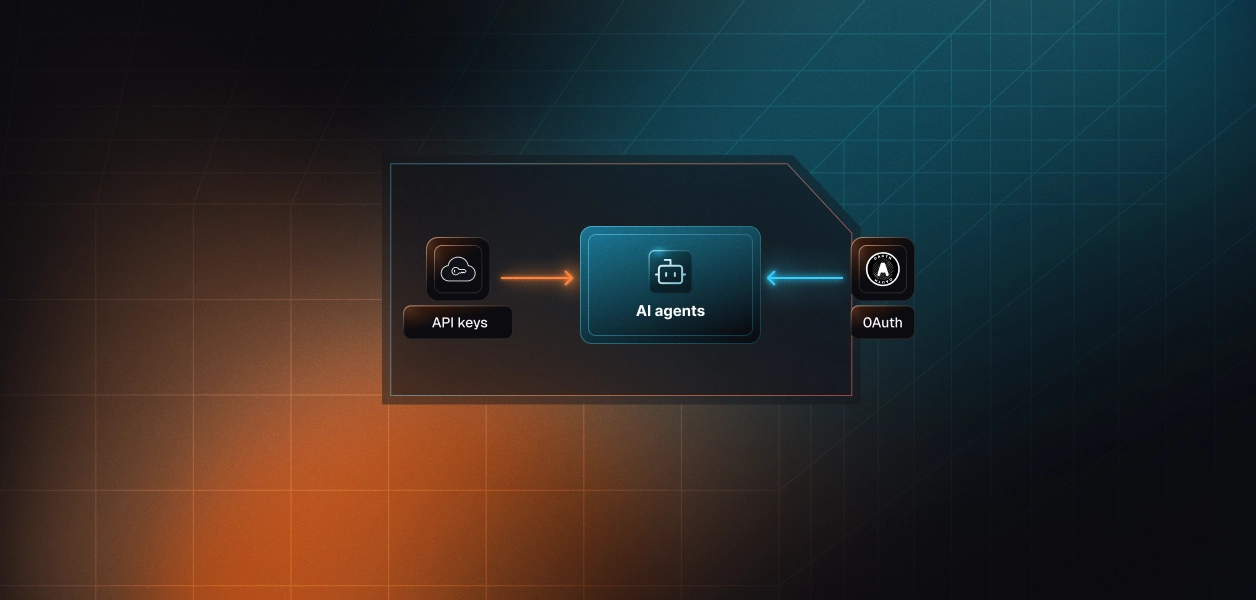


Your agent needs to read and write MailerLite: pull campaign performance, add subscribers to groups, build a welcome automation. MailerLite ships two paths, and unlike most vendors in this series, the usual assumption is inverted here. The hosted MCP server authenticates with OAuth and can create automations and segments. The REST API authenticates with a single bearer key that is bound to the human who generated it. Picking wrong costs you either capability or a clean multi-tenant identity model. Here's how to decide.
Two objects, two different design intents. One was built for an LLM to drive a marketing account conversationally. The other was built in 2022 for deterministic server-to-server integration and has not been reshaped for agents.
MailerLite Labs shipped the MCP server in September 2025 and MailerLite's developer documentation still labels it beta. It is hosted, not self-deployed, at https://mcp.mailerlite.com/mcp over streamable HTTP, and clients authenticate through a browser OAuth flow against the user's MailerLite account. Official documentation lives at the MailerLite MCP Server reference.
The current REST API is versioned by date and served from https://connect.mailerlite.com/api. It covers subscribers, groups, segments, fields, automations, campaigns, forms, webhooks, batching, timezones, campaign languages, and a separate e-commerce surface. Authentication is a bearer API key in the Authorization header. Conventions, errors, and limits are documented in MailerLite's getting started guide.
Four dimensions decide this: what the agent can actually do, which auth path you inherit, what breaks in production, and which mode your agent runs in.
The table below covers the actions that matter for email marketing agents specifically. Rows reflect what each path exposes as a first-class, schema-described operation.
This is the part most MCP-versus-API comparisons get backwards for MailerLite. mailerlitemcp_create_automation accepts a trigger type, trigger config, and ordered email and delay steps. The REST equivalent, POST /api/automations, accepts a name and returns an automation with an empty steps array. mailerlitemcp_create_segment accepts a filter rules object; the Segments API reference documents list, read, rename, and delete, with no create. There are also LLM-shaped tools with no REST analogue at all: suggest_subject_lines, generate_email_content, discover_automation_templates, and dry_run_automation.
The gaps that bite are compliance gaps, not feature gaps. mailerlitemcp_add_subscriber takes email, name, fields, groups, status, and resubscribe. The REST upsert additionally takes subscribed_at, opted_in_at, optin_ip, ip_address, and unsubscribed_at. If your agent is the system of record for how a subscriber consented, the MCP surface cannot write that provenance. Same story for the GDPR forget endpoint and for GET /api/subscribers/:id/activity-log, where the REST call filters by log type and paginates and the MCP tool takes only a subscriber ID.
mailerlitemcp_batch_requests takes an array of up to 50 requests and carries the same "webhooks are not supported" restriction as POST /api/batch. That endpoint accepts any relative path starting with api/. So an agent holding this one tool can reach the forget endpoint, the e-commerce surface, and everything else the MCP does not model.
That is convenient and it is also the whole least-privilege story collapsing into a single tool. The model has to construct raw paths and bodies with no input schema to guide it, and a mis-planned batch is 50 unvalidated writes. Allowlist batch_requests only when a specific gap requires it, and never alongside a broad read surface.
The MCP server is OAuth. Every user completes a browser consent flow against their own MailerLite account, and the resulting session is bound to that user. Scalekit's connector page classifies the MailerLite MCP auth as OAuth 2.1 with Dynamic Client Registration.
The REST API documents exactly one method: Authorization: Bearer <api_key>. There is no self-serve OAuth app registration in MailerLite's public API reference for third-party integrations. MailerLite's own CLI offers an OAuth login, and the MCP server is OAuth-backed, but neither is a documented path for your application to obtain per-user REST tokens.
MailerLite states it plainly in its own documentation: API keys are permanently bound to the user who created them, and if that user is removed from the account or their account is deleted, the key stops authenticating. Read that as an operational spec, not a footnote.
An agent running on a customer's MailerLite key inherits a credential whose lifetime is tied to one employee's employment. It carries no per-user scope, so every action in the audit trail resolves to whoever generated the key rather than the person who triggered the agent. And because MailerLite does not store keys in plaintext, rotation means a human regenerating and re-pasting a secret per tenant. As explored in OAuth vs API Keys for AI Agents, static credentials create structural liabilities at production scale.
On the MCP path, MailerLite owns hosting, tool schemas, and the OAuth consent surface. You own per-user token storage, refresh, revocation on disconnect, and tenant isolation. You also own the fact that the server is labeled beta, so tool schemas can move without a versioning contract.
On the REST path you own all of that plus endpoint selection, pagination, error handling, and retries. You do get a versioning lever the MCP does not offer: pin X-Version to an implementation date and migrate on your own schedule. For a deterministic nightly pipeline, that pin is worth real money.
MailerLite enforces a global 120 requests per minute and returns 429 with X-RateLimit-Limit, X-RateLimit-Remaining, and Retry-After headers. Import creation is separately capped at 5 requests per minute, and that cap applies to POST /api/subscribers/import, POST /api/groups/{group_id}/import-subscribers, and any batch composed entirely of subscriber upserts.
Agentic workflows issue several sequential calls per user action, so a list-then-fetch-then-update loop across a few hundred subscribers burns the minute budget faster than a traditional sync job. MCP tool calls travel over the same API and count the same way. For a deeper look at agent tool calling auth production problems and patterns, the failure modes extend well beyond rate limits.
Use the MailerLite MCP server when:
Use the MailerLite REST API directly when:
Scalekit ships MailerLite as an MCP connector with the slug mailerlitemcp. The connector handles the OAuth flow, stores the resulting token per user in the vault, and executes tool calls with the right credential resolved at call time. Reference material is on the MailerLite MCP connector docs page and the MailerLite connector page.
Install the SDK and set SCALEKIT_ENV_URL, SCALEKIT_CLIENT_ID, and SCALEKIT_CLIENT_SECRET from your dashboard. The connection_name string must match the connection you configured under AgentKit and Connections exactly. A mismatch here is the single most common integration error.
Before the agent sees a single tool, decide what it is allowed to see. list_scoped_tools returns the tools this user's connected account is authorized to call, not a catalog. Filtering by tool name on top of that turns a 68-tool connector into a four-tool reporting agent.
actions.langchain.get_tools returns native StructuredTool objects with the same scoping filters, so the agent code carries no Scalekit-specific logic beyond initialization. For more on how LangChain tool calling works and where it stops, the integration pattern is consistent across connectors.
Scalekit returns schemas with input_schema, which is the exact shape Anthropic's tool use API expects, so no reshaping is needed. This example scopes a write agent down to subscriber intake.
When you need the GDPR forget endpoint or another REST-only path, mailerlitemcp_batch_requests gets you there through the same connected account. Keep this behind your own application logic rather than in the model's tool list, so the path is code you wrote and not a path the model invented.
If you would rather model MailerLite's REST API as a first-class connector with its own OAuth config, tool schemas, and proxy routing, use the bring your own connector approach and call actions.request against it directly.
Handing an agent the whole MailerLite MCP server means 68 tools in context. At roughly 200 tokens per tool definition, that is around 13,600 tokens burned before the agent does any work, and a decision space no model handles well. A Virtual MCP server declares exactly which tools the agent sees and whose credentials it acts with. This is the same insight behind why MCP can be significantly more expensive than CLI when tool surfaces are not carefully scoped.
Four tools instead of 68 is roughly a 94 percent reduction in tool-surface tokens, and the accuracy effect is the larger half of that win. Surface reduction is the lever; model upgrades help, but they are not the lever.
The setup is once per agent role, not once per user. One server definition serves every tenant, and ensure_instance mints a per-user endpoint bound to that user's connected accounts. Add Slack or HubSpot to the same config and the isolation property holds across all of them. The challenges of moving from single-tenant to multi-tenant tool calling are exactly what this architecture is designed to solve.
Background runs fail badly when a user has quietly disconnected. Check auth state first and surface a fresh link rather than letting the agent discover a dead credential mid-task.
Every execute_tool call returns an execution_id, and every call resolves through a named connected account rather than a shared key. That combination is what makes an audit answer possible: which agent, acting for which user, called which MailerLite tool, when, and with what result.
That matters more for email than for most tools. A campaign send and a subscriber deletion are both irreversible and both are things a compliance reviewer will ask about by name. Connected accounts also expose status, token_expires_at, and last_used_at, and Agent Webhooks push connected account lifecycle, auth, and token events to your systems without polling. Proper audit trails for agent auth in B2B SaaS are the difference between an answerable compliance question and an incident.
Both paths hand you a credential per user or per account. Neither hands you a vault, rotation logic, or a revocation flow. That gap is where MailerLite agents break in month three, not week one.
Run a MailerLite agent for 40 customers and you hold 40 credentials with 40 independent lifecycles. On the MCP path they are OAuth tokens a user can revoke from MailerLite at any time, and your agent learns about it through a failed call unless you are watching for it. On the REST path they are API keys tied to individual employees, which means a routine offboarding at your customer silently kills your integration for that tenant.
Scalekit's MailerLite MCP connector handles the OAuth flow, encrypted per-tenant token storage, and refresh, so the MCP versus API decision does not change what you have to build at the credential layer. Credentials stay in the vault and never enter the agent runtime or the model's context. Understanding who holds the token and why credential ownership patterns matter is foundational for building production-grade agentic systems.
The decision is not really about capability coverage. Both paths cover most of what an email agent needs, and the MCP actually covers more of the automation surface.
Build on the MCP path. A user is present for OAuth, per-user identity is the default rather than something you retrofit, and the automation and content tools have no REST equivalent. Scope it with a Virtual MCP server from day one rather than after the first bad tool selection.
Go to the REST API for the specific operations that demand it: consent provenance, GDPR erasure, webhook ingestion, segment-targeted sends. Most production MailerLite agents will end up running both, with the interactive assistant on MCP and the scheduled pipeline on REST. The credential management problem is identical either way, and that is the part that needs production-grade infrastructure.
Building an email marketing agent and hitting an auth or scoping wall? Join the Scalekit Slack community and ask, or talk to us if you want a walkthrough against your own architecture.
Browse the Scalekit MailerLite MCP connector or start from the connector docs.