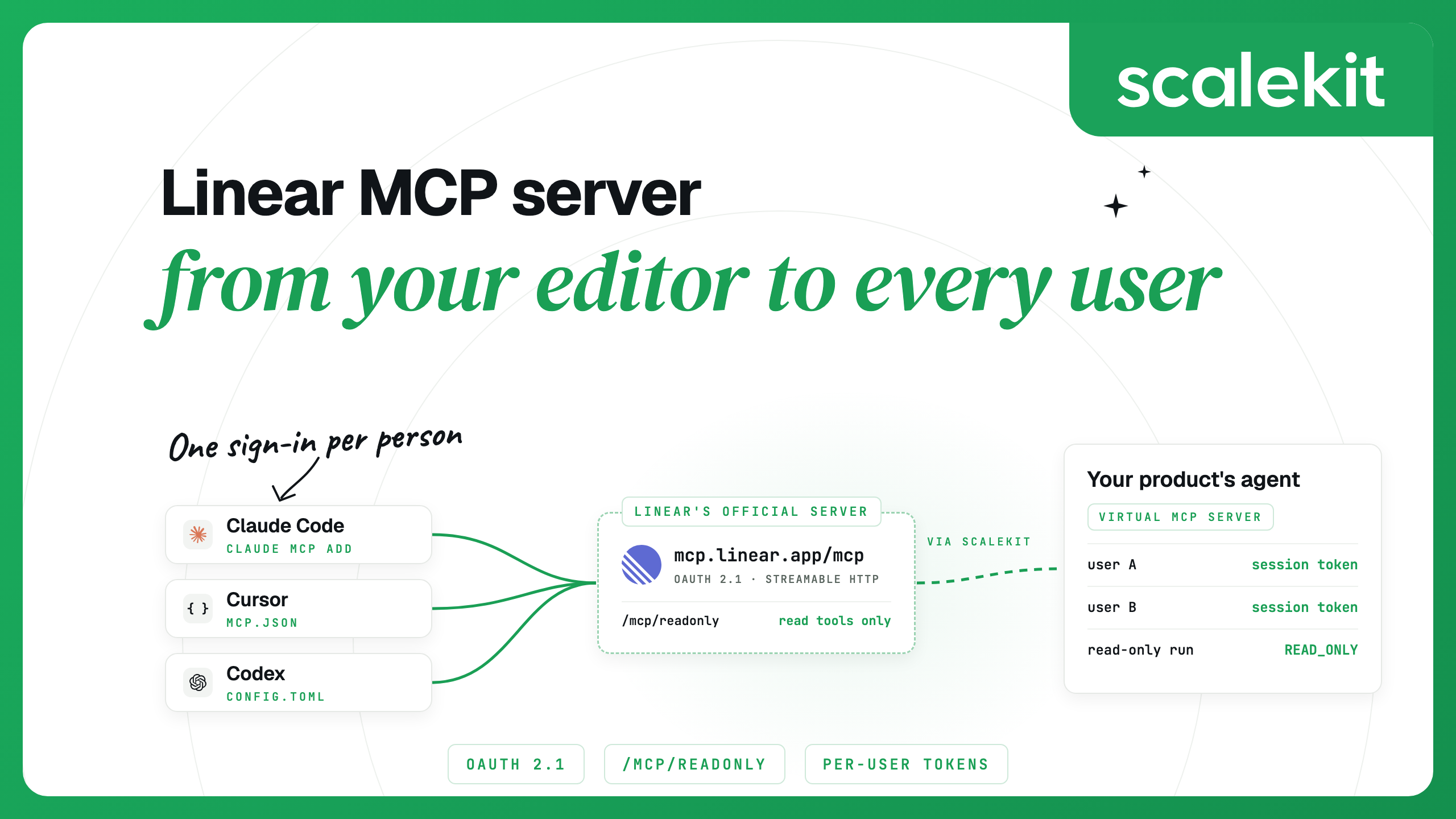


The Linear MCP server is Linear's official hosted server at https://mcp.linear.app/mcp. It uses Streamable HTTP, signs you in with OAuth 2.1, and acts as the Linear user who authorized it, so every issue it creates and every comment it posts is attributed to you. Claude Code connects with one claude mcp add command and a /mcp sign-in.
That covers one person in one editor. Cursor and Codex take one step each, and the official server also accepts an API key for headless runs. If you are building an agent that works in many of your users' Linear workspaces, the work moves to your back end, which has to hold one authorization per user. That requirement applies to most MCP integrations in multi-user products.
Linear launched its hosted MCP server in May 2025 and runs it centrally. Its MCP documentation describes tools for finding, creating and updating issues, projects and comments, with more added over time. Scalekit's Linear MCP connector, which passes calls through to this server, lists 63 tools today: 37 read, 14 write and 12 destructive, covering issues, projects, milestones, initiatives, documents, comments, customers, releases and code review threads.
The server has two endpoints under https://mcp.linear.app:
The default flow is interactive OAuth 2.1 with dynamic client registration. The server's published OAuth metadata, at /.well-known/oauth-authorization-server, advertises the read and write scopes, the authorization code grant with PKCE (S256), refresh tokens, a dynamic client registration endpoint and support for Client ID Metadata Documents. A request without a token gets a 401 whose WWW-Authenticate header points to the server's protected resource metadata, which names that authorization server. That is how MCP clients find the sign-in flow without extra configuration.
Linear also accepts an OAuth access token or a Linear API key in an Authorization: Bearer header, skipping the browser step. Linear lists three uses: acting as an app user, giving read-only access through a restricted API key, and reusing an existing Linear OAuth application. You create API keys under Settings > Account > Security & Access; a key with only the Read permission gives read-only access on the standard endpoint.
Workspaces on Okta can turn on enterprise-managed authorization: configure SAML for Linear through Okta's OIN, enable MCP enterprise managed authentication in Linear's Okta identity provider settings, and paste the Okta authorization server's issuer URI. Supported clients such as Claude then sign users in under the organization's Okta access policies.
Open a session, run /mcp, pick linear-server and finish the sign-in in your browser. You can also sign in from the shell with claude mcp login linear-server. The server is added at local scope, for you in the current project; add --scope user to use it in every project, or --scope project to write it to a shared .mcp.json. Claude Code stores and refreshes the OAuth tokens, and claude mcp logout linear-server clears them. The Claude Code MCP docs cover every flag.
To keep Claude read-only, either point the entry at https://mcp.linear.app/mcp/readonly or pin the OAuth scope in .mcp.json. Linear grants read-only access to clients that request only read, and the resulting token cannot reach write APIs.
A claude -p run or an Agent SDK session has no /mcp panel, so it cannot complete an OAuth sign-in. Either sign in once from an interactive session, or send an API key. Claude Code expands environment variables in a server's url and headers, so the key stays out of the file:
Linear's docs link a one-click install for Cursor, and Linear is listed in Cursor's marketplace. To add it by hand, put this in ~/.cursor/mcp.json for every project or .cursor/mcp.json for one project:
Cursor runs the OAuth sign-in when the server asks for it. To use an API key instead, add a headers object to the entry with Authorization set to Bearer ${env:LINEAR_API_KEY}; Cursor resolves ${env:NAME} in url and headers. By default Cursor asks for approval before it uses an MCP tool, and shows the arguments it is about to send (see Cursor MCP docs).
The Codex CLI, the IDE extension and the ChatGPT desktop app share one MCP configuration, so you set it up once. Linear's docs say the add command prompts you to sign in; codex mcp login linear runs the sign-in again whenever you need it. The same server in ~/.codex/config.toml, with approval required for any tool the server does not mark read-only:
For an API key, add bearer_token_env_var = "LINEAR_API_KEY" to the table, and Codex sends the variable's value as the bearer token. Linear's setup page also adds experimental_use_rmcp_client = true under [features], a flag that older Codex releases needed for remote servers. Current releases support Streamable HTTP servers with OAuth without it, as the Codex MCP docs describe, and ignore the key, so you can leave it out.
Linear's instructions for VS Code, Windsurf and Zed use the mcp-remote bridge, and the same settings work in any client that only runs local servers: command npx, arguments -y mcp-remote https://mcp.linear.app/mcp, no environment variables. The bridge runs on your machine, handles the OAuth flow and keeps its credentials in ~/.mcp-auth. Linear's FAQ suggests deleting that folder if you see an internal server error, and updating Node.js if needed.
Each Linear workspace needs its own authorization, and reconnecting does not switch workspaces inside an existing session. With mcp-remote, give each workspace its own directory and sign in to each one separately:
The official server is the right default for anyone using Linear from their own editor. Linear maintains the tools, and you only manage a sign-in.
Self-hosted servers are open source and run with whatever key you give them. An early community server, jerhadf/linear-mcp-server, now says in its README that it is deprecated and points users to Linear's official server. tacticlaunch/mcp-linear is MIT-licensed, still maintained, runs with npx -y @tacticlaunch/mcp-linear and a LINEAR_API_TOKEN, and its README lists tools for workspace webhooks, templates and custom fields. Treat any third-party server like other code you run with a credential, and vet it before you install it.
Managed services hold one authorization per end user. Composio lists 47 Linear tools and 12 triggers, supports OAuth and API keys, and creates an MCP session per user ID. It is the better fit when you want Linear event triggers from the same platform that runs the tools, or you already build on Composio sessions.
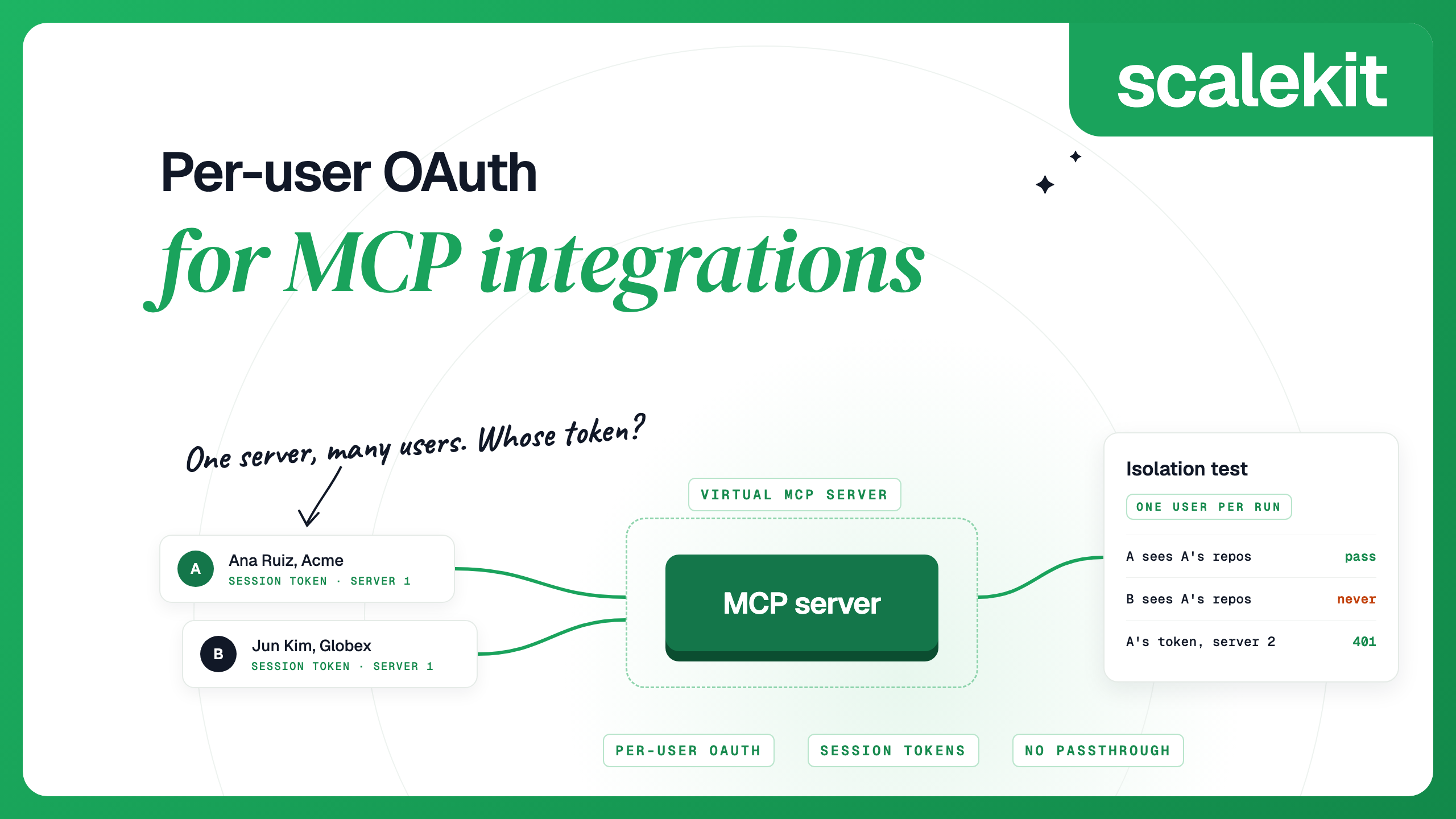
Linear's server trusts whoever completed the sign-in, and the client keeps the tokens. In Claude Code, that client is a developer's laptop. When your product's agent works in your customers' Linear workspaces, your back end is the client, and for every user it has to:
Per-user OAuth for MCP integrations covers this design and how it fails, and token refresh for third-party MCP servers covers the refresh step. If your agent needs webhooks or arbitrary GraphQL queries rather than fixed tools, Linear MCP vs Linear API compares the two surfaces.
AgentKit is an MCP gateway that runs each user's OAuth flow, stores their tokens encrypted with AES-256-GCM under a key per environment, refreshes them and calls tools as that user. It has two Linear connectors, and both can use Scalekit's OAuth app or your own:
You create a Virtual MCP server once per agent role and choose its tools. All users share its URL. Before each run, your back end mints a session token for one user, and the agent connects with that token. Scalekit checks the token, finds that user's Linear account and calls Linear with it; your agent never receives the user's Linear token.
Once per agent role: create the server.
Before each run: check the user's account, then mint a token.
During the run: connect any MCP client with the server URL and the session token as a bearer header. With the Python MCP SDK (version 2):
How session tokens behave:
By default, the tools/list response also includes a connect_account tool, so an agent can fetch an authorization link for a user who has not connected Linear yet. To revoke one user, delete their connected account; their next call fails until they authorize again, and other users keep working:
For an agent that only needs one app, every connection also has its own MCP server with all of its tools at <environment URL>/mcp/v3/connections/linearmcp; mint the token with connection_name="linearmcp" instead of a server ID.
Session tokens expire, so a static header in a config file stops working within a day. Claude Code's headersHelper runs a command at each connection, uses the JSON it prints as request headers, and runs it again when a tool call returns 401 or 403. A helper that mints a fresh token for a test user:
Use user or local scope for this entry. Claude Code runs helpers from a project .mcp.json without environment variables whose names look like credentials, so a shared project file would not see your Scalekit secret. Codex has a similar option, http_headers_helper.
It is Linear's official, centrally hosted MCP server at https://mcp.linear.app/mcp. It uses Streamable HTTP and OAuth 2.1, and its tools find, create and update issues, projects, comments and other Linear objects as the user who signed in.
Run claude mcp add --transport http linear-server https://mcp.linear.app/mcp, start a session and run /mcp to sign in with your Linear account. Add --scope user to make it available in every project.
Yes. Connect to https://mcp.linear.app/mcp/readonly, which only exposes read tools, or request only the read OAuth scope on the standard endpoint. A Linear API key with only the Read permission also gives read-only access.
Yes. Linear's MCP server accepts a Linear API key or an OAuth access token in an Authorization: Bearer header. This suits headless runs, app users and restricted read-only keys.
Yes, but each workspace needs its own authorization, because reconnecting does not switch workspaces within a session. With the mcp-remote bridge, give each workspace its own MCP_REMOTE_CONFIG_DIR and sign in to each one separately.
Each user has to authorize Linear once, and your back end has to store, refresh and revoke their tokens. With Scalekit AgentKit, users connect through the Linear MCP connector, and each run gets a short-lived session token for one user on a shared Virtual MCP server URL.
Connect over Streamable HTTP at https://mcp.linear.app/mcp, which is the endpoint Linear recommends for every setup. If your client only runs local servers, use the mcp-remote bridge with that /mcp URL.
Details checked October 2026.


.webp)