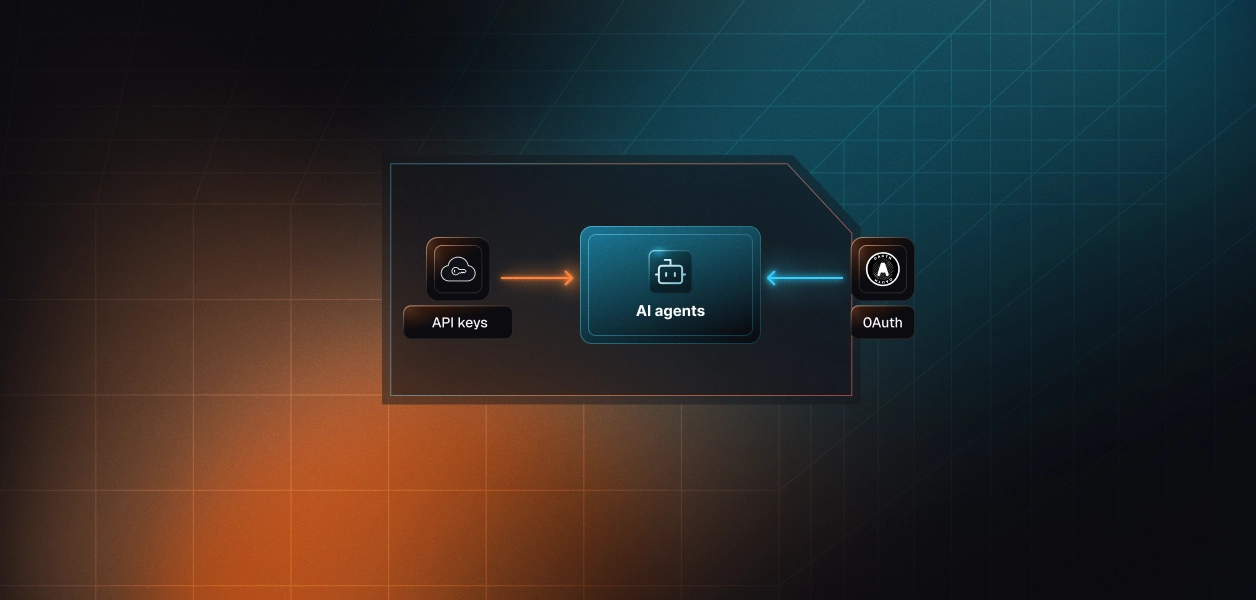


Your agent needs meeting context from Fellow: what was decided in last Tuesday's pipeline review, which action items are overdue, what the customer said about pricing twenty minutes into the call. Fellow ships a hosted Model Context Protocol (MCP) server and a REST Developer API. They reach the same meeting data through very different doors. One is OAuth-only and built for natural-language retrieval. The other is API-key-only and built for moving data. The path you pick decides how users onboard, how much a leaked credential exposes, and whether your agent can react when a meeting ends. Here is how to choose.
Both surfaces enforce the same access rule: the caller sees only what the authenticating Fellow user can already see in the app. Almost everything else about them differs.
Fellow runs an official, remote MCP server on its own domain, maintained by Fellow and live since late 2025. It is also a verified connector in Claude's directory. Clients authenticate with OAuth, and MCP clients that support dynamic discovery register themselves, so there is no client ID or secret to provision.
Two admin gates sit in front of it. A workspace admin must first enable MCP connections in Workspace Settings. The admin then controls each tool individually, for example allowing read tools while keeping agenda editing off. Admins can see and delete every active MCP connection. Fellow documents all of this in its Help Center article on the MCP server.
The Developer API is a REST interface served from each workspace's own subdomain under /api/v1. It exposes notes, recordings with transcripts and AI notes, action items, agenda writes in Fellow Markdown, recording uploads, and webhooks. It is available on paid plans and must be switched on by a workspace admin.
Auth is API keys only. Each user generates a key in their own settings, and the key carries that user's full access. Enterprise workspaces can also issue Super Admin keys that override privacy controls and can impersonate any user through the X-On-Behalf-Of header. Limits are 3 requests per second and 10,000 requests per day per key. Fellow documents this in its Developer API reference.
Four dimensions change how a Fellow agent behaves in production: what it can do, how it authenticates, what you operate, and which workloads each path fits.
The table maps the capabilities Fellow agents use most. MCP tool names are Fellow's own; API rows reference the Developer API resources.
The MCP server is designed for retrieval by a model. search_meetings accepts a semantic query against generated summaries, a semantic query against transcript quotes, a speaker filter, participant email domains, and a user_has_calendar_event flag that separates "my meetings" from "meetings I can see." None of that exists in the REST API. An API-path agent has to list notes by date range and filter client-side, which burns requests against a 3-per-second ceiling.
Agenda work also favors MCP. edit_agenda makes targeted changes such as adding a talking point or an action item, and the template tools let an agent standardize recurring meetings.
The API owns state changes and data movement. Marking an action item done, archiving it, ingesting an external recording, and bulk-exporting notes for a warehouse are REST-only. So is reacting to a meeting. MCP is pull-only, while the API's ai_note.generated webhook fires shortly after Fellow generates notes from a recording.
One Scalekit-specific note: the FellowAI MCP connector page currently documents seven read tools. Call list_scoped_tools for your connection to confirm which tools it exposes before you design around agenda writes.
The MCP path is OAuth with Dynamic Client Registration. The user signs in to Fellow in a browser and approves the client, and the grant is bound to that user. Admins keep two kill switches: the whole MCP capability and individual tools.
The API path is a static key per user. There is no OAuth flow, no scope model beyond regular versus Super Admin, and no documented expiry. The key inherits every permission its owner has. It stops working only when someone deletes or disables it, disables the API workspace-wide, or deactivates the user in Fellow.
Both paths require per-user credential isolation in a multi-tenant agent. MCP gives you a token per user; the API gives you a key per user. Neither path solves storage, rotation, or revocation.
For an API-path agent serving many users, the tempting move is one Super Admin key plus X-On-Behalf-Of. It works: each request is scoped to the impersonated user, and Fellow audit-logs every impersonation. But the key itself reads the entire workspace, overrides privacy controls, requires an Enterprise plan, and is one secret whose leak exposes every transcript in the org. Fellow positions impersonation for admin dashboards and debugging, not delegated agent access. It also works only within one workspace, so a vendor serving many customers would need a Super Admin key from each of them.
On the MCP path, Fellow owns the server, the tool schemas, and the search index. You own the per-user token lifecycle and one Fellow-specific dependency: admin tool toggles. A tool an admin switches off becomes unavailable across that workspace. New tools are allowed by default unless the admin changes that setting, so your agent's tool surface can shift without a deploy on your side.
On the API path, you own everything else too: cursor pagination capped at 50 results per page, 429 handling, the daily request ceiling, response shaping for the LLM, and webhook infrastructure. That means a public HTTPS endpoint, challenge verification, HMAC-SHA256 signature checks over the svix-id, svix-timestamp, and raw body, and idempotent handling across up to eight delivery attempts spread over roughly 27 hours.
Recommended Reading: Granola MCP vs Granola API for AI Agents, the same decision for another meeting-notes platform.
The split for Fellow follows the auth split more closely than for most tools. Pick by workload, not by preference.
A Fellow agent inside a B2B product serves hundreds of users across dozens of customer workspaces. Each one has their own Fellow credential, and meeting transcripts are among the most sensitive data a company produces.
Because the REST API has no OAuth, onboarding a user on the API path means asking them to open Fellow settings, generate a key, and paste it into your product. That key has no documented expiry, carries the user's full access, and now lives in your infrastructure. At 500 users you hold 500 long-lived secrets to encrypt, isolate per tenant, and delete on offboarding. Fellow kills a key when the user is deactivated in Fellow, not when they leave your app.
MCP improves the grant, not the custody. Fellow's own setup guide warns that sharing a Microsoft Copilot agent built on one person's Fellow connection gives everyone else that person's recaps, notes, and calendar events. The same failure happens in your backend if you cache one OAuth token and reuse it across users. Every user needs their own grant, refreshed independently and revocable without touching anyone else. This mirrors the credential ownership challenge that appears across all agent tool-calling patterns.
Scalekit's FellowAI MCP connector runs the OAuth 2.1 flow per user, stores tokens in Scalekit's vault, and refreshes them. Your agent references a user identifier and a connection name, never a raw token. For the Developer API, a custom API-key connector puts each user's key behind the same vault. The MCP vs API choice stops being a credential infrastructure choice.
The examples below use Python and LangChain. They cover three paths: calling Fellow's MCP tools directly, exposing Fellow through a Virtual MCP server alongside Gmail, and reaching the Developer API through a custom connector. All three share the same connected-account model.
In the Scalekit dashboard, open AgentKit, then Connections, then Create Connection, and select FellowAI MCP. There are no client credentials to enter because the connector uses Dynamic Client Registration. Copy the connection name: the connection_name in your code must match it exactly, or tool calls fail with a not-found error. On the Fellow side, a workspace admin must enable MCP connections before any user can authorize.
Each user authorizes Fellow one time. Scalekit creates a connected account keyed to your user identifier and owns its token lifecycle from then on. In production, surface the link in your UI instead of the terminal.
Before the model sees anything, fetch the tools this user's connected account is authorized to call. This is not a catalog dump. The list is bound to this user's Fellow connection, and it is the only list you should hand to the LLM.
actions.langchain.get_tools returns that same user-scoped surface as native LangChain StructuredTool objects. Scalekit injects the user's Fellow token server-side at execution time, so the token never enters the prompt, the agent process, or your logs. For more on LangChain tool calling patterns and where they stop, see the dedicated guide.
For the full adapter reference, see the LangChain example in the AgentKit docs.
A post-call follow-up agent needs three Fellow tools and one Gmail tool, not every tool on both servers. A Virtual MCP server declares exactly that surface once per agent role and returns a static URL shared by all users. Both connections must already exist in AgentKit.
Before each run, confirm the user's connections are active and mint a short-lived session token bound to that user. The default expiry is about an hour, and create_session_token is also the remint call. Set expiry above your expected run time.
The step-by-step reference lives in the Set up and connect a Virtual MCP server docs. Understanding when a Virtual MCP server is the right call helps you decide whether to scope tools this way from the start.
Scalekit has no prebuilt connector for Fellow's REST API, so you register a custom connector. The payload declares an API_KEY auth pattern, overrides the header name to Fellow's X-API-KEY, and templates the proxy URL on each user's workspace domain.
Create a connection for the new connector in the dashboard, then store each user's key as a connected account. Scalekit vaults it and adds the header on every proxied call. Note what this does not fix: the user still has to generate and hand over the key. Inspect the response wrapper once before you parse it.
Meeting data raises the bar on every production concern. These are the pieces that change what you ship.
AgentKit logs every downstream tool call with the user who authorized it, the agent that ran it, the tool it used, and what came back, and streams those logs to Datadog, Splunk, or any SIEM. For a Fellow agent, that answers the first question a security reviewer asks: which agent read which transcript, on whose behalf. This is the foundation of agent tool observability — knowing not just that your agent is running, but what it is actually doing. Errors are classified by source, so you can tell whether a call never reached the Fellow connector or Fellow itself failed.
A Virtual MCP server is one definition per agent role, not one per user. Each run gets a short-lived session token bound to one user's connected accounts, so Fellow, Gmail, Linear, and your other connectors sit behind a single URL with no credential sharing between users. There is no MCP server to deploy, host, or maintain.
Fellow's search_meetings alone carries 16 parameters with paragraph-length descriptions. Exposing all 18 Fellow tools to a follow-up agent that needs three spends context on every turn and gives the model more wrong choices, including agenda writes it should never make. Surface reduction is the lever. Model upgrades help. They are not the lever.
The meeting prep agent template and the sales call prep agent template follow the same per-user connected-account pattern a Fellow agent needs, so the auth wiring carries over. When evaluating the build-vs-buy question for this auth layer, the hidden cost of building OAuth internally for AI agents is worth understanding before you commit to rolling it yourself.
If your agent reasons over meeting history with a user present, build on Fellow MCP. It has the search surface the API lacks and the only OAuth grant Fellow offers. If your agent reacts to meetings ending, moves data in bulk, or changes action item state, use the Developer API and accept that you are now custodian of raw user keys. Many production Fellow agents will use both: a webhook to trigger, MCP to reason. The credential problem is identical either way, and that is the part that needs production-grade infrastructure. Understanding how tool calling auth changes when you move from single-tenant to multi-tenant is essential before you finalize your approach.
Building a Fellow agent for multiple users or customer workspaces? Talk to us and a Scalekit engineer will help you design the auth and tool-scoping model.
Browse the Scalekit FellowAI MCP connector, read the FellowAI MCP connector docs, or explore all agent connectors.