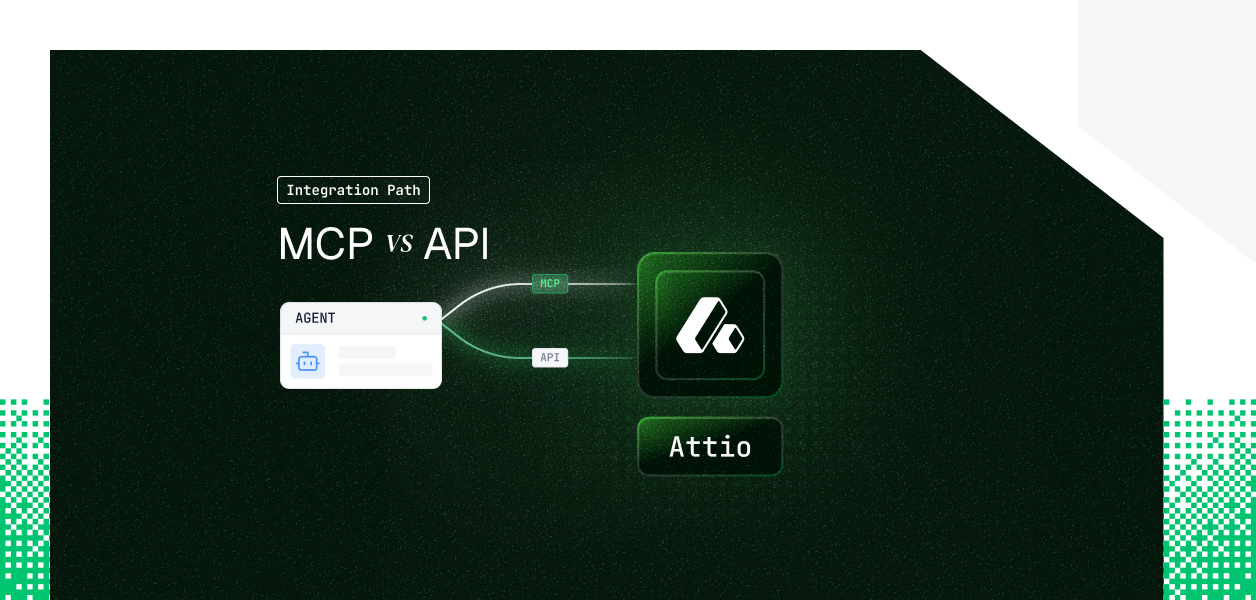


Your agent needs to read and write Attio. Attio ships a hosted MCP server at mcp.attio.com/mcp and a full REST API at api.attio.com/v2. They are not the same thing: different capability coverage, different auth paths, different operational surface area in production. The choice also is not permanent; what your agent does determines which path fits. Here is how to pick.
Attio MCP is Attio's hosted, Attio-maintained MCP server, reachable at https://mcp.attio.com/mcp. It reached general availability in February 2026 and is built for LLM consumption, with human-readable responses and MCP safety annotations.
Authentication is OAuth only. You log in with your Attio account, no API keys; the agent is authenticated as your Attio user, and access is bounded by that user's workspace permissions. Read operations are auto-approved, while write operations request user confirmation. Official reference: Attio MCP overview.
The Attio REST API exchanges JSON over HTTPS at https://api.attio.com/v2. It exposes the full workspace surface: objects, attributes, records, lists, entries, notes, tasks, comments, threads, meetings, call recordings, transcripts, files, workspace members, and webhooks.
Authentication accepts any bearer token in the Authorization header. Two token types matter: a workspace API key generated under Workspace Settings, and a per-user OAuth 2.0 access token from the Authorization Code flow. Official reference: Attio REST API overview.
The hosted MCP covers the conversational CRM surface well: search, record CRUD, lists, notes, tasks, comments, and AI-native semantic search over notes, emails, and calls. The gaps appear when an agent needs to react to changes or manage the workspace schema.
This series sources capability claims from the published tool list, not assumptions. The official Attio MCP overview documents exactly 37 tools across nine categories, so the gaps below are structural, not pending features.
Three gaps are worth naming precisely. First, there is no webhook tool; the MCP cannot subscribe to record, list, note, task, or comment events, while the REST API exposes signed, filterable webhooks (see the Attio webhooks guide). Second, the MCP can read schema with list-attribute-definitions but cannot create objects or attributes; that lives only in the API. Third, the MCP is OAuth-interactive by design, so a background agent with no user present cannot complete the flow.
What the MCP makes easier is also real. Semantic search over notes, emails, and call recordings ships as first-class tools, write confirmations are built in, and the end user manages no tokens. Replicating those affordances over raw REST is your work, not Attio's.
The hosted MCP requires OAuth and a browser-based consent step. There is no API-key option on this path. Every user who connects authorizes as themselves, and the resulting session inherits that user's exact Attio permissions.
The REST API gives you a choice. A workspace API key is a non-interactive bearer token, scoped to one workspace, that does not expire and is revoked by deletion. Per-user OAuth 2.0 issues a token per authorizing user through the Authorization Code flow, which is the right model for a product where each customer connects their own workspace.
Attio does not match the short-lived-access-token-plus-refresh model you carry for Slack or Google. Workspace API keys do not expire. The OAuth token endpoint returns a long-lived access token with no documented refresh-token rotation. The practical consequence: long-lived credentials raise the stakes on storage and revocation. A user can disconnect your app or an admin can delete a key at any time, and your agent only learns this from a 401. Detection and re-authorization, not refresh timers, are the failure mode to engineer for.
For a B2B agent serving 40 reps across 8 workspaces, the per-user OAuth path means 40 tokens to store encrypted, isolate per tenant, scope correctly, and revoke on offboarding. The MCP path produces the same per-user token, just minted through its own consent flow. Neither path solves storage, isolation, scope, or revocation detection for you. This is the credential ownership problem that exists regardless of which integration surface you choose.
Attio manages hosting, tool schemas, and response formatting. You still own per-user token storage, tenant isolation, and revocation handling. You also accept the MCP's per-workspace tiered rate limits: 100 reads per second, 25 writes per second, 300 searches per minute, and 2 semantic searches per second, shared per tier per workspace.
You own the full stack: endpoint selection, request construction, the typed-array attribute model, per-attribute filter syntax, pagination, error handling, and the token lifecycle. The API applies 100 reads per second and 25 writes per second, plus score-based limits on list records and list entries queries summed across all apps and access tokens. More surface area, more control.
MCP tool schemas are managed by Attio and can change when Attio updates the server; your agent picks up changes without a redeploy, but you do not control the cadence. The REST API is a stable, documented contract you call directly. For deterministic pipelines where an unexpected schema change is an incident, the direct API is the more predictable dependency.
Both paths give you a token per user. Neither gives you a vault, tenant isolation, scope enforcement at call time, or revocation detection. That infrastructure is built separately, regardless of which path you chose.
In a multi-tenant Attio agent, every user has their own credential. Fifty customers means fifty credentials to store encrypted, isolate per tenant, and invalidate when a user disconnects your app or an admin deletes a key. Because Attio tokens are long-lived, a credential that leaks or outlives an employee stays valid until something explicitly removes it.
A single workspace API key looks correct in a demo. In production, every record update logs as a service account, list-level permissions collapse to whatever the key holds, and per-user pipeline visibility breaks. The audit trail shows one identity for actions taken on behalf of many people.
Scalekit's Attio connector resolves the per-user credential on every tool call, so each action runs as the user who authorized it. Tokens live in Scalekit's token vault, encrypted at rest and isolated per tenant, never in agent runtime or model context. The same auth infrastructure works whether you build against MCP or the REST API; the path decision does not change what you need at the credential layer.
Attio requires you to register your own OAuth app; there is no shared managed app to borrow. You own the Client ID, Client Secret, the redirect URI, the typed-array data model, and Attio's fine-grained scopes. Scalekit's connector wraps Attio's REST API behind one interface, exposes around 50 prebuilt tools (a superset of the hosted MCP's 37, including webhook and attribute or object management), and resolves per-user identity on every call. Connector reference: Attio connector docs.
Register your Attio OAuth app at build.attio.com, then create the Attio connection in the Scalekit dashboard under AgentKit > Connections, paste your Client ID and Client Secret, and select the minimum scopes (for example record_permission:read-write, note:read-write, task:read-write, webhook:read-write). Note the exact connection name; the value you pass in code must match the connection name configured in the Scalekit dashboard exactly. This is the single most common integration error.
The agent application manages only the Scalekit API key; no Attio secrets or user tokens touch your code.
The agent receives only the tools the current user's connected account is authorized to call, not the full catalog. That keeps tool selection accurate and the token surface small.
Scalekit returns native LangChain tool objects, so the agent code needs no Scalekit-specific reshaping.
If you would rather drive Attio through MCP, point a Scalekit-generated, per-user MCP URL at any MCP host. The endpoint is static; the identity behind it is per-user.
The same execute_tool interface works across every connector, so adding Salesforce, HubSpot, Gmail, or Slack later inherits the same vault, scope checks, and delegation pattern with zero new auth code per connector. For multi-tool agents, that removes N separate OAuth implementations from your application layer.
For multi-tenant agents, observability is the larger payoff. Every delegation logs who authorized it, which agent and tool ran, the scope in effect, and the result, and the trail is exportable to your SIEM. When a security reviewer asks under whose credentials the agent updated a record, you have an answer per action rather than a shared service-account entry. Pagination, rate limits, retries, and scope checks are handled before the response reaches your agent.
If your Attio workflow needs a tool the connector does not expose yet, request it in the Scalekit Slack community or talk to the team. New connector tools typically ship within a week.
If your agent is interactive and user-present, and its job is searching, reading, and authoring Attio content, the hosted MCP is the faster route to a working agent. The semantic-search tools and write confirmations are built in, and Attio maintains the schemas.
If your agent runs headless, must react to changes via webhooks, manages the workspace schema, or serves many tenants with per-user scope control, build against the REST API directly. The MCP's OAuth-only, retrieval-focused surface is a genuine constraint, not a configuration option. Most production B2B agents end up using both: MCP for interactive features, the API for background work. Either way, the credential problem is the same, and long-lived Attio tokens make production-grade storage, isolation, and revocation detection the part that actually needs solving.
Browse the Scalekit Attio connector: scalekit.com/agent-connector/attio







