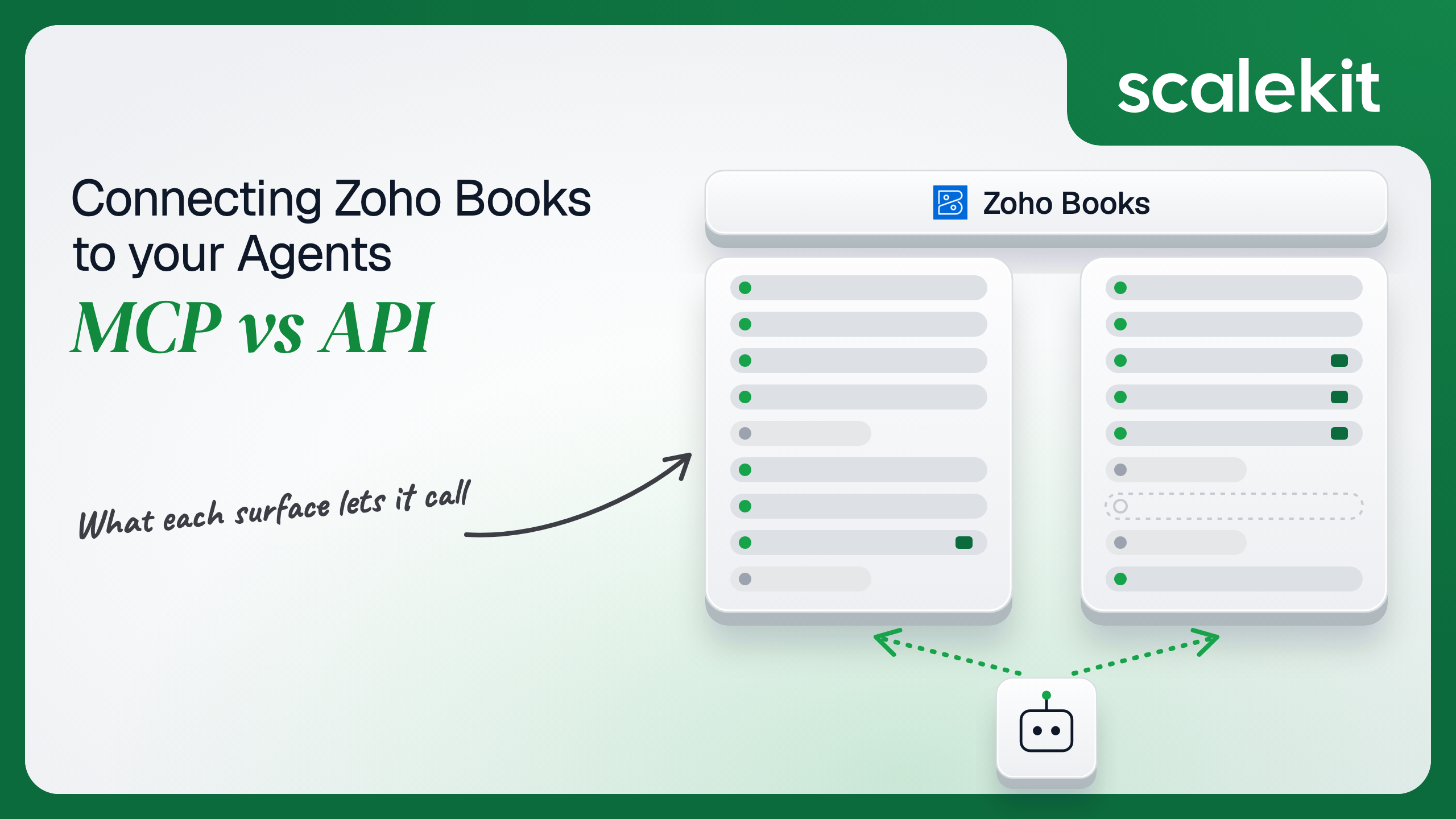


Zoho hosts its own MCP server for Zoho Books, through a verified Claude connector and through the Zoho MCP hub, and runs the Zoho Books API v3 across eight data centers. Both act as the signed-in user, and both meet the same twist: one bookkeeper's grant reaches every client organization they belong to. This guide compares what each path lets an accounts-receivable agent do, the token rules that break production agents, and how to keep each run inside one client's books.
Your product is an accounts-receivable agent for bookkeeping firms. A firm's bookkeepers each look after 30 to 50 small-business clients in Zoho Books, and the agent's job is to tell them which invoices are overdue across those clients, chase payment with reminders, explain why a customer's statement doesn't match their remittance, and record payments when they land. You check what Zoho offers and find more than most vendors ship: an official, hosted MCP server, a Claude directory connector built by Zoho, a central Zoho MCP hub, and a mature REST API with eight regional endpoints. They overlap heavily on invoices and contacts. They differ on who creates the server, whose credential it runs as, which organization it touches, and whether anything runs when no one is chatting. Here's how to pick.
Zoho's MCP story has two entry points, and both are hosted by Zoho.
The first is the Zoho Books connector in Claude's directory. Zoho built it, Anthropic lists it as verified, and it was added in March 2026. You add it from Customize > Connectors in Claude, pick the region your Zoho account lives in, and sign in. The connector has a separate endpoint per data center, such as claude-zohobooks.zohomcp.com for the US, .zohomcp.eu for Europe, .zohomcp.in for India, and .zohomcp.com.au, .ca, .sa, .jp, and .ae for the rest. The listing shows 49 tools, including list_invoices, get_invoice, list_contacts, get_customer_payment, create_sales_order, create_purchase_order, update_estimate, update_tax, and five deletes: delete_contact, delete_item, delete_sales_order, delete_estimate, and delete_customer_payment. Zoho's help page notes that "the Claude default connector supports only the actions listed under Tools."
The second is Zoho MCP, a hub for building your own server across Zoho apps and third-party tools. You pick the Zoho Books tools you want, optionally combine them with Zoho CRM or Stripe tools, and Zoho generates a server URL for ChatGPT, Cursor, Windsurf, or any other MCP client. Zoho's Zoho MCP documentation is direct about what that URL is: "Your URL will contain the required secure API Key," and "Treat your MCP Server URL as you would your password!" Adding Zoho Books to a server requires OAuth 2.1. By default Zoho uses Authorization on Demand, where each person authenticates with their own Zoho account; the alternative, Authorization via Connections, lets the Super Admin share one set of OAuth tokens with every member. Zoho MCP keeps a log of every tool access for 30 days.
Zoho MCP launched to an early access waitlist in July 2025. Zoho's pricing page now describes it as "included at no additional cost for all Zoho users" with no beta label, and states that usage counts against each Zoho service's existing API limits. Zoho's launch post for Zoho Books MCP, from April 2026, adds that access "requires admin approval before users can perform any action" and that admins choose which tools are enabled.
Community servers such as ossycodes/zoho-books-mcp (57 tools) and kkeeling/zoho-mcp (30 tools, ZOHO_REFRESH_TOKEN with ZohoBooks.fullaccess.all) run locally. With an official hosted server available, they mostly show where an unmanaged Zoho refresh token ends up: in a config file on someone's laptop.
The Zoho Books API is REST, with v3 as the stable version and v4 in beta. It covers organizations, contacts and contact persons, estimates, sales orders, invoices, recurring and retainer invoices, credit notes, customer payments, purchase orders, bills, vendor credits and payments, expenses, items, taxes, currencies, chart of accounts, journals, bank accounts and transactions, projects, tasks, time entries, and users.
Two details shape every request. First, data center: the base URL is https://www.zohoapis.com/books/v3 for US accounts, and Zoho runs separate stacks at zohoapis.eu, .in, .com.au, .jp, .ca, .com.cn, and .sa. A token from one data center does nothing on another. Second, organization: every request carries organization_id, which you get from GET /organizations, and one user can belong to many.
Auth is OAuth 2.0 through Zoho Accounts. You register a server-based client in the Zoho API Console, send the user to {accounts_url}/oauth/v2/auth with response_type=code, your scopes, and access_type=offline, and exchange the code at {accounts_url}/oauth/v2/token. Requests carry Authorization: Zoho-oauthtoken <access_token>. Zoho also offers a self client for single-user scripts, which is still OAuth, just without a redirect.
Zoho's MCP column is strong: official, hosted, regional, and covering the AR basics plus reporting the Scalekit connector doesn't wrap. The gaps are about shape, not quality. The Claude connector is a fixed tool set inside Claude. A Zoho MCP server is created by a person inside a Zoho MCP account and addressed by a URL that is itself a credential. Neither runs an AR pipeline for 300 firms on a schedule.
The delete row deserves a second look. The Claude connector hands the model delete_customer_payment. For an accounting system, deleting a recorded payment reopens the invoice and changes the ledger, and it is a tool an assistant can reach while answering "did Bowman pay last week." The Scalekit connector ships no destructive tools at all; it voids invoices and bills, which keeps them on record. Which one you want depends on who reads the model's output before it acts.
"Which of my clients have invoices more than 30 days overdue, and what's the total per client" on the raw API is a chain. Call GET /organizations to list the client organizations. For each one, page through GET /invoices with filter_by=Status.OverDue and an organization_id, follow page_context.has_more_page, and sum balances in your own code. Do that against the right data center, inside a 100-requests-per-minute budget per organization, with a 1-hour token.
The Claude connector and a Zoho MCP server turn that into tools a model picks by name, with Zoho handling the region and the token. For a bookkeeper working in Claude, that is a working AR assistant in five minutes, built and maintained by the company that owns the API. Writing the schema is the hard part. Not the API call.
The tradeoff is control over the surface. On the Claude connector, the tool list is Zoho's, deletes included. On Zoho MCP, an admin curates the tools, but the result lives in Zoho's console, not in your codebase.
On the MCP path, the Claude connector runs a Zoho sign-in for each Claude user, and Zoho MCP runs OAuth 2.1 per person by default through Authorization on Demand. That part is sound: actions run as the person, with their Zoho Books role, and Zoho's docs note it gives "more accurate auditing via ZUID." The weak point is the server URL. A Zoho MCP URL carries an API key, so anyone holding it can call the configured tools. It ends up in claude_desktop_config.json, a Cursor settings file, or a shared doc. Zoho lets you regenerate the key, which breaks every client using the old URL at once. And if the admin chose Authorization via Connections, the URL acts with the Super Admin's shared tokens for everyone.
On the direct API path, you run OAuth yourself and get Zoho's real least-privilege control: scopes. The format is ZohoBooks.<module>.<operation>, with operations CREATE, READ, UPDATE, DELETE, and ALL, across modules such as invoices, contacts, customerpayments, bills, banking, settings, and accountants. A reporting agent can live on ZohoBooks.settings.READ, ZohoBooks.invoices.READ, ZohoBooks.contacts.READ, and ZohoBooks.customerpayments.READ; you need ZohoBooks.settings.READ to list organizations. The tempting shortcut is ZohoBooks.fullaccess.all, which several integration guides, including Apideck's, use by default. It grants every operation in every module, deletes included.
Zoho's token rules are where production agents break:
Zoho Books roles apply on top of scopes. The API acts as the user, so a staff member without permission to record payments gets Zoho's code 57, "You are not authorized to perform this operation," whatever your scopes say. What the user can't do, the agent can't do.
In a multi-tenant B2B agent, MCP gives you a credential per user and the direct API gives you a credential per user. In neither case does the path itself solve storage, rotation, or revocation; those are infrastructure problems regardless of which path you choose.
Zoho Books adds a second axis: organizations. A bookkeeper's single grant covers every client organization they belong to, and the API picks one per request through organization_id. In an agent, that parameter is filled in by the model. Ask it to "send reminders for Bowman's overdue invoices" while two clients have a customer named Bowman, and the model chooses which ledger to write to. Per-user credentials stop one bookkeeper from reaching another bookkeeper's clients. They do nothing to stop the agent from crossing between clients the same bookkeeper can see. That boundary has to be pinned in your code, per run, outside the model.
Recommended reading: access control for multi-tenant AI agents
On the MCP path, Zoho owns the server, the tool schemas, the region routing, and token refresh inside its connector. You own the server URL wherever it is pasted, the choice of authorization mode, and the tool selection on each Zoho MCP server. You also own the budget problem without the controls: Zoho counts MCP usage against Zoho Books API limits, so a bookkeeper asking Claude to "check every client" can spend a Standard-plan client's 2,000 daily calls before your sync runs. Nothing on the MCP path learns that a payment arrived; tools run only when someone asks. Invoice amounts, customer names, and bank balances all land in model context, which your data handling terms have to cover.
On the API path, you own schemas, pagination, retries, region routing, and the token lifecycle. Zoho's limits apply per organization:
Past any of them, Zoho returns 429 with code 44 for the per-minute block, 45 for the daily limit, and 1070 for concurrency. The daily limit is the one that hurts. It is shared by every integration that organization has connected, and a Standard-plan client running a payroll sync, a CRM sync, and your agent may leave you a few hundred calls. Budget per organization, not per app.
Zoho Books has no idempotency key on create endpoints. An agent that retries POST /customerpayments after a timeout can record the same payment twice, and a retried reminder emails the customer twice. Deduplication is yours: key every write on the business event, such as the bank reference or the invoice and date, and check before writing.
For events, Zoho Books uses workflow rules with webhook actions, configured in Zoho Books under Settings > Automation, not through the API. Zoho's webhook docs set the constraints: one webhook per workflow rule, a 5-second connect and 10-second read timeout, five retries by default with the same payload, and a daily webhook limit that varies by plan, with deliveries marked "Skipped" once it is reached. You can secure a webhook with a secret token, and Zoho then signs each request with an HMAC-SHA256 X-Zoho-Webhook-Signature header. Because retries resend the same payload, your handler must be idempotent. Because deliveries can be skipped, a reconciliation job behind it is not optional.
Use Zoho Books MCP when:
Use the Zoho Books API when:
Both paths hand you a Zoho credential per user. Neither hands you a vault. An AR product serving 60 bookkeeping firms with 5 bookkeepers each holds 300 Zoho Books grants, and each grant reaches the 30 to 50 client organizations that bookkeeper works on. That is 300 refresh tokens that never expire on their own, spread across up to eight data centers, each of which must be stored encrypted, kept out of logs and LLM context, refreshed without tripping the 10-per-10-minutes limit, and revoked at {accounts_url}/oauth/v2/token/revoke when a bookkeeper leaves the firm or the firm churns.
The MCP path doesn't reduce that count. It moves the credentials into Claude accounts and Zoho MCP URLs that you can't list or revoke from your product. The shortcut on the API path is one firm-owner grant with ZohoBooks.fullaccess.all per firm. Fewer secrets, larger blast radius: that one token can delete payments in every client's books, and every bookkeeper's request runs with the owner's reach.
Scalekit's zohobooks connector runs the OAuth flow per user, stores each user's tokens in the token vault, and refreshes them centrally, so the MCP vs API decision doesn't change your auth infrastructure. Your agent passes an identifier; credentials never touch the agent runtime or the LLM context.
Recommended reading: how to handle token refresh for AI agents
Scalekit's zohobooks connector is an API-path connector built by Scalekit with 119 tools: 57 read-only, 62 write, and none destructive. It covers organizations, users, contacts and contact persons, items, taxes, currencies, estimates, sales orders, invoices, recurring and retainer invoices, credit notes, customer payments, sales receipts, purchase orders, bills, vendor credits, vendor payments, expenses, chart of accounts, journals, bank accounts and transactions, projects, tasks, and time entries. Almost every tool takes an organization_id from zohobooks_organizations_list. The core set for an AR assistant:
The connector authenticates with OAuth 2.0 through your own Zoho app; there is no Scalekit-managed Zoho app.
In the Scalekit dashboard, go to AgentKit > Connections, create a Zoho Books connection, and copy its redirect URI. In the Zoho API Console, create a server-based client, add that redirect URI, and enable Multi DC under Settings so users in every region can authorize; choose the option to use the same client secret for all data centers. Enter the client ID and client secret on the Scalekit connection. Scalekit's connector page doesn't document a default scope set or data center handling, so decide which scopes the connection requests and test one account per region you serve before launch.
The name you give the connection is the connection_name your code passes, and the string must match the dashboard exactly. This is the most common integration error. Copy SCALEKIT_ENVIRONMENT_URL, SCALEKIT_CLIENT_ID, and SCALEKIT_CLIENT_SECRET from Developers > API Credentials into .env. See the connector docs.
get_or_create_connected_account returns the bookkeeper's connected account. If it is not ACTIVE, get_authorization_link returns the Zoho consent link the bookkeeper opens once. Then zohobooks_organizations_list shows which client organizations the grant reaches. Store that list against the user; it is the allowlist every later run checks.
This is not a catalog load. The agent asks for the tools this bookkeeper's connected account is authorized to call, then narrows them to the seven a read-only AR review needs. Loading all 119 would put zohobooks_customer_payment_create, zohobooks_invoice_mark_void, and zohobooks_journal_create in front of a model whose job is to read balances and explain them. None of the seven below can change a ledger or email a customer.
The loop runs until the model stops requesting tools. Every call executes with this bookkeeper's Zoho grant and role. Because that grant spans every client organization the bookkeeper belongs to, the loop pins one organization for the run and refuses any tool call that names another. The model cannot cross into a second client's books, even when two clients share a customer name.
For pipelines, skip the model. execute_tool runs one tool with a fixed input and returns data plus an execution_id you can log. This job runs nightly per client organization. It confirms the bookkeeper's grant still reaches the organization, pages through overdue invoices, sends a reminder only on the 7th, 14th, and 30th day past due, and leaves an internal comment on each invoice so the next bookkeeper sees what the agent did. Zoho has no idempotency key, so the job keys each reminder on organization, invoice, and date, and skips anything it has already sent. A rerun after a crash does not email a customer twice.
Each reminder costs two calls and the listing costs one per page, so a client with 400 overdue invoices and 30 reminders due spends roughly 64 calls of its daily budget. On a Free-plan client with 1,000 calls a day shared with its other integrations, schedule the job once, early, and never in a loop.
A workflow-rule webhook is the event-driven version. Configure one in Zoho Books that fires when a customer payment is created, secure it with a secret token, and verify the X-Zoho-Webhook-Signature header using the algorithm in Zoho's webhook docs before acting. Then treat the payload as a pointer: read the invoice ID from it and re-read the invoice with zohobooks_invoice_get under the bookkeeper's grant, keyed on the payment ID so Zoho's five retries are harmless.
Anything the prebuilt tools don't cover, such as report endpoints or attachments, you can call directly, and Scalekit custom connectors cover authenticated REST calls the prebuilt tools don't. Here is the raw API from a single-user script, showing the two things every direct integration has to get right: the data center and the error codes. The refresh exchange goes to the user's accounts server, and API calls go to the api_domain that comes back.
Refreshing on every run is fine for one user. For 300 users it trips Zoho's 10-tokens-per-10-minutes limit.
An AR agent rarely stops at Zoho Books. It finds overdue invoices, then tells the bookkeeper in Slack. Load all 119 zohobooks tools and the model holds zohobooks_customer_payment_create, zohobooks_invoice_mark_void, and zohobooks_journal_publish while answering "who's late this month." At roughly 200 tokens each, 119 tools is about 23,800 tokens before the agent does any work, and a model choosing between zohobooks_invoice_payments_list, zohobooks_customer_payments_list, and zohobooks_sales_receipts_list picks wrong more often with 116 others in context. The fix is not better prompting. It is surface reduction. A Scalekit virtual MCP server declares exactly which tools an agent role can see across connections, and session tokens keep each run bound to one user's connected accounts. Docs: set up a virtual MCP server.
One server definition serves every bookkeeper at every firm. Before each run, check that the user's accounts are active and mint a short-lived session token scoped to them. Any MCP client that speaks Streamable HTTP can connect; this example uses langchain-mcp-adapters (pip install langchain-mcp-adapters) and passes the token as a Bearer header.
The agent sees five tools instead of 119 plus everything Slack exposes. The endpoint is static; the identity is per-user. Unlike a Zoho MCP server URL, the endpoint carries no key; a run without a fresh session token gets nothing. One boundary stays with you: the session token binds the run to one bookkeeper, not to one client organization, so keep the organization_id check from the agent loop in whatever client consumes these tools, or run org-scoped work as deterministic pipelines.
Every execute_tool call returns an execution_id, and every execution is attributed to a connected account, which maps to one bookkeeper at one firm. When a client asks which run sent their customer three reminders in a week, or who recorded the duplicate $4,200 payment, the answer is a lookup, not an investigation. The reminder pipeline above also writes the execution_id into an internal invoice comment, so the trail is visible inside Zoho Books to anyone who opens the invoice.
Zoho's own logs complement that. Zoho MCP keeps 30 days of tool access logs, attributed by ZUID under Authorization on Demand, and Zoho Books records which user created or changed each transaction. Both stop being useful the moment a credential is shared. Under Authorization via Connections, or with one firm-owner token behind every bookkeeper, Zoho attributes every reminder, payment, and void to that one owner, and nothing anywhere says which bookkeeper asked. Shared credentials are a single-user solution. They do not survive a second user.
Recommended reading: audit trails for agent auth
If your agent is a bookkeeper's or owner's assistant in Claude, ChatGPT, or Cursor, with a human reading every answer, Zoho's official MCP is a good fit: it is hosted by Zoho, routes every region, and covers reporting the Scalekit connector doesn't. Prefer Authorization on Demand, curate the tools, and guard the server URL like a password. If you are building an AR or bookkeeping product for many firms, build on the Zoho Books API with your own OAuth client, because no Zoho MCP server lets your product grant, scope, and revoke access per user across eight data centers, and no MCP path runs a reminder pipeline at 6 a.m. Either way, you hold a non-expiring Zoho refresh token per user that reaches every client organization they can open, and that's what needs production-grade infrastructure.
Yes, and Zoho hosts it. There is a Zoho-built connector in Claude's directory with 49 tools and a region picker, and there is Zoho MCP, a hub where an admin builds a server from chosen Zoho Books tools and connects it to ChatGPT, Cursor or any MCP client. Zoho counts MCP usage against the same Zoho Books API limits.
Zoho's docs say the server URL contains an API key and tell you to treat it as you would your password. Anyone holding it can call the configured tools, regenerating the key breaks every client at once, and under Authorization via Connections the URL acts with the Super Admin's shared tokens for every member.
You register a server-based client in the Zoho API Console and request per-module scopes such as read invoices. Access tokens last one hour and refresh tokens last until revoked, but each user can hold only 20 refresh tokens and minting is capped at 10 access tokens per refresh token per 10 minutes. Calls must go to the user's data center.
One bookkeeper's grant covers every client organization they belong to, and each call picks one by organization ID. If the model fills that value, two clients with a customer of the same name can send a reminder or a write to the wrong ledger, so your code should pin one organization per run and refuse calls that name another.
Limits apply per organization: 100 requests per minute, between 1,000 and 10,000 calls per day depending on plan, and 5 or 10 concurrent calls. The daily limit is shared with every integration the organization has connected, and create endpoints have no idempotency key, so retries can record a payment or send a reminder twice.
Scalekit's Zoho Books connector runs the OAuth flow per user through your own Zoho client, stores each user's tokens in a vault and refreshes them centrally. It exposes 119 tools, 57 read and 62 write with none destructive, which you narrow per agent role while your code pins the organization for each run.
Browse the Scalekit Zoho Books connector and the Zoho Books connector docs with the full tool list. See Scalekit pricing, or talk to us.