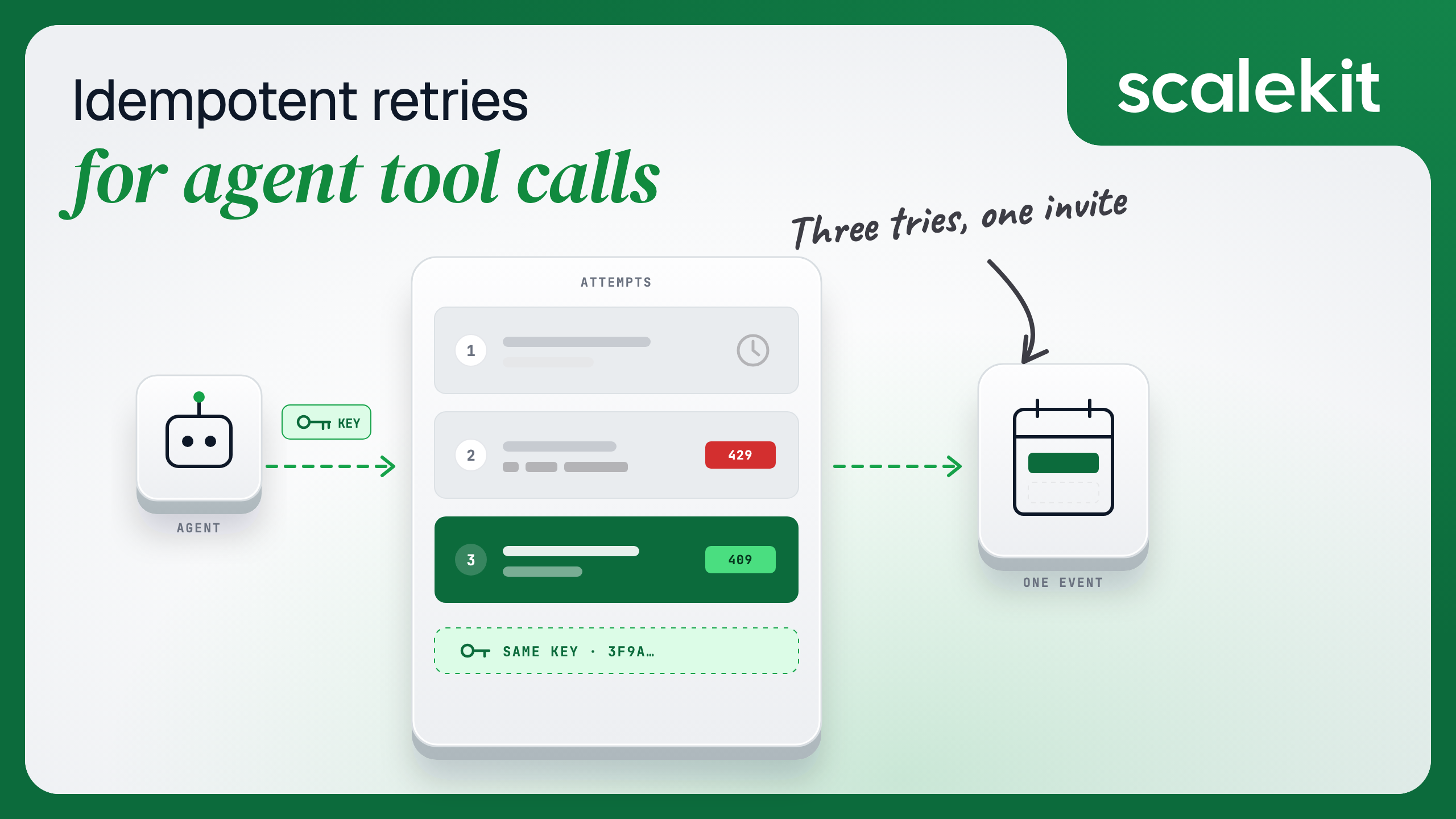
Suppose a company sells a recruiting platform, and its customers' coordinators use an AI scheduling agent. The agent reads a candidate's availability, books the interview on the hiring manager's Google Calendar, and emails the confirmation, all through each coordinator's own connected accounts.
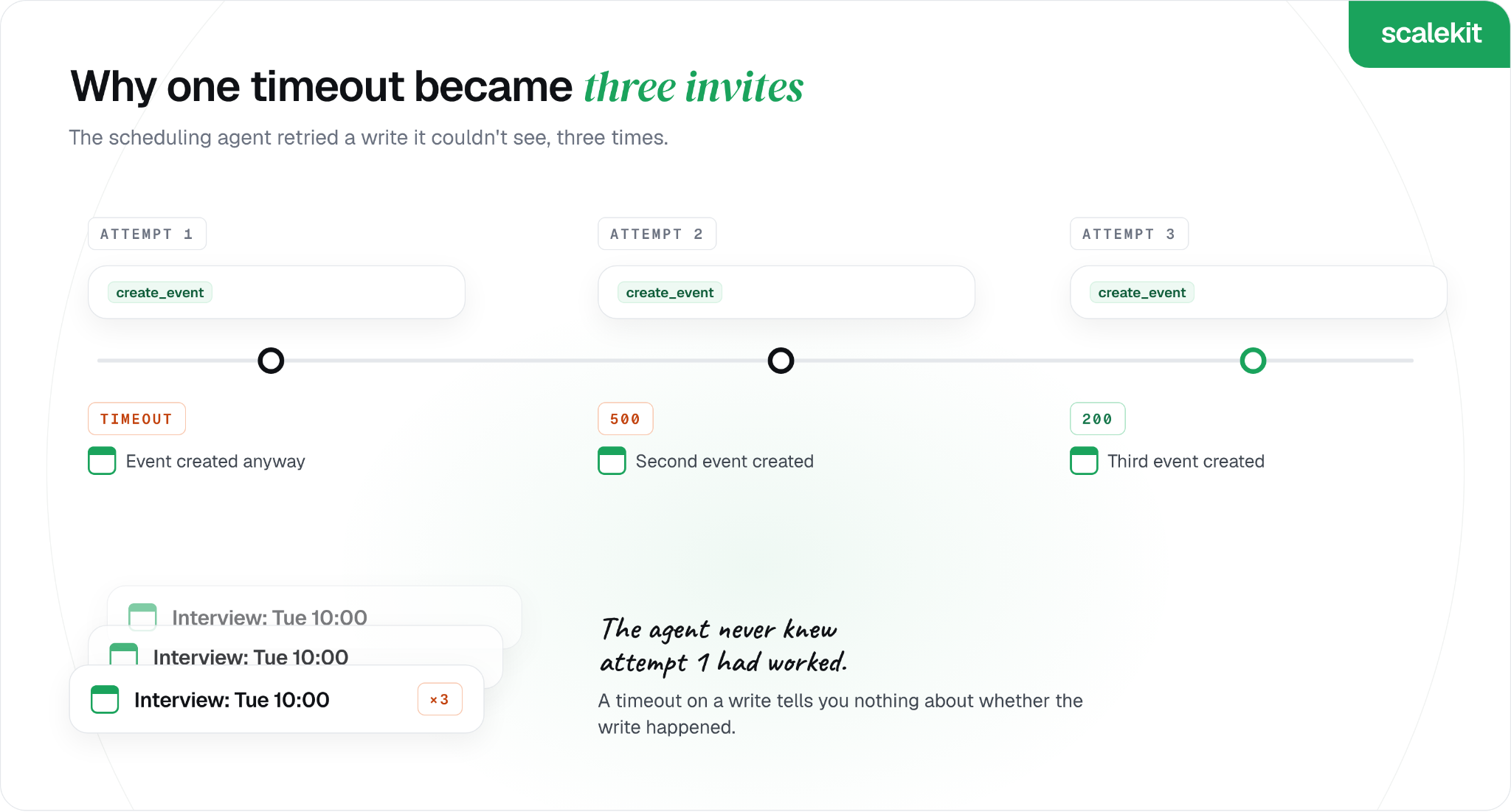
On a busy Monday, a call to create a calendar event times out. The agent can't see whether the event exists, so it tries again, and then once more after the second attempt returns an error. The candidate ends up with three invites for the same interview, and the hiring manager's calendar shows the slot booked three times.
This post follows that team as they make the agent safe to retry. It covers why agent retries are riskier than ordinary API retries, the five classes of failure, idempotency keys for writes, provider rate limits and per-user budgets, and the code the team ships with Scalekit.
TL;DR
Retry an agent's tool call only when you know it didn't take effect. A timeout on a write tells you nothing about whether the write happened.
Classify the failure first: authorization, rate limit, transient, partial write, or permanent. Each class has one right response, and only two of them are retries.
Make writes idempotent with a key you derive from the intent, so a second attempt finds the first one instead of creating a duplicate.
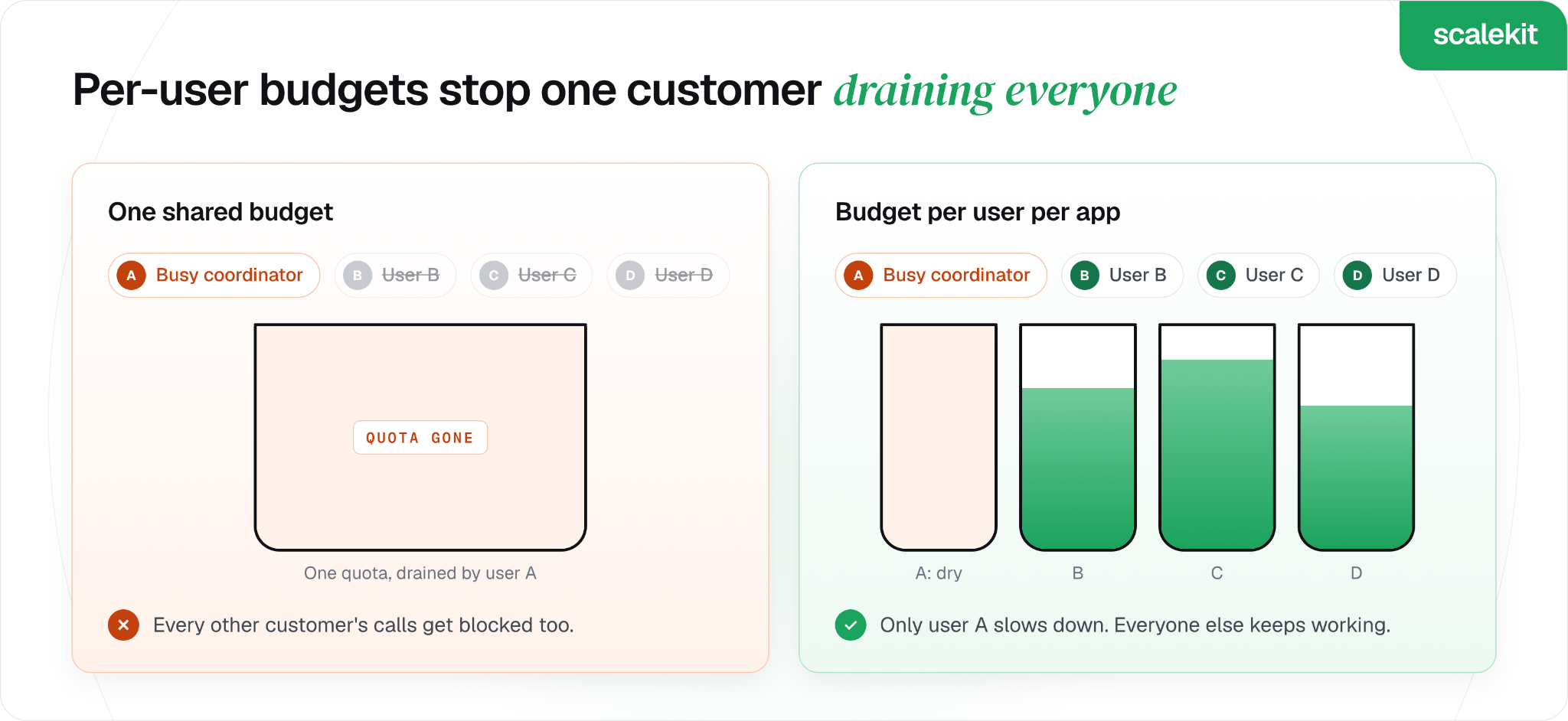
Back off on 429s with exponential delays and jitter, and budget calls per provider and per user so one busy customer can't drain everyone's quota.
Never let the model decide on its own to retry a write. Scalekit marks which tools are safe to repeat, and its error codes tell your code which failures to retry and which to surface.
Why Agent Retries Are Riskier Than Ordinary API Retries
In ordinary backend code, a retry is a decision your code makes, with fixed rules. In an agent, the model sees the error too, and it can decide on its own to try again, sometimes in a way your retry logic never sees.
Three things make agent retries harder to get right:
The outcome is often unknown. A timeout or a 500 can arrive after the app already created the event. Retrying blind turns one booking into two.
The model re-plans. After a failed googlecalendar_create_event, the model may call the same tool again with slightly different input, so a dedupe check on identical input never fires.
The model takes another route. It may give up on the calendar and email the candidate a time directly, which leaves the calendar and the inbox out of step.
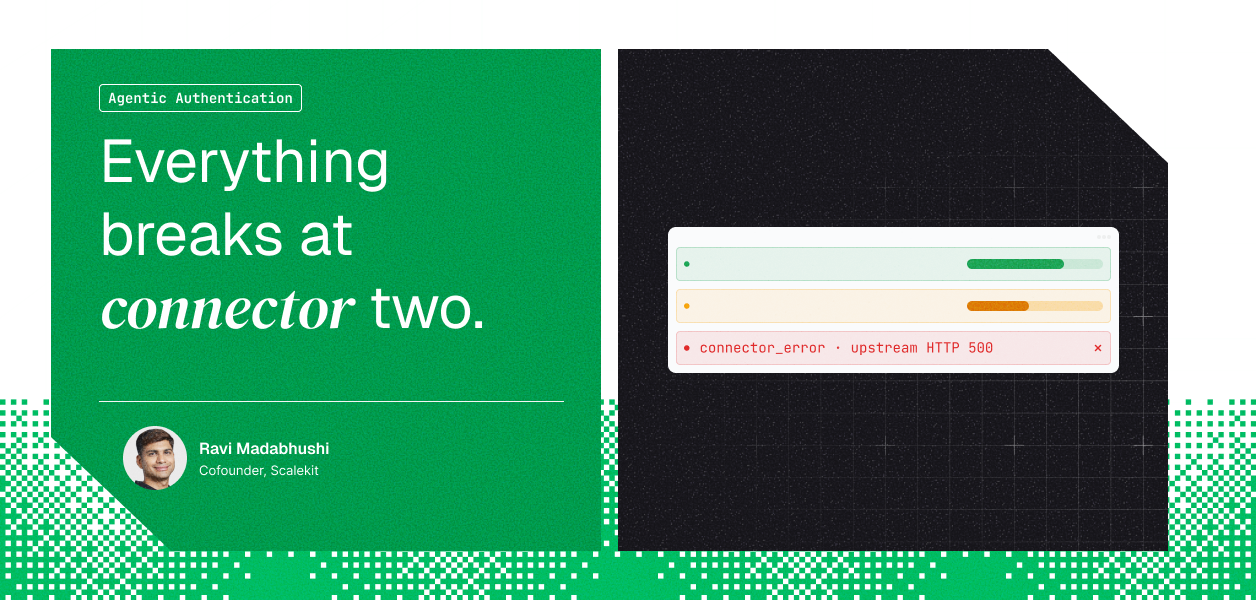
Tools that run on an app's own MCP server show the first problem clearly. Scalekit returns a 500 when that server failed, rate-limited the call, or couldn't be reached, and in some of those cases the server already did the work, so only tools that are safe to repeat should be retried.
That makes the first question for any tool simple: is it safe to run twice? Our connector catalog answers it per tool, and the answer varies inside a single app:
googlecalendar_create_event is marked not safe to retry, since each call creates a new event.
hubspot_deal_update is marked safe to retry, because writing the same values twice leaves the deal unchanged.
slack_send_message is marked not safe to retry, since every call posts a new message.
Five Failure Classes and the One Right Response to Each
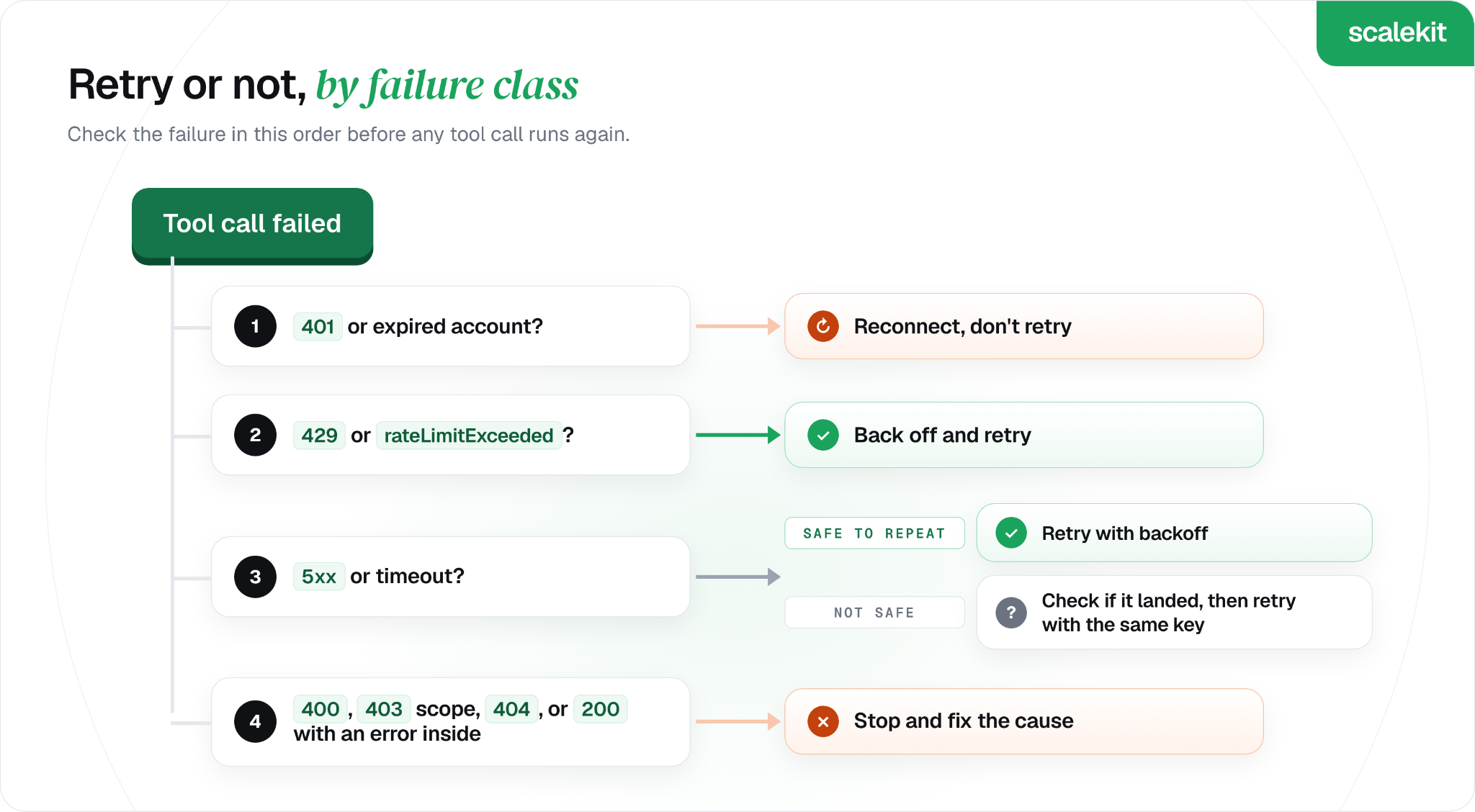
The team's first change is to stop treating every error the same way. Before any retry, the code sorts the failure into one of five classes, which line up with the four layers in our guide to why tool calls fail in production.
Failure class
How it shows up
Retry?
What to do instead
Authorization
401, or an EXPIRED connected account
No
Send the user a new authorization link
Rate limit
429, or Google's 403 with rateLimitExceeded
Yes, with backoff
Wait, then retry; slow down this user's calls
Transient
500, 502, 503, 504, or a timeout
Only if the call is safe to repeat
For writes, check whether the first attempt landed
Partial write
A 200 that hides a failure, such as Slack's "ok": false
No
Read the result, then fix the cause
Permanent
400, 403 for a missing scope, 404
No
Fix the input or the scope, then tell the user
Only two rows are retries, and one has a condition. In the scheduling agent's case, the original timeout was a transient failure on a write, which is exactly the row that needs an idempotency check before anything runs again.
The partial-write row deserves a second look, because nothing about the status code is wrong. Some apps report errors inside a successful response, so the agent has to read the body before it treats a call as done.
How Idempotency Keys Stop Duplicate Writes
An idempotency key is a value that marks a request as the same operation every time it is sent, so the server can recognize a retry instead of doing the work twice. Stripe's API reference describes the classic version: the client generates a key, and the server uses it to recognize later retries of the same request.
For agents, the key detail is where it comes from. A key generated per attempt, or per model tool call, changes every time the model re-plans, so it never catches the duplicate. The key has to come from the intent itself:
For an interview booking: the candidate and the slot, since one candidate should never get two invites for the same time.
For a follow-up email: the thread and the step in the sequence.
For a CRM update: the record and the field values, which many update tools already treat as safe to repeat.
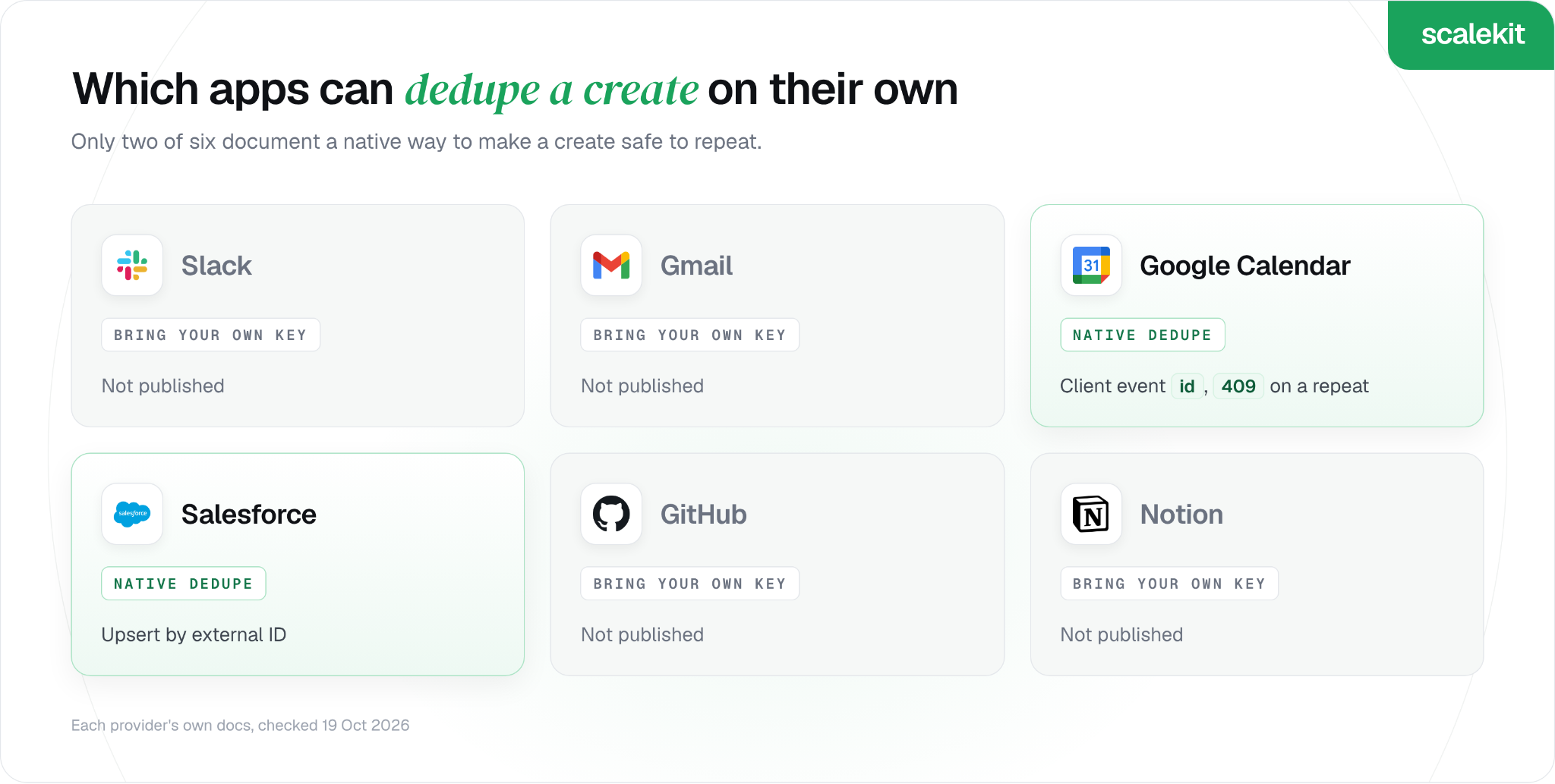
Google Calendar supports this natively. The events.insert reference lets the client choose the event id, using lowercase letters a to v and digits, 5 to 1,024 characters long. Inserting the same id twice returns 409 with reason duplicate, which the code can treat as "already booked".
Google also notes that it can't guarantee every ID collision is caught at creation time. The team keeps its own record of booked keys as a second check, and treats the calendar's 409 as a bonus rather than the only guard.
The built-in googlecalendar_create_event tool doesn't take a custom ID, so the team calls the Calendar API through Scalekit's API proxy with actions.request. Scalekit still adds the coordinator's credentials, and the call returns Google's own status codes unchanged.
Python
import hashlib
import os
import random
import time
import requests
from scalekit import ScalekitClient
actions = ScalekitClient(
env_url=os.environ["SCALEKIT_ENVIRONMENT_URL"],
client_id=os.environ["SCALEKIT_CLIENT_ID"],
client_secret=os.environ["SCALEKIT_CLIENT_SECRET"],
).actions
RETRYABLE = {429, 500, 502, 503, 504}
def interview_event_id(candidate_id: str, slot_start: str) -> str:
# Same candidate + same slot always gives the same ID. Hex digits fit Google's allowed characters.
return hashlib.sha256(f"{candidate_id}:{slot_start}".encode()).hexdigest()[:32]
def book_interview(coordinator_id: str, candidate_id: str, candidate_email: str, start: str, end: str) -> dict:
event = {
"id": interview_event_id(candidate_id, start),
"summary": "Interview",
"start": {"dateTime": start},
"end": {"dateTime": end},
"attendees": [{"email": candidate_email}],
}
for attempt in range(4):
try:
resp = actions.request(
connection_name="googlecalendar",
identifier=coordinator_id,
method="POST",
path="/calendar/v3/calendars/primary/events",
query_params={"sendUpdates": "all"},
body=event,
)
except requests.exceptions.Timeout:
resp = None # unknown outcome: safe to retry, because the event ID is fixed
if resp is not None:
if resp.status_code == 200:
return {"status": "booked", "event_id": event["id"]}
if resp.status_code == 409:
return {"status": "already_booked", "event_id": event["id"]} # an earlier attempt landed
rate_limited = resp.status_code == 403 and "rateLimitExceeded" in resp.text
if resp.status_code not in RETRYABLE and not rate_limited:
raise RuntimeError(f"Calendar refused the booking: {resp.status_code} {resp.text[:200]}")
time.sleep(min(2 ** attempt, 8) + random.uniform(0, 1)) # 1s, 2s, 4s, 8s plus jitter
raise RuntimeError("Calendar still failing after 4 attempts; tell the coordinator, don't retry again")
TypeScript
import { createHash } from 'node:crypto';
import { ScalekitClient, ScalekitGatewayTimeoutException, ScalekitServerException } from '@scalekit-sdk/node';
const scalekit = new ScalekitClient(
process.env.SCALEKIT_ENVIRONMENT_URL!,
process.env.SCALEKIT_CLIENT_ID!,
process.env.SCALEKIT_CLIENT_SECRET!,
);
const RETRYABLE = new Set([429, 500, 502, 503, 504]);
const sleep = (ms: number) => new Promise((resolve) => setTimeout(resolve, ms));
// Same candidate + same slot always gives the same ID. Hex digits fit Google's allowed characters.
const interviewEventId = (candidateId: string, slotStart: string) =>
createHash('sha256').update(`${candidateId}:${slotStart}`).digest('hex').slice(0, 32);
export async function bookInterview(
coordinatorId: string, candidateId: string, candidateEmail: string, start: string, end: string,
) {
const event = {
id: interviewEventId(candidateId, start),
summary: 'Interview',
start: { dateTime: start },
end: { dateTime: end },
attendees: [{ email: candidateEmail }],
};
for (let attempt = 0; attempt < 4; attempt++) {
try {
await scalekit.actions.request({
connectionName: 'googlecalendar',
identifier: coordinatorId,
method: 'POST',
path: '/calendar/v3/calendars/primary/events',
queryParams: { sendUpdates: 'all' },
body: event,
});
return { status: 'booked', eventId: event.id };
} catch (err) {
if (err instanceof ScalekitGatewayTimeoutException) {
// unknown outcome: safe to retry, because the event ID is fixed
} else if (err instanceof ScalekitServerException) {
if (err.httpStatus === 409) return { status: 'already_booked', eventId: event.id }; // an earlier attempt landed
const rateLimited = err.httpStatus === 403 && err.message.includes('rateLimitExceeded');
if (!RETRYABLE.has(err.httpStatus) && !rateLimited) throw err;
} else {
throw err;
}
}
await sleep(Math.min(2 ** attempt, 8) * 1000 + Math.random() * 1000); // 1s, 2s, 4s, 8s plus jitter
}
throw new Error("Calendar still failing after 4 attempts; tell the coordinator, don't retry again");
}
The same booking can now be attempted any number of times, by the code or by the model, and the candidate gets one invite.
Not every app offers a hook like this. The provider table in the next section shows which ones do.
Rate Limits and Dedupe Options for Six Common SaaS APIs
Every app the agent touches sets its own limits and signals them differently. The table below shows the limits most likely to bite an agent, how each app tells you it is throttling, and whether it offers a native way to make creates safe to repeat.
180 requests per minute per connection, or 600 on Business and Enterprise plans
429rate_limited with Retry-After
Not published; a write that returns 503 may already be saved, so check the response's retry guidance before repeating it
Two patterns stand out. Content-creating calls get the tightest limits, such as GitHub's 80 per minute and Slack's one message per second per channel, and only two of the six apps document a way to dedupe a create. For the other four, the team's own key ledger is the only thing standing between a timeout and a duplicate.
Backoff With Jitter and Per-User Rate Budgets
Rate limits are the one failure where waiting is the fix, and how you wait decides whether the fix works. Two habits keep the scheduling agent inside every app's limits.
Exponential backoff with jitter for 429 errors
Each retry waits roughly twice as long as the last, plus a random amount. The random part keeps many clients from retrying in lockstep, and the AWS Architecture Blog's study of backoff and jitter found that backoff without jitter was "the clear loser" in its tests.
Honor Retry-After when it exists. Slack, GitHub, and Notion send it. Scalekit's API proxy passes the app's headers through unchanged, so Retry-After reaches your code on proxied calls.
Use your own schedule when it doesn't. Built-in tool calls that hit a rate limit return 429 with RATE_LIMITED and no Retry-After, so the code backs off on its own schedule, such as 1, 2, and 4 seconds.
Cap the attempts. After three or four tries, stop and tell the user. A retry loop with no cap turns a short outage into a long one.
Budget calls per provider and per user
Most of these limits are counted per user, such as Gmail's 6,000 quota units per minute or Google Calendar's 600 requests per minute. Slack's tiers apply per method, per workspace, and per app. That shapes the budget design in two ways:
Keep a budget per user per app. One coordinator scheduling 40 interviews per minute should slow down their own agent without affecting other customers.
Watch the app-wide limits too. Where an app counts per OAuth app, every customer shares one quota. Using your own OAuth app with Scalekit gives you your own quota at apps that count per app.
How the Team Makes Every Tool Call Safe to Retry With Scalekit
The booking flow is one tool. The scheduling agent calls a dozen others, and the team wants one wrapper that applies the failure classes to all of them. Scalekit gives that wrapper two things to work with.
Typed errors per failure class. Scalekit separates errors from Scalekit itself from errors the app returned, and the SDKs raise a distinct exception for an expired authorization and for a rate limit. Your code can branch on the class instead of parsing messages.
A safe-to-repeat flag per tool. Every tool in our connector catalog is labeled safe to retry or not. The wrapper reads that label from the idempotent_hint annotation in each tool definition, and treats any tool without it as not safe to repeat.
The wrapper applies one rule set to every call:
Authorization failure: never retry. Return a fresh authorization link so the agent can ask the user to reconnect.
Rate limit: retry any tool with backoff, because the app refused the call before doing anything.
Server error with an unknown outcome: retry only tools marked safe to repeat. Everything else goes back to the agent as a failure.
Python
import os
import random
import time
from google.protobuf.json_format import MessageToDict
from scalekit import ScalekitClient
from scalekit.common.exceptions import (
ScalekitToolException,
ScalekitToolRateLimitException,
ScalekitToolUnauthorizedException,
)
actions = ScalekitClient(
env_url=os.environ["SCALEKIT_ENVIRONMENT_URL"],
client_id=os.environ["SCALEKIT_CLIENT_ID"],
client_secret=os.environ["SCALEKIT_CLIENT_SECRET"],
).actions
def tools_safe_to_repeat(user_id: str, connections: list[str]) -> set[str]:
"""Names of tools whose definitions are marked idempotent (safe to run twice)."""
safe, page_token = set(), None
while True:
page, _ = actions.tools.list_scoped_tools(
identifier=user_id, filter={"connection_names": connections}, page_size=100, page_token=page_token
)
for item in page.tools:
definition = MessageToDict(item.tool)["definition"]
if definition.get("annotations", {}).get("idempotent_hint"):
safe.add(definition["name"])
page_token = page.next_page_token
if not page_token:
return safe
def run_tool(user_id: str, connection: str, tool: str, tool_input: dict, safe_to_repeat: set[str]) -> dict:
for attempt in range(4):
try:
return actions.execute_tool(
tool_name=tool, identifier=user_id, connection_name=connection, tool_input=tool_input
).data
except ScalekitToolUnauthorizedException:
# Authorization failure: never retry. Hand the user a fresh link instead.
link = actions.get_authorization_link(connection_name=connection, identifier=user_id).link
return {"status": "needs_reconnect", "link": link}
except ScalekitToolRateLimitException:
pass # the app refused before doing anything, so any tool is safe to try again
except ScalekitToolException as e:
if not (e.http_status and e.http_status >= 500 and tool in safe_to_repeat):
raise # permanent failure, or an unknown outcome on a tool that isn't safe to repeat
time.sleep(2 ** attempt + random.uniform(0, 1)) # 1s, 2s, 4s, 8s plus jitter
raise RuntimeError(f"{tool} still failing after 4 attempts")
TypeScript
import {
ScalekitClient,
ScalekitServerException,
ScalekitToolRateLimitException,
ScalekitToolUnauthorizedException,
} from '@scalekit-sdk/node';
const scalekit = new ScalekitClient(
process.env.SCALEKIT_ENVIRONMENT_URL!,
process.env.SCALEKIT_CLIENT_ID!,
process.env.SCALEKIT_CLIENT_SECRET!,
);
const sleep = (ms: number) => new Promise((resolve) => setTimeout(resolve, ms));
// Names of tools whose definitions are marked idempotent (safe to run twice)
export async function toolsSafeToRepeat(userId: string, connections: string[]): Promise<Set<string>> {
const safe = new Set<string>();
let pageToken: string | undefined;
do {
const page = await scalekit.tools.listScopedTools(userId, {
filter: { connectionNames: connections },
pageSize: 100,
pageToken,
});
for (const item of page.tools) {
const definition = item.tool?.definition as
| { name?: string; annotations?: { idempotent_hint?: boolean } }
| undefined;
if (definition?.name && definition.annotations?.idempotent_hint) safe.add(definition.name);
}
pageToken = page.nextPageToken || undefined;
} while (pageToken);
return safe;
}
export async function runTool(
userId: string, connection: string, tool: string, toolInput: Record<string, unknown>, safeToRepeat: Set<string>,
) {
for (let attempt = 0; attempt < 4; attempt++) {
try {
const result = await scalekit.actions.executeTool({ toolName: tool, identifier: userId, connector: connection, toolInput });
return result.data;
} catch (err) {
if (err instanceof ScalekitToolUnauthorizedException) {
// Authorization failure: never retry. Hand the user a fresh link instead.
const { link } = await scalekit.actions.getAuthorizationLink({ connectionName: connection, identifier: userId });
return { status: 'needs_reconnect', link };
}
if (err instanceof ScalekitToolRateLimitException) {
// the app refused before doing anything, so any tool is safe to try again
} else if (!(err instanceof ScalekitServerException && err.httpStatus >= 500 && safeToRepeat.has(tool))) {
throw err; // permanent failure, or an unknown outcome on a tool that isn't safe to repeat
}
}
await sleep(2 ** attempt * 1000 + Math.random() * 1000); // 1s, 2s, 4s, 8s plus jitter
}
throw new Error(`${tool} still failing after 4 attempts`);
}
With this in place, hubspot_deal_update can be retried after a server error, while googlecalendar_create_event fails fast and lets the booking flow above handle it with its own key.
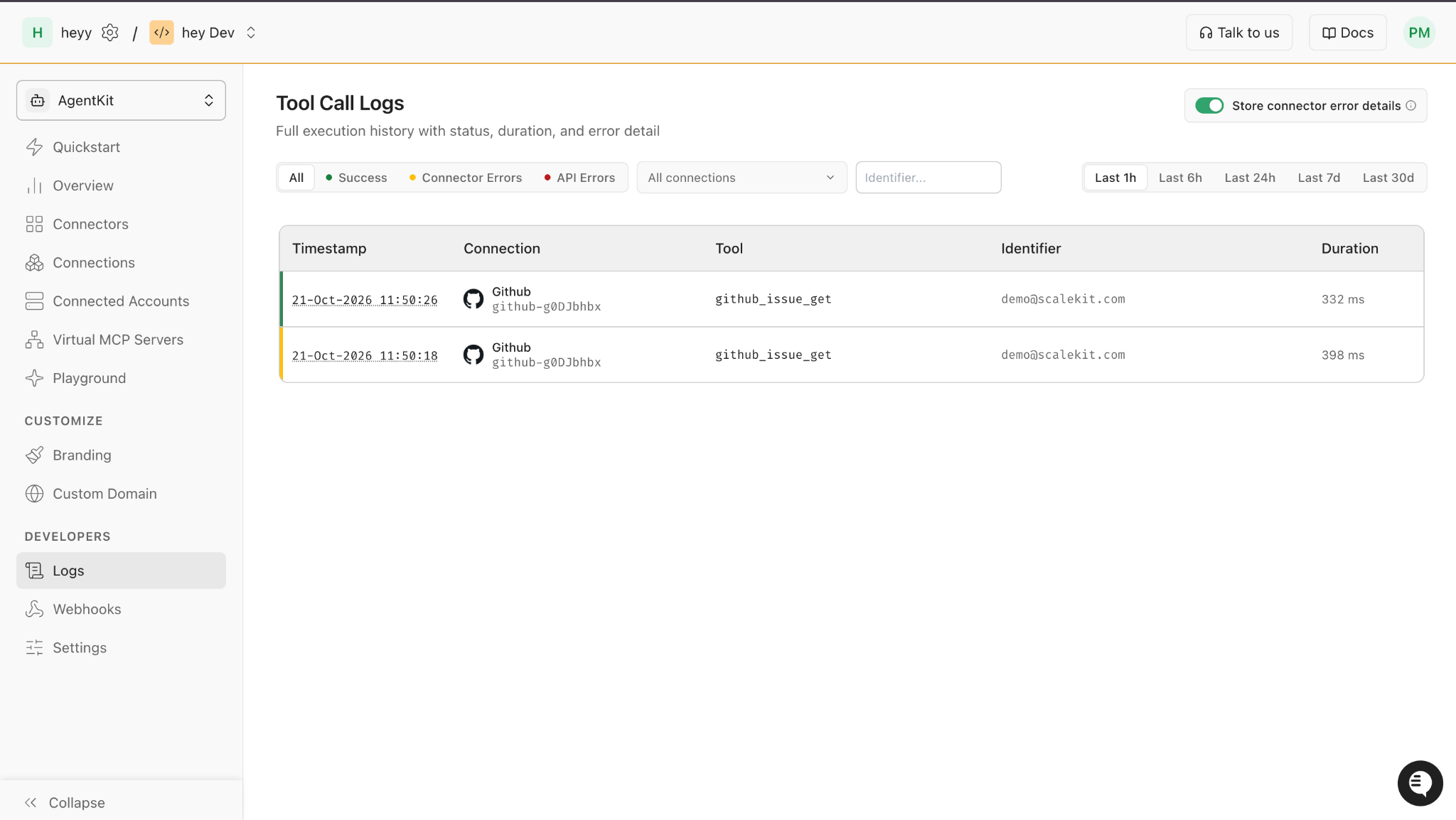
Every failed call also lands in Logs in the Scalekit dashboard with the tool, the user's identifier, the status, and the error code, which makes it easy to spot a customer who keeps hitting a rate limit.
What to Tell the Model and the User When a Call Fails
The last fix is about words. When a tool call fails, whatever goes back to the model shapes its next move, and a raw error invites it to try again in its own way.
The team returns a short, structured result for every failure, written for the model:
What happened, in one line: "The calendar rate-limited this request."
Whether the action took effect: "No event was created" or "The interview is already booked."
What the agent should do next: "Do not retry. Ask the coordinator to try again in a few minutes."
The second line carries the most weight. A model that knows the booking already exists stops trying to create it, and a model told that nothing happened won't claim success to the user.
The user gets a plainer version of the same three facts. When a reconnect is needed, the message includes the authorization link the wrapper returned, so the coordinator can fix it in one click instead of filing a ticket.
Conclusion: Retry Only What You Know Didn't Happen
The scheduling agent stopped sending triple invites once every failure got a class, every write got a key derived from its intent, and every retry got a cap and a backoff. The rule underneath all of it is simple: retry only when you know the call didn't take effect, or when running it twice is harmless, and never leave that decision to the model.
To put this into practice, start with the Scalekit errors and rate limits reference, which lists every tool error code and how to handle each one, then wrap your agent's tool calls with the rules above. For the bigger picture of where retries sit in the stack, see our guide to what an agent tool calling platform is.
FAQs
Should AI agents retry failed tool calls?
Only some of them. Retry rate limits with backoff, and retry server errors or timeouts only for tools that are safe to run twice, or that carry an idempotency key. Never retry authorization failures, bad input, or missing scopes.
How do I stop an agent from creating duplicate actions?
Give every write an idempotency key derived from the intent, such as the candidate and the interview slot, and check it before any retry. Keys tied to each attempt or each model tool call change when the model re-plans, so they miss the duplicate.
What is an idempotency key?
An idempotency key is a value sent with a request so the server can recognize a retry of the same operation and skip doing the work twice. Stripe's API is the best-known example, and Google Calendar offers a version of it through client-chosen event IDs.
How should an agent handle 429 errors from SaaS APIs?
Wait and retry with exponential backoff and jitter, honoring Retry-After when the app sends it. Budget calls per user per app, and stop after three or four attempts so a long outage turns into a clear message instead of a loop.
How long should you wait after a 429 Too Many Requests error?
As long as the Retry-After header says, when it is present. Without it, start around one second and double each time with some random jitter, up to a cap; Google suggests a maximum backoff of 32 or 64 seconds for its APIs.
How should an agent explain a failed tool call to the user?
In three facts: what happened, whether the action took effect, and what to do next. When the fix is reconnecting an account, include the authorization link so the user can fix it right away.