

Every tool call an agent makes hides two questions: who is calling, and what they are allowed to do. Most naive setups answer the first one badly — a single shared credential, sitting in an environment variable, used by every user of the agent. Authenticated, technically. Never actually authorized, per person.
The obvious fix looks like giving every user their own credential for every tool they touch. It's the right instinct, and it creates a problem nobody quite names when they recommend it: a credential to issue, store, refresh, and rotate for every user, times every tool. A support tool with 200 customers connecting their own Zendesk and Slack isn't managing two credentials — it's managing 400, each with its own expiry, its own refresh cycle, its own way of quietly breaking at 2 a.m. And that's one integration. Add a third tool and the number doesn't grow by a third; it multiplies.
Most explanations of what an MCP proxy is skip straight past this and land on the mechanical definition — transport bridging, auth injection — as if attaching a token to a request is the hard part. It isn't. The hard part is doing that safely once "a token" means thousands of them, each belonging to someone specific, each needing to stay isolated from all the others.
Three jobs, and only one of them is genuinely difficult.
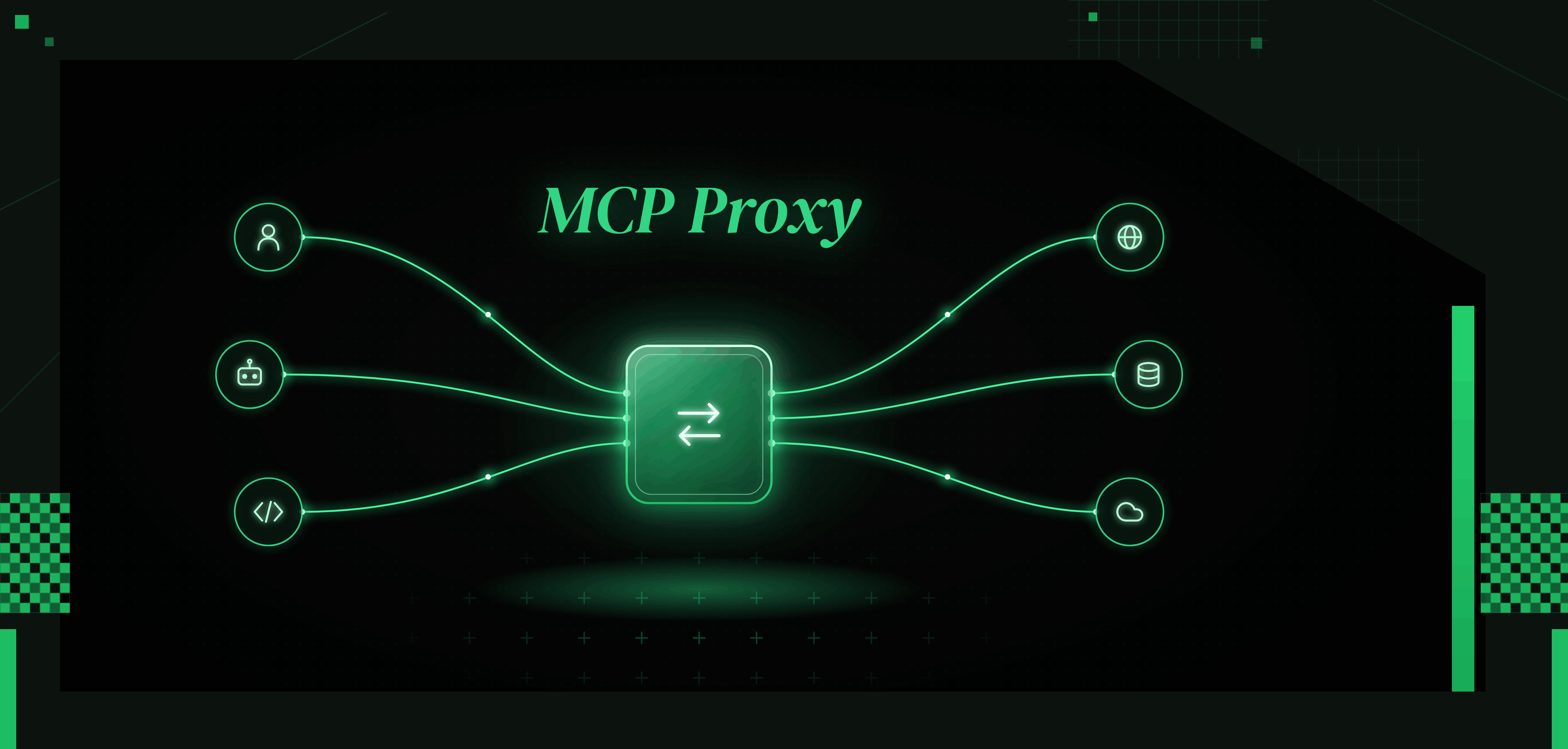
Your agent might speak one transport (stdio, if it's running locally); the tool it's calling might only speak another (streamable HTTP or SSE, if it's hosted remotely). The proxy presents itself as a normal MCP server to your agent and a normal MCP client to the real backend, translating between the two so neither side needs to know the mismatch exists. Real, necessary, and genuinely the easy part — most of the small single-purpose tools built for exactly this (mcp-remote, FastMCP's proxy mode) handle it in a few hundred lines.
This is the part "attaches a credential to the request" undersells. Done naively, it means a database table mapping users to tokens, an admin who can see all of them, and a process for refreshing each one that somebody has to remember to build before the first token expires. Done properly, it means every user's credential lives in an encrypted vault nobody but that specific call can unlock, a short-lived scoped token gets minted fresh for each run rather than a static one sitting around indefinitely, and no admin — and no other user — ever has visibility into credentials that aren't theirs. The difference between these two is the entire difference between "a proxy that injects tokens" and one that's actually safe to run at more than a handful of users.
Getting secure token management right at scale is the core engineering challenge that most proxy implementations paper over.
A backend connection might expose thirty distinct actions. A proxy that hands over all thirty because the connection exists is making the same mistake a gateway makes when it grants by role instead of by action — just one layer down, on the build side instead of the IT side. A proxy worth building exposes exactly the three or four actions this specific integration needs, nothing adjacent, nothing unused sitting in the agent's context as a way for something to go wrong that didn't need to exist.
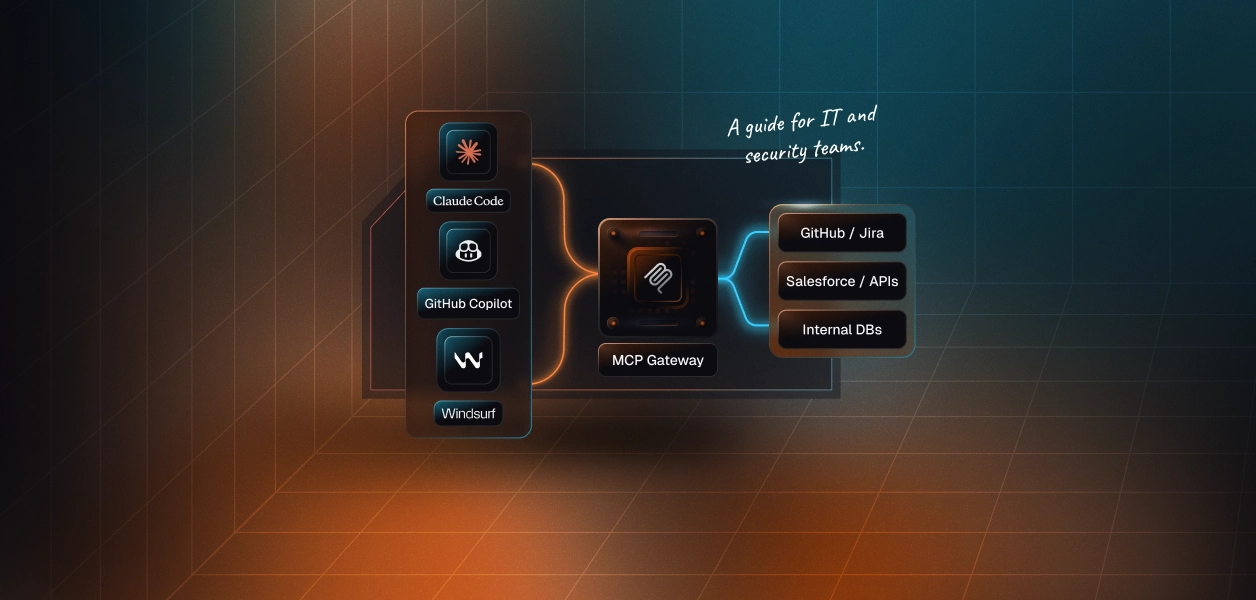
The cleanest way to draw this line: a proxy gets a call to the right place, safely, for one connection. A gateway is what you need once you're coordinating that across many connections, many users, and a policy layer that has to apply consistently across all of them.
Most teams building an agent product start needing exactly one proxy, done well, for one connection. The moment "done well" starts costing more engineering time than the feature it supports, that's the signal you've outgrown hand-rolling this and are actually looking for a gateway, whether or not you'd have called it that.
Take a support-triage agent that starts with ten customers, each connecting their own Zendesk. Wiring up one proxy, with one vaulted credential per customer, is a weekend of work. At two hundred customers, if that vaulting was done casually — tokens in a shared table, refreshed by a cron job someone half-remembers — it's an incident waiting for a trigger: one query without a WHERE clause, one shared refresh token stored somewhere too many people can read, and customer A's agent is suddenly acting with customer B's credentials.
The proxy claim "it injects the token" is true at ten customers and at two hundred. What's not automatically true at both is that each token is genuinely isolated, genuinely scoped to only what that one user's connection needs, and genuinely invisible to anyone who isn't that specific request. That's not a detail to handle later — it's the actual job, and it's the reason a proxy that only bridges transport and slaps on a header isn't solving the problem most teams actually have.
Understanding credential ownership across agent tool-calling patterns clarifies exactly why per-user isolation is a structural requirement, not an implementation detail.
Unlike the gateway space, this isn't really a vendor market — it's mostly a handful of small, open-source libraries a developer wires in directly:
None of these handle the harder half of the job — per-user credential vaulting at scale — on their own. They solve transport bridging well; auth injection past a handful of users is left entirely to whoever's using them. That gap is exactly what a managed connector layer like AgentKit's is built to close. For a deeper look at how FastMCP fits into a production OAuth setup, see Securing FastMCP with Scalekit: Remote OAuth Done Right.
MCP traffic carries risk in three distinct places, not one: tool descriptions can carry hidden instructions an agent picks up without anyone noticing, arguments an agent sends can carry credentials that shouldn't leave the vault, and responses coming back can carry injected content designed to manipulate the next step the agent takes. A proxy sitting at the one point every call passes through is the natural place to catch all three — but only if it's actually inspecting traffic in both directions, not just forwarding it.
The MCP security risks in the enterprise go well beyond simple transport exposure — prompt injection and credential leakage through responses are underappreciated vectors that a well-designed proxy must address.
The token vault is the architectural component that keeps credentials out of agent memory and off the wire entirely — a fundamental piece of any proxy that aims to be genuinely safe at scale.
Teams that have crossed that threshold often find that agent tool calling auth patterns — the production problems and anti-patterns that emerge at scale — map almost perfectly onto the reasons a hand-rolled proxy stops being sufficient.
Close, but missing the part that matters once you have more than one user: a stored API key usually belongs to your app, not to a specific person. An MCP proxy done properly holds a distinct, vaulted credential per user, and mints a scoped token for that specific call rather than reusing one static key for everyone.
No — a generic HTTP proxy routes traffic by URL and headers with no concept of MCP protocol semantics: no tool namespaces, no ability to aggregate capabilities from multiple servers into one surface, no awareness of what a "tool call" even is. An MCP proxy speaks the protocol natively on both sides. Using a generic web proxy in its place produces the wrong architecture immediately.
Not really — the entire reason vaulting and per-user isolation matter is that credentials belong to more than one person. A single person running a single agent for themselves can get away with much simpler auth handling, at least until that agent has a second user.