.png)


Building AI agents that reason through workflows is relatively straightforward today. The difficult part begins when those agents need authenticated access to real users' systems, such as Slack, Sanity, GitHub, or Notion. The Anthropic SDK provides a clean foundation for tool orchestration and multi-step reasoning, but it intentionally stops at the model boundary. It does not manage OAuth flows, token refresh, encrypted credential storage, or user-scoped connector execution.
In this post, we will build a production-ready editorial briefing agent using the Anthropic SDK and ScaleKit AgentKit to demonstrate what AI agent architecture looks like when authentication is treated as a dedicated infrastructure layer. The agent will query draft content and scheduled releases from Sanity and post a structured briefing into Slack, fully authenticated on behalf of a real user without custom OAuth infrastructure in the application itself.
The Anthropic SDK gives you a clean foundation for building reasoning-driven agents. Claude can decide which tools to call, in what order, and how to adapt based on the results it receives at each step. The overall agent loop stays remarkably small even as workflows become more complex.
Here is what that loop looks like at its core:
With only a small amount of orchestration logic, Claude can reason across multiple systems until the task is complete. The Anthropic SDK stays focused on the model interaction layer and keeps the execution loop remarkably small.
The Anthropic SDK focuses on reasoning and tool orchestration, not authentication infrastructure. Before an agent can query Slack, Sanity, GitHub, or other external systems, it still needs authenticated access on behalf of a real user.
That introduces infrastructure most agent projects underestimate:
As more integrations are added, the authentication infrastructure can quickly become more operationally complex than the agent logic itself. That is the gap ScaleKit is designed to solve.
ScaleKit AgentKit is designed specifically for the infrastructure layer that production AI agents are missing. Instead of implementing OAuth handling separately for each provider, ScaleKit exposes a consistent connector model that works the same way across systems such as Slack, Sanity, GitHub, and Notion.
The integration flow reduces to three steps:
ScaleKit handles the token exchange, encrypted credential storage, refresh lifecycle, connector routing, and revocation state behind the scenes. Your application code never directly manages access tokens or refresh logic.
One of the most important details is that ScaleKit returns tool definitions already formatted in Anthropic's native input_schema structure. There is no schema conversion layer between the connector system and the Anthropic SDK.
Fetching tools and passing them directly into Claude:
Executing any tool Claude calls uses the same execution path regardless of the connector:
Whether the request goes to Slack or Sanity, the execution pattern stays identical. Adding another connector changes the configuration, not the orchestration architecture.
To make the architecture concrete, we will build an Editorial Briefing Agent that connects Sanity and Slack through authenticated user-scoped connectors. Every morning, the agent queries Sanity for draft documents awaiting review, recently published content, and scheduled releases, then posts a structured briefing into a Slack channel for the editorial team.
The workflow itself is intentionally simple. The goal is not to demonstrate complex agent reasoning, but to show how authenticated multi-connector execution works when the OAuth and token lifecycle infrastructure is abstracted away from the agent logic.
The agent uses two ScaleKit connectors:
Claude determines the order of tool calls, adapts the GROQ queries to the project schema, and dynamically formats the Slack message based on the returned data. Your application code focuses only on connector authorization, tool execution, and returning results back into the Anthropic tool loop.
The overall agent flow separates cleanly into three phases. Breaking the workflow apart this way makes it easier to distinguish what runs once during authorization, what runs at startup, and what repeats inside the runtime execution loop.
This phase runs once per user per connector. ScaleKit handles the OAuth exchange, securely stores credentials, and tracks connector state for each user account.
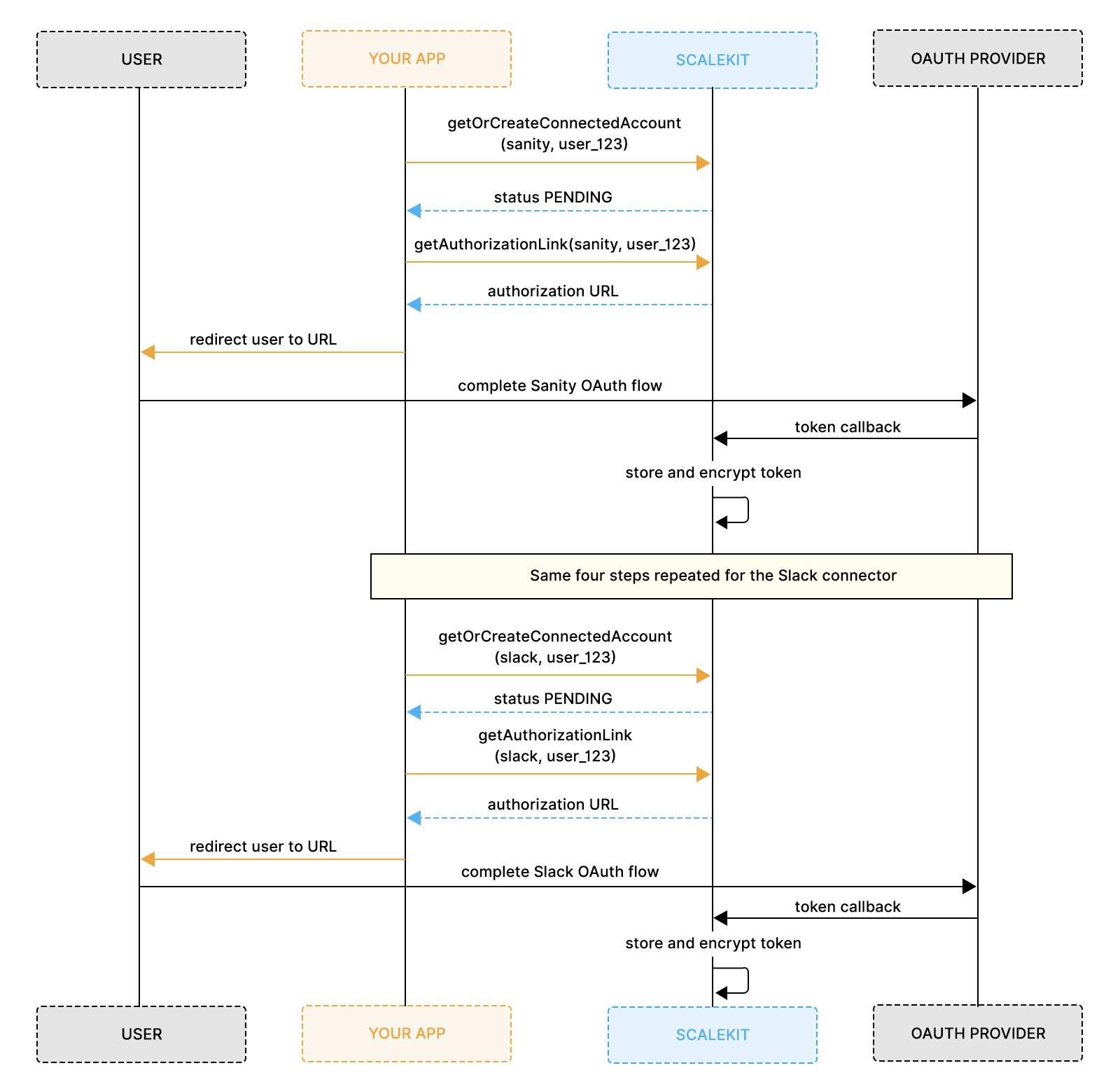
Once authorization is complete, the agent can continue running without prompting the user again. After this phase, both connectors show ACTIVE status in your ScaleKit dashboard, and the agent can run without prompting the user again.
At the start of each execution, ScaleKit returns the tools available for the authenticated user across the configured connectors. The tools already match Anthropic's native input_schema structure, so they can be passed directly into the SDK without any transformation layer.
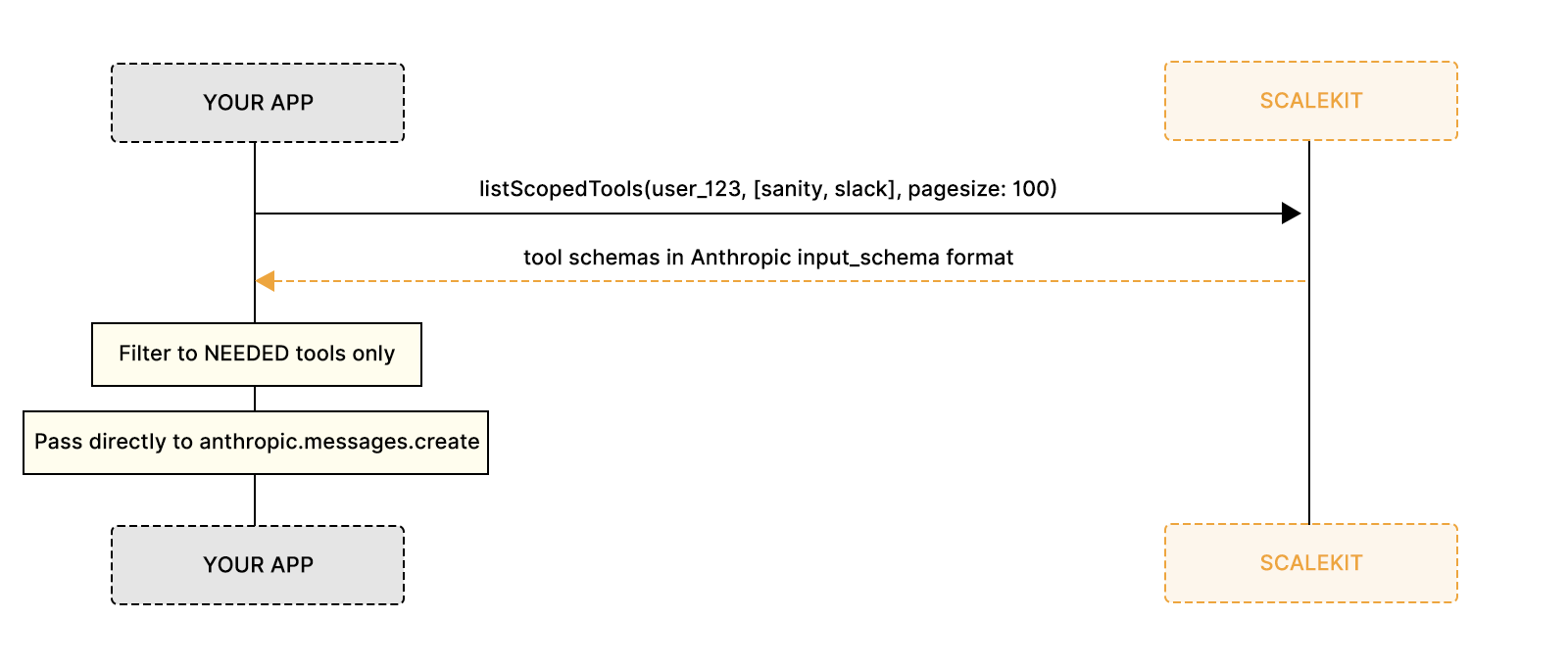
The agent intentionally filters the tool list down to only the capabilities required for the workflow. This keeps Claude's context smaller and prevents unnecessary access to tools during execution.
Once the tools are loaded, Claude decides which connector to call, in what order, and with what inputs. Your application executes each tool request through a shared ScaleKit execution path and returns the results back into the Anthropic loop until the workflow is complete.
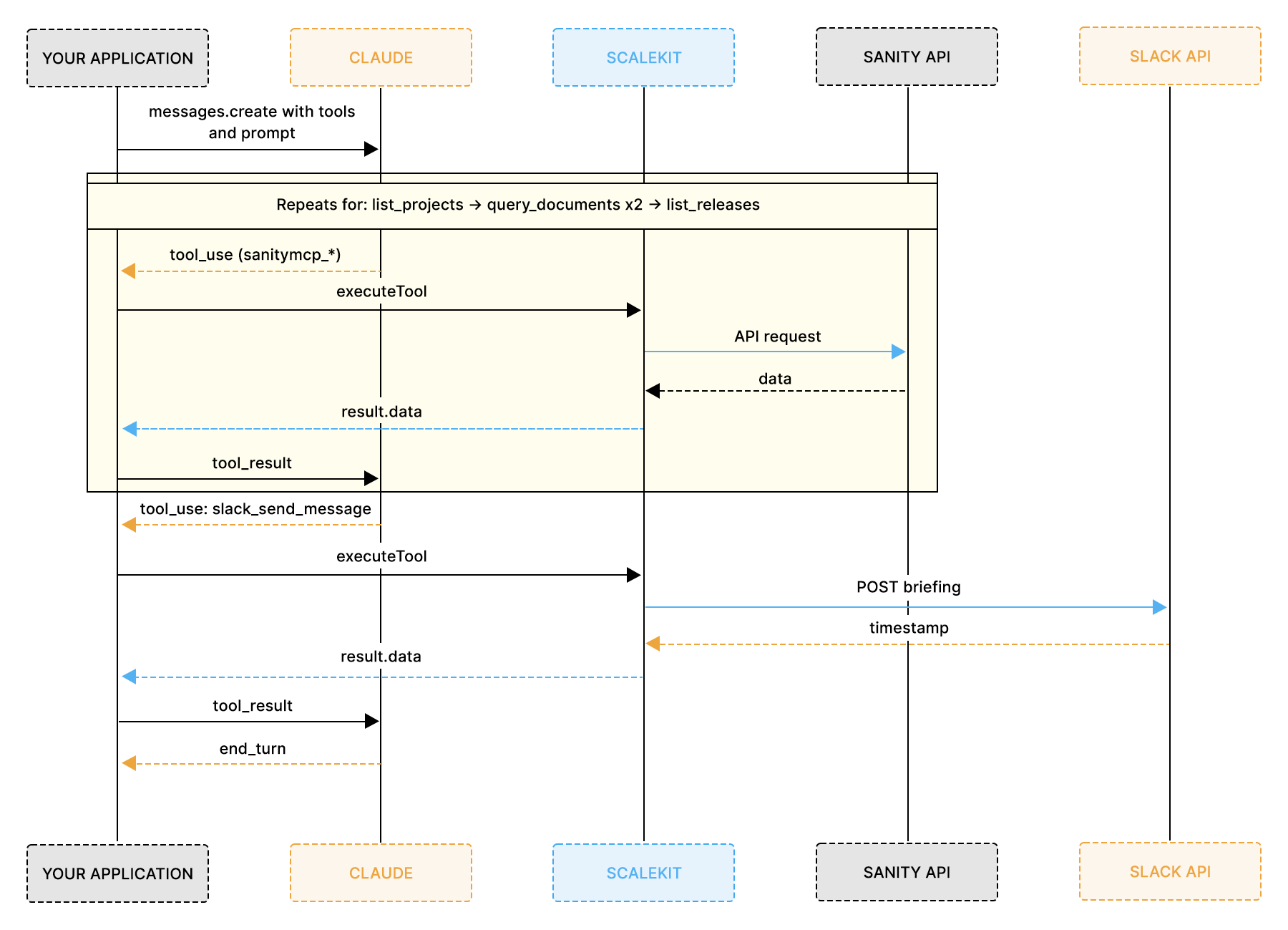
Inside Phase 3, the Anthropic execution loop reduces to a simple repeating decision:
Every tool request, whether it targets Sanity or Slack, passes through the same execution function before the result is returned into the loop.
This keeps the orchestration layer extremely small, even as additional connectors are added.
The implementation uses a small TypeScript project that includes the Anthropic SDK for reasoning and the ScaleKit AgentKit for authenticated connector execution.
Install the two packages the agent depends on:
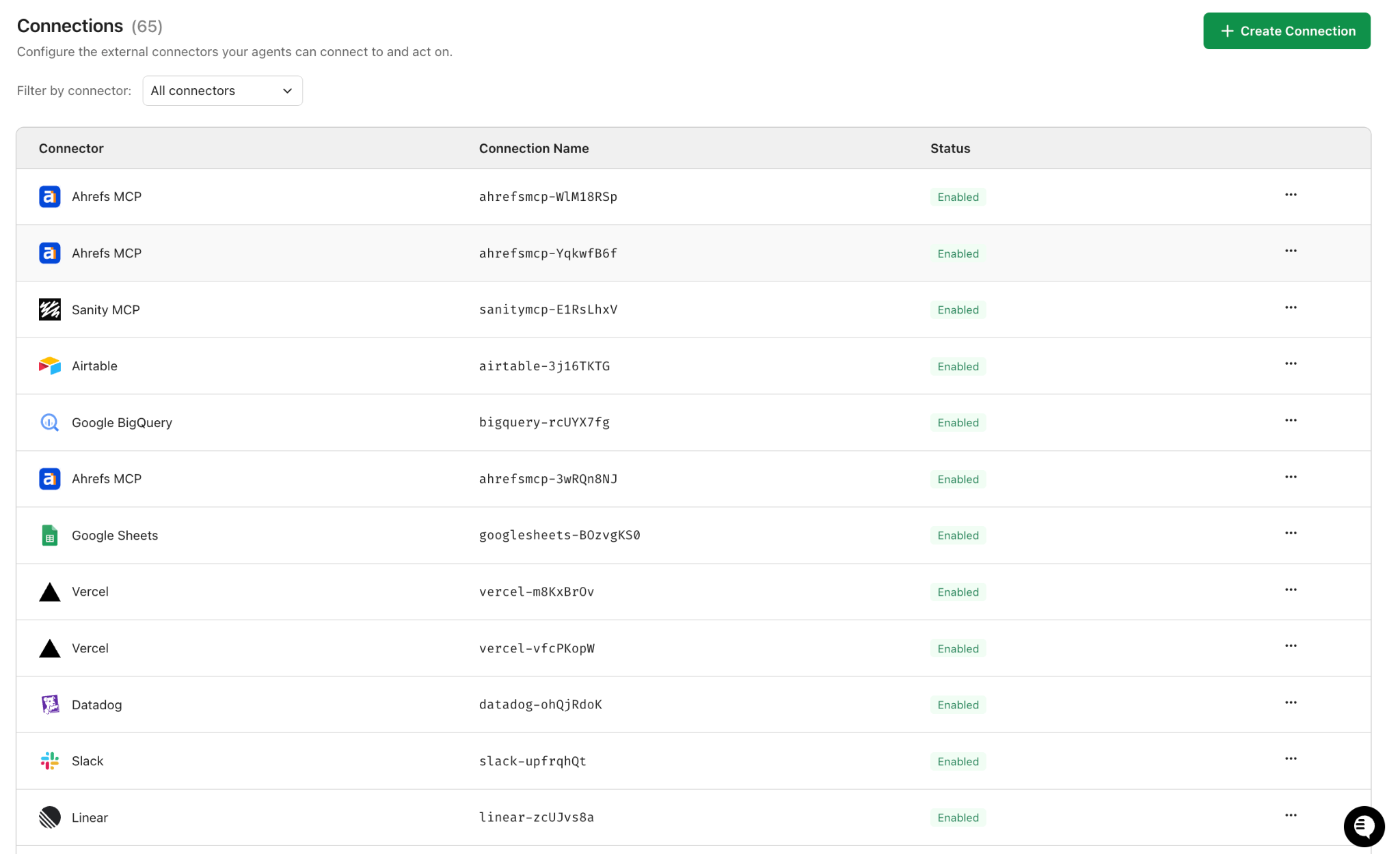
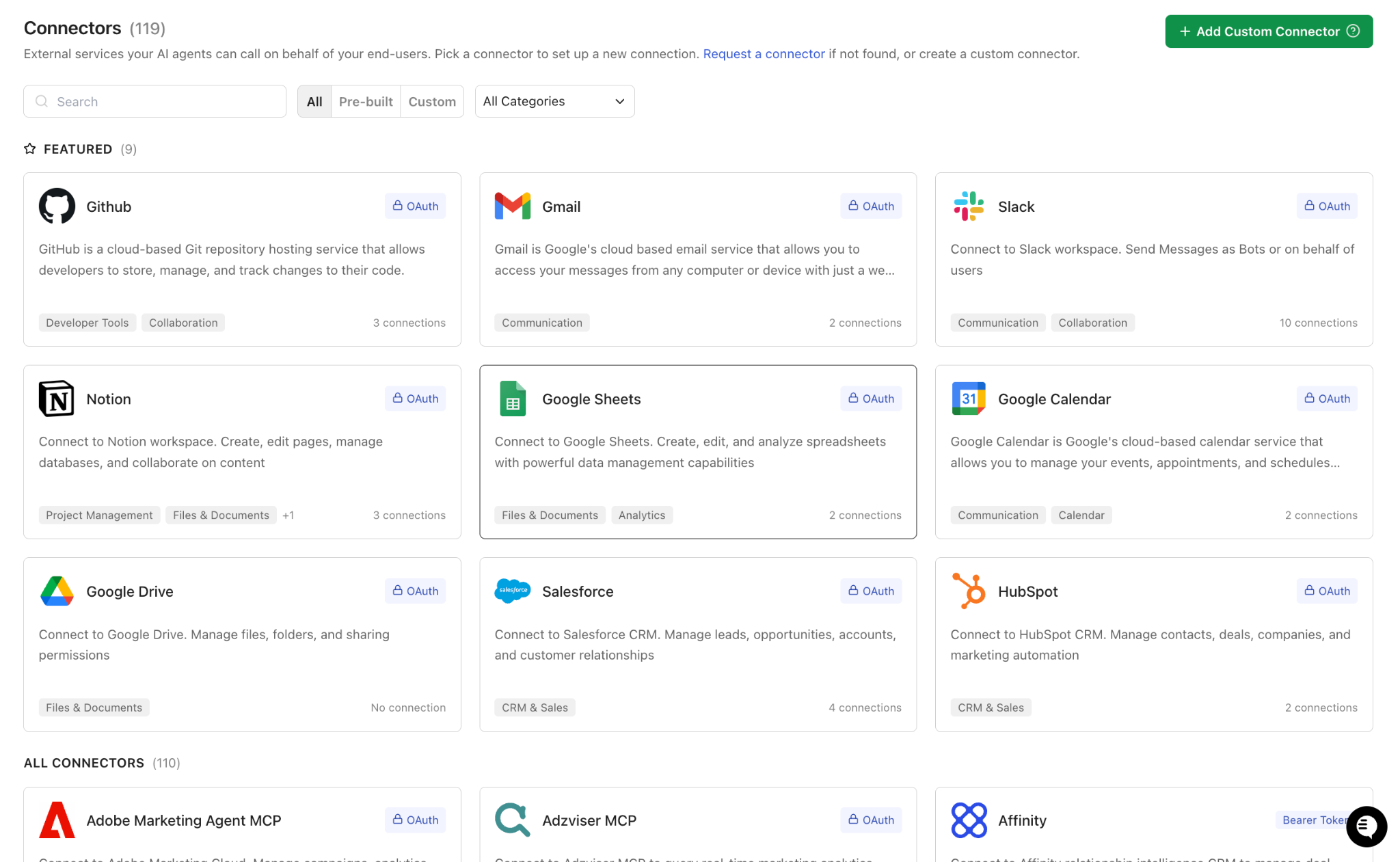
Before writing any code, go to scalekit, open AgentKit > Connections > Create Connection, and create one connection for Sanity and one for Slack. Copy each Connection name exactly as it appears in the dashboard; it typically includes a short ID suffix, such as sanitymcp-E1RsLhxV. The value you pass in code must match character for character.
Once both connections are created, retrieve your API credentials from Settings. You will need the environment URL, client ID, and client secret.
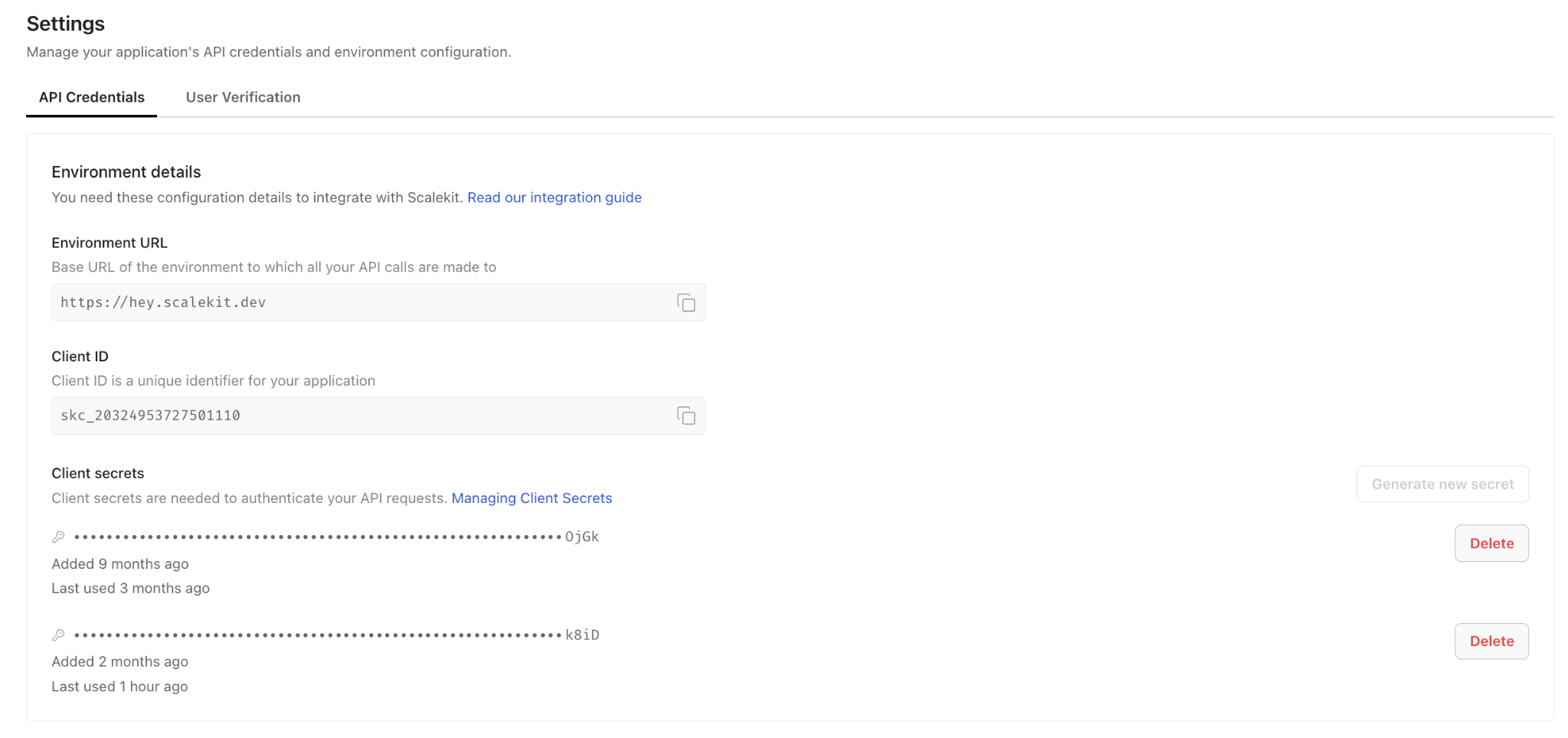
Create your environment file:
The project has three source files:
The implementation is intentionally split into small, focused steps. The goal is to keep the reasoning layer, authentication layer, and runtime orchestration clearly separated while maintaining a minimal execution loop.
The agent itself consists of three core responsibilities:
The following sections walk through each layer of the implementation step by step.
The first thing the application does is validate all required environment variables before any connector or model initialization begins. Failing early with a readable configuration error is significantly easier to debug than discovering missing credentials at runtime.
Centralizing configuration validation also keeps the rest of the application simpler because every module can assume the required credentials and connector configuration already exist.
The ScaleKit client is created once and shared across the application. All connector authorization, tool discovery, and authenticated execution flows through this single client instance.
Keeping authentication logic centralized in one module prevents OAuth handling from leaking into the agent orchestration layer and keeps the runtime execution loop focused entirely on Claude's reasoning process.
This client becomes the shared interface for connector authorization, tool retrieval, and authenticated tool execution throughout the rest of the application.
The authorization function is the same for Sanity and Slack. On the first run, it prints an OAuth URL and waits. On every run after that, it finds the account already ACTIVE and returns in a single round trip:
These two functions complete the ScaleKit integration. The connector routing in executeTool uses the tool name prefix to select the right connection explicitly, which is the correct pattern when a user has multiple accounts for the same provider:
Sanity exposes over 35 tools. Passing all of them to Claude wastes context and risks invoking schema management or document-creation tools that have no place in a read-and-notify workflow. The NEEDED set keeps things focused:
The system explicitly prompts for each tool's name, defines the GROQ queries Claude should use, and passes the Slack channel ID directly, so the agent does not need to search for it. Being specific about the query structure keeps the output consistent across runs:
The main function checks both connectors, verifies all required tools were returned, and sets up the conversation before the loop begins:
Every tool call, whether it is a Sanity GROQ query or a Slack message, passes through executeTool without any branching on tool type. ScaleKit resolves the connector from the routing logic and handles the rest:
On the first run, the agent pauses at each connector, prints an authorization URL, and waits. Once both are authorized, it proceeds straight to the agent loop. Every subsequent run finds both connectors already active and goes straight to work.
Terminal output from a real run:
The message that appears in Slack:
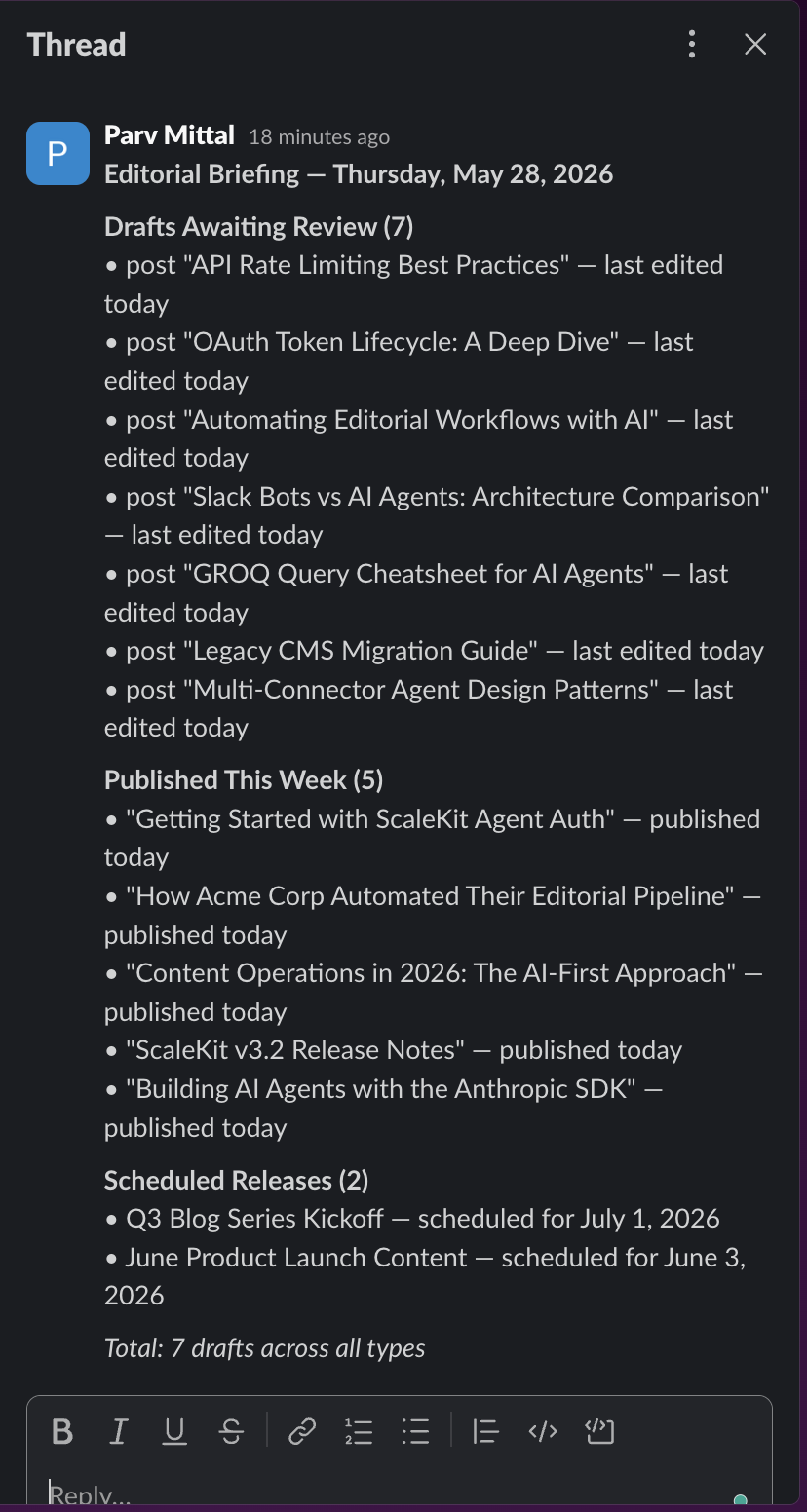
The entire workflow from authenticated Sanity queries to Slack delivery runs through the same Anthropic tool-use loop, with ScaleKit handling connector authorization and token management behind the scenes.
The Anthropic SDK is a clean foundation for agent work. The tool use loop is straightforward, Claude's reasoning across multi-step tasks is reliable, and the API stays out of your way. But the SDK ends at the model boundary. It does not know how to authenticate your agent against Sanity or Slack, and building that authentication layer yourself is a meaningful amount of work that scales poorly as you add more connectors.
ScaleKit fills that gap with a consistent three-step pattern that works the same way for every provider. The authorization flow for Sanity is identical to the one for Slack. Tool schemas come back in a format Anthropic already understands. The execution method is a single function call, regardless of which connector handles the request. Adding a third integration, whether that is Notion, GitHub, or HubSpot, means creating a connection in the ScaleKit dashboard and adding its name in two places in your code.
The combination produces something you can maintain. The intelligence layer focuses on content reasoning. The authentication layer focuses on credentials and the token lifecycle. Between the two, you get an agent that reads real CMS data, posts to real Slack channels, and stays authenticated correctly for each user, without the infrastructure weight that typically makes this kind of workflow agent impractical to ship and keep running.
ScaleKit encrypts access and refresh tokens at rest, scoped to individual user identifiers. Credentials from one user cannot be accessed in the context of another. Token refresh is handled by your application code, which never touches the token directly, and requires no refresh logic of its own.
ScaleKit provides managed OAuth credentials for supported connectors, allowing you to validate the integration without registering your own application. For production deployments, ScaleKit recommends configuring your own OAuth client credentials in the dashboard once. The application code is identical in both cases.
Revoked accounts exit ACTIVE status immediately. Because getOrCreateConnectedAccount runs at the start of every agent execution, the revocation is detected on the next run, and a new authorization link is generated automatically. No additional error handling is required in your application code.
GROQ is expressive enough that Claude can produce many syntactically valid queries returning different document shapes. Writing queries explicitly guarantees consistent field selection across all runs and makes them straightforward to update without altering agent logic.
Yes. The agent is a standard Node.js process that exits on completion, so any scheduler works with cron, GitHub Actions, Cloud Run Jobs, or Lambda with EventBridge. ScaleKit refreshes tokens in the background, so credentials remain valid between scheduled runs regardless of how long the agent has been idle.