

Your agent needs to work inside Quo: pull missed calls and voicemail transcripts, read inbound texts, update contacts, and queue follow-ups. Quo, the business phone system formerly called OpenPhone, ships a hosted MCP server and a REST API.
They overlap on messaging, contacts, and tasks. They split on what decides production behavior: which events your agent can react to, whose permissions it acts with, and how much one leaked credential exposes. Here's how to pick.
Both reach the same workspace data. They differ in who maintains the interface, how an agent authenticates, and which contract your code depends on. Everything below reflects Quo's documentation as of September 2026.
Quo MCP is a remote Streamable HTTP server that Quo hosts and maintains. There is no local package, and stdio-only clients cannot connect to it directly. It launched in beta in October 2025 and now ships as official connectors in the Claude and ChatGPT directories, on Starter, Business, and Scale plans.
Authentication is the OAuth 2.1 Authorization Code flow with S256 PKCE. Clients register through dynamic client registration (RFC 7591), so there is no static client ID to request from Quo. Each connection acts as the Quo user who authorized it.
The Quo API is a REST interface with dated versions. The current release, 2026-03-30, is selected with a Quo-Api-Version header on every request and never changes after it ships. It covers users, contacts, tasks, webhooks, and a few conversation actions. Calls, transcripts, summaries, recordings, and most messaging still run on the fully supported v1 API.
Every request authenticates with an API key in the Authorization header. A workspace owner or admin generates each key, and it carries full access to the workspace's API, capped at 10 requests per second.
The two surfaces agree on the daily work of a phone-based business. They disagree on calls and events.
The MCP server is a pull interface: it answers when the agent asks and never announces that something happened. A voicemail left at 2 a.m. stays invisible to an MCP-only agent until its next scheduled run.
The API's webhooks push call.missed, call.voicemail.completed, message.received, and task events to your endpoint, with signed deliveries you can inspect and retry. Quo's AI call summaries and call recordings are API-only too. A coaching agent that needs Quo's own summary, not one your model writes from the transcript, has to use the API.
Whole-inbox questions are where MCP earns its place. "Which calls did we miss yesterday, and who left a voicemail?" is one fetch-missed-calls call. Quo discovers the conversations active in the window, keeps missed, no-answer, and abandoned calls, and attaches each voicemail's transcript and recording URL.
The v1 API lists calls per Quo number and participant, so the same answer takes a pass over conversations plus call and voicemail requests per participant, all inside one key's rate limit. MCP results also carry the activity and conversation IDs that create-task accepts, which keeps each follow-up linked to the exact call.
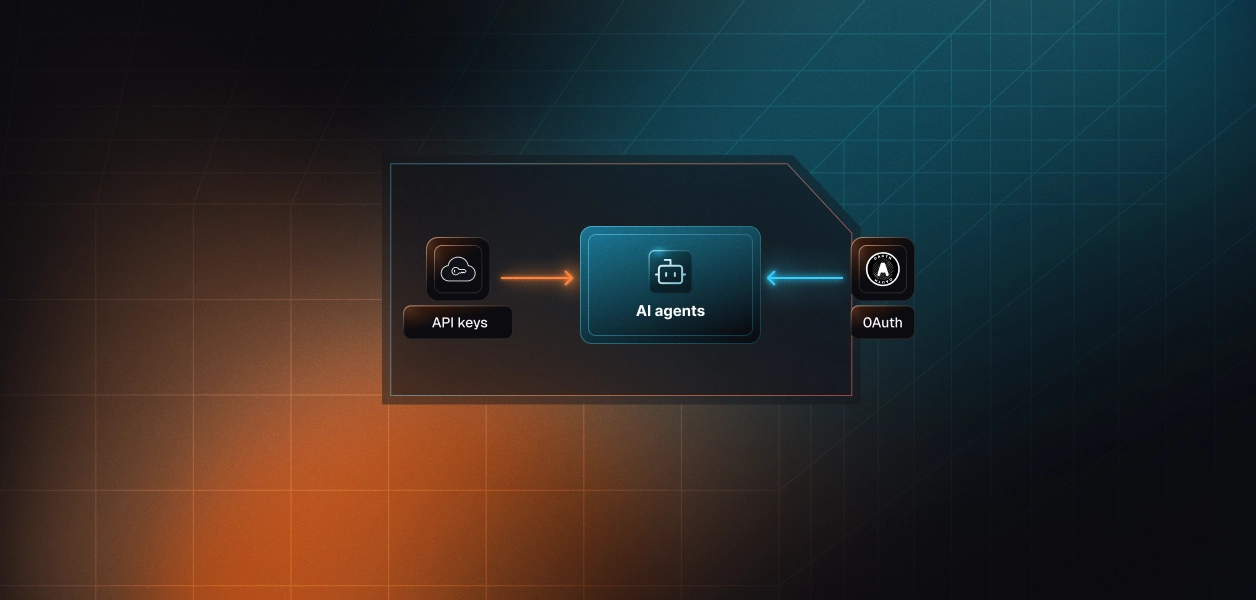
Recommended reading: OAuth vs API keys for AI agents
This is the dimension that changes your architecture. MCP gives you a delegated grant per Quo user; the API gives you a workspace credential per customer.
Every user who connects goes through Quo's OAuth consent in a browser, once. The grant acts with that user's access and nothing more, which is the right model for a user-facing agent.
It is also stateful. Quo rotates refresh tokens and tells client builders to persist each new one atomically, serialize refreshes per grant, and treat invalid_grant as a signal to re-authorize the user rather than a reason to retry. Get the concurrency wrong and a worker refreshes with a superseded token, the grant fails, and the user is back at Quo's consent screen.
The API path skips consent. A workspace owner or admin generates a key in Quo's settings, and that key has the same reach as an admin across the workspace's API. Keys carry no scopes, so no key can express "read the support inbox, never text customers."
A key identifies an integration, not a person. Quo's guidance is to give each agent its own named key, so its traffic is visible and revoking it breaks nothing else. For headless jobs that is convenient. For least privilege, it is the widest credential in the system.
Take a B2B product serving 200 small businesses, each with its own Quo workspace and five reps. On MCP, that is 1,000 OAuth grants, each with a rotating refresh token to store, refresh, and revoke when a rep leaves. On the API, it is 200 admin-grade keys, each collected from a customer's admin, rotated on staff departures, and capped at 10 requests per second.
Both paths require per-tenant credential isolation. MCP's OAuth flow gives you a token per user; the API gives you a key per workspace. Neither path solves storage, rotation, or revocation.
Recommended reading: How to handle token refresh for AI agents
Both paths leave real work on your side. The shape of that work differs.
Quo owns the server, the tool schemas, and the aggregation logic behind the fetch tools. You own token custody, the refresh discipline above, and action safety.
Quo's security guidance treats every message, transcript, and contact field as untrusted input, because anyone can text instructions to a business number. It recommends explicit confirmation before sends, contact changes, and task changes. Sends are irreversible and draw on prepaid messaging credits, and send-bulk-messages can partially succeed, so a blind retry can double-text recipients who already got the message.
Recommended reading: How tool calling auth changes when you move from single-tenant to multi-tenant
You own everything the MCP server abstracts: cursor pagination, the per-key rate budget, webhook signature validation, and a split across two live API versions. Calls, transcripts, and summaries are still only on v1, while new capability ships on 2026-03-30.
Semantics also differ in ways that bite agents. MCP's update-contact leaves omitted fields untouched. The v1 contact update replaces the record, deleting any emails, phone numbers, or custom fields missing from the request body. An agent that meant to change a job title can wipe a contact's phone numbers.
MCP schemas move on Quo's schedule. In August 2026, send-bulk-messages grew from 20 to 40 recipients and gained a personalized mode. In September, the contact tools gained custom fields and two fetch tools gained an excludeDoneConversations filter.
Quo treats tool names and parameters as stable identifiers, and every one of those changes was additive. Still, Quo documents no way to pin an MCP server version, so a revised tool description can change model behavior without a deploy on your side. The dated API is the opposite trade: a version is frozen once shipped, and breaking changes arrive as a new date you adopt deliberately.
Both lists are specific to Quo workloads, and most production Quo agents land on both.
Neither Quo path hands you a vault. Both hand you credentials.
In a multi-tenant agent, every connected Quo user is a grant to encrypt, refresh under a per-grant lock, and revoke when they leave. Every workspace on the API path is an admin-grade key to store, rotate, and restrict in your own code, because Quo will not restrict it for you.
The token type differs. The infrastructure does not: a vault outside the agent runtime, isolation per tenant, and revocation that takes effect before the next tool call.
Recommended reading: Secure token management for AI agents at scale
Scalekit's Quo MCP connector handles the OAuth 2.1 flow, then stores and refreshes each user's Quo tokens, so credentials never touch the agent runtime. Your code passes an identifier for the user, and Scalekit resolves that user's grant on every call. What the user can't do in Quo, the agent can't do.
For the REST-only endpoints, a custom connector keeps each workspace's API key in the same vault. Choosing MCP, the API, or both doesn't change your auth infrastructure.
The examples below use Python and LangChain, written against scalekit-sdk-python 2.19 and following Scalekit's LangChain example. Scalekit's Quo MCP connector exposes 15 of Quo's 16 tools; the opt-in submit-feedback tool is not among them.
Set SCALEKIT_ENVIRONMENT_URL, SCALEKIT_CLIENT_ID, and SCALEKIT_CLIENT_SECRET from Developers > API Credentials in the Scalekit dashboard, and create a Quo MCP connection under AgentKit > Connections. The code uses quomcp as the connection name. That string must match the connection name in your dashboard exactly.
Each end user authorizes Quo once. get_or_create_connected_account returns the user's connected account; when it isn't active, get_authorization_link returns a link to Quo's consent screen for your product to deliver.
A scheduled job doesn't need a model in the loop. The sequence is retrieve, scope, execute: list_scoped_tools returns the Quo tools this user's connected account is authorized to call, not a connector catalog, and execute_tool runs one of them as that user.
After the one-time consent, the job runs without the user present, because Scalekit refreshes the grant between runs. Scalekit prefixes Quo's tool names, so fetch-missed-calls becomes quomcp_fetch_missed_calls, and every execution returns an execution_id.
An interactive agent needs tools, not raw calls. actions.langchain.get_tools loads the tools this user's connected account is authorized to call as native LangChain StructuredTool objects, filtered to the names you pass.
This triage agent gets five read tools and one internal write. No send tool is on the list, so an instruction planted in an inbound text has nothing to trigger. Scoping also matters for context: Quo's fetch tools each carry descriptions several hundred words long, so every tool you leave out is context the model never pays for.
The loop is plain LangChain. The system message carries the user's timezone and the current UTC time, because Quo's fetch tools take UTC timestamps and expect the model to convert "yesterday" from the user's local day.
The SDK path scopes tools in your code. A Virtual MCP server moves that scope into Scalekit, so any MCP-capable framework gets the same least-privilege surface. Quo MCP enforces the authorizing user's permissions but adds no boundary inside them. A Virtual MCP server adds the missing tool-level boundary, across several connectors at once.
This missed-call digest agent combines four Quo tools with one tool from the Slack connector. You create the server once per agent role, not once per user, and reuse its static mcp_server_url for every tenant.
Before each run, confirm the user's connections are active, then mint a short-lived session token bound to that user. One server definition serves every tenant; the identifier decides whose Quo and Slack grants the run uses. Tokens default to about an hour, and create_session_token is also how you remint.
langchain-mcp-adapters connects to the Virtual MCP server with the session token as a bearer credential. The model sees five tools out of the 111 that the Quo MCP and Slack connectors expose together.
Recommended reading: Who holds the token? Credential ownership across agent tool-calling patterns
An agent that texts customers needs an audit trail more than most. When a customer asks whether your agent texted their client last Tuesday, you need a record, not a guess.
Scalekit keeps a tool-call log entry for each execution, keyed by the execution_id returned above. It captures the tool name, connection, connected account, your identifier, status, error code and tier, and duration. You can filter by user identifier, connection, status, time window, or agent run.
Analytics roll the same data up per connector and separate provider errors, where Quo rejected the call, from platform errors. That split is the first question in any incident.
Scalekit's auth logs trace every authentication flow across users, agents, and providers, from redirect to token issuance, and can stream to your SIEM or data warehouse. Agent webhooks push connected-account lifecycle events to your backend. A rep disconnects Quo? Pause their scheduled digest and prompt a reconnect, instead of discovering a failed tool call mid-run.
Scalekit's managed Quo connector covers the MCP path. For the API-only capabilities in the table above, register Quo's REST API as a custom connector.
Define the connector with the API_KEY auth type and a proxy_url set to Quo's API base URL. Quo expects the raw key in the Authorization header, and the connector's header and field-mutation settings control how Scalekit sends it. Each customer's admin supplies their key once through the connected-account authorization flow.
Your code then calls Quo through Tool Proxy with actions.request, where path is relative to proxy_url:
Webhooks are the exception. Quo delivers them to an HTTPS endpoint you register, so signature validation and the decision to wake an agent stay in your backend.
Pair Quo with the sales call prep agent to pull a prospect's recent texts and calls before a meeting, or with the CRM AI agent to log call outcomes. Point the support triage agent at missed calls and voicemails.
Extend the outbound prospecting agent with an SMS follow-up step, which is exactly where an approval gate on send tools belongs. For a worked build, see post-call CRM hygiene with an outreach agent.
If your agent is interactive and user-attributed, like a rep asking about their own calls or a front-desk assistant drafting replies someone approves, build on Quo MCP. Whole-inbox questions are one call, and every action runs under the user's own grant.
If your agent must react to events, needs Quo's AI summaries or recordings, or runs a deterministic sync, build on the API. Most production Quo agents need both: MCP for the conversational layer, the API and its webhooks for triggers and call data. The credential problem is identical either way, and it is what separates an agent that works in a demo from one that survives its two-hundredth customer workspace.
Browse the Scalekit Quo MCP connector docs, the full Scalekit connector catalog, and Scalekit pricing. Building a Quo agent and want help with the auth design? Talk to us for immediate help.