.png)

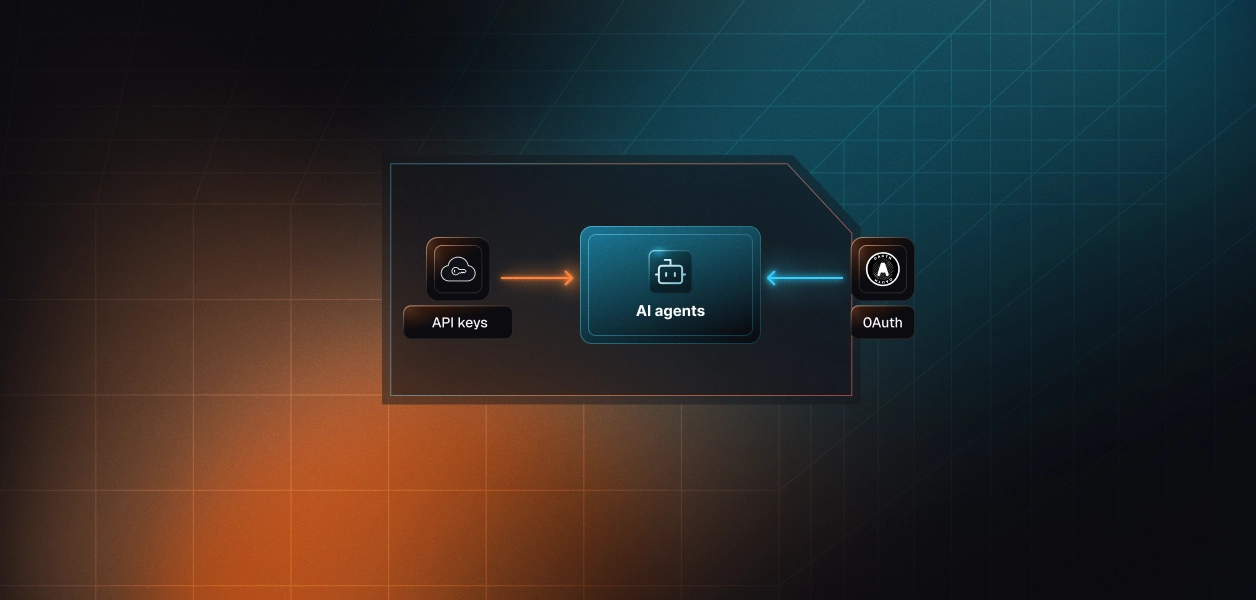
Your agent needs to schedule social posts and read engagement data out of Metricool. Metricool ships a hosted MCP server at https://ai.metricool.com/mcp and a REST API at https://app.metricool.com/api. Most tool comparisons in this series end with the same shape: MCP is OAuth-only and interactive, the API gives you headless auth options. Metricool inverts that. The MCP path is where the real OAuth flow lives, and the REST API is the static-secret path. Here is how to pick.
These are two separate products at Metricool, not two views of the same one. They are gated differently, authenticated differently, and documented in different places.
Metricool maintains an official MCP server. The production endpoint is https://ai.metricool.com/mcp, reachable over HTTP by any MCP-capable client. Authentication happens two ways: an OAuth sign-in where the user approves access from the client, or a static token supplied as METRICOOL_USER_TOKEN and METRICOOL_USER_ID, or as an X-Mc-Auth header. Metricool documents Mistral's connector setup as OAuth 2.1 specifically. The server source is public as metricool/mcp-metricool on GitHub and published to PyPI, which is what powers the local stdio variant. Metricool's MCP documentation hub is the entry point, and the connection guide covers client-by-client setup.
The Metricool REST API has a base URL of https://app.metricool.com/api. Every endpoint requires three things: the userToken in an X-Mc-Auth header, plus userId and blogId as query parameters. The token is a per-user authorization code copied from Account Settings, and the section only appears on Advanced and Custom plans. Metricool positions the API around exporting metrics to warehouses and BI tools, and automating scheduling from external platforms. The endpoint reference lives in the Metricool API documentation, also available as a downloadable Swagger file.
Four dimensions decide this: what the agent can call, what credential it holds, what you operate, and which plan your customers are on. The last one is doing more work here than in any other tool in this series.
Scalekit's Metricool MCP connector publishes seven tools. Metricool does not publish a tool table for the hosted endpoint, and points to the GitHub repository as the reference list. That README enumerates 28 tools, most of them network-specific reads like Instagram Reels or TikTok videos.
The hosted surface is deliberately compressed. Instead of one tool per network per content type, getanalyticsavailablemetrics discovers what is queryable for a given network and connector, and getanalyticsdatabymetrics fetches it by Data Studio field ID. That is the correct shape for an LLM. Two tools with a discovery step beat twenty near-identical tools that all look plausible to a model choosing between them.
The cost is indirection. Your agent must run a discovery call before it can query anything, and the metric IDs it gets back are opaque strings. For a deterministic reporting pipeline that already knows which fields it wants, that round trip is pure overhead, and the REST API is the shorter path.
This is where Metricool diverges from Slack, GitHub, and Notion. On those platforms, MCP constrains you to OAuth and the API opens up headless options. On Metricool, the MCP server is the only path that offers a real delegated authorization flow.
The hosted server supports a browser-based OAuth sign-in where the user approves access from their client. It also accepts a static token, either as environment variables for the local package or as an X-Mc-Auth header for clients like N8N. Scalekit's connector uses the OAuth 2.1 path with Dynamic Client Registration (DCR), which is what you want for a multi-tenant product: each user completes their own consent, and you never handle their token.
One caveat worth planning around. Metricool's own guide notes that the token-based connection option routes through the API and therefore requires Advanced. The OAuth path is the one that works on Free.
The REST API has no authorization server. Your customer opens Account Settings, copies a userToken, and pastes it into your product. That token is a long-lived bearer secret with no documented expiry, no scope parameter, and no per-brand restriction. It authenticates as the user across everything their account can reach.
For a B2B agent this is a bad artifact to hold. You are asking a customer to hand over a credential equivalent to their password, you are storing it indefinitely, and the only revocation mechanism is the user regenerating it, which breaks every other integration they have wired to it at the same time. This is exactly why static credentials break in production systems.
Metricool's MCP vs API comparison is explicit: MCP works on any plan including Free, and the API is Advanced or Custom only. If you build your agent exclusively on the REST API, every prospect on Free, Starter, or the tiers below Advanced cannot use your product until they upgrade.
That is a conversion problem disguised as a technical choice. The MCP path removes it. Plan limits still apply after connection, so a Free-plan user is capped at 20 scheduled posts and 30 days of analytics history, but the integration itself works. Design your agent to degrade against those limits rather than to require an upgrade before first value.
On the MCP path, Metricool owns hosting, tool schemas, and the consent screen. Your agent picks up new tools when Metricool ships them, without a redeploy. What stays yours: per-user token storage, refresh handling, revocation detection, and tenant isolation. None of that is managed by the transport.
On the REST path you own everything above, plus endpoint selection, the userId and blogId plumbing on every call, pagination, retries, and the response shaping that turns raw JSON into something an LLM can reason about. Metricool's dashboard does expose API usage and endpoint history, which is useful for spotting a runaway agent, but it is observability after the fact, not a control.
Neither path gives you a version pin. The MCP tool schemas change when Metricool updates the hosted server, and the REST API documentation is distributed as a Swagger file rather than a dated version header. If an unplanned schema change is an incident for you, build a contract test against the tools your pipeline depends on and run it on a schedule.
This is a genuine argument for the REST path in narrow cases. A fixed set of endpoints that you call the same way every night is a more predictable dependency than a managed tool contract you do not control, even without formal versioning on either side.
The split is cleaner here than for most tools, because the plan gate and the credential shape both point the same direction for user-facing products.
Use Metricool MCP when:
Use the Metricool API directly when:
Whichever path you pick, you end up holding one Metricool credential per user. The transport changes the token type. It does not change the infrastructure you have to build around it.
Metricool is a multi-brand product by design. An agency customer with 24 brands is one Metricool account with 24 blogId values, and your agent needs correct per-user credentials before it can address any of them. Forty agency customers is forty credentials to store encrypted, isolate per tenant, refresh, and invalidate on churn.
The failure mode is quiet. A token revoked in Metricool's settings does not notify your agent. The next scheduled run fails, or worse, keeps running against a stale brand list until someone notices a post never went out. This is why secure token management for AI agents at scale matters from day one.
Metricool's connect guide states plainly that MCP permissions grant full access, similar to logging in directly. There is no read-only scope to request and no per-brand grant. What the user can do in Metricool, the agent can do.
That makes surface reduction the only enforcement point you actually control. If your agent's job is weekly reporting, it should never be holding metricoolmcp_createscheduledpost. Not because the credential forbids it, but because you did not put the tool in context.
Scalekit's Metricool MCP connector runs the OAuth 2.1 flow, vaults the resulting credential per tenant with AES-256, resolves it server-side at call time, and refreshes it automatically. Credentials never touch the agent runtime and never enter LLM context. Revocation invalidates the connection on the next tool call, which fails closed for that user without affecting anyone else.
The examples below use Python and LangChain. The same pattern works with the Anthropic SDK, OpenAI, Google ADK, and Mastra, since the connected-account model is framework-independent. Full method signatures are in the Python SDK reference.
Create a connection named metricoolmcp in the Scalekit dashboard first. The connection_name string in your code must match the connection name configured there exactly; a mismatch is the single most common integration error.
Before the agent sees anything, decide what it is allowed to reach for. The agent is not loading a connector catalog. It is loading the tools this specific user's connected account authorizes, filtered further by what this agent role needs. A weekly reporting agent gets reads. A publishing agent gets writes. That distinction is enforced here, not in a system prompt.
actions.langchain.get_tools() returns native StructuredTool objects, so no schema reshaping is needed. Bind them and run the loop. For more on how LangChain tool calling works end to end, see our deep dive.
When the flow is fixed-sequence, skip the reasoning loop and call execute_tool directly. Scalekit resolves the user's vaulted credential server-side before the call reaches Metricool.
If you need competitor data or bulk export, the REST API is still the right surface, and you do not have to build separate auth plumbing for it. Define a custom connector for https://app.metricool.com/api with the X-Mc-Auth header, then call it through Tool Proxy. See the Add your own connector docs for the connector definition steps.
For multi-tool and multi-tenant agents, Virtual MCP Servers are the cleaner primitive. You declare which connections and which tools an agent role can see once, get a static endpoint back, and mint a short-lived session token per user before each run. One server definition serves every customer, and there is no MCP server to deploy or host.
Scheduled agents run without a user present, so check connection state first and surface a fresh auth link when it has lapsed instead of failing silently mid-run.
Downstream tool calling is where agent audit trails usually break. A shared token makes every scheduled post look identical in Metricool's own activity view, because it was the same account that made all of them. Scalekit logs every tool call with the user who triggered it, the tool invoked, and the result, retained for 90 days and exportable to your SIEM.
That is what turns "the agent posted something wrong" from a three-week investigation into a query. It is also what a security reviewer asks for when your agent holds a credential that grants full account access, which on Metricool is every credential. Understanding agent tool observability and why it matters is worth reading alongside this guide.
If you are shipping a multi-tenant product where customers bring their own Metricool account, build on MCP. It is the only path with a delegated authorization flow, and it is the only path that works below the Advanced plan. Requiring an upgrade before a customer can try your agent is a cost you do not need to pay.
If you are running bulk exports, competitor analysis, or a single-tenant internal pipeline on your own Advanced account, use the REST API. It is shorter and more direct for work that already knows its endpoints.
Most production Metricool agents will use both. Either way, the credential is the same blunt, full-access artifact, and that is the part that needs production-grade infrastructure. The shift from single-tenant to multi-tenant tool calling is where auth requirements change most sharply, and where the MCP path earns its keep.
Browse the Scalekit Metricool MCP connector docs or the connector page for the full tool reference.
Building something on Metricool and hitting an auth or scoping question? Join the Scalekit Slack community or talk to an engineer if you need help right away.