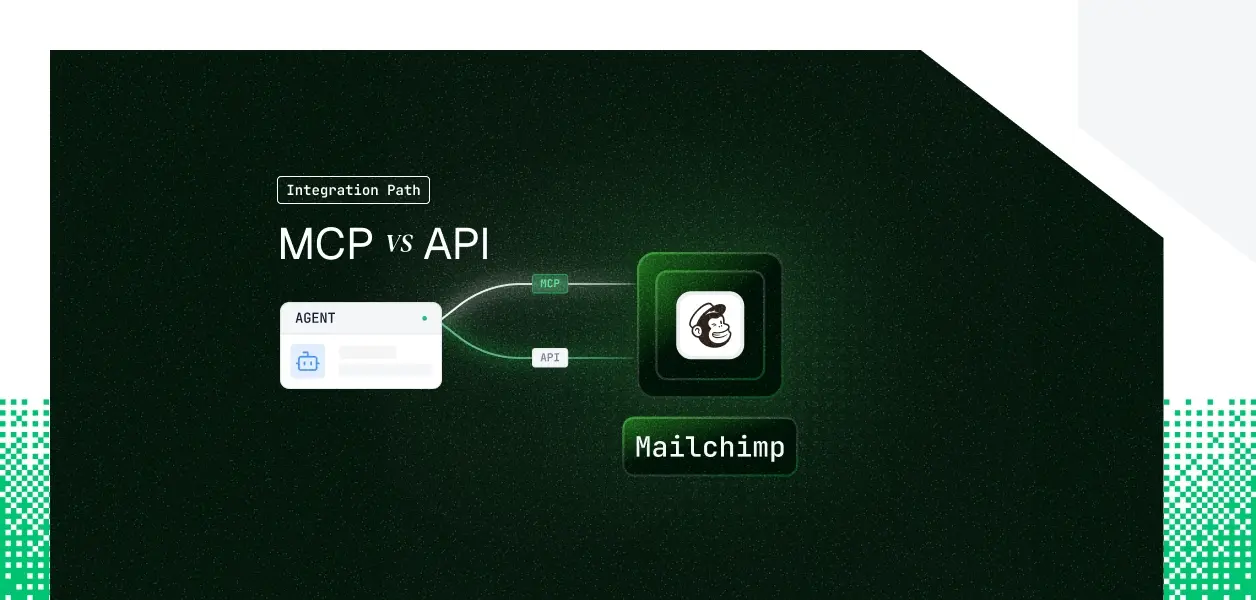


Your agent needs to read and write Mailchimp. You go looking for the MCP server, and the first surprise hits before you write a line of code: Mailchimp ships an official MCP server, but it is the Transactional (Mandrill) MCP, not a Marketing API MCP.
The campaign, audience, and automation surface your agent probably wants lives in the Marketing REST API, which has no official MCP server at all. So the real decision is not "MCP or API," it is "which Mailchimp product does my agent touch, and what does that leave me to build."
Here's how to pick.
The official Mailchimp MCP server is part of Mailchimp Transactional, the product formerly known as Mandrill.
It runs at https://mandrillapp.com/mcp over Streamable HTTP, and you authenticate by passing a Transactional API key as a Bearer token in the Authorization header.
The tool surface mirrors the Transactional API: checking account status, building templates, describing and listing API endpoints, diagnosing failed sends, and a generic call_api tool. It is configured client-side in Claude Desktop, Claude Code, Cursor, or VS Code.
Mailchimp exposes two distinct REST APIs.
The capability gap here is not "the MCP exposes fewer tools than the API." It is a product-scope gap. The official MCP only reaches Transactional sending; the entire Marketing surface, the part most agents want, is API-only because no official Marketing MCP exists.
If your agent's job is email marketing, querying which campaigns performed best, growing an audience, scheduling a newsletter, the official MCP does not touch any of it. You either call the Marketing API directly or use a layer that wraps it.
The official MCP is the right object only when the agent's job is transactional sending: order confirmations, password resets, receipts.
There is a quiet but important detail in Mailchimp Marketing OAuth: access tokens do not expire, and there is no refresh token. That removes refresh-loop complexity, but it sharpens the revocation problem.
A token that never expires stays valid until the user explicitly revokes your app inside Mailchimp. Your agent has no expiry to lean on; it only learns of revocation by handling the failure on the next call. In a multi-tenant agent serving many users, that is one long-lived credential per user that you must be able to detect, isolate, and invalidate on demand. This is precisely the kind of challenge covered in depth in how to handle token refresh for AI agents.
The official MCP path hands you Mailchimp-maintained tool schemas and endpoint normalization for the Transactional surface, so you do not hand-write those schemas. What it does not hand you is identity: the API key is account-wide, so you own any per-user separation, key rotation, and the blast-radius problem of a single key that can do everything.
The direct API path means you own the full stack: request construction, the data center prefix resolution that trips up most first integrations, the 10-simultaneous-connection concurrency cap on the Marketing API, error handling, and the token lifecycle. The Marketing API is versioned at 3.0 and changes on a published cadence, which makes it a stable dependency for deterministic pipelines.
Use the official Mailchimp MCP when:
Use the Mailchimp API directly when:
Both paths leave you holding a credential per user or per account, and neither gives you a vault, an isolation boundary, or a revocation flow. The official MCP gives you a Mandrill API key with full account reach and no per-user identity.
The Marketing API's OAuth flow gives you a non-expiring access token per user. In a multi-tenant agent, the B2B default, that is N credentials to store encrypted, isolate per tenant, and revoke when a customer churns or an employee leaves. This is a structural pattern explored in credential ownership across agent tool-calling patterns.
The non-expiring nature of Marketing OAuth tokens makes this worse, not better: there is no expiry forcing periodic re-auth, so a token leaked or orphaned eight months ago is still live. Detecting and invalidating it is on you.
The work is structurally identical whether you chose the MCP or the API; the credential type differs, the infrastructure required does not. Understanding the role of a token vault in AI agent workflows clarifies why this infrastructure is non-negotiable.
Scalekit's Mailchimp connector handles the OAuth flow, vaulted token storage, and revocation for the Marketing API, so the MCP-versus-API decision does not change your auth infrastructure.
Scalekit's Mailchimp connector targets the Marketing API surface, the surface with no official MCP, and ships roughly forty-five LLM-ready tools spanning audiences, members, segments, campaigns, classic automations, templates, and reports. The full list lives at the connector docs page.
Tool names follow a predictable pattern, for example mailchimp_campaigns_list, mailchimp_campaign_send, mailchimp_list_member_upsert, and mailchimp_report_get.
The connector stores each user's Mailchimp credential in Scalekit's token vault, encrypted at rest and namespaced per tenant. When the agent calls a tool, Scalekit resolves the right credential server-side, calls Mailchimp, and returns the result. The credential never enters the agent runtime and never appears in LLM context.
For a provider whose OAuth tokens do not expire, this is the part that matters most: revocation is a single dashboard action, and the next call for that user fails closed without touching anyone else in the tenant.
In a multi-tool or multi-tenant agent, the surface you hand the model decides accuracy. Before each run, you retrieve the tools the current user's connected account is authorized to call rather than loading the entire connector catalog. The agent receives only what is relevant for this user and this task, which both reduces token overhead and improves tool selection. This approach aligns with the broader principle of tool calling authentication for AI agents.
The sequence is the same in every framework: retrieve the scoped tool surface for the user, hand those definitions to the model, then execute the tool the model picks. The Node.js example below uses the Anthropic SDK.
The connectionName you pass must match the connection name configured in your Scalekit dashboard; this is the most common integration error.
If you want an MCP-compatible framework or client to reach Mailchimp without writing a tool-calling loop, Scalekit's Virtual MCP Server gives you a scoped, per-user endpoint.
You create one MCP config per agent role with create_config, declaring which connections and which tools it exposes, then call ensure_instance per user to mint a pre-authenticated URL.
One server definition serves every user; each run resolves that user's vaulted credential.
The agent sees only the tools you explicitly allow, not everything the connector exposes.
A generated Scalekit Virtual MCP URL looks like https://yourcompany.scalekit.com/mcp/v3/servers/<server-id>. The MCP server configuration steps are documented with an end-to-end Claude managed agent example.
Every Mailchimp tool call routed through Scalekit is logged: who triggered it, which tool ran, and what came back, tied to the user who authorized the connection rather than a shared key.
For a Marketing API integration where the underlying credential could otherwise be one account-level token shared across users, this is what keeps per-user attribution and audit accurate when a security review asks who changed an audience or sent a campaign. This kind of visibility is critical for audit trails in agent auth for B2B SaaS.
Scalekit's Mailchimp connector covers the Marketing surface, but if your agent needs a Mailchimp action that is not yet exposed, or a different tool entirely, you can request it. Reach the team through the Scalekit's Slack community or the Talk to us page.
Either way, the credential problem is the same: a per-user or per-account credential that needs storage, isolation, and revocation, made sharper by Marketing OAuth tokens that never expire on their own. That is the part that needs production-grade infrastructure regardless of which path you are on. For a deeper look at why building OAuth internally for AI agents carries hidden costs, the architectural tradeoffs are worth reviewing.
Browse the Scalekit Mailchimp connector.