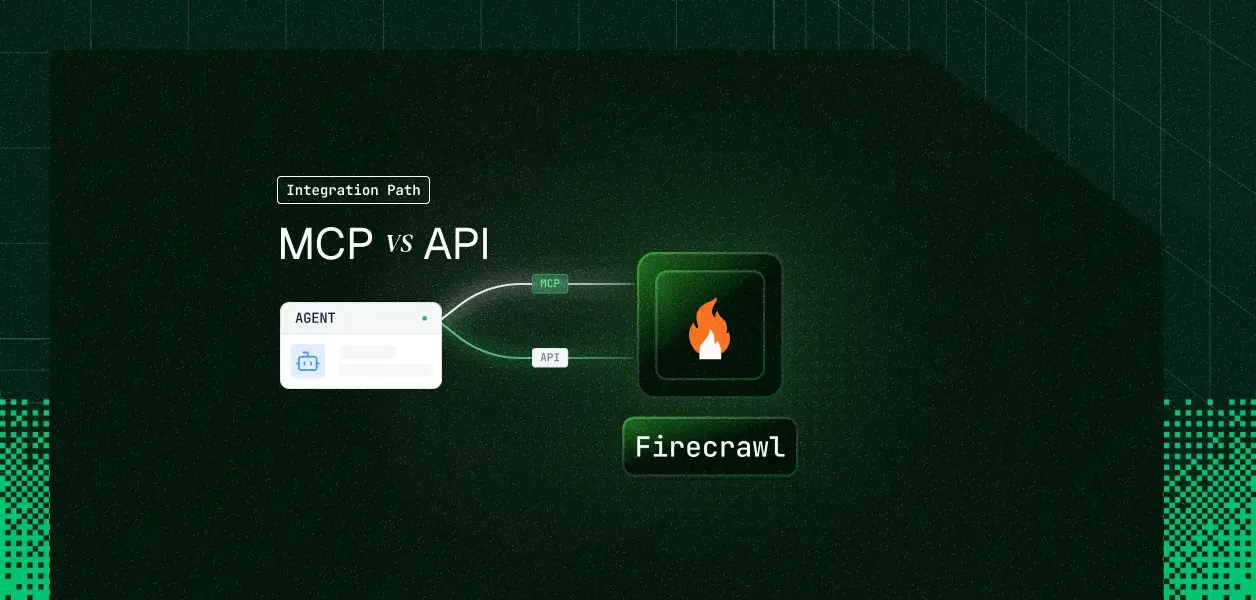


Your agent needs live web data: scrape a competitor's pricing page, search for sources it has never seen, crawl a documentation site into clean markdown. Firecrawl ships an official hosted MCP server at mcp.firecrawl.dev and a full REST API at api.firecrawl.dev. Most comparisons in this series turn on auth, because the vendor's MCP server is OAuth-only and the API is not. Firecrawl breaks that pattern: both paths accept the same fc- API key, which moves the decision somewhere else entirely. Here is where it actually lands.
Both are maintained by Firecrawl and both terminate at the same underlying platform. The difference is the shape of the interface and how much of the surface it exposes.
The official Firecrawl MCP server is MIT-licensed and maintained by Firecrawl. You can reach it three ways: the hosted endpoint at https://mcp.firecrawl.dev/v2/mcp, the same endpoint with a key in the path at https://mcp.firecrawl.dev/{FIRECRAWL_API_KEY}/v2/mcp, or locally over stdio with npx -y firecrawl-mcp.
The tool surface spans scrape, map, search, crawl, parse, extract, agent, interact, research, and monitor families. A read-only variant at https://mcp.firecrawl.dev/v2/mcp-search exposes a fixed set of six tools: firecrawl_search plus the five firecrawl_research_* tools. Setup details live in Firecrawl's MCP server documentation.
The REST API is versioned at /v2 under https://api.firecrawl.dev, with every request carrying Authorization: Bearer fc-YOUR-API-KEY. It covers everything the MCP server does plus the operational surface: /v2/batch/scrape for bulk jobs, signed webhooks for async job events, queue status, and usage history endpoints.
Official Python and Node SDKs wrap it, and the SDKs handle crawl polling for you. Full endpoint documentation is in Firecrawl's API reference.
Four dimensions decide this: what the agent can do, what credential it holds, what breaks in production, and which workload shape you are building. Capability first.
The gap is narrower than in most MCP vs API comparisons, and it is concentrated in bulk and eventing rather than in core functionality.
The batch gap is explicit rather than incidental. Firecrawl's own MCP documentation names "passing a list of URLs to one scrape call" as a common mistake and directs you to call scrape once per URL, or to use the API batch endpoint outside MCP if you need a single bulk operation.
That matters for cost and concurrency, not just ergonomics. A hundred URLs through MCP is a hundred tool calls, a hundred round trips through the model's context, and a hundred separate entries against your concurrency queue.
The MCP crawl tool starts a job, polls until it reaches a terminal state, and returns the full result. Firecrawl's documentation warns directly that crawl responses can be very large and may exceed token limits, and recommends map plus scrape for tighter control.
On the REST path you get the job ID immediately and choose your delivery mode: poll, stream over the SDK watcher, or receive webhook events per page. For an agent that needs to stay responsive while a thousand-page crawl runs, that choice is the whole ballgame.
Here is where Firecrawl diverges from the rest of this series. The MCP server forwards whichever credential it resolves to the Firecrawl API as a bearer token, and it accepts more than one kind.
Over HTTP stream transports, clients send Authorization: Bearer <fco_access_token>, and an OAuth bearer token takes precedence over x-firecrawl-api-key or x-api-key when both are present. Over stdio, you set FIRECRAWL_OAUTH_TOKEN for a static access token or FIRECRAWL_API_KEY for an API key. Only access tokens prefixed fco_ are valid on the data plane; refresh tokens prefixed fcr_ must be exchanged at the token endpoint and never passed to scrape or search.
The most widely documented setup path embeds the key directly in the server URL: https://mcp.firecrawl.dev/fc-YOUR-KEY/v2/mcp. Firecrawl's own guides show this form for one-line client registration.
For a single developer on a laptop this is fine. For a multi-tenant product it is a credential in a URL, which means it lands in client config files, proxy logs, and anything that records request targets. If you go this route, treat the URL itself as a secret and keep it out of your agent runtime.
This is the constraint that actually breaks multi-tenant Firecrawl agents, and it is easy to miss. Firecrawl's rate limit documentation states plainly that rate limits are applied per team, so all API keys on the same team share the same rate limit counters.
Concurrency works the same way. Concurrent browsers are a per-plan ceiling, and jobs beyond it wait in a queue that counts against each request's timeout. A Standard plan gets 50 concurrent browsers and 500 scrape requests per minute across the entire team, not per key.
If your product provisions one Firecrawl key per customer under your own team, you have credential separation without throughput separation. One customer running a 10,000-page crawl consumes the concurrency your other customers are waiting on, and their tool calls start returning 429.
Real isolation requires each customer to bring their own Firecrawl team, which means each customer brings their own key, which puts you back at N credentials to store, rotate, and revoke. The alternative is to accept pooled throughput and build your own fair-share queue in front of Firecrawl. This is one of the core challenges when moving from single-tenant to multi-tenant tool calling.
On the MCP path, Firecrawl maintains the server, the tool schemas, and the internal polling behavior for crawl and agent jobs. You own credential storage, per-user resolution, and the retry logic when a 429 comes back because another tenant filled the queue.
On the REST path you own all of that plus endpoint selection, pagination, job lifecycle management, and webhook signature verification. Firecrawl signs every webhook with HMAC-SHA256 in the X-Firecrawl-Signature header, and verifying it before processing is your responsibility.
MCP tool schemas change when Firecrawl updates the hosted server, with no versioning contract you control. The REST API is explicitly versioned at /v2, so a nightly pipeline calling the same five endpoints is insulated from a tool restructuring.
One MCP-side advantage worth naming: the keyless tier. Scrape, search, interact, and parse work without an API key when the request comes from an official Firecrawl client, capped per IP per day by both a request count and a credit count. Crawl, extract, map, and batch scrape always need a key. That makes MCP the fastest path from zero to a working prototype, and a poor fit for anything with an SLA.
Pick MCP when the agent is interactive, exploratory, or in early validation.
Pick the REST API when the workload is bulk, scheduled, or operationally sensitive.
Both paths hand your agent a Firecrawl credential and stop there. Neither gives you a vault, rotation logic, or a revocation flow, and Firecrawl's per-team accounting adds a second problem on top of the first.
In a multi-tenant agent, every customer has their own Firecrawl credential. That is N keys to encrypt at rest, isolate per tenant, and invalidate when a customer churns or an employee leaves.
Firecrawl API keys do not expire on a fixed schedule, which sounds convenient and is the opposite. A key revoked in the Firecrawl dashboard fails silently from your agent's perspective until a 401 surfaces mid-run, and your agent has no built-in way to know it happened. This is why understanding credential ownership across agent tool-calling patterns matters before you design your integration.
Storage outside the agent runtime, so the credential never enters LLM context. Per-user resolution at call time, so the agent acting for customer A cannot reach customer B's Firecrawl team. An audit trail that ties each scrape to the human who authorized it rather than to a shared service key.
The path you choose changes the transport. It does not change any of that. Scalekit's Firecrawl MCP connector handles the credential vault, per-user resolution, and audit logging for both paths, so the MCP vs API decision does not change your auth infrastructure.
Scalekit ships a Firecrawl MCP connector that uses Bearer Token authentication, exposing 22 tools prefixed firecrawlmcp_firecrawl_*. To be precise about coverage: the connector currently exposes the scrape, search, map, crawl, extract, agent, interact, browser session, and monitor families. The parse tool and the firecrawl_research_* family are not in the current tool list, so route those through the REST API.
Create the connection once per environment in the Scalekit dashboard under AgentKit, then Connections, then Create Connection. Search for Firecrawl MCP and note the connection name, which defaults to firecrawlmcp.
The connection name in your code must match the connection name configured in the dashboard exactly. This is the single most common integration error.
Connected accounts link a user identifier in your system to that user's Firecrawl credential. In production you create them through the API as part of your onboarding flow, not by hand in the dashboard.
From this point the raw fc- key lives in the vault. Your agent references user_123, and Scalekit resolves the credential server-side on every call. It never reaches the agent runtime and never enters model context.
Before showing code, the distinction that matters: the agent is not loading a flat connector catalog. It is loading the tools that this specific user's connected account is authorized to call. That is what separates a per-user agent from a shared-credential agent. This pattern is central to how LangChain tool calling works in production.
Set page_size=100 on discovery. Firecrawl exposes 22 tools through this connector, and the default page size can truncate the surface without raising an error.
If you are not using a framework adapter, pull raw schemas with list_scoped_tools and hand them straight to the model. Scalekit returns input_schema as JSON Schema, which maps directly onto the Anthropic tool format.
The loop runs firecrawlmcp_firecrawl_search to find the page, then firecrawlmcp_firecrawl_extract against the URL it found. Neither call ever sees the Firecrawl key.
The Node SDK follows the same discovery-then-execute shape. Install with npm install @scalekit-sdk/node.
Batch scrape, job webhooks, and queue status are not in the MCP tool surface, so they do not appear in the connector's tool list. For those, define a custom connector against api.firecrawl.dev using Scalekit's bring-your-own-connector path.
The credential model stays identical. The same vaulted per-user key backs both the MCP tools and your custom REST tools, so a user who disconnects loses access to both at once.
Two capabilities matter more for Firecrawl agents than for most connectors, because Firecrawl agents tend to be high-volume and multi-tool.
Every tool call is logged against the identity that authorized it: who triggered it, which tool ran, and what came back, with 90 days of history on the Firecrawl MCP connector. Credentials are held encrypted and resolved at request time, so they never appear in your application logs or in LLM context.
For a scraping agent this is not a compliance checkbox. When a customer asks why 4,000 credits burned on Tuesday, the answer is a query against per-user tool call history. This is exactly the kind of agent tool observability that separates a production system from a prototype — not a grep through application logs where every call looks like the same service account.
A Firecrawl research agent rarely runs alone. It searches, scrapes, extracts, then writes the result somewhere. Virtual MCP Servers let you declare exactly which tools the agent can see across every connection it needs, with one server definition serving all users.
Create the server once per agent role, then mint a short-lived session token per run.
Before each run, confirm the user's connections are still live, then mint the token.
The endpoint is static. The identity is not. There is no MCP server to deploy, host, or maintain, and no per-user server configuration.
Twenty-two tools does not sound like much until you look at the schemas. The scrape tool alone takes 21 parameters and the crawl tool takes 15, so this connector sits well above the average token weight per tool.
Scalekit's own figure for the general case is a 40-tool server at roughly 200 tokens each burning about 8,000 tokens before the agent does any work. A pricing-research agent needs three of Firecrawl's 22 tools. Handing it all 22 costs tokens on every run and degrades selection accuracy, and the fix is not better prompting. It is surface reduction. This token overhead is one reason MCP can be significantly more expensive than CLI at scale.
If your agent is interactive and per-run scope is small — a research assistant, a competitive-intelligence bot, a documentation Q&A agent — build against the MCP server. Firecrawl maintains the schemas, crawl polling is handled for you, and the same fc- key works on both paths so you are not locked in.
If your agent is bulk, scheduled, or event-driven, go to the REST API for batch scrape, signed job webhooks, queue status, and versioned endpoints. Most production Firecrawl deployments end up running both: MCP for the interactive surface, REST for the pipeline behind it.
Whichever you pick, the per-team rate limit ceiling and the N-credential problem are waiting on the other side. That is the part that needs production-grade infrastructure.
Browse the Scalekit Firecrawl MCP connector or read the connector setup documentation.
Building something with Firecrawl and hitting a wall on per-user auth or concurrency? Join the Scalekit community on Slack, or talk to an engineer if you need help now.









