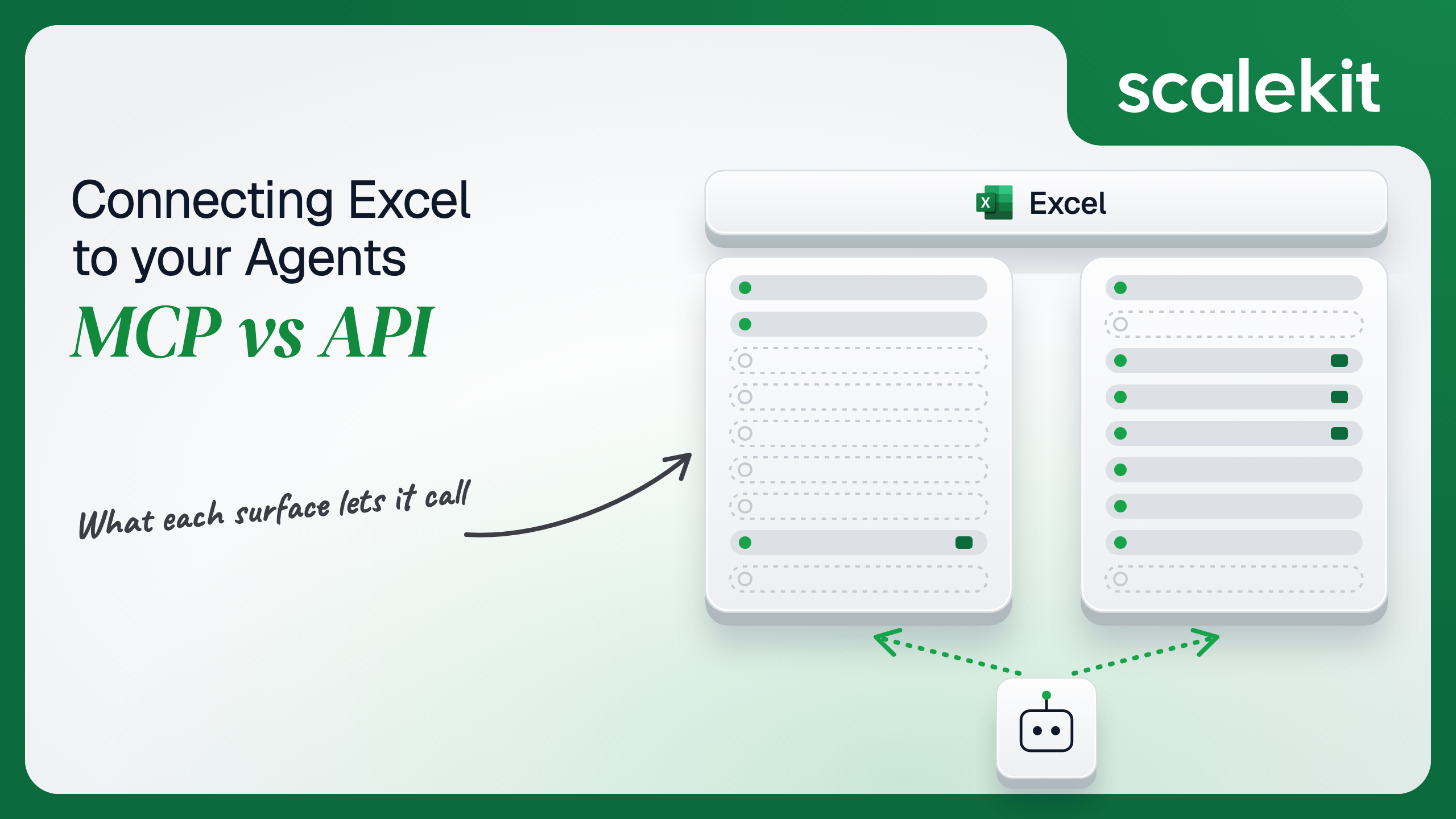


Microsoft does not ship an Excel MCP server for third-party agents. Its hosted Work IQ MCP treats a workbook as a document to search, fetch, or hand to Copilot, while every cell-level operation lives on the Microsoft Graph Excel API, which is delegated-only and tenant-throttled. Community servers fill the gap in three shapes, none maintained by Microsoft. This guide compares what each path lets an agent do with a spreadsheet, the Entra token each one puts you on, and how to run either across many customer tenants in production.
Your agent needs to work with your customers' spreadsheets: read the forecast tab, append this week's numbers to a table, refresh the PivotTable, and send the finance lead a chart. You search for an Excel MCP server and find community servers that open local .xlsx files, community servers that wrap Microsoft Graph, and Microsoft's own Work IQ, which can hand Copilot a file and ask it a question but documents no tool for writing a cell. So the real choice is not "official MCP vs official API." It is a generic Microsoft 365 MCP or a third-party wrapper, against the Graph Excel API your agent could call directly. Here's how to pick.
Microsoft's current MCP story for Microsoft 365 is Work IQ MCP: one endpoint, authenticated with Microsoft Entra ID, with entity tools (fetch, fetch_blob, create_entity, update_entity, delete_entity, do_action, call_function), Copilot tools (ask, retrieve, list_agents), and schema tools (get_schema, search_paths). The tools take relative Graph-style resource paths such as /me/messages and discover supported paths at runtime. The tool reference names no /workbook path; fetch_blob returns whole Office files as Base64, and ask accepts OneDrive or SharePoint file URLs as context for Microsoft 365 Copilot. The retrieve tool is in public preview. Work IQ is billed through Copilot Credits on a usage-based plan, and a Global Administrator has to create its service principal in the tenant first. Docs: Work IQ MCP overview.
The other first-party servers do not reach workbook contents. Agent 365's MCP server list has Word, OneDrive, SharePoint, Mail, Calendar, Teams, and User servers, all preview, all labeled legacy and "only intended for backward compatibility purposes"; there is no Excel server. The Microsoft MCP Server for Enterprise at https://mcp.svc.cloud.microsoft/enterprise is a public preview for read-only Entra identity and directory queries. Copilot in Excel, including its agent-style editing mode, runs inside the Excel app; Microsoft documents no MCP or API surface for it.
Community servers fill the gap in three shapes. File-based servers such as excel-mcp-server edit .xlsx files on disk without Excel installed and describe no authentication. Desktop servers such as mcp-server-excel drive Excel through COM and require Windows, Excel 2016 or later, and an interactive desktop. Graph-based servers such as ms-365-mcp-server wrap Microsoft Graph, Excel included, and sign in with MSAL device code or authorization code flow. None are maintained by Microsoft.
The Microsoft Graph Excel API hangs off a drive item: /me/drive/items/{id}/workbook/ or /me/drive/root:/{item-path}:/workbook/. It covers worksheets, ranges and usedRange, tables with their rows, columns, sort, and filter, charts with image rendering and setData, named items, PivotTables, comments, and calls into Excel's built-in functions such as pmt. It supports only Office Open XML workbooks; .xls is not supported. Docs: Excel in Microsoft Graph and best practices.
Auth is a Microsoft Entra access token with Files.Read or Files.ReadWrite, or the .All variants for files the user can reach beyond their own drive. Office Add-ins built on Office.js are a separate surface: they run inside an open Excel client, not from your agent's backend. Docs: Excel add-ins overview.
The pattern is clear. Work IQ treats a workbook as a document to search, fetch, or hand to Copilot. The Graph Excel API treats it as a structured object with sheets, ranges, and tables. An agent that has to change a specific cell in a cloud workbook is on the Graph Excel API, directly or through a community wrapper.
Work IQ's search_paths and get_schema tools let the model discover resource paths and schemas at runtime, and ask delegates the reasoning to Microsoft 365 Copilot under the user's own permissions and sensitivity labels. For "summarize the variance in the Q3 forecast file," that is less code than reading ranges and reasoning over them yourself.
A Graph-based community server gives you ready-made tool schemas for the workbook API, and that is real work saved. Range addresses must match the shape of 2-D values arrays, null in an update array means "leave this cell alone," "" clears it, and unbounded ranges like C:C return null for cell-level properties. Writing the schema is the hard part. Not the API call.
The tradeoff is ownership. A local file-based server never touches the copy your customers edit in OneDrive. A Graph wrapper's schemas drift on its maintainer's schedule, not Microsoft's.
Work IQ uses Microsoft Entra ID. Its permission, WorkIQAgent.Ask, is delegated only, requires admin consent, and "includes read and write access to Microsoft 365 resources that are accessible to Work IQ agents and scoped to the signed-in user." Microsoft documents application-only auth as not supported. That is the right model for a user in an MCP host, and a blocker for a scheduled job with nobody signed in.
Community servers vary. File-based servers authenticate nothing; whoever can reach the server can edit the files under its root folder. Graph-based servers sign a user in with device code or authorization code flow, or accept a bearer token from an environment variable that they do not refresh. That works for one developer on one tenant. It is a single-user solution.
Every workbook endpoint takes Authorization: Bearer {token} from Microsoft Entra ID. The permission tables for listing worksheets and updating a range both show Files.ReadWrite for work or school and personal accounts and "Not supported" for Application. There is no client-credentials path to a cell. A background agent has to hold a user's refresh token and act as that user.
Scope choice sets the blast radius. Files.ReadWrite reaches the user's own drive. Files.ReadWrite.All reaches every file that user can open, including SharePoint libraries and files shared with them, which is what most finance and ops agents need and what a security reviewer will ask about. What the user can't do, the agent can't do; with .All scopes, what the user can do is often a lot.
Two details trip teams. Microsoft's Excel overview says workbooks in OneDrive consumer are not supported, so an Entra app registered for "personal Microsoft accounts" can sign those users in and still fail on workbook calls. And customer tenants can restrict user consent to third-party apps, so the first user in a locked-down tenant may need their IT admin to approve your app before the consent screen succeeds.
In a multi-tenant B2B agent, MCP gives you a credential per user and the direct API gives you a credential per user. In neither case does the path itself solve storage, rotation, or revocation; those are infrastructure problems regardless of which path you choose.
Microsoft adds a tenant wrinkle. Each customer is its own Entra tenant with its own consent policy, Conditional Access rules, and admin who can revoke your app's grant for everyone at once. Your credential store has to bind each refresh token to its user and its tenant, and detect when a tenant-wide revocation turns hundreds of connected accounts invalid in one afternoon.
Recommended reading: OAuth vs API keys for AI agents
With Work IQ, Microsoft owns the tools and the Copilot reasoning behind ask. You own the Entra tokens, the Copilot Credits bill, and the tenant enablement step for every customer. You also own the gap: any task that needs a cell-level write falls back to Graph anyway.
With a community server, you own more than you would with the API. You run and patch it, you own the token it reads, and you depend on a maintainer outside Microsoft. A file-based server adds a sync problem: the workbook it edits is a copy, and the version in SharePoint keeps changing without it.
You own schemas, sessions, retries, and the token lifecycle. Sessions are the Excel-specific part. A persistent session saves changes; a non-persistent session discards them when it expires; sessionless calls work but make Excel locate the workbook on every request. Microsoft recommends a session for any multi-call workflow and notes that persistent sessions typically expire after about 5 minutes of inactivity and non-persistent ones after about 7, returning 404 when they do. Session creation on a large workbook can be a long-running operation: send Prefer: respond-async, accept 202 Accepted, and poll the Location header about every 30 seconds.
Throttling is per workbook and per tenant. Graph caps Excel at 5,000 requests per 10 seconds per app across all tenants and 1,500 per 10 seconds per app per tenant. Microsoft advises against parallel requests to the same workbook, especially writes: send the next request only after the current one succeeds. Throttled responses can carry Retry-After, and error codes such as tooManyRequestsUncategorized and transientFailure mean wait out the cooldown, while payloadTooLargeUncategorized and unsupportedWorkbook mean do not retry the same request. Ranges are capped at 5 million cells; rangeExceedsLimit means split the read. For a 502 or 503 on a sessionful request with no known second-level code, recreate the session.
The Excel API ships under Graph's v1.0 endpoint, so you pin to a stable contract and adopt changes when you choose. Work IQ's tools are generic, so they do not drift per workload, but Microsoft is already steering Agent 365 users off the app-specific servers. On the community MCP path, the maintainer decides when to adopt a change for you.
Both paths hand you a credential per user. Neither hands you a vault. In a multi-tenant agent, 40 customer tenants with 6 users each is 240 Microsoft refresh tokens, each tied to an Entra tenant whose admin can revoke your app's consent, enforce Conditional Access, or change the scopes users are allowed to grant. Each one must be stored encrypted, bound to its user and tenant, refreshed before it expires, and revoked when an employee leaves or a customer churns.
The token type does not change between paths. Work IQ and a Graph-based community server both run on delegated Entra tokens, the same kind the workbook API uses directly. The tempting shortcut, one admin's token per customer shared by every user, collapses 240 credentials into 40 and gives every user of your agent the admin's Files.ReadWrite.All reach across that customer's SharePoint. Fewer secrets, larger blast radius per secret.
Scalekit's Microsoft Excel connector runs the OAuth flow, stores each user's tokens in the token vault, and refreshes them, so the MCP vs API decision doesn't change your auth infrastructure. Your agent passes an identifier; the token never enters the agent runtime or the LLM context.
Recommended reading: why a token vault matters for AI agent workflows
Scalekit's microsoftexcel connector is an API-path connector built on the Microsoft Graph Excel API, with 47 tools (16 read, 24 write, 7 destructive). It authenticates with OAuth 2.0 through Microsoft Entra ID: each user signs in to Microsoft once, and Scalekit stores and refreshes their tokens. The tools address workbooks by OneDrive item_id, and most accept an optional session_id from microsoftexcel_create_session.
Create a Microsoft Excel connection in AgentKit > Connections in the Scalekit dashboard. The name you give it is the connection_name your code passes, and the string must match the dashboard exactly. This is the most common integration error. Copy SCALEKIT_ENVIRONMENT_URL, SCALEKIT_CLIENT_ID, and SCALEKIT_CLIENT_SECRET from Developers > API Credentials into .env.
The connection can use Scalekit's OAuth app or your own. To use your own, copy the redirect URI from the Scalekit connection (https://<SCALEKIT_ENVIRONMENT_URL>/sso/v1/oauth/<CONNECTION_ID>/callback), register an app in Microsoft Entra ID > App registrations with that URI as a Web redirect, create a client secret, and enter the client ID, secret, and Microsoft Graph scopes in the connection. Request Files.ReadWrite if users only work in their own OneDrive, and Files.ReadWrite.All if they work in SharePoint or shared files.
The Excel tools need an item_id. To resolve one from a file name or path, also create a OneDrive connection; this guide names it onedrive.
get_or_create_connected_account returns the user's connected account. If it is not ACTIVE, get_authorization_link returns a Microsoft consent link. The agent never sees the token.
This is not a catalog load. The agent asks for the tools this user's connected account is authorized to call, and narrows them to the six a read-only reporting agent needs. Loading all 47 Excel tools would put microsoftexcel_delete_worksheet, microsoftexcel_delete_table, and five other destructive tools in front of a model whose job is to read.
The loop runs until the model stops requesting tools. Every tool call executes with this user's Microsoft credential, so the agent can only open workbooks the user can open.
For pipelines, skip the model. execute_tool runs one tool with a fixed input and returns data plus an execution_id you can log. This nightly job resolves a workbook by path, opens a persistent session, appends a row to a table, refreshes the PivotTables on the summary sheet, and closes the session.
microsoftexcel_calculate_function runs an Excel function without writing a cell. Function names are lowercase, and arguments uses the function's parameter names.
The Excel tools take a OneDrive item_id and no drive or site ID. For a workbook in a SharePoint document library, find its drive with the onedrive connector's drive tools, then make a proxied Graph call to /v1.0/drives/{drive-id}/items/{item-id}/workbook/... on the same connected account through actions.request(). Same token vault, same user, no new credential.
The microsoftexcel connector has 47 tools. At roughly 200 tokens per tool definition, that is about 9,400 tokens of context before the agent does any work, and the model is choosing from a decision space that includes deleting worksheets, tables, and named items. Add OneDrive's file tools and Slack, and the number grows. The fix is not better prompting. It is surface reduction. A Scalekit virtual MCP server declares exactly which tools an agent role can see, and session tokens keep each run bound to one user's connected accounts. Docs: set up a virtual MCP server.
One server definition serves every user. Before each run, check that the user's accounts are active and mint a short-lived session token scoped to them. Any MCP client that speaks streamable HTTP can connect; this example uses langchain-mcp-adapters (pip install langchain-mcp-adapters) and passes the token as a Bearer header.
The agent sees six tools, none of them destructive. The endpoint is static; the identity is per-user.
Every execute_tool call returns an execution_id, and every execution is attributed to a connected account, which maps to one of your users and one customer tenant. When a finance lead asks which agent run overwrote B2:M2 on the forecast sheet, the answer is a lookup, not an investigation. Microsoft 365 records the change against the signed-in user on its side; your execution log records which run and which tool asked for it.
A shared token breaks both halves. If every user of your agent runs on one admin's delegated token, Microsoft 365 attributes every edit to that admin, and your side can only prove that the shared credential did it. Workbook version history becomes a list of changes by one person who made none of them. Shared credentials are a single-user solution. They do not survive a second user.
Recommended reading: audit trails for agent auth
If your agent answers questions about files inside Microsoft 365 and your customers already pay for Copilot Credits, Work IQ MCP is a reasonable front door; it searches, fetches, and asks Copilot, all as the user. If your agent reads specific ranges, writes cells, appends table rows, or refreshes PivotTables in cloud workbooks, you are on the Graph Excel API either way, directly or through a community wrapper, and the direct path gives you session control, sequential write ordering, and throttling behavior you own. Choose a local file-based MCP server only when the workbook never needs to live in OneDrive or SharePoint.
Either way, the credential problem is the same, and that's what needs production-grade infrastructure. If Microsoft ships workbook-level tools in Work IQ, the tool names will change. The delegated Entra token per user, per tenant, with no app-only fallback, will not.
Not for third-party agents. Microsoft's hosted option, Work IQ MCP, exposes generic Microsoft 365 tools that search, fetch whole files, and ask Microsoft 365 Copilot a question, and it documents no workbook, worksheet, or range operations. Agent 365's app-specific servers cover Word and OneDrive but not Excel, and Microsoft marks them legacy. Every Excel MCP server that edits cells is a community project.
Everything cell-level: read a specific range or a sheet's used range, write values, formulas and number formats, append and sort table rows, create charts and render them as images, refresh PivotTables, evaluate an Excel function without writing a cell, and batch calls inside a workbook session. It works on Office Open XML workbooks in OneDrive for Business and SharePoint; consumer OneDrive is not supported.
No. Every workbook endpoint is delegated-only, and Microsoft lists application permissions as not supported. A headless Excel agent still needs one consented user's token per tenant, with a refresh token to keep it alive, and Work IQ's permission is delegated-only as well. There is no client-credentials path to a cell.
Microsoft Graph caps Excel at 5,000 requests per 10 seconds per app across all tenants and 1,500 per 10 seconds per app per tenant. Microsoft advises against parallel requests to the same workbook, especially writes, and throttled responses can carry a retry delay. Ranges are capped at 5 million cells, and workbook sessions expire after a few minutes of inactivity.
When it writes to a specific place, such as appending a row to a table after every closed deal; when it runs a deterministic pipeline that opens a session, refreshes PivotTables, renders a chart and closes the session; when it runs on a schedule with one consented user's refresh token per tenant; or when it needs sequential writes and a throttling budget per tenant.
Through the Microsoft Excel connector, which exposes 47 tools over the Graph Excel API. Each user signs in to Microsoft once, Scalekit stores and refreshes their Entra tokens in the token vault, a OneDrive connection resolves file names to item IDs, a virtual MCP server narrows the tools per agent role so a reporting agent never holds a delete tool, and every execution is attributed to that user and tenant.
Browse the Scalekit Microsoft Excel connector and the Microsoft Excel connector docs with the full tool list. See Scalekit pricing, or talk to us.