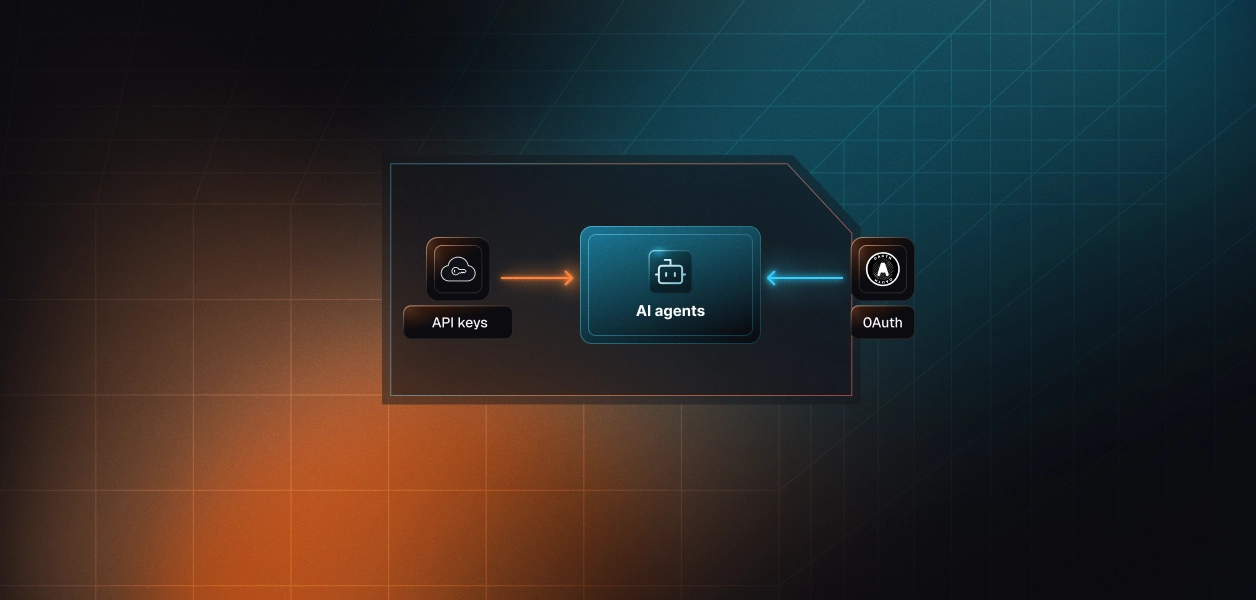


Your agent needs to translate a support reply, localize release notes, or clean up copy before it ships. DeepL now gives you three official ways to wire that up: a hosted DeepL MCP server, a local open-source MCP server, and the DeepL API. Tool count is the smaller difference. The hosted server signs in a DeepL user. The API bills a subscription key. That split decides who owns the credential, who pays, and what your agent can reach. Here's how to pick.
DeepL gives agents three official entry points. Two speak MCP; one is plain REST.
DeepL hosts this server at a single Streamable HTTP endpoint and announced its availability in Claude, ChatGPT, and Microsoft Copilot on September 22, 2026. Auth is OAuth 2.1: the user signs in with a DeepL account, and clients register through Dynamic Client Registration (DCR) or Client ID Metadata Documents (CIMD), so there's no client ID or secret to provision. It serves DeepL Free and seat-based plans (Individual, Team, Business, and DeepL for Enterprise), and DeepL's docs carry no beta label.
The server exposes up to 28 tools and shows each user only what their plan and team permissions allow.
The open-source server (MIT license, published to npm as deepl-mcp-server) runs over stdio and exits at startup if DEEPL_API_KEY isn't set. The current release, 1.3.10, registers 13 tools: text and document translation, rephrasing, language lists, writing styles and tones, and read-only lookups for glossaries, style rules, and custom instructions. Its translate-document tool reads and writes files on the machine running the server.
That design fits one developer with one key in an IDE. It doesn't fit a backend serving hundreds of users. DeepL positions it for API-key users; the hosted server is for DeepL account holders.
The REST API is versioned by path (/v2 for most endpoints, /v3 for glossaries, style rules, languages, and translation memories) and published as an OpenAPI spec. Every request authenticates with an Authorization: DeepL-Auth-Key header. There's no OAuth option, and legacy query-parameter auth is deprecated. API Free keys end in :fx and call a separate host from paid plans.
API plans are a separate subscription from seat-based plans and bill per character. DeepL no longer sells API Free or API Pro; new subscriptions start on API Developer, API Growth, or Enterprise API.
The comparison below pits the hosted server against the API, because that's the fork a production agent hits. The local server shares the API's key model, so treat it as a thin MCP wrapper over the API.
The hosted server covers translation, writing, documents, and customization management. The API owns everything operational.
Two gaps show up first. Translation memories are API-only: an agent that must reuse approved segments from a translation management system (TMS) imports a TMX file once and passes translation_memory_id on each request. Voice is API-only too: live interpretation streams audio over a WebSocket that no MCP tool fronts.
File formats are the third gap. JSON string catalogs, InDesign's IDML, and DITA topics are API formats; the hosted server stops at Office files, PDF, HTML, text, XLIFF, SRT, and images. An agent that localizes a product's string catalog belongs on the API.
The hosted server does work the API leaves to you. It fans one translation out to as many as 10 target languages in a single call. Its document flow moves file bytes out of band, so document content never enters the model's context window. It enforces customer governance server-side: when an admin assigns a style profile, DeepL applies that profile's glossaries and style rules over whatever the agent requested, and the response says so.
It also prunes itself. Tools the user's plan can't use never appear, so a DeepL Free user's agent never reaches for a glossary tool.
The two paths don't just use different token formats. They authenticate different principals.
DeepL documents one way in: an OAuth 2.1 flow where a DeepL user signs in and approves consent. There's no API key option. Clients register through DCR or CIMD, and a client DeepL doesn't recognize gets an extra confirmation step on the consent screen. If the customer runs SSO for DeepL, the sign-in goes through their identity provider.
The resulting token carries that user's plan and team permissions, which is why two users can see different tool lists from the same server. Admins keep a kill switch: they can turn off AI connector access for the whole organization, and a revoked token stops working immediately.
The API authenticates a subscription. Since June 2026, a key can be scoped to specific operations (translate:text, write:improve, glossaries:read, translation_memories:write, and others), and calls outside its scopes return 403. A key can also carry its own monthly character limit and returns 456 once it's exhausted. Voice endpoints have no scope yet, so they need an unrestricted key.
What a key can't express is who's asking. DeepL sees the subscription, not which of your users or agent runs made the call. Deactivating a leaked key is immediate and permanent, so rotation means minting a new key and redeploying it everywhere.
Take a support platform with 200 customer organizations and 3,000 support reps using a DeepL-powered reply assistant. On the hosted MCP, that's 3,000 OAuth grants, each tied to one rep's own DeepL account and each refreshed and revoked on its own. On the API, you choose between one platform key that you pay for and attribute per tenant with the X-DeepL-Reporting-Tag header, or 200 customer-owned keys you store and route, including :fx keys that need the Free host. Minting a key per tenant on your own subscription hits DeepL's 25-active-key ceiling fast.
Both paths require per-user credential isolation in a multi-tenant B2B agent. MCP's OAuth flow gives you a token per user. The API gives you a key per tenant, or a shared key you have to partition yourself. In neither case does the path itself solve storage, rotation, or revocation. Those are infrastructure problems regardless of which path you choose.
Recommended reading: OAuth vs API keys for AI agents
DeepL runs the hosted server's infrastructure. Everything that touches credentials and tenants is still yours.
DeepL owns the server, the tool schemas, and the document relay. You own the token lifecycle per user: storage, refresh, and handling revocation when a user or admin cuts access. You also own plan variance. A DeepL Free session caps a translation at 5,000 characters and a rephrase or correct call at 2,000, while seat-based plans allow 128,000, so the agent must chunk by plan. Direct document uploads need network egress from your agent's sandbox to DeepL's MCP domain; without it, the user gets an upload link instead.
You own everything above the HTTP call: request construction under the 128 KiB body limit, retries (back off on 429, 529, and 5xx; stop on 456 and 400), logging the X-Trace-ID header DeepL support asks for, async document polling, and host selection by plan. You also own the tool schemas. Every endpoint your agent calls needs an LLM-ready definition that you write, test, and maintain.
Writing the schema is the hard part. Not the API call.
The API is versioned by path and specified in OpenAPI, so a pinned client keeps working until you choose to migrate. MCP tools carry no version pin; they change when DeepL updates the server. The churn is visible in DeepL's own docs: the page for the local server still lists 8 tools, while its source ships 13.
Read tool schemas at runtime instead of hardcoding them. For deterministic pipelines, the versioned API is the more predictable dependency.
Both lists assume a production agent, not a demo.
Three Scalekit agent templates take a DeepL step naturally. The release notes agent turns merged GitHub pull requests into release notes in Notion; a translate step localizes each release. The support triage agent classifies Zendesk tickets, and the ticket automation agent drafts Zendesk replies from Notion articles. A correct-and-translate step makes both multilingual.
Whichever path you pick, credentials multiply with your customer count.
DeepL's controls are real. The hosted server gives each user their own OAuth grant, honors token revocation immediately, and lets customer admins shut off AI connector access. The API gives you scoped keys, per-key character limits, reporting tags, and an Admin API that creates, limits, and deactivates keys programmatically.
None of it manages the credentials on your side of the boundary.
In the 200-organization example, the MCP path leaves you with 3,000 OAuth tokens to encrypt at rest, refresh before expiry, and invalidate when a rep leaves or an admin flips the kill switch. The bring-your-own-key path leaves you with 200 customer keys to store, route to the right host, and replace when a customer rotates one.
The token type differs. The infrastructure required does not.
Scalekit's DeepL MCP connector handles the OAuth flow, token storage, and refresh, and a custom API-key connector puts customer keys in the same vault, so the MCP vs API decision doesn't change your auth infrastructure.
Recommended reading: Why a token vault is critical for AI agent workflows
Scalekit's DeepL MCP connector routes your agent's tool calls to DeepL's hosted server. Each user connects their DeepL account once. Scalekit vaults the tokens with AES-256, refreshes them, and resolves the right one at request time, so credentials never touch the agent runtime or the LLM context. The examples below use Python and LangChain.
You need Scalekit API credentials (SCALEKIT_ENVIRONMENT_URL, SCALEKIT_CLIENT_ID, SCALEKIT_CLIENT_SECRET) from the dashboard under Developers > API Credentials, a DeepL MCP connection under AgentKit > Connections, and an OPENAI_API_KEY for the LangChain examples. The connection_name in code must match the connection name configured in the dashboard exactly; a mismatch is the most common integration error. End users need a DeepL Free or seat-based account.
get_or_create_connected_account returns the user's DeepL connection. If it isn't ACTIVE, send the user through get_authorization_link to sign in to DeepL once.
In production, replace the input() pause with a redirect and a status check. The authorization guide covers that flow.
This step doesn't load a flat connector catalog. list_scoped_tools returns the tools this user's connected account is authorized to call. Use it to confirm tool names and input schemas before you hardcode anything.
execute_tool resolves the user's DeepL token server-side and returns a wrapper. The tool output lives in result.data, so log it once before you parse fields.
actions.langchain.get_tools returns native LangChain StructuredTool objects, scoped to this user. The tool_names filter keeps the agent's surface to the three tools this job needs.
Document tools use DeepL's out-of-band flow, so file bytes never enter the context window:
In the default inline_ui mode, the MCP client collects the file instead, or the user opens uploadPageUrl in a browser.
Scalekit has no prebuilt DeepL API connector today, so the API path runs through a custom connector with API_KEY auth. Set proxy_url to the DeepL API host for your plan, or template it with a per-account field if customers bring Free :fx keys. Use auth_field_mutations to add the DeepL-Auth-Key prefix DeepL expects. Each customer's key is collected through the authorization link and stored on their connected account, so your agent code never holds it. Calls go through the Tool Proxy with actions.request.
Direct tool calling works when your code owns the agent loop. When the agent runs in an MCP-native host, Virtual MCP servers give you one server definition, per-user credential isolation, and least-privilege tool access, with no MCP server to deploy, host, or maintain.
A support localization agent needs DeepL and Zendesk. Scalekit's Zendesk connector documents 137 tools and the DeepL MCP connector 8. Hand the agent both and it chooses among 145 tools; at roughly 200 tokens per definition, that's about 29,000 tokens before it does any work. The job needs five: read the ticket, read its comments, correct the draft, translate it, and post the reply.
Surface reduction is the lever. Model upgrades help. They are not the lever. The Zendesk side of that tradeoff is covered in How Tool Calling Auth Changes When You Move from Single-Tenant to Multi-Tenant.
The mapping declares which connections and which tools the endpoint exposes. You create it once, not once per user, and reuse the static mcp_server_url for everyone.
If the pipeline also runs through a TMS, map Lokalise, Smartling MCP, or LILT MCP tools onto the same server, next to DeepL.
Before each run, confirm the user's connections are active, then mint a short-lived session token bound to that user. The default lifetime is about an hour. There's no refresh endpoint, so you call create_session_token again when you need a new token.
The endpoint is static; the identity is per user. One definition serves every tenant, and no user's DeepL or Zendesk credentials ever reach another user's session.
Recommended reading: Access control for multi-tenant AI agents
langchain-mcp-adapters connects to the Virtual MCP server with the session token as bearer auth. The agent sees the five mapped tools and nothing else.
The same URL and token work with the other MCP-native hosts Scalekit documents, including CrewAI, Mastra, and Claude Managed Agents. The LangChain guide covers both integration styles side by side.
When a translated reply lands on the wrong ticket, "the agent called DeepL" isn't an answer.
Every execute_tool call resolves against a connected account. The dashboard's AgentKit > Connected Accounts view shows each account's status, token refresh history, and tool execution logs, which gives you per-user, per-connector evidence of which tool ran, when, and under whose authorization. The DeepL connector page describes a 90-day audit trail. Each execute_tool result also carries an execution_id; log it next to your agent-run ID so every DeepL call in your logs traces back to one tool execution.
Agent Webhooks push connected account lifecycle events, auth events, and token activity to your systems. A failed DeepL token refresh can trigger re-authorization before the next tool call errors out.
DeepL's records are keyed to DeepL's objects: a seat, an API key, a reporting tag, an X-Trace-ID. Your audit questions are keyed to yours: which end user, which tenant, which agent run. On the MCP path, usage lands in each customer's DeepL account, where your platform can't see it. On a shared API key, DeepL can attribute characters to a tag but can't tell you which user's session triggered them.
The execution log has to live on your side of the boundary.
Recommended reading: Audit trails for agent auth in B2B SaaS
If your agent acts for a person who already works in DeepL, such as a support rep drafting replies or a developer polishing UI strings, build against the hosted MCP. The consent flow is DeepL's, the governance is the customer's, and the spend stays on their contract.
If your agent acts for your platform, or needs translation memories, Voice, tag handling, or file formats beyond Office and PDF, build against the API with keys you control.
Most production localization products end up with both: the assistant on MCP, the pipeline on the API. Either way, credentials multiply with your customer count, and that's the part that needs production-grade infrastructure.
Building a DeepL agent and want a second set of eyes on the auth design? Talk to us for immediate help. Start from the DeepL MCP connector docs, browse the DeepL MCP connector page, explore all agent connectors, or compare pricing.