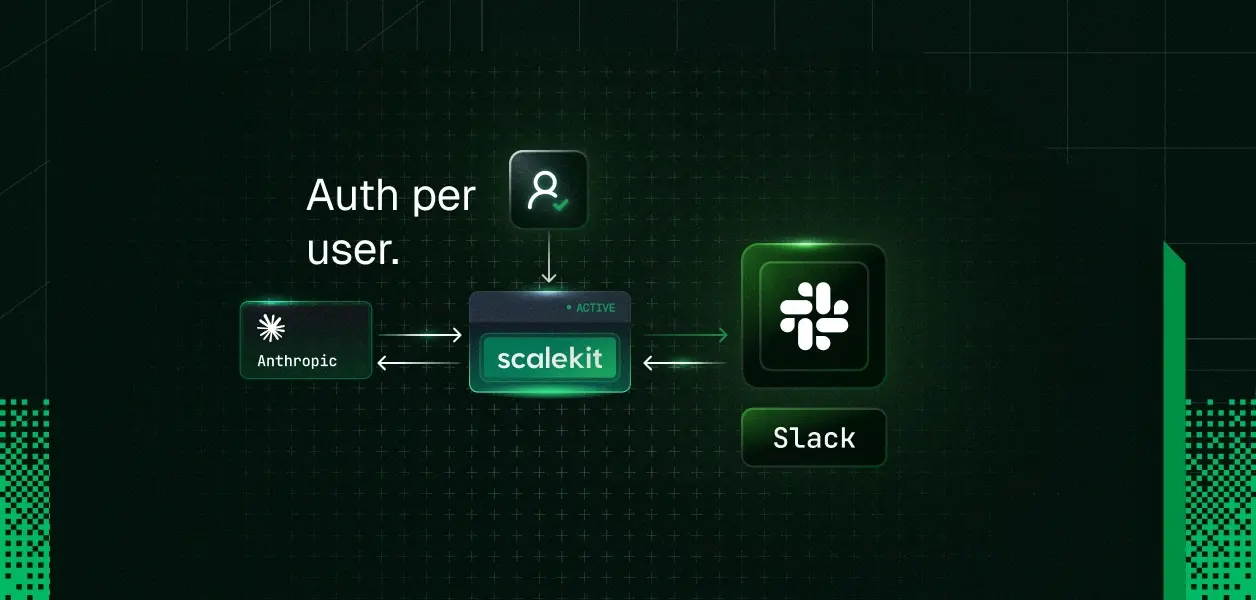
A Slack MCP server lets an AI agent search, read and post in Slack through the Model Context Protocol. Slack runs its own at https://mcp.slack.com/mcp, and it acts as the signed-in user: every tool runs on a Slack user token (xoxp-) issued through OAuth to a registered Slack app, so searches return what that person can see and messages post under their name.
That model fits one person working in Claude Code or Cursor. A product that serves many people needs one Slack token per user, stored outside the model and picked for every call, which is the same problem every multi-user MCP integration has to solve. If you are still deciding between MCP and the Web API, Slack MCP vs API compares the two.
Slack announced its MCP server on February 17, 2026, together with the Real-time Search API, and added five tools on May 13, 2026: add reactions, create a conversation, list channel members, list emoji and read files. Slack hosts the server. Its documentation lists Claude, Claude Code, Perplexity and Cursor as clients that connect with no code; any other client must be backed by a registered Slack app.
The server can search messages, files, channels, users and custom emoji; read channel history and threads; send, schedule and draft messages; create channels and DMs; add and read reactions; create, update and read canvases; read user profiles and channel members; list the user's own channels; create and update Slack lists; read files; and upload files in two steps (slack_get_file_upload_url, then slack_complete_file_upload). Each tool needs specific scopes on the user token:
Private channels, DMs and group DMs are opt-in. When an app is installed with search:read.private, search:read.im or search:read.mpim, each user chooses whether to grant that access during consent, as the Real-time Search API guide describes. An app installed with only search:read.public cannot offer it at all.
The app-identity rule matters most when you build a product. If you plan to call the server for customers in other workspaces, your Slack app has to be listed in the Slack Marketplace first, because a distributed but unlisted app cannot use MCP. An internal app works for your own company's workspace, and Slack's Developer Program provides a free sandbox for testing.
Slack issues several token types, and two matter for agents. A bot token, which starts with xoxb-, represents the bot user of an app installed in a workspace. It is tied to the app, not to a person, so the app keeps working when the person who installed it is deactivated. A user token, which starts with xoxp-, represents a workspace member. Slack's docs say it carries the same access the user has, and that write actions with it are performed as if by the user themselves.
"Act as the user" has a concrete meaning for the two things agents do most. For search, the agent gets results from the channels and conversations that person can access and has granted, and nothing else, so two users asking the same question can get different answers. For posting, the message lands in the channel as if the person typed it, with their name and photo.
A bot token is the better fit for alerts, digests and a shared assistant that answers in a channel, where messages should visibly come from the app. A user token is the better fit when the agent works on one person's behalf: searching their DMs and private channels, summarizing threads they are in, and drafting or sending replies under their name.
The archived reference server. @modelcontextprotocol/server-slack started in the official MCP servers repository and now sits in the servers-archived repository, which provides no security updates or bug fixes. It runs over stdio with a bot token (SLACK_BOT_TOKEN) and a team ID, and has eight tools: list channels, post, reply in a thread, add a reaction, read channel history, read thread replies, list users and read a profile. It has no search tool and acts as the bot. The MCP servers README lists Zencoder as the maintainer of a continued version.
korotovsky/slack-mcp-server. The most-starred community server (about 1,870 GitHub stars, MIT license) supports stdio, SSE and HTTP. It accepts a user token, a bot token, or browser session tokens (xoxc- and xoxd-) copied from a logged-in Slack tab. Search is not available with a bot token. Posting and reactions are off by default; SLACK_MCP_ADD_MESSAGE_TOOL turns posting on and can limit it to a list of channel IDs. The browser-session mode runs without installing a Slack app, so it bypasses the workspace's app approval process; check your workspace's policy before using it on a company workspace.
ubie-oss/slack-mcp-server. An npm package (repository) that runs over stdio or Streamable HTTP. It takes a bot token and a user token, and needs the user token for message search. Setting SLACK_SAFE_SEARCH=true removes private channels, DMs and group DMs from search results, enforced on the server.
Each of these runs with one set of Slack tokens per process, so the server acts as one identity. That suits a single developer. To serve many users you would run a process per user or add your own token storage, and you take on rotation, revocation and reviewing third-party code. How to vet a third-party MCP server lists the checks.
Scalekit AgentKit is an MCP gateway for agents that act on behalf of many users. It has two Slack connections:
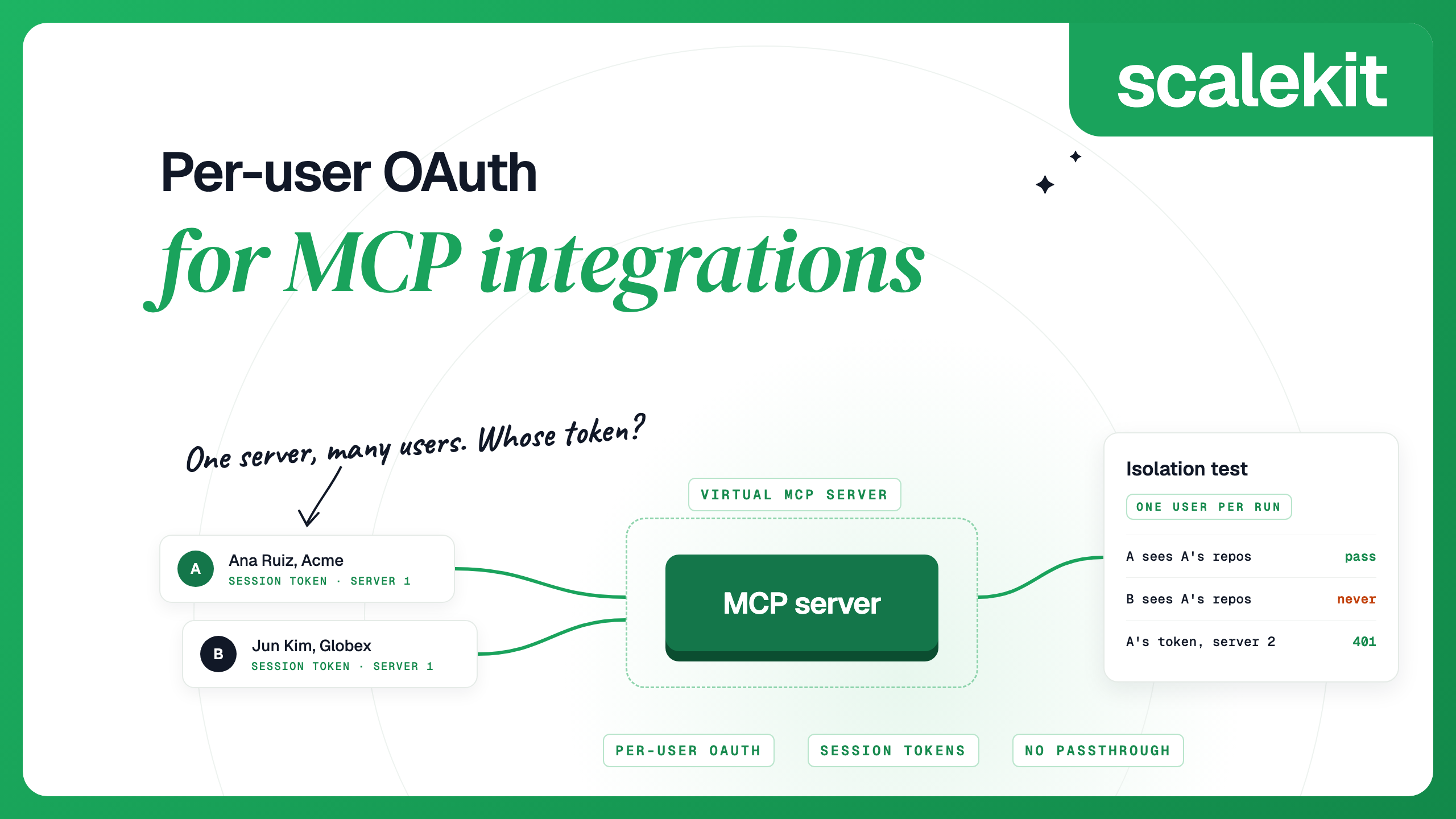
Both follow the same model. Each user signs in to Slack once, and Scalekit stores and refreshes their Slack tokens. Every connection has its own MCP server at <environment URL>/mcp/v3/connections/<connection name>, and all users share that URL. Before each run, your back end mints a session token bound to one user and one server. It lasts one hour by default, can be set from 60 seconds to 24 hours, and is minted again rather than refreshed. The agent never receives the user's Slack token. The Slack MCP connector page lists every tool.
Authorize a user, then mint a token for a run.
A read-only token hides every tool that changes something, so the agent can search and read but cannot post. To give an agent an exact tool list instead, create a Virtual MCP server once per agent role and mint tokens for it:
Slack's own plugin is the simplest choice when the person using the agent is the person whose Slack it reads. Scalekit is the better fit when your back end runs the agent for many users and you want each user's Slack tokens stored and refreshed for you, alongside 500+ other connectors.
Each setup needs a Slack workspace where an admin has approved the MCP integration. In Claude Code, install Slack's plugin from a session, or from the command line, as Slack documents. The plugin configures the server and prompts you to sign in to Slack through OAuth.
The plugin uses this MCP configuration:
In Cursor, use the Add to Cursor button on Slack's Cursor page, or add this under Cursor Settings, MCP, then click the connect button that appears:
In Codex, Slack's plugin installs with codex plugin marketplace add slackapi/slack-skills-plugin and codex plugin add slack@slack, but it ships the skills only: the Slack MCP and Skills Plugin documentation says the MCP server connection is available in Claude Code and Cursor, not yet in Codex. To use Slack tools from Codex, point it at a Scalekit connection as shown below, or run a self-hosted server.
Use the server URL and session token from the earlier snippet. Every client sends the token as a bearer header. In Claude Code:
In Cursor, in .cursor/mcp.json for one project or ~/.cursor/mcp.json for all projects. Cursor reads ${env:NAME} values from your environment:
In Codex, in ~/.codex/config.toml. Codex reads the token from the environment variable you name:
A session token lasts at most 24 hours. For a client config you edit by hand, mint a new token on a schedule and update the environment variable.
When your product runs the agent, each of your users needs their own Slack token, and the agent must never pick the wrong one. There are two ways to set that up.
Call Slack's server from your own app. Register a Slack app, turn on the MCP server feature, and list the app in the Slack Marketplace, or keep it internal if it only serves your own company. Each user installs it through OAuth, and you store their user token encrypted, keyed by your own user ID. On each call, send that user's token as the bearer token to https://mcp.slack.com/mcp; Slack's sample Bolt app passes the user token this way. You own token storage, rotation if you turn it on, revocation and the Marketplace review.
Use a managed layer. With Scalekit, users sign in through the authorization link, Scalekit holds and refreshes their tokens, and your back end mints a session token per run. If you use your own Slack app with the Slack MCP connection, that app still needs the MCP server feature turned on.
The same two rules apply either way. Resolve the user from a credential your back end issued, never from a tool argument or the prompt. And keep Slack tokens on the server side, out of the client and the model. An MCP server that accepts a token from the client and forwards it to Slack is using token passthrough, which the MCP security best practices forbid. Per-user OAuth for MCP integrations covers the flow and an isolation test, and the Claude agent tutorial for Slack shows the same per-user model with direct tool calls in TypeScript.
Yes. Slack hosts one at https://mcp.slack.com/mcp over Streamable HTTP, announced on February 17, 2026. It uses OAuth user tokens, and each MCP client must be backed by a Slack Marketplace app or an internal app that workspace admins approve.
A user token. Slack's docs list the scopes each tool needs on the user token, and a bot token is optional, only for an in-Slack experience. Every search and every message therefore runs as the person who signed in.
Not through search.messages, which accepts only user tokens with search:read. The Real-time Search API accepts a bot token only with an action_token from a message or app_mention event, and its bot scopes cover public channels, files and users.
Yes. Tools that send messages run on your user token, and Slack treats write actions with a user token as if the user performed them. Keep sending behind a confirmation step for that reason.
No. It moved to the archived MCP servers repository, which provides no security updates or bug fixes. The MCP servers README lists Zencoder as the maintainer of a continued version.
Each user authorizes once and gets their own Slack token, stored on your back end and never sent to the model. With Scalekit, each run carries a short-lived session token bound to one user and one server, and Scalekit uses that user's Slack token when it calls Slack.
Not through Slack's plugin yet. Slack's documentation says the plugin's MCP server connection is available in Claude Code and Cursor, and in Codex the plugin installs skills only. You can point Codex at a Scalekit connection URL with bearer_token_env_var, or run a self-hosted server.
Details checked October 2026.


.png)