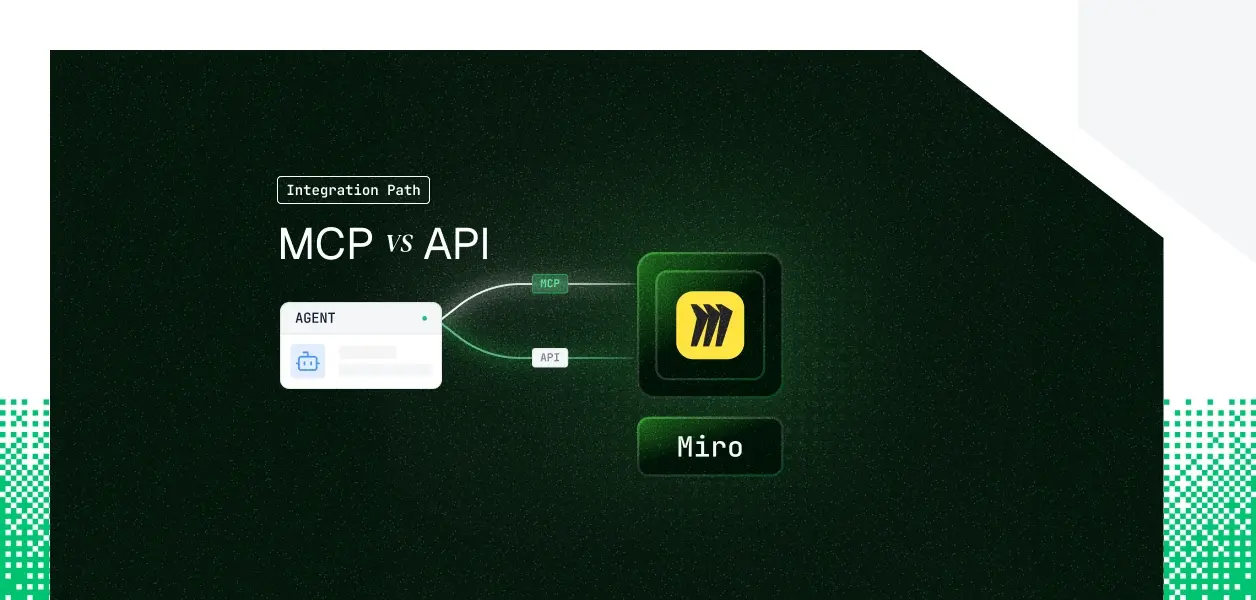


Your agent needs to read and write Miro boards. Miro ships two ways in: a hosted MCP server at mcp.miro.com and the Miro REST API (v2) at api.miro.com. They cover overlapping but not identical territory, they put you on different operational paths, and the auth story has a constraint that matters specifically for background agents. Here is the decision framework you need for Miro MCP vs API.
Miro's hosted MCP server is a remote, Miro-maintained endpoint at https://mcp.miro.com/, released in late 2025. It gives MCP-compatible clients access to the boards inside a selected Miro team. Authentication is OAuth 2.1 with Dynamic Client Registration; the user completes a browser-based consent flow and selects the team to install into. On Enterprise plans an admin must enable the MCP server for the organization before anyone can connect.
Miro positions the server around two supported use cases today, generating diagrams on a board and generating code from board content, while exposing a broader tool surface underneath.
The Miro REST API is versioned (v2), with resource-oriented endpoints under https://api.miro.com/v2/. It exposes CRUD across boards, board members, and most board item types, plus webhooks and a set of Enterprise-only governance APIs. Every application must authenticate with the OAuth 2.0 Authorization Code flow; there is no API key and no machine-to-machine grant.
The honest summary for Miro is that this is not a clean subset relationship. The MCP server is purpose-built for AI authoring and exposes some newer item types that the standard REST item API does not. The REST API, in turn, owns the operational and Enterprise surface that the MCP server never touches.
For an authoring agent, the MCP server is the more direct tool. Its diagram_create and layout_create tools build multiple items from a single DSL block, which is far less brittle than placing each shape and connector through individual REST calls. It also reads board context with context_get and context_explore, and it can work with code widgets, tables, and comment threads, none of which the standard REST item API supports.
The REST API is the only path for anything operational or organizational. Webhooks for real-time board events, board-member roles, and the Enterprise organization, team, and project APIs live exclusively in REST. If your agent has to react to board changes, manage who can see a board, or administer teams and projects at scale, the MCP server has no equivalent tool. That gap is architectural, not a roadmap item.
The MCP server applies standard Miro request limits per user, totaled across all tool calls, with some tools carrying stricter tool-specific limits. The REST API uses a credit-based model: a global budget of 100,000 credits per minute per user per application, with each method assigned one of four weight levels. Either way, an agent issuing many sequential calls per user action will meet these limits sooner than a traditional integration, so plan for backoff from day one.
Miro does document a service-account style shortcut: you install your own app into your own team from the developer dashboard and collect the resulting token without coding the full redirect flow.
That works for single-tenant internal automation against your own boards. It does not extend to acting on behalf of customer teams, because there is no cross-tenant machine grant.
For multiple customers, you are back to per-user, per-team Authorization Code consent.
This is the correction worth internalizing for Miro specifically. Because there is no machine-to-machine grant, the headless distinction is not about token type. It is about who drives the flow.
For background agents, that is the deciding difference.
Both paths give you one Miro OAuth token per user. The MCP flow hands you a session-scoped token per user; the REST flow hands you an access and refresh token pair per user. In a multi-tenant B2B agent, that is N credentials, one per user, each with its own lifecycle. Neither path stores, rotates, or revokes them for you.
Miro manages hosting, tool schemas, and permission enforcement. You still own per-user token storage, refresh, and revocation, and you depend on Miro's admin gating on Enterprise plans. You also inherit unversioned tool schemas: when Miro updates the hosted server, tool definitions can change without a versioning contract, which matters for deterministic pipelines.
You own the full stack: endpoint selection, request construction, pagination, error handling, credit-aware retries, and the complete token lifecycle. The tradeoff is stability. The REST API is explicitly versioned at v2, so you pin behavior and migrate on your own schedule rather than absorbing an upstream schema change as an incident.
Whether you choose MCP or REST, every user in a multi-tenant Miro agent has their own credential. Fifty customers means fifty OAuth tokens, fifty refresh cycles, fifty revocation events. The MCP flow gives you a session token per user; the REST flow gives you an access and refresh token pair per user. The token type differs; the infrastructure required is identical.
Neither path is a vault, a rotation engine, or a revocation flow. Miro access tokens expire in one hour, refresh tokens are single-use and rotate on every call, and a user uninstalling your app invalidates the refresh token silently. Your agent has no built-in way to detect that until it sees the 401, unless you are watching for it.
Scalekit's Miro connector handles the OAuth flow, per-user token storage, and automatic refresh for both paths, so the MCP vs API decision does not change your auth infrastructure.
Scalekit's Agent Auth runs the Miro OAuth flow for each user and stores the resulting tokens in a vault, encrypted at rest and resolved at request time. Credentials never touch the agent runtime or the LLM context: the agent calls a tool, gets a result, and never sees a token. Miro's one-hour access tokens and single-use rotating refresh tokens are refreshed for you, which removes the most common silent-failure mode in production Miro agents.
The Scalekit Miro connector is REST-backed and exposes roughly 100 tools spanning board items, connectors, groups, tags, bulk item creation, and the Enterprise organization, team, project, audit-log, and board-export surface. Handing all of that to a model is the wrong default. A diagram agent needs five to ten of those tools, not a hundred.
list_scoped_tools returns only the tools the current user's connected account is authorized to call, not the full catalog. Scoping a surface from 100 tools to a handful reduces token overhead and produces more reliable tool selection. The fix is not better prompting. It is surface reduction.
Scope here is a function of identity, not connector configuration. The agent inherits exactly what the user authorized through Miro's own scopes, such as boards:read and boards:write. What the user cannot do, the agent cannot do. Shared credentials are a single-user solution; they do not survive a second tenant, and they cannot express per-user board permissions.
The example below fetches the user's scoped Miro tools, then runs the full Claude tool-use loop. The connection_name you pass must match the connection name configured in your Scalekit dashboard; a mismatch is the most common integration error.
If you would rather expose Miro to your agent over MCP, Scalekit's Virtual MCP Servers give every agent a scoped, per-user MCP endpoint that declares exactly which tools it can see and whose credentials it acts with, with no MCP server to deploy, host, or maintain. You configure the connection and tool allow-list once per agent role; before each run, a short-lived session token is minted scoped to that user's connected account. One server definition serves all users; the endpoint is static, the identity is per-user. A Scalekit Virtual MCP URL looks like https://yourcompany.scalekit.com/mcp/v3/servers/<server-id>.
Recommended:
For multi-tool, multi-tenant agents, the operational question auditors ask is whose credentials ran which action. Scalekit's auth logs tie each authorization, token-refresh, and tool call back to the user who authorized it, and the Miro connector ships a miro_token_info_get tool that returns the authenticated user, team, and granted scopes for the active token. That gives you a per-user trail across every Miro call, which is what you need when one agent acts for many customers.
Scalekit's Miro connector already covers the full board-item and Enterprise surface. If you need a Miro capability or another connector that is not yet exposed, request it through the Scalekit Slack community or the Talk to us page.
If your agent is interactive and its job is authoring, generating diagrams, scaffolding code from a board, or working with comments and tables, the hosted MCP server is the faster path, and Miro maintains it for you. If your agent runs headless, needs webhooks or board-member control, or touches the Enterprise organization, team, and project APIs, build against the REST API, where you control the OAuth flow, persist the refresh token, and pin a stable version. Most production Miro agents end up using both. Either way, the credential management problem is the same, and that is what needs production-grade infrastructure.
Browse the Scalekit Miro connector and the connector docs.









